Esta reseña aún no está disponible en Español, así que estás leyendo el original en English.
Video Face Enhancer Review: Sharper Faces, Same Clip
Pick Video Face Enhancer to rescue soft or over-compressed footage of people; it fixes faces, not pixel count, and it can smooth skin a little.
Spicy Index
Fuera del índice
Freedom Score
Aún sin probar
- Precio
- 0,06 US$ por cada 5 s procesados
- Tiempo mediano
- 60 s
- Tasa de éxito
- Recopilando datos
Video Face Enhancer takes one field, video_url, and returns the same clip with up to three faces per frame restored, picked in order of size. Resolution, frame rate, length, framing and the audio track come back as you sent them. There is no prompt and nothing to tune. It costs $0.012 per second of the input clip, rounded up to a whole second with a 3-second minimum, and the clip must run between 3 seconds and 5 minutes.
- SpicyAPI Engineering
- Probado el 25 oct 2026
- Metodología v3.3 →
- Vendemos estos modelos; el precio no cuenta en la puntuación →
The verdict
Use it on footage where the faces are the problem: a podcast clip crushed by compression, a webcam recording, a generated video where the faces went soft. It is not an upscaler, so a 640×360 clip comes back at 640×360. If you also need more pixels, run it before or after Video Upscaler.
Key facts
- Content ladder: not tested on this endpoint; it restores footage you supply rather than generating new scenes.
- Price: $0.012 per input second, 3-second minimum, failed requests are not charged.
- Limits: 3 seconds to 5 minutes, up to three faces per frame, no resolution change.
- Sources: the parameter list and the published example are on the Video Face Enhancer model page.
Lo que nos gustó y lo que lo frenó
Lo que nos gustó
- One field, one job.
video_urlis the whole request, so it drops into a pipeline without a prompt-writing step. - Everything outside the faces stays put. In our test the room behind the speaker was unchanged, and length, framing, motion and the audio track were kept.
- No visible flicker in our clip. Eyes, teeth and the hairline were sharper in every frame we checked, and the speaker still looked like the same person.
- It runs fast for the job. The 5-second test clip finished in about 21 seconds of processing.
- It is inexpensive. A 30-second clip costs $0.36.
Lo que lo frenó
- It does not add pixels. Output size equals input size, so a small clip stays small.
- Skin can come back a little smoother. In our before and after comparison the faces were clearly sharper, with slightly softened skin texture. Watch the result at normal speed and on a paused frame before delivering it.
- Three faces per frame. Up to three faces are restored, in order of size; any further, very small or hidden faces are left as they were.
- Real, clearly visible faces improve most. Faces that are tiny, turned away or obscured give the model little to work from.
- Five minutes is the cap. Longer footage needs to be cut into pieces first.
What we tested
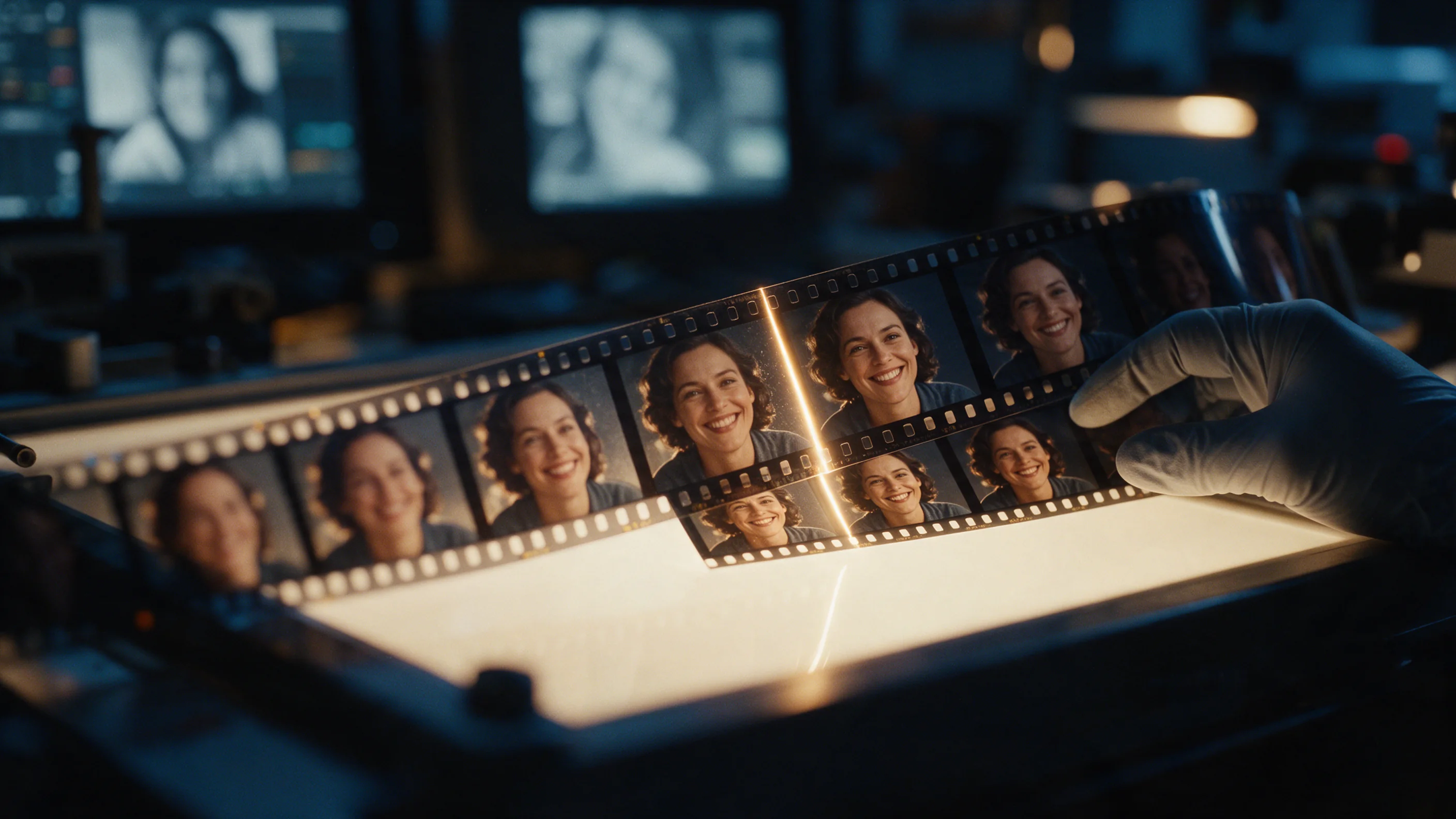
We ran one real clip on 25 October 2026: a 5-second 640×360 shot of a podcast host, degraded with heavy compression. It came back at 640×360 and 24 fps, still 5.0 seconds long with the audio kept. We compared the original and the result side by side: eyes, teeth and hairline were visibly sharper, the background was unchanged, and we saw no frame-to-frame flicker on playback.
That is one clip, so treat it as a confirmation of how the endpoint behaves, not a benchmark. We did not test multi-person footage, fast head movement, profile views or low-light clips, and we have not scored it against other restoration tools. If your footage looks like that, run a short sample first; billing is per second, so a 3-second test costs $0.036.
Alternatives
- Restoring a single photo instead of a clip? Face Enhancer does the same repair on one image.
- Need a larger frame as well as better faces? Video Upscaler raises the clip to 720p, 1080p, 2K or 4K.
- Re-voicing the person on screen? Lip Sync redraws the mouth to match a new audio track.
Cómo gana Video Face Enhancer su Spicy Index
Cada dimensión enlaza con su cálculo completo: la fila de la tabla de la que sale cada punto y por qué se perdieron puntos.
- Clasificaciones públicas 45 % de la calidad
- Aún sin probar
- Prueba a ciegas de resultados 35 % de la calidad
- Aún sin probar
- Calidad en la arena 20 % de la calidad
- Aún sin probar
- Capacidad Peso del 10,5 %
- Aún sin probar
- Freedom Score Peso del 30 %
- Aún sin probar
Aún no hay una coincidencia exacta en las clasificaciones públicas que seguimos. Cómo funciona
Aún no se ha incluido en nuestra prueba a ciegas de resultados. Cómo funciona
Contará cuando el modelo tenga al menos 100 votos a ciegas y un intervalo del 95 % menor de 200 Elo. Cómo funciona
Aún sin puntuar. Cómo funciona
La libertad no se ha probado o las pruebas son insuficientes. El Index conserva la puntuación original de calidad y capacidades, se marca como provisional y sigue recibiendo posición. La falta de pruebas no equivale a cero. Cómo funciona
Lo que Video Face Enhancer puede hacer en SpicyAPI
Tomado directamente de la especificación en vivo del modelo en SpicyAPI. Algunos creadores ofrecen más en sus propias apps; esto es lo que puedes llamar hoy desde nuestra API.
| Función | Edición de video |
|---|---|
| Audio nativo | No |
| Control de semilla | No |
| Prompt negativo | No |
Cuánto tarda de verdad
Medido con trabajos reales de los últimos 30 días, desde la solicitud hasta el resultado final. Los tiempos incluyen nuestras propias pruebas.
- Tiempo mediano
- 60 s
- Percentil 90
- 4,1 min
- Espera por segundo de video
- Recopilando datos
- Tasa de éxito
- Recopilando datos
Un tiempo aparece cuando hay al menos 10 trabajos completados. Las tasas de éxito solo cuentan trabajos de clientes y siguen ocultas para todos los modelos hasta completar 30 días de tráfico.
Modelos que puedes considerar en lugar de Video Face Enhancer
SpicyAPI
Face Enhancer
Restoring a single photo instead of a clip?
- Spicy Index
- —
- Freedom Score
- —
- Precio
- 0,012 US$/ imagen
SpicyAPI
Video Upscaler
Need a larger frame as well as better faces?
- Spicy Index
- 56,3
- Freedom Score
- 56,0
- Precio
- —
SpicyAPI
Lip Sync
Re-voicing the person on screen?
- Spicy Index
- 65,6
- Freedom Score
- Aún no hay evidencia suficiente
- Precio
- —
¿Qué opinas?
¿Te resultó útil esta reseña?
Inicia sesión para votar.
Comentarios
Los comentarios se revisan de forma automática y por nuestro equipo. Eliminamos el spam, el contenido inapropiado, los ataques personales y cualquier cosa que nombre a una persona real sin su consentimiento. Si reportas un comentario, lo revisamos en un día hábil.
¿Probaste este modelo? Comparte lo que te funcionó. Necesitas una cuenta gratuita para comentar, así mantenemos fuera el spam.
Preguntas frecuentes sobre Video Face Enhancer
Prueba Video Face Enhancer por tu cuenta
Ajusta cada parámetro en el Playground y mira el precio exacto antes de lanzarlo.
0,06 US$ por cada 5 s procesados
Más reseñas
Ver las clasificaciones →Video Background Remover
Pick Video Background Remover to drop a presenter or product clip onto a new layout; check the alpha edges yourself, because we have not scored them.
- Spicy Index
- —
- Freedom Score
- —
Probado el 24 oct 2026
Leer la reseñaVideo Eraser
Pick Video Eraser for a burned-in caption band or a corner overlay that never moves; it cannot follow a moving object or erase for part of a clip.
- Spicy Index
- —
- Freedom Score
- —
Probado el 24 oct 2026
Leer la reseña
Video Upscaler
Elige Video Upscaler para entregar un clip a un nivel mayor antes de publicar; genera a un tamaño que renderice rápido, y escala solo la toma que conserves.
Probado el 27 sept 2026
Leer la reseña