이 리뷰는 아직 한국어 버전으로 제공되지 않아 English 원문을 표시합니다.
Face Enhancer Review: Soft Faces Back in Focus, Same Size
Pick Face Enhancer to bring detail back to soft, recompressed faces and leave the rest of the photo alone; add Image Upscaler for more pixels.
Spicy Index
지수 대상 아님
Freedom Score
아직 테스트 안 함
- 가격
- US$0.012 장당
- 소요 시간 중앙값
- 8.3초
- 성공률
- 데이터 수집 중
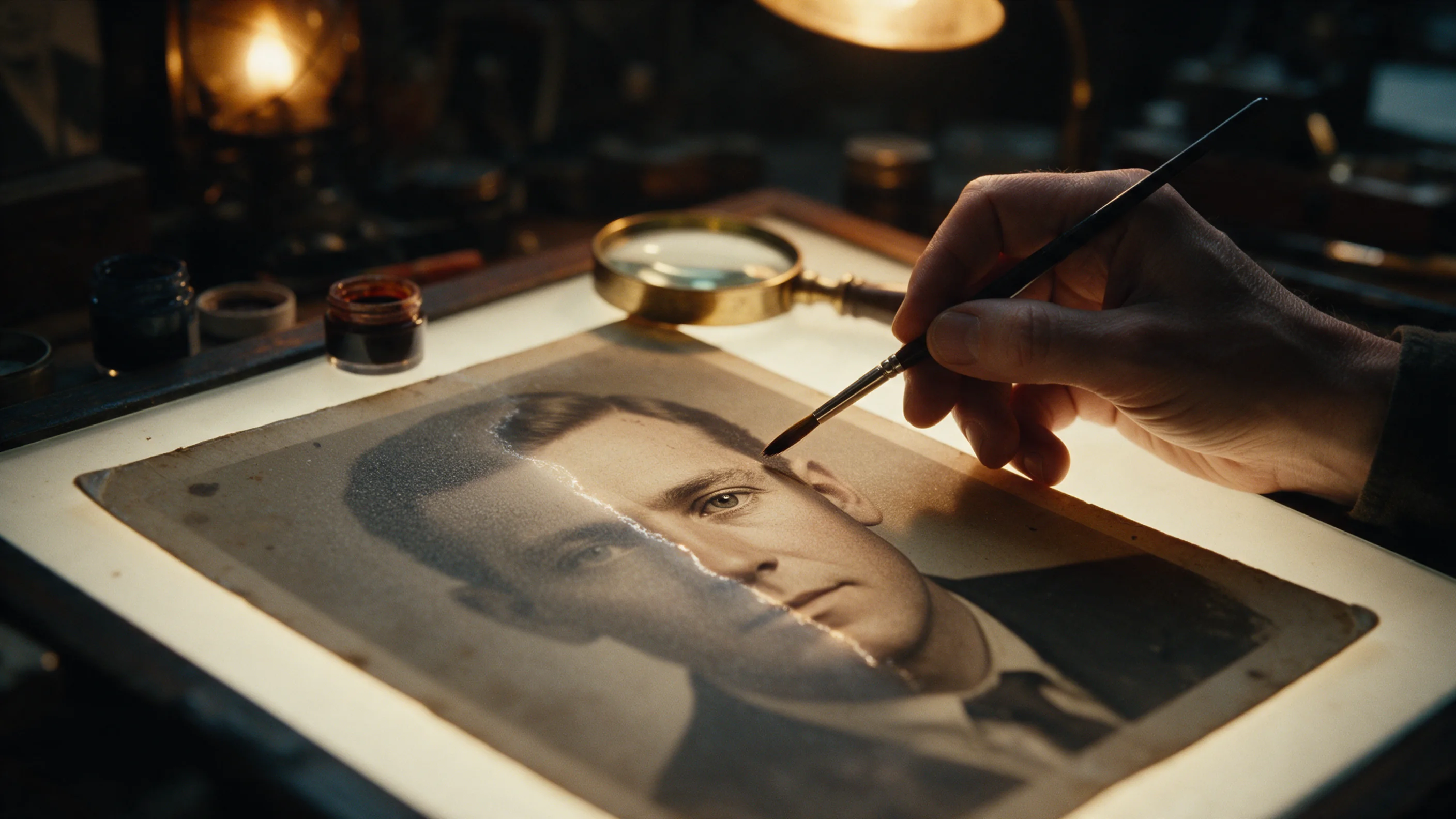
Face Enhancer takes one photo and rebuilds the detail in the faces: eyes, brows, beard, skin texture. The request is a photo URL and, if you want it, an output format (JPEG, PNG or WebP). There is no prompt and nothing to tune. Up to three faces are restored, taking the larger faces first, and everything else in the picture is left as it was. The image comes back at the resolution you sent.
- SpicyAPI Engineering
- 2026년 10월 25일 테스트
- 평가 방식 v3.3 →
- 판매 중인 모델이지만 점수는 가격과 무관합니다 →
The verdict
It is a repair tool, not an upscaler. If the face is the problem, this is the call; if the whole photo is too small, use Image Upscaler instead or after it.
Key facts
- Input:
image_url(JPEG, PNG or WebP);output_formatis optional and does not change the price. - Output: one image per request at the input resolution, with up to three faces restored.
- Price: a flat price per image; see the model page for the live figure.
- Tested: one portrait on 25 Oct 2026; it finished in about 9 seconds.
좋았던 점과 아쉬웠던 점
좋았던 점
- Nothing to configure. A photo URL is the whole request, so it drops into a pipeline without prompt work.
- The rest of the frame stays put. In our test the bottle shelf behind the subject kept its original compression blocks; only the face was rebuilt.
- Same size in, same size out. Our 720 x 404 test photo came back at 720 x 404, so it fits back into whatever layout it came from.
- Format choice. PNG avoids another round of lossy compression when the result goes to further editing.
아쉬웠던 점
- It does not add pixels. For a banner or a print, enhance the faces first and upscale afterwards.
- Three faces maximum. In a group photo three of the larger faces are restored and the others stay as shot.
- Skin comes back a little smooth. Detail is rebuilt, so compare against the original around the eyes and skin before you publish.
- Hard cases improve less. Illustrated or anime faces, very small faces, and faces that are heavily covered or extremely blurred gain less than clear, reasonably large human faces.
What the result looks like
We ran one portrait through the image endpoint. The faces gained detail and stayed recognisably the same person, while the background kept its original artefacts. We did not run a batch or a side-by-side set of photo types, so we have not tested how it behaves on group shots, heavy blur or non-photographic faces beyond what the model page says.
We have not tested Face Enhancer on content-limit tests, so this review makes no claim about content limits.
Alternatives
- Need more pixels, not better faces? Image Upscaler enlarges the whole photo to 2K, 4K or 8K.
- Faces in a video? Face Enhancer Video applies the same repair to footage.
Face Enhancer의 Spicy Index 구성
아래 각 항목에서 채점 세부 내용으로 이동할 수 있습니다. 모든 점수가 어느 행에서 나왔는지, 왜 감점됐는지 확인하세요.
- 공개 리더보드 품질의 45%
- 아직 테스트 안 함
- 블라인드 결과물 테스트 품질의 35%
- 아직 테스트 안 함
- 아레나 품질 품질의 20%
- 아직 테스트 안 함
- 기능 가중치 10.5%
- 아직 테스트 안 함
- Freedom Score 가중치 30%
- 아직 테스트 안 함
추적 중인 공개 리더보드에 아직 정확히 일치하는 항목이 없습니다. 작동 방식
아직 자체 블라인드 결과물 테스트를 거치지 않았습니다. 작동 방식
블라인드 투표 100표 이상이고 95% 신뢰구간의 폭이 200 Elo 미만일 때 반영합니다. 작동 방식
아직 채점하지 않았습니다. 작동 방식
자유도가 미측정이거나 근거가 부족합니다. Index는 원래 품질·기능 점수를 유지하고 잠정 표시로 순위에 포함됩니다. 근거가 없다고 0점으로 처리하지 않습니다. 작동 방식
SpicyAPI에서 지원하는 Face Enhancer 기능
SpicyAPI의 실시간 모델 사양에서 그대로 가져왔습니다. 개발사가 자사 앱에서 더 많은 기능을 제공할 수도 있지만, 여기 있는 것은 지금 당사 API로 호출할 수 있는 기능입니다.
| 기능 | 이미지 편집 |
|---|---|
| 출력 형식 | jpeg · png · webp |
| 시드 지정 | 아니요 |
| 네거티브 프롬프트 | 아니요 |
실제로 걸리는 시간
지난 30일 동안의 실제 작업에서 요청부터 완성까지를 측정했습니다. 시간에는 당사가 직접 돌린 테스트 작업도 포함합니다.
- 소요 시간 중앙값
- 8.3초
- 90번째 백분위수
- 40초
- 성공률
- 데이터 수집 중
완료된 작업이 10건 이상 모이면 시간을 표시합니다. 성공률은 고객 작업만으로 계산하며, 30일 분량의 트래픽이 모일 때까지 모든 모델에서 숨겨 둡니다.
Face Enhancer 대신 고려할 만한 모델
SpicyAPI
Image Upscaler
Need more pixels, not better faces?
- Spicy Index
- 70.0
- Freedom Score
- 60.0
- 가격
- US$0.012/ 장
어떻게 생각하세요?
이 리뷰가 도움이 되었나요?
투표하려면 로그인하세요.
댓글
댓글은 자동 검사와 당사 팀의 확인을 거칩니다. 스팸, 부적절한 내용, 인신공격, 동의 없이 실존 인물을 거론하는 글은 삭제합니다. 댓글을 신고하면 영업일 기준 하루 안에 검토합니다.
이 모델을 써 보셨나요? 잘 된 방법을 공유해 주세요. 스팸을 막기 위해 댓글을 달려면 무료 계정이 필요합니다.
Face Enhancer 자주 묻는 질문
Face Enhancer 직접 써 보기
플레이그라운드에서 모든 파라미터를 설정하고 실행 전에 정확한 가격을 확인하세요.
US$0.012 장당
다른 리뷰
리더보드 보기 →
Background Remover
1센트도 안 되는 가격으로 제품, 아바타, 합성용 컷아웃을 만들 때 Background Remover를 고르세요. 피사체가 이미 배경과 분리돼 보이는 사진을 주세요.
2026년 9월 27일 테스트
리뷰 읽기
Object Eraser
이름을 대거나 마스킹해서 사진 속 작거나 중간 크기의 잡동사니를 정리하려면 Object Eraser를 고르세요. 큰 물체 제거는 다시 한번 확인이 필요합니다.
2026년 9월 27일 테스트
리뷰 읽기
Image Expander
크롭하지 않고 사진을 새 화면비로 재구도하려면 Image Expander를 고르세요. 1536픽셀보다 더 크게 필요하면 결과를 업스케일할 계획을 세우세요.
- Spicy Index
- 82.4
- Freedom Score
- —
2026년 9월 27일 테스트
리뷰 읽기