Ce test n’est pas encore disponible en Français : vous lisez la version originale en English.
Video Face Enhancer Review: Sharper Faces, Same Clip
Pick Video Face Enhancer to rescue soft or over-compressed footage of people; it fixes faces, not pixel count, and it can smooth skin a little.
Spicy Index
Hors indice
Freedom Score
Pas encore testé
- Prix
- 0,06 $US par tranche de 5 s traitée
- Temps médian
- 54 s
- Taux de réussite
- Collecte en cours
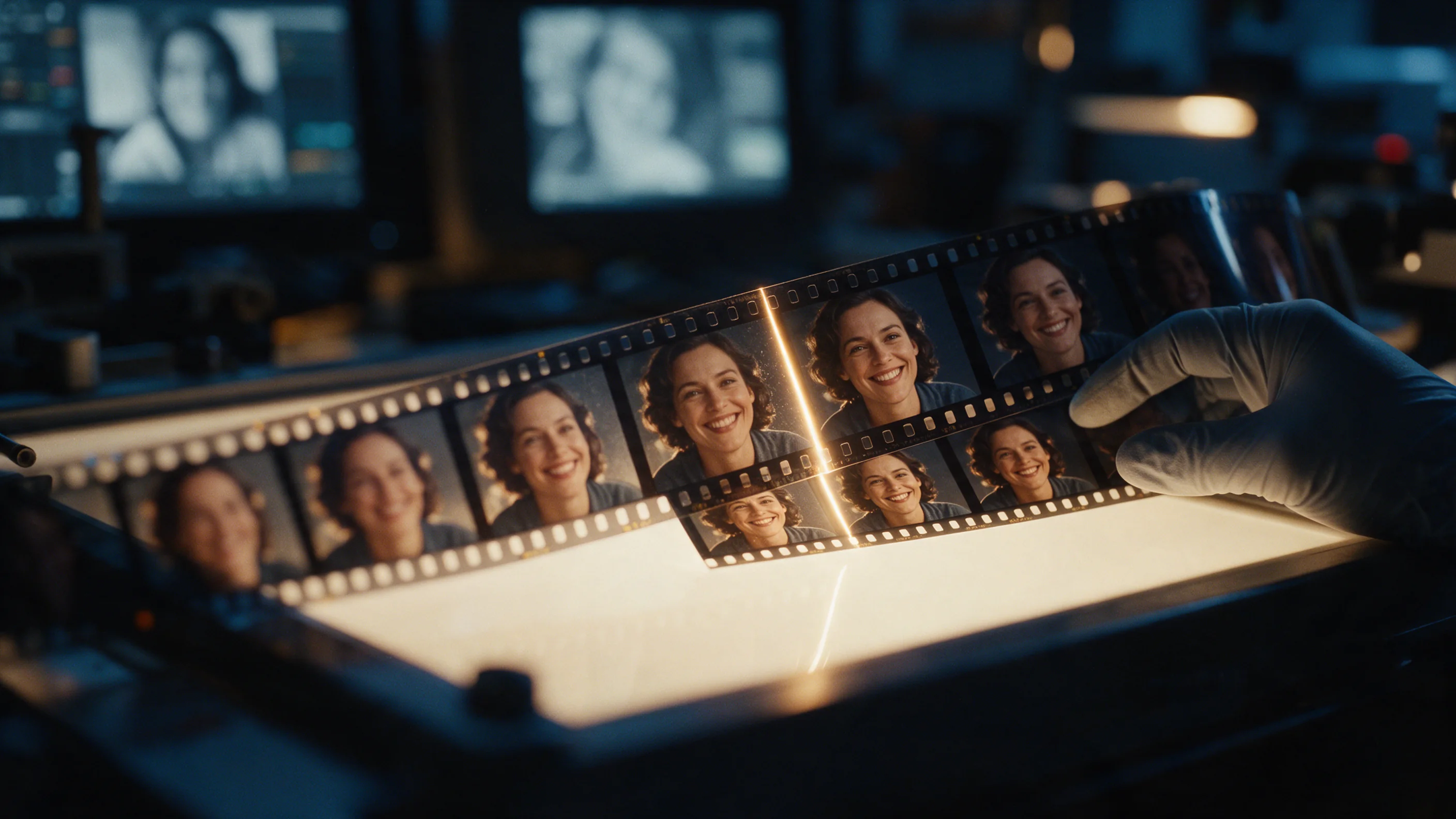
Video Face Enhancer takes one field, video_url, and returns the same clip with up to three faces per frame restored, picked in order of size. Resolution, frame rate, length, framing and the audio track come back as you sent them. There is no prompt and nothing to tune. It costs $0.012 per second of the input clip, rounded up to a whole second with a 3-second minimum, and the clip must run between 3 seconds and 5 minutes.
- SpicyAPI Engineering
- Testé le 25 oct. 2026
- Méthodologie v3.3 →
- Nous vendons ces modèles ; le prix n’entre pas dans les notes →
The verdict
Use it on footage where the faces are the problem: a podcast clip crushed by compression, a webcam recording, a generated video where the faces went soft. It is not an upscaler, so a 640×360 clip comes back at 640×360. If you also need more pixels, run it before or after Video Upscaler.
Key facts
- Content ladder: not tested on this endpoint; it restores footage you supply rather than generating new scenes.
- Price: $0.012 per input second, 3-second minimum, failed requests are not charged.
- Limits: 3 seconds to 5 minutes, up to three faces per frame, no resolution change.
- Sources: the parameter list and the published example are on the Video Face Enhancer model page.
Ce qui nous a plu et ce qui l’a freiné
Ce qui nous a plu
- One field, one job.
video_urlis the whole request, so it drops into a pipeline without a prompt-writing step. - Everything outside the faces stays put. In our test the room behind the speaker was unchanged, and length, framing, motion and the audio track were kept.
- No visible flicker in our clip. Eyes, teeth and the hairline were sharper in every frame we checked, and the speaker still looked like the same person.
- It runs fast for the job. The 5-second test clip finished in about 21 seconds of processing.
- It is inexpensive. A 30-second clip costs $0.36.
Ce qui l’a freiné
- It does not add pixels. Output size equals input size, so a small clip stays small.
- Skin can come back a little smoother. In our before and after comparison the faces were clearly sharper, with slightly softened skin texture. Watch the result at normal speed and on a paused frame before delivering it.
- Three faces per frame. Up to three faces are restored, in order of size; any further, very small or hidden faces are left as they were.
- Real, clearly visible faces improve most. Faces that are tiny, turned away or obscured give the model little to work from.
- Five minutes is the cap. Longer footage needs to be cut into pieces first.
What we tested
We ran one real clip on 25 October 2026: a 5-second 640×360 shot of a podcast host, degraded with heavy compression. It came back at 640×360 and 24 fps, still 5.0 seconds long with the audio kept. We compared the original and the result side by side: eyes, teeth and hairline were visibly sharper, the background was unchanged, and we saw no frame-to-frame flicker on playback.
That is one clip, so treat it as a confirmation of how the endpoint behaves, not a benchmark. We did not test multi-person footage, fast head movement, profile views or low-light clips, and we have not scored it against other restoration tools. If your footage looks like that, run a short sample first; billing is per second, so a 3-second test costs $0.036.
Alternatives
- Restoring a single photo instead of a clip? Face Enhancer does the same repair on one image.
- Need a larger frame as well as better faces? Video Upscaler raises the clip to 720p, 1080p, 2K or 4K.
- Re-voicing the person on screen? Lip Sync redraws the mouth to match a new audio track.
Comment Video Face Enhancer obtient son Spicy Index
Chaque dimension ci-dessous mène à son calcul complet : la ligne de grille d’où vient chaque point et la raison de chaque point perdu.
- Classements publics 45 % de la qualité
- Pas encore testé
- Test à l’aveugle des résultats 35 % de la qualité
- Pas encore testé
- Qualité en arène 20 % de la qualité
- Pas encore testé
- Capacités Pondération 10,5 %
- Pas encore testé
- Freedom Score Pondération 30 %
- Pas encore testé
Pas encore de correspondance exacte dans les classements publics suivis. Fonctionnement
Pas encore passé par notre test à l’aveugle des résultats. Fonctionnement
Comptera quand le modèle aura plus de 100 votes en aveugle et un intervalle à 95 % inférieur à 200 Elo. Fonctionnement
Pas encore noté. Fonctionnement
La liberté n'a pas été testée ou les preuves sont insuffisantes. L'Index conserve le score initial de qualité et capacités, porte la mention provisoire et reste classé. Une preuve manquante n'est pas un zéro. Fonctionnement
Ce que Video Face Enhancer sait faire sur SpicyAPI
Tiré directement de la spécification en ligne du modèle sur SpicyAPI. Certains éditeurs en offrent davantage dans leurs propres applications ; voici ce que vous pouvez appeler via notre API aujourd’hui.
| Fonction | Édition vidéo |
|---|---|
| Audio natif | Non |
| Contrôle de la graine | Non |
| Prompt négatif | Non |
Le temps que ça prend vraiment
Mesuré sur de vraies tâches des 30 derniers jours, de la requête au résultat final. Les temps incluent nos propres tests.
- Temps médian
- 54 s
- 90e centile
- 4,1 min
- Attente par seconde de vidéo
- Collecte en cours
- Taux de réussite
- Collecte en cours
Un temps apparaît dès qu’au moins 10 tâches terminées sont reçues. Les taux de réussite ne comptent que les tâches des clients et restent masqués pour tous les modèles jusqu’à 30 jours complets de trafic.
Modèles à envisager à la place de Video Face Enhancer
SpicyAPI
Face Enhancer
Restoring a single photo instead of a clip?
- Spicy Index
- —
- Freedom Score
- —
- Prix
- 0,012 $US/ image
SpicyAPI
Video Upscaler
Need a larger frame as well as better faces?
- Spicy Index
- 56,3
- Freedom Score
- 56,0
- Prix
- —
SpicyAPI
Lip Sync
Re-voicing the person on screen?
- Spicy Index
- 65,6
- Freedom Score
- Pas encore assez de preuves
- Prix
- —
Qu’en pensez-vous ?
Ce test vous a-t-il été utile ?
Connectez-vous pour voter.
Commentaires
Les commentaires sont vérifiés automatiquement et par notre équipe. Nous supprimons le spam, le contenu inapproprié, les attaques personnelles et tout ce qui nomme une personne réelle sans son consentement. Signalez un commentaire et nous l’examinerons sous un jour ouvré.
Vous avez essayé ce modèle ? Partagez ce qui a marché. Un compte gratuit est nécessaire pour commenter, afin de tenir le spam à distance.
FAQ sur Video Face Enhancer
Essayez Video Face Enhancer vous-même
Réglez chaque paramètre dans le Playground et voyez le prix exact avant de lancer.
0,06 $US par tranche de 5 s traitée
Autres tests
Voir les classements →Video Background Remover
Pick Video Background Remover to drop a presenter or product clip onto a new layout; check the alpha edges yourself, because we have not scored them.
- Spicy Index
- —
- Freedom Score
- —
Testé le 24 oct. 2026
Lire le testVideo Eraser
Pick Video Eraser for a burned-in caption band or a corner overlay that never moves; it cannot follow a moving object or erase for part of a clip.
- Spicy Index
- —
- Freedom Score
- —
Testé le 24 oct. 2026
Lire le test
Video Upscaler
Choisissez Video Upscaler pour livrer un clip plus grand avant publication ; générez à une taille rapide à rendre, puis agrandissez seulement la prise gardée.
Testé le 27 sept. 2026
Lire le test