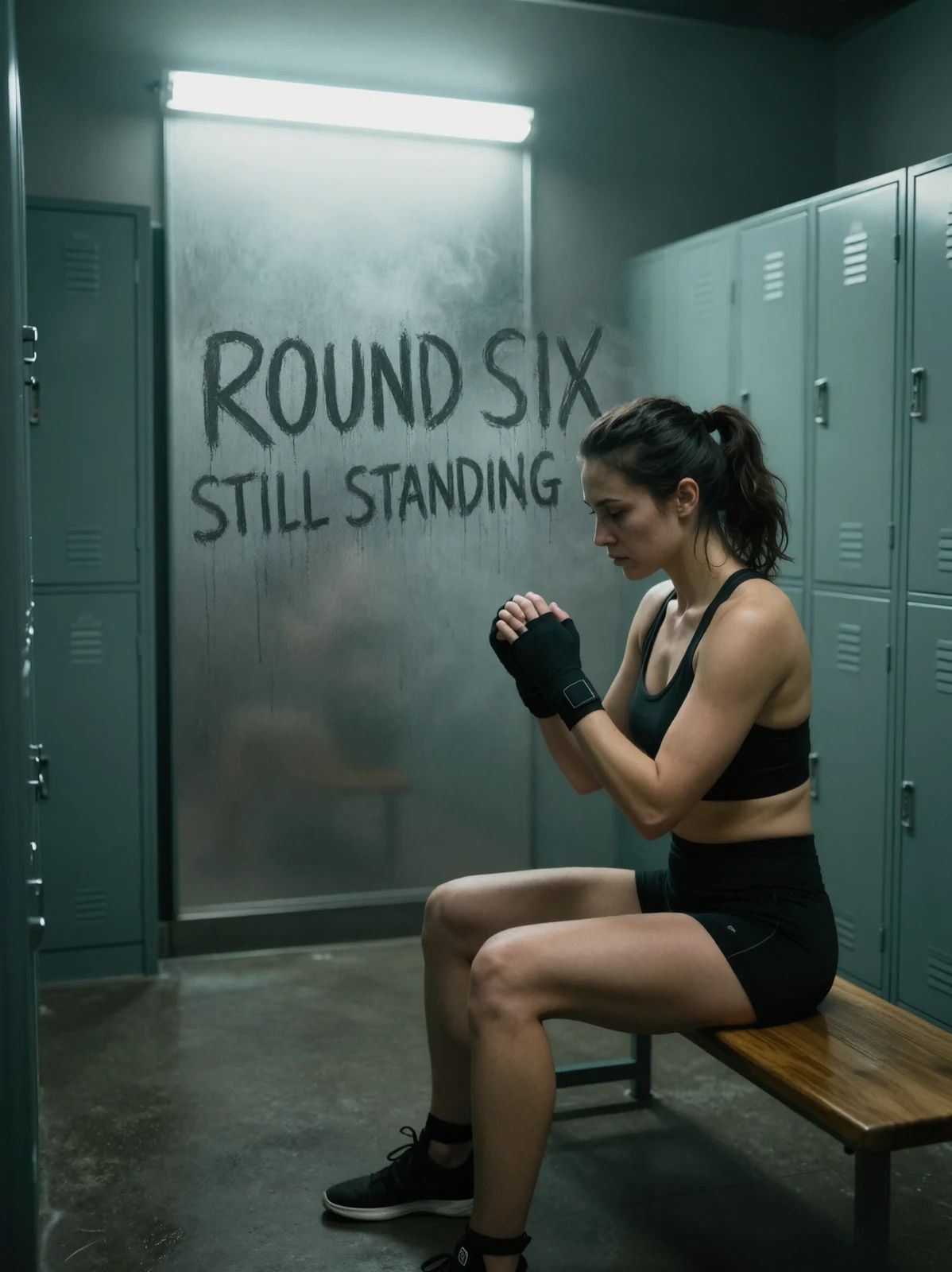
Add fingertip lettering to a fogged locker-room window
- Model
- Qwen Image 3.0
- Task
- Image editing
- Resolution
- 2k
- Aspect ratio
- 3:4
Output
Input
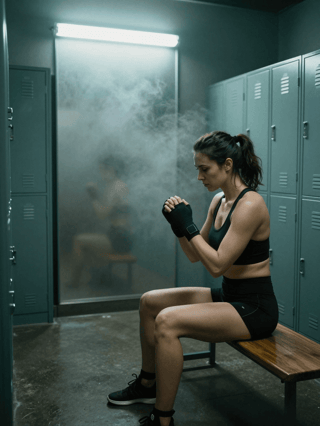
image_urls
Swap in your own when you run it.
PromptEN429 characters
Keep the woman, the bench, the lockers, the pose, the lighting and the whole composition exactly as they are. On the large fogged glass panel behind her, add big letters drawn with a fingertip through the condensation, clear dark glass showing through each stroke, reading 'ROUND SIX' on the first line and 'STILL STANDING' in smaller letters underneath, with faint water drips running down from the strokes. Change nothing else.Written in English, exactly as we sent it.
Run this example
Checking the price…
Opens the playground with every setting filled in and shows the exact price before you run.
Same model, starting from this prompt. Other settings use their defaults.
Why this prompt works
The same idea one notch harder: letters drawn by a fingertip through condensation, two lines at different sizes, with water running down from the strokes. Fingertip writing has no even weight and no straight baseline, so this is the case that shows whether the model is really drawing on the surface or pasting type onto it.
Settings used
| Setting | Value | What it does |
|---|---|---|
| resolution | 2k | 1k or 2k, default 2k. It is the tier choice that changes the price; each reference image in image_urls also adds to the quote. It sets the delivered tier and cannot recover detail the source never had. |
| aspect_ratio | 3:4 | Applies to the result, not to the sources. A reference that is not the ratio you set comes back reshaped, so match it deliberately when you want the original framing kept. |
More Qwen Image 3.0 prompts
All Qwen Image 3.0 prompts
Text & typography on other models
Text & typography Preview blurred