
Introduction
Seedream 5.0 Flash Image Editing changes or combines the images you supply according to a written instruction. It reads one to ten references, so it works both as a revision tool and as a way to assemble a scene from separate photos.
Developed by ByteDance (model ID dola-seedream-5-0-flash-260915). Every resolution tier costs the same per image.
Choose a Seedream 5.0 Flash mode by starting material
| Starting material | Mode |
|---|---|
| A written brief for a new picture | Seedream 5.0 Flash Text to Image |
| One to ten images to revise or combine | Seedream 5.0 Flash Image Editing |
| A finished image whose parts you need separately | Seedream 5.0 Flash Layer Decomposition |
Key features & highlights
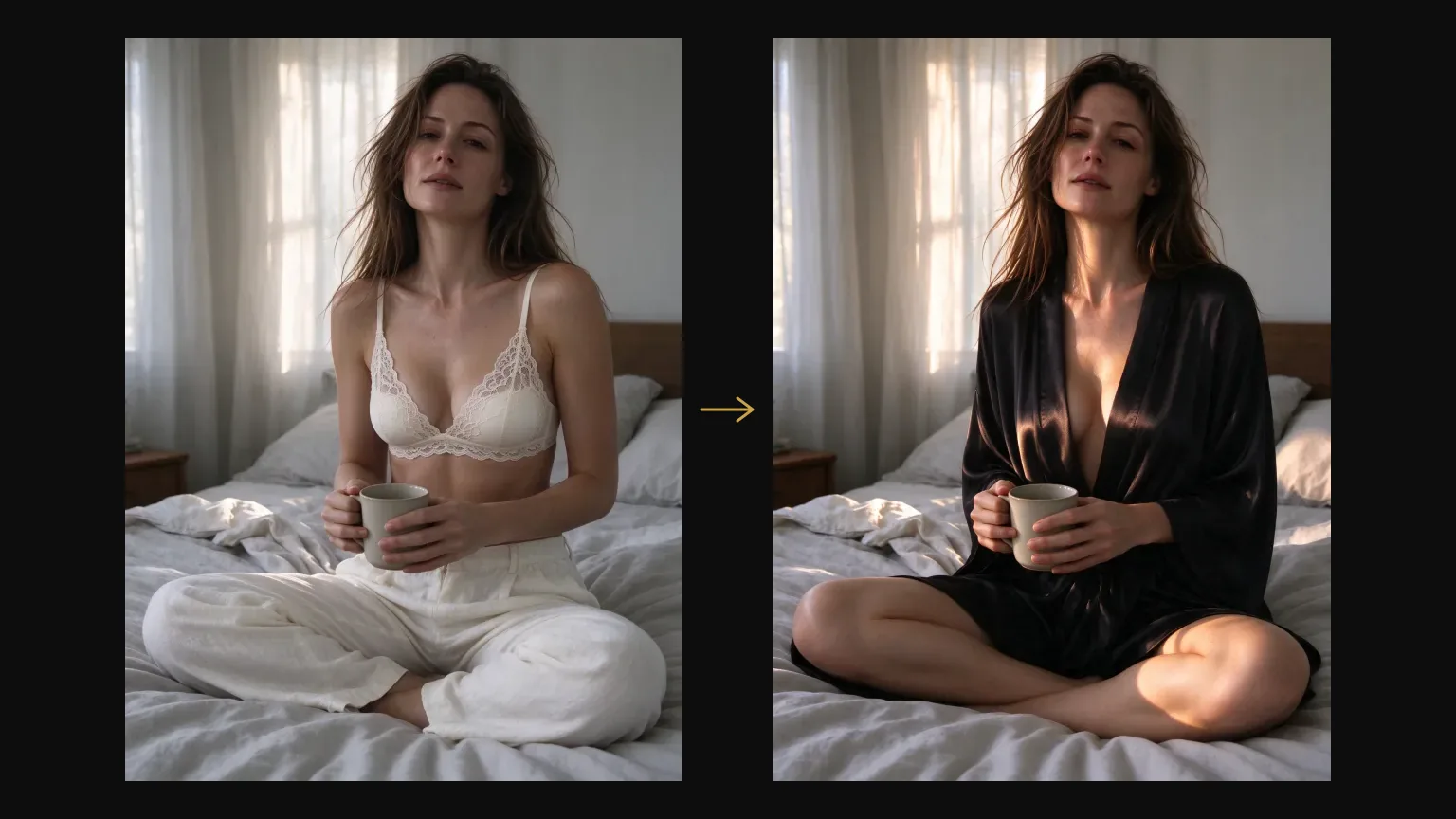
Keep the person, change the rest
In our outfit-swap test the face, hairstyle, pose, cup and bed stayed put while the outfit changed and the morning light turned into afternoon sun.
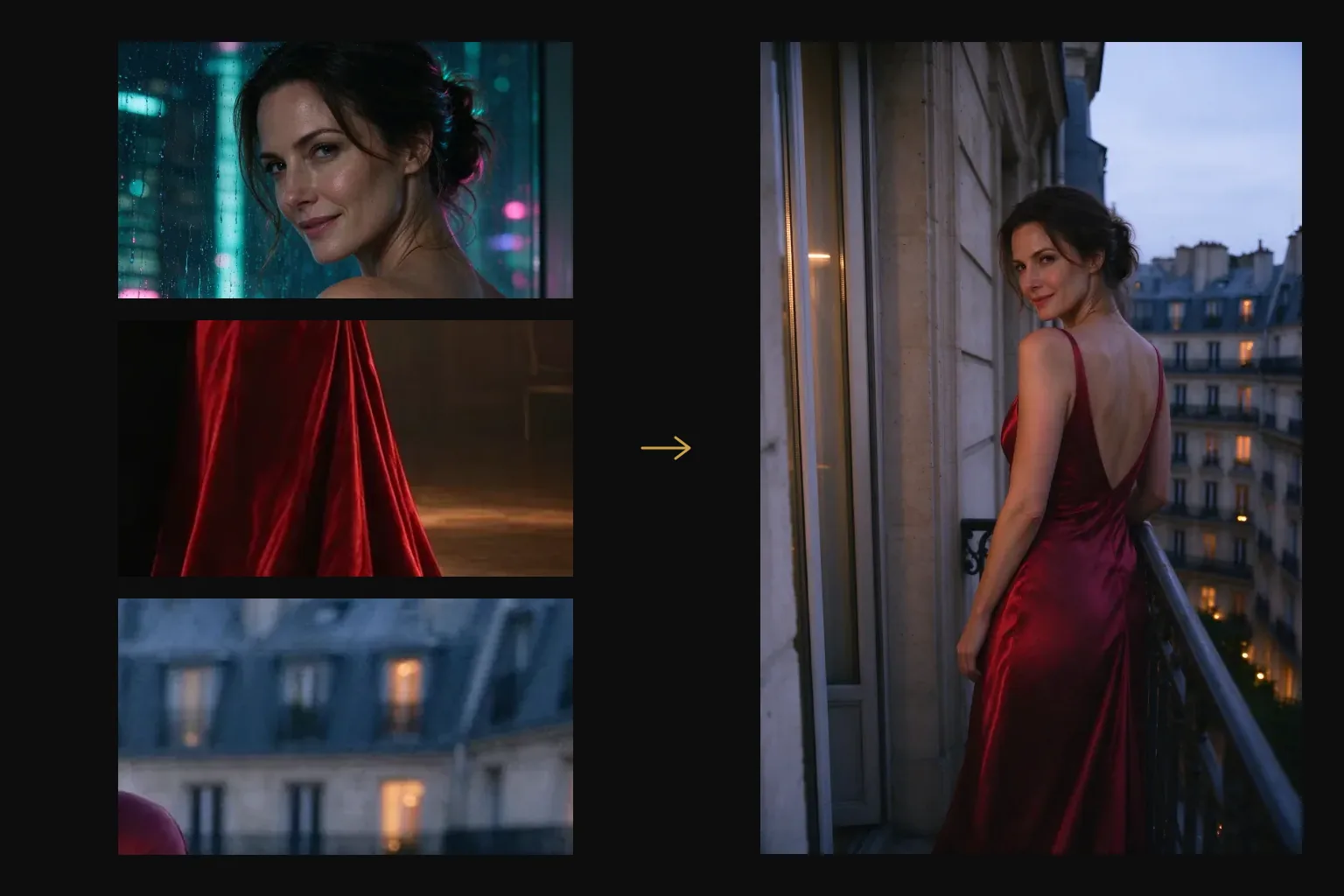
Ten references, each with a job
Assign roles by position. One test used three photos: the first for the face and hair, the second for a backless red satin gown, the third for a Paris balcony. The result was one woman on that balcony in that gown.
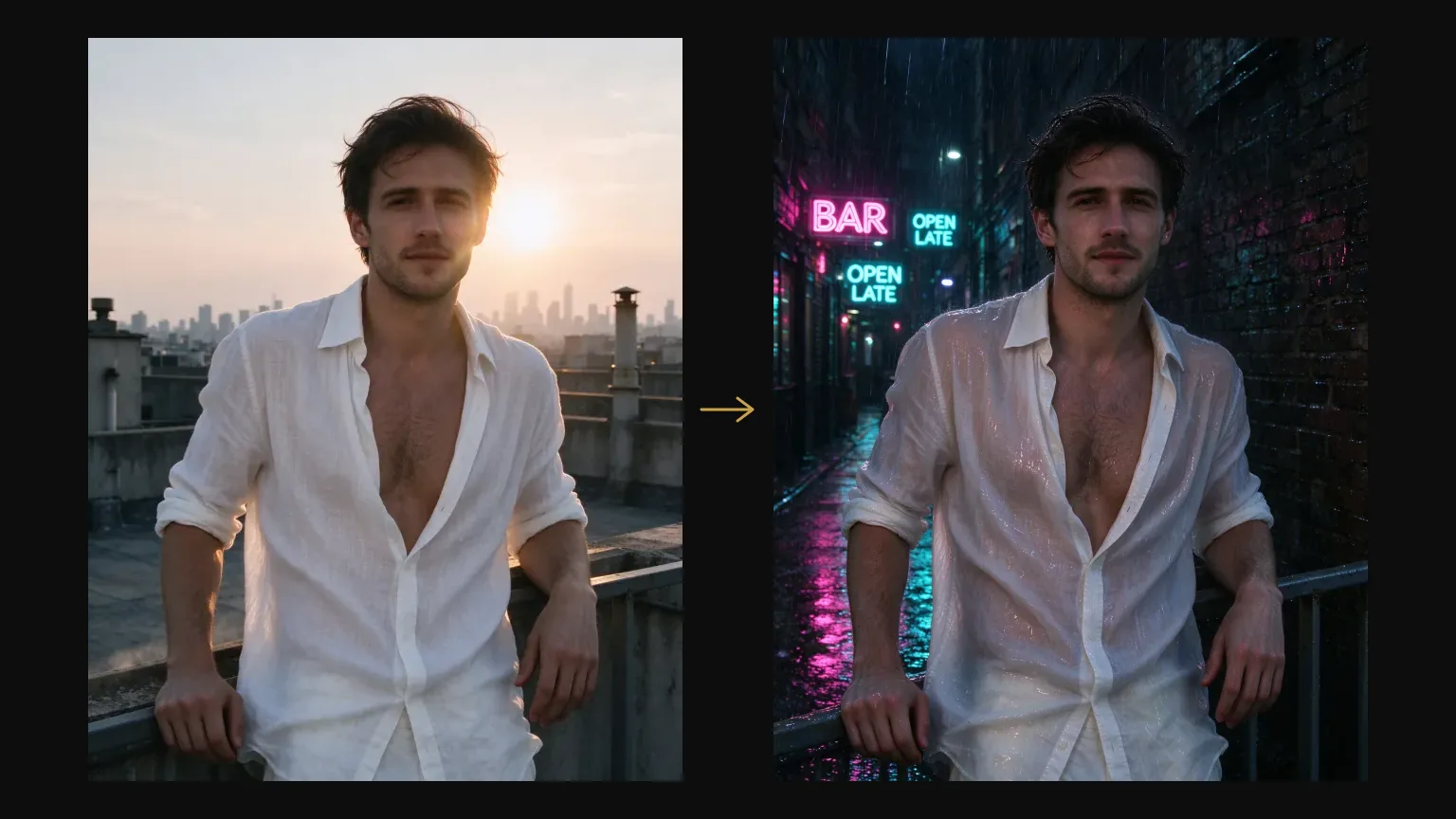
Scene changes that keep the subject
A rooftop portrait moved into a rainy neon alley: same man, same open shirt and pose, now soaked, with pink and teal signs reflected on wet ground and skin.
Unfiltered wardrobe work
Unfiltered wardrobe changes and relighting run on the same endpoint with no flag.
Request parameters
| Parameter | Required | Description |
|---|---|---|
prompt | Yes | Up to 5,000 characters. Assign a role to every reference and say what must stay unchanged; unnamed sources get blended. at least 1 characters · at most 5000 characters |
image_urls | Yes | One to ten reference images (jpeg, png or webp, up to 30 MB each). Order is meaningful: the prompt refers to them as first, second and third. at least 1 items · at most 10 items |
aspect_ratio | No | One of fifteen shapes from 1:3 to 3:1, including 4:5, 21:9 and 9:21. Name it when the placement dictates the frame. |
resolution | No | 1k, 1.5k or 2k; 2k by default. All three tiers cost the same per image, so the default is the sharpest. |
output_format | No | Flash exports JPEG for review or PNG for further compositing at the same image price across its three resolution tiers. |
background | No | To composite a Flash edit over another background, choose |
Pricing
$0.029 / image
Use cases
Restyle a photo without reshooting
Change wardrobe, weather, time of day or location and name what must stay.
Combine face, outfit and place
Use one reference per ingredient and say which is which.
Build a character set
Reuse a face across scenes while changing wardrobe and setting.
Relight a finished frame
Ask for a new source, direction or color of light and keep the subject fixed.
Prompt guide & pro tips
Name every reference
Put the images in image_urls in the order your prompt uses them. Say what each contributes and what to leave alone.
- First image: the person to keep.
- Add other references only for a specific role.
- State what must not change.
- Describe the new setting and light.
Image 1 is the face and hairstyle to keep. Image 2 supplies only the backless red satin gown. Image 3 is the location.
Show the same woman from image 1 alone at the wrought-iron railing of image 3, wearing the gown from image 2,
looking back over her bare shoulder at the camera. Warm window light behind her.
Edit from the original
Long chains of edits drift. Go back to the source frame and change one thing at a time.
Content boundaries
Seedream 5.0 Flash · Edit — Uncensored. SpicyAPI adds no platform-side content filter. Model restrictions still apply, and results are not guaranteed. You are responsible for complying with our content policy.
API quick start
# Generate the idempotency key once; reuse it when retrying after a lost response.
export SPICY_IDEMPOTENCY_KEY="${SPICY_IDEMPOTENCY_KEY:-$(uuidgen)}"
curl -X POST https://api.spicyapi.ai/api/v1/jobs/createTask \
  -H "Authorization: Bearer $SPICY_API_KEY" \
  -H "Content-Type: application/json" \
  -H "Idempotency-Key: $SPICY_IDEMPOTENCY_KEY" \
  -d '{
  "model": "bytedance/seedream-5.0-flash/edit",
  "input": {
    "aspect_ratio": "auto",
    "background": "opaque",
    "image_urls": [
      "https://example.com/reference.png"
    ],
    "output_format": "jpeg",
    "prompt": "A ceramic teapot on a linen cloth, soft window light, muted palette",
    "resolution": "2k"
  }
}'

# Copy data.taskId from the response into TASK_ID, then poll the status.
TASK_ID="TASK_ID_FROM_RESPONSE"
curl "https://api.spicyapi.ai/api/v1/jobs/recordInfo?taskId=$TASK_ID" \
  -H "Authorization: Bearer $SPICY_API_KEY"
See the API reference for authentication, the complete schema, polling, and error handling.