P-Video 2 Pro image-to-video animates an opening frame, with an optional closing frame, into a 5-15 second clip with sound at 480p or 768p. The clip keeps your image's shape. No content filter.

From $0.012/s

Workbench

Input

Image to video
Required. Describe what happens after the opening frame: the action, the camera and the sound. at least 1 characters
1/1

Drop files or media links, paste, or browse · 1 file · Max 10 MB · JPG · PNG · WEBP · GIF

  • 1
1 / 1 files
The opening frame, JPEG, PNG or WebP. The clip starts from it and keeps its aspect ratio.
1/1

Drop files or media links, paste, or browse · 1 file · Max 10 MB · JPG · PNG · WEBP · GIF

  • 1
1 / 1 files
Optional closing frame. Keep the same person, set and camera position as the opening frame. It does not change the price.
affects price
480p or 768p (default 768p). 768p costs more per second.
Generation Modeaffects price
costspeedquality
cost (cheapest, a little slower), speed (default, faster at the same quality) or quality (best picture, highest price).
Durationaffects price
Whole seconds, 5 to 15 (default 5). Drives the price. no lower than 5 · no higher than 15
Prompt optimization
offturbomax
off (default) sends your prompt word for word; turbo and max let the service rewrite it first. Does not change the price.
Seed
Keeps runs comparable while you change the prompt. It does not promise a frame-identical clip. no lower than 0 · no higher than 2147483647
Safety checkerOff

SpicyAPI does not run a safety checker on this model. Your prompt and media go to the model as written, and the model itself decides what comes back.

Checking your account before enabling submission and pricing.

Output

Ready for a new run
Example result

Missing the model you need?

Tell us what to add and where you would use it. Requests go to the people who decide what gets onboarded next.

FAST VIDEO WITH SOUND

P-Video 2 Pro API at a glance

Pruna's fastest video model: 5 to 15 second clips with sound in seconds, from text, frames or reference clips, with no content filter.

Generation time
~15 s
A 5-second clip took about 10 to 20 seconds to generate in our tests.
Clip length
5-15 s
Any whole number of seconds, billed per second.
Modes
3
cost, speed or quality: pick price, turnaround or picture quality.
On every clip
Sound
Ambience, effects and quoted lines, generated with the picture.
Content filter
None
Uncensored: no filter on prompts, images or results.

Results

What you can make with P-Video 2 Pro

  • From references

    Borrow a camera move

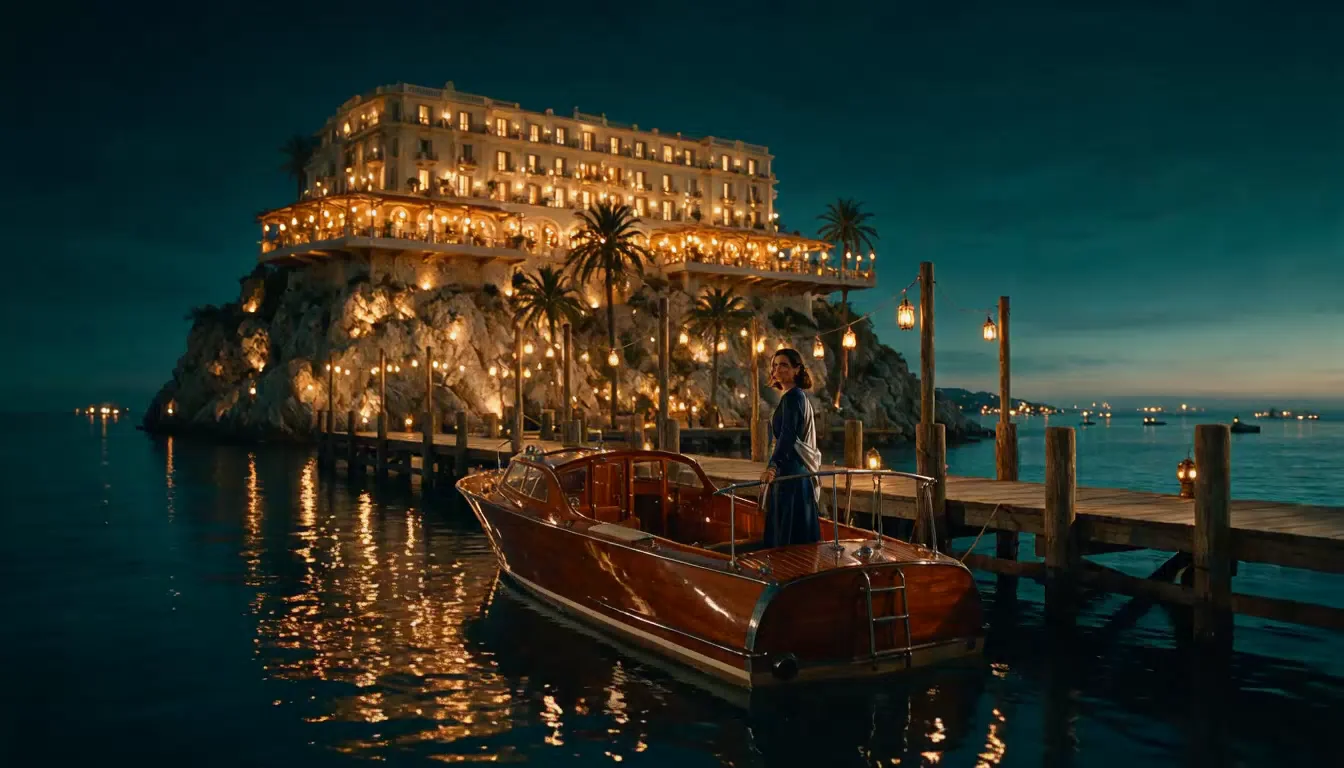
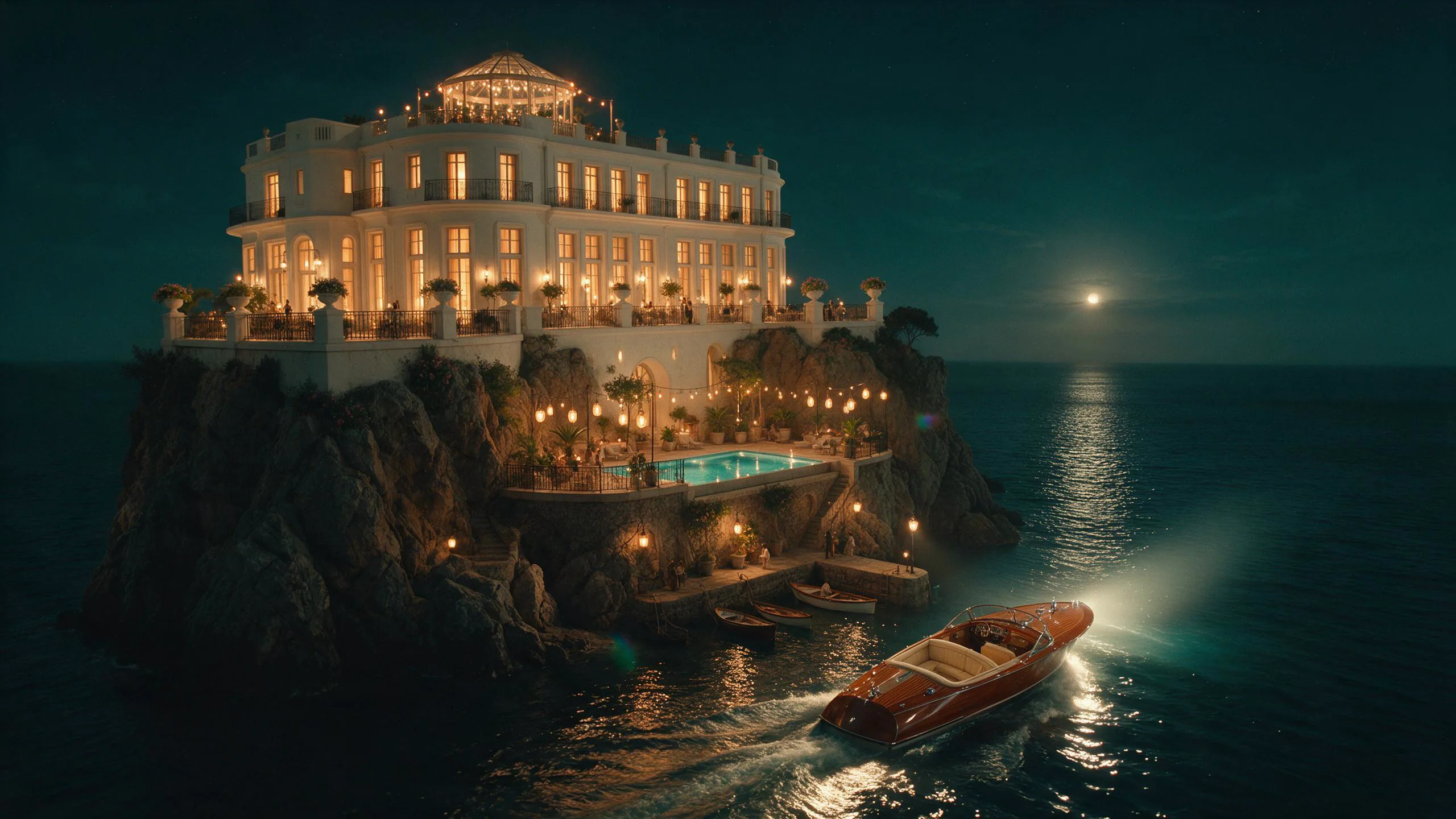
    The camera copies the slow push-in of video 1 while the pier, the launch and the woman all come from the opening image - nothing from the bar in the reference clip shows up. She walks forward from the stern, pulls the wrap around her shoulders and ends facing the camera. The soundtrack is very quiet: soft water against the hull, no music audible.

    Reference to video: an opening image plus a 4-second reference clip named in the prompt as video 1, 5 seconds at 768p.

  • From text

    A scene with its own sound

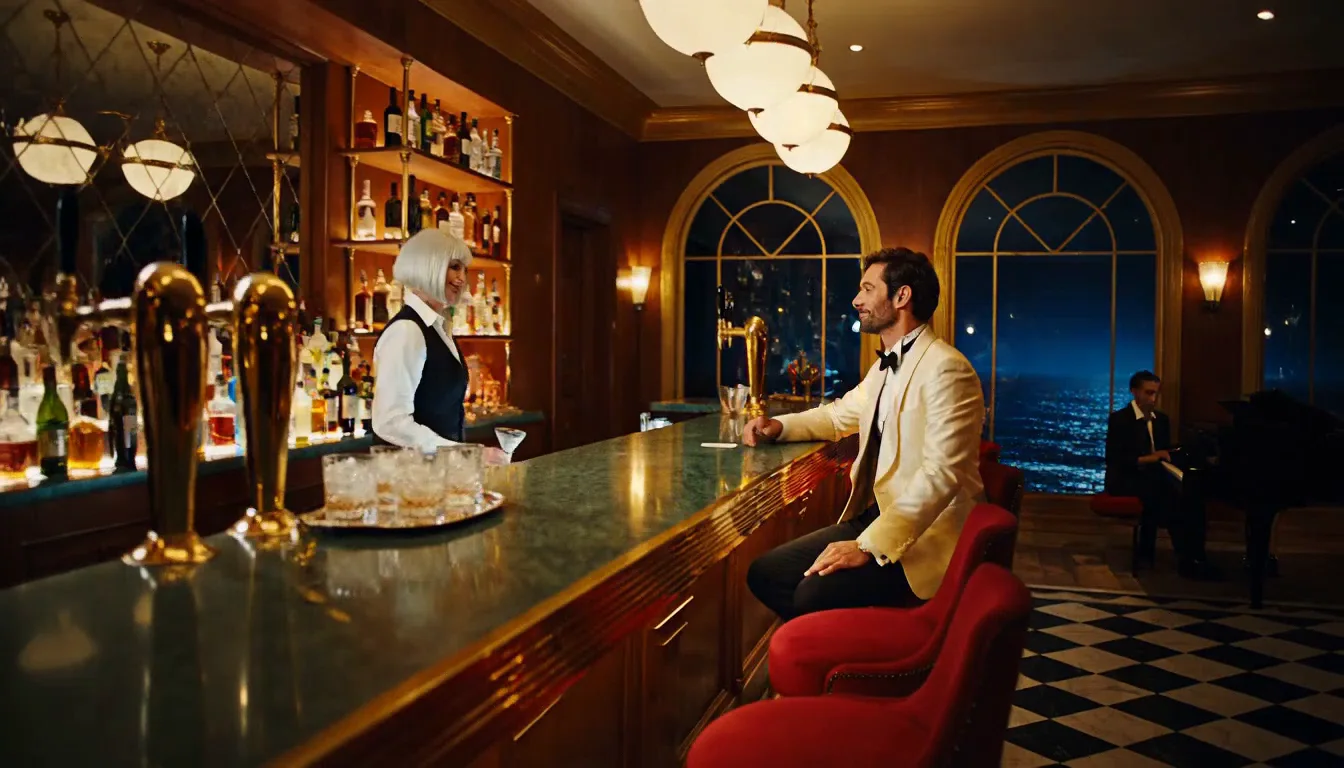
    One continuous shot with a gentle drift toward the pair rather than a strong dolly. The line "Same as last summer?" is spoken clearly near the end, after a music bed in the first half; he picks up the glass and smiles on the last beat.

    Text to video, 5 seconds at 768p, 16:9, with one spoken line and music generated on the soundtrack.

  • From frames

    Pin the start and the end

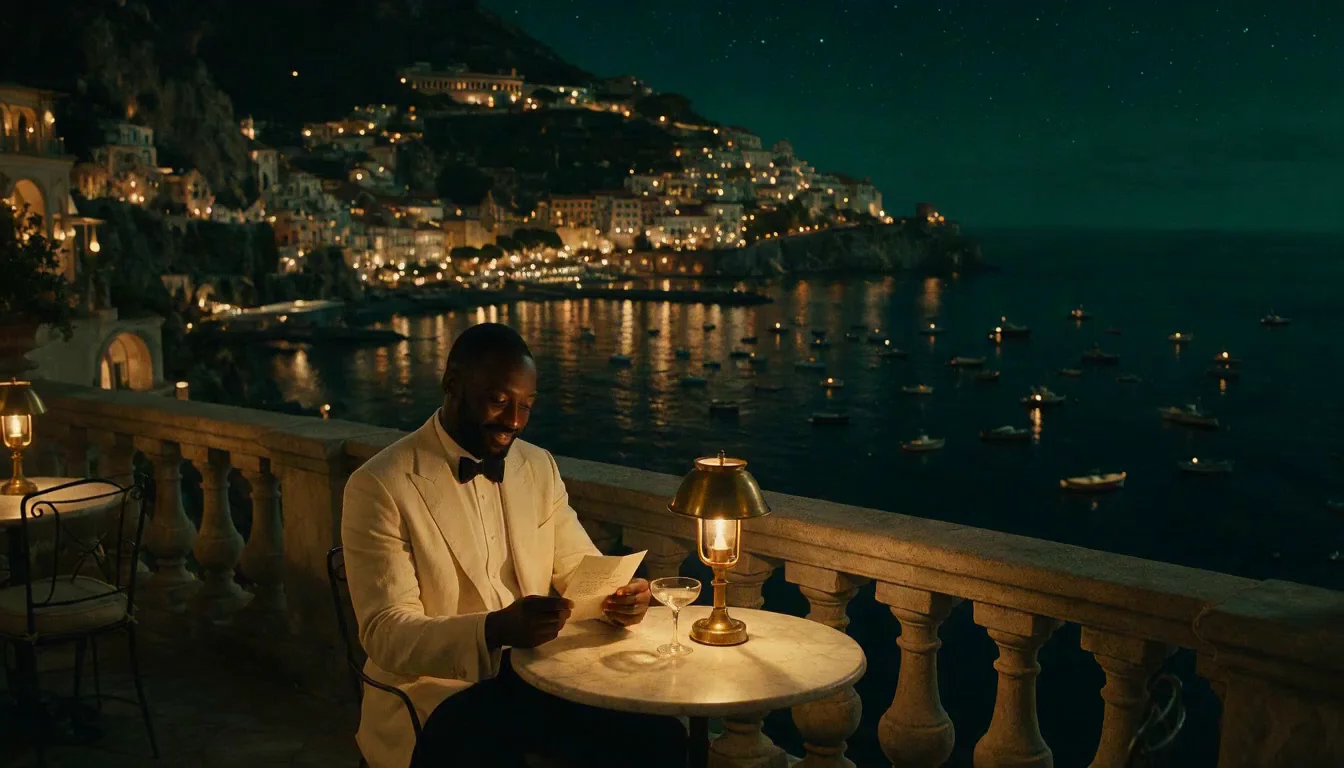
    The clip starts exactly on the opening frame and lands on the closing frame: he folds the letter, tucks it away, rises and moves to the balustrade while the fireworks start about a second and a half in. The fixed camera holds the same framing throughout. The soundtrack is crowd applause and crackle rather than distinct firework bangs.

    Image to video with an opening and a closing frame, 5 seconds at 768p.

Content test

Is P-Video 2 Pro uncensored? What we tested

We ran each level on our live setup and checked every clip frame by frame. A pass means the content was actually on screen, not just that the request went through.

Content levels tested on P-Video 2 Pro, by mode
LevelText to videoImage to videoReference to video
MildThe lightest prompts in the test
Not tested yet
Not tested yet
Not tested yet
ModerateWhere filtered models start to refuse
RendersTested Oct 17, 2026
StrongThe middle of the scale
RendersTested Oct 17, 2026
Not tested yet
Not tested yet
Very strongWhere most models start to hold back
Not tested yet
Not tested yet
Not tested yet
MaximumThe top of the scale
Not tested yet
Not tested yet
Not tested yet

Renders: on screen as written. Softened: generated, but milder than what was written. Refused: rejected. Not tested yet: we have not run that level on that mode.

How each mode behaves

All modes
Clips are 480p or 768p and 5 to 15 seconds; there is no 1080p. Every clip carries generated audio unless you supply your own on reference to video.
All modes
In our tests prompts at the highest levels came back toned down rather than as written. That is a limit of the model; nothing is refused.
Image to video
A prompt is required, and the clip keeps the shape of the opening frame; there is no aspect-ratio choice.
Reference to video
Reference videos must be 2 seconds or longer, 15 seconds in total, and their seconds are billed. Reference audio needs an opening frame or a reference video too. Reference images other than the opening and closing frame are not available on this endpoint.

Use cases

What to build with the P-Video 2 Pro API

  • Rapid iteration

    Clips come back in seconds, so you can try many takes of a shot and keep the best one.

  • Uncensored scenes

    Nothing is filtered. In our tests prompts up to the Strong level rendered as written; requests at the highest levels came back toned down.

  • Restaging a reference

    Borrow the camera move of a clip you like and put your own character in it with an opening frame.

Prompts

P-Video 2 Pro prompt examples you can copy

Paste one into the playground as it is, then change one thing at a time.

  • Reference to video

    Name the clip you borrow from

    Result from this prompt

    Start from the opening image: the woman in the midnight-blue satin gown at the stern of the mahogany motor launch, moored at the lantern-lit pier below the glowing cliff hotel. Follow the camera move and pacing of video 1 - the same slow, steady dolly-in at the same unhurried speed - but keep the pier, the launch and the woman from the image; do not copy the bar from video 1. As the camera glides closer she turns her head toward us, draws the silver wrap closer around her shoulders against the sea breeze and gives a slow, knowing smile, the lanterns swaying slightly overhead. Sound: water lapping against the hull, lantern ropes creaking, faint music drifting down from the hotel.

    Why it works. Naming video 1 tells the model to take the motion from the clip while the opening frame sets who is in the shot.

    Try this prompt
  • Text to video

    Action, camera, then sound

    Result from this prompt

    Night, inside an art-deco cocktail bar carved into a sea cliff, brass lamps and green marble, black sea beyond tall arched windows. Slow dolly-in along the polished bar toward a bartender in her forties with a silver bob, wearing a black waistcoat and white shirt; she slides a martini across the marble to a man in a white dinner jacket seated at the end of the bar, raises one eyebrow and says, "Same as last summer?" He smiles and lifts the glass. Warm amber light, shallow depth of field, 35mm film look. Sound: a soft jazz piano in the corner, ice clinking, waves breaking far below.

    Why it works. The prompt runs in the order things happen and keeps the sound on its own line, so the action and the audio both land.

    Try this prompt
  • Image to video

    Pin the ending with a second frame

    Result from this prompt

    He lowers the letter, smiles to himself, folds it and tucks it into his breast pocket, then stands, steps around the marble table to the stone balustrade and rests both hands on it as golden fireworks begin to burst over the harbour across the bay. Locked-off camera, warm candlelight on his face, the reflections of the fireworks dancing on the black water. Sound: the first fireworks thudding and crackling across the bay, distant applause from the harbour, gentle waves.

    Why it works. With a closing frame set, the prompt only needs to describe how the shot gets from one frame to the other.

    This mode starts from your own image: add it in the playground before you run.

    Try this prompt

Pricing

P-Video 2 Pro API pricing

A 5-second clip starts at $0.06 at 480p and $0.15 at 768p.

The playground shows the exact price for your settings before you run. Failed or timed-out tasks are usually not charged. Some models charge for content refusals as stated on their model page; check those billing terms before submitting.

See every price tier

Get started

How to use the P-Video 2 Pro API in three steps

  1. Step 1

    Draft cheap, finish sharp

    Find the shot at 480p in cost mode, then rerun the same prompt at 768p in speed or quality mode.

  2. Step 2

    Write a Sound: line

    Every clip has audio. Name the ambience and put any spoken line in quotes so you get the sound you want.

  3. Step 3

    Name your references

    On reference to video, write "video 1" or "audio 1" in the prompt and say what to take from each.

Parameter reference and code samples are in the API and Readme tabs at the top of this page.

Why SpicyAPI

Why run P-Video 2 Pro on SpicyAPI

  • No filter from us

    We add no content filter of our own. What the model renders is what you get back.

  • Tested, not guessed

    Content labels come from real generations we ran and checked, with the test date on the page.

  • Pay per result, in dollars

    No subscription and no credits. Failed or timed-out tasks are usually not charged. Some models charge for content refusals as stated on their model page; check those billing terms before submitting.

  • One key for every model

    One API key and balance cover image, video, audio and chat models, so you can explore more models from the same account.

FAQ

P-Video 2 Pro API FAQ

About P-Video 2 Pro

P-Video 2 Pro brings Pruna AI's fast video model to one API: text to video, image to video with an opening and closing frame, and reference to video from clips and audio. Clips run 5 to 15 seconds at 480p or 768p with a generated soundtrack, in three generation modes, with no content filter. SpicyAPI bills per second of output in US dollars, with no subscription.

Related models and next tasks