
SillyTavern itself has no filter
It is a front end: it sends your character card and the chat to whichever API you connect. Refusals and toned-down replies come from the model behind that API, so choosing the model is the real decision.
SillyTavern never filters your stories; the model behind it does. Connect it to SpicyAPI and you get 19 unrestricted chat models that take SillyTavern's default settings without errors, plus a free extension that turns a scene into a picture or a short clip, priced before it runs.
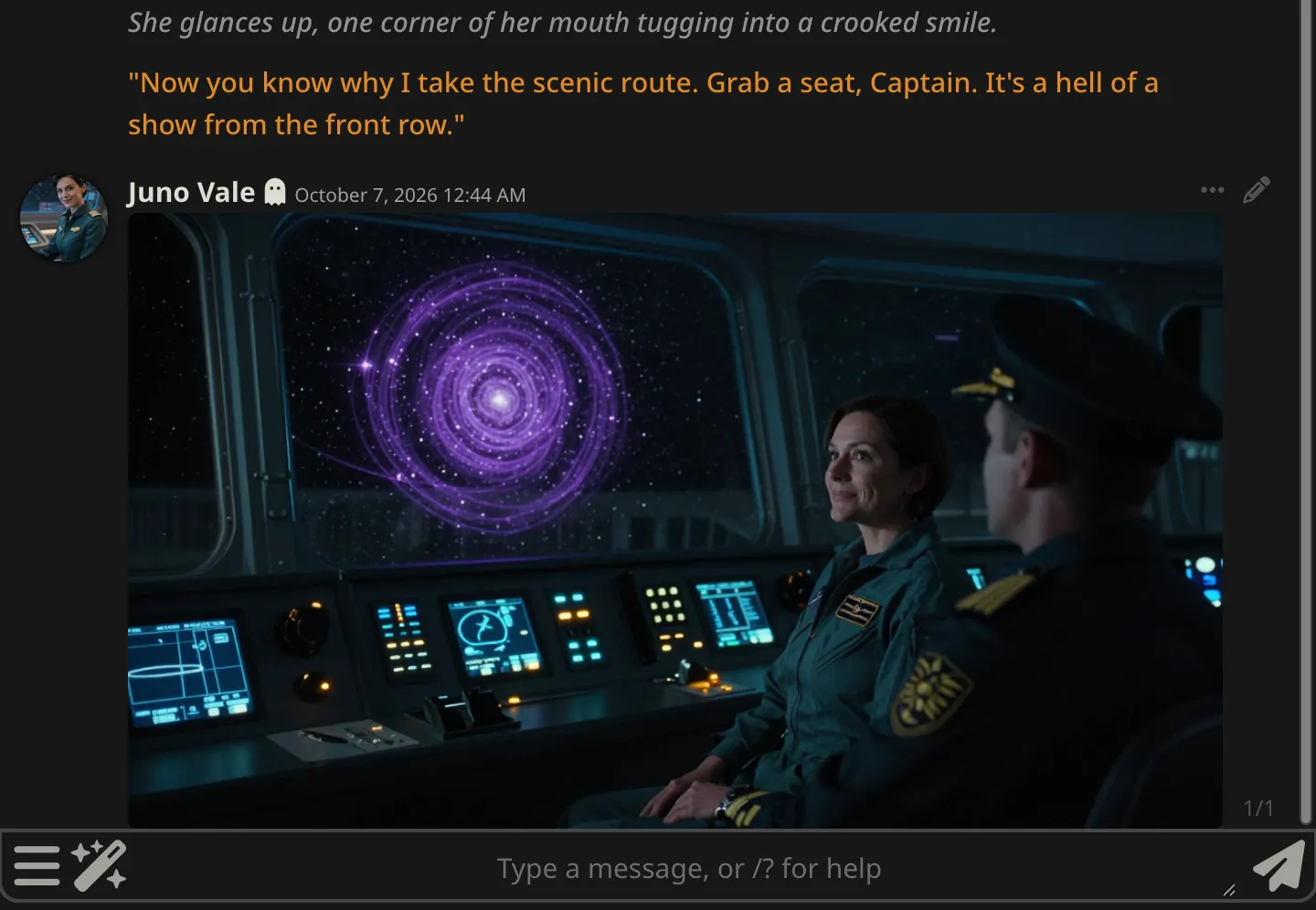
Three facts cover most of what people ask before they connect SillyTavern to an API.
It is a front end: it sends your character card and the chat to whichever API you connect. Refusals and toned-down replies come from the model behind that API, so choosing the model is the real decision.
Their policy tier is unrestricted, so the model adds no refusal layer of its own, and each one has a published Freedom score from the same content tests. They connect through SillyTavern's own Custom (OpenAI-compatible) source.
SillyTavern's built-in image generation cannot be pointed at an OpenAI-compatible picture API. The free SpicyAPI extension fills that gap with /spicy-img, /spicy-video and an Animate button on every picture in the chat.
The things that usually go wrong with a custom endpoint, and what happens here instead.
SillyTavern sends temperature, top P and the frequency and presence penalties with every message. When a model does not use one of them, SpicyAPI skips it instead of rejecting the message and names it in the X-Spicy-Ignored-Params header; a value outside the model's range is set to its limit instead. Your presets keep working on every model.
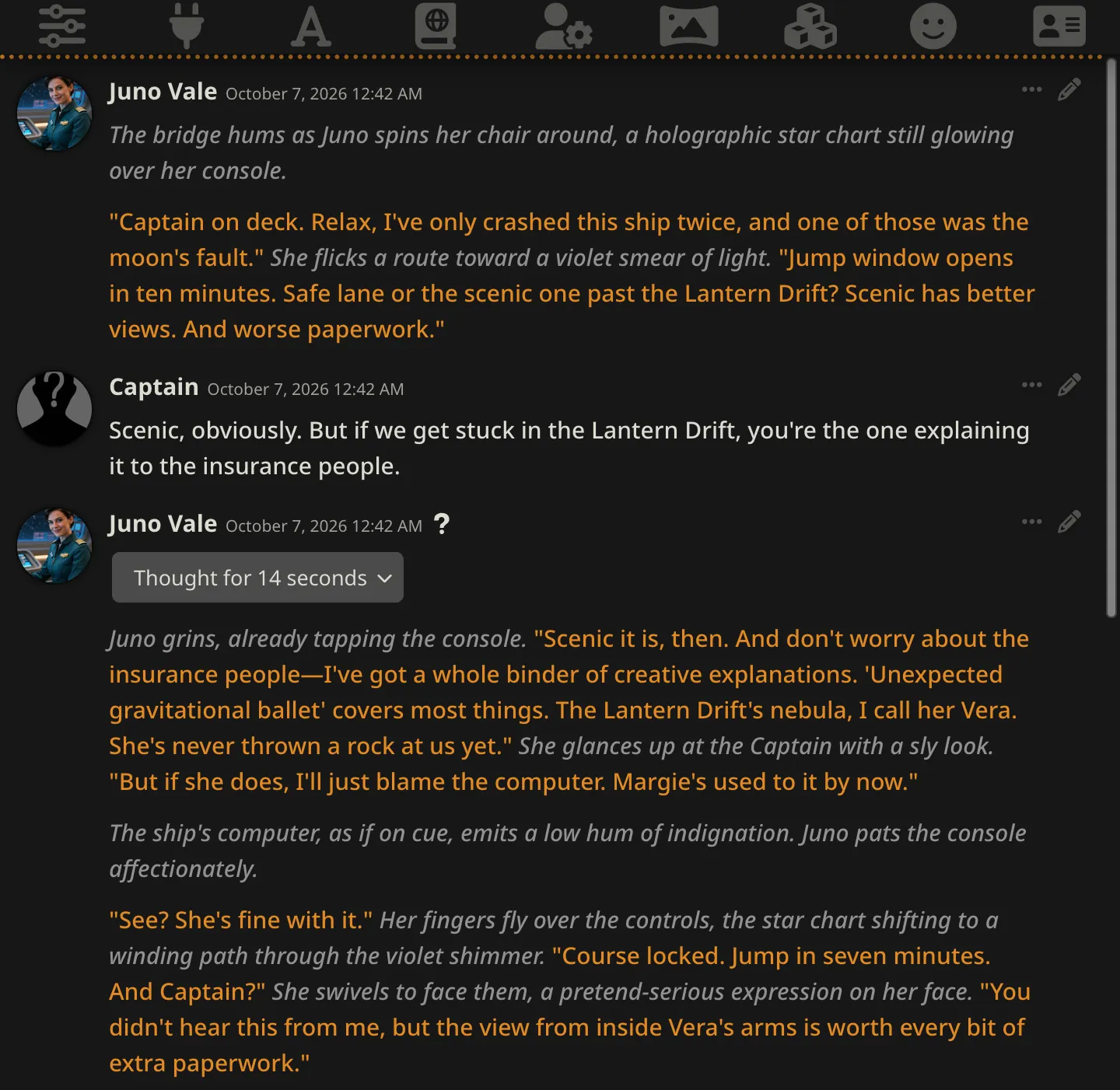
Reasoning models send their thinking separately, so SillyTavern folds it into its collapsible thinking block and the reply itself stays in character.
The API answers cross-origin requests, so extensions that call it straight from your browser work without turning on SillyTavern's CORS proxy.
Every chat model carries a content policy tier and a Freedom score from the same standard tests, so you know how far a model goes before you spend anything.
No subscription. You pay per token from a prepaid US dollar balance, each model page lists its input and output price, and a key can have a daily spending cap.
The extension saves pictures and videos in SillyTavern's own image folder and hides them from the AI by default, so a text-only model is never sent a picture it cannot read.
Checked with SillyTavern 1.19.0. Steps one and two are all you need for chat; step three adds pictures and video.
Create a key in your console, ideally a separate one with a daily spending cap. In SillyTavern, open API Connections, set API to Chat Completion and Chat Completion Source to Custom (OpenAI-compatible). Enter the endpoint below with no trailing slash, paste the key and press Connect.
https://api.spicyapi.ai/v1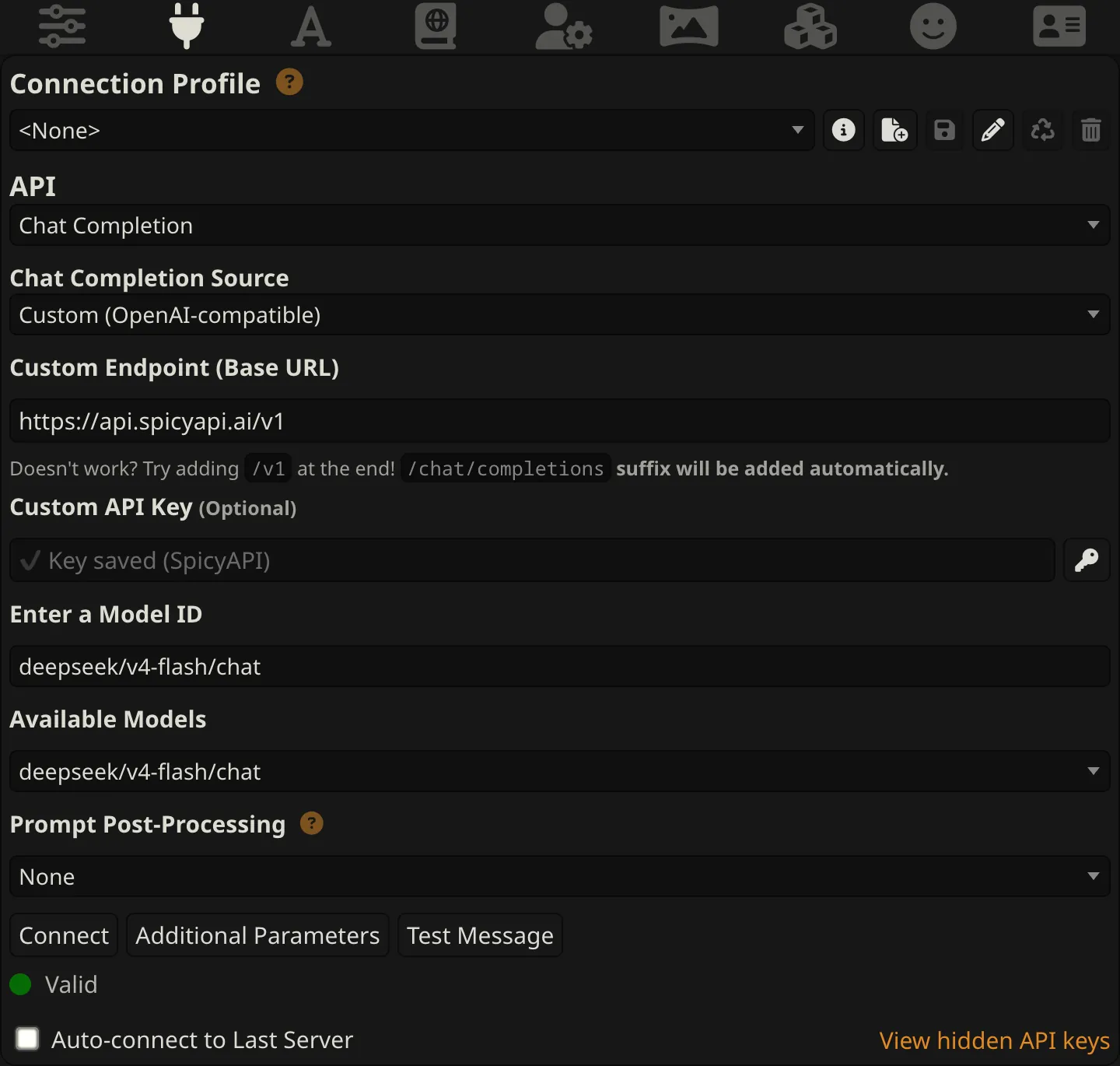
Type a model ID that ends in /chat into Enter a Model ID. The dropdown lists every SpicyAPI model, with the chat models first. Turn on Streaming, set Response (tokens) to 2000 or more, choose a character and write your first line.
Open Extensions, choose Install extension and paste the repository address below. Then open the SpicyAPI section of the Extensions panel, paste your key and press Check connection. Its Connect chat button can also do step one for you.
https://github.com/spicyapi-ai/sillytavern-spicyapi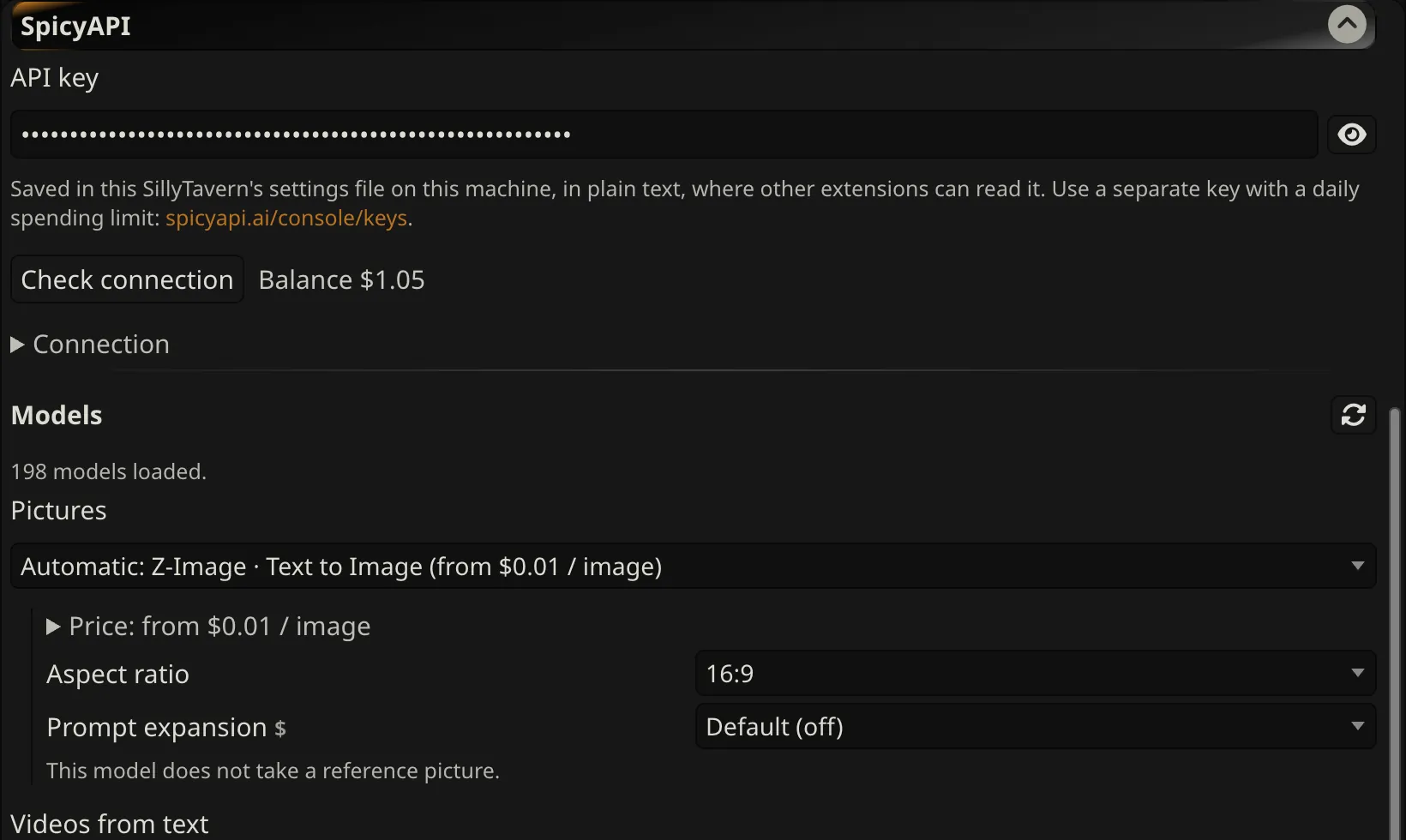
Everything else can stay at SillyTavern's defaults.
| Setting | Value | Why |
|---|---|---|
| Streaming | On | Long replies appear as they are written, and a failed streamed request shows SpicyAPI's own error message instead of a bare Bad Request. |
| Response (tokens) | 2000 or more | Reasoning models count their thinking against this limit. At the default of 300 they can spend it all on thinking and return nothing. |
| Request model reasoning | On | Puts the model's thinking in a collapsed block whenever the model sends it. |
| Send inline media | Off for text-only models | When it is on, pictures in the chat travel with every later message, and a model that cannot read pictures rejects them. |
| Prompt Post-Processing | None | Switch to Semi-strict only if an error mentions message roles. |
Free and open source under the MIT license. Pictures and videos are billed to your SpicyAPI balance; the prompt can come from you or from whatever chat model SillyTavern is connected to. If you switch it on, the chat model can also ask for a picture by itself, within a cooldown and a daily cap you set.
Every picture in the chat gets a film button. It turns the picture into a short clip with your image-to-video model and adds the clip to the same message. The chat model can write the motion prompt, too.
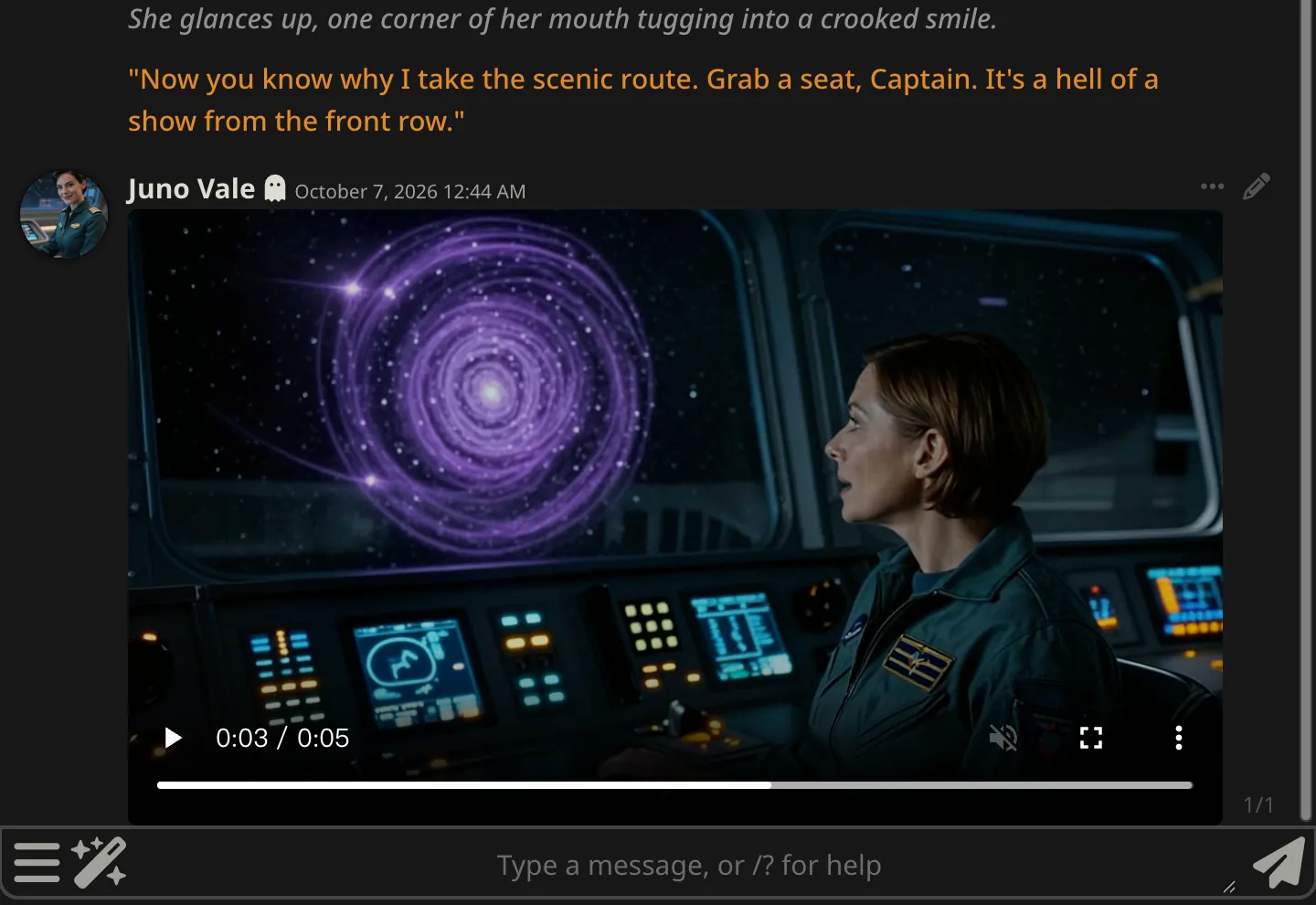
Seedance 1.5 Pro · 720p, 5 s, no audio · $0.1135
Run /spicy-img without a prompt and an editor opens with the model and the exact price while your chat model writes a prompt from the current scene. Edit it or write your own; nothing is charged until you press Generate, and a per-run ceiling refuses anything above your limit.
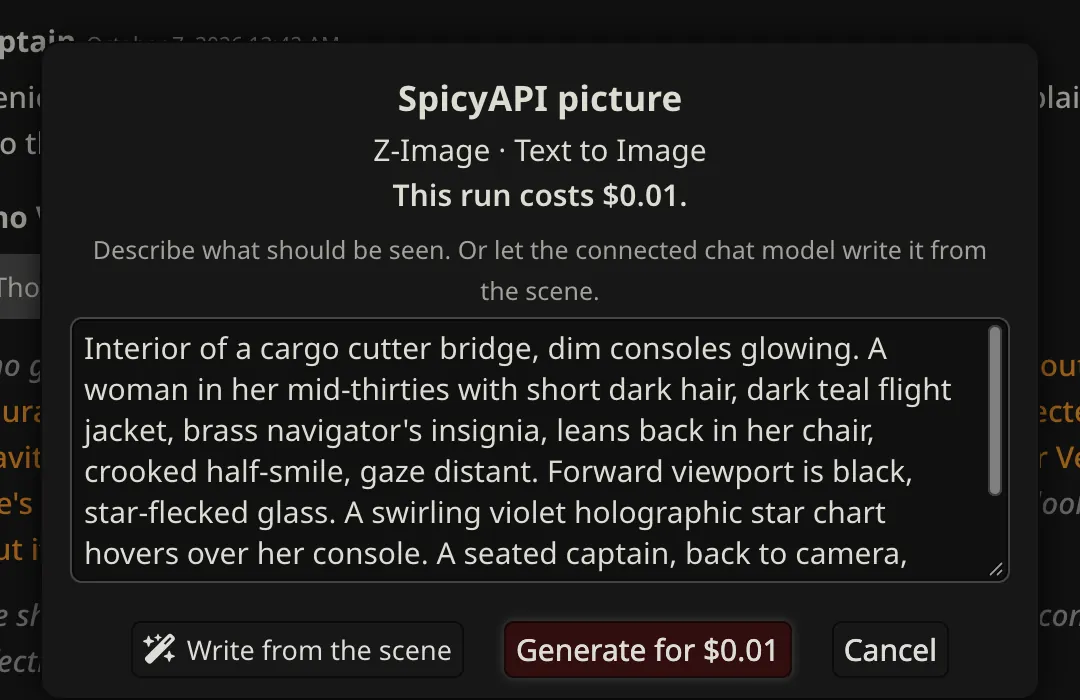
Z-Image Turbo · 16:9 · $0.01
The pickers list every picture and video model with its starting price, grouped by content policy: Uncensored, Softened and Filtered. Leave Automatic to use the cheapest uncensored model; settings marked $ change the price.
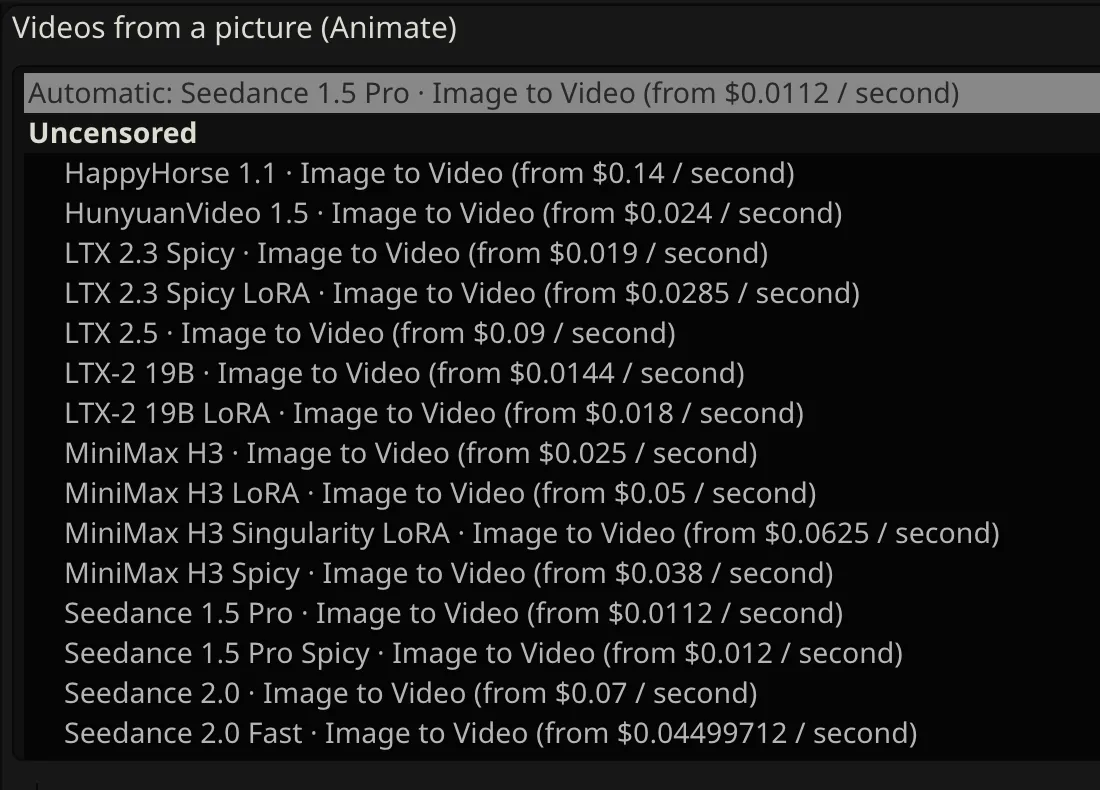
Prices as listed on 2026-10-07; the extension reads the live catalogue
| Command | What it does |
|---|---|
/spicy-img [prompt] | Makes a picture and posts it in the chat. Without a prompt, the chat model writes one from the scene. |
/spicy-video [prompt] | Makes a video from text. |
/spicy-video image=last [prompt] | Animates the latest picture in the chat. |
/spicy-task <task id> | Adds the result of an earlier run, for example after a page reload. |
/spicy-balance | Returns your balance in US dollars. |
A run that has been submitted keeps going even if you close the page, and it is billed if it succeeds. Failed runs are normally not charged.
Every chat model whose policy is unrestricted, live from our catalogue and sorted by Freedom score. Copy the ID into Enter a Model ID.
| Model | Model ID | Freedom | Inputper 1M tokens | Outputper 1M tokens |
|---|---|---|---|---|
| Grok 4.7 | xai/grok-4.7/chat | 100 | $2 | $6 |
| Grok 4.6 | xai/grok-4.6/chat | 100 | $2 | $6 |
| Grok 4.5 | xai/grok-4.5/chat | 100 | $2 | $6 |
| Grok 4.3 | xai/grok-4.3/chat | 98.9 | $1.25 | $2.50 |
| DeepSeek V4.1 Flash | deepseek/v4.1-flash/chat | 90.4 | $0.30 | $1.20 |
| Claude Opus 5.5 | anthropic/claude-opus-5.5/chat | 88.9 | $3.60 | $18 |
| DeepSeek V4 Flash | deepseek/v4-flash/chat | 88.9 | $0.44 | $1.32 |
| DeepSeek V4 Pro | deepseek/v4-pro/chat | 88.6 | $1.32 | $3.96 |
| Claude Sonnet 5.5 | anthropic/claude-sonnet-5.5/chat | 88.3 | $2 | $10 |
| Gemini 2.5 Flash | google/gemini-2.5-flash/chat | 84.4 | $0.285 | $2.375 |
| Claude Opus 4.6 | anthropic/claude-opus-4.6/chat | 79.4 | $5 | $25 |
| Claude Haiku 5.5 | anthropic/claude-haiku-5.5/chat | 77.8 | $0.10 | $0.50 |
| Claude Opus 4.5 | anthropic/claude-opus-4.5/chat | 75.6 | $4.50 | $22.50 |
| Kimi K3 | moonshot/kimi-k3/chat | 74.4 | $2.70 | $13.50 |
| GLM 5.2 | zai/glm-5.2/chat | 67.8 | $0.98 | $3.08 |
| Gemini 3.1 Pro Preview | google/gemini-3.1-pro-preview/chat | 67.2 | $1.90 | $11.40 |
| Claude Opus 5 | anthropic/claude-opus-5/chat | 65 | $4.50 | $22.50 |
| GLM 5.3 Flash | zai/glm-5.3-flash/chat | 64.4 | $0.1275 | $0.425 |
| Claude Sonnet 4.6 | anthropic/claude-sonnet-4.6/chat | 53.9 | $3 | $15 |
Unrestricted means the model adds no refusal layer of its own. The Freedom score is how far a model goes in our standard content tests. How the Freedom score is measured
The same key and model IDs work in apps that take an OpenAI-compatible address. The docs list the exact fields for each one.
Address
https://api.spicyapi.ai/v1Choose the Custom API model and enter the address, key and model ID. On the website, requests go through RisuAI's server.
Setup stepsAddress
https://api.spicyapi.ai/v1Add an OpenAI-compatible provider, then pick the model in a preset from the list it fetches. Requests go through Agnai's server.
Setup stepsAddress
https://api.spicyapi.ai/v1Add the address as a reverse proxy in Secrets, then pick the model from the fetched list. Requests go straight from your browser.
Setup stepsAddress
https://api.spicyapi.ai/v1Use its OpenAI connection, enter the key and fetch the model list. Requests go straight from your browser.
Setup stepsAddress
https://api.spicyapi.ai/v1/chat/completionsJanitor needs the full path. Nobody on our side has run a real chat through it yet, and its page may block addresses other than OpenAI's, so treat it as something to try.
Setup stepsWe do not add a content filter of our own. These are the limits that still apply.
You must be 18 or older, and every character must be an adult, whatever the art style or backstory.
Do not create sexual or intimate scenes, pictures or videos of a real person without their permission. Look-alikes of public figures count.
Content that is illegal where you or the subject live stays off-limits, as does anything our Acceptable Use Policy forbids.
Each model's policy tier is on its page. Filtered models may refuse and softened ones may tone a result down. A refused picture or video is not charged unless the model page says otherwise.
The extension keeps your key in SillyTavern's settings file in plain text, where other extensions can read it, so use a separate key with a daily cap. Our copies of generated files are deleted after up to 14 days.
A couple of minutes for chat and one more for pictures and video. You pay per use, in dollars, and every picture and clip is priced before it runs.