Introduction
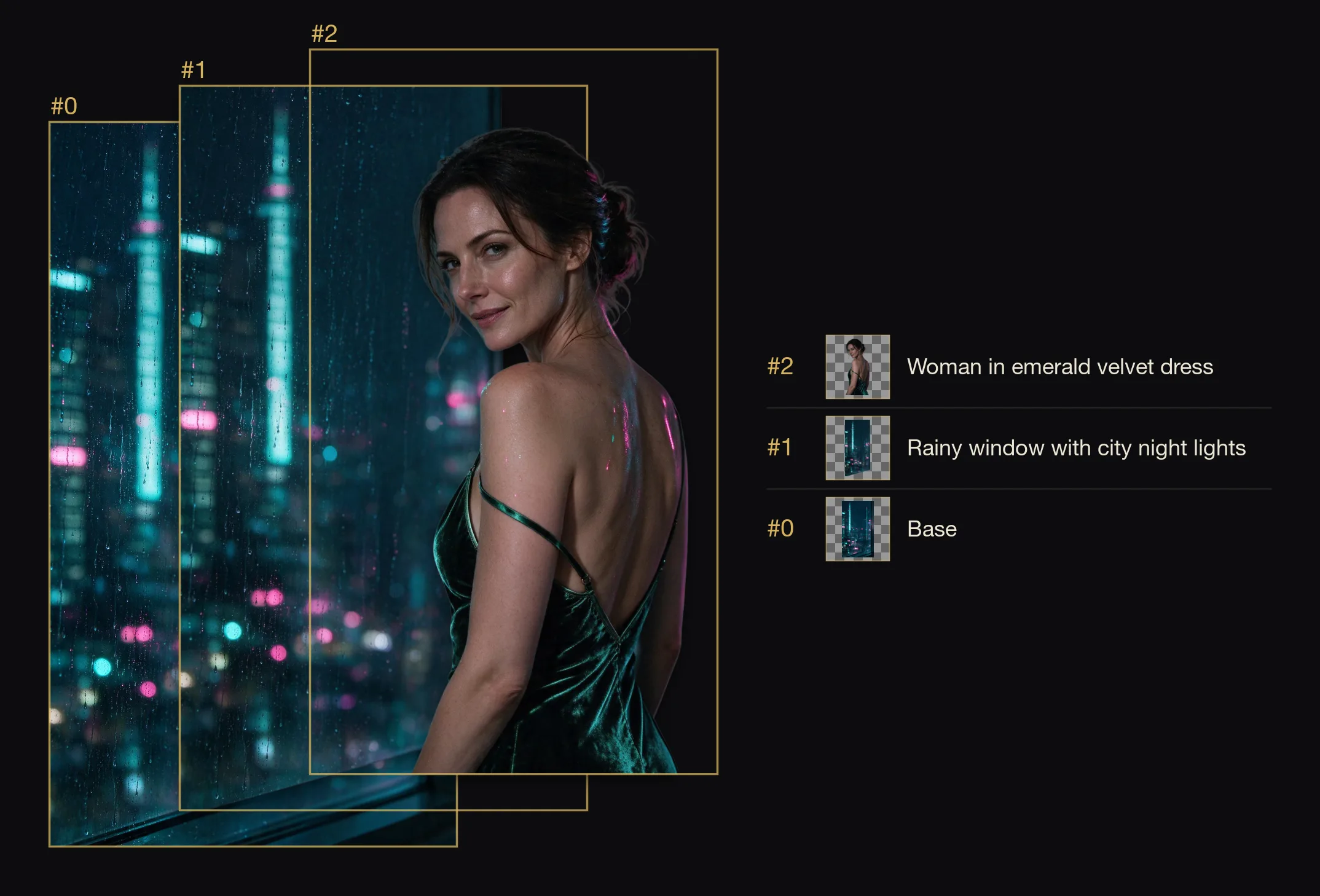
Seedream 5.0 Pro Layer Decomposition splits one finished image into a base plate and up to sixteen transparent PNG layers. Each layer comes with a position box and a name, so you can rebuild the original composition or rearrange it on a canvas.
Developed by ByteDance (model ID dola-seedream-5-0-pro-260628). Use it when the layers need to go back exactly where they came from.
Choose a mode by starting material
| Starting material | Mode |
|---|---|
| A finished image whose parts you need separately | Seedream 5.0 Pro Layer Decomposition |
| A written art direction or design brief | Seedream 5.0 Pro Text to Image |
| An approved source image to revise | Seedream 5.0 Pro Image Editing |
| The same split, also with names and position boxes, at a lower per-image price | Seedream 5.0 Flash Layer Decomposition |
Pro or Flash for layers
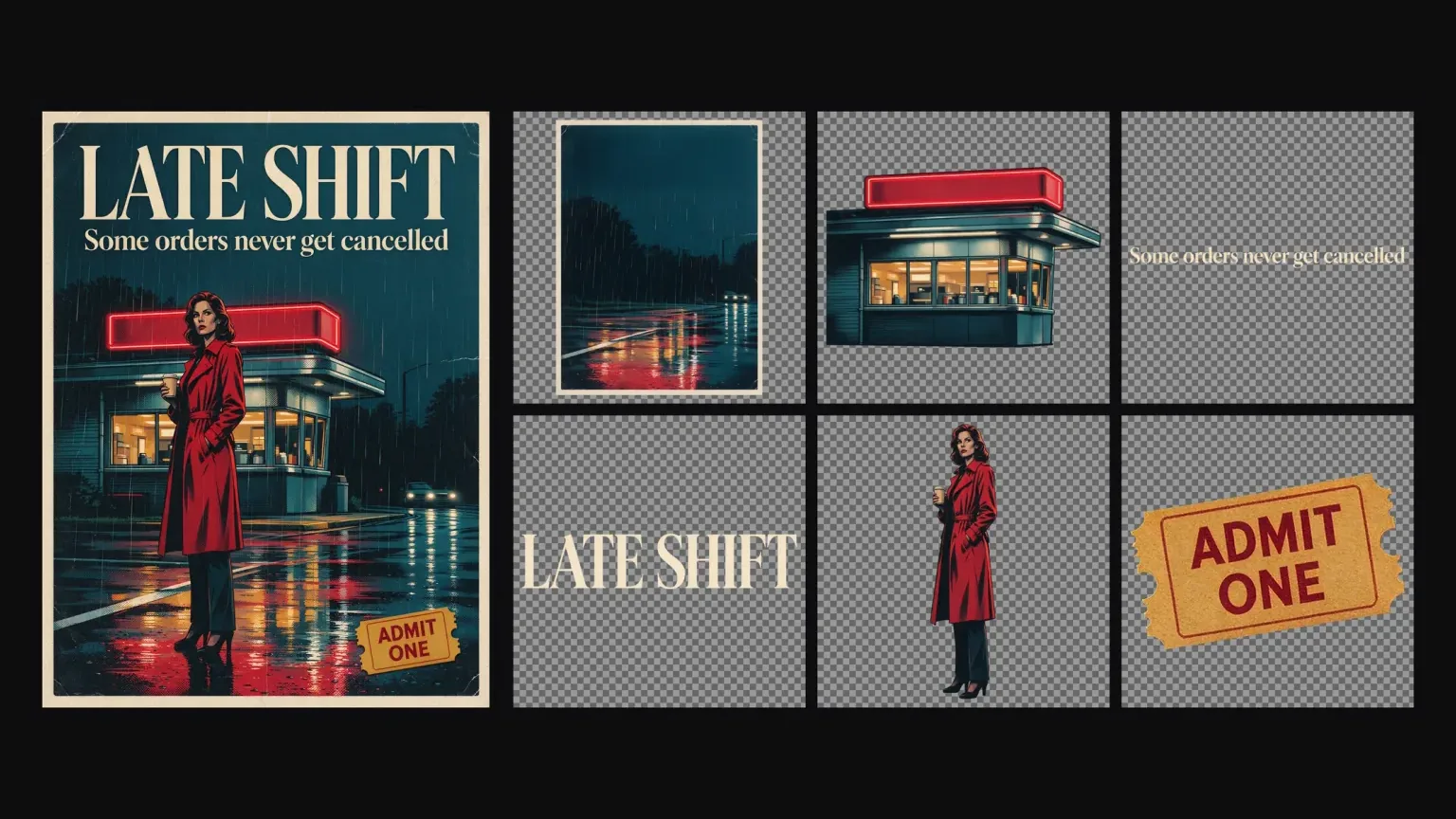
Both tiers return boundingBox and name for every layer. On the same film poster, run without a prompt, Pro returned nine images and Flash eight. The differences are price and one content boundary. Pro costs $0.042 per output image at 1K and 1.5K and $0.084 at 2K; Flash is $0.026 at any tier. Pro refuses source images at the Very strong level, while Flash split the same kind of image into its figures. Neither was reliably faster in our runs.
Key features & highlights
Position boxes and names
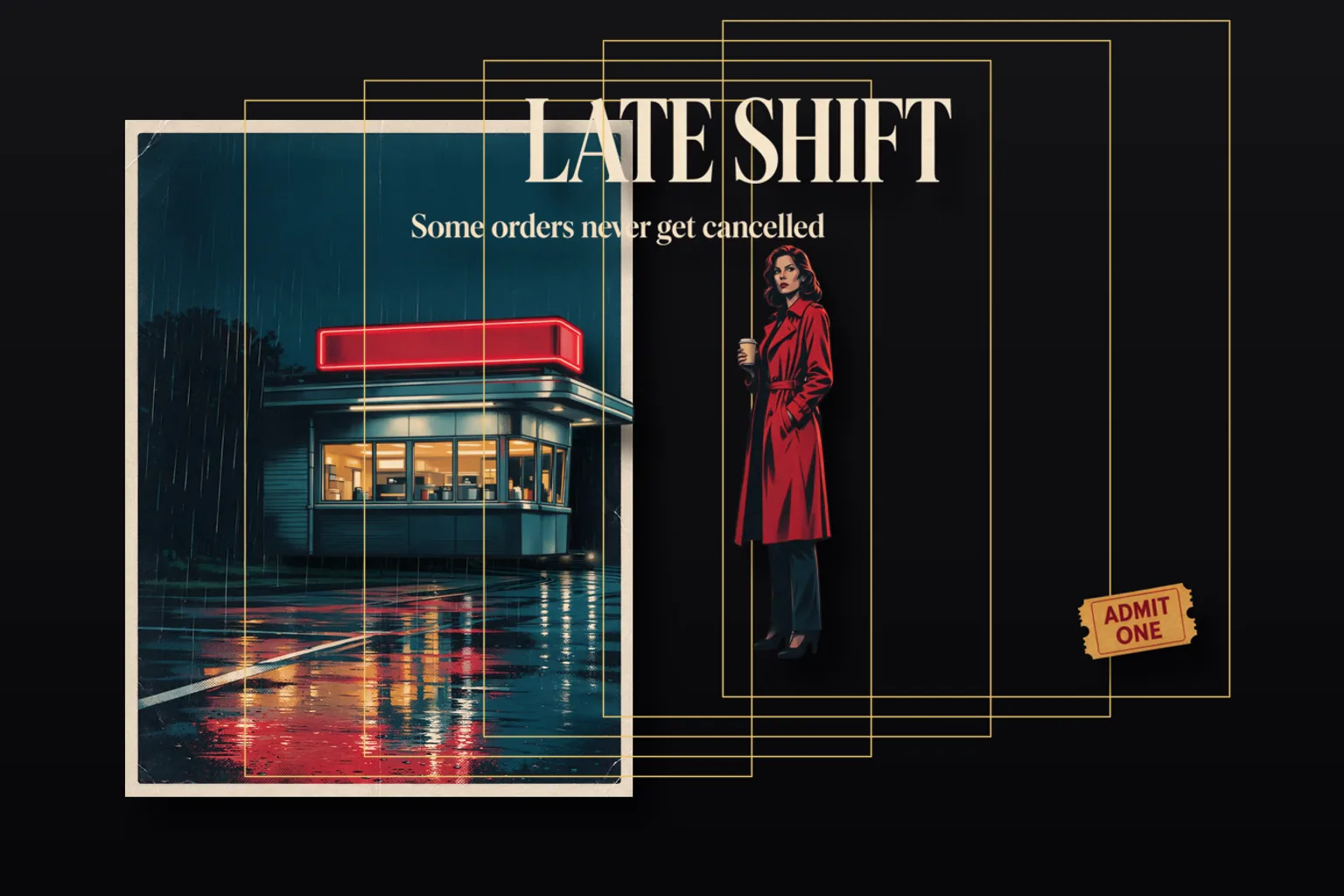
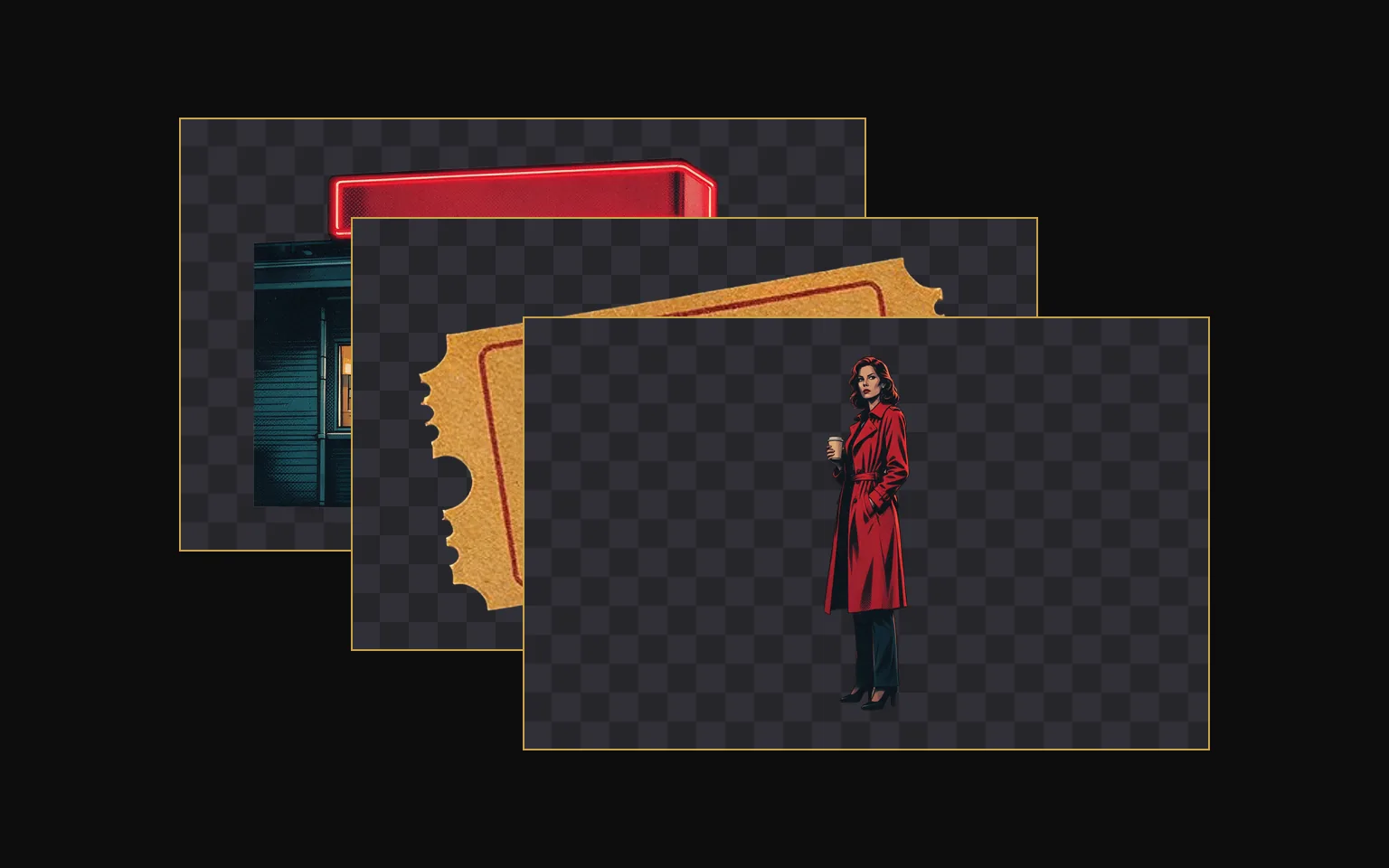
Every layer returns boundingBox as [x1, y1, x2, y2] in base-plate pixels and a name such as "Woman in red trench coat". In our poster run, stacking the layers back at their boxes reproduced the original poster. A layer PNG is often larger than the box it occupies (a 671 by 139 box came with a 1233 by 256 PNG), so scale it into the box when you put it back.
Clean base plate
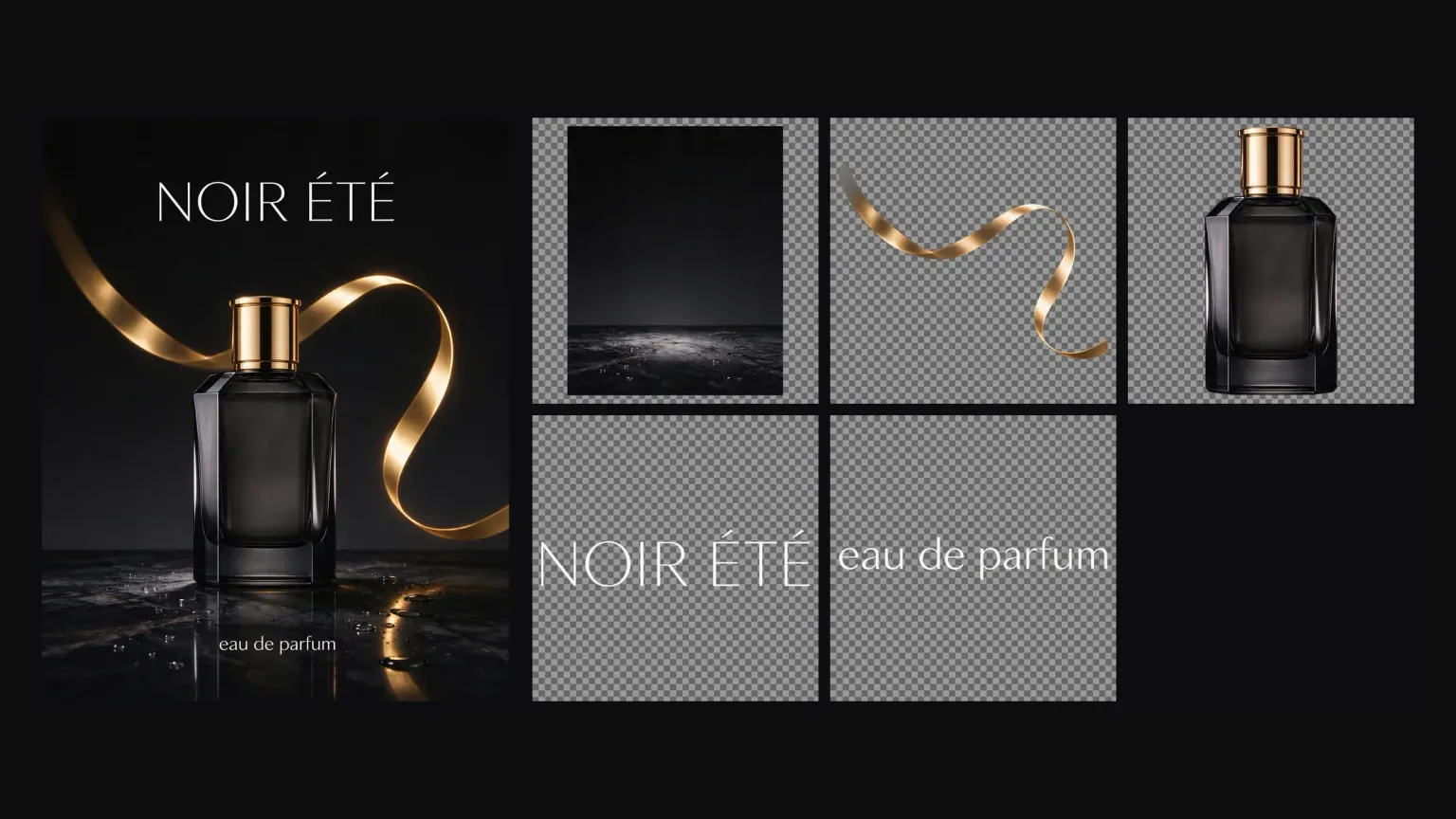
The separated elements are removed and the background is completed. Splitting the perfume ad left an empty black marble surface where the bottle, ribbon and lettering had been.
Steer it with words or coordinates
Name the elements, or pin them down with <bbox> coordinates. With no prompt, the model chooses the main elements itself.
Transparent PNG layers
Layers are always transparent PNG, whatever output_format you choose. That setting only changes the base plate.
Request parameters
| Parameter | Required | Description |
|---|---|---|
image_url | Yes | One image to split: png, jpeg, webp, bmp, tiff or gif, up to 30 MB, 262,144 to 36,000,000 total pixels, aspect ratio between 1:16 and 16:1. HEIC is not supported. at least 1 characters |
prompt | No | Optional, any length. Leave it empty and the model picks the main elements itself; name elements and it splits those. at least 1 characters · at most 5000 characters |
resolution | No | auto, 1k, 1.5k or 2k. The base plate keeps the input's aspect ratio and each layer keeps its element's proportions. |
output_format | No | jpeg or png for the base plate only. Layers are always transparent PNG whichever you choose. |
Pricing
| Specification | Price |
|---|---|
| $0.042 / image |
| $0.042 / image |
| $0.084 / image |
| $0.084 / image |
Use cases
Change the words on a poster
Pull the title layer out, replace or restyle it, and stack everything back at the returned boxes.
Swap a product background
Lift the product and its lettering off an ad, keep the base plate or replace it, and re-compose for a new campaign.
Build parallax or animation assets
Turn an illustration into ordered layers with known positions, ready for depth movement or a rig.
Isolate a person from a scene
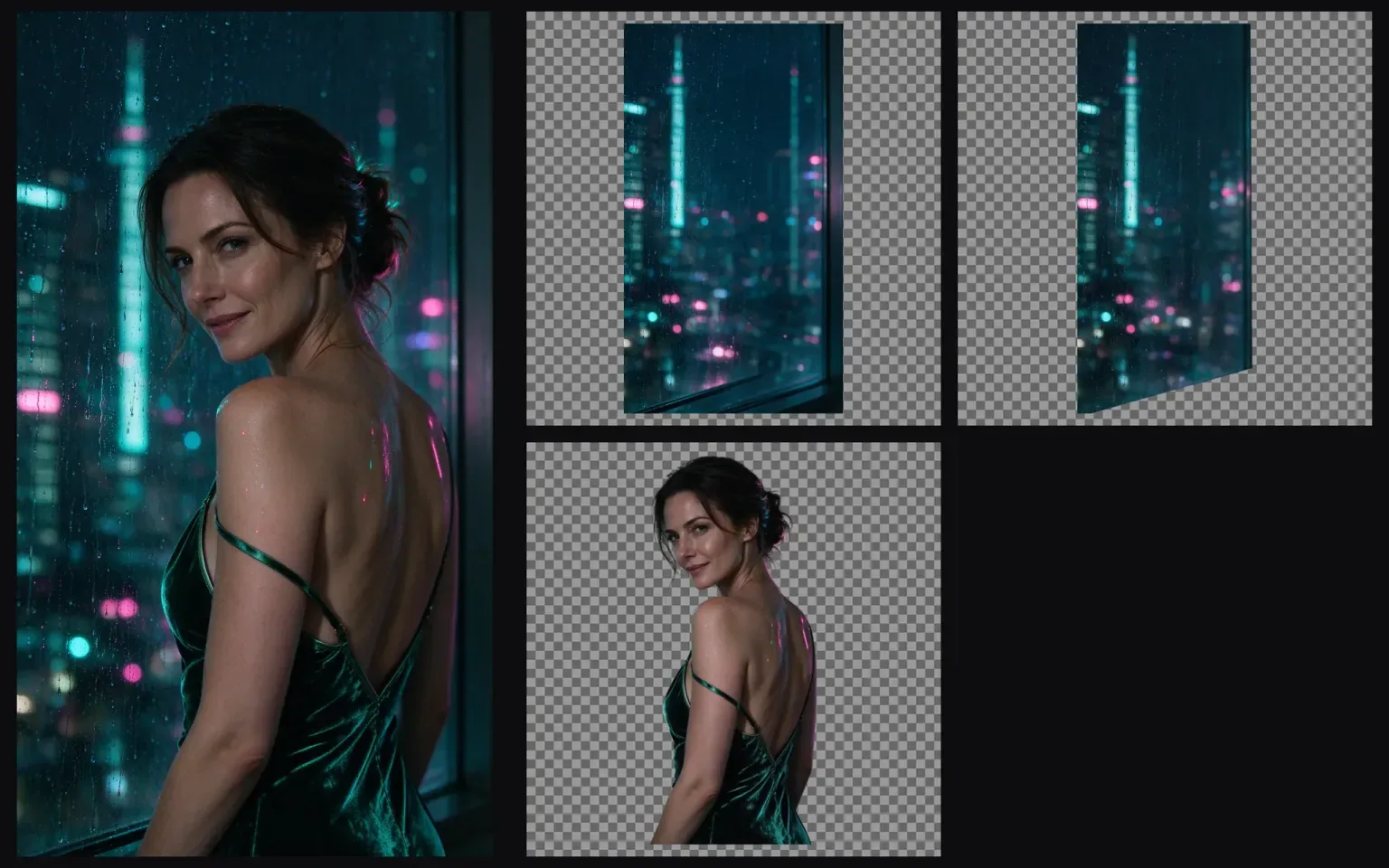
Ask for the person only and get one transparent layer plus the scene without them.
Prompt guide & pro tips
Name the pieces you want
For a poster, list them in plain words: "Separate the diner building, the tagline, the LATE SHIFT title, the woman in the red trench coat and the ADMIT ONE ticket stub." That run returned six images: the base plate and exactly those five layers.
Circle an element with a bounding box
Add <bbox>x1 y1 x2 y2</bbox> after the element's name. Coordinates are 0-1000 normalized from the top-left corner, so they do not depend on the image's pixel size.
Separate the title text <bbox>179 58 809 197</bbox> and the parrot <bbox>330 274 641 991</bbox> into independent layers
Pick a resolution
1k and 1.5k cost the same per output image; 2k and auto are priced at the 2K rate because auto may produce 2K output. Use 1k or 1.5k when you only need a working split.
Plan for the reserve
A request reserves the cost of 17 images and refunds the difference when the actual number of layers is known. Typical results are a few images.
Content boundaries
Seedream 5.0 Pro · Layer-Decomposition — Uncensored. SpicyAPI adds no platform-side content filter. Model restrictions still apply, and results are not guaranteed. You are responsible for complying with our content policy.
API quick start
# Generate the idempotency key once; reuse it when retrying after a lost response.
export SPICY_IDEMPOTENCY_KEY="${SPICY_IDEMPOTENCY_KEY:-$(uuidgen)}"
curl -X POST https://api.spicyapi.ai/api/v1/jobs/createTask \
  -H "Authorization: Bearer $SPICY_API_KEY" \
  -H "Content-Type: application/json" \
  -H "Idempotency-Key: $SPICY_IDEMPOTENCY_KEY" \
  -d '{
  "model": "bytedance/seedream-5.0-pro/layer-decomposition",
  "input": {
    "image_url": "https://example.com/reference.png",
    "output_format": "jpeg",
    "resolution": "1.5k"
  }
}'

# Copy data.taskId from the response into TASK_ID, then poll the status.
TASK_ID="TASK_ID_FROM_RESPONSE"
curl "https://api.spicyapi.ai/api/v1/jobs/recordInfo?taskId=$TASK_ID" \
  -H "Authorization: Bearer $SPICY_API_KEY"
See the API reference for authentication, the complete schema, polling, and error handling.