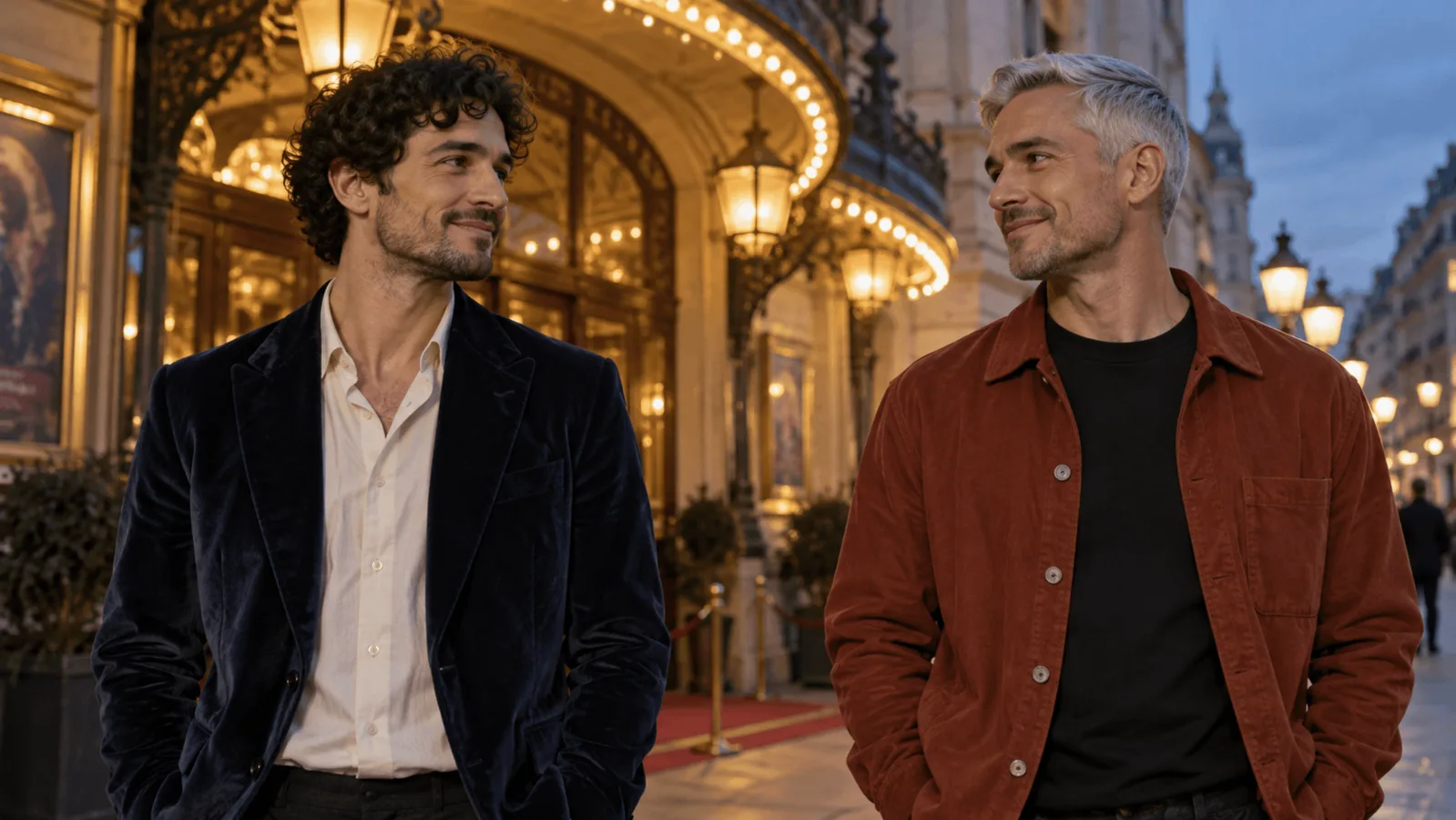
For two-character AI images, start with two separate identity references, give each person a screen position and outfit, and generate a pose with a visible gap between their bodies. Add contact only after that pair works. The worked example uses Seedream 5.0 Flash editing at 2k, 3:2, PNG, at $0.029 per image. If one small area needs a masked repair, use Qwen Image 2.1 with the accepted pair as its only source.
The example is a fully clothed romantic portrait of fictional adults Adrian, 34, and Mateo, 37. Prices are the live USD catalogue prices in October 2026. The cover and comparison pictures are illustrations, not output from these models.
1. Pick the task for the inputs you actually have
| Starting point | Task and starting settings | Price and important limitation |
|---|---|---|
| Two approved portraits | Seedream 5.0 Flash edit: two Images, Resolution 2k, Aspect ratio 3:2, Output format PNG, Background Opaque | $0.029/image; accepts 1–10 sources; no mask or seed field |
| No faces yet | Seedream 5.0 Flash text to image: one person per prompt, chest-up, both eyes visible, 2k | $0.029 per portrait; approve one portrait per character, then use the row above |
| One approved pair with a small defect | Qwen Image 2.1 edit: one Images entry, a Mask, Resolution 2k | $0.048/image at 2k with one source ($0.036 at 1k). Mask works at 1k and 2k only |
Flash charges the same price for any number of references and for 1k, 1.5k or 2k, so 2k costs nothing extra and gives small faces and hands more room to inspect. Qwen’s masked editing task requires exactly one source: the accepted pair becomes that source for a local repair. Its reference-image charges depend on the resolution and task settings; the quoted 2k repair price above is for one source. Use Flash to combine the two portraits, then Qwen when you need a mask.
Both models run adult-oriented pairs with no content switch (they are unrestricted, uncensored options), so the same workflow applies. Flash editing of adult portrait inputs has completed in our September 2026 tests. If a job explicitly reports a content rejection, revise the scene before trying again. If the connection fails or the response is lost, check the original job first rather than creating a duplicate.
2. Upload a portrait of each person in a fixed order
Use two individual images, not a collage of several versions of each face. Put Adrian first and Mateo second: the prompt refers to references by position, and a source you do not name gets blended into the result. A chest-up image with both eyes visible is a clear identity source. Do not add a location reference that contains an unrelated person.
| Assignment | Adrian: first reference | Mateo: second reference |
|---|---|---|
| Visible identity | Short dark curls, broad jaw | Close-cropped silver hair, longer face |
| Screen position | Viewer-left | Viewer-right |
| Outfit | Navy velvet jacket, cream shirt | Rust overshirt, black shirt |
| Initial action | Turns toward Mateo | Returns Adrian's gaze |
| Hands | At his own sides | At his own sides |
The character names label this request; they do not retrieve faces from an earlier session. If the sources wear different clothes, say that the uploaded portraits provide faces and hair while the written brief supplies the target wardrobe.
Use “viewer-left” for the left side of the picture. Use “Adrian's left hand” only when that anatomical side matters. A person facing the camera has anatomical left on the viewer's right; mixing those terms can reverse the intended gesture.
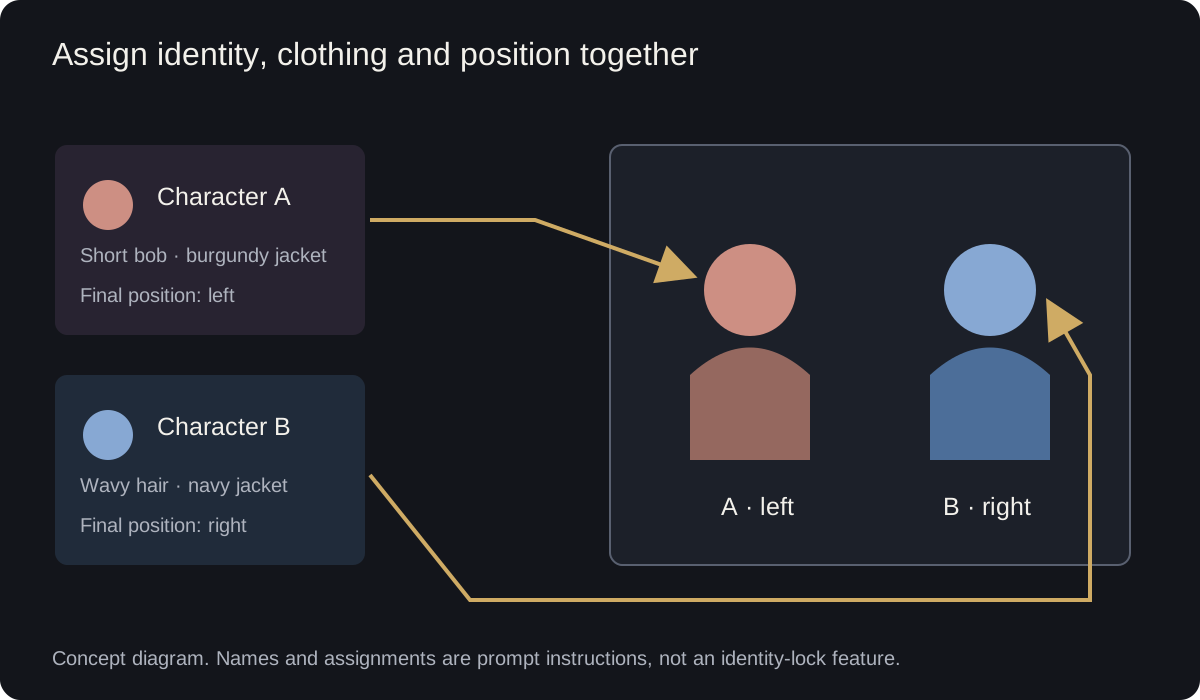
Conceptual composition diagram, not a model result: A and B stand for any pair; reference identity and screen position are separate assignments.
3. Generate the separated two-shot
Try it in the Playground
- Open Seedream 5.0 Flash image editing, stay on the Playground tab in Form view and log in to run.
- Under Images, add Adrian's portrait first and Mateo's second.
- Set Aspect ratio
3:2, Resolution2k, Output formatpngand BackgroundOpaque. - Paste the prompt below into Prompt, or open the Playground with it filled in.
- Run it; the price shows before you are charged.
Or from code. The same request as a CLI call (upload each portrait once, copy the two spicy:// URIs into input.json; the file's image_urls field is the Images list, in the same order):
spicyapi files upload ./adrian.png && spicyapi files upload ./mateo.png   # copy both spicy:// URIs
cat > input.json <<'EOF'
{"image_urls": ["spicy://f/ADRIAN_URI", "spicy://f/MATEO_URI"], "prompt": "<the prompt below>", "aspect_ratio": "3:2", "resolution": "2k", "output_format": "png", "background": "opaque"}
EOF
spicyapi tasks create --model bytedance/seedream-5.0-flash/edit --input-file input.json --wait
The full field list is in the image generation guide.
Or let an Agent run it. With the MCP server an assistant calls spicyapi_upload_file for each portrait, then spicyapi_task_create (it stops for your price confirmation) and spicyapi_task_wait. The Agent Skill (npx skills add spicyapi-ai/spicy-skill) has a coding assistant read the live schema instead of guessing fields.
Prompt:
Use the first reference for Adrian's facial identity and dark curls, and the second for Mateo's facial identity and silver hair. Create one natural editorial photograph of these two fictional adult men outside a quiet theater at dusk. Adrian, 34, stands on viewer-left in a navy velvet jacket and cream shirt. Mateo, 37, stands on viewer-right in a rust overshirt and black shirt. Waist-up two-shot with both faces visible, torsos separated by a narrow visible gap, and each man's hands resting at his own sides. Adrian turns toward Mateo, who returns his gaze. Both men are at similar distance from the camera. Warm entrance light, understated romantic mood. Use the references for identity, not their original clothing or backgrounds. Exactly two people, no mirrors, no shared props, no lettering.
If you have no portraits and want a quicker route, replace the opening reference sentence with the two facial descriptions and cast both men from one text-to-image prompt. Once you like the pair, save it and edit from it; names do not preserve faces. Separate portraits blend less.
For three or more people, keep one reference per person in a fixed order and give each a screen position; Flash takes up to 10 references at the same price.
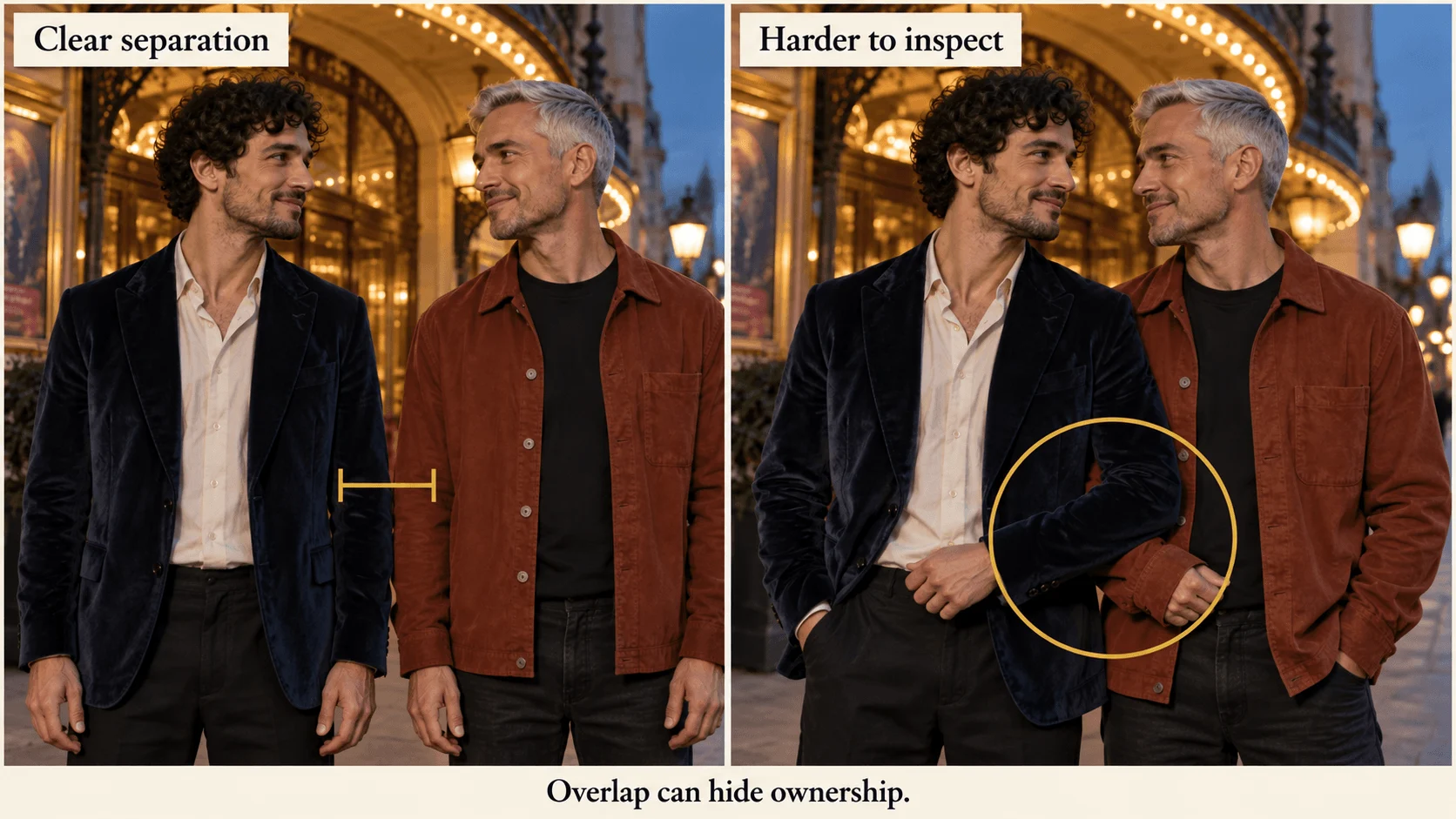
Illustration, not a target-model result: the separated arrangement makes it possible to trace each sleeve to its owner.
Navy and rust can both appear while their owners are reversed. Diagnose by failure type: a swapped jacket needs a wardrobe correction, a duplicated face an identity correction.
4. Fix the specific failed assignment
| Visible failure | Change the next request this way |
|---|---|
| Both men resemble Adrian | Return to the two original portraits. Keep the separated pose. Start the prompt with “Two distinct identities: first reference only for the man on viewer-left; second only for the man on viewer-right.” Remove any third portrait or competing style reference. |
| Correct faces, swapped jackets | Edit the returned pair: “Keep both faces and positions. The dark-haired man on viewer-left wears navy velvet and cream; the silver-haired man on viewer-right wears rust and black.” Do not regenerate from text. |
| Positions reversed but otherwise useful | If placement matters, request a new two-shot with explicit screen positions. Flipping the image also flips watches, lettering and every other asymmetric detail. If placement does not matter, accept the reversed order and swap the labels in your caption or script. |
| One person is cut off | Change framing to “medium-wide two-shot with both outer shoulders and elbows inside the frame.” Keep 3:2; avoid the narrower portrait crop for this step. |
| Bodies merge at the shoulders | Return to the separated prompt. Do not ask a tiny hand edit to reconstruct two connected torsos. |
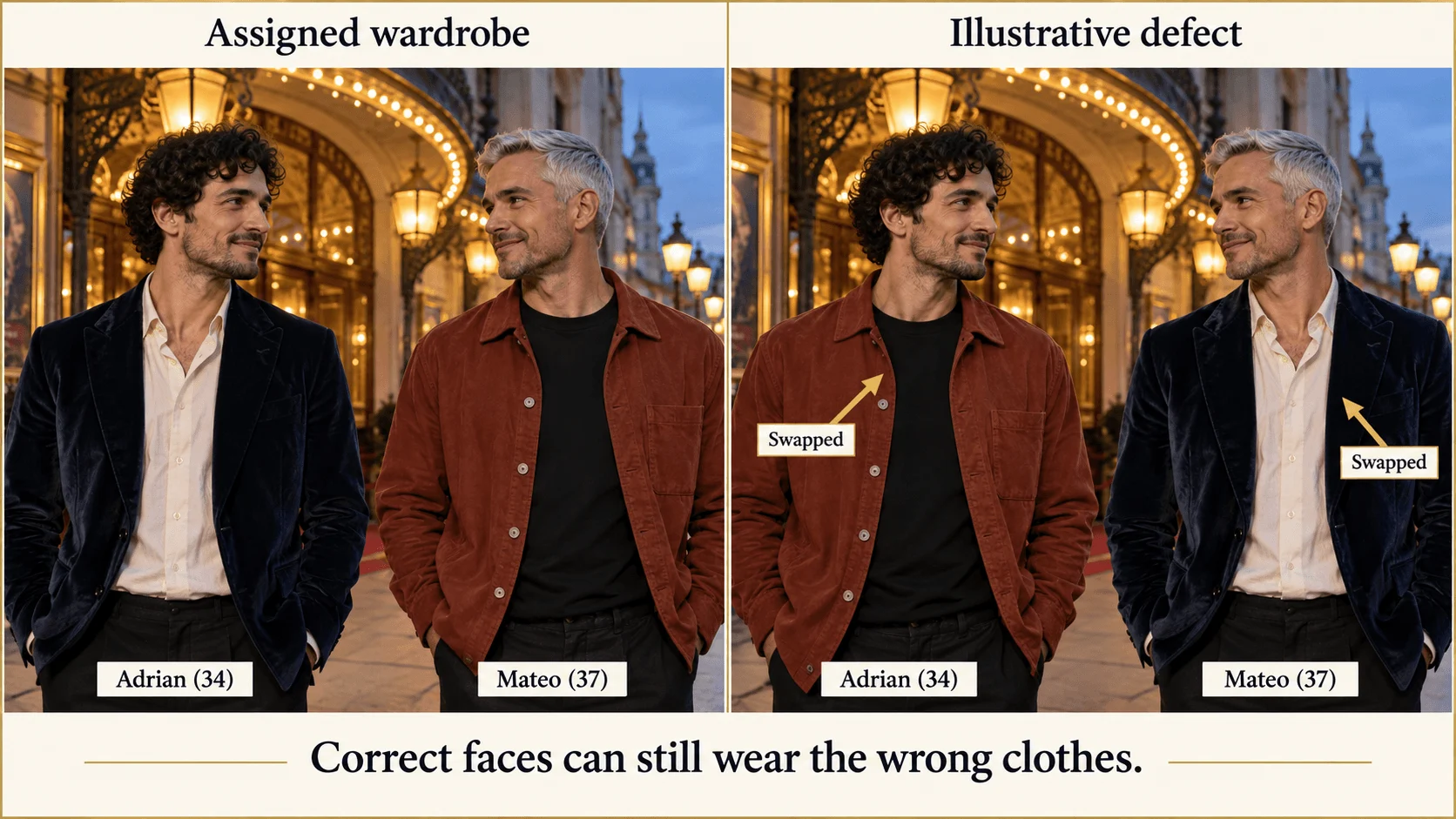
Illustration, not a target-model result: these faces stay recognizable while their jacket assignments are deliberately exchanged.
For a wardrobe change, name the person by both position and appearance. “Change his jacket” becomes ambiguous as soon as the picture contains two men. A concrete request is: “Replace only the silver-haired man's rust overshirt on viewer-right with a dark green jacket; retain both faces, the navy jacket on viewer-left, the pose and the theater.”
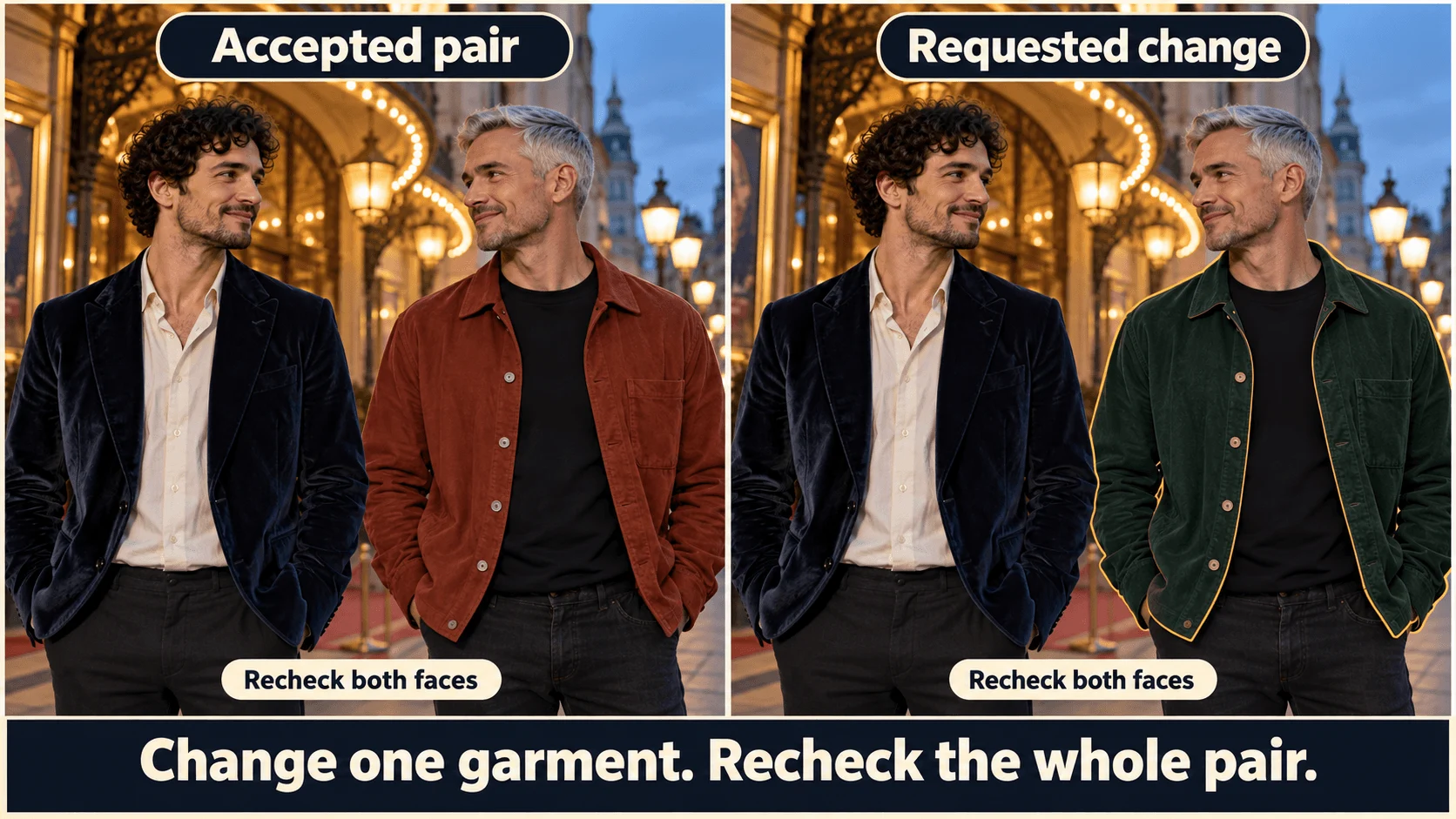
Illustration, not a target-model result: the proposed change belongs to Mateo’s jacket, not both people or the whole palette.
5. Add one contact point
Use the accepted pair as one source in Flash editing. Keep aspect_ratio: "auto" to follow that source's shape, 2k, PNG and opaque background. Replace the full scene prompt with:
Keep the same two adult men, identities, outfits, positions and theater setting. Change the pose so the dark-haired man on viewer-left places one hand on the silver-haired man's outer shoulder. Show a continuous navy sleeve leading to his wrist and hand, resting on the rust fabric. The silver-haired man's arms remain at his own sides. Preserve both visible faces and the gap between their torsos.
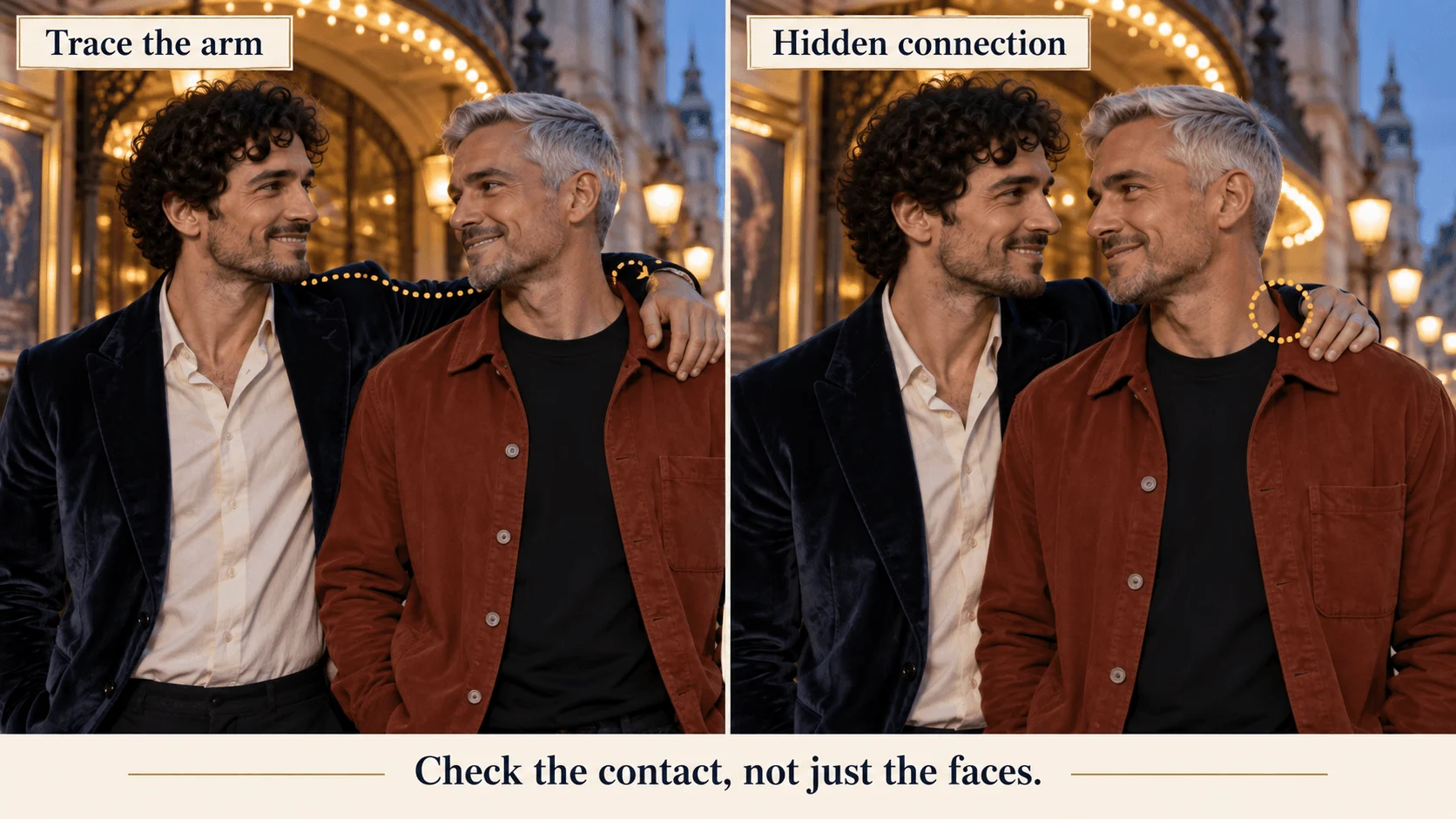
Illustration, not a target-model result: follow the navy sleeve into the contacting hand; a hidden connection makes ownership ambiguous.
If the hand grows from Mateo's sleeve, return to the accepted separated source and use the same request with “Adrian's elbow remains on viewer-left” added. If that needs an entirely new arm crossing both torsos, use a simpler gesture: heads turned toward each other, hands apart. Do not retain an anatomically broken master merely because the expressions are good.
For a shared object, specify count and owner: “Mateo holds one glass in his right hand; Adrian's hands remain empty.” To show both holding it, explicitly request one glass and identify each hand's contact. Two hands around a narrow stem are a more demanding arrangement than one owner and one observer.
6. Mask a local defect only after the pose works
For Qwen editing, upload only the accepted two-person image. Do not also attach both original identity portraits: a masked edit takes exactly one source. Create a black-and-white image aligned to that source; white marks the area to repaint, black marks the area to keep. Include the faulty hand, its wrist connection and the small shoulder-contact area, rather than masking detached fingertips alone.
- Open Qwen Image 2.1 edit on the Playground tab, Form view.
- Under Images, add the accepted pair only.
- Set Resolution
2kto match the Flash master (1k would return a smaller image than the one you are repairing), Output format PNG and Background Opaque. - Expand Advanced parameters and add the black-and-white image under Mask (the field name is
mask_urlin code). - Paste the repair instruction below into Prompt and run.
The result keeps the source's shape, so Aspect ratio is ignored, and prompt expansion does not apply to masked edits. A repair instruction:
Repair the marked hand and wrist into one natural hand belonging to the navy-jacketed adult man. It rests on the rust-clothed shoulder. Continue the existing sleeve and lighting. Retain both faces, hairstyles, clothing elsewhere, body positions and theater background.
Compare both faces with the accepted master after the edit. If a face changed, revert to the master; do not use the changed face as the next reference. For an isolated cuff edge, ordinary compositing may finish the accepted picture with fewer reopened decisions.
7. Keep depth and delivery crops consistent
For equal prominence, put both faces at similar camera distance. If Adrian sits in the foreground, his larger apparent head can be correct perspective rather than identity drift. Fix an unwanted size difference by requesting similar seating depth, not by shrinking his anatomy.
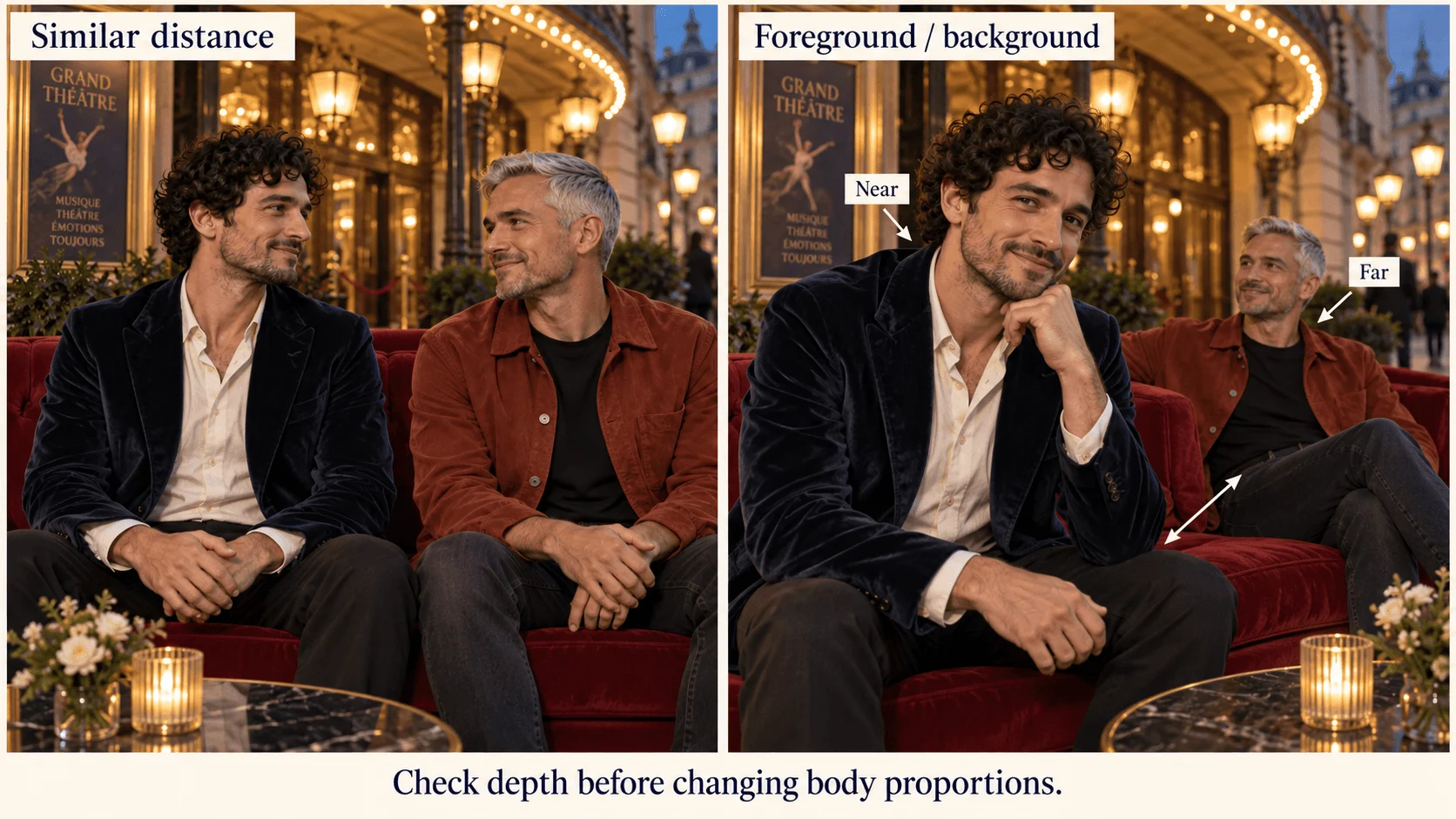
Illustration, not a target-model result: nearer seating changes apparent size; compare depth before changing body proportions.
Before using a square crop, retain both faces and the entire shoulder-contact relationship. A crop that cuts away the touched shoulder can leave an unexplained hand. Move the crop outward or use the hands-apart version for that placement.
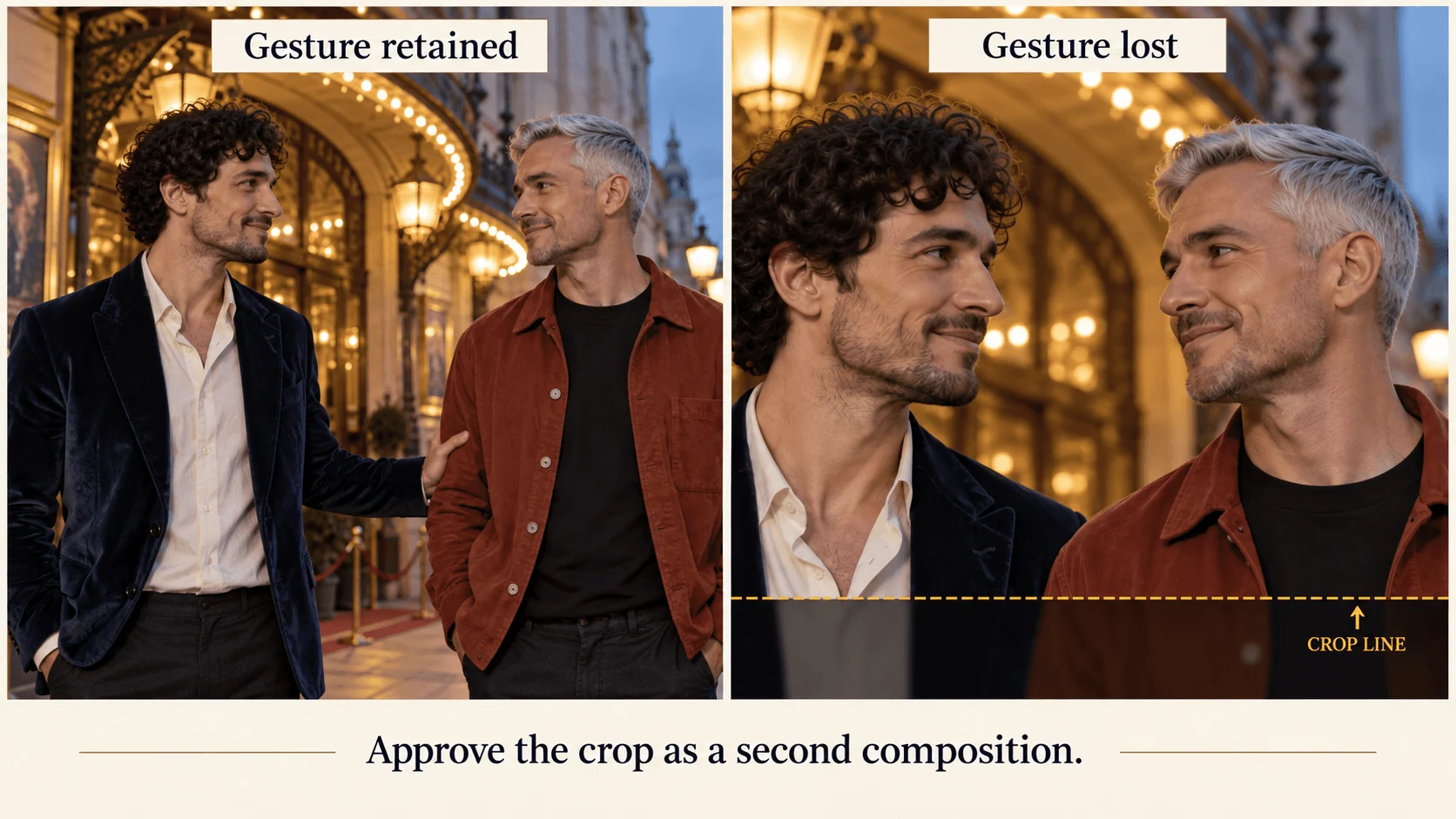
Illustration, not a target-model result: the tighter crop loses the gesture even though both faces remain.
Two portraits ($0.058), one two-reference composition and one contact edit on Flash ($0.058) cost $0.116 before retries; a 2k Qwen mask repair adds $0.048. Begin with the separated pair, move to contact once faces and ownership are correct, and use the accepted image, not the original portraits, as the next source.