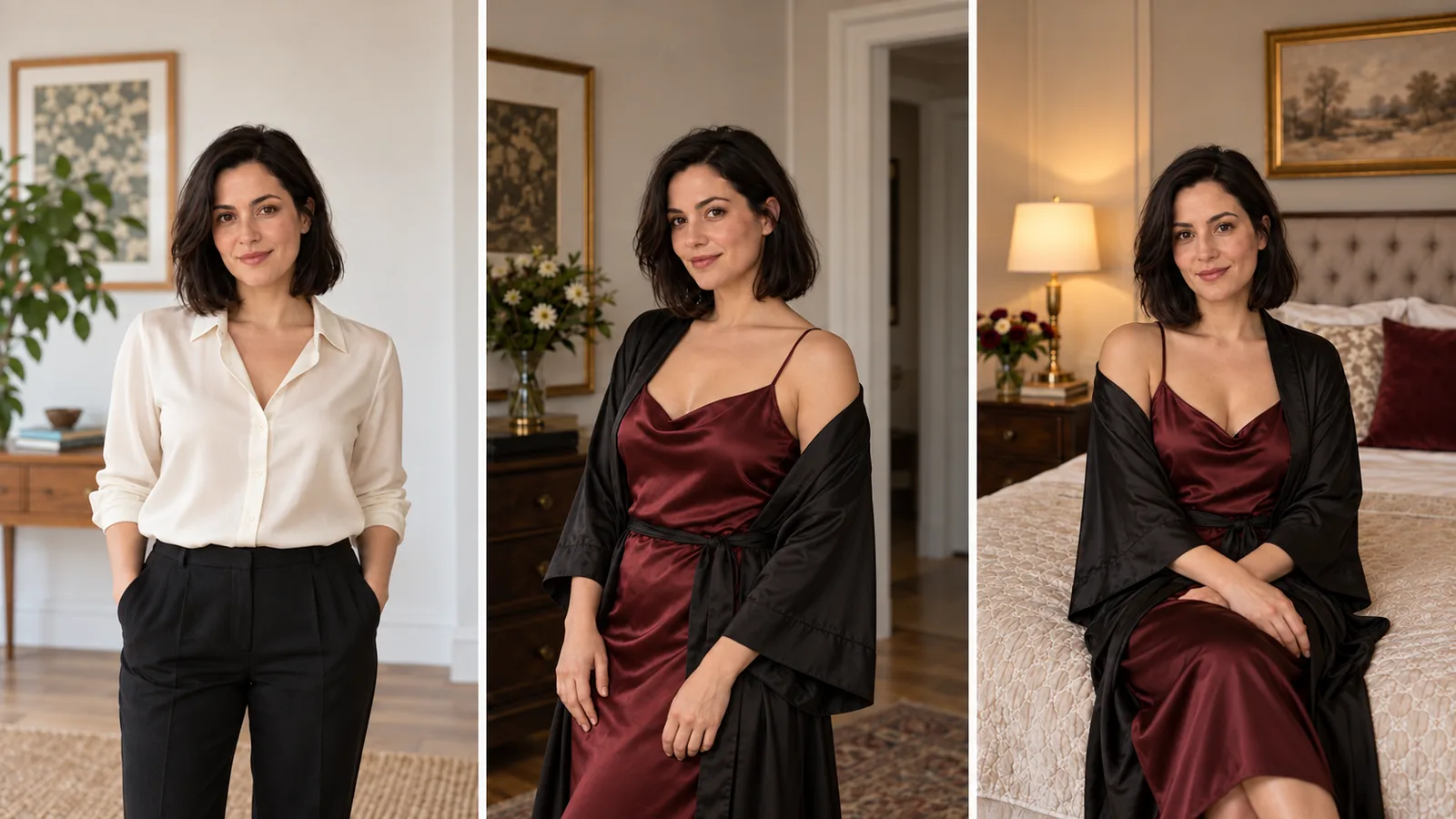
You have finally made a fictional adult character whose face feels right. Now you need an evening outfit, a bedroom portrait and a second location for the same collection. The editor accepts the request, returns an attractive image, and gives you somebody else: narrower cheeks, a different nose, younger-looking features. That image might be good on its own. It is wrong for your character.
For an uncensored image-to-image workflow that keeps the face, start with a reference-based editor and choose the kind of change carefully. Try Seedream 5.0 Flash for outfit, lighting and setting variations at a fixed $0.029 per image. Choose Qwen Image 2.1 when a small, masked change is more useful than asking the whole image to be redrawn. Neither choice is a promise of perfect identity. These recommendations follow current controls, prices and published examples; this article does not claim a new matched face-preservation benchmark.
The practical distinction is between keeping the face recognizable and keeping its original pixels. A new pose needs the model to reinterpret the face. A garment repair often does not. If you only need to fix the garment, protect the face from the edit instead of persuading the model to redraw it more faithfully.
Pick an editor for the change you actually need
An NSFW-friendly label answers a content question. It does not tell you whether the editor supports masks, multiple references or a strength control. Face preservation depends on those choices too.
| Your next image | Starting choice | Why it fits | Important limit |
|---|---|---|---|
| Same character, a different outfit or room | Seedream 5.0 Flash edit | 1–10 references; $0.029 per output at 1k, 1.5k or 2k | No mask, seed or strength field on this task |
| Repair a garment or prop while protecting the face | Qwen Image 2.1 edit with a mask | White marks the repaint area; black marks what to retain | Exactly one reference; use 1k or 2k and opaque background |
| One reference and a short lighting or wardrobe instruction | Qwen Image Edit Spicy | A simple single-source editor, $0.038 per image | No mask or strength control; inspect the whole output |
| New pose with separately supplied identity and setting | Multi-reference editing | The identity source can be distinct from the scene source | It still synthesizes a new view; identity needs review |
These are USD output prices. Qwen Image 2.1 starts at $0.036 for one reference at 1k; additional references increase its quote. The inexpensive starting tier is not a claim of lower cost for every final composition.
Open the actual edit task, rather than the model's text-to-image page. A text prompt describing your character again asks for another interpretation; the reference image supplies the specific face you intend to preserve. The image-editor comparison covers browser and local interfaces if you also need to decide where to work.
What existing examples do—and do not—show
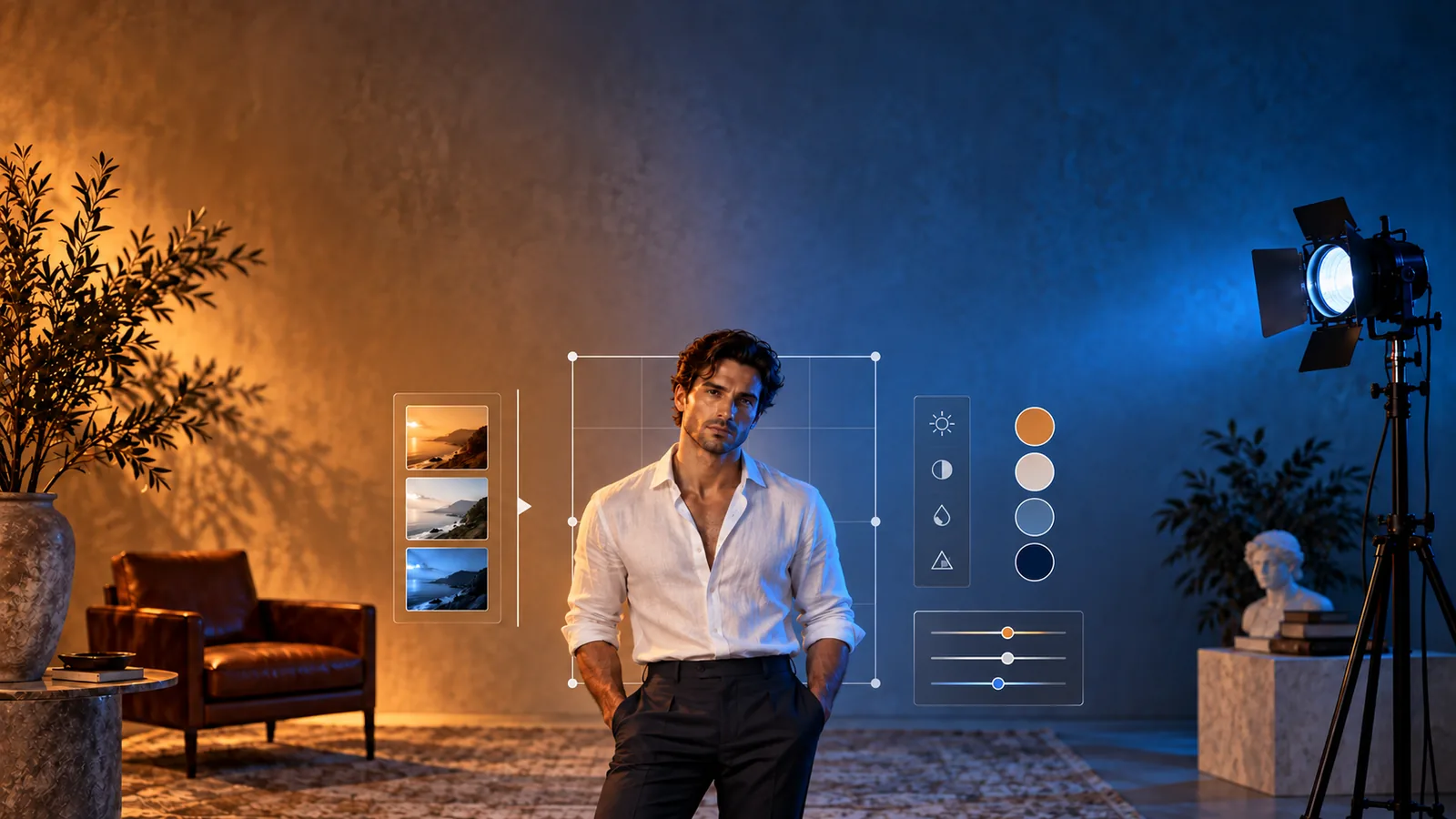
SpicyAPI's published Qwen editing examples include an adult male portrait relit from amber to blue and a two-character scene with a robe changed from cream to burgundy. In the first, the pose and framing remain similar, but facial and hand details are not pixel-identical. In the second, the inner garment changes color as well as the requested outer garment. The Qwen editing article provides its own before-and-after material.
Those examples show why a successful edit deserves inspection. They do not establish a universal identity ranking, or prove that a stronger adult-oriented transformation will preserve every face equally well.
Community reports show the same distinction. In a Qwen multi-angle reference discussion, the author describes a usable character-sheet method, while replies point out changed cheek shapes and dispute the elaborate prompting. That is a useful warning about judging resemblance, not a measured success rate.
For your own collection, ask whether the character remains recognizable at the size readers will see. A flattering face with the wrong cheekbones is still a failed identity edit.
Prepare one good original before adding more references
Use a fictional adult character you created, or a portrait whose subject has explicitly authorized the intended transformation. Permission to use a photograph in an ordinary profile is not permission to make adult-oriented versions of it. The examples below use Lena, a fictional woman aged 32, and stay suitable for public illustration.
Choose an original with a clear face, visible hairline and readable eyes. A shoulder-up or waist-up view under uncomplicated light is a useful starting point. Avoid a tiny face in a full-room composition, heavy face-covering accessories, or a beauty filter that erases the features you want the character to retain.
For Lena, the original has an oval face, dark eyebrows, a slightly rounded nose tip, brown eyes and a shoulder-length black bob. These details describe the reference; they do not replace it. “Beautiful brunette” could describe thousands of different faces, while “the same adult character as image 1” ties the instruction to your chosen one.
Keep the original as the identity source. If you need a profile view later, add an approved profile rather than asking a front portrait to establish every unseen detail. Do not promote an attractive but inconsistent generated profile into the reference set: it gives the next edit conflicting evidence.
An outfit reference should contribute the outfit. Crop away an unrelated model's head where practical. A room reference should ideally contain no other person. Fewer competing faces make the source roles easier to communicate; the maximum reference count is a limit, not a target.
Make the first change without changing the camera
Start with the most useful easy variation: same face, pose and crop, different wardrobe. This isolates whether the editor can handle your character before you ask it to invent a full photoshoot.
Open Seedream 5.0 Flash editing. Supply Lena's original as the first reference. Use resolution: "2k", output_format: "png" and background: "opaque". Choose aspect_ratio: "3:4" for a portrait collection, or auto to keep the first reference's shape.
Here is a proposed instruction, not a claimed test result:
Keep the fictional adult woman aged 32 from the first image: the same facial structure, brown eyes, black bob, body proportions, expression and waist-up framing. Change only her outfit to a burgundy satin camisole under a loosely tied black silk robe. Keep the robe and camisole fully covering her. Retain the original room, camera angle and soft window light. One adult, no added people or lettering.
This gives an adult creator a concrete wardrobe variation without making the example depend on graphic imagery. The same separation of identity and requested change applies to other permitted mature character work; the editor's content behavior remains a separate question.
If you use an outfit photograph, add it second and replace the outfit sentence with:
The second image supplies only the garment design and color. Do not borrow its person's face, hair, body shape or pose. Lena's identity comes from the first image.
Do not request a new outfit, dramatic head turn, different age, different makeup and new lighting in this first pass. When the result fails, you would have no clear reason to change one part of the request rather than another.
Give references different jobs when moving the character
After the outfit variation is acceptable, make a room scene from the original identity reference. Supply an empty room second if its layout matters. Describe the position in that room and keep the face view close to the original for the first scene.
Use the first reference for Lena's adult facial identity, black bob and body proportions. Use the second reference only for the empty bedroom, curtains and bedside lamp. Show Lena aged 32 seated upright at the edge of the bed, wearing the burgundy camisole and black silk robe, fully covered. Waist-up portrait, face toward the camera with a slight three-quarter turn. Warm lamp light, natural skin texture. Do not copy any person from the setting reference.
If the second reference contains a person you cannot crop out, use another setting reference. A sentence saying “ignore this person's face” is a useful instruction, but it does not turn a poor source into a clean room image.
For Qwen Image 2.1 editing, use the same role separation, 3:4, 1k, PNG and opaque background. For this unmasked starting pass, turn enable_prompt_expansion off so your narrow preservation instruction is not expanded into a broader scene description. This control is available at 1k and 2k, not 1.5k. It is a way to keep the requested wording controlled, not an identity guarantee.
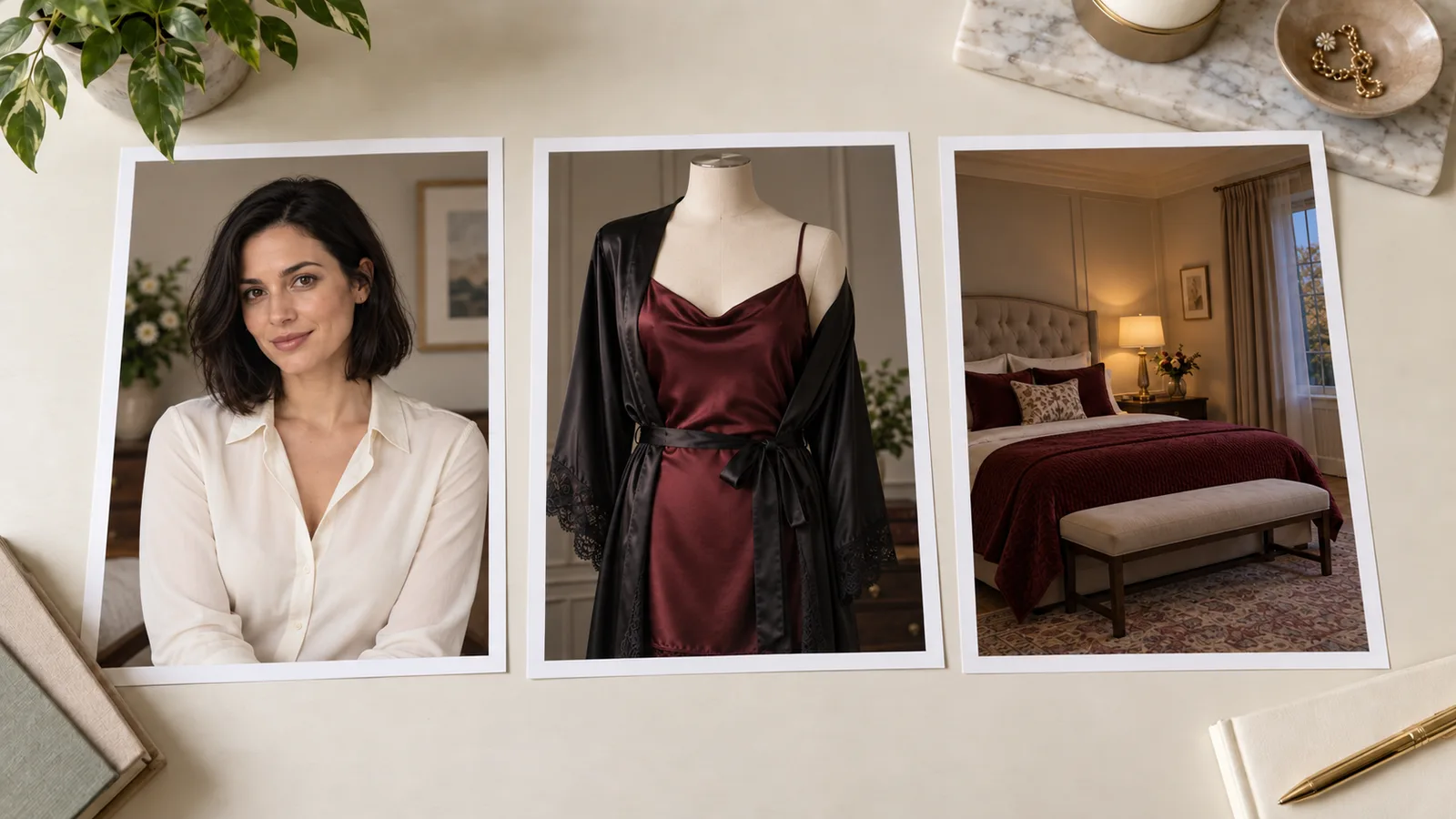
Illustration: identity, wardrobe and setting come from different references; the garment and room contain no competing face.
Build variations from the original, not from the last variation
There are two different ways to make a set, and they solve different jobs.
Independent variations: original → outfit A; original → outfit B; original → room C. Each image starts with the same identity evidence. One disappointing output does not become the source of the next image.
Chained edits: original → outfit A → room B → evening light C. This is useful when you intentionally want the second edit to keep the first edit's new outfit. It also gives later tasks whatever facial changes appeared in the intermediate results.
Separate calls from the same original do not accumulate facial changes merely because the calls are separate. The risk comes from feeding a changed result back as the next sole identity reference. Nor does a task named “sequential” automatically lock a face across a batch; its documented behavior and actual outputs decide that.
For six independent collection images, retain the original and change the scene sentence in each request. If a finished composition needs another small repair, use that accepted composition as the repair source. Keep its earlier original available, so a bad repair can be undone rather than incorporated into the character.
When a multi-reference edit genuinely needs both files, say which is identity and which is the accepted composition. If the chosen local-edit task permits only one reference, use that accepted composition alone and protect its face with the mask.
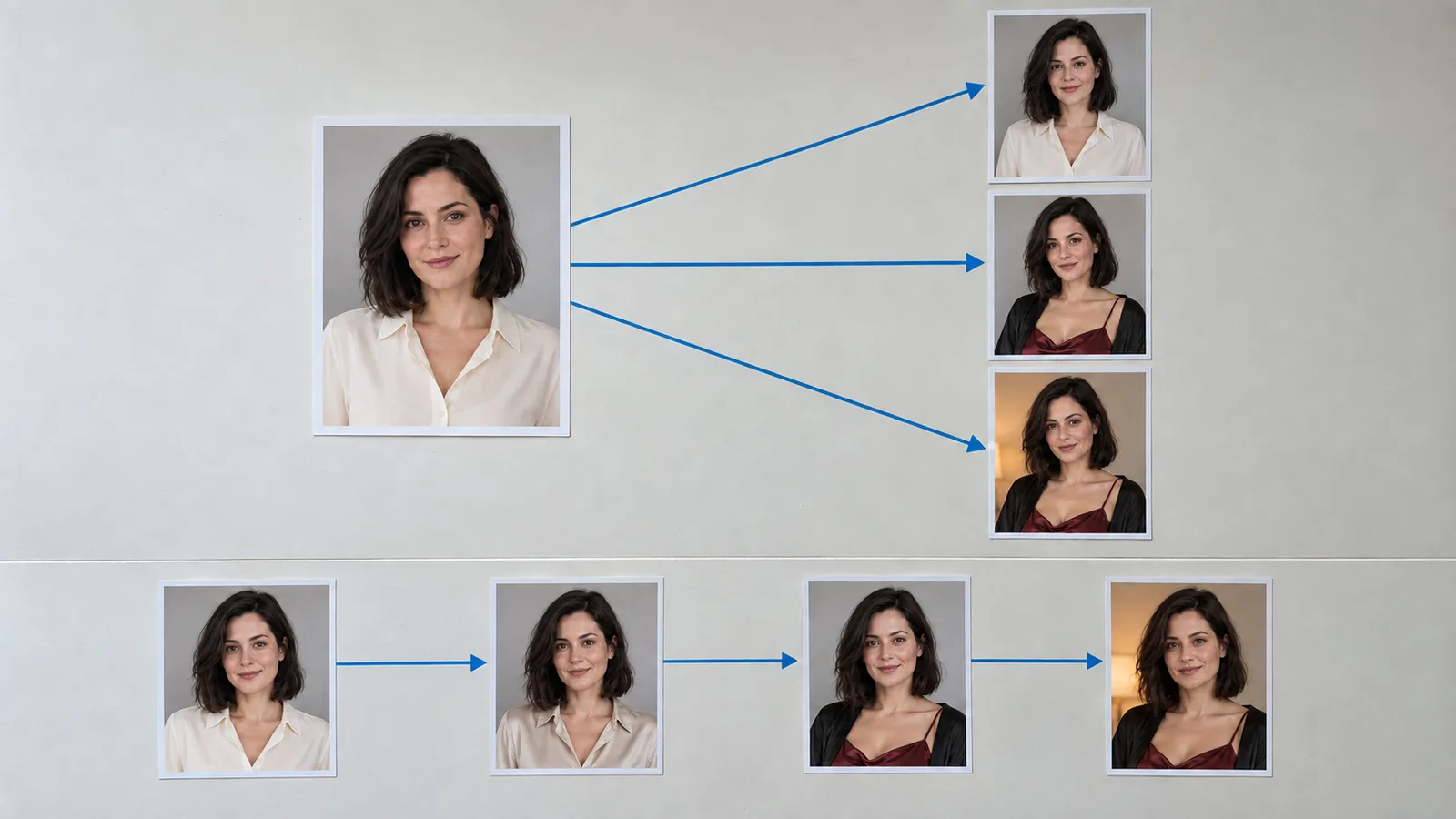
Illustration: independent variations reuse the original; a chain uses each intermediate image as the next source.
For a small repair, leave the face outside the mask
Suppose the outfit is correct except that a robe belt passes through a sleeve. Asking for “a better robe” may redraw more than the belt. A local edit can target the visible fault.
Qwen Image 2.1 accepts a mask_url with exactly one image in image_urls. Use a black-and-white mask: white is the area to repaint, black is the area to retain. Keep the face, hair, neck and unaffected garment outside the white area. Include the faulty belt and enough of its attachment for a plausible repair; avoid an unnecessarily large region covering the whole torso.
Use 1k or 2k and opaque background. In masked mode, the output follows the source image's shape, so aspect_ratio is ignored. A mask cannot be combined with transparent background. Prompt expansion has no effect in this mode.
Replace the belt inside the white region with one continuous black silk belt tied naturally around the robe. Match the existing fabric, light and perspective. Preserve the character's face, hair, pose and everything outside the repair.
Inspect the seam at the mask boundary. If the repair changes a protected area, keep the accepted source and undo the repair. For literal unchanged face pixels, compositing the original protected region back into an aligned image is a conventional editing option; it is unsuitable when the head angle or face lighting has intentionally changed.
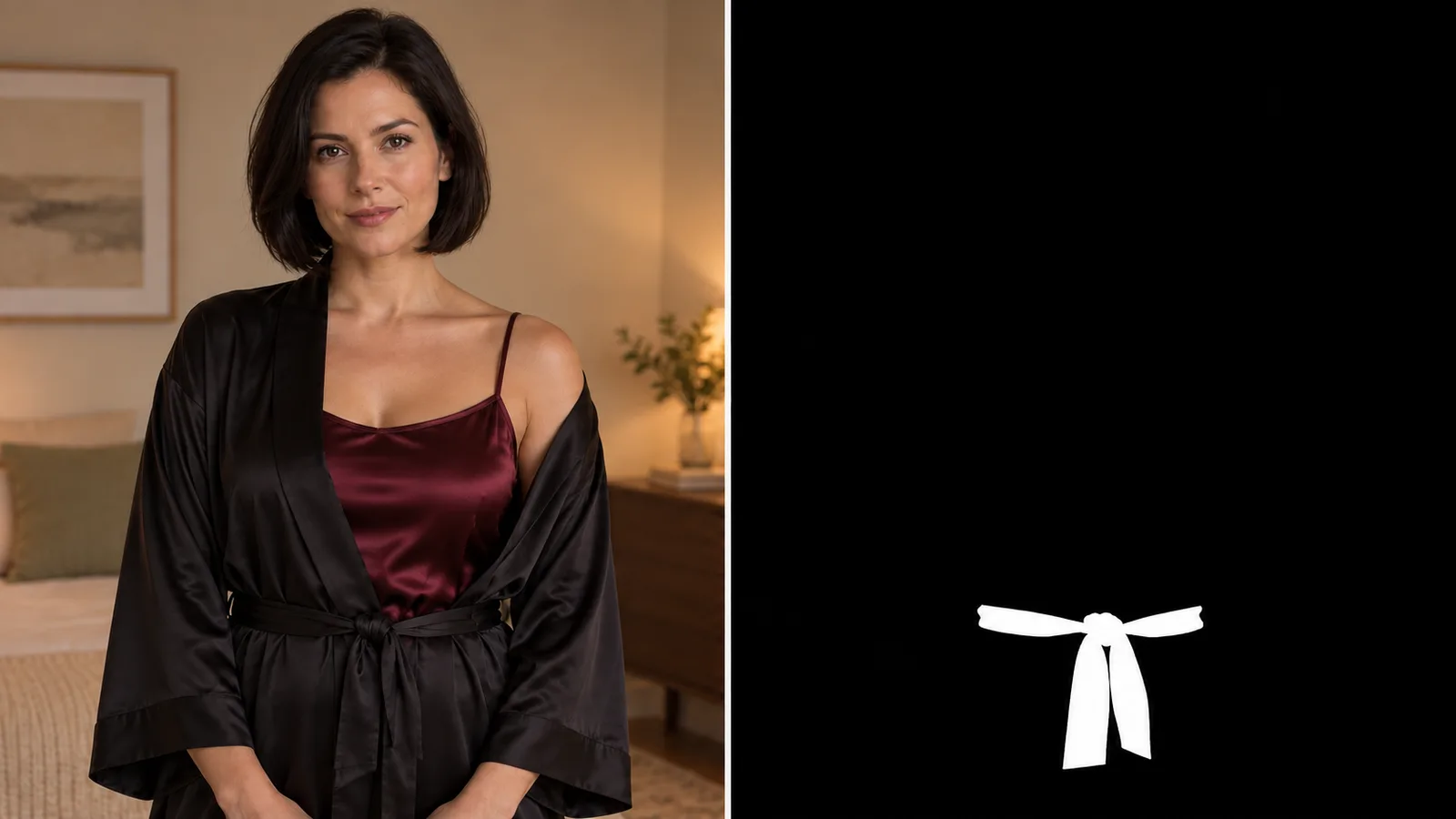
Illustration: the white area marks the garment repair; the face and hair remain outside the selection.
The single-source Qwen Image Edit Spicy task accepts an instruction but no mask. It may suit a quick variation, but a promise in the prompt is not the same control as a selected region.
Do not confuse denoising strength with CFG
Local diffusion tutorials often recommend lowering “strength” to keep an image closer to the source. That advice cannot be pasted into every hosted editing request.
In the conventional image-to-image pipelines documented by Hugging Face Diffusers, strength controls the departure from the initial image through the noise process. Higher strength gives more freedom to change it. Guidance scale, or CFG, controls how strongly generation follows the text conditioning. These are distinct controls: lowering CFG does not directly lock the face.
For a compatible local workflow, you could compare strength 0.25 and 0.4 with the same source, seed and short edit instruction, then decide whether the intended garment change happens without unacceptable facial drift. Those are proposed starting trials, not universal winning settings. A low-strength result that keeps the old garment is not a successful outfit edit.
Seedream 5.0 Flash's current hosted edit contract exposes neither strength nor guidance_scale. Qwen Image 2.1's hosted edit contract also has no CFG or inference-step field. Do not copy “CFG 6, 25 steps” from a local graph into either request. Use the controls that exist: source selection, reference roles, supported masks, framing and a focused instruction.
Diagnose the face that came back
| What you see | First change to try |
|---|---|
| Correct hair and outfit, different cheeks or jaw | Return to the original identity image; remove competing people from secondary references |
| Same face, noticeably different age | Remove beautification and age-changing language; specify the adult age and preserve natural facial structure |
| Face looks correct close up but disappears in the final shot | Use a closer crop or simpler composition before increasing the number of scene elements |
| Identity changes after a strong head turn | Supply an approved angle if supported, or reduce the requested turn; a front portrait cannot establish every unseen feature |
| Face changes during upscaling or restoration | Keep the earlier keeper; try enlargement without generative face restoration before repainting detail |
| Task completes, but the requested adult styling disappears | Treat it as a content or instruction miss; lowering CFG is not a general filter fix |
Compare at similar face size and head angle. Different light can change the apparent nose or cheek shadow without changing the facial structure. Conversely, identical hair and makeup can disguise a new jawline. Look at eye shape and spacing, eyebrows, nose, cheeks, mouth and hairline together rather than accepting the hairstyle as proof.
What a six-image set costs
Six Seedream 5.0 Flash edits at $0.029 total $0.174. Two extra candidate edits bring eight outputs to $0.232. These totals cover the edits, not creating the original, paid retouching or a guarantee that six images will be keepers.
Six Qwen Image 2.1 edits at the one-reference 1k quote of $0.036 total $0.216. If a room or garment reference is added, use the changed quote rather than multiplying the one-reference price. A higher output tier is also a new priced configuration.
The cheapest good set is not necessarily the one with the lowest output price. If only three of six outputs retain the character well enough to use, divide the spending by three accepted images. Rejecting a pretty stranger early costs less than building five more edits around the wrong face.
Start with one wardrobe variation and one setting variation. If identity survives those jobs, expand the collection from the same original. Use a mask when the remaining problem is local. A reusable adult character comes from preserving the right reference and limiting unnecessary reinterpretation, not from an “uncensored” badge or a magic guidance number.