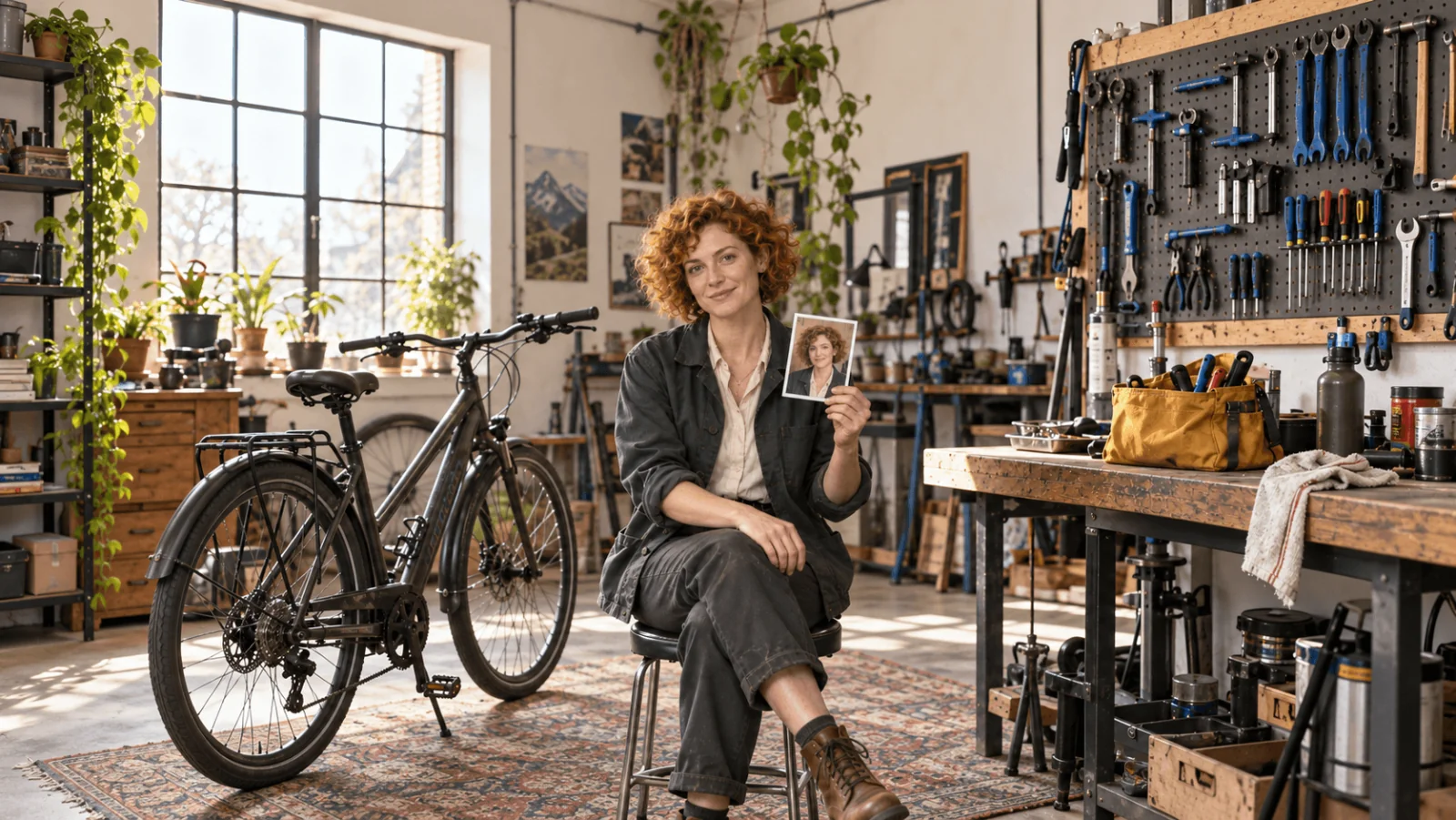
You have one portrait of a character you like. The second picture already has a slightly different jaw, the third has a new hairline, and when you animate it the face changes as she turns. The fix is not a longer description. It is a short, strict process: keep one approved identity image, give every other reference a single job, build every new shot from that anchor rather than from the last result, and check each output against the anchor before it becomes a source.
Start with Qwen Image 2.1 editing with 3:4, PNG and prompt expansion off. Use 1k for one reference ($0.036); from two reference images, 2k is the same price or cheaper at $0.048 flat, so choose 2k for the workshop and two-character scenes. For the first video, animate an accepted still with Seedance 2.5 image to video at five seconds and 720p: $1.3865. With two reference images, the first 2k scene costs $0.048; two more scene edits at that setting plus one five-second 720p clip total $1.5305 before retries or anchor creation.
The running example is Mara, a fictional adult bicycle mechanic aged 34 with short copper curls, a forest-green jacket and a cream shirt. The goal is three recognizable stills, a second character beside her, and a short turn toward the workshop door.
Build one anchor, not ten competing faces
Choose a chest-up portrait with both eyes visible, readable hair and plain light, with enough shoulder and jacket to fix the starting costume. Save it as the identity anchor. If you have no portrait yet, generate four or five candidates with a text-to-image model such as Qwen Image 2.1 text to image ($0.024 at 1k), pick one, and stop generating faces. Never replace the anchor with whichever later scene looks best: each small change compounds, so the fourth picture can match the third perfectly and no longer resemble the first.
Add a second angle only when a shot needs information the portrait lacks. For a head turn, an approved three-quarter view settles the nose line and the curls at the neck. A rear view fixes the jacket back but proves nothing about the face. If a generated angle gives Mara a different jaw or hairline, discard it instead of adding it to the set. A front portrait does not establish the features hidden in a profile, so approve the angles and expressions your story actually uses.
To make an extra angle, edit the approved portrait with one purpose: "Show the same adult mechanic in side profile on the same plain grey background; keep her face, hair and green jacket." A one-reference 1k edit costs $0.036. Approve the result against the anchor before adding it to the kit.
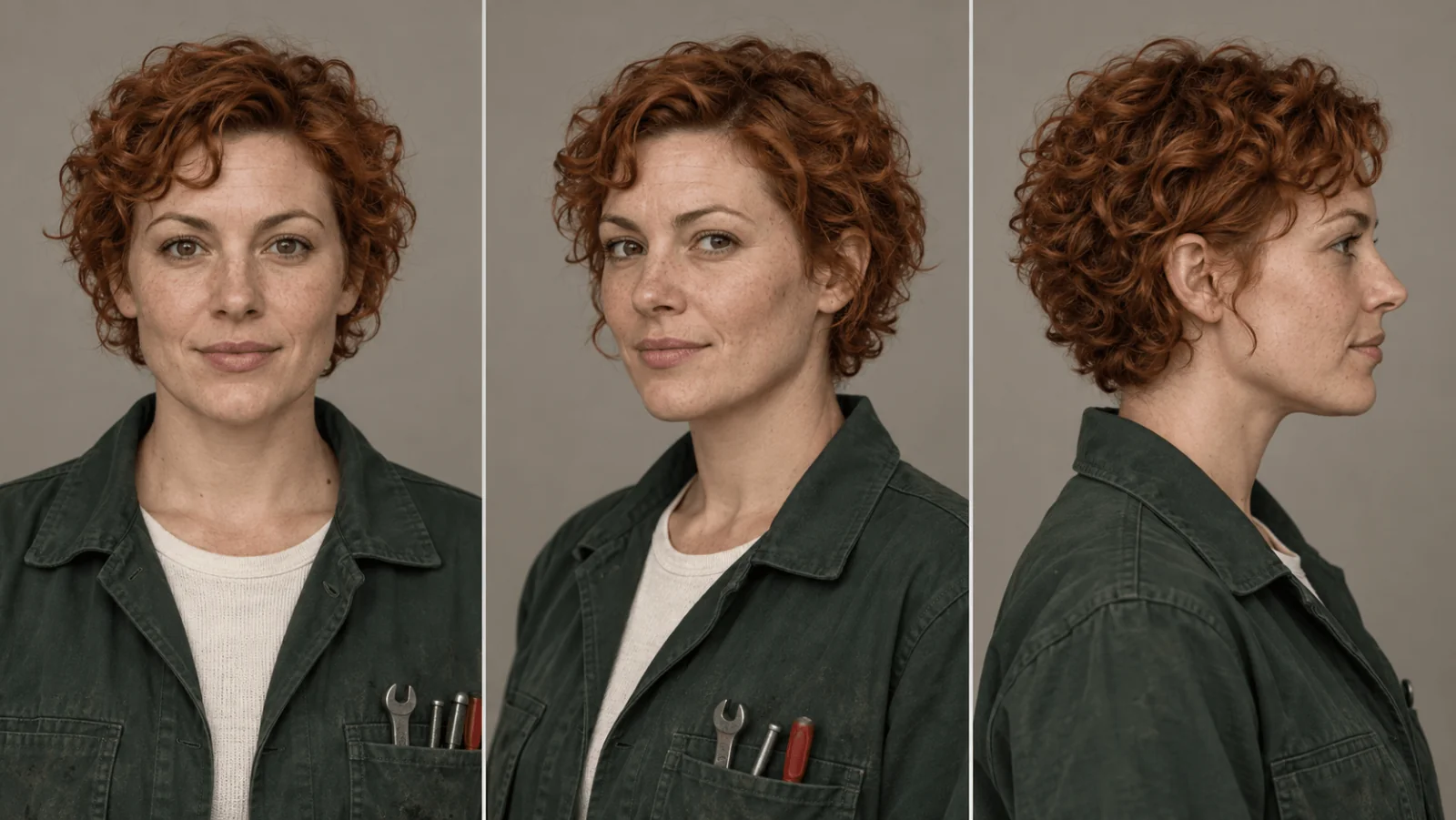
Illustration, not a target-model result: a multi-angle sheet explains useful reference information; its panels are not measured Qwen identity results.
Upload separate clean images rather than one contact sheet with captions and several faces, because separate files are easier to assign roles to. The official Qwen Image 2.1 repository describes multi-reference editing with up to ten images; more reference images are not automatically better, and each one needs a job.
Create the first scene with explicit reference roles
In the Playground:
- Open Qwen Image 2.1 editing and upload Mara’s portrait first, the empty workshop second.
- Paste the prompt below. Choose portrait 3:4, 2k and PNG; leave prompt expansion off for this precise brief.
- Review the estimate and generate one scene. Approve the face and jacket before creating the next shot.
Use the adult mechanic in the first reference for Mara's facial identity, short copper curls and forest-green work jacket over a cream shirt. Use the second reference only for the empty workshop and workbench layout. Show Mara aged 34 standing beside one dark commuter bicycle, with one hand resting on the handlebar and the other at her side. Medium portrait, face in a clear three-quarter view, bicycle stationary, yellow tool bag on the workbench. Soft side daylight, no additional people, no lettering. Do not borrow a person from the room reference.
Keep prompts this direct: an editing model does not need long, agent-style instructions, only each image and its job. With no workshop reference, send only the anchor, describe the room in words and delete the sentence about a second image. "Mara" is a label in your prompt, not a stored identity.
A seed does not replace an approved identity image: on this model the same seed can return a different picture, so keep the file you like and use the seed only to stay in the same neighbourhood.
What each reference costs
| Route | 1 reference | 3 reference images | 10 reference images |
|---|---|---|---|
| Qwen Image 2.1 edit, 1k | $0.036 | $0.060 | $0.144 |
| Qwen Image 2.1 edit, 2k | $0.048 | $0.048 | $0.048 |
| Qwen Image 2.1 edit, 1.5k | $0.072 | $0.108 | $0.234 |
| Seedream 5.0 Flash edit, any tier | $0.029 | $0.029 | $0.029 |
| Seedream 5.0 Pro edit, 1k | $0.036 | $0.042 | $0.063 |
Within Qwen Image 2.1 editing, 1k is cheapest for a one-reference fix. From two reference images up, its 2k tier is larger at the same price or less than 1k, and 1.5k is never the best deal. Seedream 5.0 Flash accepts 1 to 10 reference images at one flat price across 1k, 1.5k and 2k; use explicit 3:4, 2k, PNG and an opaque background. It has no seed or mask field. Flash is the lower-cost option at $0.029 even when Qwen’s 2k flat rate applies. Seedream 5.0 Pro adds $0.003 per extra reference and has a thinking pass you can switch off.
Build two more stills without changing everything
Use the anchor plus the accepted workshop scene, with distinct roles, and make each prompt one new story beat:
| Shot | Replace the action sentence with | Preserve |
|---|---|---|
| Doorway | "Mara stands in the workshop doorway holding the yellow bag in one hand, looking outside." | Face, curls, green jacket, cream shirt |
| Return | "Mara stands beside the same workbench and places the yellow bag on it; one bicycle remains behind her." | Identity and room landmarks |
| Costume variant | "Mara wears a plain navy raincoat over the same cream shirt, in a neutral waist-up portrait." | Identity; wardrobe changes on purpose |
Do not ask for a bag pickup, a doorway walk and a costume change in one still. The bag gives you a visible continuity check: first on the bench, then in her hand at the door, then back on the bench.
Review every output before it becomes a source
Compare a new still with the original anchor, not the previous output. First judge the whole frame at delivery size: would a viewer recognize Mara without the green jacket? Then check eyes, nose, jaw, ears and hairline when visible, then the jacket collar, the bag and the room. Treat expression separately: a focused look is not drift, but a changed nose is.
Give each candidate one of three verdicts:
- Accept: identity and the details that matter to that shot are right.
- Revise: one thing is wrong and you can name it.
- Hold: the face is too small or too shadowed to judge; ask for a closer medium shot before using it as a source.
Write the reason next to the file ("face and curls match, right hand hidden, not needed here"), because an approval covers one image for one use.
| Symptom | Likely cause | Fix |
|---|---|---|
| New jaw or hairline | A competing face among the reference images, a drifted image used as a source, or a tight crop of the anchor | Return to the original anchor and remove any reference that contains another person |
| Face right, collar or jacket changed | The garment was described only as "green" | Describe the garment's structure or send the approved costume view |
| Face good in front view, wrong when turned | The reference images never show that angle | Add an approved three-quarter or profile reference, or reduce the turn |
| Room or bag moves between shots | The scene reference was dropped or its job unclear | Send the accepted previous scene and name what it supplies |
| Face too small to judge | Wide framing | Request a medium shot; do not guess |
Stop expanding the series while the anchor or the first scene is unresolved: ten more pictures from a questionable face just give you more to reject.
Apply the same reference method to an adult character feed
The workshop story shows the reference assignments, but an adult creator often needs a different set: a profile portrait, an outfit post, a room scene and a short greeting. Make those four jobs separately. An attractive face generated once is not enough to hold the person's build across a full-length series.
Keep one approved face anchor and, if body shape matters to the collection, one approved standing view with the shoulders, waist and legs readable. Avoid a room reference that contains somebody else. A reference of a different person's outfit can also import their face or build; crop that source to the garment when practical, and explicitly assign it only to clothing.
For Mara's outfit post, the proposed instruction would be:
First reference supplies Mara's adult identity, age, short copper curls and body proportions. Second reference supplies only the navy coat design. Show Mara standing in a plain dressing room, three-quarter view, coat fully visible, both hands relaxed at her sides. Keep her face and build; change the clothing and setting only. Do not borrow the person or pose from the garment reference.
For a room post, return to the same identity anchor, remove the garment reference, and attach an empty room if needed. For a greeting clip, animate the accepted room still with a small smile and gaze change. Do not start from a tight profile photo and ask the video model to invent a full-body room scene around it.
Inspect proportions at a similar view and crop. A closer camera makes a head look larger; a different pose changes the waist outline. Those differences are not automatically a new identity. A broader jaw, a moved hairline or a different shoulder-to-waist relationship at the same angle is a more useful reason to reject a candidate. These are proposed production choices, not a new adult-series consistency test. The content-handling observations at the end of this article remain specific to their tested models and tasks.
Add a second adult only when the scene needs one
For a workshop companion, use Eli's separate portrait as the second identity source and move the empty workshop to third. State the ordering:
First reference supplies Mara; second supplies Eli, a fictional adult man aged 36 with wavy dark hair, short stubble and a rust overshirt; third supplies only the workshop. Mara kneels at the bicycle's front wheel on viewer-left, checking the mudguard. Eli, standing on viewer-right, holds the handlebars. The yellow bag sits on the bench behind them. Both faces are visible, their bodies separated, and neither touches the other's arms.
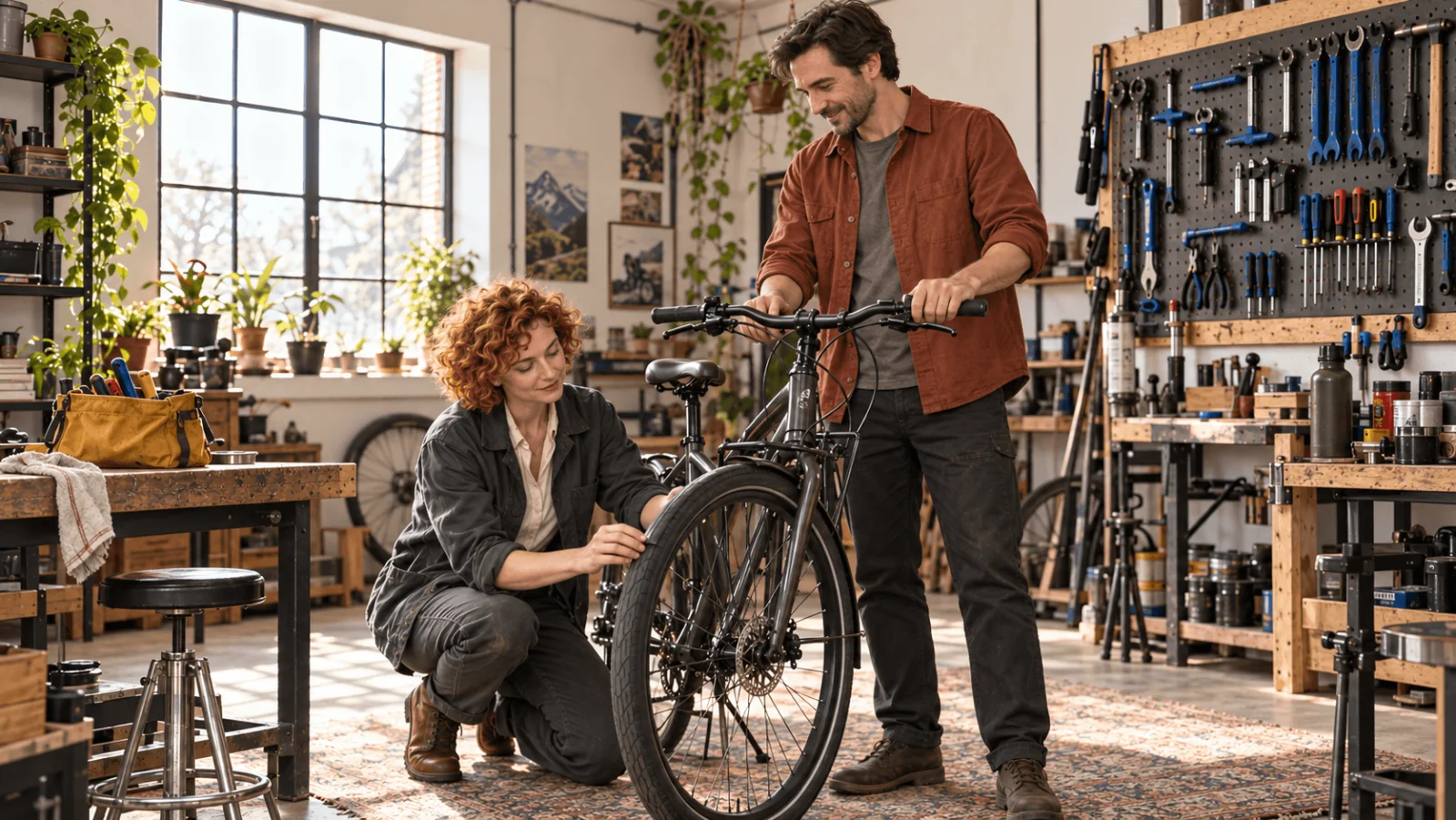
Illustration, not a target-model result: the illustrated blocking assigns each adult and the bicycle a distinct role; it does not prove a completed repair or identity-preserving generation.
A face swap, a jacket swap and a bag-owner swap are different failures, so return to the reference assignment that matches the symptom rather than adding a generic "same character" line. For clothing ownership and contact points, use the two-character guide.
Animate the accepted still
Supply the approved workshop still as image_url to Seedance 2.5 image to video, with:
| Parameter | Starting value |
|---|---|
duration_seconds | 5 |
resolution | 720p |
aspect_ratio | adaptive, the only accepted value for this task |
generate_audio | false for a visual-only pilot |
return_last_frame | true if the next shot will start from this one |
Locked camera. Mara slowly turns her head from the bicycle toward the doorway, then holds her gaze. Keep her short copper curls, facial identity, green jacket and cream shirt. Her body stays in place. The bicycle and yellow bag remain stationary. No walking, camera orbit or new person.
At $0.2773 per second, five seconds is $1.3865; 480p is $0.1234 per second and 1080p $0.6823. Audio on and off are priced the same, so switching it off is an editorial choice, not a saving. Durations run 4 to 30 seconds in whole seconds, but a first small action does not need more than five.
Watch the whole clip, especially the turn and the recovery from profile: matching first and last frames cannot rule out a face that changes in the middle. Also check the bag and bicycle, which should not move or gain parts. If identity drifts at the turn, reduce the angle, or use an approved profile still through the reference task below, rather than piling on motion words.
Continue to the next shot
With return_last_frame on, the clip's final frame comes back as an image. Compare it with the anchor first. If it holds, use it as the next clip's image_url; if it has drifted, go back to an approved still. Chaining unreviewed final frames carries a small error into every later shot. Put accepted clips in order and check each cut for jacket, bag side and eyeline before polishing any single shot.
Know when to use reference-to-video
Seedance 2.5 reference to video is for separately assigned sources. Use it when the shot must combine separately supplied identities and a setting; use image to video when one approved still already contains the intended opening. It accepts up to thirty reference images and uses tokens such as @Image1. A starter prompt:
Use @Image1 for Mara's identity and green work jacket. Use @Image2 for the empty workshop. One fictional adult mechanic stands beside a stationary bicycle and turns slightly toward the doorway. Locked camera, quiet five-second shot, no dialogue.
Pass reference_image_urls in that order, with 3:4, five seconds and 720p. Do not combine reference-image mode with a first-frame image. With image references only, 720p is also $0.2773 per second. Attaching reference video changes the rate and adds footage to the billed duration; quote it separately.
Repair one still without resetting the series
Qwen Image 2.1 accepts a black-and-white mask only with one reference image: white marks the requested repair, and black marks areas to retain. The mask guides the edit; it does not guarantee unchanged pixels. For a faulty bag strap, upload the accepted scene as the only source and mask the strap and its attachment, not Mara's torso. Ask for "one continuous yellow bag strap attached to the existing bag; retain the face, jacket and room." If the face changes, revert to the pre-edit master.
Adult-oriented characters
The same process works for adult-oriented characters. Qwen Image 2.1 editing and Seedance 2.5 image to video and reference to video delivered the adult prompts in their content tests. Those results support using these routes for mature scenes; the anchor, reference roles and identity checks remain the same. Use fictional adults or images you have the right to transform. The Qwen editing report lists what the editor does across content levels; keep the Mara-style references and reviews, and judge identity the same way.
When references are not enough
If a character must hold across dozens of images and extreme angles, consider a character LoRA trained for the exact model you will use. Curate the identity before training: a more realistic-looking face with a different jaw is still the wrong character, and should stay out of the training set. Qwen Image 2.1 LoRA editing takes up to three LoRA weights by URL and costs $0.042 at 1k and $0.15 at 2k with one reference. The LoRA API guide shows the request; Qwen Image 2512 LoRA editing explains which weights fit which task.
Use the approved setup through the API
Set SPICY_API_KEY in your environment. Set CHARACTER_IMAGE_URL, WORKSHOP_IMAGE_URL to your approved images’ direct HTTPS URLs. Run with Python 3; confirm the displayed quote only when you want a new paid attempt.
import json
import os
import uuid
from pathlib import Path
from urllib.request import Request, urlopen

payload = {"model": 'alibaba/qwen-image-2.1/edit', "input": {
    'prompt': 'Use image one for the adult mechanic Mara, her short copper curls and green jacket. Image two supplies only the empty workshop. Show her standing beside one dark commuter bicycle, one hand on the handlebar. Keep her face recognizable. Soft side daylight, no other people or lettering.',
    'image_urls': [os.environ['CHARACTER_IMAGE_URL'], os.environ['WORKSHOP_IMAGE_URL']],
    'resolution': '2k',
    'aspect_ratio': '3:4',
    'output_format': 'png',
    'background': 'opaque',
    'enable_prompt_expansion': False,
}}

def api(action, body, key=None):
    headers = {"Authorization": "Bearer " + os.environ["SPICY_API_KEY"],
               "Content-Type": "application/json"}
    if key:
        headers["Idempotency-Key"] = key
    request = Request("https://api.spicyapi.ai/api/v1/jobs/" + action,
                      data=json.dumps(body).encode(), headers=headers)
    with urlopen(request, timeout=60) as response:
        result = json.load(response)
    if result.get("code") != 200:
        raise RuntimeError(result)
    return result["data"]

quote = api("quote", payload)
print("Maximum charge (USD):", quote["maxCharge"])
if input("Create this new attempt? Type yes: ").strip() != "yes":
    raise SystemExit("No task created")
key = str(uuid.uuid4())
body = {**payload, "quoteId": quote["quoteId"],
        "expectedCost": quote["estimatedCost"]}
Path(key + ".json").write_text(json.dumps({"key": key, "request": body}))
task = api("createTask", body, key)
Path(key + ".task.json").write_text(json.dumps(task))
print("Task ID:", task["taskId"])
Keep the saved key for retries of that same request. Result retrieval and file handling are in the task API guide.
For repeated edits, an Agent can handle the approved brief:
- CLI:
npx @spicyapi/cli tasks create --model alibaba/qwen-image-2.1/edit --input-file input.json --waituses the same input fields. - MCP: ask it to use
spicyapi_task_create, thenspicyapi_task_wait. - Skill: install with
npx skills add spicyapi-ai/spicy-skill, then ask thespicyapiSkill to run this setup after showing its quote.
FAQ
Do more reference images always help?
No. One approved portrait plus one scene image is the usual start. Add a view only for a missing angle, and remove any image containing a different face. Filling all ten slots usually makes the request harder to interpret.
Does a consistent still prove the video will be consistent?
No. A turn, an occlusion or a hand crossing the face can expose features the still never showed. Watch the full clip and compare the turn and the final frame with the anchor.
Where do I get a character sheet?
Generate it from the anchor with single-purpose edits, one angle per call, and approve each view against the anchor. Example: "Edit the approved portrait to a side profile on the same plain grey background; keep the face, hair and green jacket unchanged." Each edit costs $0.036 at 1k. Keep only approved views as references.
Which path to take
Use Qwen Image 2.1 for role-assigned reference edits, or for a masked repair with one source image. Seedream 5.0 Flash offers a flat reference price; Seedance 2.5 image to video anchors the first clip, while reference to video lets you assign separate sources. If the same feature keeps drifting, replace the conflicting reference or reduce the angle before another render.