Build a 12-second AI UGC-style product video from two short animated shots and one real product-detail still. Use Qwen Image 2.1 Edit to place a presenter with your product and approve that frame, then animate it with Seedance 2.5 image-to-video. The product feature you are selling, here a zipper, stays a real photograph, because the model can drift on exactly the details a buyer checks. The example costs about $2.89 in model fees; every extra attempt is a few cents (stills) or about $1.39 (a 5-second clip at 720p).
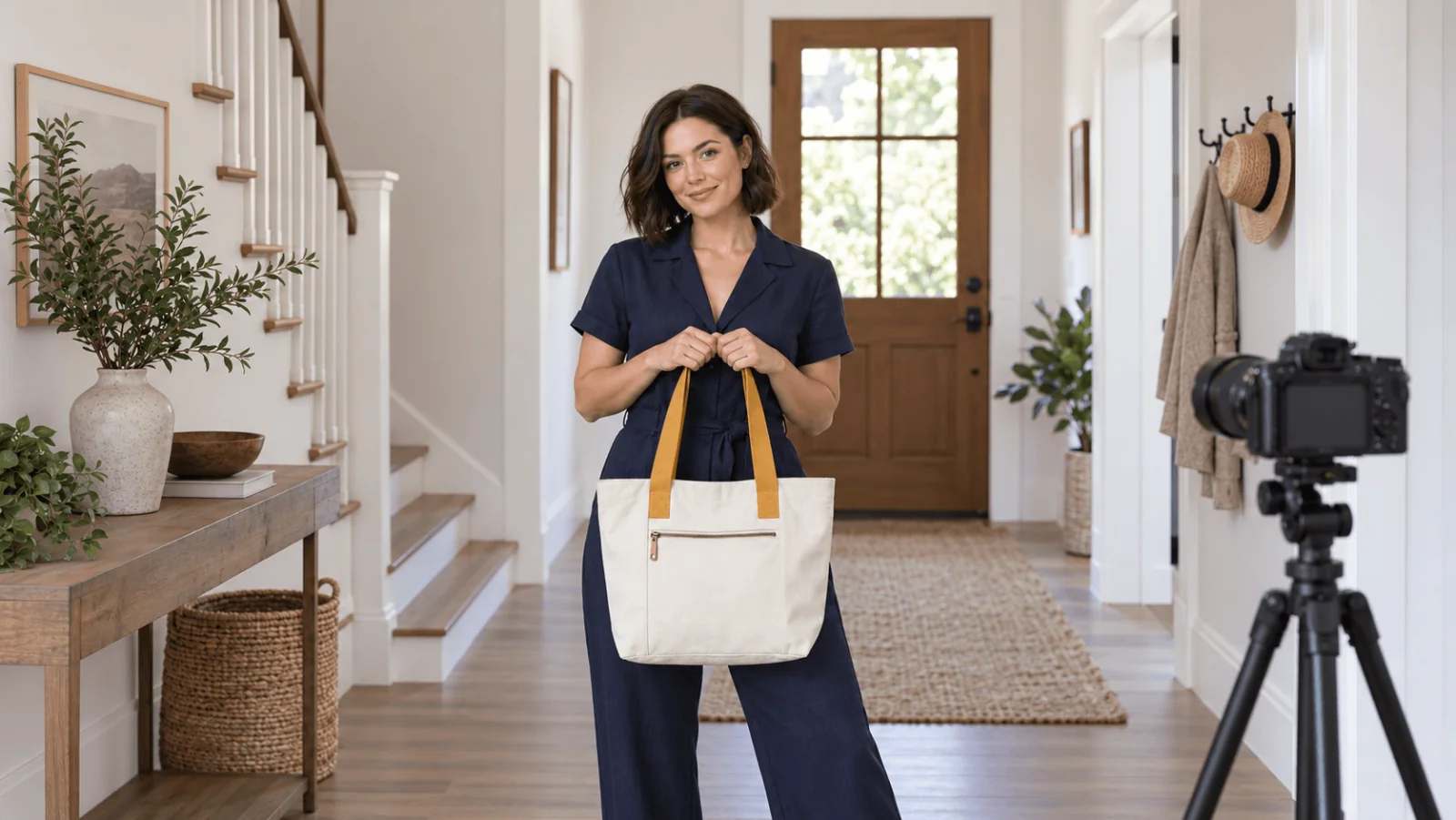
The example presenter is Lena, a fictional adult woman in a navy jumpsuit, carrying a cream canvas tote with two mustard handles and one external zip pocket. Swap in your own product.
The 12-second cut and its cost
| Final timeline | Visual | How to make it | Narration |
|---|---|---|---|
| 0–4 s (hook) | Lena lifts the tote into carrying position | Five-second image-to-video clip, trimmed | "A simple carry for the everyday essentials." |
| 4–8 s (proof) | Close-up of the real external zip pocket | Hold or slowly pan the product photograph in an editor | "An outside zip pocket keeps small items separate." |
| 8–12 s (close) | Lena by the door, tote on her shoulder | Second five-second clip, trimmed | "Ready when you are." |
Put the claim in the first seconds and let a shot prove it. TikTok's creative guidance asks for the hook within the first 6 seconds, a vertical 9:16 frame at 720p or higher, and a clear call to action after the demo. Swap the closing line for a call to action ("Shop the tote") if the ad needs one. Say only what the product page can back up: no claims about waterproofing, capacity, weight or durability.
| Step | Model and settings | List price |
|---|---|---|
| Presenter portrait, once | Qwen Image 2.1 text-to-image, 1k, 9:16 | $0.024 |
| 2 presenter stills | Qwen Image 2.1 Edit, 1k, two references each | $0.048 each; $0.036 with one reference, $0.06 with three, so each extra reference adds $0.012 |
| 2 clips | Seedance 2.5 image-to-video, 720p, 5 s | $1.3865 each ($0.2773 per second); audio on or off costs the same |
| Zip close-up, edit, captions | Your own photo and editor | Not billed by the API |
| Total, no retries | $2.893 |
Plan for retries. Preview a clip at 480p first ($0.1234 per second; the shortest, 4 seconds, is $0.4936) to confirm the motion. The 720p render is a new generation, not an upscale of the preview, so it can need its own retry. 1080p costs $0.6823 per second ($3.41 for five seconds); use it only for a frame that is already sharp. A realistic ceiling is a 480p preview, a 720p keeper and one 720p retry per shot: $0.49 + $1.39 + $1.39 = about $3.27 per shot, $6.53 for both clips, plus about $0.12 for the portrait and two stills. Skipping the preview and allowing three 720p attempts per shot costs $8.32.
Prepare the product view before adding a presenter
Use a front product photograph in which both handles, the outer pocket and the overall proportions are visible. Add a separate close-up of the zipper for the middle shot. If the product has an exact logo or mandatory packaging text, keep those original pixels in the final composite instead of asking a model to retype them.
A presenter built from a real person's photo may be turned away by Seedance's own input check when the face is identifiable. Use a fictional or licensed presenter portrait, and the same portrait for every shot so the face stays consistent. To make one, describe the presenter in Qwen Image 2.1 text-to-image (1k, 9:16, $0.024 per try), approve one frame and reuse it. Keep the approved portrait and bag photos where you can re-send them: uploads and results expire (see upload and retention limits), and generated files are deleted after about 14 days.
Try it in the Playground. Open Qwen Image 2.1 Edit and stay on the Playground tab, in Form view. Sign in with a funded account to run.
- Under Images, use Add a file for Lena's approved portrait first, then the bag photograph. They become Picture 1 and Picture 2.
- Paste the instruction below into Prompt. Qwen does not assign roles itself, so the prompt must say what each image supplies.
- Set Aspect ratio to 9:16 and Resolution to 1k. Under Advanced parameters, set Output format to PNG and switch Prompt expansion off (offered at 1k and 2k).
- Run the model and approve the frame before you animate it.
Copy this instruction, or open the Playground with it filled in:
Picture 1 supplies Lena, a fictional adult woman with short dark hair wearing a closed navy jumpsuit. Picture 2 supplies the cream canvas tote with exactly two mustard handles and one external zip pocket. Show Lena standing in a bright apartment entryway, holding both tote handles together in her right hand at hip height. The tote front faces the camera, with its pocket visible. Keep the product's proportions, handle colour and closure design. Vertical medium-full composition, soft daylight, natural expression, no added text.
For the second opening frame, change only the carrying instruction:
Show the same adult presenter with the same tote hanging from her right shoulder, both mustard handles together over that shoulder. Her right hand rests lightly on the handles. She stands beside the doorway, facing slightly toward the camera. Keep the bag front and external pocket visible.
The still you send to Seedance must have each side between 300 and 6000 pixels and stay under 10 MB; smaller images are rejected before you are charged. Approve each still before animating it: count the handles, find the pocket, compare colours with the photograph. A wrong still costs $0.048 to replace; a wrong clip costs $1.39. If Qwen keeps producing a different pocket, paste the original bag cut-out over a presenter and background composite instead.
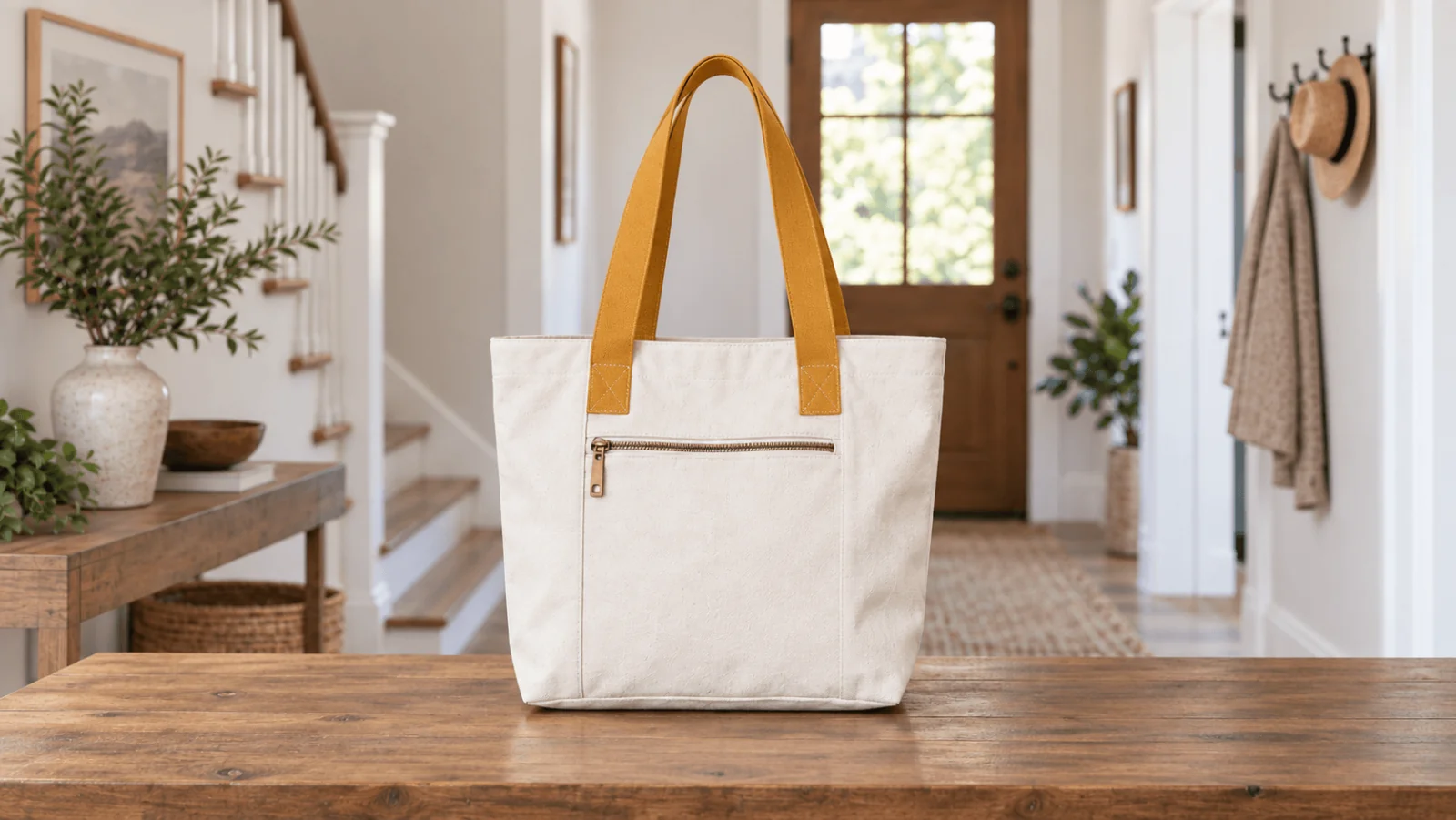
Product illustration: the two handles and external zip pocket are the design facts to preserve; not a real product photo.
Animate one small action per shot
Try it in the Playground. Open Seedance 2.5 image-to-video on the Playground tab, in Form view.
- Under Input image, add the first approved frame. Aspect ratio is fixed to match the input image, so crop or generate the still at 9:16 first.
- Paste the clip prompt below into Prompt.
- Set Resolution to 720p, Duration to 5 and switch Generate audio off. Duration runs 4 to 30 seconds; longer shots drift more, so several short takes hold the product better than one long one.
- Run the model and review the clip before making the next one.
First clip (open it with the prompt filled in):
The adult presenter gently raises the tote a few centimetres by its two handles, then holds it still at hip height. Her gaze moves briefly toward the camera. The cream canvas body, two mustard handles and external zip pocket keep their existing design. The bag does not rotate away from the viewer. Locked camera, subtle natural body movement, no text.
Doorway clip:
The adult presenter stands beside the doorway with the tote already on her right shoulder. She shifts her weight slightly and gives a small relaxed smile toward the camera. The tote remains on the same shoulder with both handles together. No walking, no putting on the bag, no pocket opening. Locked camera, no text.
"Put the bag on, zip it, walk out and smile" is too much for one short clip; starting with the bag in position removes the hardest transition. For this cut, use the approved shoulder-carry still as the doorway clip's image_url; the first clip ends with the tote at hip height. Use return_last_frame and send that frame as the next opening frame only when continuing from the same end state.
To script the clips instead, run one call per still (a local still goes up first with spicyapi files upload <path>, which returns a spicy:// link for image_url). See the image-to-video guide and the CLI docs:
spicyapi tasks create --model bytedance/seedance-2.5/image-to-video \
  --input-json '{"image_url":"https://example.com/lena-tote.png","prompt":"The adult presenter stands beside the doorway with the tote already on her right shoulder. She gives a small relaxed smile toward the camera. Locked camera, no text.","duration_seconds":5,"resolution":"720p","generate_audio":false}' \
  --wait
Or let an Agent run it: give it the CLI, the MCP server (spicyapi_upload_file, then spicyapi_task_create, which stops for your price confirmation) or the Skill (npx skills add spicyapi-ai/spicy-skill), which reads the live model schema instead of guessing fields.
Assemble the cut
Trim each 5-second clip to 4 seconds, place the zipper still between them, add the voiceover and sound bed, then export at 9:16, 720p or higher. To test hooks, make three to five versions that change only the first 4 seconds and keep the product shots identical.
Make the product-detail shot with the actual photograph
Place the zipper close-up between the two clips. Hold it for four seconds with a slow editor pan that never crops away the closure, and add the feature caption as editable text. A synthetic close-up could invent a zip pull the product does not have.
If the selling point is the zipper actually opening, replace the held still with a short phone recording of the real bag being unzipped, tight on the pocket and hands, with the same narration over it. A still shows where the pocket is; only real footage shows how the mechanism works.
Add voice, sound and captions
- Voiceover, presenter silent (the version above): keep
generate_audiooff, record the narration yourself or generate it with a text-to-speech model, timed to fit the 12 seconds, and place one continuous music or room-tone bed under all three shots. Lower the music under speech. It also avoids a different room sound in each clip. - Presenter speaks to camera: turn
generate_audioon and write the line in the prompt as separate dialogue and ambience lines; Seedance 2.5 generates voice synchronised to the picture. Keep each spoken line to one short sentence per 5-second clip and keep the bag still while she speaks. To change the words of a clip you like, see the lip sync workflow. - Captions: add them in the editor as text, kept clear of the product and the bottom interface area; TikTok's guidance suggests 5 to 10 words per second of on-screen text. Generated lettering can misspell a product name.
Use the platform's own AI label first: for example, TikTok's ad policy allows fully AI-generated ad content when you apply its AIGC label or add a clear disclaimer, caption, watermark or sticker of your own. Rules differ by platform and country. watermark: true additionally marks the video as AI-generated. Do not write "I bought this" or describe a personal result in the script; the presenter is fictional and the narration should describe the product.
Which products suit this workflow
| Product | Fit | Why |
|---|---|---|
| Tote, backpack, bottle, mug, box | Good | Simple rigid shape, a few details to protect |
| Clothing with plain colour | Good for carry/wear shots | Check seams, buttons and hem in every frame |
| Printed fabric, small label text, ingredient panels | Use real footage or overlays | The model can reshape fine print; overlay approved artwork in the edit |
| Devices with a screen, anything with a working mechanism | Real footage for the function | A generated tap or unzip does not prove it works |
| Before/after results (skin, cleaning, fitness) | Do not generate | Invented results mislead buyers |
For a product seen from several angles, reference-to-video accepts up to 30 reference images, and prices the same as image-to-video when no reference clip is supplied ($0.2773 per second at 720p). It has no first-frame setting, so you cannot approve the opening frame beforehand. Use it for several sides, image-to-video for an exact first frame. For static ad layouts from the same photograph, see product photo to ad creative; for Seedance prompt wording, see the Seedance 2.0 prompt guide.
Fix the common failures
| Failure | Repair |
|---|---|
| Handles become three straps | Return to the still and specify two handles together; replace the frame if the count is already wrong. |
| Bag logo changes during movement | Use a quieter shot or overlay the approved label artwork in the final edit. |
| Zipper disappears under the hand | Keep the hand on the handles, not the pocket; use the independent close-up for the feature. |
| The shoulder strap switches sides | Remove the shoulder-lifting action and begin with the tote already on the right shoulder. |
| Presenter's face differs between shots | Reuse the same approved portrait as Picture 1 for every still. |
| Second clip has a different room sound | Keep generated audio off and lay one external sound bed under all three shots. |
| Bag size or colour shifts mid-clip | Shorten the clip, drop to a simpler motion, compare the first and last frames with the photograph. |
Review each clip at its first frame, the moment of contact and its last frame, comparing handle count, pocket position, colour and logo with the photograph. The animations show carrying; the real close-up shows the feature.