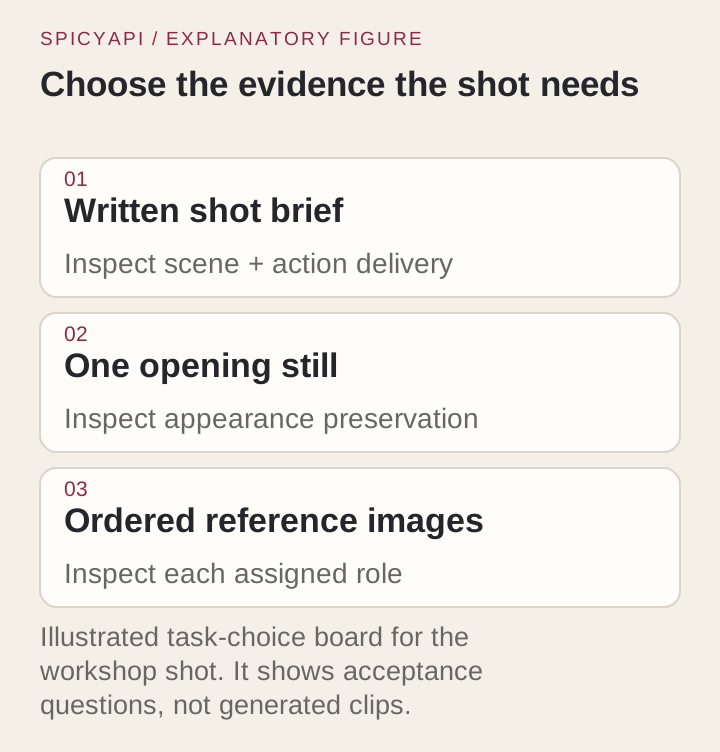
Seedance 2.0 on SpicyAPI (spicyapi.ai) has three video tasks, and each wants a different prompt. In text-to-video the prompt carries the whole shot. In image-to-video the opening frame carries the look, so the prompt only says what happens next. In reference-to-video you hand over images, clips or audio, and the prompt says what each file is for. Write the wrong kind of prompt for the task and no number of adjectives rescues the clip.
Prices and limits below are from the public model pages, October 2026. All three tasks return 4 to 15 seconds of video with sound at 480p to 4K.
Pick the task by what must stay fixed
| You already have | Task | The prompt's job | Price from |
|---|---|---|---|
| An idea, no image | Text to video | Describe the scene, then what changes | $0.07/s |
| The exact opening frame (a product shot, an approved still) | Image to video | Describe only what happens after the frame | $0.07/s |
| Separate sources: a face, a place, a camera move, a sound | Reference to video | Say what each file contributes, then direct a new shot | $0.07/s ($0.043 with a reference video) |
Text-to-video invents the opening composition, so use it for fictional or flexible scenes. If a real product's label and proportions matter, a text description will not reproduce them; start from a photo. Reference-to-video has no first-frame control; if the opening frame must match, use image-to-video. Image-to-video keeps wardrobe, object shape and lighting from the frame. It does not guarantee they survive a turn or an occlusion, so watch the whole clip.
Reference-to-video takes up to 9 images, 3 video clips and 3 audio files. Each clip or audio file runs 2 to 15 seconds, and each type is capped at 15 seconds combined. At least one image or video is required; audio alone is rejected. Use the smallest set that does the job. Extra files add contradictions, such as one face under three lightings or a camera move that fights the framing of the references, and the model cannot tell which file wins unless the prompt says.
Write the shot brief
The same order works for all three tasks: subject, action, camera, light, sound, one idea per sentence. The rest of this guide follows one example, a mechanic turning a pedal on a red commuter bicycle.
- One visible action, one camera instruction. "The mechanic turns the pedal once, then rests his hand beside it" gives the model something to render; "emotional, cinematic" does not. Describe how the subject moves ("slowly lifts the shutter") instead of adding quality words.
- Say where the camera is relative to the subject. "The camera stays at waist height, medium distance" is a usable instruction. Do not combine "locked camera", "orbit" and "fast zoom" in one shot; pick one behaviour, or none.
- Make the duration fit the action. Five seconds holds a turn, a reach or a glance. Entering a room, picking up a tool and speaking a sentence needs 10 or more seconds or separate shots.
duration_secondstakes whole seconds from 4 to 15, or-1to let the model choose. - Use shot order, not timestamps. Seedance 2.0 follows "Shot 1, Shot 2, Shot 3" more reliably than second-by-second ranges. If an action disappears, cut the number of events or give the sequence more time.
- Put style last and keep it short. "Soft morning light, documentary texture" supports the shot. A pile of unrelated labels pushes the result toward generic polish and hides the action. For a stylised scene, open with "Photorealistic live action, not animation", or it can drift toward illustration.
A multi-shot brief for 10 seconds, with the cut spelled out:
A mechanic in a dark blue work shirt repairs a red commuter bicycle in a tidy daylight workshop. Naturalistic photography, soft morning light.
Shot 1: Fixed medium shot. The mechanic turns the right pedal once by hand and the rear wheel spins.
Shot 2: Cut to a close side view of the rear wheel slowing while his gloved hand steadies the frame.
Shot 3: Back to the medium shot. He steps back and wipes his hands on a rag.
Sound: ratchet clicks, the spinning wheel, quiet workshop. No music, no captions.
Try it in the Playground first
Run the brief in the Playground before you write any code; a prompt that fails here fails from the API too.
- Open the text-to-video page and stay on the Playground tab, in Form view. Sign in with a funded account to run.
- Paste the brief into Prompt.
- Set Aspect ratio (16:9), Resolution and Duration. Pick 480p and 5 seconds for a draft; both settings are marked "affects price", as are Generate audio and Web search (leave Web search off).
- Read the price estimate, then run it. Under Advanced parameters, Seed helps compare one prompt edit against the last run.
Image to video has the same tab with an Input image upload (and an optional Closing frame). On reference to video, add files under Reference images, Reference videos and Reference audio; they are numbered image 1, video 1, audio 1 as you add them, and Insert reference puts the matching label into the prompt.
Then call it from code
Install the Python SDK (pip install spicyapi), set SPICY_API_KEY in your server environment, and run:
import uuid
from spicyapi import SpicyClient, output_assets

client = SpicyClient()  # reads SPICY_API_KEY from the environment

request = {
    "model": "bytedance/seedance-2.0/text-to-video",
    "input_data": {
        "prompt": "One adult mechanic in a dark blue work shirt stands beside one red commuter bicycle on a repair stand. Medium shot in a tidy daylight workshop. The mechanic turns the right pedal once by hand, watches the rear wheel rotate, then pauses with the hand resting beside the pedal. The camera stays fixed at waist height; the bicycle remains fully visible. Soft morning light from the left. A quiet workshop ambience and one short mechanical click, with no speech. One continuous shot.",
        "duration_seconds": 5,
        "resolution": "720p",
        "aspect_ratio": "16:9",
        "generate_audio": True,
    },
}

quote = client.quote_task(**request)  # free; nothing is reserved
print(quote["estimatedCost"], quote["maxCharge"])

task = client.create_task(
    **request,
    idempotency_key=str(uuid.uuid4()),
    quote_id=quote["quoteId"],
    expected_cost=quote["estimatedCost"],
)
print("Resume task:", task["taskId"], flush=True)
final = client.wait_for_terminal(task["taskId"])
if final["state"] != "succeeded":
    raise RuntimeError(f"Task {task['taskId']} ended as {final['state']}")
assets = output_assets(final)
if not assets or any(a.get("pending") or a.get("unavailable") or not a.get("url") for a in assets):
    raise RuntimeError(f"Task {task['taskId']} has no ready output; check this task before a new run")
print(assets[0]["url"])  # copy it to your own storage now
The other two tasks use the same call with a different model and input_data: image_url (plus optional last_image_url) for image to video, and reference_image_urls with optional reference video and audio lists for reference to video. The Playground's JSON view shows the exact body for the task you are on. Uploads, waiting, retries, errors and cost-saving idempotency keys are in the Python SDK reference and the asynchronous tasks guide.
Or let an Agent run it
If an assistant should run the clips for you, give it the CLI, the MCP server or the Skill. The CLI and MCP server show the price and ask you before a paid call.
- CLI. Put the same
inputobject ininput.json, then run the following (npx @spicyapi/cliworks without installing; see the CLI docs):
``bash spicyapi tasks create --model bytedance/seedance-2.0/text-to-video --input-file input.json --wait ``
- MCP server. Add the MCP server to your assistant, then ask: "Run Seedance 2.0 text to video with this brief, 5 seconds at 480p." It calls
spicyapi_task_create, which stops for your price confirmation, thenspicyapi_task_wait. - Skill.
npx skills add spicyapi-ai/spicy-skillinstalls the Agent Skill, which has a coding assistant read the live model schema instead of guessing fields.
Text to video: establish the whole scene
With no image, state the cast and key objects first, then the starting composition, then one small change. "The mechanic holds the pedal" is a state; "turns the pedal once" is an action, and the model needs the second. If the bicycle must be red and stay on a repair stand, put that in the scene description, not at the end.
One adult mechanic in a dark blue work shirt stands beside one red commuter bicycle on a repair stand. Medium shot in a tidy daylight workshop. The mechanic turns the right pedal once by hand, watches the rear wheel rotate, then pauses with the hand resting beside the pedal. The camera stays fixed at waist height; the bicycle remains fully visible. Soft morning light from the left. A quiet workshop ambience and one short mechanical click, with no speech. One continuous shot.enable_web_search exists on text-to-video only and raises the rate (720p goes from $0.152 to $0.246 per second). Leave it off unless the shot depends on something the model would have to look up, and verify anything factual yourself.
When a clip misses, change the one part of the brief responsible:
| What you see | Change this |
|---|---|
| Extra people or a second bicycle | State the count ("one mechanic, one bicycle") and drop group words |
| The action never finishes | Cut an event, or raise the duration |
| The camera moves despite "fixed" | Give the camera one direct sentence and remove other camera words |
| An unwanted cut | Say "one continuous shot" and remove scene changes from the brief |
| Captions or music you did not ask for | Add "no captions, no music"; it reduces the risk but does not guarantee it |
| Cartoonish or illustrated look | Open with "Photorealistic live action, not animation" |
Image to video: let the frame do the visual work
Choose the frame for the motion you want. A tight headshot gives a walking prompt nothing to work with, and a bicycle cropped at the rear wheel cannot show that wheel turning. Check the frame for anatomy, object count, stray text and lighting before you submit: every flaw in the still persists through the whole clip, and animating it does not repair it.
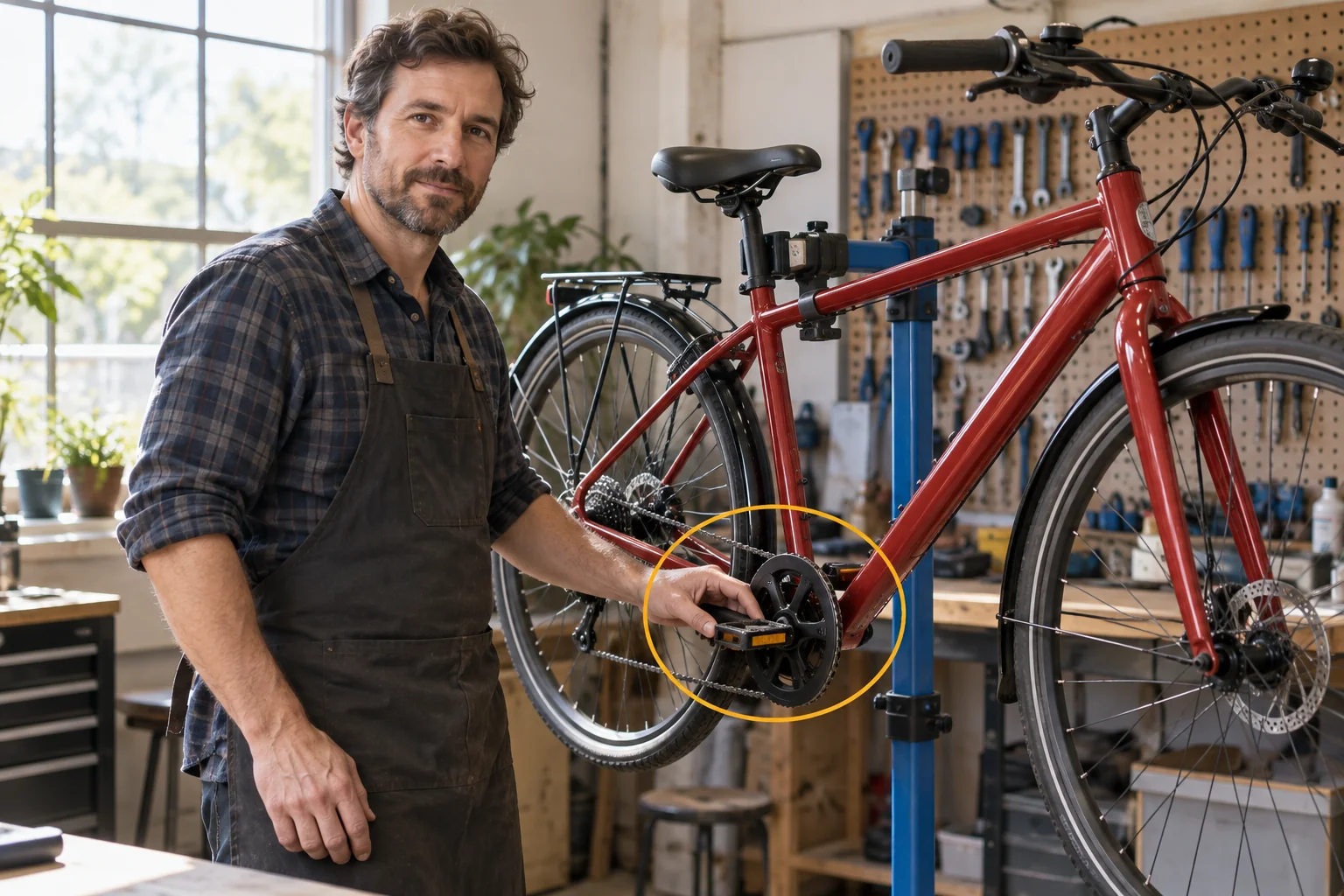
Then write only what changes. Re-describing the mechanic's clothes and the workshop gives the model two competing descriptions of the same subject, which invites drift. Name the moving subject, the action, the camera and the sound:
The mechanic turns the visible pedal once by hand. The rear wheel rotates naturally, then slows while the mechanic watches it. The camera remains fixed at the original medium distance. One continuous shot, quiet workshop ambience.image_url must be a public, directly downloadable link (300 to 6000 px per side, under 10 MB; a photo of a real, identifiable person can be refused); for a file on your computer, upload it first and pass the returned spicy:// URI. The prompt is optional, and without one the model chooses the motion itself. aspect_ratio: "adaptive" follows the image's own shape.
last_image_url pins the closing frame and works only together with image_url. Use compatible frames: same subject, similar angle and object geometry. Two unrelated compositions turn the clip into a transformation problem the model has to invent a path for.
To go past 15 seconds, set return_last_frame to true, save the returned final frame, and pass it as the next call's image_url. There is no continuation field, so each segment starts from a saved frame.
Reference to video: give each file a job
Assign roles in the prompt and match them to upload order: image 1, image 2, video 1, audio 1. Give the subject a short name, define it once and reuse it. Tell the model what to borrow from a clip and what to leave behind.
Define the mechanic in image 1 as the Mechanic. Use image 2 for the workshop and the red bicycle. The Mechanic turns the pedal once while the wheel rotates, then pauses. Medium shot, camera fixed at waist height. One continuous shot. Quiet ambience, no speech.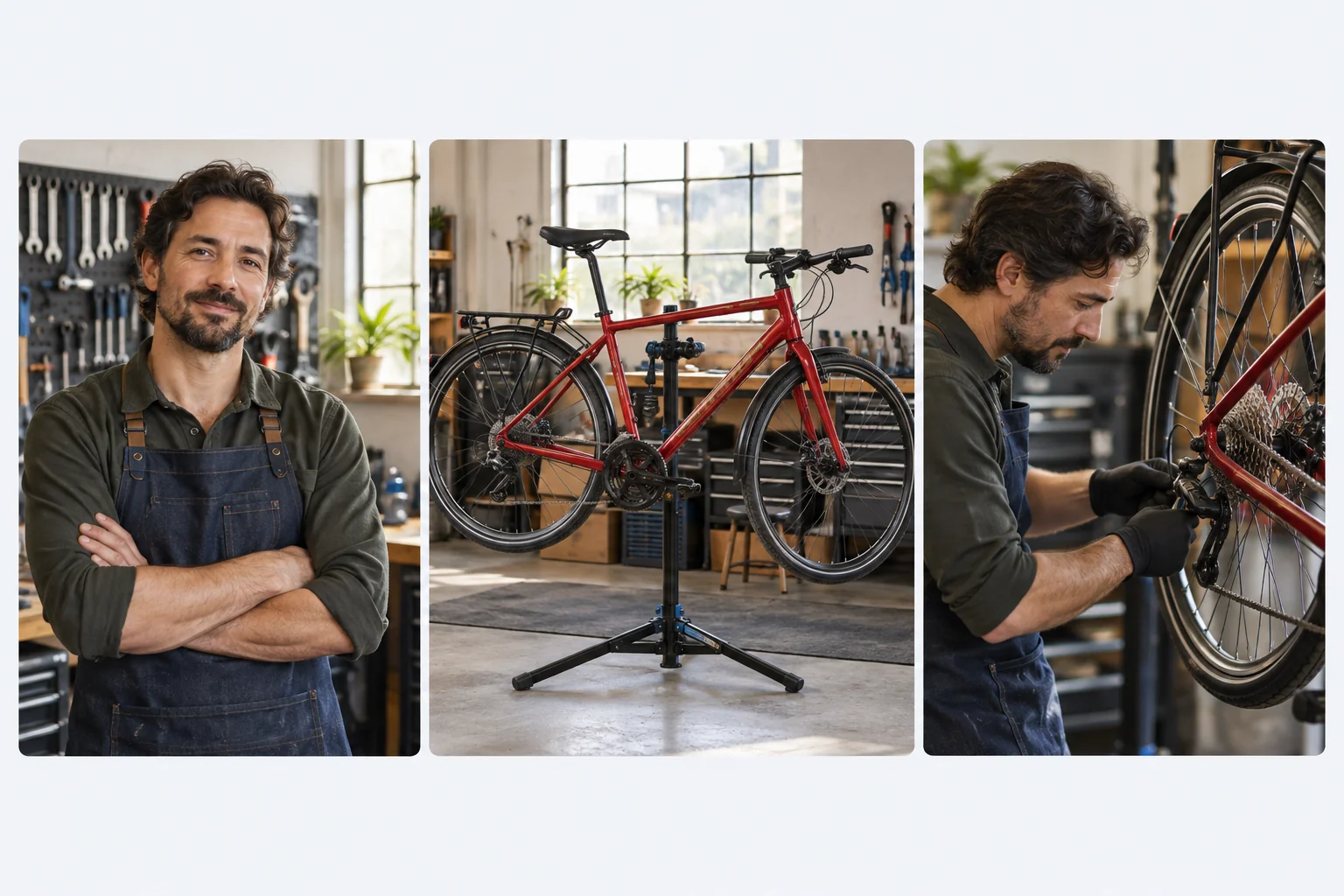
What helps:
- One job per file. If appearance drifts, split the face reference from the clothing or full-body reference and say which supplies what. Two or three angles of one character work better than a stack of near-identical frames, and a collage of several views can read as several people.
- Use generated or fully released faces. Seedance's input check can refuse a photo of a real, identifiable person, before any charge. Images must be 300 to 6000 px per side and under 10 MB.
- Keep the style consistent. Mixing photographs, cartoons and anime in one reference set tends to flatten the result.
- Referencing is not editing. "Borrow the slow sideways track from video 1, not its people or location" asks for a new scene. "Edit video 1" asks to change that footage. Do not mix the two in one prompt.
- Say what an audio file supplies: voice, ambience or musical character. It needs an image or video alongside it, and with
generate_audiooff no soundtrack is rendered even if audio is supplied. - Add video last. Get the scene working with images, then add a clip for a named reason. A video also changes the price (see below).
- Order matters. If a tool re-sorts your files,
image 1becomes a different picture. When you replace a file, reread the prompt's assignments.
Upload only material you have the right to use, and only people who consented to appear.
Direct the sound
generate_audio is on by default and costs the same as off. Turn it off when you will score or dub the clip later. Treat sound as its own part of the brief:
- Name the sources. "Ratchet clicks, spinning wheel, quiet workshop" beats "ambient sound". Write "no music" when you mean it, or a scene can come back scored.
- Dialogue: name the speaker, put the line in quotation marks, keep it short enough for the duration, and stay in one language. Listen for the exact words; a plausible-sounding line can still change a name or an offer.
- Fix it in the edit. If the picture is right and the sound is wrong, replace the sound locally rather than regenerating the picture.
Iterate with one change at a time
Change one thing per attempt: the camera sentence for an unwanted zoom, the reference set for identity drift. Otherwise a better clip does not tell you which edit mattered. Fix seed and hold everything else constant to judge a prompt edit. A seed is a comparison tool, not a promise of frame-identical repeats.
Draft at 480p and raise the resolution once the action reads correctly; 720p is the default. Resolution and duration set the price, and aspect ratio, bitrate and watermark do not. Seedance's own check refuses some wording before rendering, and kissing wording is the reliable trigger; a refused task is normally released without a charge.
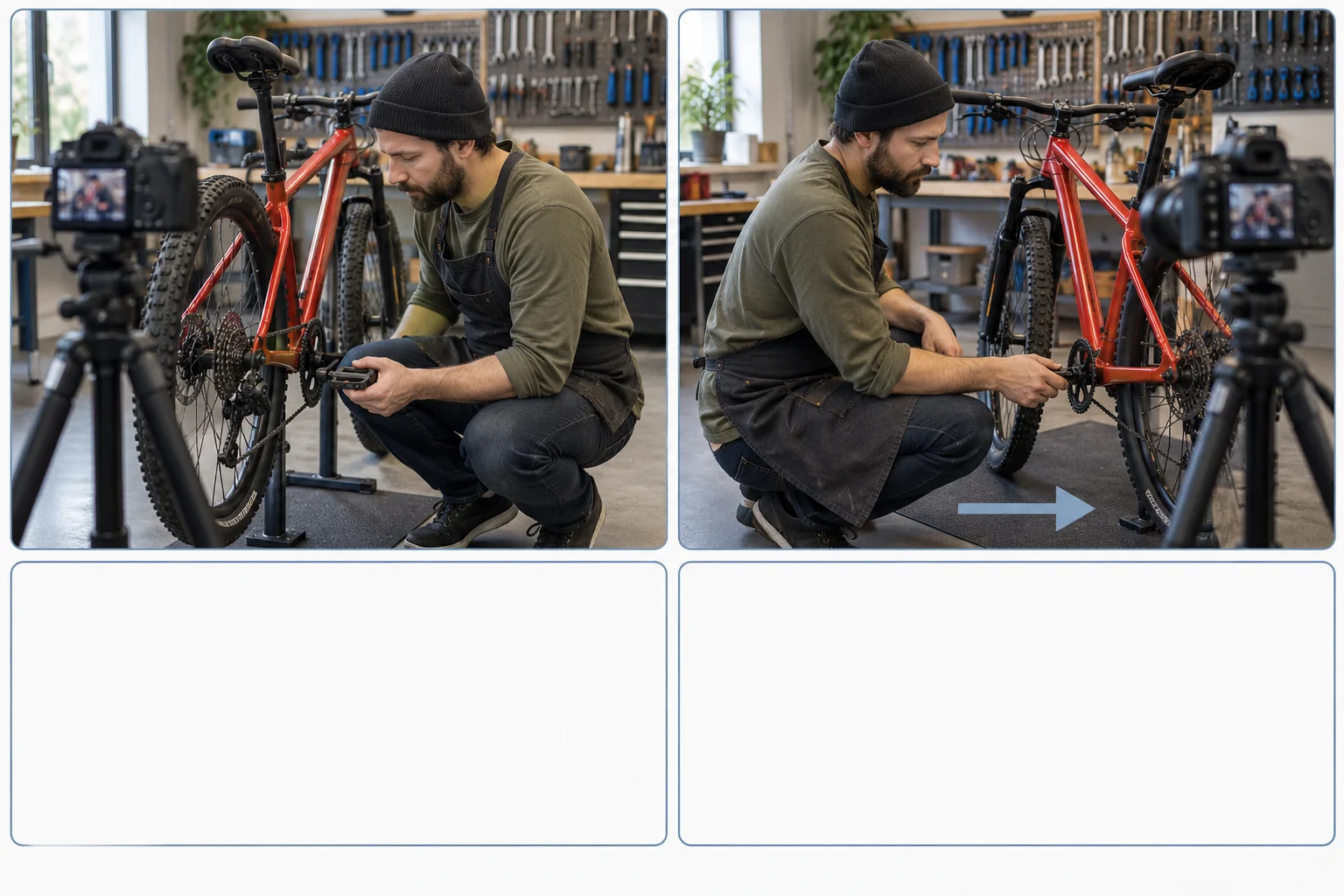
Keep a log per attempt: the prompt, the task, the files in upload order, duration, resolution and seed. When a prompt works on one scene, that record tells you what to reuse on the next.
What it costs
Text-to-video and image-to-video bill per output second, with audio on or off at the same rate:
| Resolution | Per second | 5-second clip |
|---|---|---|
| 480p | $0.07 | $0.35 |
| 720p | $0.152 | $0.76 |
| 1080p | $0.374 | $1.87 |
| 4K | $0.778 | $3.89 |
Three 480p drafts plus one 720p final is $1.81. With -1 (the model picks the length), the estimate assumes the 15-second maximum, $2.28 at 720p, and the final charge follows the delivered length. Seedance 2.0 Fast and Mini are cheaper (Mini starts at $0.025 per second at 480p, Fast at $0.045) and stop at 720p; treat a draft from them as a hint about your brief, not a preview of the base model's result.
Reference video is the one input that changes the bill. Reference-to-video charges a lower per-second rate when the request includes a video (720p: $0.0928 instead of $0.152), but you pay it on your output seconds plus the reference clip's seconds. A 5-second 720p clip with a 10-second reference clip is 15 × $0.0928 = $1.39, against $0.76 without the clip. At 4K the rate is the same with or without video, so the clip only adds seconds. SpicyAPI holds funds for the maximum up front and releases the unused part when the task settles. Trim reference clips to the few seconds that carry the motion.
When another model is the answer
Check task choice, frame quality, reference roles and camera instructions first, because those problems follow you to any model. Move on when the requirement exceeds the 2.0 contract: Seedance 2.5 runs 4 to 30 seconds and takes up to 30 images, 10 clips and 10 audio files on reference-to-video, with its own prices and a 1080p ceiling. Read its prompt guide before you port a 2.0 prompt. BytePlus also publishes its own prompt guide.
FAQ
Can I paste prompts that use @Image1 from other guides?
Rewrite them. On SpicyAPI the labels are image 1, video 1 and audio 1, matched to the order of the input arrays.