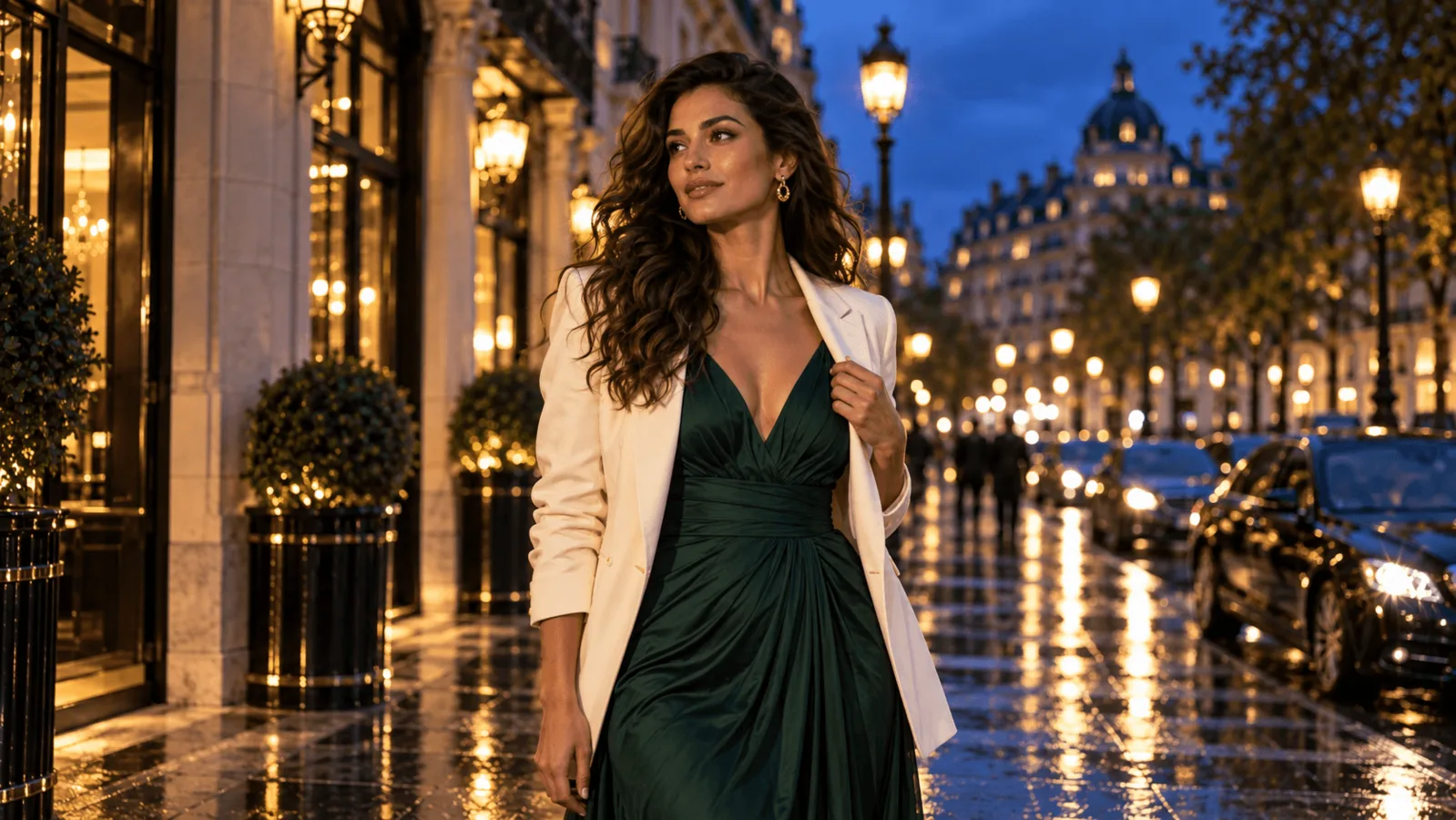
Creating an adult character set means choosing more than an image generator. Each new picture has a cost, each model can respond differently to the scene, and an outfit change should not turn an approved character into someone else. The useful comparison is therefore price, NSFW results and the editing controls you need next. Based on our September–October 2026 tests, the clearest differences are cost and repair controls.
For an adult image set at 2K, start with Seedream 5.0 Flash: generation and ordinary editing cost $0.029 per image at every size. Qwen Image 2.1 is cheaper for 1K drafts at $0.024, is the only one of the two with a mask for repairing one region of an image, and has the longer adult-content record, including editing at the strongest level we test. For recurring characters, continue from an approved reference; a lower generation price does not itself mean better anatomy or face retention.
What each image costs
| Task and resolution | Seedream 5.0 Flash | Qwen Image 2.1 |
|---|---|---|
| Generate one image at 1K | $0.029 | $0.024 |
| Generate one image at 1.5K | $0.029 | $0.048 |
| Generate one image at 2K | $0.029 | $0.048 |
| Ordinary editing at 1K | $0.029 | $0.036 with 1 reference, $0.060 with 3, $0.144 with 10 |
| Ordinary editing at 1.5K | $0.029 | $0.072 with 1 reference, $0.108 with 3, $0.234 with 10 |
| Ordinary editing at 2K | $0.029 | $0.048 with 1, 3 or 10 references |
| Local editing with a mask | No mask input | Available at 1K and 2K |
Prices are SpicyAPI USD. Qwen's editing price rises with the number of reference images at 1K and 1.5K, but stays $0.048 at 2K whether you attach one reference or ten; Flash stays $0.029 with one to ten. For a character, outfit and location edit with three references, Qwen costs $0.019 more than Flash at 2K and $0.031 more at 1K. Check the estimate for your actual inputs before submitting an edit.
For 100 generated images, Flash costs $2.90 at any tier. Qwen costs $2.40 at 1K or $4.80 at 2K, so Flash is $1.90 cheaper for the 2K batch. Qwen's 1.5K editor costs more than its 2K editor, so the middle tier saves nothing. There is no price reason to lower Flash from 2K; with Qwen, 1K is the cheap place to try compositions. If 2K is where you want to work on the Qwen side, look at Qwen Image 3.0 too: it is $0.03 at both 1K and 2K, and our Qwen 2.1 test write-up compares 2.1, 3.0 and 3.0 Pro.
A character set shows the gap better than a single image. Take ten characters, each with one base image and four single-reference edits:
- Flash at 2K: 50 images × $0.029 = $1.45.
- Qwen at 2K: 50 images × $0.048 = $2.40.
- Qwen at 1K: 10 × $0.024 + 40 × $0.036 = $1.68, still above Flash's 2K total. With three references per edit instead of one, 40 × $0.060 raises the 1K total to $2.64, while the 2K total stays $2.40.
The real cost is per image you keep. Two views for strong text-to-image scenes (L3 to L5, the rungs where the test counts below overlap):
- A budget assumption: if you reserve three generations per final image, that is about $0.09 on Flash at any tier, $0.14 on Qwen at 2K and $0.07 at 1K. It is a planning figure, not a keep rate.
- Delivered counts from the test reports:
| Run | Delivered | Cost per delivered image |
|---|---|---|
| Flash, 1K configuration | 10 of 15 | about $0.043 |
| Flash, separate mixed 1.5K/2K configuration | 12 of 12 | $0.029 |
| Flash, latest check (L3–L5) | 6 of 8 | about $0.039 |
| Qwen at 2K | 10 of 11 | about $0.053 |
These separate runs used different prompt sets. Their figures show the cost of scene delivery within each run, not a measured cost per finished image or a head-to-head quality ranking. A keeper also needs usable anatomy, framing and the intended character.
For budgeting, Flash is cheaper per kept 2K image unless Qwen's keep rate is more than about 1.65 times Flash's; at 1K Qwen is cheaper unless its rate is below about 83% of Flash's. For example, if you keep 12 of 20 Flash 2K generations, the $0.58 batch costs about $0.048 per keeper. Qwen would need to keep essentially all 20 of its $0.96 batch to match that cost. This is an arithmetic illustration, not an observed keep rate.
Will they do the scene, or quietly soften it?
Both have delivered adult-oriented images, but model and upstream checks can still change the requested scene. A softened result is a successful, billed request whose image was quietly changed: a garment added, a clothed person swapped in, a sheet or camera angle placed over the part of the scene the prompt was about. Judge the image, not the status code.
The content results cover Flash and Qwen Image 2.1. "As written" means the image matched the request. The levels run from L1 suggestive to L5 extreme; the strongest level has two probe types, one consensual adult scene and one fictional violence.
| Task and level | Flash · 1K | Flash · mixed 1.5K/2K | Flash · latest check | Qwen 2.1 |
|---|---|---|---|---|
| Text to image, L1 suggestive | 3 of 3 | 3 of 3 | 2 of 2 | 3 of 3 |
| Text to image, L2 mature themes | 3 of 3 | 3 of 3 | 2 of 2 | 3 of 3 |
| Text to image, L3 strong | 2 of 3 | 3 of 3 | 1 of 2 (one replacement) | 2 of 2 |
| Text to image, L4 intense | 1 of 3 | 3 of 3 | 1 of 2 (one softened) | 2 of 3 (one scene came back as a kiss) |
| Text to image, L5 probe A (consensual adult scene) | 4 of 6 | 3 of 3 | 2 of 2 | 3 of 3 |
| Text to image, L5 probe B (fictional gore) | 3 of 3 | 3 of 3 | 2 of 2 | 3 of 3 |
| Image editing, L2 mature themes | 3 of 3 | 3 of 3 | 1 of 1 | 3 of 3 |
| Image editing, L3 strong | 2 of 2 | 2 of 2 | 1 of 1 | 3 of 3 |
| Image editing, L1 and L4 | — | — | — | 3 of 3 each |
| Image editing, L5 (both probes) | — | — | — | 3 of 3 each |
What this table supports:
- Both have delivered strong text-to-image scenes. Flash delivered every scene in one configuration, but its latest check still replaced one L3 scene and softened one L4 scene: 10 of 12 across all six classes, or 6 of 8 at L3–L5. Strong delivery is possible, not uniform. Budget for unusable or softened outputs; our Flash test write-up shows how the softened images differed from their prompts.
- Editing is where the records differ. Qwen's editing endpoint has been run at all five levels. Flash's editing endpoint has been run at L2 and L3, so if your workflow is editing adult source images at the highest intensity, Qwen is the only one of the two with a record.
Anatomy and face consistency: what the paired checks showed
For the same-source editing check, we used one clothed portrait and asked for two separate changes: an outfit replacement, then a camera-angle and lighting change. Each model made three attempts at each instruction, for twelve 1K edits in total.
| Check | What both models kept | Difference that affected the choice |
|---|---|---|
| Outfit-only edit | Recognizable face, hair, pose, mug, chair and kitchen | Neither model showed a clear identity advantage across the repeats |
| Angle and light | Recognizable person and original clothing | Qwen varied the crop and head position more; Flash kept the window and plant framing closer |
| Cost for six 1K edits | Same number of attempts | Flash $0.174; Qwen $0.216 |
For a simple wardrobe series, Flash's lower price is a practical starting point. This portrait check does not support paying more for Qwen merely to preserve the person. Qwen's mask remains a separate reason to choose it for a local repair.
We also compared 2K generation with sitting, walking and two-person briefs: two outputs per brief, six images per model. In the visible hands and bodies, neither set showed obvious extra or missing fingers or limbs. The noticeable failures were composition and instruction-following:
- Flash: one seated picture cut off the top of the head despite the full-body instruction.
- Qwen: a couple was framed above the knees, and another result put both of the man's hands in his pockets instead of one. Some walking poses looked stiff.
- Decision: neither model earns an anatomy win from this small check. Review the complete framing and requested hand placement, not only an attractive face crop.
A separate earlier Qwen adult scene had extra limbs at 2K and a clean 1K retry. Keep that as a reason to inspect difficult two-person poses; it does not establish that Qwen generally makes more anatomy mistakes than Flash.
For a new full-body composition, start from a full-body source or generate that composition first; an editor has to invent the body outside a close-up. For recurring characters, return to the approved original after a failed edit. Keep the pose and framing fixed while changing one garment or lighting choice. When the face and pose are right but a small region is wrong, use Qwen's mask or a conventional repair instead of regenerating the whole composition; a small mask cannot fix a wrong pose.
What each model's published example shows
These are published editing examples from the model pages, each input next to its output. They use different people, sources and instructions, so they are not a head-to-head test. They show how well a clothed edit keeps its source, not adult-scene delivery, which the counts above cover.
Flash: outfit and light change on a bedroom portrait
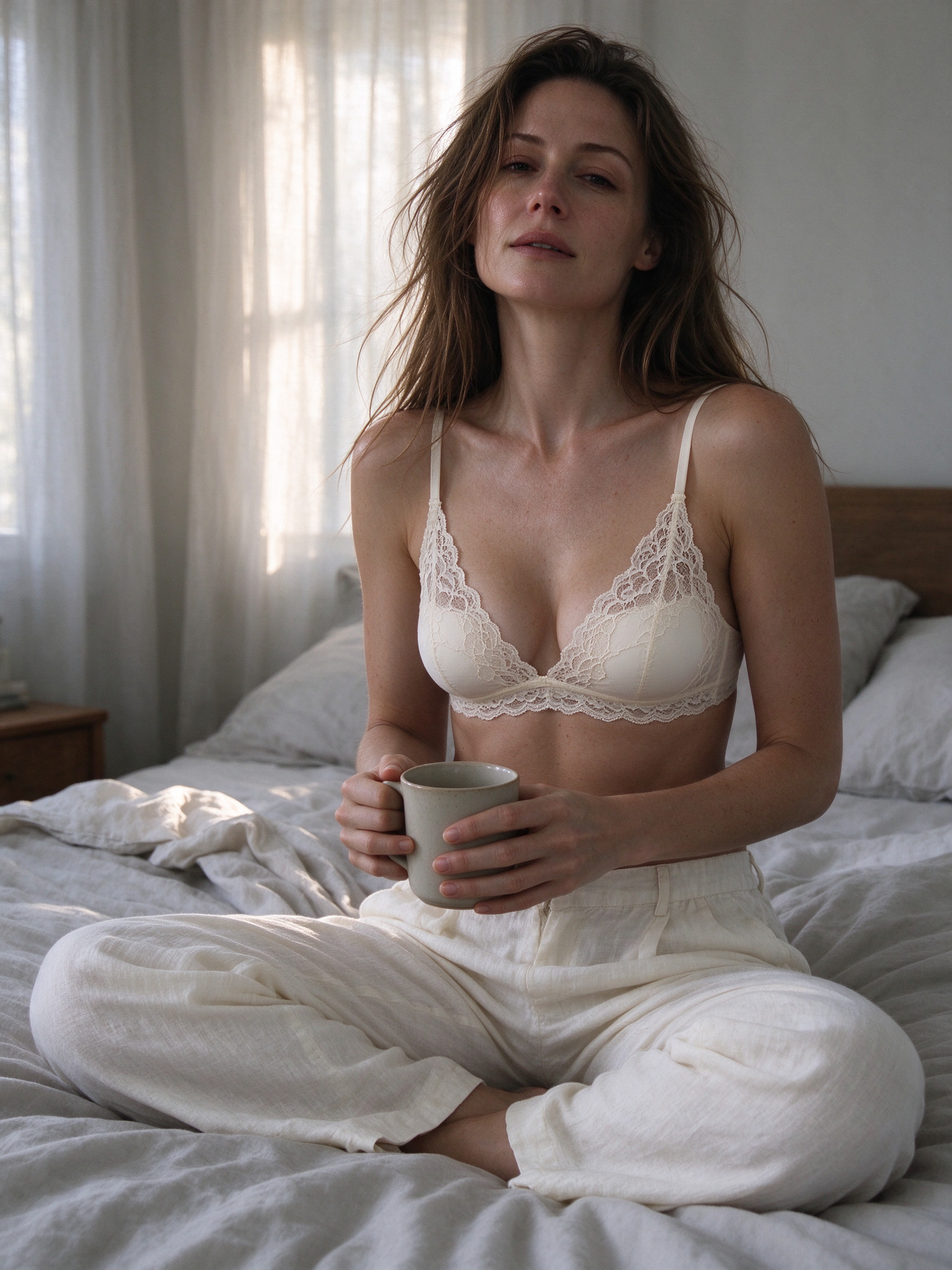
Input image for the Flash example, as published on the Flash editing page.
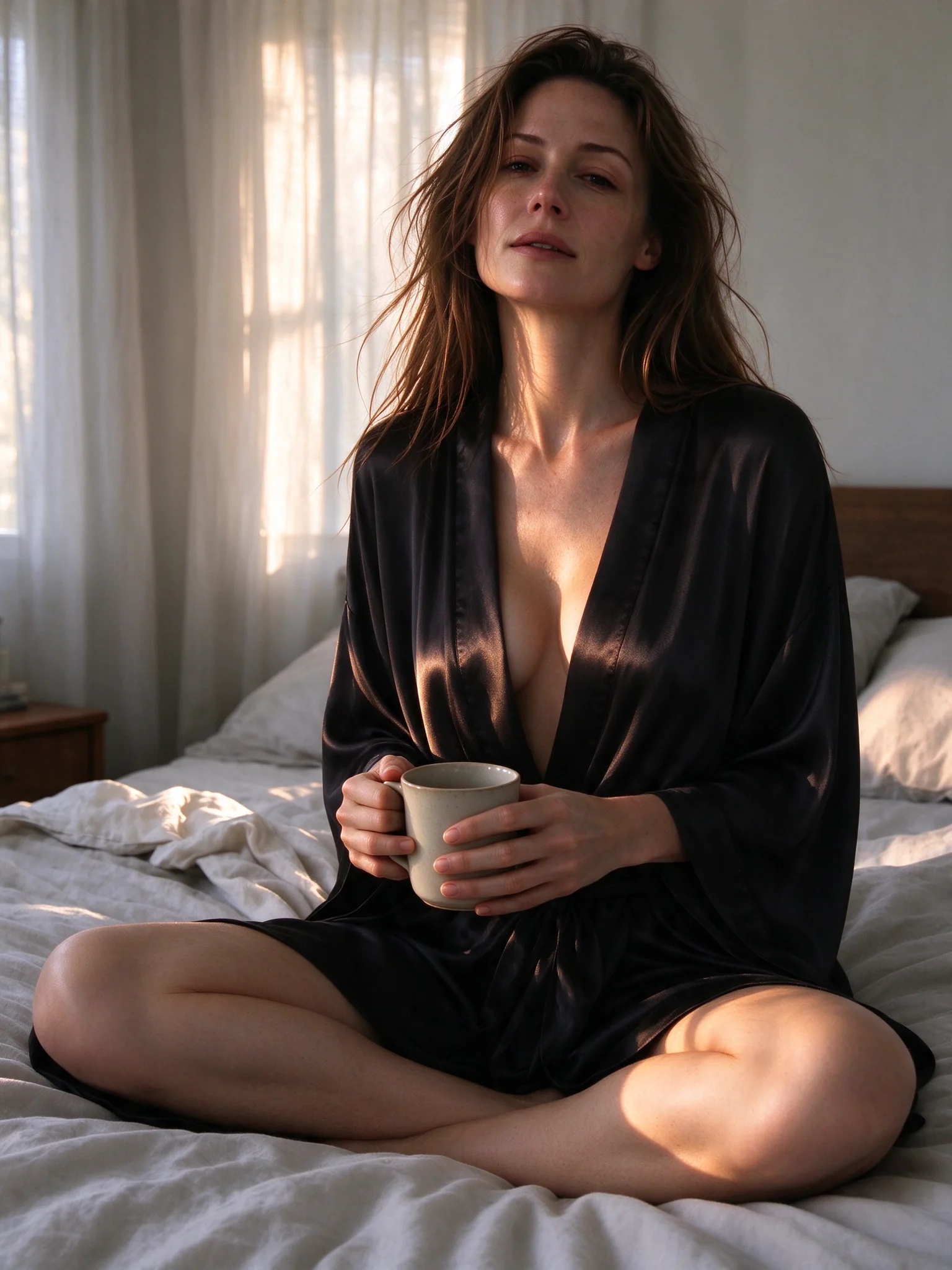
Flash output: a black silk robe, warm late-afternoon window light, same seated pose and mug. Published with the Flash editing example.
The instruction asks to keep the face, hair, pose, mug and bed, replace the ivory top and trousers with a black silk robe, and change morning light to late-afternoon sun. Looking at both frames, the face, long messy hair, freckles, crossed legs, mug and bed all carry over; the robe and the light changed as asked. The framing is a little tighter. The visible portions of the hands holding the mug show no obvious distortion, although the mug and overlapping fingers prevent a full finger count.
Qwen: daytime rooftop to dusk, new outfit
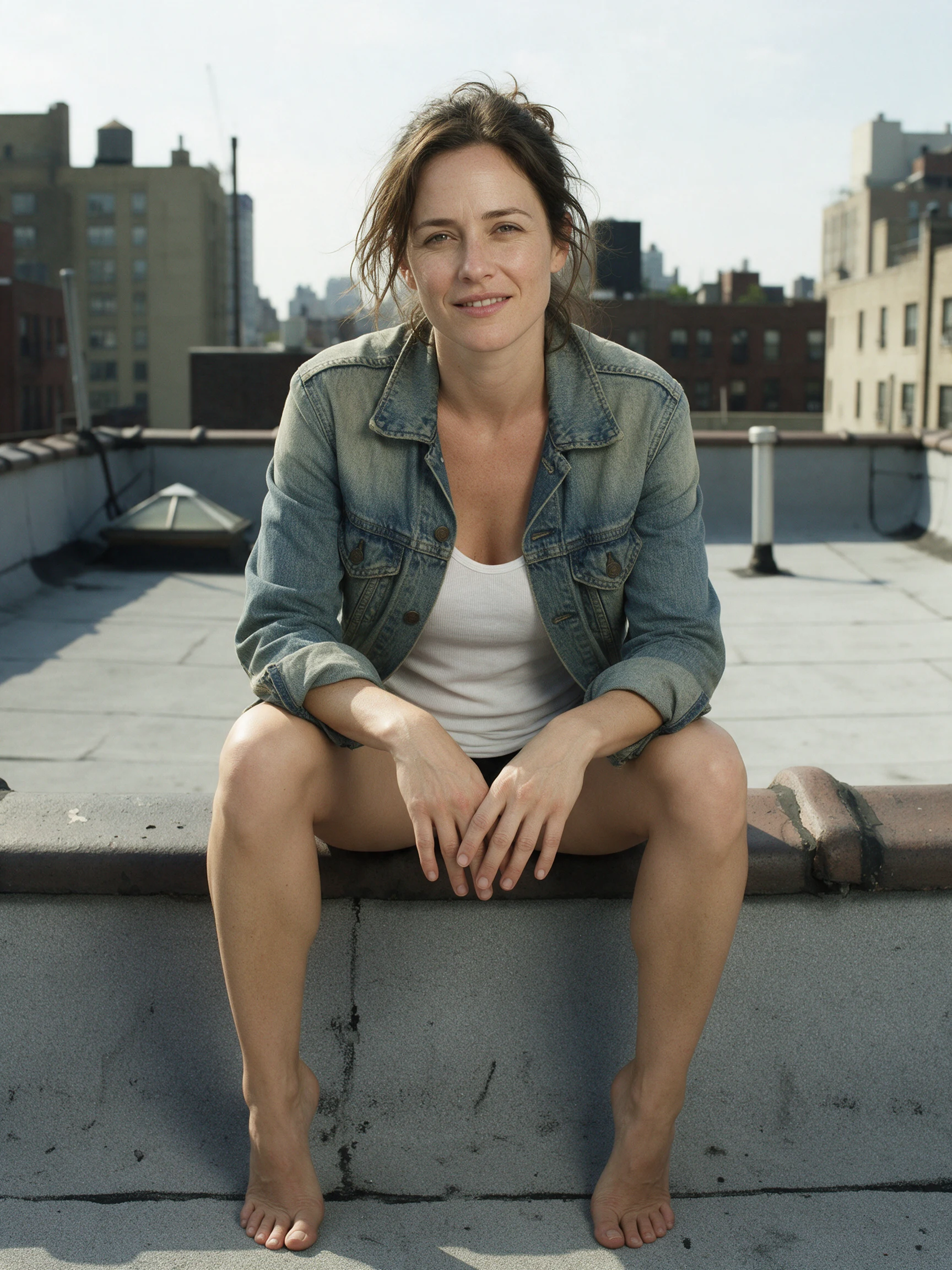
Input image for the Qwen example, as published on the Qwen editing page.
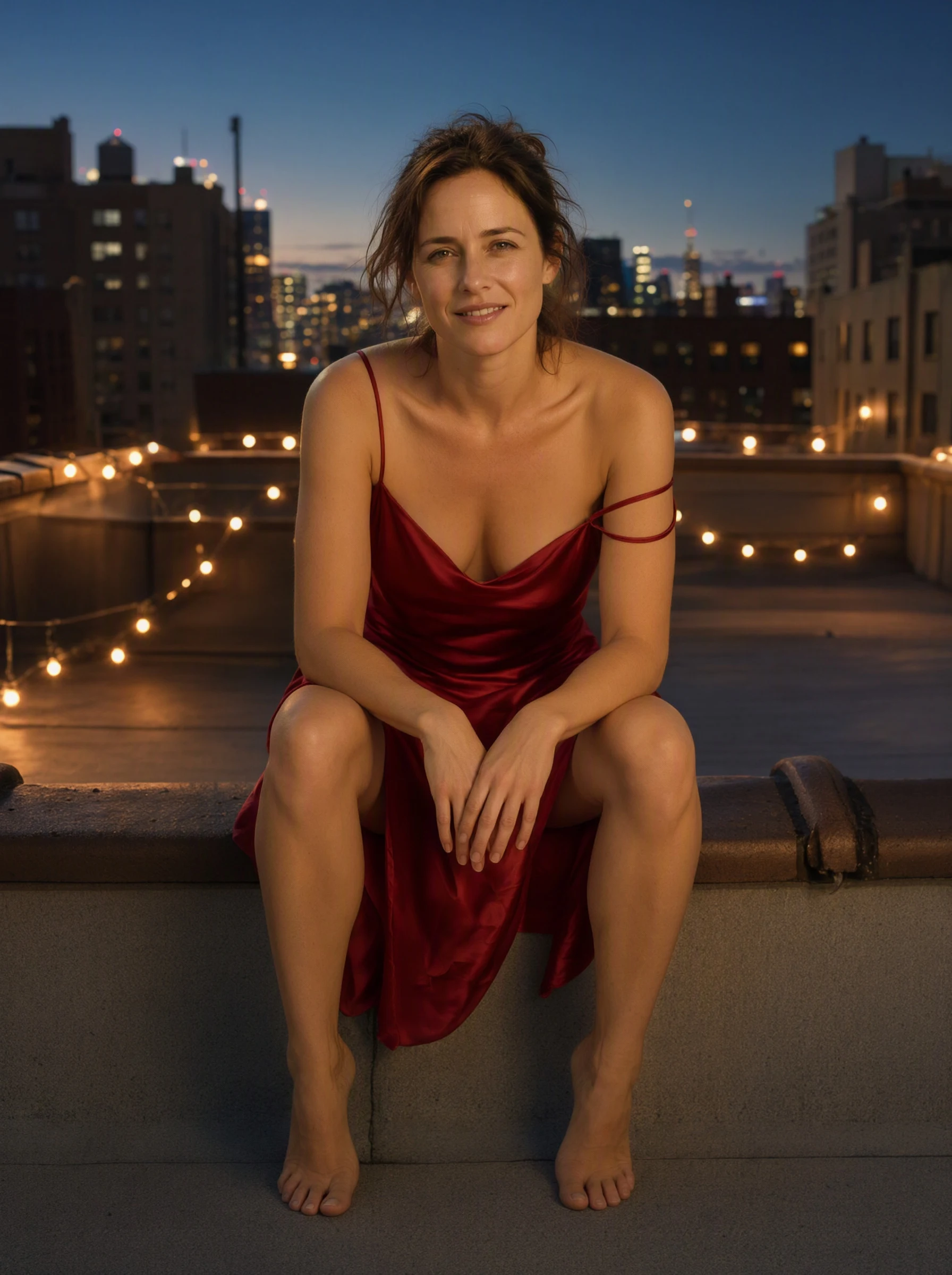
Qwen output: a red satin slip dress, string lights and a skyline at dusk, same ledge pose. Published with the Qwen editing example.
This edit changes much more at once: outfit, time of day and background lights. The seated pose, hands, bare feet, hair and expression stay recognisably the same. One flaw is visible at full size: the strap that should slip off the shoulder came out as a thin loop wrapped around the upper arm rather than a strap hanging from the dress. It is a small garment-geometry error, and exactly the kind of local defect the mask in the next section is for.
For a recurring character, the next useful operation is editing your approved reference. Generating another image from the same written description produces a new draw and does not lock the first face.
Which controls matter for your character set
| Control | Flash | Qwen 2.1 | When it matters |
|---|---|---|---|
| Reference images for editing | 1–10 | 1–10 | Continue from an approved character or combine a character with a scene |
| Resolution tiers | 1K, 1.5K, 2K; default 2K | 1K, 1.5K, 2K; default 1K | Set it explicitly when comparing prices or outputs |
| Aspect ratios | 15; editing also supports auto | 15 | Use 9:16 for a vertical character image, 4:5 for a portrait card |
| Mask for local editing | Unavailable | mask_url | Repair a hand, garment edge or background region |
| Prompt expansion switch | Unavailable | enable_prompt_expansion | Turn it off at 1K or 2K to use your own brief without the extra rewrite |
| Seed field | Unavailable | Integer from 0 to 2,147,483,647 | Record a Qwen generation's settings; it does not guarantee an identical image |
| Output format | JPEG or PNG | JPEG, PNG or WebP | Use PNG when handing an image to a retouching step |
Neither base endpoint exposes a custom LoRA slot, negative_prompt, steps or CFG. Do not paste settings from a local diffusion tutorial into these forms; exclusions go into the prompt itself. If your character depends on a trained LoRA, the Qwen 2.1 LoRA family is a separate choice, not a checkbox on this editor.
Choose Flash for ordinary 2K variations
Open Flash image editing, add the approved image under Images, set Resolution to 2K and Aspect ratio to Auto to retain its shape. A clear outfit-change instruction is enough to start:
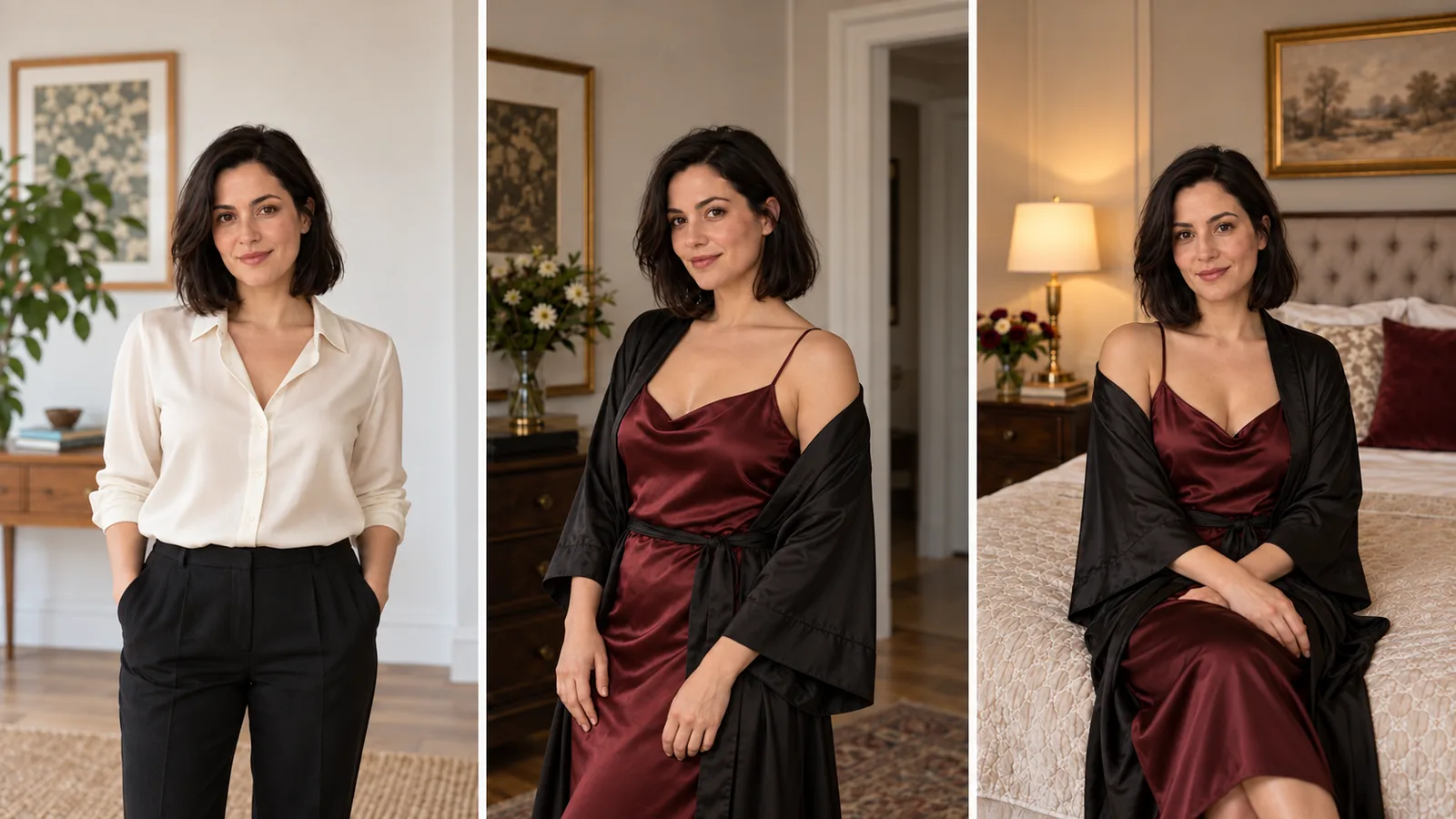
Keep the adult woman's face, short dark curls, expression, seated pose and room unchanged. Replace the blue jacket with a dark red satin dress. Keep the existing window light and camera angle. Change only the outfit.This starting instruction is deliberately a single change. Once the outfit is right, use that latest accepted image for a room change so the new outfit carries forward. Compare each result with the approved character before continuing: long chains can drift. For independent variations, return to the original frame and repeat all changes you want in that variant, including the outfit. Changing the face angle, outfit, pose and lighting together makes a changed character harder to diagnose.
Flash's flat editing price makes it attractive when you also need a garment or location reference. Put the character first and say what each other reference supplies, because a source with no stated job gets blended in. Reference-image count is capacity, not a requirement to upload ten pictures.
Choose Qwen when the image is good except for one region
Open Qwen 2.1 editing. Add exactly one image under Images, then open Advanced parameters and add a black-and-white Mask with the same aspect ratio: paint the region to replace white and the area to retain black, with a slightly soft boundary to help the blend. Set Resolution to 1K or 2K, Background to Opaque and pick an Output format. For a broken dress strap, a replacement instruction might be:
Rebuild the dress strap inside the white area as one continuous strip of red satin attached naturally to the existing dress. Match the nearby fabric and window light.Masked editing follows the source aspect ratio, so the ratio selection is ignored. It does not support 1.5K, multiple source images or a transparent background, and prompt expansion has no effect in this mode. Those are the combinations to fix if the request is rejected, rather than rewriting the prompt repeatedly. The mask defines where the edit is requested; inspect the returned image against the source before accepting it, because the control does not guarantee that every retained pixel is identical.
Qwen's own model page suggests iterating at 1K and promoting the keeper to 2K, for example by re-running a 1K frame as a 2K edit with an instruction that preserves the composition. At $0.024 per draft that is a cheap way to find a composition, but it adds a second step; Flash gets you a 2K image in one.
Choose by the next image you need
- A new 2K adult portrait, or a series of ordinary outfit edits: Flash at $0.029 for the flat 2K price. Strong scenes have been delivered, but the latest L3 and L4 checks also show replacement and softening risk.
- Low-cost 1K concept images: Qwen at $0.024, $0.50 less per 100 generations than Flash.
- An approved image with one defect: Qwen, for the mask Flash lacks; repair the defect rather than regenerating the character.
- Editing adult source images at the highest intensity: Qwen; Flash's editing record stops at L3.
- A cut-out with transparency: neither is verified. Qwen's form documents
background: transparent(PNG or WebP, 1K or 2K), but our Qwen 2.1 write-up recorded a cut-out on a plain white background, with no alpha channel. Flash documents transparent editing only for a single PNG input that already has alpha. Run one test image first and keep a keying step in your plan. - The most realistic version of the same adult character: no winner; the clear differences are cost, editing controls and test record.
For a straightforward first try, generate with Flash at 2K. If you prefer to begin with the cheapest 1K drafts, use Qwen 2.1 at 1K. Keep the accepted image as your reference for the next edit.
Try it in the Playground, then call the API
- Open Flash image editing and add your approved portrait under Images.
- Set Resolution to 2K and Aspect ratio to Auto, paste a one-change instruction into Prompt, and select Run model. The page shows the estimate first.
- If one region needs repair, switch to Qwen 2.1 editing and add the Mask under Advanced parameters.
For the API, set SPICY_API_KEY and run this Python 3 example. It quotes the Flash edit, asks you to confirm the price, then submits one task.
import json
import os
import urllib.request
import uuid

base = "https://api.spicyapi.ai/api/v1"
headers = {"Authorization": "Bearer " + os.environ["SPICY_API_KEY"],
           "Content-Type": "application/json", "User-Agent": "SpicyAPI-Blog/1.0"}
payload = {"model": "bytedance/seedream-5.0-flash/edit", "input": {
    "prompt": "Keep the adult woman's face, seated pose and room unchanged. Replace the ivory top with a black silk robe. Change only the outfit.",
    "image_urls": ["https://cdn.spicyapi.ai/models/examples/inputs/b7d5faf80b775c92.jpeg"],
    "resolution": "2k",
    "aspect_ratio": "auto"}}

def post(path, body):
    request = urllib.request.Request(base + path, json.dumps(body).encode(), headers)
    with urllib.request.urlopen(request, timeout=60) as response:
        result = json.load(response)
    if result.get("code") != 200:
        raise RuntimeError(result)
    return result["data"]

quote = post("/jobs/quote", payload)
if input(f"Maximum charge ${quote['maxCharge']}. Type yes to generate: ") != "yes":
    raise SystemExit("Stopped before generation")
headers["Idempotency-Key"] = str(uuid.uuid4())
print("Request key:", headers["Idempotency-Key"], flush=True)
task = post("/jobs/createTask", {**payload, "quoteId": quote["quoteId"],
                              "expectedCost": quote["estimatedCost"]})
print("Task ID:", task["taskId"])
Keep the printed request key to retry that same request; a new edit gets a new key. For a Qwen 2.1 repair, change model to alibaba/qwen-image-2.1/edit and add mask_url. The Task API documentation covers file inputs, results and recovery.
To let an Agent run repeated edits from an approved input file, use the CLI (spicyapi tasks create --model bytedance/seedream-5.0-flash/edit --input-file input.json --wait), MCP (ask it to call spicyapi_task_create with that model and input) or the Skill (ask "Use the spicyapi Skill to run this approved edit and return the result"). See the Agent integration documentation.
Quick answers
Do I need an adult-mode switch on either model? No. Neither request has a maturity field. Model and upstream behaviour still determine whether the requested scene is delivered or softened, so inspect the returned image.
Is the lower per-image price the lower cost per finished image? Only when the usable-output rate supports it. Flash's $0.029 gives it a 2K unit-price advantage over Qwen's $0.048; Qwen's $0.024 is cheaper at 1K. Divide the batch cost by the images you can actually use.
Do I need a mask to change an outfit? No. An instruction that names what stays and what changes is enough on both models, and the mask is for repairing one region of an otherwise good image, which only Qwen offers.