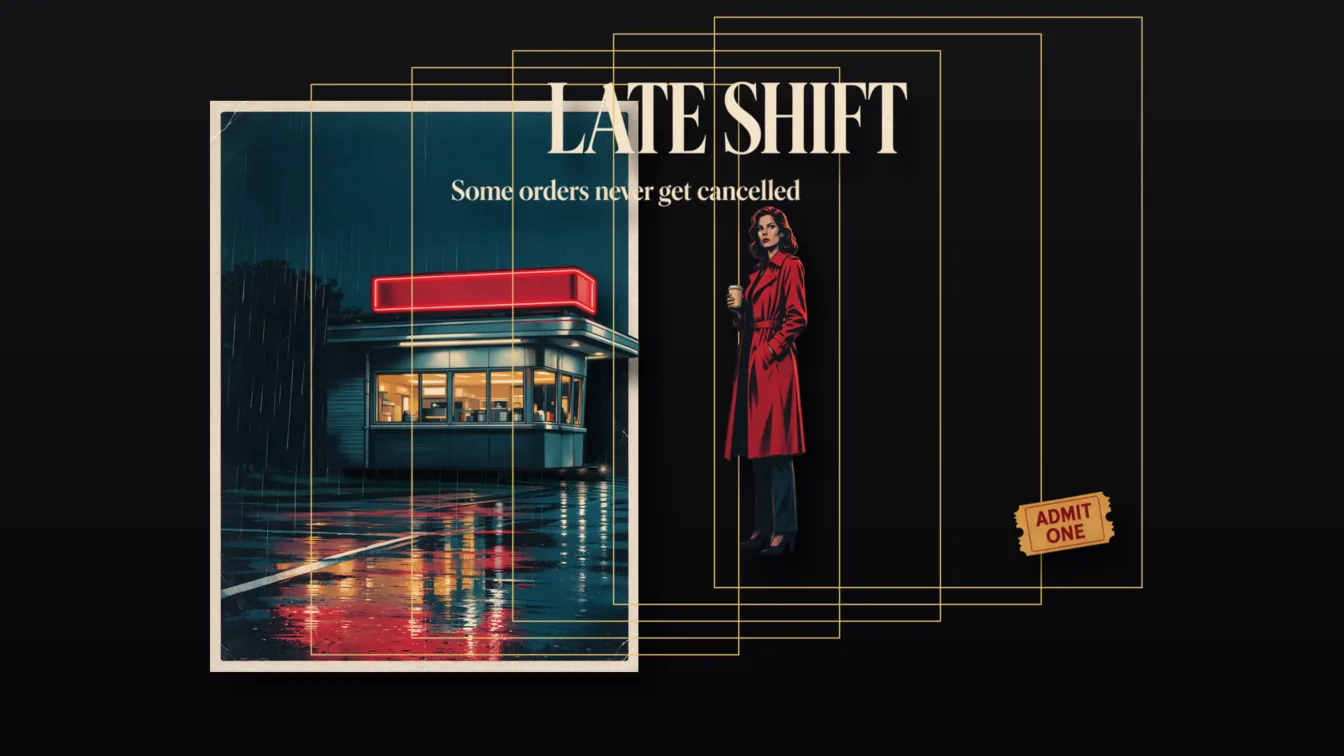
Short answer: send one image and get back a repaired base plate (the picture with the split-out elements removed and the background filled in) plus up to 16 transparent PNG layers, one per element. Every layer comes with a name and a boundingBox, so the layers stack back in place. SpicyAPI runs it on Seedream 5.0 Flash at $0.026 per output image at any resolution, and on Seedream 5.0 Pro at $0.042 per image (1K, 1.5K) or $0.084 (2K, auto). Start with Flash: it costs less and completed the adult-input categories in our tests. Pro costs more and refuses images of an intimate scene between two adults.
The 30-second version
- Output: the base plate at index 0, then the layers. Layers are always transparent PNG;
output_formatonly changes the base plate (JPEG or PNG). - Cap and billing: at most 17 images per run (base plate plus 16 layers), and you pay for the images returned, base plate included. When the task is accepted we hold the price of 17 and refund the difference once the real count is known.
- Prompt optional. Leave it out and the model picks the main elements; write one and it splits what you name. There is no setting for the number of layers.
- Not instant: a run takes about 45 to 100 seconds on both models.
- Copy the files to your own storage when the run ends.
What it looks like
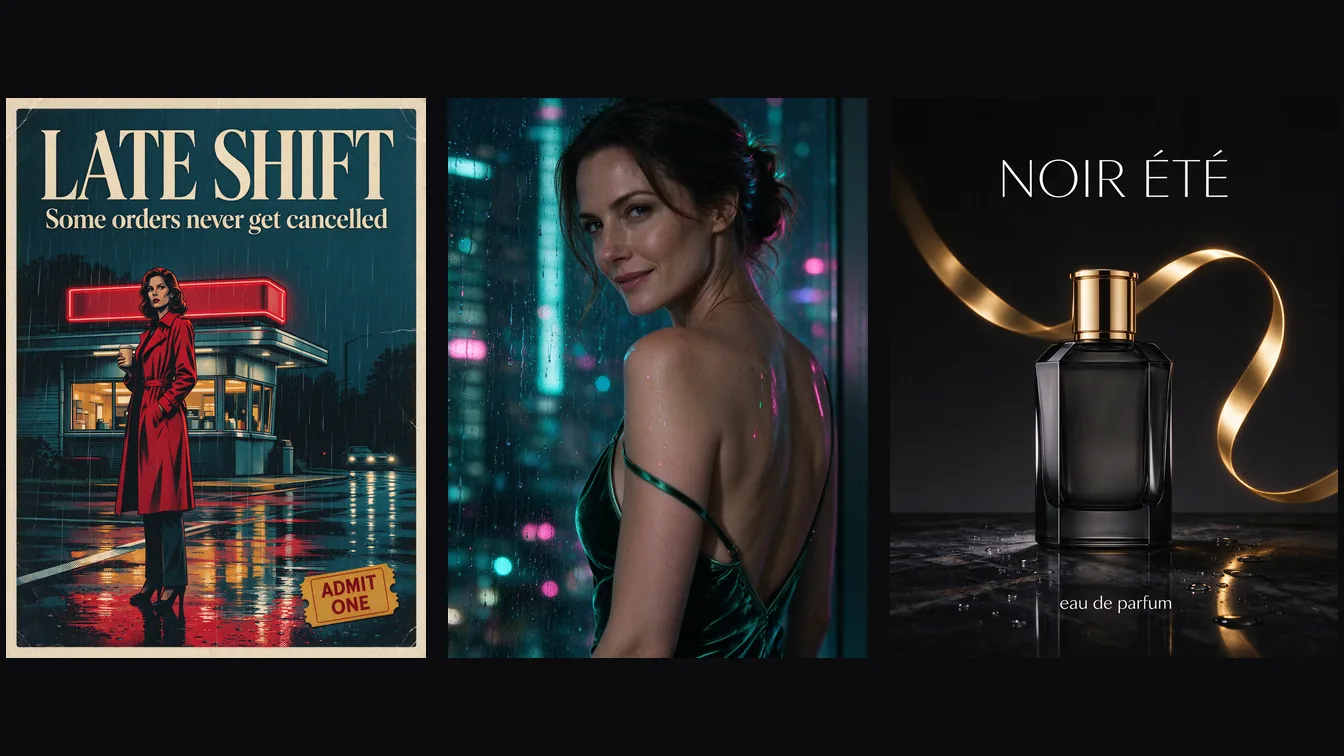
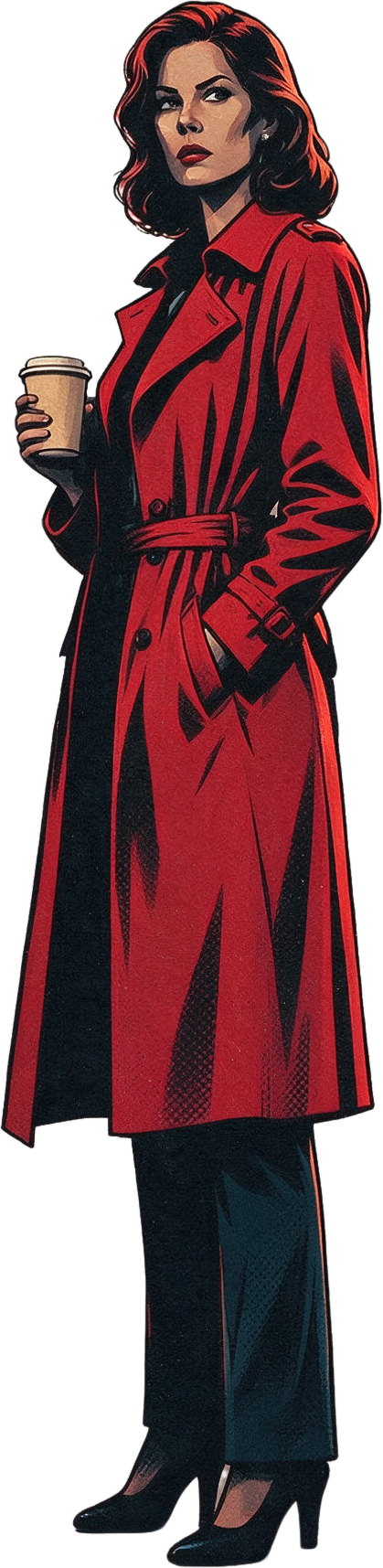
We started from a poster generated with Seedream 5.0 Flash.
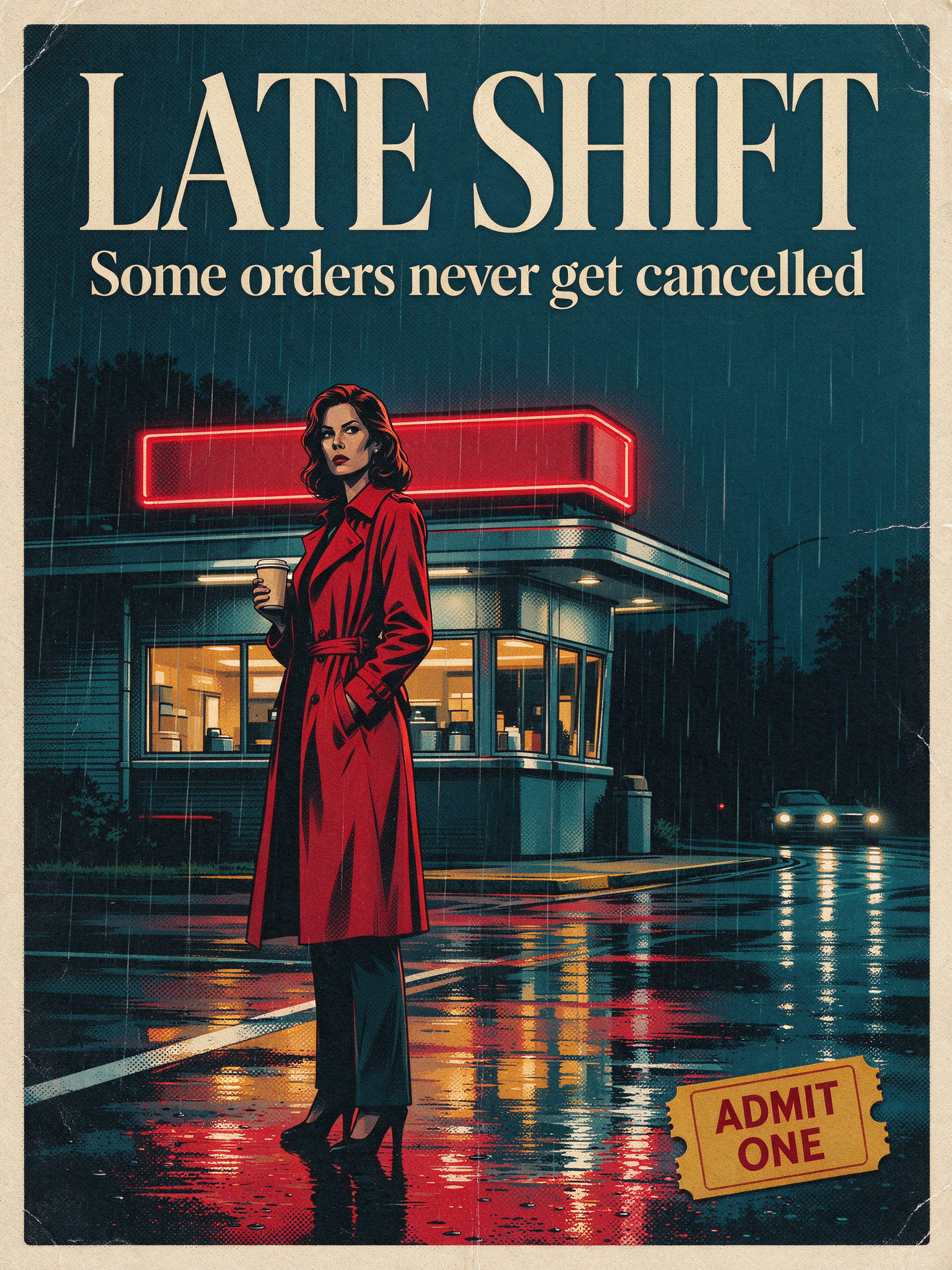
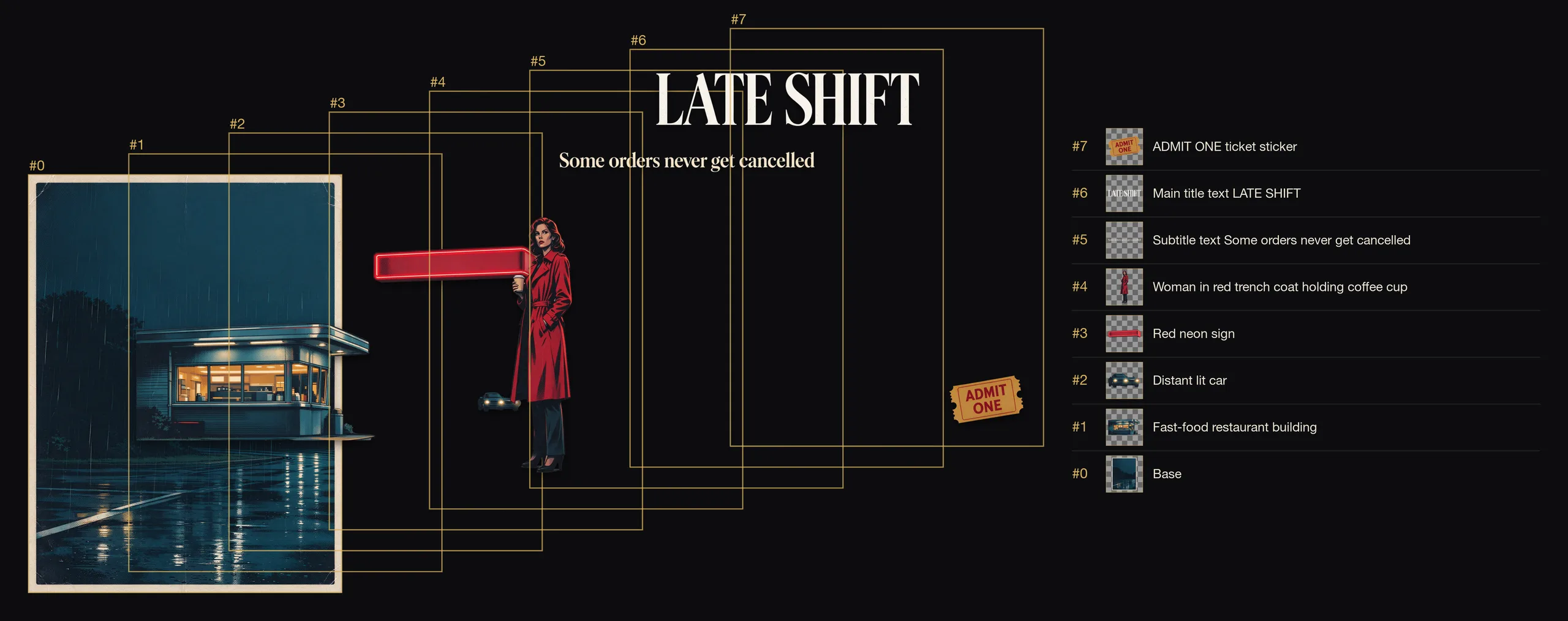
Flash, no prompt at all
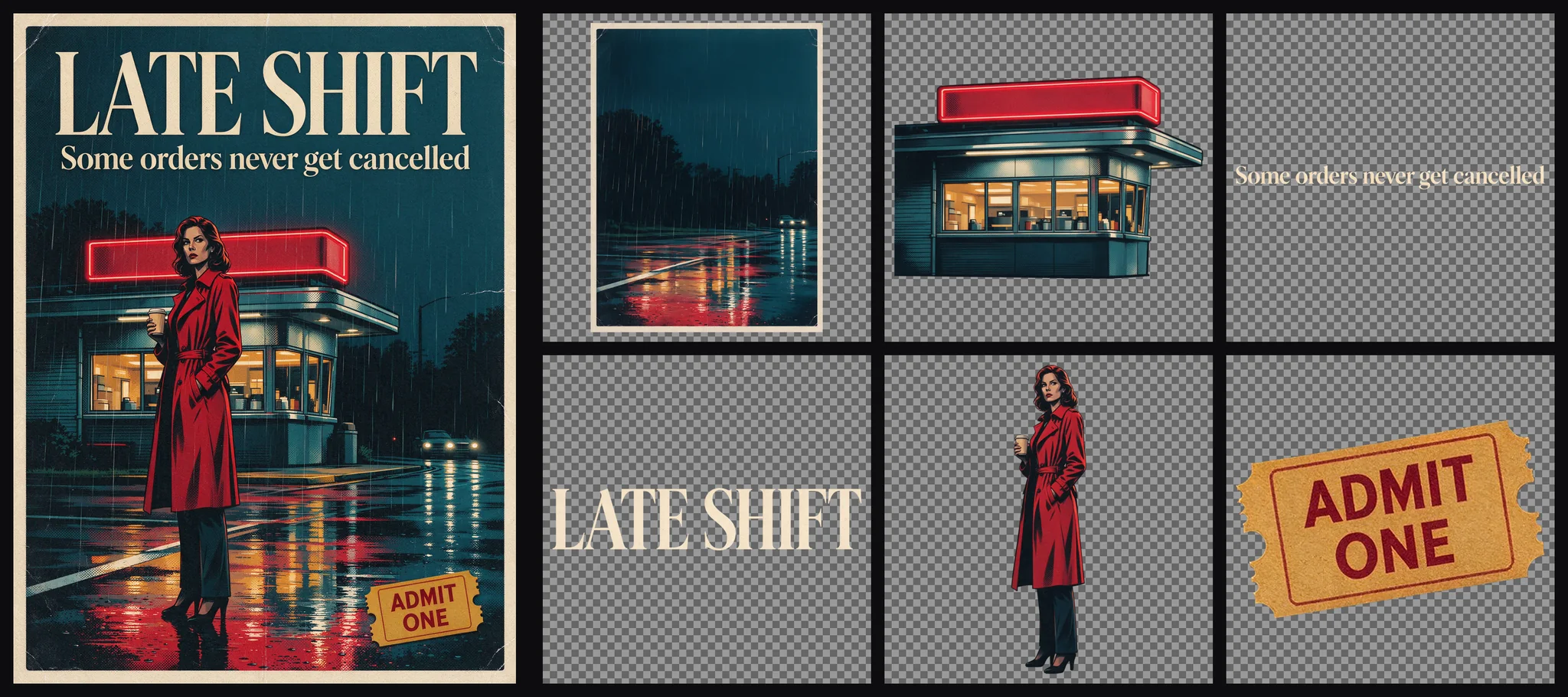
We sent the poster with no prompt and resolution set to auto. It came back with 8 images: the base plate plus seven layers, which were the diner, a distant car, the red neon sign, the woman in the red trench coat, the tagline, the LATE SHIFT title and the ADMIT ONE ticket stub.
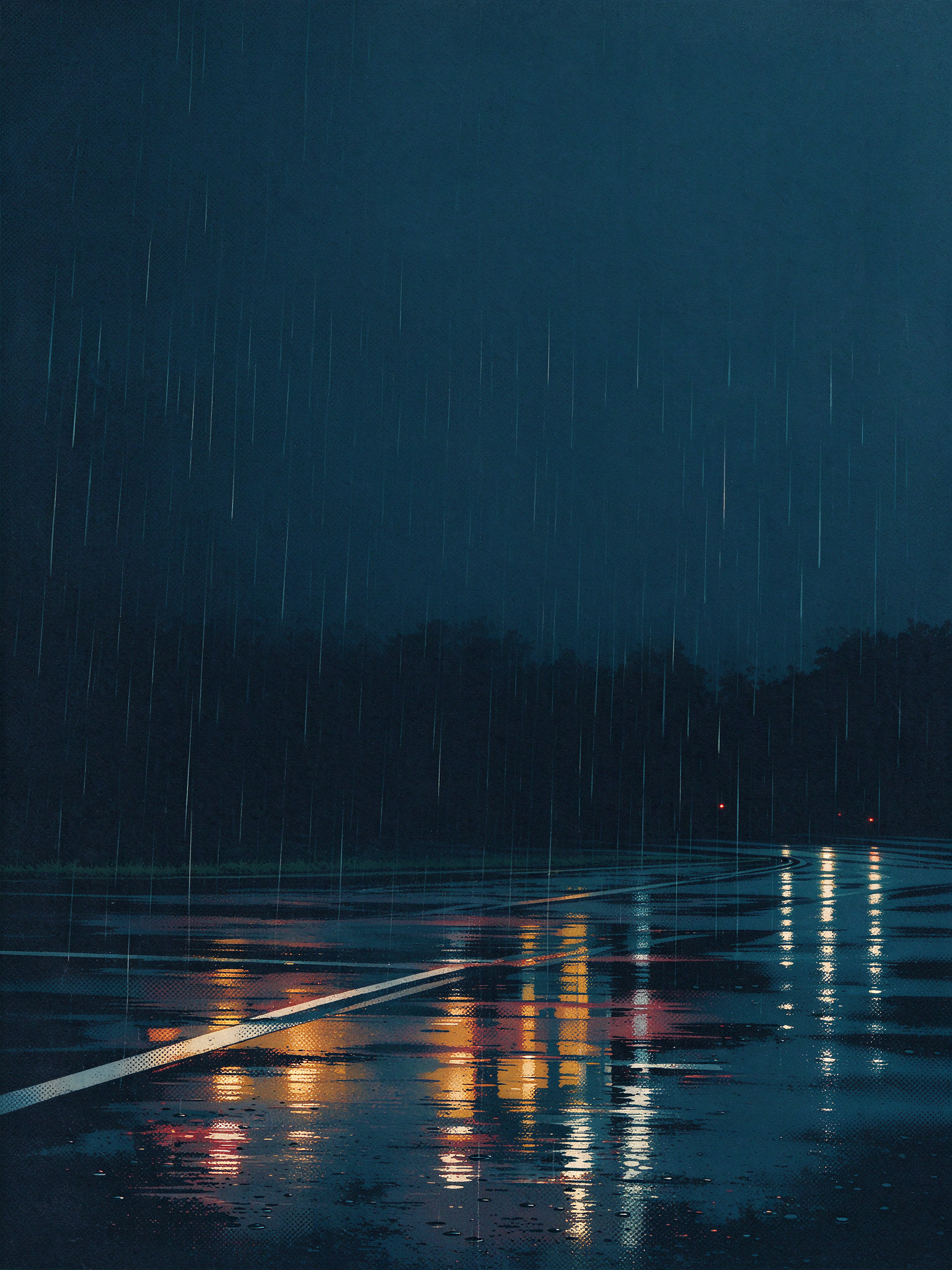
The base plate is a rainy street with the diner, the woman and all the lettering gone and the street filled in. Whatever sat behind a removed element is painted in by the model, so it looks right but is not the original pixels.
Two of the Flash layers on their own (the checkerboard you would see in an editor is just transparency):

Pro, naming the elements
Pro got the same poster, with a prompt naming five elements, at 1.5K:
Separate the LATE SHIFT title, the tagline, the woman in the red trench coat,
the diner building and the ADMIT ONE ticket stub into their own layers
Six images came back: the base plate and five layers named Diner building, Tagline text, LATE SHIFT title, Woman in red trench coat and ADMIT ONE ticket stub. Stacking them by their boxes reproduces the original poster.
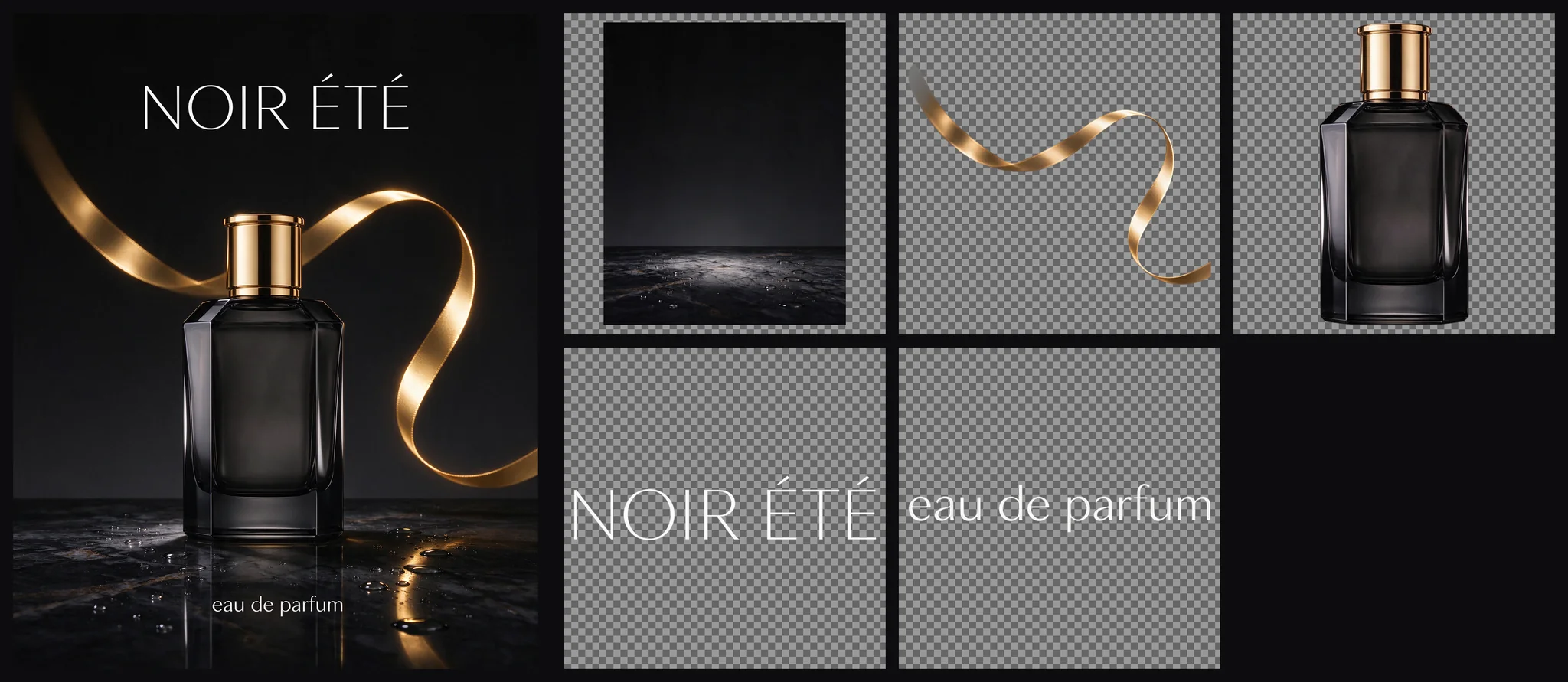
Pro also handled the perfume ad we made earlier. We named four elements (the NOIR ÉTÉ headline, the bottle, the gold ribbon and the small "eau de parfum" line) and got five images: an empty black marble plinth as the base plate, plus the four layers. That is a product shot you can restage on a new background without regenerating anything.
Flash or Pro?
| Flash | Pro | |
|---|---|---|
| Price per output image | $0.026 at every resolution | $0.042 (1K, 1.5K), $0.084 (2K and auto) |
Default resolution | auto | 1.5k |
| Names and boxes | name and boundingBox on every layer | name and boundingBox on every layer |
| Same poster, automatic split | 7 layers plus base plate | 8 layers plus base plate |
| Adult-oriented input images (NSFW, up to intense themes) | Accepted | Accepted |
| An intimate scene between two adults | Accepted | Refused, not charged |
| Prompt | Optional; at least 3 characters if written | Optional |
Pick Flash by default: it is cheaper and completed all adult-input categories tested here. Pick Pro when Flash's split misses an element you need and your input is not an intimate scene between two adults (a covered version of the same scene splits normally). On Pro a refused image comes back as a failed task with a generic error and no charge; do not retry the same image, send it to Flash. Both give you names and boxes, so both suit the same jobs:
- editing a poster's headline and putting it back;
- swapping only the background and keeping a product or person;
- turning cut-outs into stickers or reusable design assets;
- building a parallax scene or an animation rig from one illustration.
Writing a prompt that names what you want
With no prompt the model decides what counts as an element. With a prompt it splits what you list. Two habits made the results predictable:
- Name every element you care about, with a short noun phrase: "the LATE SHIFT title", "the woman in the red trench coat". Anything you leave out is up to the model, so name what you plan to move. If you ask for fewer elements, you get fewer layers; the cap is 16.
- Point at a region with
<bbox>. Coordinates arex1 y1 x2 y2, normalised to a 0 to 1000 grid with the origin at the top-left corner, regardless of the image size:
Separate the title text <bbox>179 58 809 197</bbox> and the parrot
<bbox>330 274 641 991</bbox> into independent layers
This settles the case where two things look alike or overlap. On a 1536×2048 image, a box from 100 to 900 horizontally covers pixels 154 to 1382.
What it costs
You pay per image returned, and the base plate counts. Typical posters and ads return 3 to 11 images: $0.078 to $0.286 on Flash, and a 6-image Pro run at 1.5K costs 6 × $0.042 = $0.252. Nothing is charged per layer beyond that.
The held amount at acceptance is the price of 17 images: $0.442 on Flash, $0.714 on Pro at 1K or 1.5K and $1.428 on Pro at 2K or auto. It is released down to the real count when the run ends. On Pro, set resolution to 1k or 1.5k for a working split; auto is billed at the 2K rate, so a request copied from a Flash example with auto costs twice as much on Pro.
Try it in the Playground first
- Open the Flash layer decomposition page and stay on the Playground tab, in Form view. Sign in with a funded account to run.
- Add your poster or ad under Input image (a file, or an Asset URL).
- Leave Prompt empty to let the model pick the main elements, or name the ones you want to move, with
<bbox>where two things look alike. - Leave Resolution on
autofor Flash, then run the model. The result opens as a layer view where you can hide layers, download one layer or all of them as a zip, or export the visible stack as one PNG. An image you generated on the site can be sent straight into layer decomposition. - If the split misses something, run the same image on the Pro page; there set Resolution to
1kor1.5k, becauseautois billed at the 2K rate.
Then run it from code
Install the Python SDK (pip install spicyapi), set SPICY_API_KEY in your server environment, and run:
import uuid
from spicyapi import SpicyClient, output_assets

client = SpicyClient()  # reads SPICY_API_KEY from the environment

task = client.create_task(
    model="bytedance/seedream-5.0-flash/layer-decomposition",
    input_data={
        "image_url": "https://your-cdn.example/poster.png",
        "prompt": "Separate the LATE SHIFT title, the tagline, the woman in the red trench coat, "
                  "the diner building and the ADMIT ONE ticket stub into their own layers",
        "resolution": "auto",
        "output_format": "png",
    },
    idempotency_key=str(uuid.uuid4()),
)

print("Resume task:", task["taskId"], flush=True)
final = client.wait_for_terminal(task["taskId"])  # a run takes about 45 to 100 seconds
if final["state"] != "succeeded":
    raise RuntimeError(f"{task['taskId']} ended as {final['state']}: {final.get('errorCode')}")
assets = output_assets(final)  # assets[0] is the base plate; copy the files to your own storage now
if not assets or any(a.get("pending") or a.get("unavailable") or not a.get("url") for a in assets):
    raise RuntimeError(f"Task {task['taskId']} has no ready output; check this task before a new run")
For Pro, use bytedance/seedream-5.0-pro/layer-decomposition with "resolution": "1.5k". Keep the source image under 10 MB. Creating, waiting, downloading, retries and the callback body are in the tasks guide and the Python SDK reference.
Or let an Agent run it
When an assistant should run the split, all three official tools show the price and ask you before a paid call.
- CLI. Put the same
inputobject ininput.json, then:
``bash spicyapi tasks create --model bytedance/seedream-5.0-flash/layer-decomposition --input-file input.json --wait ``
See the CLI docs; npx @spicyapi/cli works without installing.
- MCP server. Add the MCP server to your assistant, then ask: "Split this poster into layers with Seedream 5.0 Flash and name the title, the tagline and the woman." It calls
spicyapi_task_create, which stops for your price confirmation, thenspicyapi_task_wait. - Skill.
npx skills add spicyapi-ai/spicy-skillinstalls the Agent Skill, which has a coding assistant read the live model schema instead of guessing fields.
Put the layers back
A layer PNG is usually higher resolution than the box it occupies (for example a 671×139 box with a 1233×256 PNG), so scale each layer into its box, then draw them from the lowest zIndex to the highest. This works on the output of both Flash and Pro.
Python with Pillow:
import io
import requests
from PIL import Image

def fetch(url):
    return Image.open(io.BytesIO(requests.get(url, timeout=60).content)).convert("RGBA")

assets = output_assets(final)                      # from the finished task above
if not assets or any(a.get("pending") or a.get("unavailable") or not a.get("url") for a in assets):
    raise RuntimeError(f"Task {task['taskId']} has no ready output; check this task before a new run")
canvas = fetch(assets[0]["url"])                   # base plate, zIndex 0

for a in sorted(assets[1:], key=lambda a: a["layer"]["zIndex"]):
    box = a["layer"].get("boundingBox")
    if not box:
        continue                                   # no position: place this one by hand
    x1, y1, x2, y2 = [round(v) for v in box]
    layer = fetch(a["url"]).resize((x2 - x1, y2 - y1), Image.LANCZOS)
    canvas.paste(layer, (x1, y1), layer)           # alpha-aware paste

canvas.convert("RGB").save("recomposed.jpg", quality=95)
The same in the browser with canvas:
async function load(url) {
  const img = new Image();
  img.crossOrigin = "anonymous";
  img.src = url;
  await img.decode();
  return img;
}

const assets = task.data.output.assets;           // task: the finished task's JSON
const base = await load(assets[0].url);
const canvas = document.createElement("canvas");
canvas.width = base.naturalWidth;
canvas.height = base.naturalHeight;
const ctx = canvas.getContext("2d");
ctx.drawImage(base, 0, 0);

const layers = assets.slice(1).sort((a, b) => a.layer.zIndex - b.layer.zIndex);
for (const a of layers) {
  const box = a.layer.boundingBox;
  if (!box) continue;                              // no position: place this one by hand
  const [x1, y1, x2, y2] = box;
  ctx.drawImage(await load(a.url), x1, y1, x2 - x1, y2 - y1);
}
To swap the poster's title, leave that layer out of the loop, draw your own text into the same box, and keep the rest. To change only the background, replace assets[0] with your own image at the same size.
Other ways to split an image into layers
Most pages that rank for this search are browser tools with credit pricing and no API. The main open alternative is Qwen-Image-Layered (Apache 2.0, 20B parameters), which you can self-host on a GPU or call through fal at $0.05 per output image (a default 4-layer run is about $0.20 if each layer is billed). There you set the number of layers (4 by default) and get full-canvas transparent images with no names or positions, and fal's safety checker is on by default and returns black images for flagged inputs. Choose it when you need a fixed layer count or your own hosting. Choose Seedream layer decomposition when you want trimmed layers with a name and position each, a prompt that names the elements, and adult input images accepted; at $0.026 per image on Flash it is also cheaper per image.
FAQ
How many layers will I get?
As many as the model finds, up to 16 plus the base plate. You cannot set a number. Name the elements you want to control the count, and if one is missing, name it (or give its <bbox>) and run again; a rerun is billed like a new run.
Can I split an image that was not made by SpicyAPI?
Yes, any single image within the limits on the model page. To make poster material that splits cleanly, start with Seedream 5.0 Flash text to image.
Are results repeatable?
No. There is no seed, so run the split once, keep the files and edit those.
Where to go from here
Try a poster you already like on Flash layer decomposition; if its split misses something, run the same image through Pro.