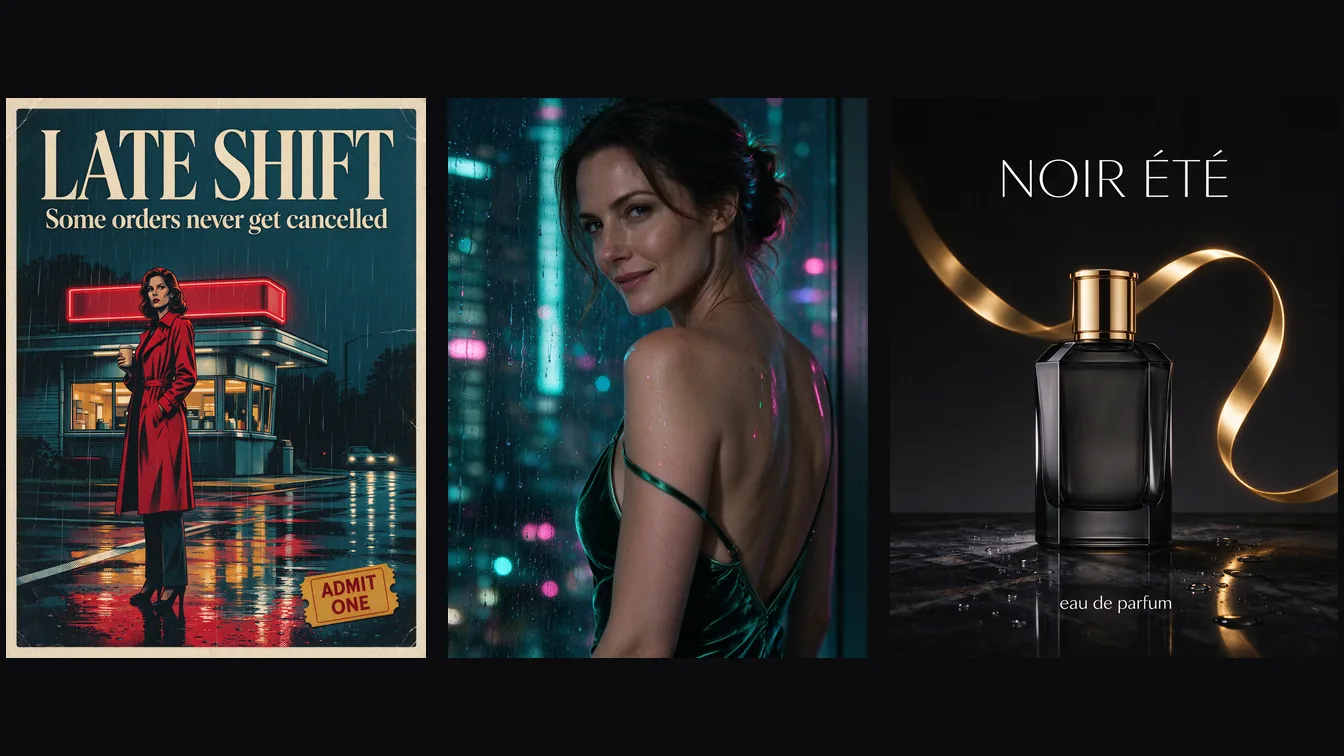
If you need inexpensive 2K drafts, readable lettering or reference edits, Flash offers a flat price across resolutions.
Short answer: Seedream 5.0 Flash costs $0.029 per image at 1K, 1.5K and 2K alike, so render at 2K. Based on our September 2026 tests, a 2K image usually comes back in about half a minute, both lettering prompts were spelled correctly, and the adult portrait examples rendered with no extra switch; stronger requests sometimes produced changed images. It also edits from up to ten reference images and splits an image into layers.
At a glance
- Price: 100 images cost $2.90. Seedream 5.0 Pro lists $0.036 at 1K and $0.072 at 2K, about 2.5 times Flash at 2K. Layer decomposition is $0.026 per output image.
- Speed: in the September test runs, most 2K images took 29–37 seconds; one took 92 seconds. Edits took 35–48 seconds. These are observations from that run, not a latency guarantee.
- Mature content: no switch and no separate endpoint. In September 30 tests, the 1K 3:4 batch included changed images, while a separate batch mixing 2K and 1.5K delivered all 18 requests as written. October 3 tests still included a substituted moderate-NSFW image and a softened advanced-NSFW image, so delivery does not always mean the requested content was retained. The full record is in Is Seedream 5.0 Flash uncensored?
- Limits and defaults: 15 aspect ratios from 1:3 to 3:1 (text-to-image defaults to 1:1; edits default to
auto, which keeps the shape of the first reference), JPEG by default or PNG, prompts up to 5,000 characters, one image per request. - No seed. The same prompt gives a different image each time, so keep the results you like.
Eight text-to-image prompts, and what came back
Every image below was generated at 2K with the prompt shown, unedited. Each prompt is a photographer's brief: subject, clothing, light, lens or medium.
A portrait with light doing the work
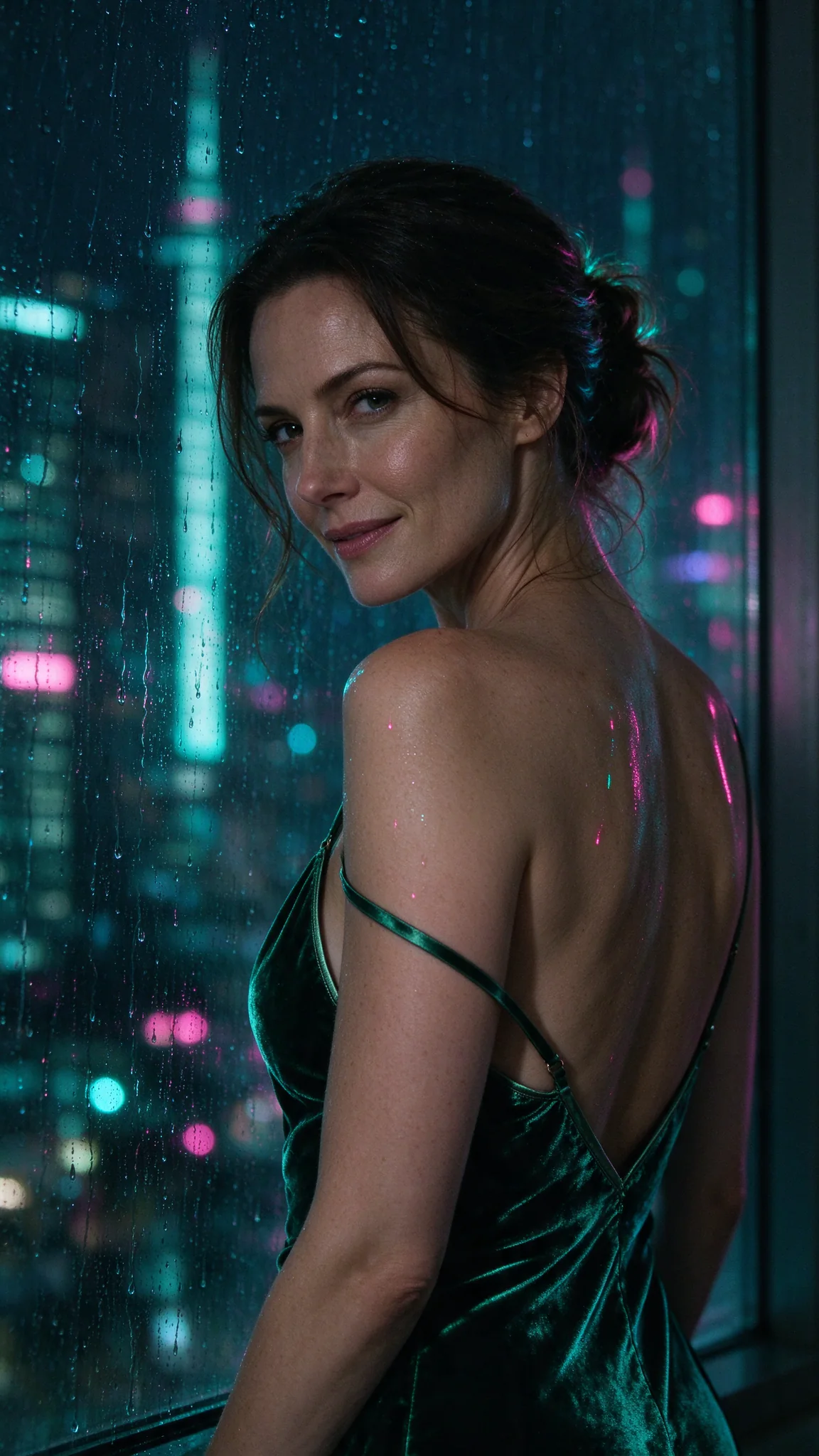
A woman in her thirties in a deep emerald velvet slip dress leans against a
rain-streaked window at night, one thin strap slipping off her shoulder, city
neon smeared in pink and teal across the glass and her collarbone, she looks
back over her shoulder at the camera with a slow half-smile, 35mm film look,
shallow depth of field, photorealistic
Aspect ratio 9:16. The "slipping strap" carries the sensual note without graphic wording, and the neon lands on the glass and on her skin as asked. A film-stock phrase like "35mm film look" steers grain and colour.
A poster with real lettering
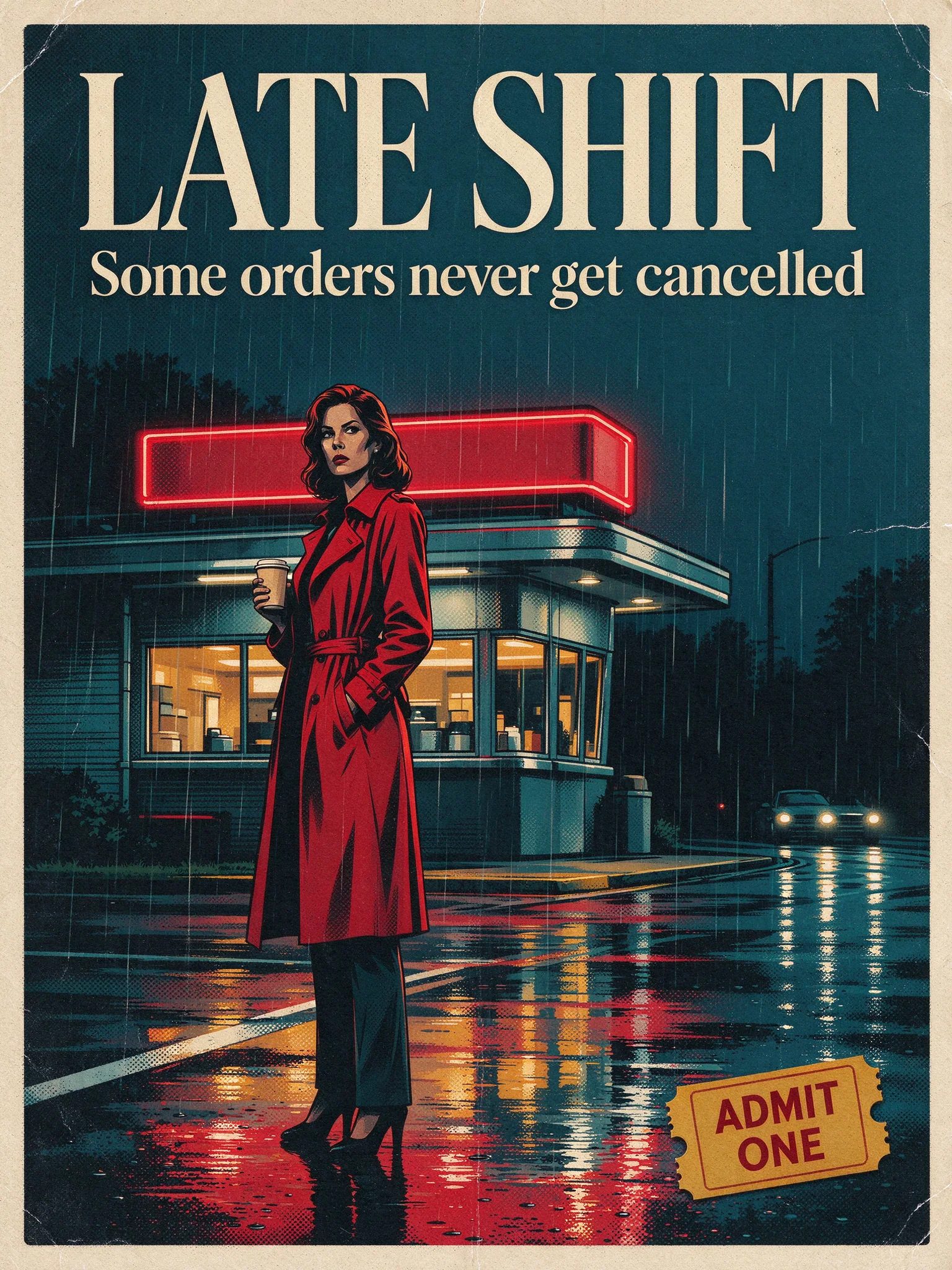
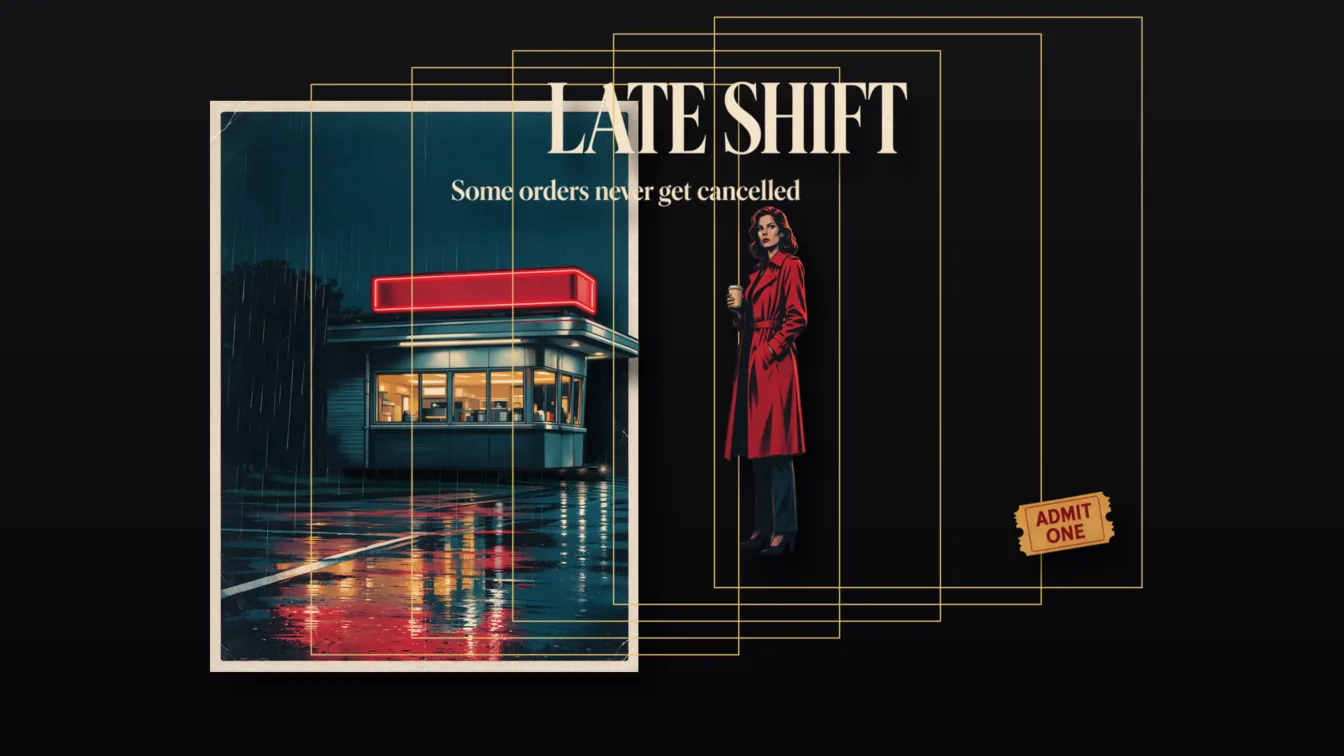
A retro cinema poster: a woman in a red trench coat stands under a flickering
diner sign in the rain, holding a paper coffee cup; bold cream serif title
'LATE SHIFT' across the top, smaller tagline 'Some orders never get cancelled'
beneath it, and a small yellow ticket stub graphic in the lower right corner
reading 'ADMIT ONE'; wet asphalt reflections, cinematic teal and red palette,
clean graphic design with clear separated elements
Aspect ratio 3:4. All three text elements are spelled correctly. Put every string in single quotes and say where each one goes and how big it is. The closing phrase "clear separated elements" also makes the poster easy to split into layers.
A product ad with an accent
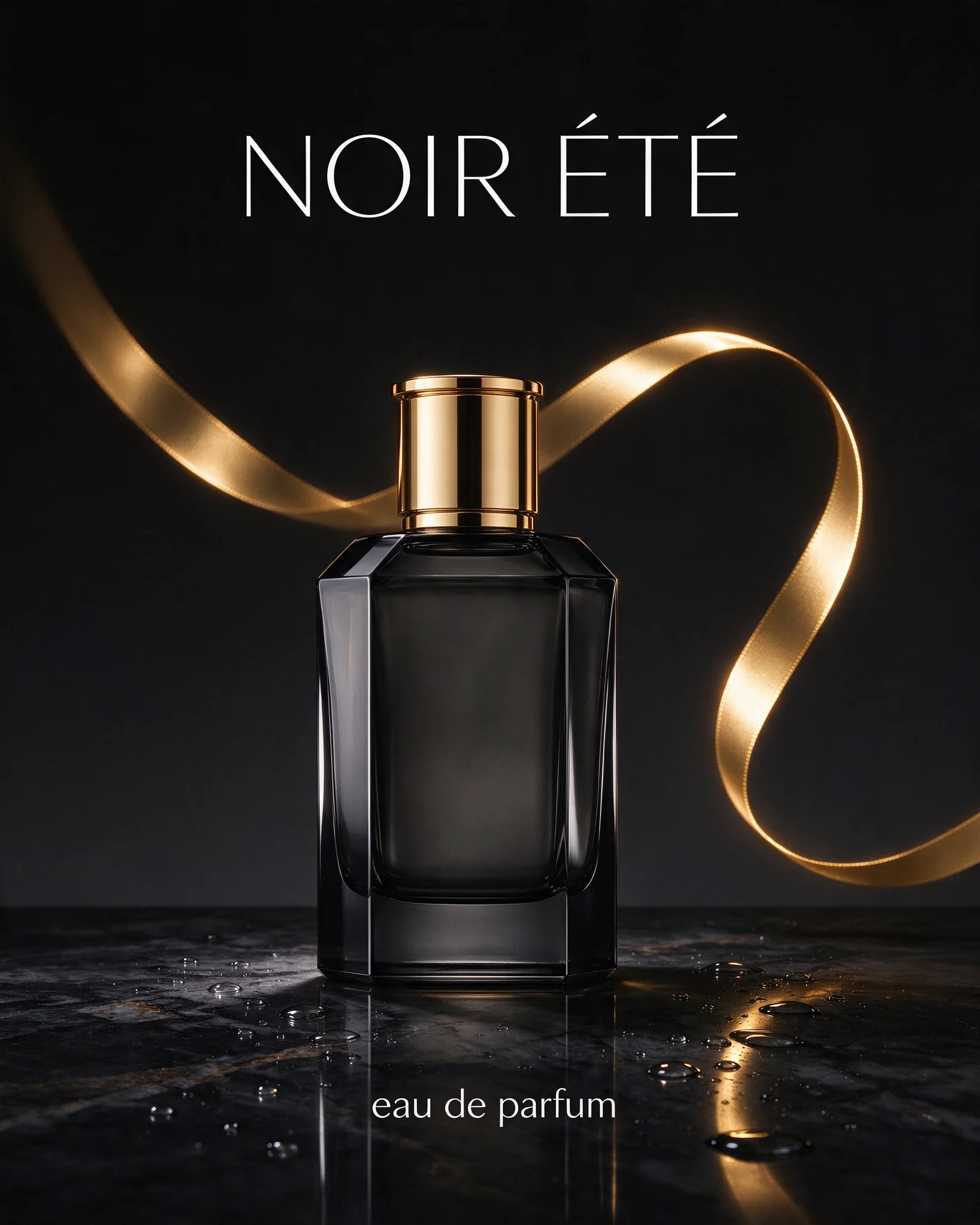
A luxury perfume advertisement: a faceted smoky-glass perfume bottle with a gold
cap stands on wet black marble, a single ribbon of warm gold light behind it,
droplets on the stone; elegant thin white headline 'NOIR ÉTÉ' at the top and
small text 'eau de parfum' under the bottle; minimal premium product
photography, deep black background
Aspect ratio 4:5. The accented headline and the small line under the bottle are both correct.
Boudoir, kept quiet
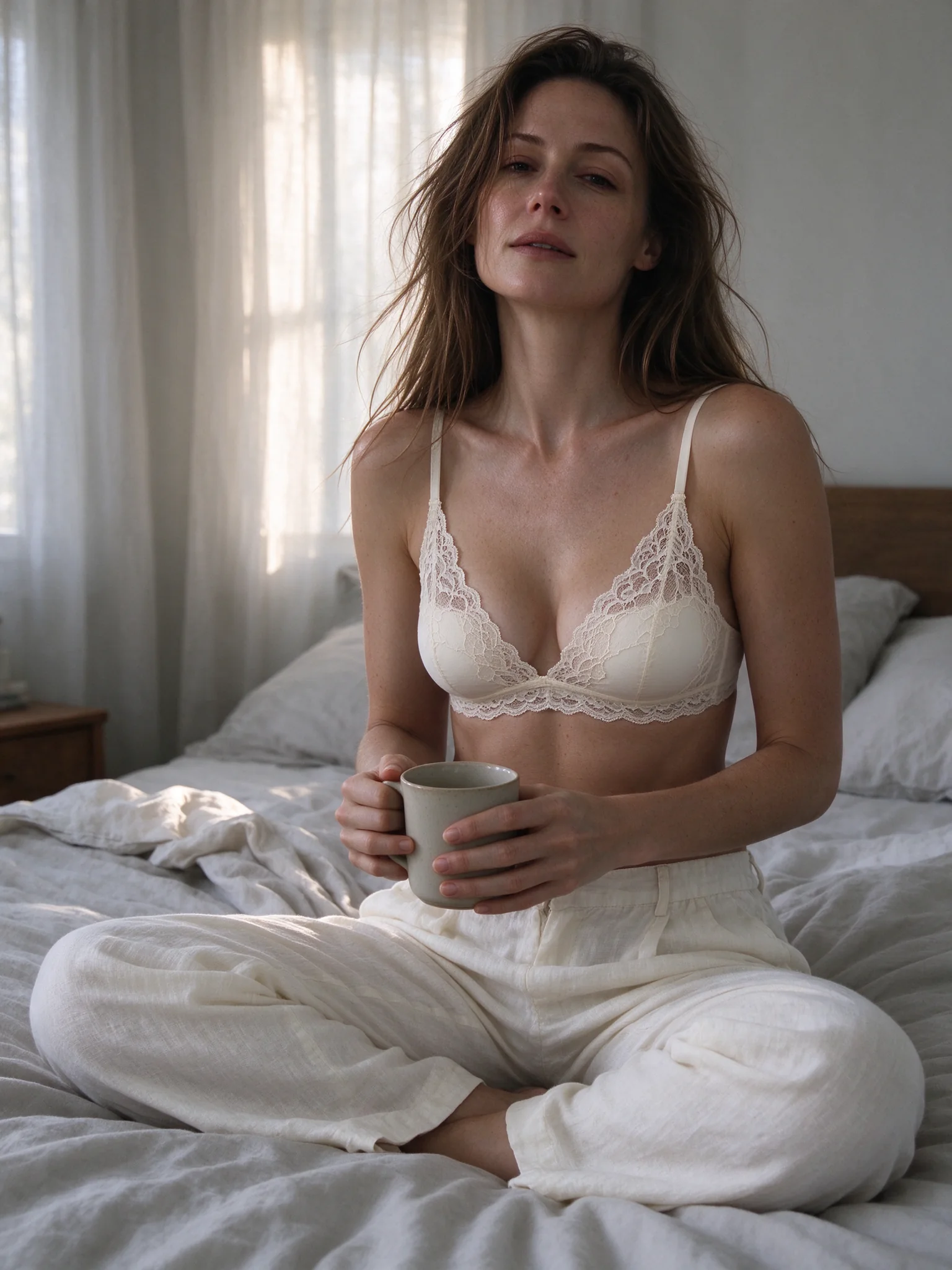
A woman in an ivory lace bralette and loose linen trousers sits cross-legged on
an unmade bed in soft morning light, hair tousled, holding a ceramic mug with
both hands, sheer curtains glowing behind her, intimate but relaxed boudoir
mood, natural skin texture, photorealistic
Aspect ratio 3:4.
A couple, and two women
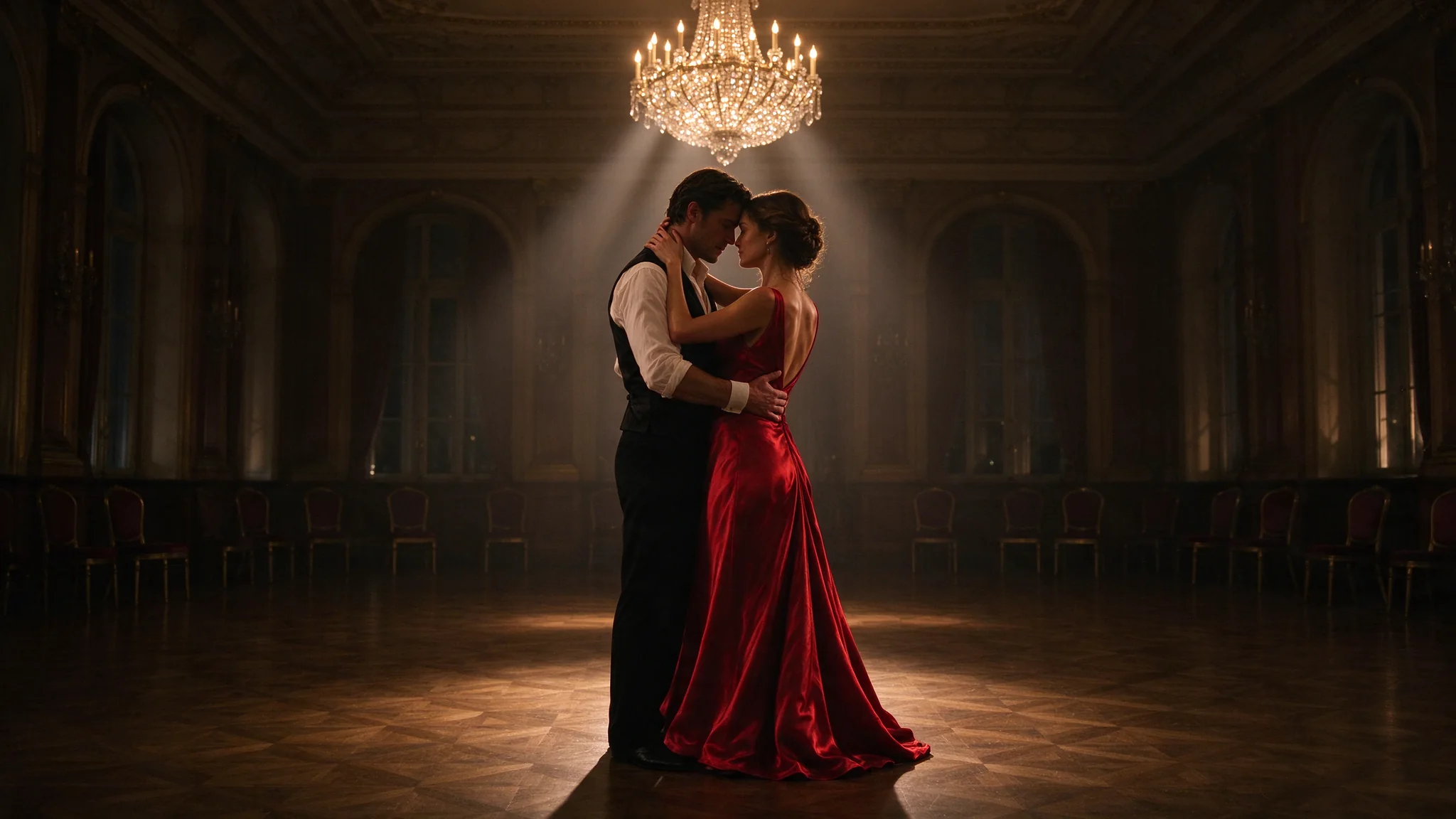
A man in a black waistcoat and a woman in a backless red satin dress dance close
in an empty ballroom after hours, her hand on the back of his neck, foreheads
almost touching, a single chandelier lit above them, dust in the light beams,
polished parquet reflections, cinematic romance still
Aspect ratio 16:9. The hand on the neck and the near-touching foreheads read clearly.
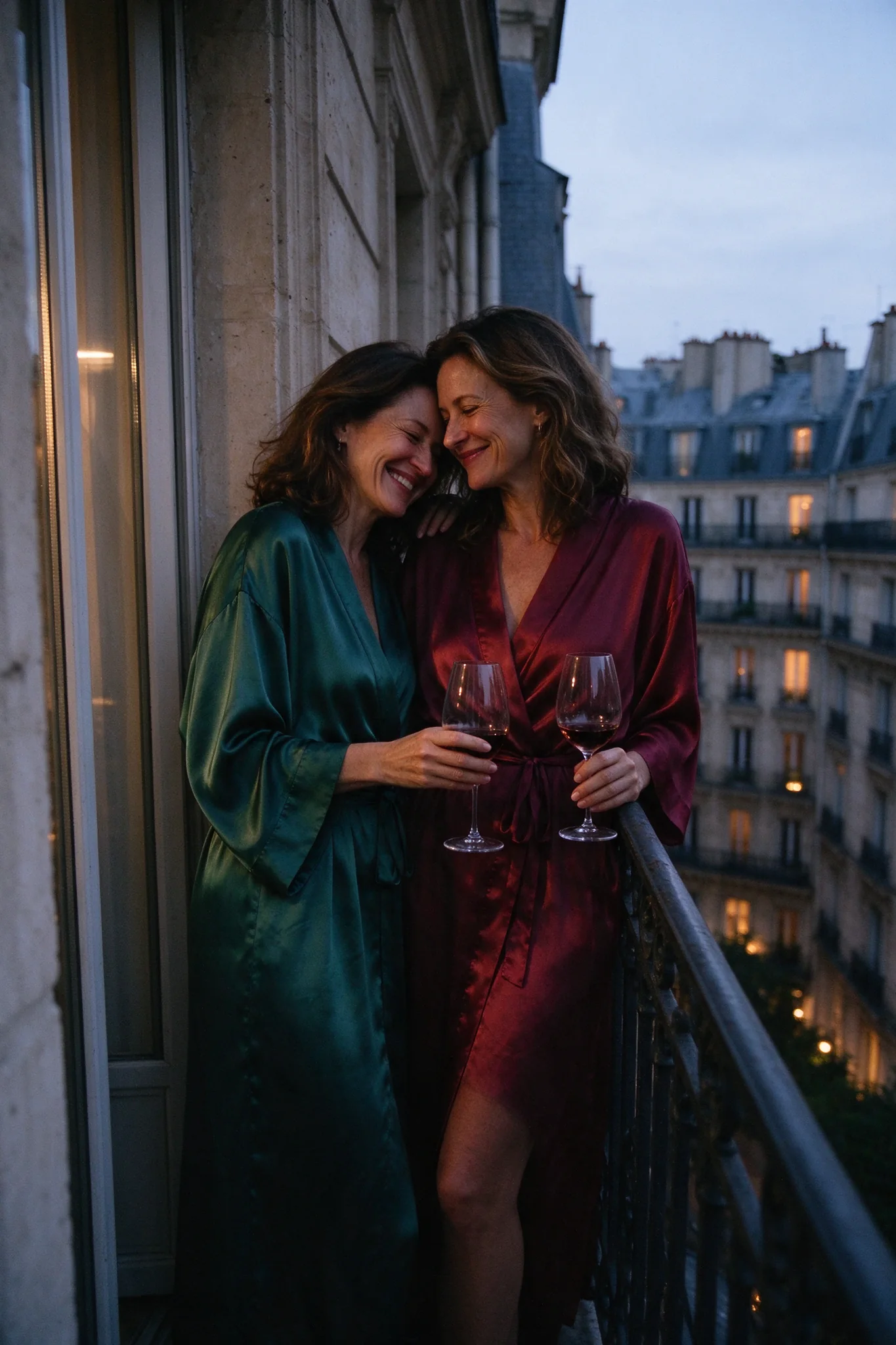
Two women in silk robes share a quiet laugh on a narrow Parisian balcony at dusk,
one leaning her head on the other's shoulder, wine glasses on the wrought-iron
railing, rooftops and warm windows behind, soft blue-hour light, tender candid
photograph
Aspect ratio 2:3. Naming the light ("soft blue-hour light") sets the colour of the whole frame.
Men get a set too
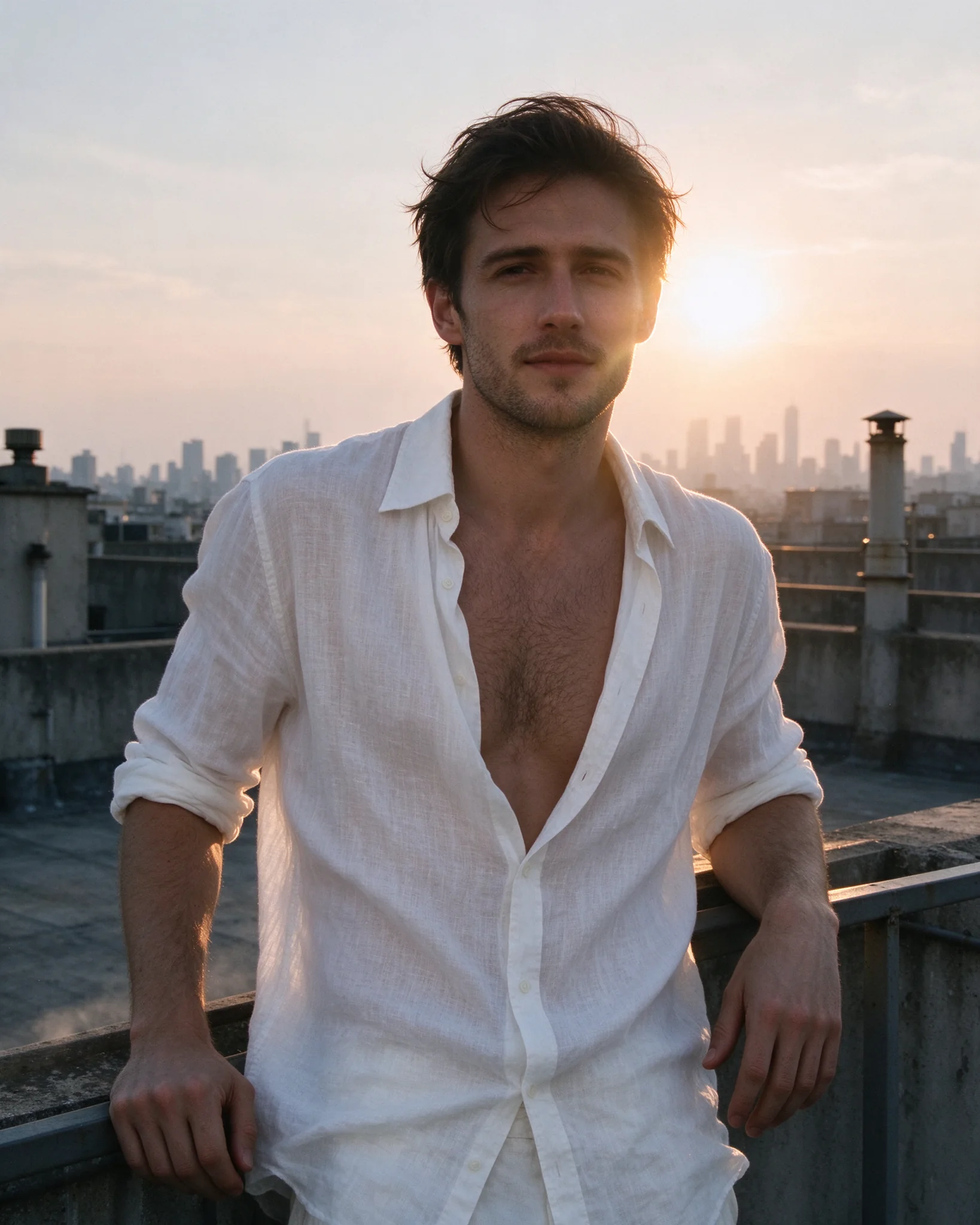
A man in his late twenties stands on a concrete rooftop at golden hour, white
linen shirt unbuttoned and loose in the wind, sleeves rolled, forearms on the
railing, low sun rim-lighting his jaw and chest, hazy skyline behind, candid
editorial fashion photograph, warm film grain
Aspect ratio 4:5. "Rim-lighting his jaw and chest" tells the model where the light goes, and the backlight follows.
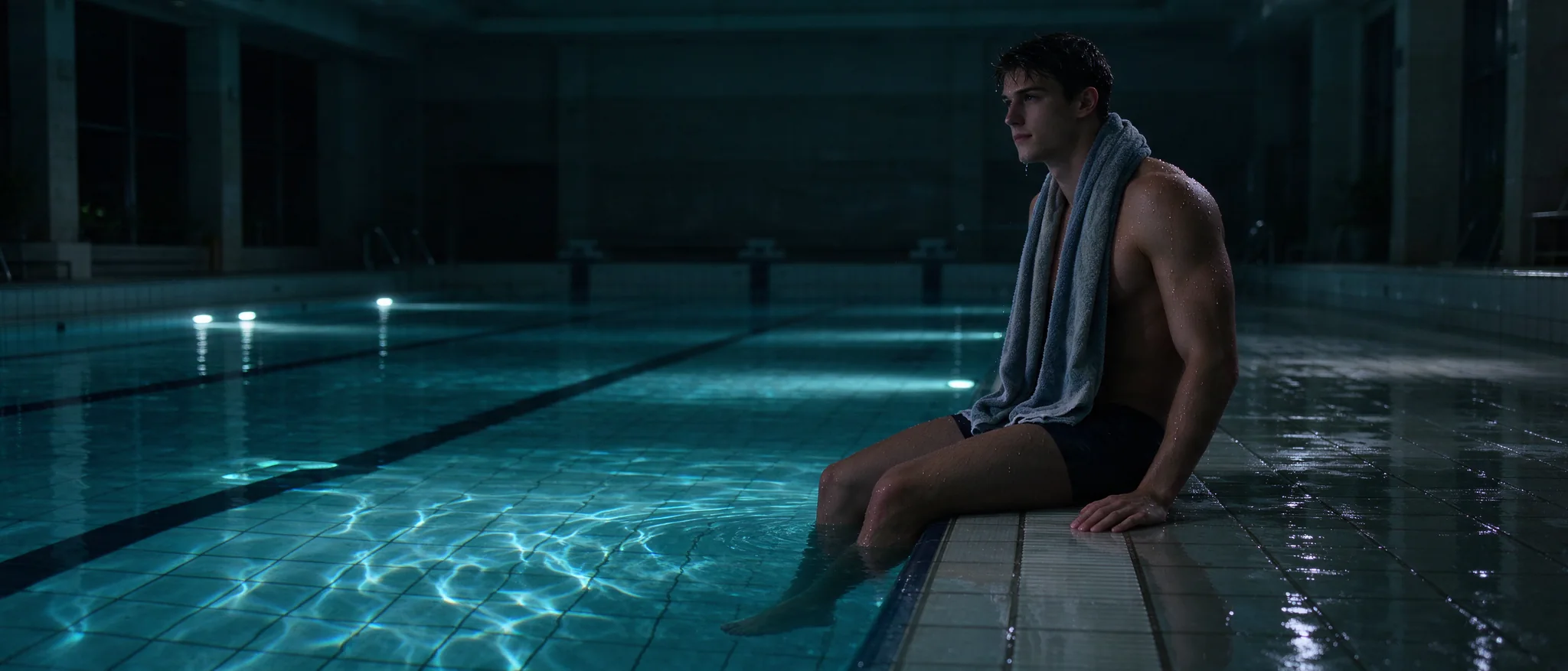
A muscular swimmer in his twenties sits on the edge of an empty indoor pool at
night, water beading on his shoulders, towel around his neck, underwater lights
casting rippling cyan patterns across the tiled walls, wide cinematic frame,
moody and quiet
Aspect ratio 21:9. Use 2:1 or 3:1 for wider banners.
Three edits, with the prompts
Editing takes one to ten reference images (JPEG, PNG or WebP, up to 30 MB each) as URLs in image_urls, at the same $0.029 whether you send one or ten. Say what must stay, then say what changes. Every edit re-renders the whole frame, so anything you leave unnamed can shift. Start independent variations from your original references. For cumulative changes, use the latest accepted output and check for drift; if you return to the original, include the changes you want to keep in the prompt. Name an aspect_ratio if you need a different frame than the first reference; the subject is recomposed into it, not cropped.
Change the clothes and the light, keep the person
Input: the lace bralette photo above.
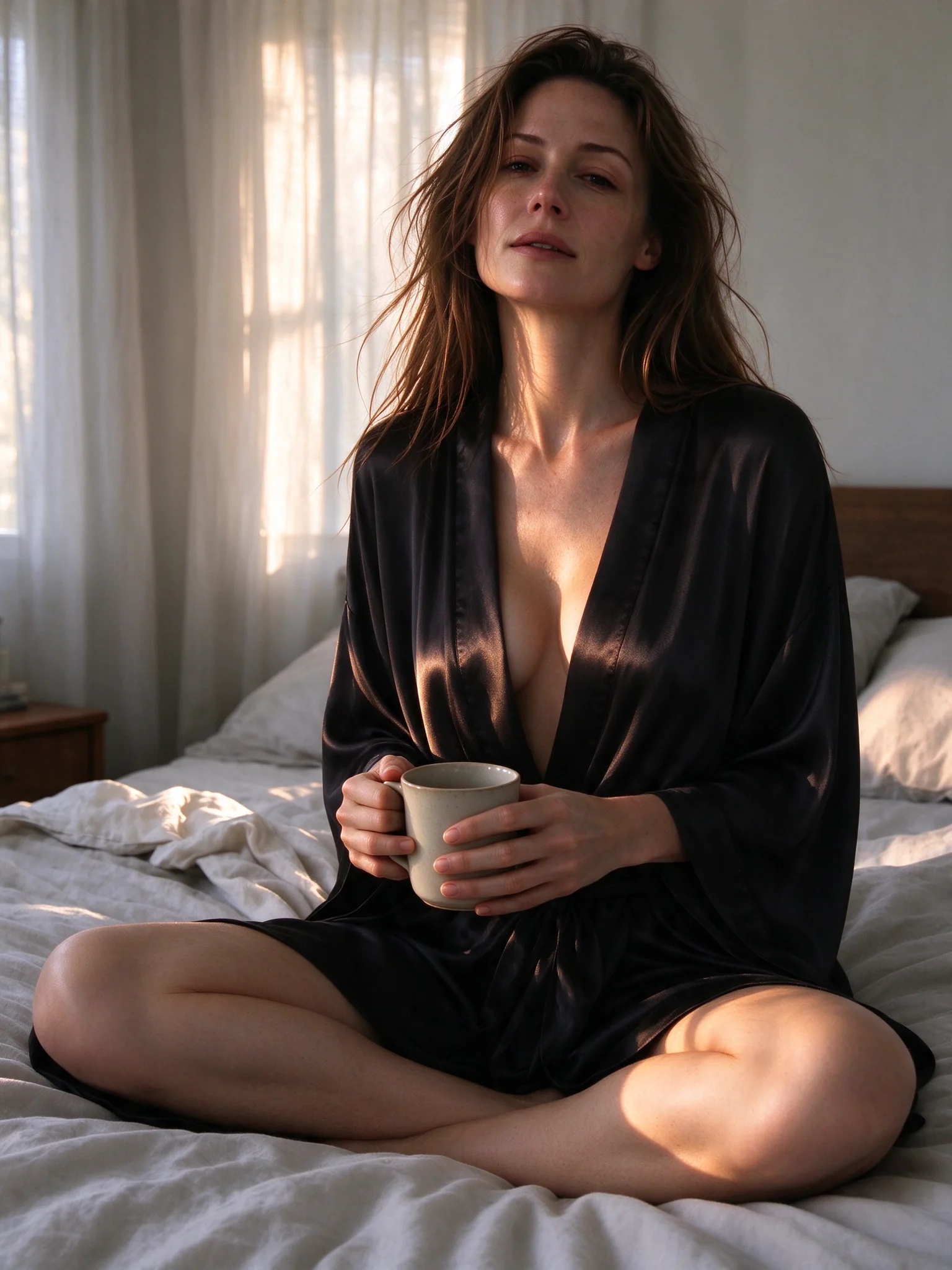
Keep her face, hair, pose, the ceramic mug and the unmade bed exactly as they
are. Replace the ivory lace bralette and linen trousers with a black silk robe
loosely tied at the waist, and turn the soft morning light into warm
late-afternoon sun slanting through the curtains.
The face, hairstyle, mug and bedroom remain broadly consistent, while the robe and warmer light match the requested edit. Her knee placement and some bed folds also change. Name the elements you want to retain, then check them in the result.
Change the whole scene, keep the person
Input: the rooftop photo above.
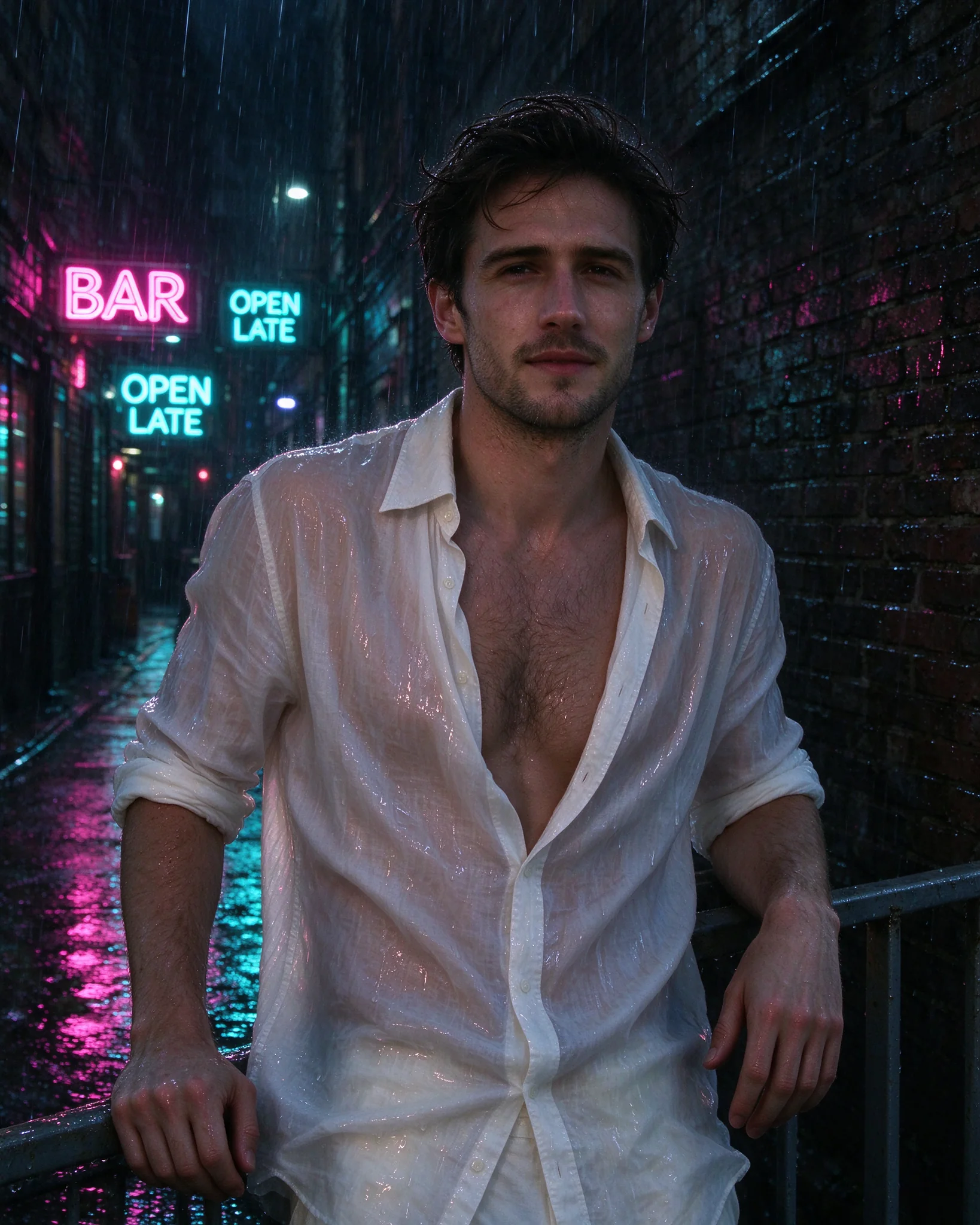
Same man, same face, same pose and the same open white shirt. Move him from the
sunny rooftop to a narrow city alley at night in heavy rain: the shirt is
soaked and clings to his chest, neon signs reading 'BAR' and 'OPEN LATE' in pink
and cyan reflect on the wet ground and on his skin.
His broad stance and open white shirt remain recognizable in the new setting. The signs read BAR and OPEN LATE, and their colours land on the wet ground and his skin.
Three references, three jobs
Inputs: the emerald-dress portrait (face and hair), the ballroom dancers (the dress) and the Parisian balcony (the place).
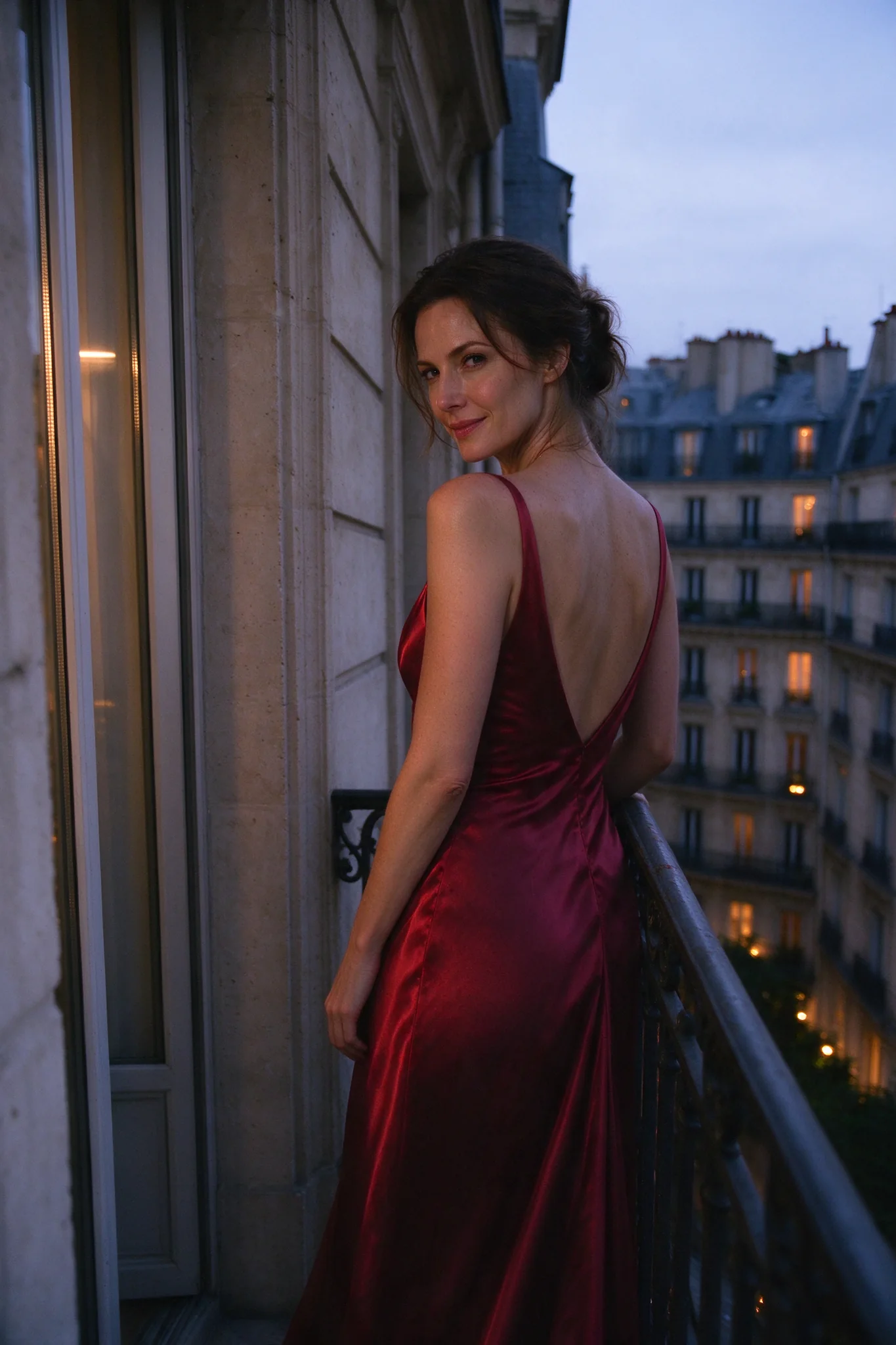
Use the woman's face and hair from the first image, the backless red satin dress
from the second image, and the Parisian balcony at blue hour from the third
image. She stands alone at the wrought-iron railing, glancing back over her bare
shoulder at the camera, warm windows glowing behind her.
Aspect ratio 2:3. The result is one woman on the balcony in the red dress. Referring to the images by order ("from the first image") gives each one a job; a reference with no job gets blended in. Check the face against your reference before you commit to a batch.
Flash or Pro?
| Seedream 5.0 Flash | Seedream 5.0 Pro | |
|---|---|---|
| Text-to-image price | $0.029 at 1K, 1.5K and 2K | $0.036 at 1K, $0.072 at 2K |
| Edit with several references | $0.029, however many you send | $0.036 at 1K or $0.072 at 2K, plus $0.003 for each reference after the first |
| Layer decomposition | $0.026 per output image | $0.042 at 1K and 1.5K (the default), $0.084 at 2K and auto |
| Extra edit control | Transparent background | Transparent background and thinking mode |
Choose Flash for many drafts, 2K output or edits with several references: Flash's price does not move, while Pro adds $0.003 per extra reference. Choose Pro if you want thinking mode on edits. Both layer tools return a name and a position box for every layer, so the pieces stack back into place; Flash is cheaper there, and it also accepts source images showing an intimate scene between two adults that Pro's layer tool can refuse (see the layer guide). For the three Seedream 5.0 models run on the same prompts, see Lite vs Pro vs Flash.
Try it in the Playground first
- Open the text-to-image page and stay on the Playground tab, in Form view. Sign in with a funded account to run.
- Paste a prompt into Prompt (any of the eight above works; put text you want rendered in quotation marks).
- Pick an Aspect ratio and leave Resolution on 2k, the default, since all three tiers cost the same. Choose PNG under Output format if you plan to retouch.
- Run the model. The page's JSON and cURL tabs show the exact request for what you just ran.
- For edits, open the edit page, add your reference images under Images (a file or an Asset URL; the order is the "first, second, third" your prompt refers to), and write what must stay and what changes. For layers, use the layer decomposition page.
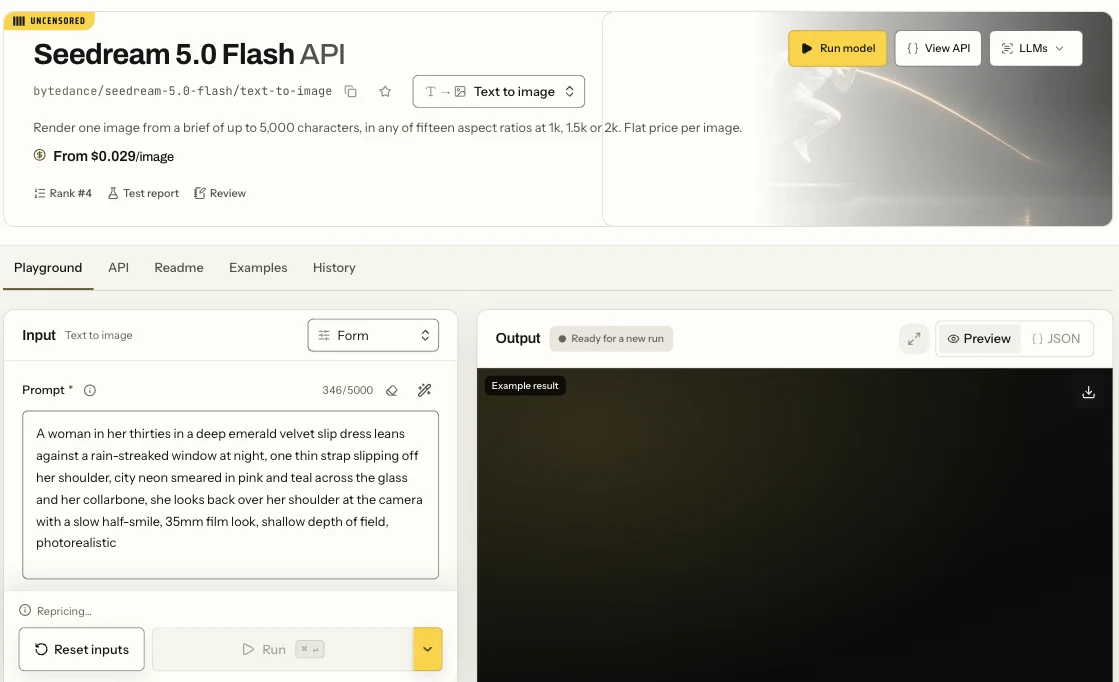
The Seedream 5.0 Flash text-to-image page in Form view: the Prompt field, the settings below it and the Run button.
Then run it from code
Install the Python SDK (pip install spicyapi), set SPICY_API_KEY in your server environment, and run:
import uuid
from spicyapi import SpicyClient, output_assets

client = SpicyClient()  # reads SPICY_API_KEY from the environment

task = client.create_task(
    model="bytedance/seedream-5.0-flash/text-to-image",
    input_data={
        "prompt": "A woman in her thirties in a deep emerald velvet slip dress leans against a "
                  "rain-streaked window at night, city neon smeared in pink and teal across the "
                  "glass, 35mm film look, photorealistic",
        "aspect_ratio": "9:16",
        "resolution": "2k",
        "output_format": "png",
    },
    idempotency_key=str(uuid.uuid4()),
)

final = client.wait_for_terminal(task["taskId"])
if final["state"] != "succeeded":
    raise RuntimeError(f"{task['taskId']} ended as {final['state']}: {final.get('errorCode')}")
print(output_assets(final)[0]["url"])  # copy the image to your own storage now
For editing, use bytedance/seedream-5.0-flash/edit and add "image_urls": ["https://..."] to input_data. Transparent cut-outs ("background": "transparent" with PNG output) work only with one input that is already a PNG with an alpha channel, such as a layer from decomposition. Creating, waiting, downloading, retries and error codes are in the tasks guide and the Python SDK reference; results expire, so see retention and delivery before you build on a returned link.
Or let an Agent run it
When an assistant should run the generations, all three official tools show the price and ask you before a paid call.
- CLI. Put the same
inputobject ininput.json, then:
``bash spicyapi tasks create --model bytedance/seedream-5.0-flash/text-to-image --input-file input.json --wait ``
See the CLI docs; npx @spicyapi/cli works without installing.
- MCP server. Add the MCP server to your assistant, then ask: "Run Seedream 5.0 Flash text-to-image with this prompt at 2k, 9:16." It calls
spicyapi_task_create, which stops for your price confirmation, thenspicyapi_task_wait. - Skill.
npx skills add spicyapi-ai/spicy-skillinstalls the Agent Skill, which has a coding assistant read the live model schema instead of guessing fields.
FAQ
Can I get the same image twice?
No. There is no seed field, and identical requests return different images. Save the ones you want to keep, and use editing to make controlled changes to an approved image.
Does it need an adult-content switch?
No. Text-to-image, editing and layer decomposition take no switch and use no separate endpoint, and editing accepts a source image that already contains adult content. SpicyAPI adds no extra platform-level content filter; the model can still change the requested content. The stronger levels are covered in Is Seedream 5.0 Flash uncensored?
Where to go from here
Paste the LATE SHIFT prompt into the text-to-image page, swap in your own strings and see how the lettering holds. When you have a poster or product shot you like, split it into layers and rework the pieces.