A poster, product shot or portrait can use any of the three Seedream 5.0 versions. The practical choice is how much you pay for the frame size and editing controls you need.
Start with Flash for lower-cost drafts and general image work: Flash is $0.029 per image at every resolution, Pro is $0.036 at 1K and $0.072 at 2K, and Lite is $0.0345 at its fixed 2K sizes. Lite is the only one with fixed size presets and no layer tool, and it was the only one to misspell a requested line; Pro invented unreadable fine print on a label. Based on our September and October 2026 tests, the examples below show their poster lettering, portrait style and product-label behaviour.
Seedream 5.0 Lite vs Pro vs Flash at a glance
| Lite | Pro | Flash | |
|---|---|---|---|
| Price per image | $0.0345 | $0.036 (1K), $0.072 (2K) | $0.029 (1K, 1.5K and 2K) |
| Frame control | 8 named size presets, all in the 2K class (2048*2048 up to 3136*1344) | 15 aspect ratios at 1K or 2K | 15 aspect ratios at 1K, 1.5K or 2K |
| Prompt limit | 3,000 characters | 5,000 characters | 5,000 characters |
| Edit with reference images | 1 to 10 | 1 to 10, extra charge after the first | 1 to 10, no extra charge |
| Layer decomposition | No | Yes, with position boxes and layer names | Yes, with position boxes and layer names |
Thinking pass (enable_thinking, on by default, no price effect) | No | Yes, on text-to-image and edit | No |
| Transparent background on edit | No | Yes | Yes |
Two rows change the bill. Lite has no aspect-ratio field and every preset is 2K-class, so there is no cheap small draft. And with Pro every reference after the first adds to the price (see the cost table), while Flash charges the same flat rate however many references you attach. Lite here does not search the web or take 14 references; it takes a prompt, a size preset, an output format and up to 10 references.
Poster, portrait and product examples
The gallery uses 3:4 outputs: Lite at its 1728*2304 preset, Pro and Flash at 2K, with no retouching. There is no seed control, so a re-run will look different.
Poster with exact lettering
The posters show a BLUE HOUR SESSIONS headline, an event-details line and the footer "free entry before ten". For a new poster of your own, try this separate practice brief:
Jazz club poster, flat screen-print style, saxophonist silhouette against a large sun.
Title in heavy condensed letters: BLUE HOUR SESSIONS
Details line under it: Fridays, doors 8pm
Small footer line: free entry before ten
Try it in the Playground
- Open the brief on Flash, Pro or Lite; the Prompt box is filled in. Log in or create an account first.
- Set Aspect ratio to 3:4 (Lite has Output size instead: pick 1728*2304) and leave Resolution at its default.
- Check the price shown, then press Run model.
- Open the same brief on the other two and compare the footer spelling.
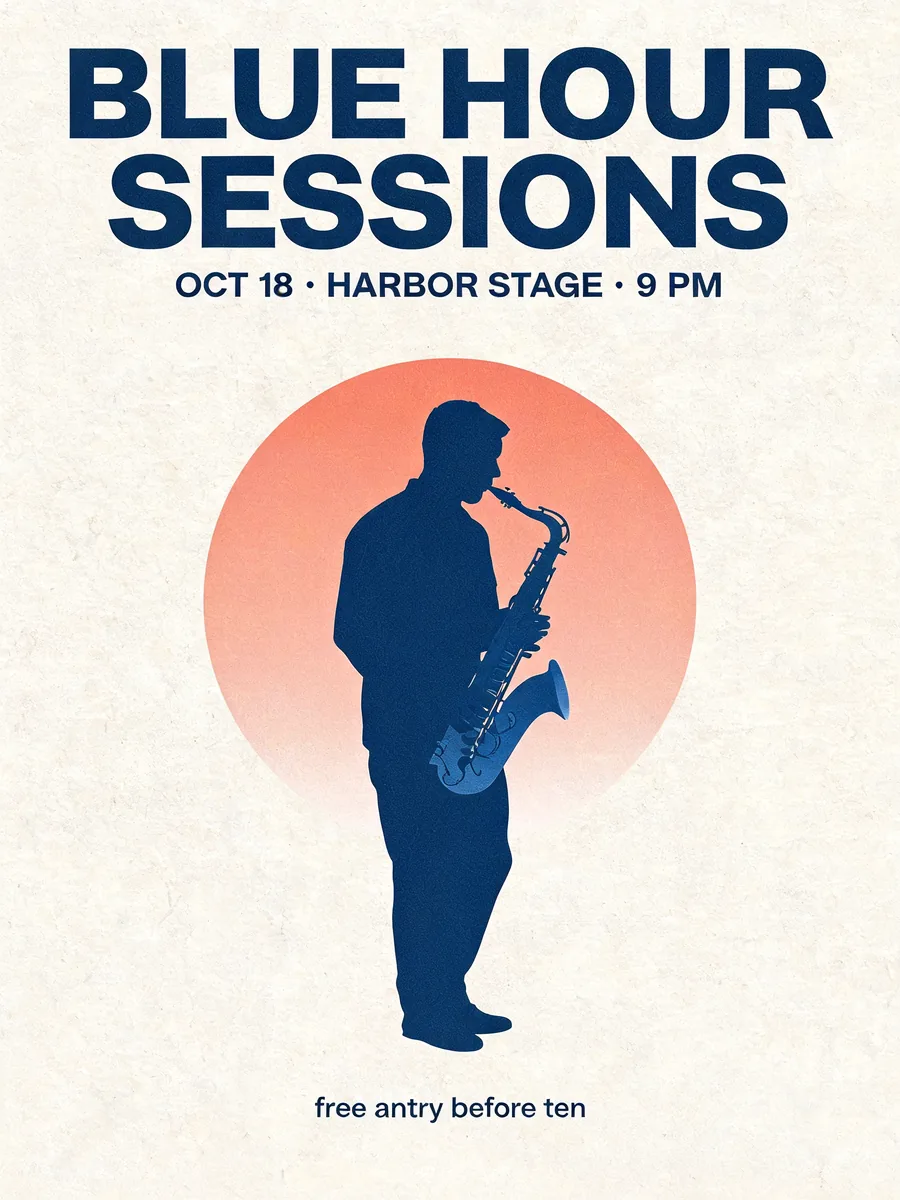
Seedream 5.0 Lite. The footer reads "free antry before ten".
Lite's poster is clean and simple, with a soft gradient circle and a dark silhouette. Its small footer contains a spelling error, so headline readability alone is not enough to approve the design.
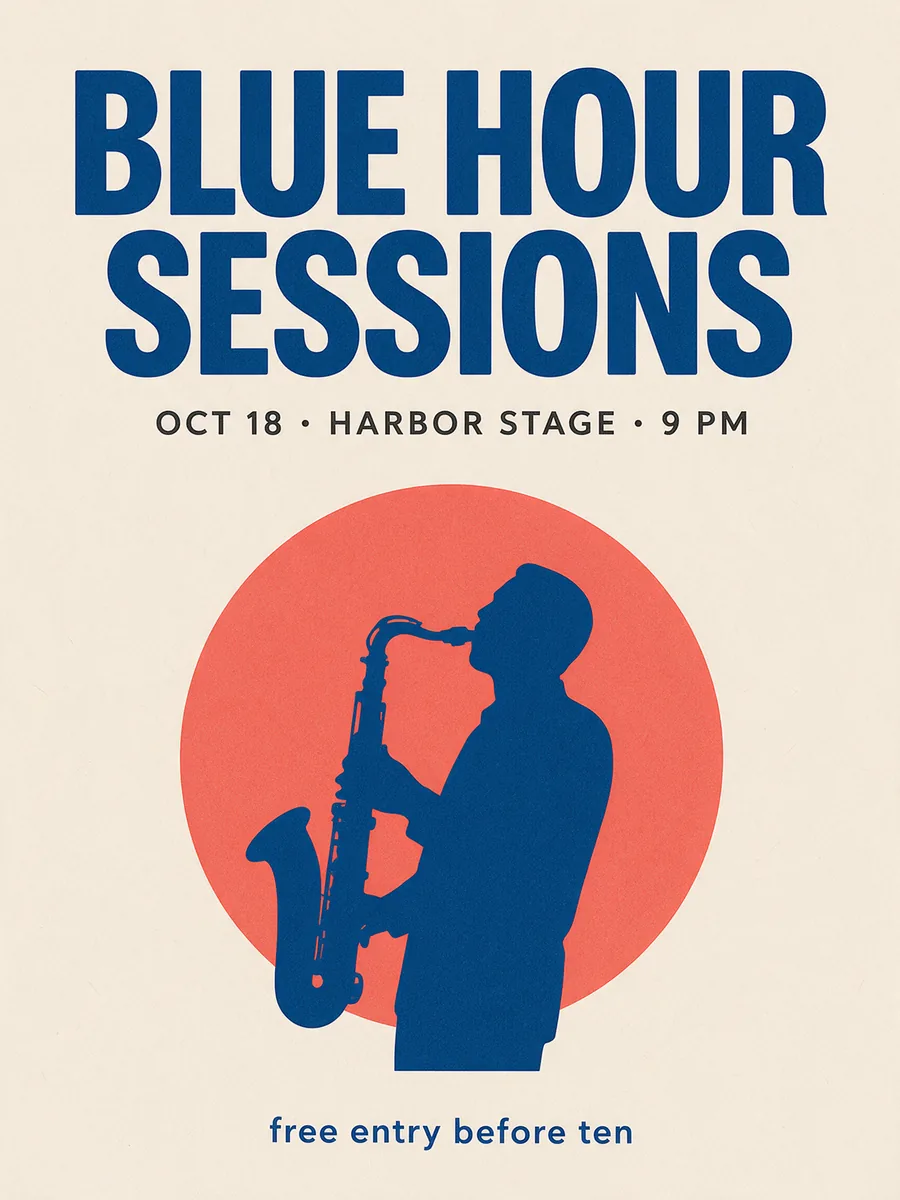
Seedream 5.0 Pro. The visible footer is spelled correctly, and the title is the heaviest of the three.
Pro leans on a chunky title and flat colour, with the musician cropped tightly against the sun. Its event line reads "OCT 18 · HARBOR STAGE · 9 PM"; check that kind of detail against your approved event copy before publishing.
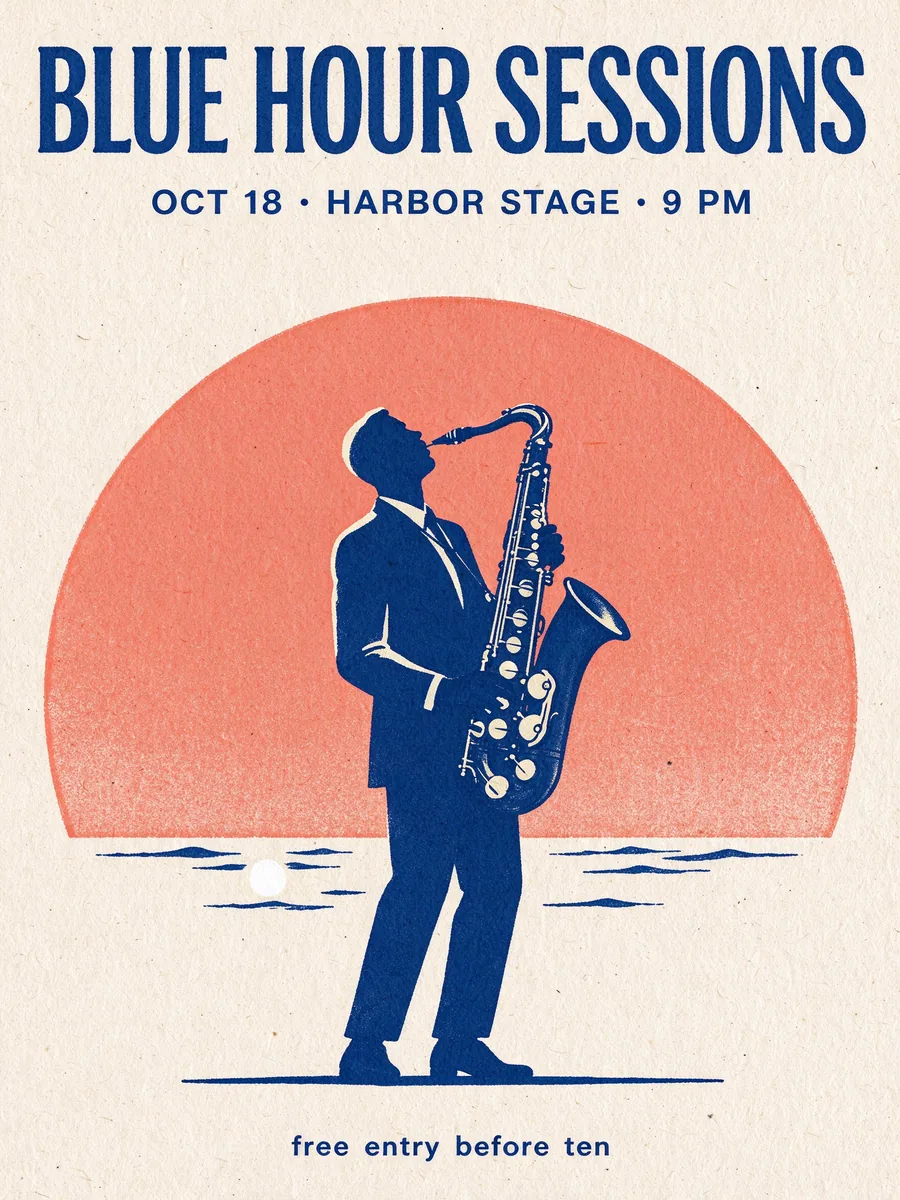
Seedream 5.0 Flash. The visible footer is spelled correctly, with the most illustration detail.
Lite's smallest line reads "free antry before ten"; Pro and Flash show "free entry before ten". All three gallery images use the event line "OCT 18 · HARBOR STAGE · 9 PM", rather than the practice brief's Friday opening time. Proofread both spelling and event information on any of them.
Flash went furthest on the illustration, with visible saxophone keys, a suit jacket, a printed-paper texture and a strip of sea with a small moon.
Boudoir portrait
The brief was a suggestive, fully clothed portrait: a black satin slip dress on a green velvet sofa with one strap slipping off the shoulder, in warm low light. All three followed it.
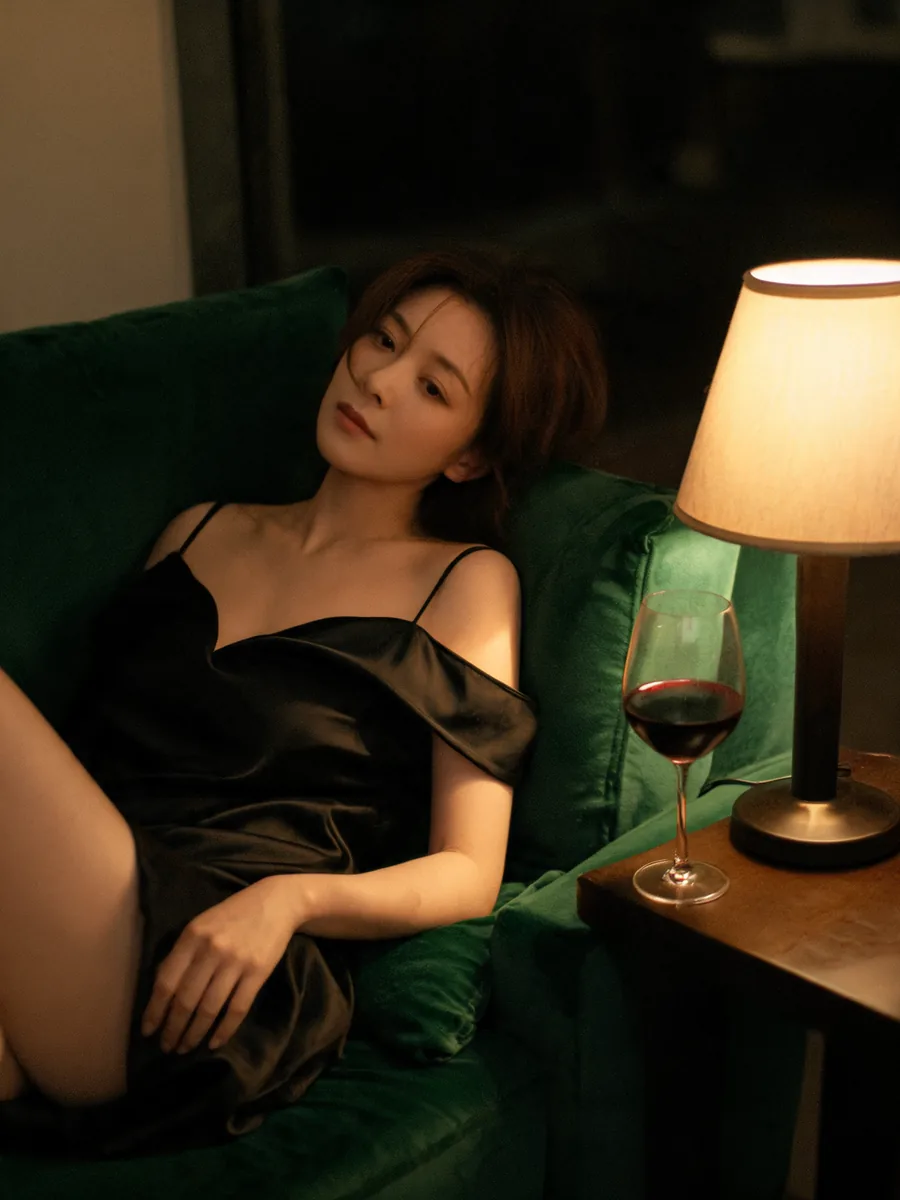
Seedream 5.0 Lite. A relaxed, candid framing with her gaze off camera.
Lite gives the scene the most casual framing: the lamp and wine glass keep it feeling like a room rather than a studio set.

Seedream 5.0 Pro. The softest light of the three, with a lit bedroom behind.
Pro gives the portrait gentler lighting and more cinematic depth. Choose that direction when the room and atmosphere matter as much as the subject.
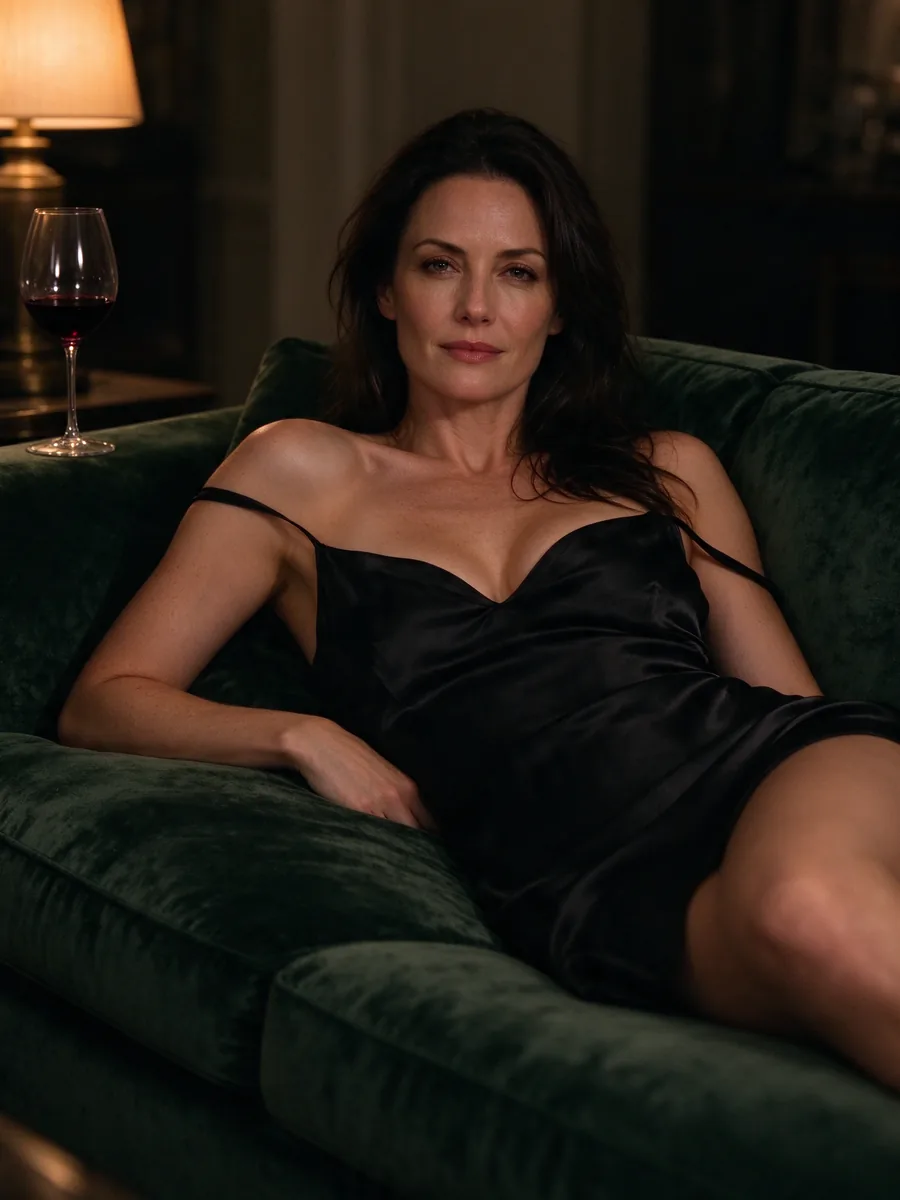
Seedream 5.0 Flash. Direct eye contact and the sharpest fabric and skin texture.
Flash has her looking straight at the camera, with crisp texture in the satin and velvet. They are three different women in three different rooms, which is what a text prompt gives you. For the same person across a series, start from a reference image with an edit endpoint instead of re-rolling the prompt.
Product shot with a label
The brief was a cold-brew bottle labelled NIGHT SHIFT COLD BREW, sitting on dark stone with half an orange.
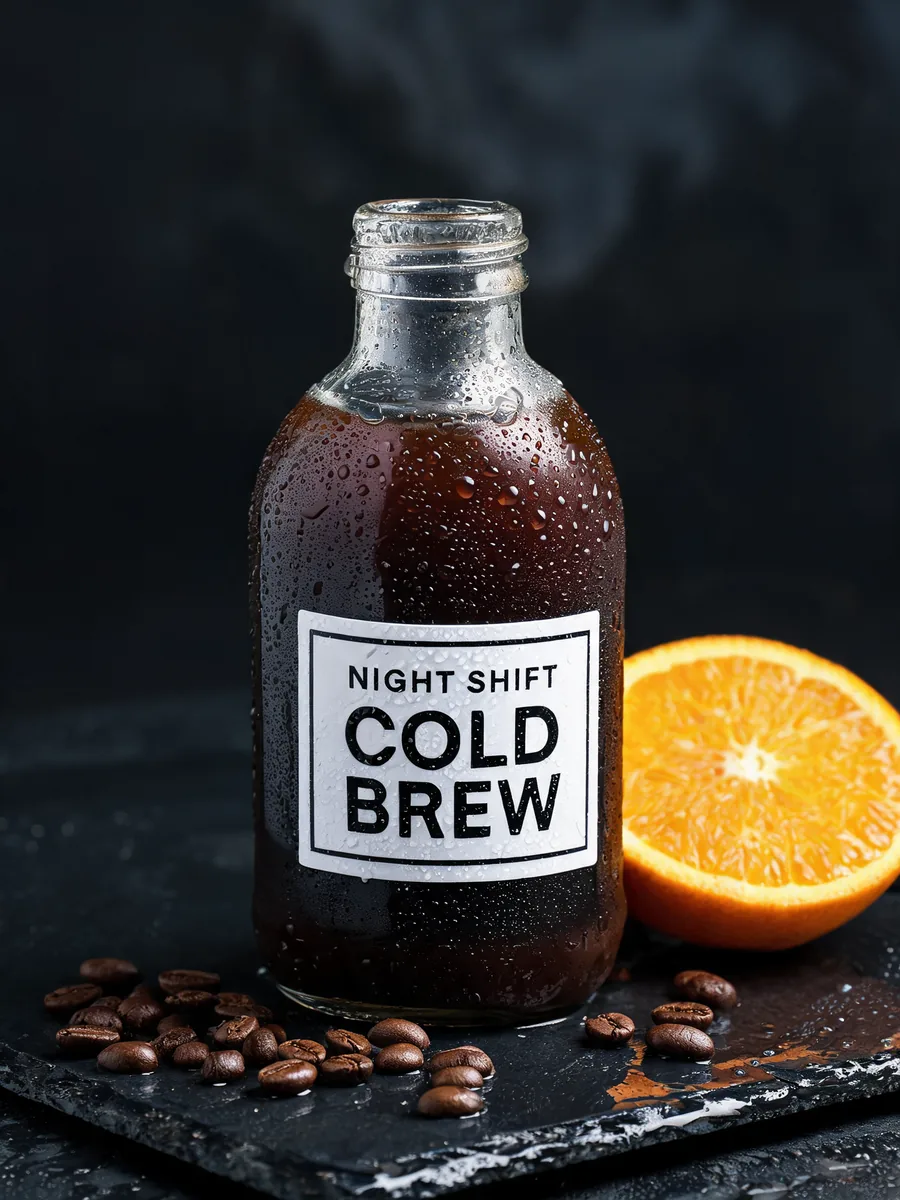
Seedream 5.0 Lite. A clean label with exactly the requested words.
Lite keeps the label to the product name. That restraint is useful when the packaging must carry only approved copy.
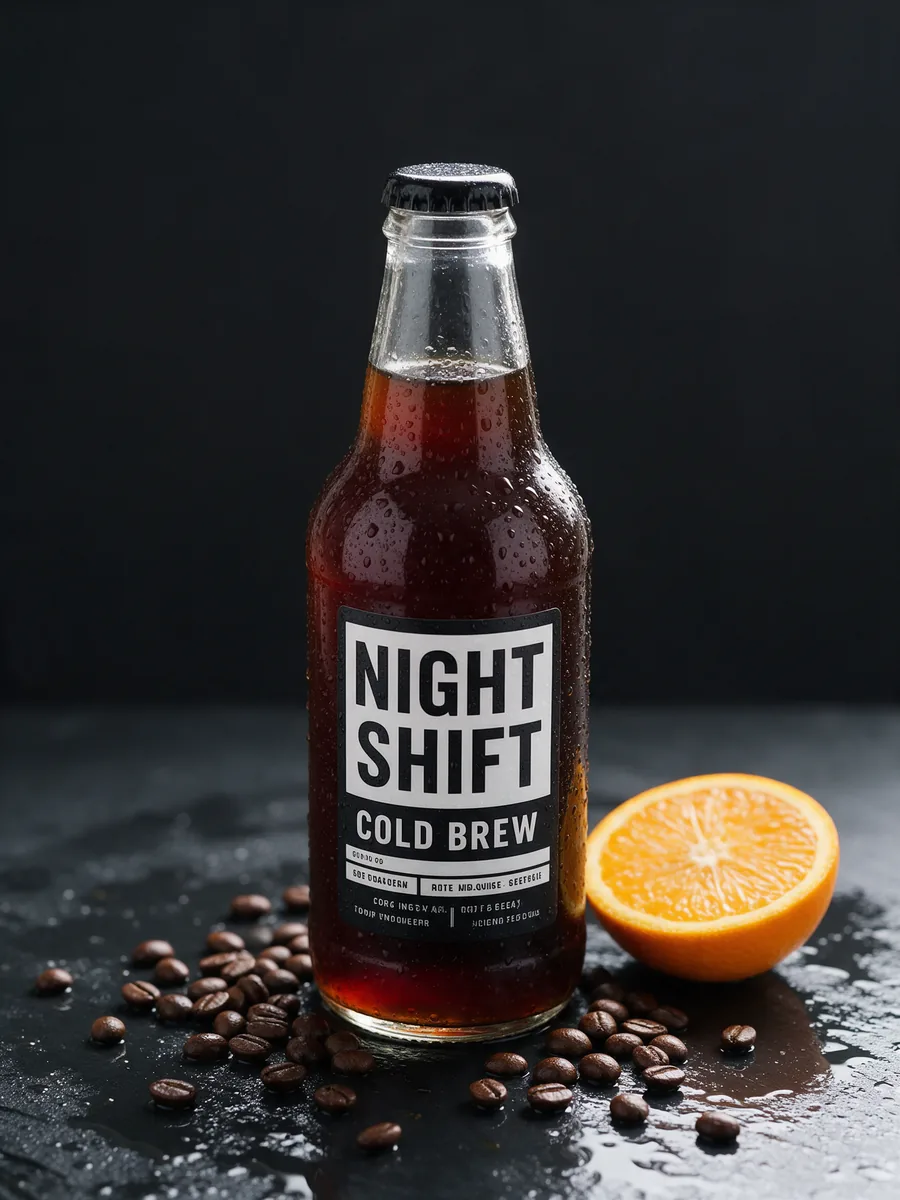
Seedream 5.0 Pro. Correct label, plus small print nobody asked for.
The extra fine print does not resolve into readable words. It needs cleaning up for a real product listing even though the main brand name is legible.
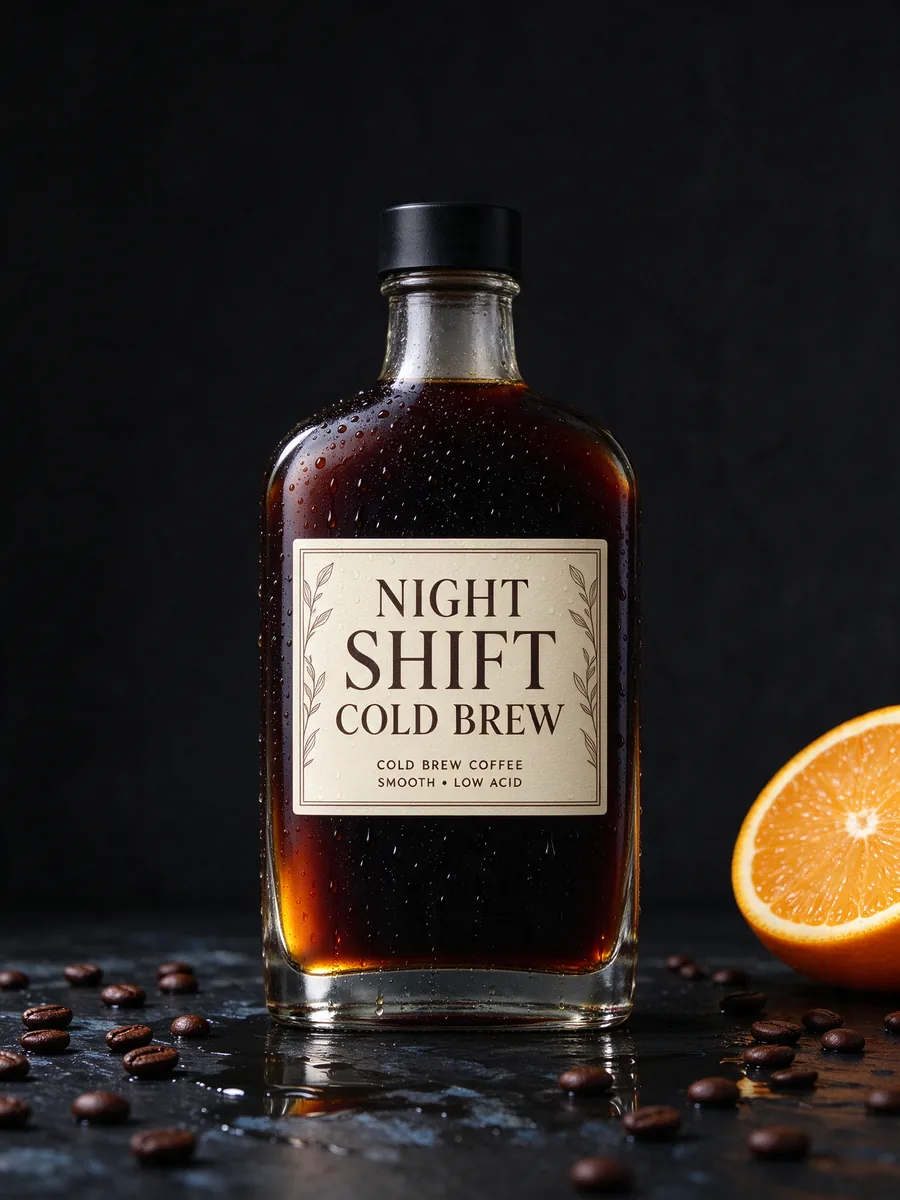
Seedream 5.0 Flash. Correct label, plus one extra tagline.
All three spelled the main label correctly. Flash added a readable line of its own, "COLD BREW COFFEE · SMOOTH · LOW ACID", which is still copy you did not write. If a label must carry only approved wording, say so in the prompt and check the output.
Speed
Flash took about 28 to 32 seconds per image, Lite about 48 to 52 seconds and Pro about 67 to 88 seconds. These are text-to-image timings; use them as a rough guide to waiting time.
What each one costs
| Task | Lite | Pro | Flash |
|---|---|---|---|
| Text to image | $0.0345 | $0.036 (1K), $0.072 (2K) | $0.029 |
| Edit with references | Flat $0.0345, up to 10 references | 1K $0.036 · 2K $0.072, plus $0.003 for each reference after the first | Flat $0.029, up to 10 references |
| Layer decomposition, per output image | Not offered | $0.042 (1K, 1.5K), $0.084 (2K and auto) | $0.026 |
Layer decomposition splits one picture into a cleaned base plus transparent layers you can move or replace. The base counts as one output and a job is capped at 17 images: the price of 17 is reserved and settled by what you actually get back. Our layer guide walks through it. Both Pro and Flash name each layer and give it a position box, so layers go back in place on the canvas. The differences are price (Flash is $0.026 per output at every tier, Pro $0.084 at 2K) and adult source images: Pro's layer tool refuses an input showing an intimate scene between two adults, while Flash splits it.
Mature content: how the three behaved
There is no separate adult mode or endpoint on any of them; mature requests go through like any other prompt. The suggestive portrait above rendered as asked on all three. Lite and Pro did what was asked on our strongest adult prompts. Flash can return a successful task with a changed scene: its latest set delivered 10 of 12 prompts as requested, with one L3 Strong prompt changed to a clothed person and one intimate scene softened into an embrace or covered with a sheet. Other test configurations returned stronger results, so those sets should not be read as a simple before-and-after improvement. Look at each image, because an accepted request does not prove the picture matches the prompt. The full records are in Is Seedream 5.0 Flash uncensored? and Is Seedream uncensored?.
Which Seedream 5.0 model should you choose?
- Flash, for most work. It is the cheapest at every resolution, has a 1.5K generation tier that Pro and Lite lack, was the fastest in our runs, and matches Pro on layers, transparent background, aspect ratios and 5,000-character prompts. Its hands-on test has the details.
- Pro, when you want its thinking pass (on by default, no price effect) and accept $0.072 at 2K. In our poster test it spelled everything correctly but was no better than Flash; the Pro prompt guide shows how to write for it.
- Lite, when your pipeline already uses named size presets, such as the 3136*1344 strip, or you want a flat price at 2K without a resolution choice. Proofread its small text.
- Many references per edit: Flash's flat rate against Pro's per-extra-image charge decides this one.
- Adult-oriented image runs: all three accept the request. Check every output, and expect the occasional change on Flash.
Running your own brief through all three costs about $0.10 with Pro and Flash at 1K and Lite at its fixed 2K size, or about $0.14 with all three at 2K, so do that before committing to a batch.
FAQ
Which Seedream 5.0 model is best?
Start with Flash: it is the cheapest, the fastest in our runs and has the same layer and ratio features as Pro. Move to Pro for its thinking pass; use Lite only for its fixed size presets.
Which Seedream 5.0 model is cheapest?
Flash, at a flat $0.029.
Can Lite, Pro and Flash all edit images with references?
Yes, all three take one to ten reference images. Pro adds a charge for each image after the first; Lite and Flash do not.
Does Lite misspell text?
In our poster test it misspelled the footer. Pro added garbled extra print on a label. Proofread small text on any of them.