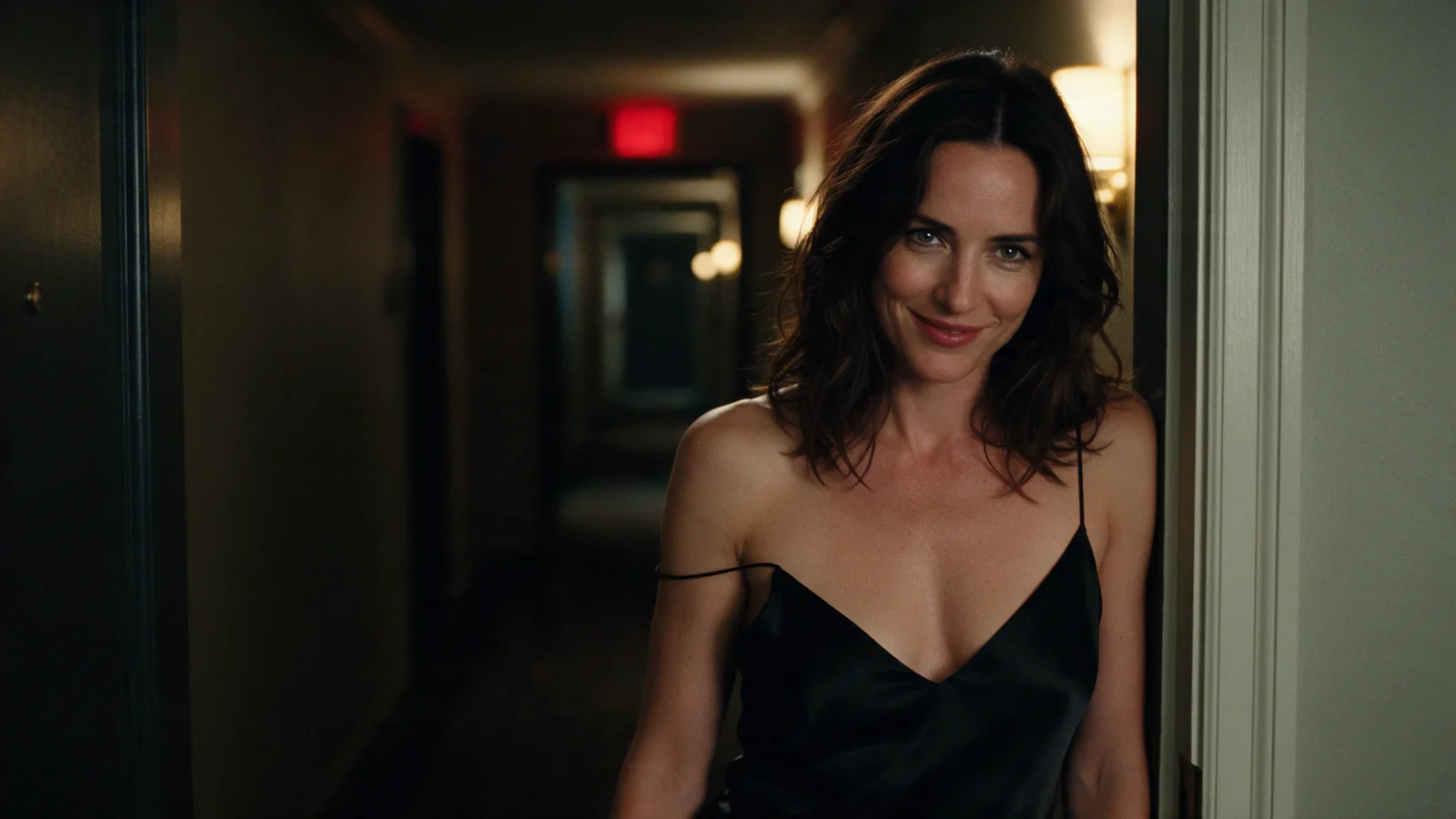
Wan 2.2 image-to-video follows the picture you send and only moves what the prompt asks it to move. So a good prompt is short: one visible action, one camera behaviour, and a line about what must stay still. Most failures (slow-looking motion, surprise zoom, a face or product that changes) usually come from the opening frame or from stacked instructions, not from too few words. This guide shows the structure, a worked clip, and how to fix each failure.
What you control on each endpoint
| Wan 2.2 | Wan 2.2 Spicy | Wan 2.2 Spicy LoRA | |
|---|---|---|---|
| Length | 5 s, fixed | 5 or 8 s | 5 or 8 s |
| Audio | Silent | Silent | Silent |
| Prompt extras | negative_prompt, enable_prompt_expansion, seed | enable_prompt_expansion, seed, last_image_url (closing frame) | seed, loras, high_noise_loras, low_noise_loras (up to three entries each) |
| Resolution | 480p / 720p | 480p / 720p | 480p / 720p |
| Price | $0.24 / $0.48 per request | $0.019 / $0.038 per second | $0.0204 / $0.0408 per second |
| Policy tier | Softened | Unrestricted | Unrestricted |
None of them has an aspect-ratio field: the clip takes the shape of your image, so crop to 16:9 or 9:16 before uploading. Softened means the base model may tone down or refuse explicit requests; the Spicy endpoints are labelled unrestricted, but that does not guarantee every request is delivered unchanged. Use the base endpoint for safe-for-work material, and the Spicy endpoints when the content needs an uncensored model; the prompting method below is the same.
Prepare the frame before the prompt
The image supplies the subject, clothing, set and light direction, so the prompt should not describe them again. It should make the movement possible:
- Show the whole thing that moves. A walking action needs the legs in frame; a reach needs the hand and the object visible, not a hand hidden behind a mug.
- Leave room in the direction of travel. A subject against the right edge cannot step right without leaving the frame or forcing a camera move.
- Remove what you do not want animated: stray people, overlays, burned-in text and watermarks carry straight into the clip.
- Fix source defects first. An extra finger or a floating cup in the still will be in the video.
The prompt structure
Write, in this order: who or what moves and how, then the camera, then what stays still or what the light does. Leave the appearance to the image.
Here is a real example from the Wan 2.2 model page. The source is a full-body studio portrait with a plain grey backdrop, 720p:
She shifts her weight, turns her shoulders toward the lens and takes two slow steps forward, the satin of the dress catching the light as it moves. She tucks her hair behind one ear and holds the look. Locked camera, clean grey studio.
It works because every beat is a visible change from the opening pose, the camera is stated as locked, and the ending is a hold you can cut on. The figure has space to walk toward the camera because the source is a full-length frame with floor in front of her.
A product shot follows the same pattern, with the camera or light doing the moving and an explicit line for what must not:
The camera arcs a slow quarter turn around the dropper bottle while a soft band of window light slides across the glass and the liquid inside catches it. The bottle itself does not move.
Here only the light does visible work: the label and silhouette hold steady while the band crosses the glass, and the requested camera arc barely registers. If you need a clearly visible turn, ask for a bigger camera move on its own, with no light change in the same sentence.
Try it in the Playground
- Open Wan 2.2 image to video, stay on the Playground tab in Form view and log in to run.
- Add your opening frame under Input image (JPG, PNG or WEBP, up to 10 MB), cropped to the shape you want.
- Paste a prompt into Prompt, or open the Playground with the full-body example filled in.
- Keep Resolution at
480pwhile you draft, set a Seed, and addzoom, sudden reframing, cuts, second personunder Negative prompt if the camera moves. Leave Prompt expansion off for a precise action; turn it on only for a one-line idea. - Run it, then re-run the keeper at
720pwith the same seed.

Then the API
Once a prompt works, send the same request from code. Fields and results are in the API reference.
{
  "model": "alibaba/wan-2.2/image-to-video",
  "input": {
    "image_url": "https://example.com/your-full-body-portrait.png",
    "prompt": "She shifts her weight, turns her shoulders toward the lens and takes two slow steps forward. She tucks her hair behind one ear and holds the look. Locked camera, clean grey studio.",
    "negative_prompt": "zoom, sudden reframing, cuts, second person",
    "resolution": "480p",
    "seed": 14327
  }
}
Draft at 480p, then re-send the keeper with "resolution": "720p" and the same seed.
Let an Agent do it. An assistant can make the same call through the CLI (npx @spicyapi/cli tasks create --model alibaba/wan-2.2/image-to-video --input-file input.json --wait, with this request's input object in input.json), the MCP server (npx --yes --package=@spicyapi/mcp spicyapi-mcp) or the Agent Skill (npx skills add spicyapi-ai/spicy-skill). CLI and MCP show the price and ask you to confirm before a task is created.
Fix slow-looking motion
Slow clips usually come from one of four causes, and each has a different fix:
- Mood words. "Calm", "dreamy" and "cinematic" imply slow motion. Remove them and describe an ordinary-speed gesture with a completed end state.
- Too much action for the clip. Standing up, crossing a room and pouring a drink will not fit in five seconds. Cut to one gesture, or split it into several clips, each starting from its own frame.
- Action too small. A tiny movement reads as static. Name the part that moves and where it ends up.
- No ending. If the hand is still travelling at the last frame, shorten the travel or add a held end pose.
On Spicy endpoints, the 8-second option helps an action that truly needs more time.
Fix unwanted zoom and cuts
Name the camera move you want, because "dynamic camera" is open to any of them: a zoom changes scale, a dolly changes camera position, a pan rotates the view, an orbit circles the subject. To hold the camera, say so positively ("locked camera, fixed medium distance") and add a short negative prompt such as zoom, reframing, cuts on the base endpoint. Spicy and Spicy LoRA have no negative field, so rely on the positive instruction.
Before blaming the camera, check the background. If landmarks stay put while the subject grows, the subject leaned toward the lens; ask for less forward movement. If the whole frame changes scale, it is the camera, so change only the camera sentence and keep everything else the same. A shallow-focus portrait with a blurred background makes this hard to judge, so start with a source that has recognisable background features.
Fix identity drift
Compare the first, middle and last frames, and look at turns and occlusions where the model must invent hidden detail. Three fixes cover most cases:
- Reduce simultaneous movement. A small gesture with a still head and fixed camera holds identity better than a full turn with an orbit. Add movement back one piece at a time.
- Match the prompt to the image. If the frame shows a dark jacket and the prompt says blue shirt, you are asking for a change.
- Pick a better source. If the side or back matters, such as the far side of a product label, send a frame that shows it; the model cannot read what it cannot see.
Strong shadows can look like identity change, so compare shape and pattern as well as colour.
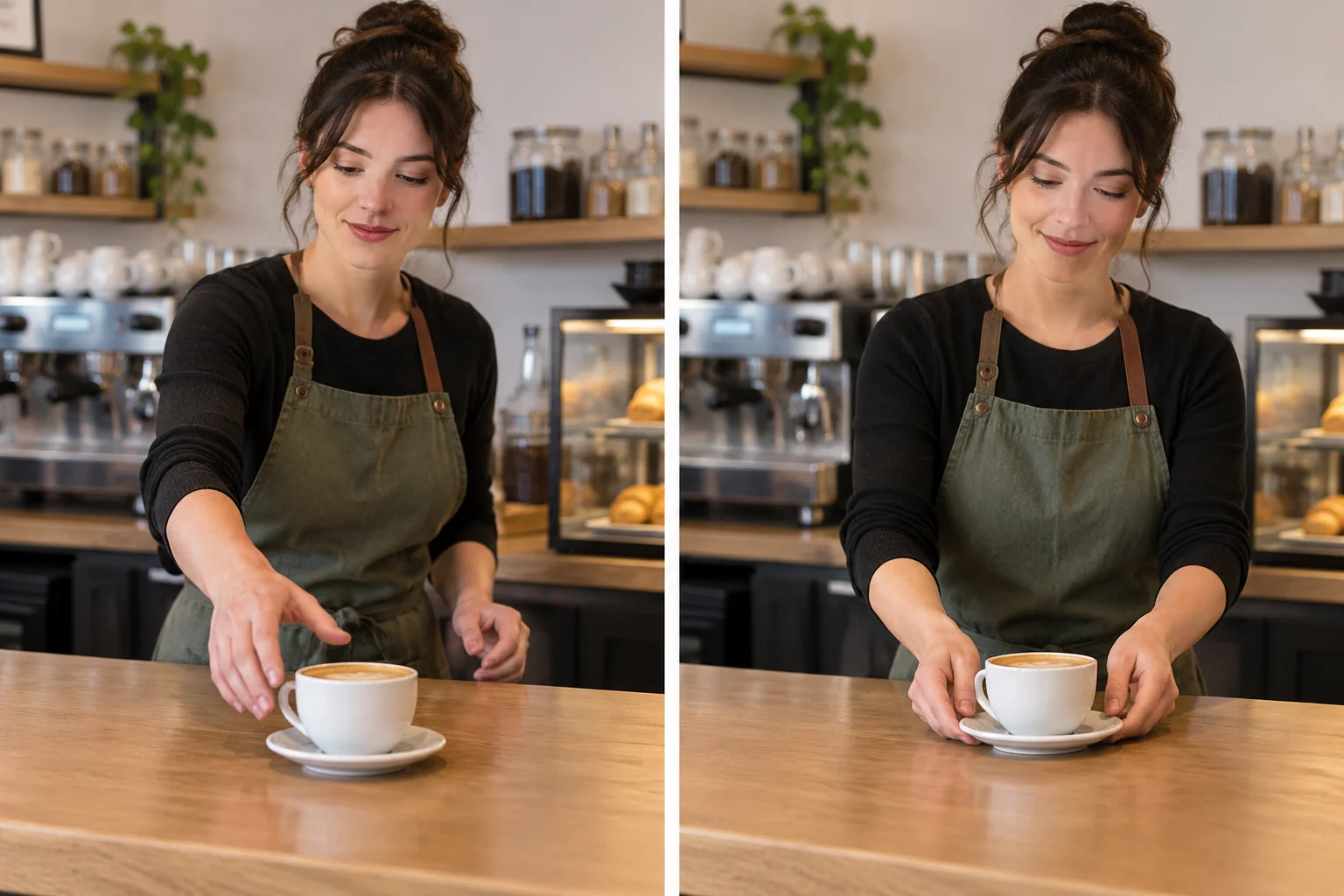
Correct one thing at a time
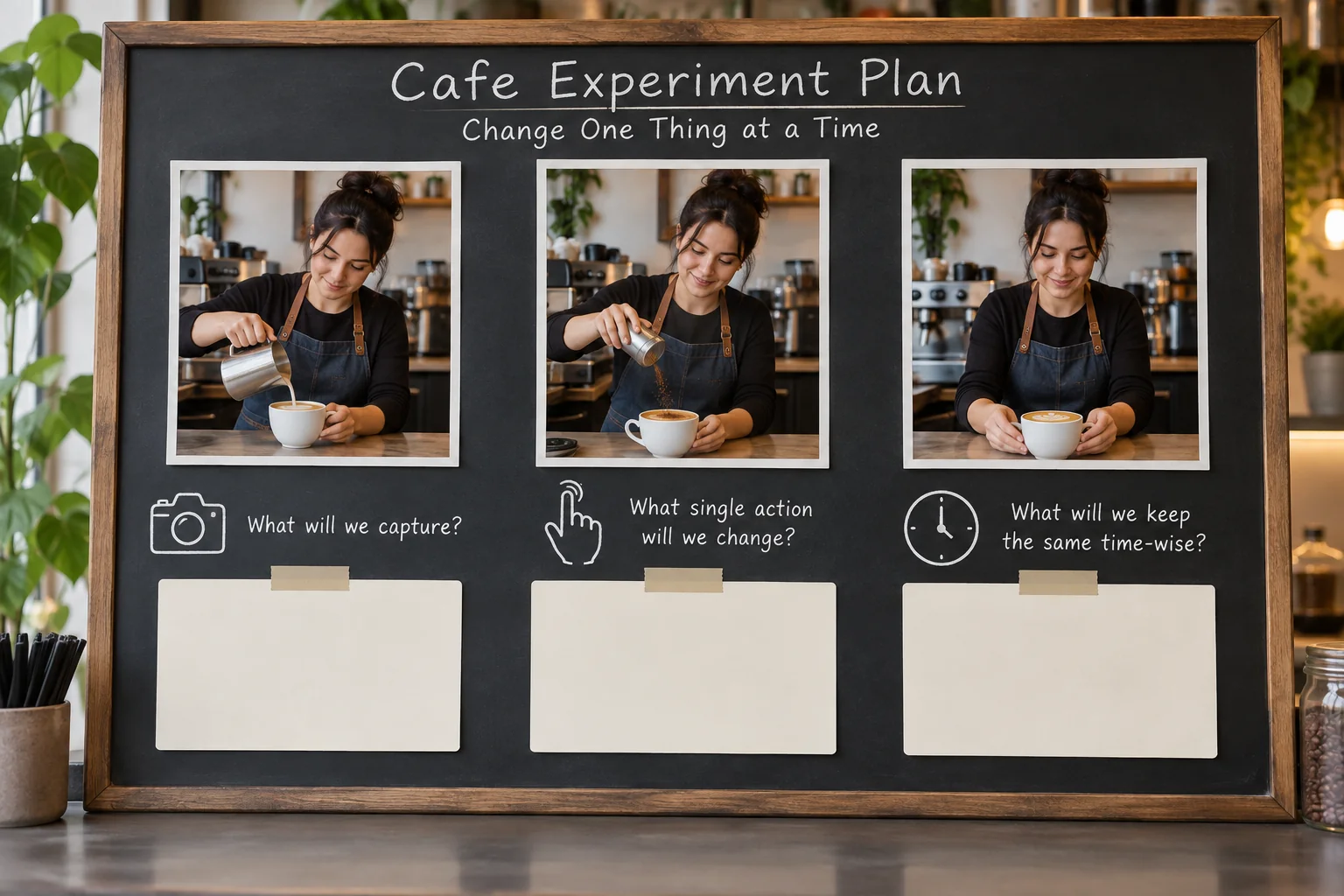
Run the same image, resolution and seed, and change one sentence per attempt: first the action, then the pace, then the camera. Judge the whole clip at normal speed, because stills cannot show whether a gesture was brisk or whether the object stayed intact. Watch the start, the biggest movement and the last second. If three wording changes fix nothing, change the frame instead; a new frame also means rewriting the action to match its new starting state.
When to switch endpoint
- Closing frame or 8 seconds: use Wan 2.2 Spicy. Point
last_image_urlat your opening still for a seamless loop, or at a different composition to land the shot somewhere specific; send it with"duration_seconds": 8in the same request shape as above. - Your own style or motion adapter: use Wan 2.2 LoRA, or Wan 2.2 Spicy LoRA when the content needs an uncensored model, with up to three LoRAs in each list. Put camera or movement styles in
high_noise_lorasand texture or grain inlow_noise_loras. Do not name the style in the prompt as well, since that tends to double the effect. Sweep strength at 480p with a fixed seed. For a longer scene, the LoRA family also has a video-extend task. - A simple five-second action: the base endpoint is enough.
Budget the drafts
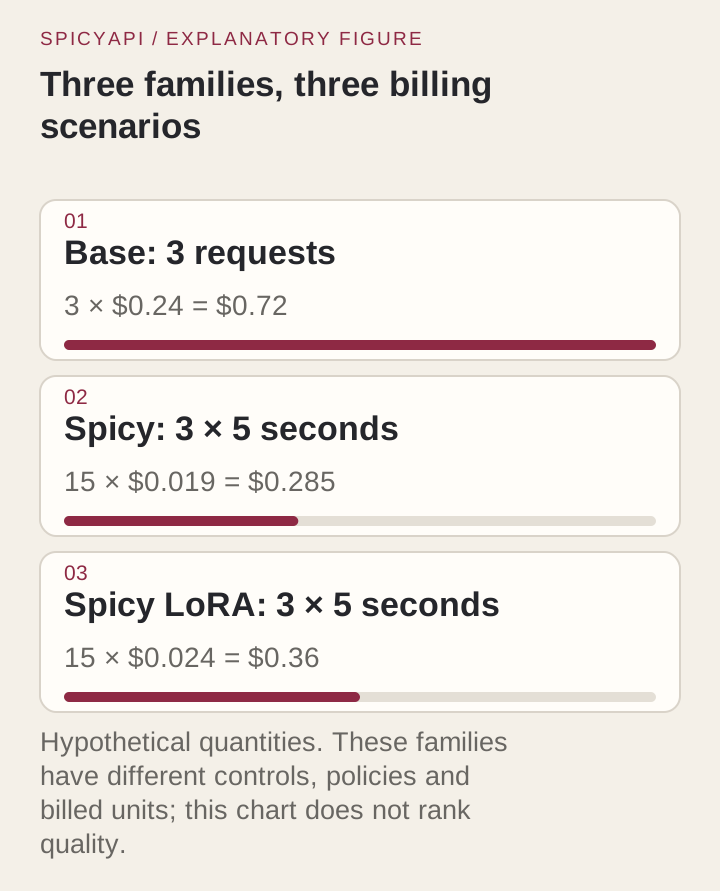
| Three 480p drafts | Calculation | Cost |
|---|---|---|
| Wan 2.2, 5 s | 3 × $0.24 | $0.72 |
| Wan 2.2 Spicy, 5 s | 3 × 5 × $0.019 | $0.285 |
| Wan 2.2 Spicy, 8 s | 3 × 8 × $0.019 | $0.456 |
| Wan 2.2 Spicy LoRA, 5 s | 3 × 5 × $0.0204 | $0.306 |
The base price is per request, so do not multiply it by length. Re-rendering a keeper at 720p doubles the base price and the per-second rates. Check pace and camera at 480p, but use 720p when the defect you are judging is a small detail such as a label or finger.
Where to go next
When the shot needs a closing frame, a longer take or adapters, change endpoint instead of adding words. For the policy differences between versions, see the Wan versions article, and for adapter slots, the high- and low-noise LoRA guide.