Put a camera or motion LoRA in high_noise_loras, a texture or look LoRA in low_noise_loras, and a file that should touch both in loras. If a creator ships a HIGH file and a LOW file, each goes in its own slot. A 5-second 480p test clip costs $0.102, so you can check the placement for about $0.41 before any production run.
Wan 2.2 image-to-video denoises in two passes with two separate expert networks. The high-noise expert works first and sets composition and movement; the low-noise expert finishes the clip and resolves texture, lighting and fine detail. Wan 2.2 LoRA exposes one slot per expert plus a shared slot, so you decide which stage a weight file is allowed to change.
Which slot for which LoRA
| The LoRA mainly changes | Put it in | Why |
|---|---|---|
| Camera move (orbit, push-in, tracking) or a repeatable action | high_noise_loras | Movement and framing are fixed in the early pass |
| Line art, film grain, fabric or skin rendering, colour grade | low_noise_loras | Texture resolves in the late pass; the opening frame already supplies the subject |
| A look that should affect both layout and surface | loras | Applied to both experts |
| Ships as a HIGH file and a LOW file | one file per matching slot | Each file was trained against one expert; do not swap them |
| One file, pass not stated | Confirm its target expert before choosing a slot | Use loras only if the file is compatible with both experts |
The split is a strong tendency, not a wall: a motion LoRA can still shift appearance, and a grain LoRA can change how fabric reads in motion. There is no fixed strength ratio between the two passes; follow the creator's notes when they exist.
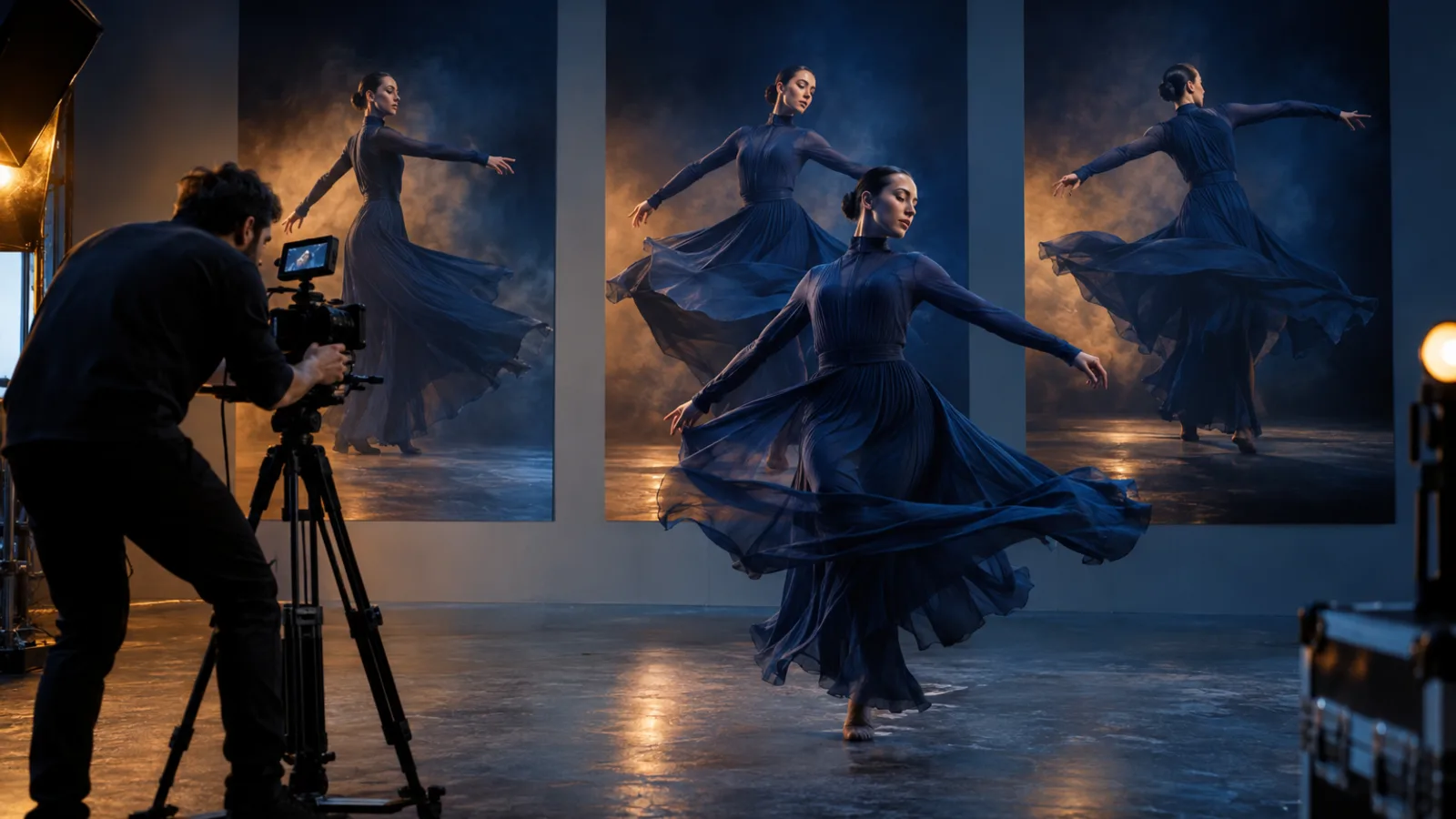
Concept illustration: camera path and pose come from the high-noise pass, fabric and surface detail from the low-noise pass.
Try it in the Playground first
- Open the Wan 2.2 LoRA image-to-video page and stay on the Playground tab, in Form view. Log in with a funded account to run.
- Add your opening frame under Input image, and set Resolution to 480p and Duration to 5 for the test.
- Click Add item under High-noise LoRAs, Low-noise LoRAs or Style LoRAs (the shared slot,
lorasin the API), paste the direct.safetensorslink and set the strength. Start at 1. - Set a Seed, run, then move the file to the other slot and run again; the four-clip test below is the full version.
The Playground sends the same JSON the API takes, so a placement that works here can be copied into code.
Then run it from code
Install the Python SDK (pip install spicyapi) and set SPICY_API_KEY in your server environment. Each slot takes up to three { "path", "scale" } entries: path is a direct link to a .safetensors file (up to 1 GB; use a signed link for private weights) and scale runs from 0 to 4. Replace the placeholder URLs with your own opening frame and LoRA files:
import uuid
from spicyapi import SpicyClient, output_assets

client = SpicyClient()  # reads SPICY_API_KEY from the environment

task = client.create_task(
    model="alibaba/wan-2.2-lora/image-to-video",
    input_data={
        "image_url": "https://your-storage.example.com/opening-frame.png",
        "prompt": "She turns toward the camera and walks forward. One slow orbit around her.",
        "duration_seconds": 5,
        "resolution": "480p",
        "seed": 12345,
        "high_noise_loras": [
            {"path": "https://your-storage.example.com/orbit-high.safetensors", "scale": 1.0}
        ],
        "low_noise_loras": [
            {"path": "https://your-storage.example.com/film-grain-low.safetensors", "scale": 1.0}
        ],
    },
    idempotency_key=str(uuid.uuid4()),
)

final = client.wait_for_terminal(task["taskId"])
if final["state"] != "succeeded":
    raise RuntimeError(f"{task['taskId']} ended as {final['state']}: {final.get('errorCode')}")
print(output_assets(final)[0]["url"])  # copy the clip to your own storage now
The prompt only needs one action and one camera instruction; if a LoRA carries a look, do not also describe it in the prompt, which tends to double the effect. Use a fixed non-zero seed (0 is a random draw) when comparing runs. Fields and results are in the API reference; link rules for weights are in running your own LoRA on a hosted API.
Or let an Agent run it
All three official tools show the price and ask you before a paid call.
- CLI. Save the
inputobject asinput.json, thennpx @spicyapi/cli tasks create --model alibaba/wan-2.2-lora/image-to-video --input-file input.json --wait(CLI docs). - MCP server. Add the MCP server to your assistant, then ask: "Run Wan 2.2 LoRA image-to-video on this frame with the orbit file in the high-noise slot and the grain file in the low-noise slot." It calls
spicyapi_task_create, which stops for your price confirmation. - Skill.
npx skills add spicyapi-ai/spicy-skillinstalls the Agent Skill, which has a coding assistant read the live model schema instead of guessing fields.
Strength
Start at 1.0 on each file the creator names, then change one scale at a time. To sweep a single LoRA, run 0.5 to 1.5 at 480p with frame, prompt and seed fixed; above roughly 1.5 the style tends to consume the subject. Keep the run where the style is clearly present and the person is still recognisable, then re-render it at 720p. Speed-up (distillation) LoRA strengths from local ComfyUI workflows do not carry over: this endpoint has no step, sampler or switch-point fields.
Prove the slot with four clips
Hold the opening frame (the exact same file), prompt, seed, duration and resolution fixed and run:
- no LoRA
- the file in the high-noise slot only
- the file in the low-noise slot only
- both slots (for a pair: the HIGH file in
high_noise_lorasand the LOW file inlow_noise_loras; for a single file compatible with both experts,lorasworks too)
If the files must be used as a pair, run only conditions 1 and 4. Pass criteria: an orbit LoRA, the camera travels a recognisable arc and the subject stays identifiable; a texture LoRA, the texture survives the movement and is not only on the first frame; a character LoRA, face and outfit stay consistent. Watch the start, middle and end, not a poster frame.
Prices include the current 15% LoRA price drop; list price is $0.024 a second at 480p and $0.048 at 720p.
| Clip | Price | List |
|---|---|---|
| 5 s, 480p | $0.102 | $0.12 |
| 8 s, 480p | $0.163 | $0.192 |
| 5 s, 720p | $0.204 | $0.24 |
| 8 s, 720p | $0.326 | $0.384 |
The four-clip matrix at 480p and 5 s is $0.41 ($0.48 at list). The number of LoRAs and file size do not change the price. Wan 2.2 Spicy LoRA takes the same three slots and adds video-extend.
If the clip does not change
One change per run, in this order:
- Wrong base. The file must be trained for Wan 2.2 image-to-video. Weights for another base (Wan 2.1, text-to-video, the 5B model) are the usual reason a LoRA does nothing.
- Wrong pass. Motion missing: move the file to
high_noise_loras. Texture or look missing: move it tolow_noise_loras. - Scale too low. Raise it in steps toward 1.5, one file at a time.
- Identity drifts or the style eats the subject. Lower the competing scale, simplify the opening frame, or ask for one action and a shorter clip.
- The request fails or is rejected. Repository and
blob/pages are rejected at submission; use the directresolve/...file link. An expired link can still fail after the task starts, so open the exact.safetensorsURL in a browser first. - The task completes but the scene is toned down. Wan 2.2 LoRA is an uncensored endpoint with no platform content scan, so the result depends on the base model and your weights. With no LoRA attached, this endpoint softened some of the most intense scenes in the review; choose a compatible adapter trained for the result you want, then compare it against the no-LoRA run.
When to skip the LoRA route
Use the LoRA route when you have a compatible file and an effect you can name and check: a repeatable motion, a camera move or a recognisable look across clips. If your frame and prompt already give the motion you want, skip the adapter. Without your own LoRA files, a plain Wan version is cheaper to start with; the Wan versions comparison shows which one fits each kind of scene, and Wan 3 workflow selection helps once clips need to be longer.
FAQ
Do I need both files when a LoRA comes as a HIGH and a LOW pair?
Use both in their matching slots when the creator requires the pair. Try one file alone only when the creator allows that expert-specific use; the two files are not interchangeable.
Can I stack several LoRAs?
Yes, up to three per slot. They blend rather than layer, so add them one at a time.
Does it make audio or start from text?
No to both. Clips are silent and the endpoint is image-to-video only, so an opening frame and a prompt are required.
Why does the same prompt look different in a local ComfyUI workflow?
Local workflows set steps, shift and the hand-over point between the experts. Here those are fixed; only slot and scale are yours to tune.