Rainy-window turn in silk
- Model
- Wan 3.0 Pro
- Task
- Image to video
- Resolution
- 2k
- Duration
- 5 s
Output

This preview is blurred
This preview is marked sensitive. Confirm your age to see it.
Input
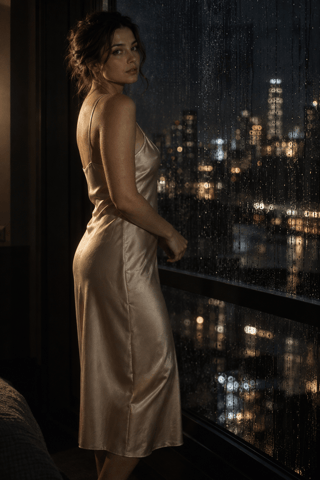
image_url
Swap in your own when you run it.
PromptEN181 characters
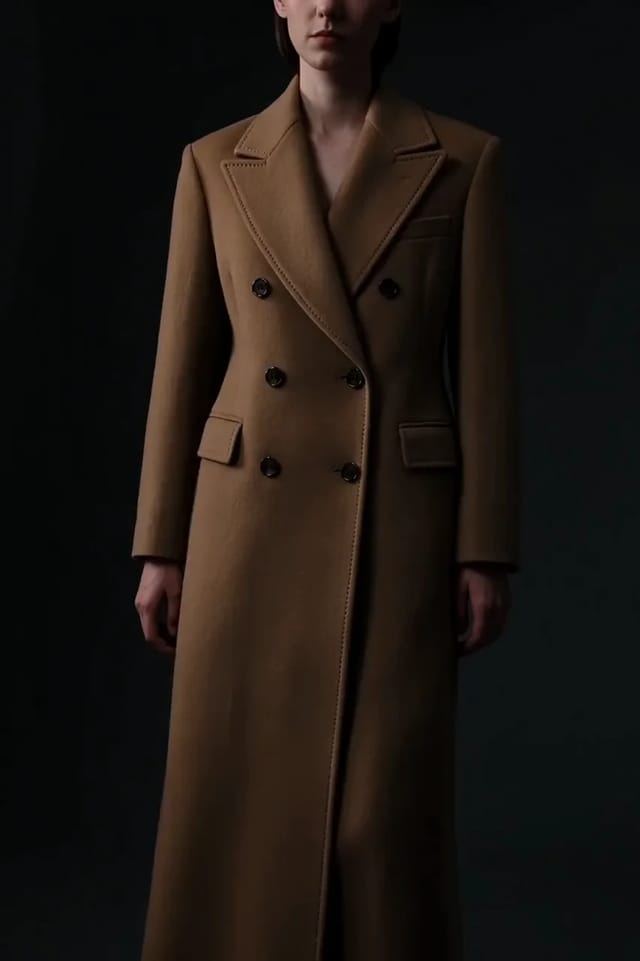
She turns her shoulders slowly toward camera, the silk catching the light, her breath settling as she stops. Slow push-in, one hard key from the left, rain on the window behind her.Written in English, exactly as we sent it.
Run this example
Checking the price…
Opens the playground with every setting filled in and shows the exact price before you run.
Same model, starting from this prompt. Other settings use their defaults.
Why this prompt works
Wardrobe lives in the opening frame, so the prompt spends everything on the movement.
Settings used
| Setting | Value | What it does |
|---|---|---|
| resolution | 2k | 1080p, 2k or 4k, default 1080p. A native Wan 3.0 render tops out at 1080p, so the tiers above it — 2k and 4k — are delivered by enlarging that render instead of rendering natively at those sizes: the extra pixels come from the enlargement, and they are only as good as the render underneath. There is no 480p or 720p tier here; for those sizes, use Wan 3.0. |
| duration_seconds | 5 | Any whole number from 2 to 30, default 5, or -1 for smart duration, where the model picks the length: the 30-second maximum is reserved up front and the charge settles on the length actually delivered. Find the shot at 5 seconds and 1080p before you spend a 30-second 4K render on it. |
More Wan 3.0 prompts
All Wan 3.0 prompts
 Preview blurred