daVinci-MagiHuman API

sand-ai/davinci-magihuman/image-to-video

daVinci-MagiHuman image-to-video starts a 5 to 10 second clip from your photo and gives it motion and a voice: quote the line in the prompt, or attach your own audio. 256p, 720p or 1080p, 16:9 or 9:16.

From $0.024/s

Workbench

Input

Image to video
211/5000
Describe what happens after the photo: what the person does and, in quotes, what they say. With audio_url set, leave the words out and describe the mood, the movement and the light. at least 3 characters · at most 5000 characters
1/1

Drop files or media links, paste, or browse · 1 file · Max 10 MB · JPG · PNG · WEBP

  • 1
1 / 1 files
The first frame. A public, directly downloadable link; the clip starts from this photo.
0/1

Drop an audio file here, or browse · 1 file · Max 90 MB · MP3 · WAV

0 / 1 files
Optional. A public link to a speech or song file; the video is generated in sync with it instead of inventing a voice. Our run used a 5-second recording for a 5-second clip.
16:9 (the default) or 9:16. Our image-to-video runs used 16:9. The shape does not change the price.
affects price
256p, 720p (the default) or 1080p. Higher tiers cost more per second. The model renders small and its own super-resolution stage produces the higher tiers; our 720p runs came back about 1358 x 678.
Durationaffects price
5 to 10 seconds, default 5, billed per second. no lower than 5 · no higher than 10
Seed
Optional integer. The same seed with the same inputs gives similar, not guaranteed identical, results. no lower than 0 · no higher than 2147483647
Safety checkerOff

SpicyAPI does not run a safety checker on this model. Your prompt and media go to the model as written, and the model itself decides what comes back.

Checking your account before enabling submission and pricing.

Output

Ready for a new run
Example result

Missing the model you need?

Tell us what to add and where you would use it. Requests go to the people who decide what gets onboarded next.

TALKING VIDEO API

daVinci-MagiHuman API at a glance

One 15B model that generates the picture and the voice together: a person talking on camera, from text or a photo, 5 to 10 seconds at up to 1080p.

Parameters
15B
One model generates the picture and the soundtrack together. The weights are open under Apache 2.0.
Clip length
5–10 s
Choose a length from 5 to 10 seconds; the default is 5. Our clips came back at 25 fps.
Top resolution
1080p
256p, 720p (default) or 1080p. The model renders small and its own super-resolution stage makes the higher tiers; sizes come back close to nominal, such as about 1904 x 1088 at 1080p.
Shapes
2
Landscape 16:9 (default) or portrait 9:16, on both endpoints. Sound and shape do not change the price.
Your own audio
Optional
Send a speech or song file as audio_url and the video is generated in sync with it, instead of inventing a voice.
Speech languages
6
Chinese (Mandarin and Cantonese), English, Japanese, Korean, German and French, as listed by the publisher. We tested English.

Results

What you can make with daVinci-MagiHuman

  • Text to video

    A line, spoken on the balcony

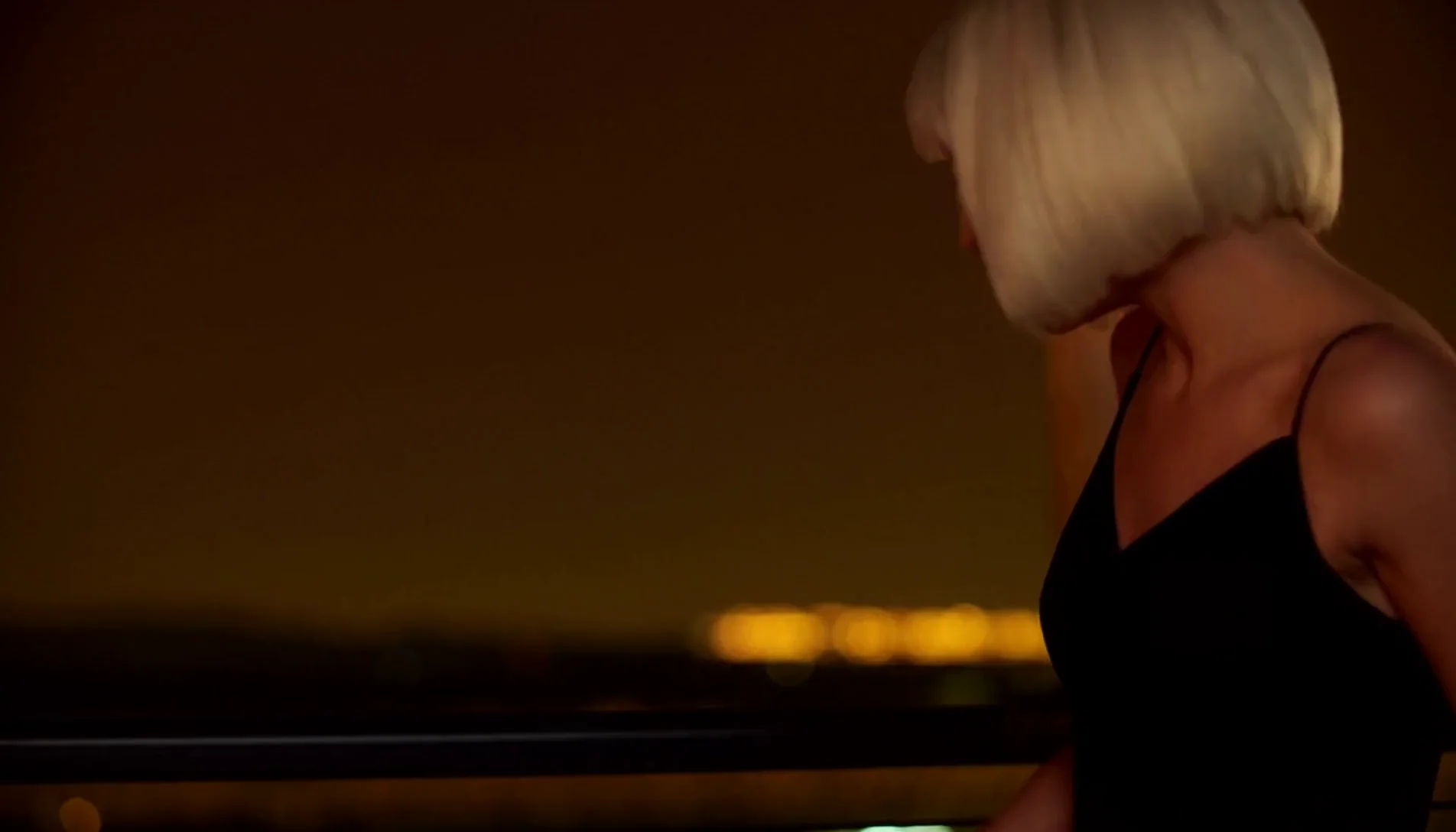
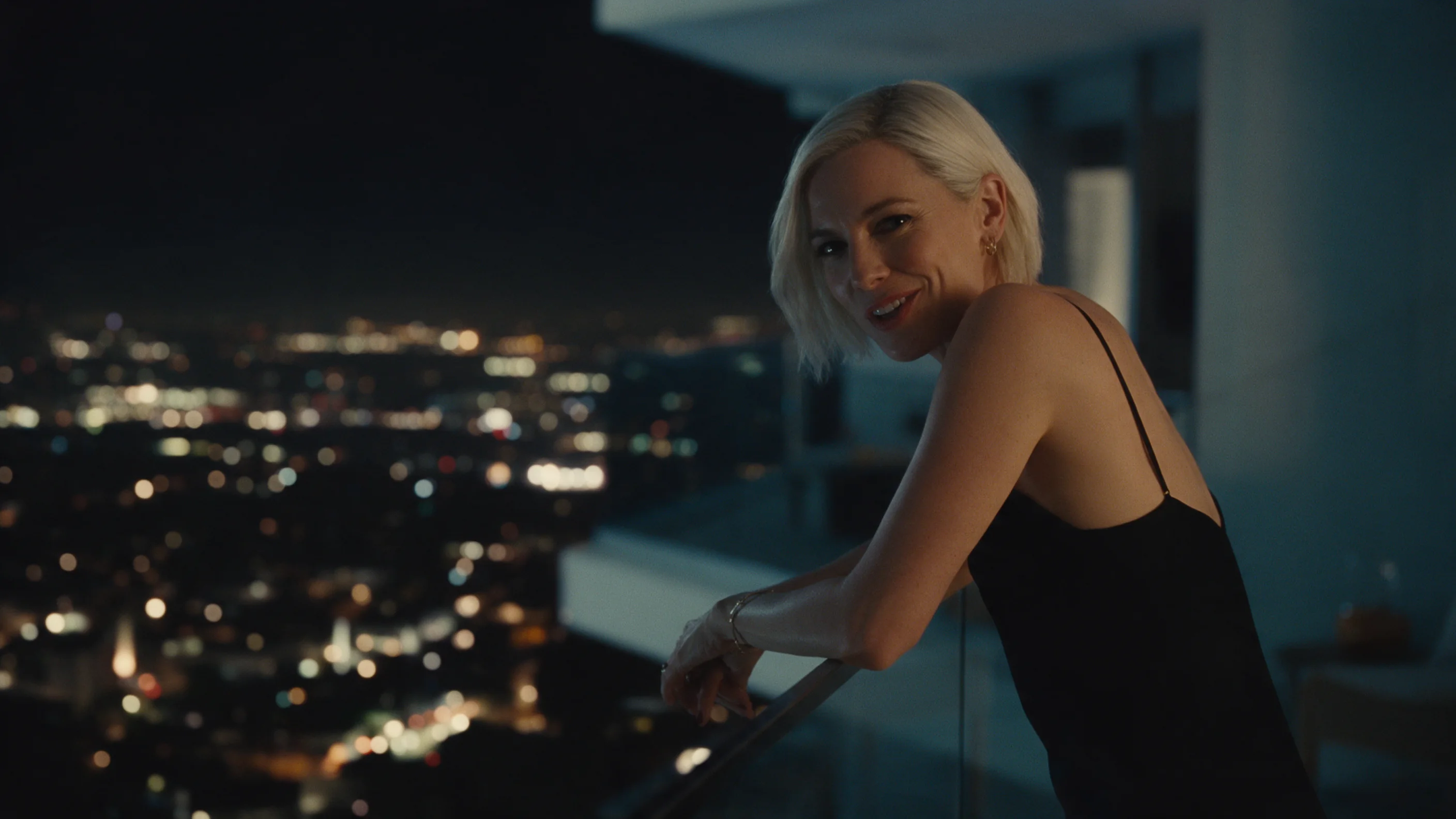
    One prompt with a quoted line gave a 1080p clip of a woman with a platinum bob on a night balcony, city lights blurred behind her. It came back about 1904 x 1088 at 25 fps, 5.0 seconds, with sound, and our transcription of the soundtrack matched the line word for word. Processing took about 3 min 53 s.

    Text-to-video, 1080p, 16:9, five seconds, with the quoted line spoken on the soundtrack.

  • Portrait

    A vertical clip with a laugh and a line

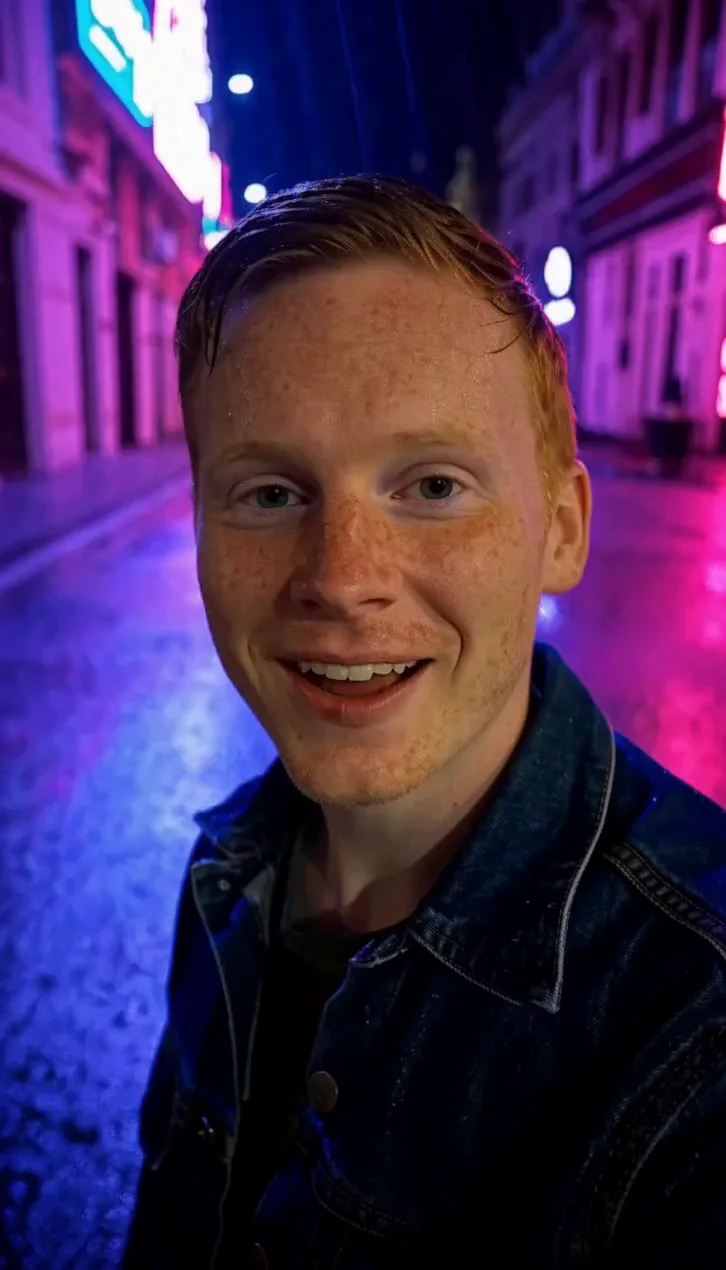
    With the shape set to 9:16, a freckled man with ginger hair on a wet neon street laughs and says his line. At 720p it came back about 726 x 1270, 5.0 seconds, and the transcription matched word for word. Processing took about a minute. We wrote "looks straight into the camera" instead of asking for a selfie.

    Text-to-video in portrait, 9:16 at 720p, five seconds, with the quoted line spoken on the soundtrack.

  • Image to video

    A photo that turns and speaks

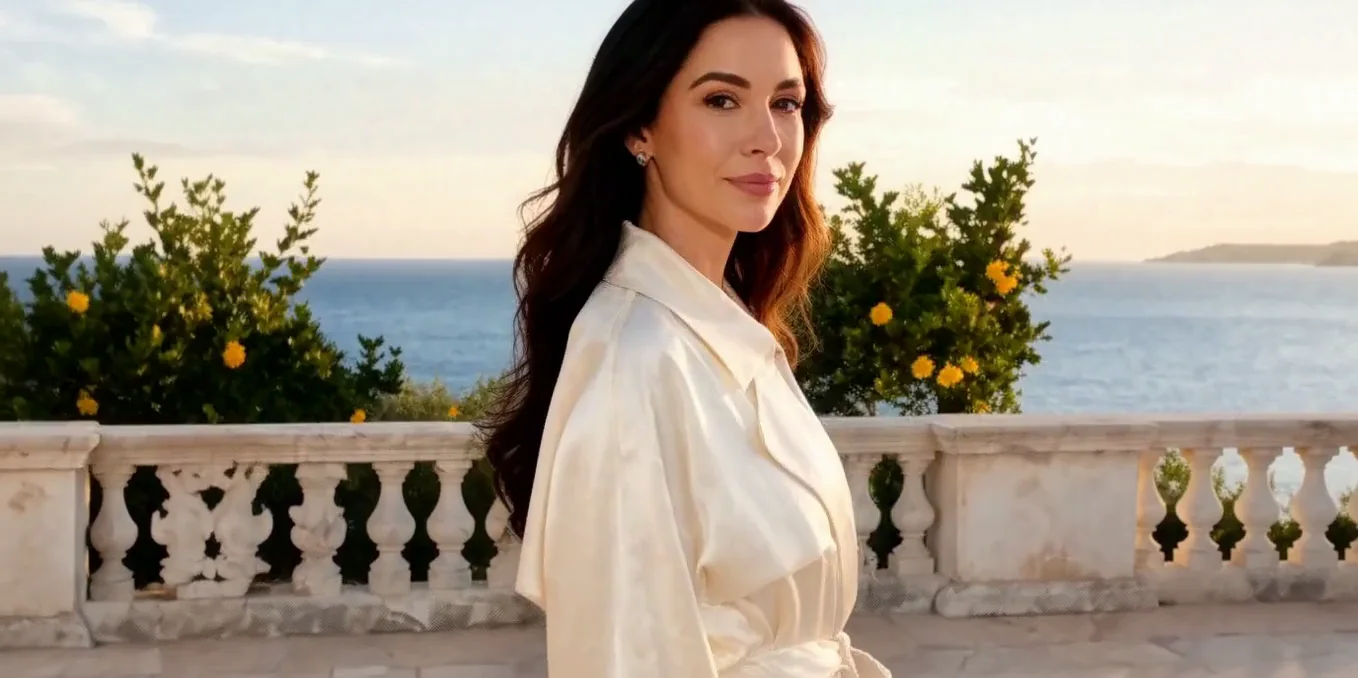
    From a first-frame image and a prompt, with no audio file, she turns from the sea, tucks her hair behind her ear and says the line. The transcription matched word for word. At 720p it came back about 1358 x 678, 5.0 seconds, after about 1 min 45 s.

    Image-to-video without an audio file, 16:9 at 720p, five seconds, with the quoted line spoken on the soundtrack.

  • Your own audio

    A portrait that follows your recording

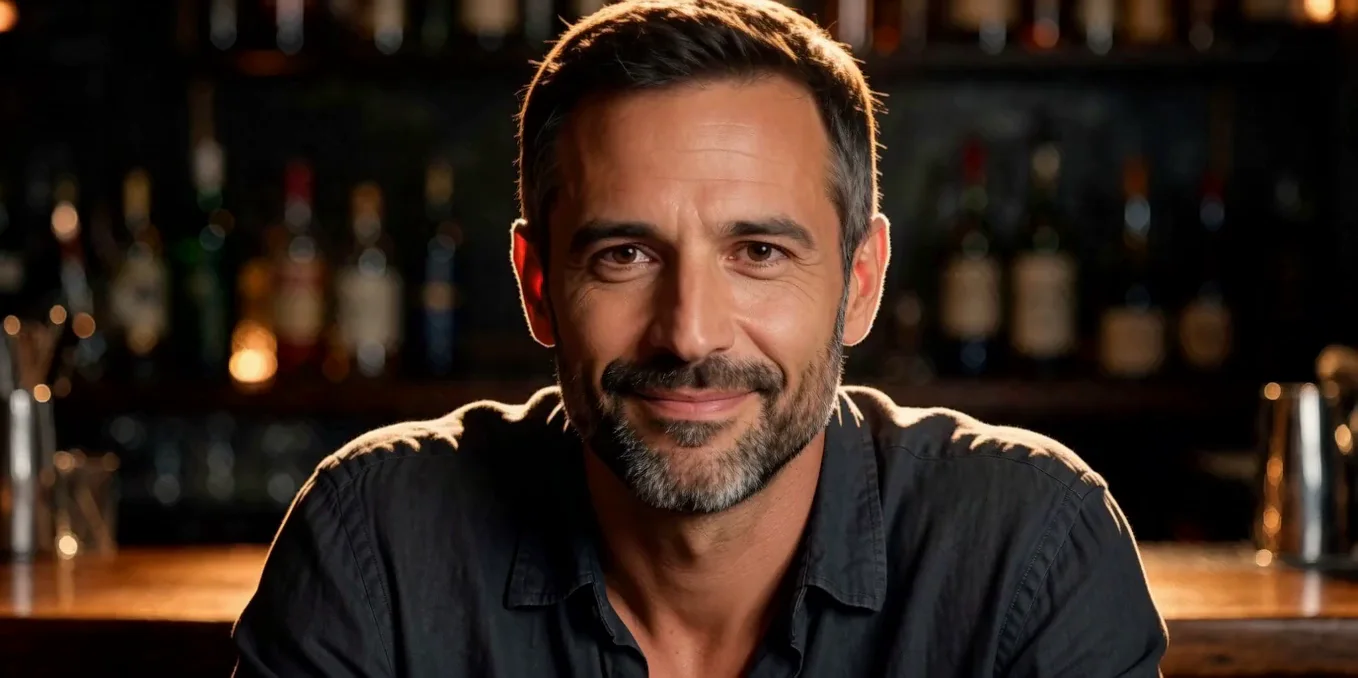
    With a 5-second spoken clip as audio_url, the lips followed the supplied audio, with a half smile and eyebrow movement, and the face stayed close to the input portrait. At 720p it came back about 1358 x 678, 5.0 seconds, after about 3 min 7 s.

    Image-to-video with a 5-second spoken clip as audio_url, 16:9 at 720p, five seconds.

Before you run it

What to know before you run daVinci-MagiHuman

All modes
Clips are 5 to 10 seconds, at 256p, 720p or 1080p, in 16:9 or 9:16. Sizes come back close to the nominal ones, not exact: 720p at 16:9 gave about 1358 x 678 and 1080p gave about 1904 x 1088. We tested English speech and did not test singing. What a clip may show depends on your prompt and our usage policy.
Text to video
The person and the scene come from your words, so describe the framing; a request for a selfie with a phone put a phone in the frame in one extra run. We did not run audio_url on this endpoint.
Image to video
A first-frame image is required and the clip starts from it. All our image-to-video runs used 16:9. With audio_url we tested a 5-second recording on a 5-second clip, and did not test a recording that is shorter or longer than the clip.

Use cases

What to build with the daVinci-MagiHuman API

  • Short spoken clips

    A person says one line to camera in 5 to 10 seconds: an intro, a teaser, a greeting, with the voice generated for you.

  • Vertical clips for phones

    Set the shape to 9:16 for feeds and stories. Our portrait run at 720p came back about 726 x 1270.

  • A portrait that speaks in your recording

    Start from a photo and add a speech file as audio_url; the lips follow your audio and the face stays close to the photo.

  • Character and dialogue tests

    Try how a character looks and sounds on a first-frame photo with a short quoted line before you build a longer piece. We tested English; the publisher lists five more languages.

Prompts

daVinci-MagiHuman prompt examples you can copy

Paste one into the playground as it is, then change one thing at a time.

  • Text to video

    Who, where, the quoted line, then the light

    Result from this prompt

    Close-up at night on a hotel balcony, city lights blurred behind. A woman in her thirties with a short platinum bob and a black slip dress leans on the rail, looks into the camera with a sly smile and says softly: "You really thought I'd leave without saying goodbye?" Warm practical light, shallow depth of field.

    Why it works. The person and the place come first, the line sits in quotes with how it is said, and the light closes the prompt. Our transcription matched the line word for word.

    Try this prompt
  • Text to video

    Say where the eyes go

    Result from this prompt

    Vertical medium close-up on a rainy neon-lit street at night. A man in his late twenties with freckles, short ginger hair and a wet denim jacket looks straight into the camera, laughs and says: "Okay, I'm lost, but honestly? Best night of the trip." Rain drips from his hair, pink and blue sign reflections on the wet pavement behind him. Handheld, eye level.

    Why it works. "Looks straight into the camera" set the framing. In an extra run, asking for a selfie with a phone put a phone in the frame instead.

    Try this prompt
  • Image to video

    Give the photo a next moment

    Result from this prompt

    On a sunlit stone terrace above the sea, she turns from the view to the camera, tucks her hair behind her ear and says warmly: "Stay for one more sunset. The boat can wait." Gentle sea breeze, soft golden light.

    Why it works. The prompt says what she does after the photo: turns to the camera, tucks her hair, speaks. All three happened and the transcription matched.

    This mode starts from your own image: add it in the playground before you run.

    Try this prompt
  • Image to video

    With your own voice, direct the look

    Result from this prompt

    Leaning on the bar, he speaks low and teasing, a slow half smile and a raised eyebrow, warm amber light.

    Why it works. The words come from the recording you supply, so the prompt just sets the mood, the movement and the light. The lips followed the audio, with a half smile and eyebrow movement.

    This mode starts from your own image: add it in the playground before you run.

    Try this prompt

Compare

daVinci-MagiHuman vs similar models: which one to pick

ModelModesFromContentPick it when
OmniHuman 2.0Talking avatar$0.108 / output secondFiltered — This model refuses requests beyond its own limits outright. Measured, not assumed — models we have not measured carry no label at all.You already have the voice recording and a portrait, and you want a longer clip, up to 300 seconds, driven by that audio. Pick daVinci-MagiHuman instead when you want the model to speak a line you write in quotes, or you need a 9:16 clip.
Kling Avatar 2.0Talking avatar$0.051 / output secondFiltered — This model refuses requests beyond its own limits outright. Measured, not assumed — models we have not measured carry no label at all.You have a portrait and your own audio and want a clip driven by that audio, the same idea as OmniHuman 2.0. Pick daVinci-MagiHuman instead when you want the model to speak a line you write in quotes.

Pricing

daVinci-MagiHuman API pricing

A 5-second clip starts at $0.12 at 256p and $0.36 at 1080p.

The playground shows the exact price for your settings before you run. Failed or timed-out tasks are usually not charged. Some models charge for content refusals as stated on their model page; check those billing terms before submitting.

See every price tier

Get started

How to use the daVinci-MagiHuman API in three steps

  1. Step 1

    Put the line in quotation marks

    The model speaks what is in quotes. Say who talks and how (softly, warmly, laughing), then the line itself. Our three quoted lines ran 8 to 10 words for a 5-second clip, and each came back word for word.

  2. Step 2

    Describe the framing, not a device

    In an extra 9:16 run, asking for a selfie with a phone put a phone in the frame facing the camera from behind. Write "looks straight into the camera" and the shot size ("vertical medium close-up") instead.

  3. Step 3

    Bring your own voice with audio_url

    With a speech or song file attached, the prompt no longer needs the words. Describe the mood, the movement and the light, and the lips follow the recording. In our run a 5-second recording matched a 5-second clip.

Parameter reference and code samples are in the API and Readme tabs at the top of this page.

Why SpicyAPI

Why run daVinci-MagiHuman on SpicyAPI

  • No filter from us

    We add no content filter of our own. What the model renders is what you get back.

  • Tested, not guessed

    Content labels come from real generations we ran and checked, with the test date on the page.

  • Pay per result, in dollars

    No subscription and no credits. Failed or timed-out tasks are usually not charged. Some models charge for content refusals as stated on their model page; check those billing terms before submitting.

  • One key for every model

    One API key and balance cover image, video, audio and chat models, so you can explore more models from the same account.

FAQ

daVinci-MagiHuman API FAQ

About daVinci-MagiHuman

daVinci-MagiHuman puts the open 15-billion-parameter model from Sand.ai and SII-GAIR behind one API: text-to-video and image-to-video with the picture and the voice generated together, 5 to 10 seconds at 256p, 720p or 1080p, in 16:9 or 9:16, with the option to bring your own audio. It is billed per second of the requested duration, and failed requests are not charged.

Related models and next tasks