
Introduction
Provide 1 to 5 source images in image_urls and state the background, object, or compositing change in prompt.
| Field | Value |
|---|---|
| Input | Image |
| Output | Image |
| Publisher | Microsoft |
| Release date | November 17, 2026 |
| Tasks | Text to image; image editing |
| Resolution tiers | 1k (default), 2k on text-to-image |
| Aspect ratios | 11 presets (1:1, 16:9, 9:16, 4:3, 3:4, 3:2, 2:3, 21:9, 9:21, 4:1, 1:4) |
| Edit inputs | 1 to 5 images per request |
Key features & highlights
Economy pricing for iterative canvases
Built for interactive design apps and batch generation where per-image margins matter most.
Bilingual signage readability at 2K
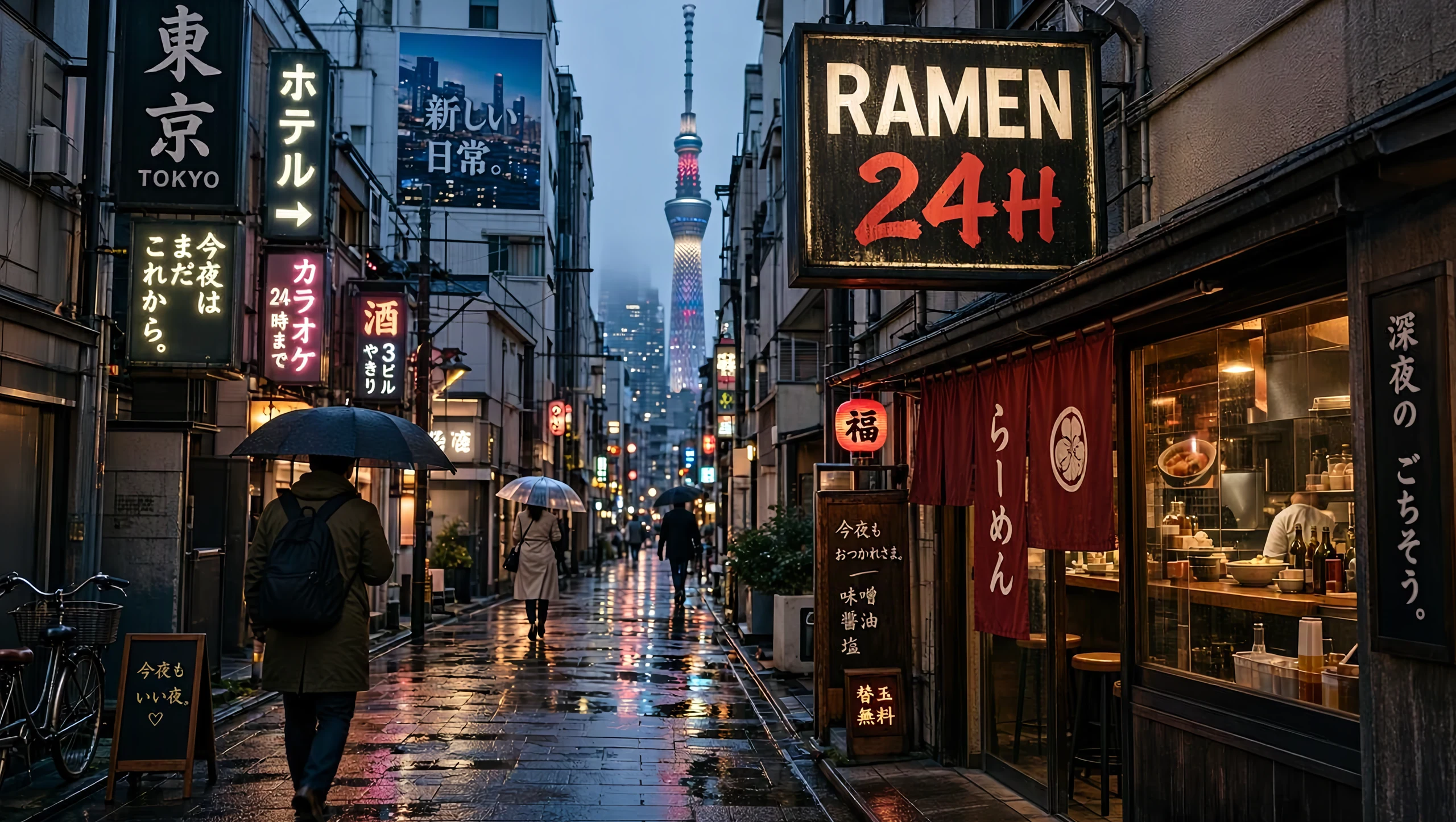
Our 2K twilight alley test rendered both Latin 'RAMEN 24H' and crisp Japanese shop signs cleanly.
Consistent identity on background swaps
Our terrace swap and stage composite both kept the source woman's likeness intact across outdoor and spotlight lighting.
Request parameters
| Parameter | Required | Description |
|---|---|---|
image_urls | Yes | 1 to 5 image URLs; each uploaded image adds the per-input rate to the base edit price. at least 1 items · at most 5 items |
prompt | Yes | Describe what stays fixed and refer to multiple uploads in order ('the first image', 'the second image'). at least 1 characters · at most 10000 characters |
Pricing
$0.015 / image
Billed as a low base output fee plus a small per-input-image fee for each upload (1 to 5). Failed or filtered calls are refunded in full.
Use cases
E-commerce product scenes at scale
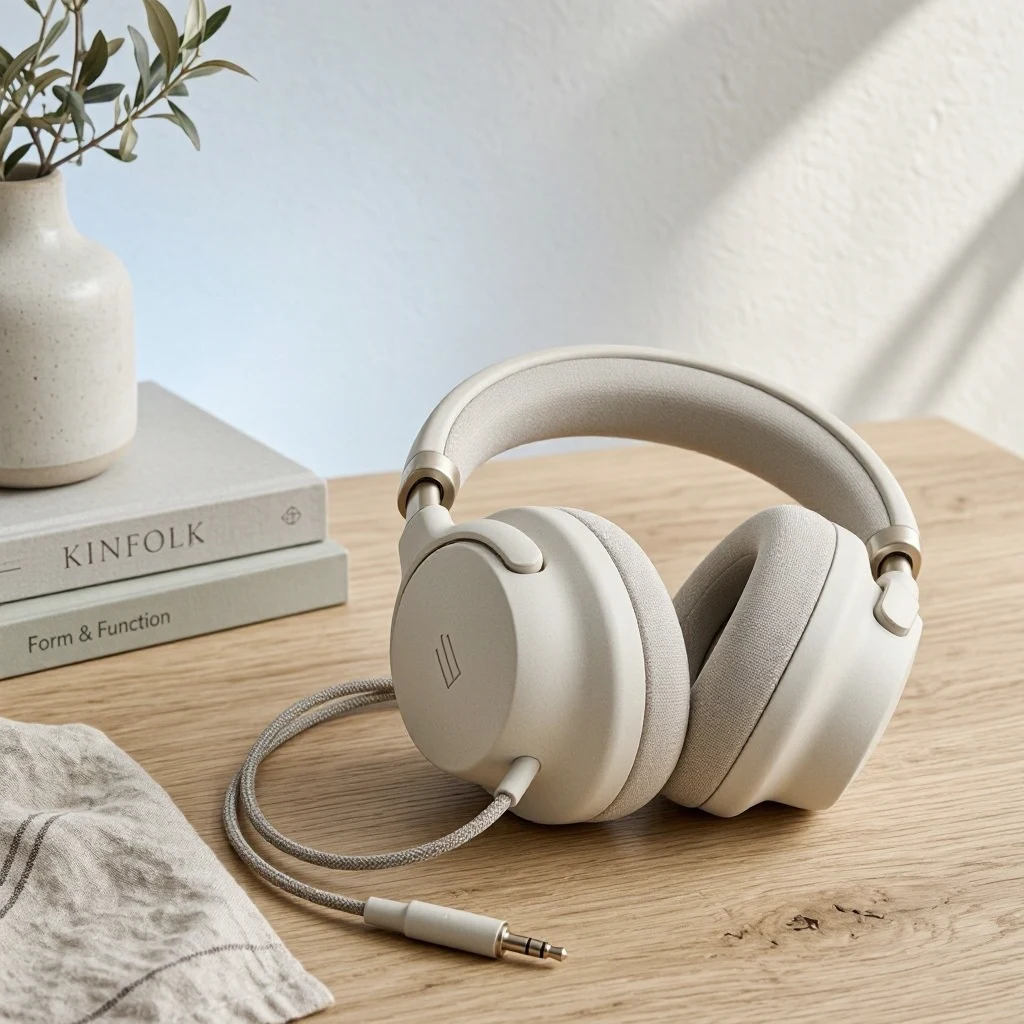
Render clean Scandinavian tabletop stills such as matte ceramic headphones on pale oak wood for catalog thumbnails.
Street photography with bilingual signage
Generate 2K 16:9 twilight alleys with legible English and Japanese neon signs for editorial headers.
Rapid location swaps for portraits
Move a studio portrait onto a sunlit Mediterranean coastal terrace while keeping face, hair, and clothing locked.
Fast multi-photo stage mockups
Composite a performer portrait onto a concert stage photo at a fraction of flagship edit cost.
Prompt guide & pro tips
Start high-volume drafts in Flash
Use text-to-image at 1k for rapid layout explorations or 2k when street signage and small labels need extra sharpness.
Supply clean source photos for edits
Pass one photo for background swaps or up to five photos for compositing; describe preserved details first.
Control incidental signage explicitly
State exact quoted sign copy like 'RAMEN 24H' and tell the model to keep surrounding props unbranded if needed.
Escalate hero frames when required
Keep Flash for batch variants and switch only hero deliverables to flagship MAI-Image-2.7 if you need finer cloth or specular micro-detail.
Low-cost 1–5 photo editing with MAI-Image-2.7 Flash
MAI-Image-2.7 Flash Edit is designed for interactive background replacement, product recoloring, and multi-photo composites at roughly a third of the flagship edit rate. Both our 1-image terrace swap and 2-image stage test preserved the source portrait's likeness cleanly at 836 x 1254.
Parameters and pricing
| Parameter | Allowance | Role |
|---|---|---|
| prompt | 1–10,000 characters | Describe locked elements and target edits. |
image_urls | 1 to 5 image URLs | Ordered source photos; count scales the input component of the price. |
Output dimensions follow the primary input image. Requests blocked by safety checks end as content_rejected at zero charge. For heavier wardrobe relighting, compare with MAI-Image-2.7.
API quick start
# Generate the idempotency key once; reuse it when retrying after a lost response.
export SPICY_IDEMPOTENCY_KEY="${SPICY_IDEMPOTENCY_KEY:-$(uuidgen)}"
curl -X POST https://api.spicyapi.ai/api/v1/jobs/createTask \
  -H "Authorization: Bearer $SPICY_API_KEY" \
  -H "Content-Type: application/json" \
  -H "Idempotency-Key: $SPICY_IDEMPOTENCY_KEY" \
  -d '{
  "model": "microsoft/mai-image-2.7-flash/edit",
  "input": {
    "image_urls": [
      "https://example.com/reference.png"
    ],
    "prompt": "A ceramic teapot on a linen cloth, soft window light, muted palette"
  }
}'

# Copy data.taskId from the response into TASK_ID, then poll the status.
TASK_ID="TASK_ID_FROM_RESPONSE"
curl "https://api.spicyapi.ai/api/v1/jobs/recordInfo?taskId=$TASK_ID" \
  -H "Authorization: Bearer $SPICY_API_KEY"
See the API reference for authentication, the complete schema, polling, and error handling.