To run a FLUX.1 Dev LoRA by API, send its weights URL and a scale in the loras list. To keep the subject intact, run the scene once with no adapter, then add the file with the same seed, guidance and steps and change only the LoRA scale. A workable start is scale 1, guidance 3.5, 28 steps and a square frame. Realism files often look better at guidance 2.5 to 3. A control plus three scale steps is four images at $0.018, or $0.072. Keep the result whose objects still work, not the one with the strongest look.
The worked scene is a fictional matte cobalt pitcher with one crescent handle on cream linen.
Decide what the adapter should contribute
The scene needs one readable pitcher, a short spout, an open handle and contact with the linen, lit softly with restrained ceramic texture. If the adapter adds dramatic gloss or elaborate ornament, it may be working and still be wrong for this brief.
For an adult-character version, replace the pitcher with one fictional adult aged 35 in a buttoned navy shirt beside a plain studio wall, and keep the pose and clothing identical across conditions.
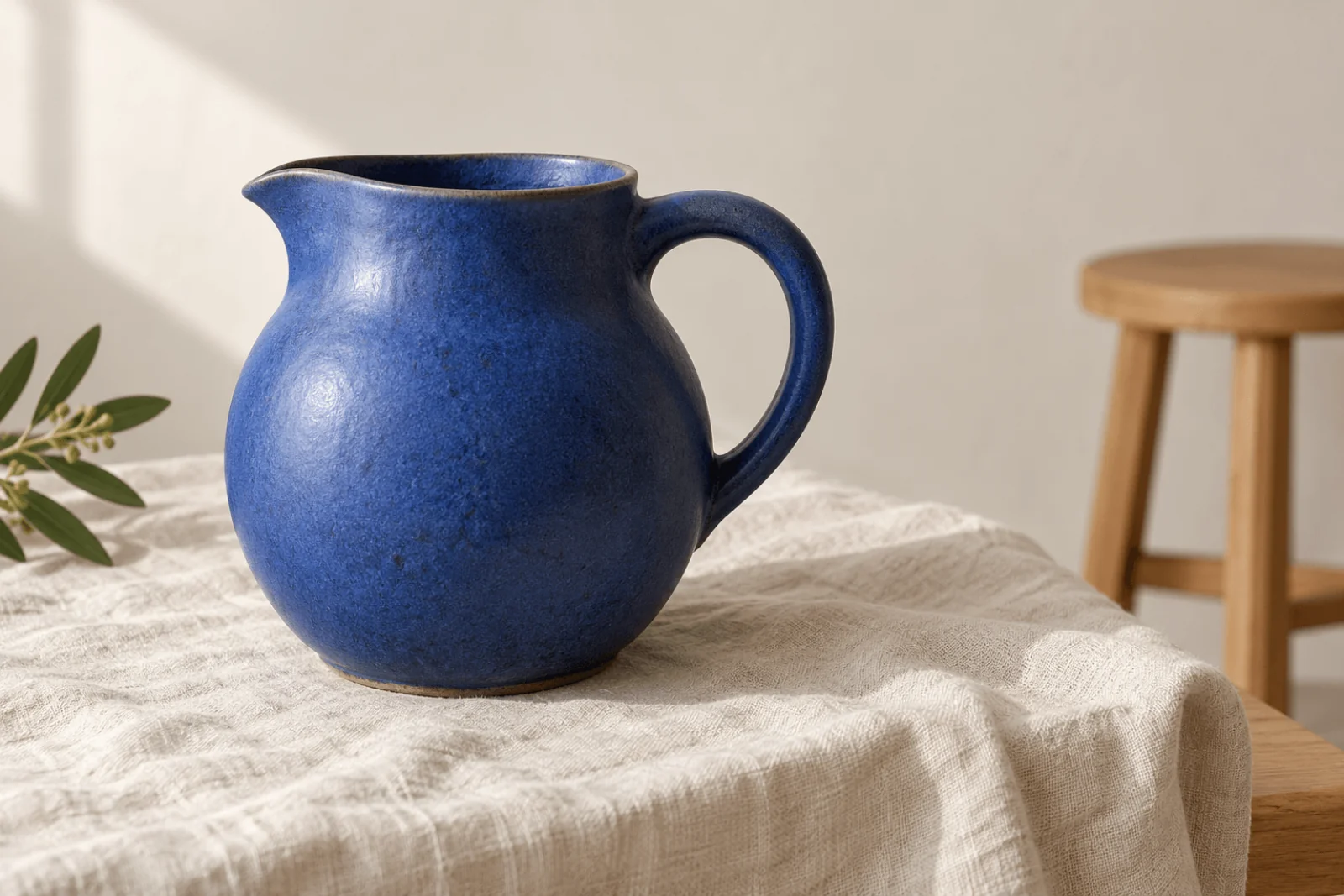
Illustration, not a FLUX result: the target subject, with one body, one handle opening and a short spout.
Pick a file that matches FLUX.1 Dev
A compatible file names FLUX.1 Dev as its training base. A LoRA for another FLUX release, an editing-specific architecture, SDXL, Z-Image or Qwen-Image will load and then change little, so check the base first. Use a direct link to the weights file in path, not the web page that describes it: a page URL is rejected at submission, and a gated repository that wants a login is rejected at submission too.
For example, the XLabs photorealism model card lists FLUX.1 Dev as the base, and the direct file link used in the code below ends in /resolve/main/lora.safetensors (about 22 MB). The card applies the FLUX.1 Dev non-commercial licence to the file itself; read its terms before using outputs in client work.
If the card documents a trigger phrase, put it first in the prompt exactly as written (the XLabs card documents none). If it gives a recommended strength, start there; otherwise use the ladder below.
Try it in the Playground first
Open FLUX.1 Dev LoRA text to image on the Playground tab, in Form view, and sign in with a funded account to run. Start with the control, a run with no weights:
- Paste the prompt below into Prompt. FLUX follows long, specific prompts, so write full sentences. There is no negative-prompt field, so say what you want ("one handle", "no lettering") instead of listing exclusions.
- Set Aspect ratio to 1:1.
- Under Style LoRAs, press Remove item until the list is empty.
- Open Advanced parameters and set Prompt adherence to 3.5, Sampling steps to 28, Output format to PNG and Seed to 17231.
- Run the model and save the image.
One matte cobalt ceramic pitcher with a rounded body, short spout and one crescent handle on cream linen. Whole vessel visible, open handle against a quiet cream wall, oak stool behind without overlap. Soft daylight from the left, natural ceramic texture, contact shadow. Square composition, no lettering or extra vessels.
If this control has two handles or a floating base, fix the scene first: move the stool away from the handle opening, ask for a clearer three-quarter view, or remove the stool. A changed prompt changes the image even at the same seed, so keep the text identical in every later run.
Then add one adapter. Press Add item, paste the direct weights link into LoRA file (a reachable file you are authorized to use) and set Strength to 1. Change nothing else and run again. Strength 1 applies the file as its author trained it, and the field accepts 0 to 4. Run 0.8, 1.0 and 1.2 as the ladder (add 0.5 if 0.8 is still too strong): drop toward 0.8 if the look is heavy; strong illustration styles can need a little over 1. Do not stack three files before one has proven itself. If the file needs a trigger, also run the trigger alone with no LoRA; text alone can shift the base image.
If a realism file looks waxy or over-sharpened, rerun the best strength with Prompt adherence at 2.5 and the same seed. Prompt adherence sets how strictly the image follows the prompt; it is not adapter strength.
Then run it from code
The same control and the three strength steps, with the seed and every other field held constant. Install the Python SDK (pip install spicyapi), set SPICY_API_KEY in your server environment, and run:
import uuid
from spicyapi import SpicyClient, output_assets

client = SpicyClient()  # reads SPICY_API_KEY from the environment

PROMPT = ("One matte cobalt ceramic pitcher with a rounded body, short spout and one crescent handle "
          "on cream linen. Whole vessel visible, open handle against a quiet cream wall, oak stool "
          "behind without overlap. Soft daylight from the left, natural ceramic texture, contact "
          "shadow. Square composition, no lettering or extra vessels.")
WEIGHTS = "https://huggingface.co/XLabs-AI/flux-RealismLora/resolve/main/lora.safetensors"  # XLabs realism, FLUX.1 Dev; swap in your own file
# 4 images x $0.018 = $0.072

for scale in (None, 0.8, 1.0, 1.2):  # None = control with no adapter
    task = client.create_task(
        model="black-forest-labs/flux-1-dev-lora/text-to-image",
        input_data={
            "prompt": PROMPT,
            "aspect_ratio": "1:1",
            "loras": [] if scale is None else [{"path": WEIGHTS, "scale": scale}],
            "guidance_scale": 3.5,
            "steps": 28,
            "seed": 17231,
            "output_format": "png",
        },
        idempotency_key=str(uuid.uuid4()),
    )
    final = client.wait_for_terminal(task["taskId"])
    if final["state"] != "succeeded":
        raise RuntimeError(f"{task['taskId']} ended as {final['state']}: {final.get('errorCode')}")
    assets = output_assets(final)
    if not assets or any(a.get("pending") or a.get("unavailable") or not a.get("url") for a in assets):
        raise RuntimeError(f"Task {task['taskId']} has no ready output; check this task before running more images")
    print(scale, assets[0]["url"])  # copy the image to your own storage now
Creating, waiting, downloading, retries and error codes are covered in the tasks guide and the Python SDK reference. Weights are fetched on every job, so a first call with a large file is slower than a plain run (see Run your own LoRA on a hosted API).
Or let an Agent run it
When an assistant should run the comparison, all three official tools show the price and ask you before a paid call.
- CLI. Put the
inputobject of one condition ininput.json, then:
``bash spicyapi tasks create --model black-forest-labs/flux-1-dev-lora/text-to-image --input-file input.json --wait ``
See the CLI docs; npx @spicyapi/cli works without installing.
- MCP server. Add the MCP server to your assistant, then ask: "Run FLUX.1 Dev LoRA with this prompt, seed 17231, no LoRA, then again with this weights link at strength 0.8, 1 and 1.2." It calls
spicyapi_task_create, which stops for your price confirmation, thenspicyapi_task_wait. - Skill.
npx skills add spicyapi-ai/spicy-skillinstalls the Agent Skill, which has a coding assistant read the live model schema instead of guessing fields.
Do not confuse the controls
| Control | Range on the text-to-image task | Use in this comparison |
|---|---|---|
loras (Style LoRAs) | Up to 3, each path and scale | Begin with one; no-file control uses [] |
| LoRA scale (Strength) | 0–4, 1 applies the file as trained | Vary this while holding other settings |
guidance_scale (Prompt adherence) | 0–20, default 3.5 | Leave at 3.5; try 2.5 for waxy realism |
steps (Sampling steps) | 1–50, default 28 | Leave at 28 to avoid another changing condition |
seed | 0–2147483647 | Keep 17231 so runs stay comparable |
| Formats | JPEG (default), PNG, WebP | PNG |
The task offers nine aspect ratios (21:9 to 9:21, all about one megapixel and one price) but no resolution or independent width and height fields, no image input and no mask. A scale: 0 entry may still fetch the file, so it is not a substitute for the empty-list control.
Fix a failed adapter experiment
| Problem | Specific next step |
|---|---|
| Request rejected or fails later | Confirm path returns the .safetensors file without a login, not a model-card page. A mistyped host or a file that disappears later is accepted at submission and fails afterwards. |
| Picture barely changes | Confirm the file's base is FLUX.1 Dev and any required trigger is first in the prompt; then raise scale by 0.2. |
| Style overwhelms the object | Reduce scale toward 0.8 or 0.6. |
| Realism looks waxy | Lower guidance to 2.5 with the same seed. |
| Handle becomes solid or duplicated | Lower the scale or reject that file for this subject. |
| Trigger alone produces the look | The look comes from the words, not the file; judge the file only on what it adds beyond the trigger-only image. |
| Style is useful but the product shape changes | Use the masked editor (next section) or composite the product layer. |
Compare the vessel, handle edge and wall at the same display size, and choose on treatment and usable structure, not on how much changed.
Use the editor when a source must guide the image
FLUX.1 Dev LoRA editing is a second task on the same model, also $0.018 per image. It requires image_url and prompt and accepts the same loras list, guidance and steps. Two controls are new: strength (0 to 1, default 0.8), which sets how far the result moves from the source, and an optional mask_url, a same-size black-and-white image where white is redrawn and black is kept. Source and mask are limited to 10 MB each, and either can be a public link to the file.
At the default 0.8 the pose and layout hold; around 0.95 the model redraws almost everything. Start at 0.8 and move in steps of 0.05, changing only one of strength or LoRA scale per run: if the source shows through, raise it; if the shape drifts, lower it. With a mask, use 0.9 to 1 so the white area really changes, and describe only what belongs in the white area.
A practical use for this brief: keep the pitcher you approved and restyle everything around it. In the Playground, open the editing task, drop the control image into Input image, paint the wall and linen white and the pitcher black in a same-size image and add it under Advanced parameters as Mask, then set Transformation strength to 0.95, add your weights under Style LoRAs and use a prompt for the new treatment only: "Cream linen with deep folds and a quiet plaster wall, soft daylight from the left, restrained film grain." Keep the seed, Prompt adherence 3.5 and Sampling steps 28 from the control. In API requests the same fields are image_url, mask_url, strength and loras on model black-forest-labs/flux-1-dev-lora/edit.
Feather the mask edge or follow the object's outline; a hard rectangle leaves a visible seam. Editing follows the source shape, so there is no aspect_ratio field, and the result comes back at about 0.7 megapixels (a 1024 x 1536 source returns at 672 x 1008), smaller than a text-to-image frame. When exact product pixels are mandatory, keep the original product layer over a separately prepared background and treat that compositing as finishing.
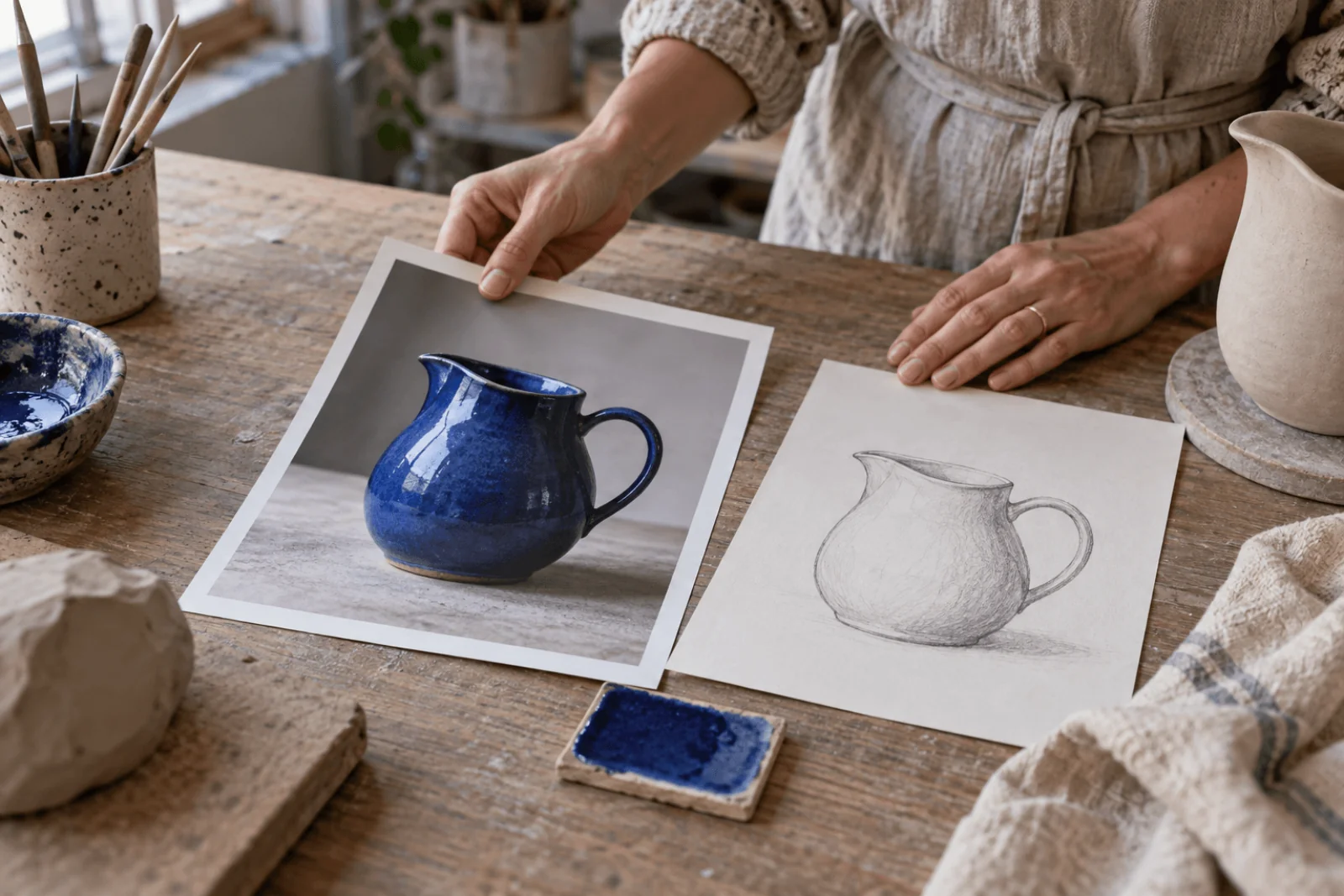
Reference materials for the brief: a photograph, a drawing and glaze samples.
Adult content: what the LoRA changes and what it does not
FLUX.1 Dev LoRA is an uncensored route: SpicyAPI adds no platform content filter, and adult-oriented LoRAs load and render. Loading a LoRA does not set the content scope; the base model still decides what comes back. Based on our September 2026 tests, the plain model delivered suggestive and upper-body NSFW imagery from text and softened whole-figure and two-person requests. With an adult LoRA loaded, the strongest probe produced advanced NSFW imagery but never the highest-intensity scene. In editing, an upper-body request on a clothed portrait came back as asked at strength 0.95 (with or without a LoRA) and at 1 with a mask, but softened at 0.85, so raise strength before switching models. Is FLUX uncensored? has the level-by-level results.
A photographic style LoRA changes the look, not the content scope. Use only fictional adults or people who have given documented consent.
Where to go next
Leave the LoRA out if the plain run already meets the brief. To check a new file for bad links and inert weights across a whole library, see Run your own LoRA on a hosted API. For the same control-first method on another base, see the Z-Image Turbo LoRA same-seed test.