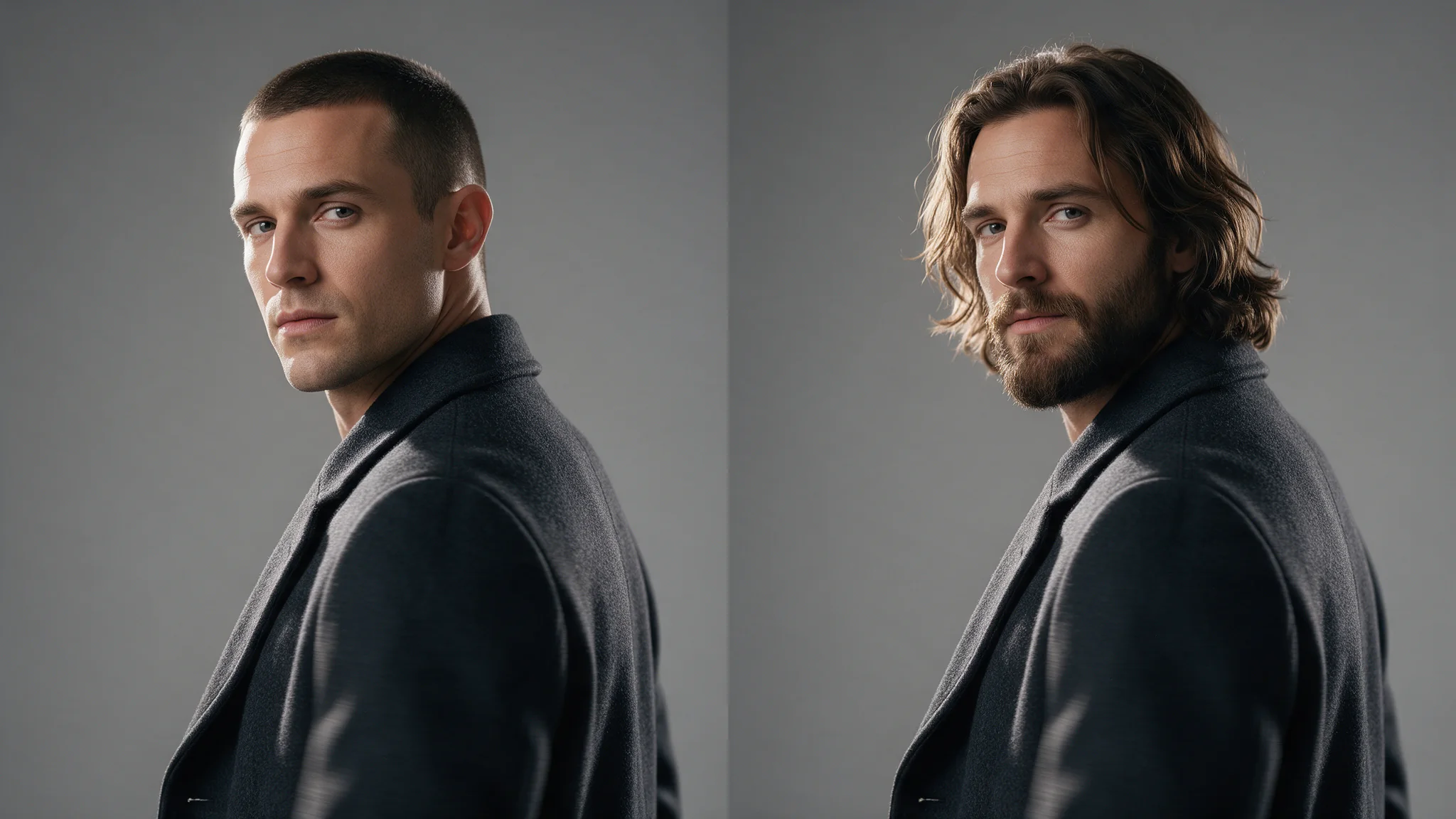
Video Head Swap is a two-stage API workflow: analyse a 5–30 second MP4, look at the numbered head previews, then submit the chosen position and replacement portraits to the edit. Face, hairstyle, hair colour and head shape change; the body, wardrobe, motion, audio and everyone you do not select stay as shot.
Here you see each tracked head first and name the one you want, before paying for the edit. It edits an existing video; it does not animate two still photos into a performance (use an image-to-video model for that).
Pick the right swap
| You need | Use | Price |
|---|---|---|
| A new face, with the footage's own hair kept | Video Face Swap, one call | $0.026 per second |
| A new head: face, hairstyle and hair colour | Video Head Swap, this guide | $0.08 analysis, then $0.064–$0.12 per second |
| A new person: build and clothing too | Character swap | Same prices as head swap |
| A still image instead of a clip | Head Swap | $0.013 per image |
Face swap is the cheaper, simpler choice whenever the footage's hair can stay. Head swap pays off when the new hair is part of the character, at the cost of a join at the neck that you have to inspect.
Prepare the source and reference portraits
Use only likenesses you are authorised to process: your own, a performer with a signed release, or a generated head. Everyone shown must be an adult. Both calls are uncensored, so SpicyAPI adds no content filter and that check is yours.
For this example, a fictional adult in a rust jacket turns toward another adult during a twelve-second conversation. Replace only the first person's head; keep the second person, clothing and dialogue.
Export the final source before analysis: MP4, up to 90 MB, 5–30 seconds. video_url takes a public HTTPS link that returns the MP4 itself, not an HTML player page, or a spicy:// URI from the free upload flow, which is the most reliable route for a local file. If you later trim, crop or re-encode the source, run analysis again.
Prepare 1–3 portraits of the same replacement adult. A front and three-quarter view are a useful starting pair; add a profile if the source contains a substantial turn. Keep hair and apparent age coherent across the set. Match the footage as well: light the portraits from the direction the shot is lit from, with the head at a similar angle. The join at the neck is where a mismatch shows, and no request field compensates for it. Full-body wardrobe references belong to character replacement; this task needs the intended head and hair clearly visible.
For a fictional reference image, use a brief such as:
Photographic reference portrait of one fictional adult man, about 35, with short dark hair, a neat beard and a neutral expression, wearing a fully buttoned plain shirt. Soft even light, unobstructed face and hair, simple background. Front view, no other people, no text.
Create the other angles from that approved identity rather than requesting unrelated people independently. The edit has no prompt field, so the references carry the whole result.
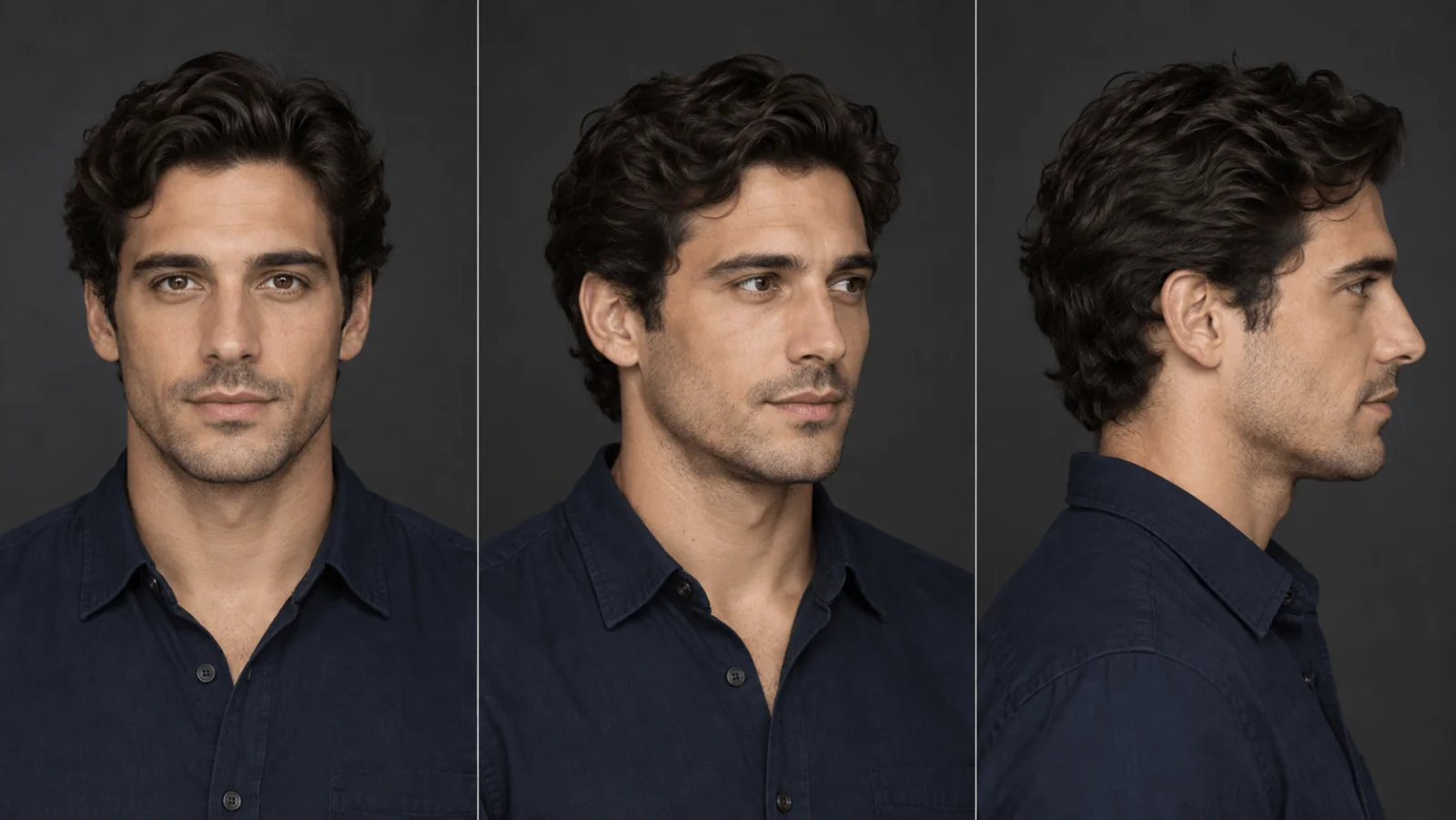
Illustration of a front, three-quarter and profile reference set.
Try it in the Playground first
- Open the Video Head Swap edit page and stay on the Playground tab, in Form view. Sign in with a funded account to run.
- Step 1, Find the people in your clip. Add the clip under Input video (drop the MP4 or use Asset URL) and pick the Resolution, 480p or 720p. The edit must use the same value, so choose the one you want the finished clip to have. Press Find people in this clip ($0.08).
- Step 2, Choose who to replace. Every tracked head appears as a numbered preview. Pick the one you want and add one to three reference photos of the replacement adult. Set a Seed only if you want to compare reference sets fairly; leave it out otherwise.
- Run the edit, then check the jaw, neck, hair and collar in the result with sound on.
The analysis stays reusable for 24 hours, so you can try another reference set from the same previews without paying for tracking again. Each accepted edit, including a new reference set or seed, is a new paid task. If no preview shows the person you want, a clearer take is the fix: a head that is never clearly visible cannot be tracked, and a clip with no trackable head fails with the hold released.
The analysis page runs step 1 on its own; a successful analysis is charged even if you stop there.
Then run it from code
Install the Python SDK (pip install spicyapi), set SPICY_API_KEY in your environment, and save this as swap.py. analyze prints the preview URLs; edit takes the analysis task ID and the preview position you chose. The edit must use the same API key and resolution as the analysis, and no video_url: it inherits the analysed clip.
import sys
import uuid
from spicyapi import SpicyClient, output_assets

client = SpicyClient()  # reads SPICY_API_KEY from the environment

def run(model: str, input_data: dict) -> tuple[str, list]:
    task = client.create_task(model=model, input_data=input_data,
                              idempotency_key=str(uuid.uuid4()))
    final = client.wait_for_terminal(task["taskId"])
    if final["state"] != "succeeded":
        raise RuntimeError(f"{task['taskId']} ended as {final['state']}: {final.get('errorCode')}")
    return task["taskId"], output_assets(final)

if sys.argv[1] == "analyze":
    task_id, previews = run("spicyapi/head-swap-video-v1/video-analyze", {
        "video_url": "https://your-media.example/conversation.mp4",
        "resolution": "720p",
    })
    print("analysis task:", task_id)
    for position, asset in enumerate(previews):   # position 0 is the first image returned
        print(position, asset["url"])
else:  # python swap.py edit <analysis_task_id> <position>
    _, outputs = run("spicyapi/head-swap-video-v1/video-edit", {
        "analysis_task_id": sys.argv[2],
        "resolution": "720p",
        "swap_targets": [{
            "object_index": int(sys.argv[3]),
            "image_urls": [
                "https://your-media.example/replacement-front.png",
                "https://your-media.example/replacement-three-quarter.png",
            ],
        }],
        "seed": 42,
    })
    print(outputs[0]["url"])  # copy the video to your own storage now
Run python swap.py analyze, open every preview and note the number of the adult you want (position 0 is the first image returned, not a left-to-right rule; never fall back to 0 if your person is missing), then python swap.py edit <analysis_task_id> 1. The edit takes 1 to 10 targets with 1 to 3 same-person reference images each; there is no mask, outfit, audio or prompt input. Creating, waiting, retries, idempotency keys and downloads are covered in the tasks guide and the Python SDK reference; a local file goes through the free upload flow and comes back as a spicy:// URI for video_url.
Or let an Agent run it
When an assistant should run the two calls, all three official tools show the price and ask you before a paid call.
- CLI. Put the analysis
inputobject (video_url,resolution) inanalysis.json, then:
``bash spicyapi tasks create --model spicyapi/head-swap-video-v1/video-analyze --input-file analysis.json --wait ``
Run the edit the same way with edit.json. See the CLI docs; npx @spicyapi/cli works without installing.
- MCP server. Add the MCP server, then ask: "Analyse conversation.mp4 with Video Head Swap at 720p and show me the numbered previews." It uploads the file with
spicyapi_upload_file, callsspicyapi_task_create, which stops for your price confirmation, thenspicyapi_task_wait. Choose the position yourself, then ask for the edit. - Skill.
npx skills add spicyapi-ai/spicy-skillinstalls the Agent Skill, which has a coding assistant read the live model schema instead of guessing fields.
What a finished edit looks like
The published model example below is a ten-second source clip and its 480p edit with one reference portrait. The hair and face change; the dress, walk, backlight and camera stay. Check the jaw and neck line first, where a mismatch in light or angle shows.
What it costs
The edit is $0.064 per billed second at 480p and $0.12 at 720p. Billing runs in five-second blocks, with a five-second minimum and a thirty-second cap. A 10-second clip at 480p costs $0.72 in total: $0.08 analysis plus $0.64 edit.
| Source | Billed edit duration | Total at 480p, including analysis | Total at 720p, including analysis |
|---|---|---|---|
| 5 seconds | 5 seconds | $0.40 | $0.68 |
| 7 seconds | 10 seconds | $0.72 | $1.28 |
| 12 seconds | 15 seconds | $1.04 | $1.88 |
Before settlement the edit reserves the thirty-second maximum, $1.92 at 480p or $3.60 at 720p. A twelve-second clip at 720p is held at $3.60 although its edit charge is $1.80; the rest is released when the task settles.
Diagnose selection, identity and delivery separately
| Problem | Specific correction |
|---|---|
| Wrong person changes | Fix the preview index and task association before changing references |
| Edit rejects the analysis | Confirm same family, successful analysis, same API key, matching resolution and age under 24 hours; object_index must exist among the previews and appear once (put all of a head's images in one entry) |
| New source export is rejected | Analyse the new file; the old tracking belongs to the old source |
| Head looks pasted on, or a line shows at the neck | Re-shoot or regenerate the references with the footage's light direction and head angle, then rerun the edit on the same analysis |
| Face drifts during a turn | Add a coherent profile reference of the same adult, or use a source with a clearer turn |
| Hair or collar flashes at a boundary | Inspect the source occlusion; try a less extreme hairstyle or a take with a clearer head outline |
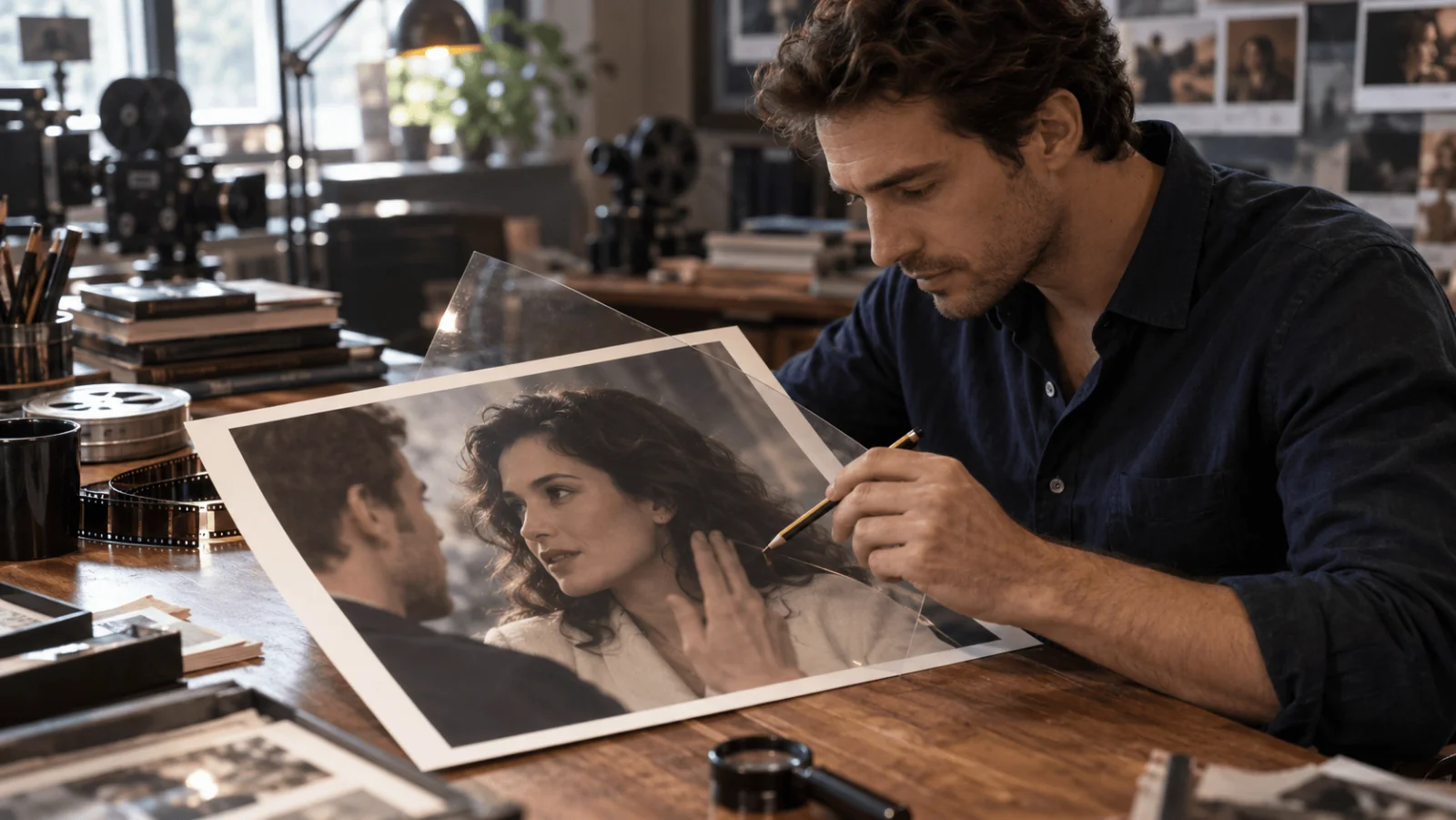
Illustration of reviewing hair, collar and a foreground hand.
Play the returned video with sound. The edit keeps the source audio and body motion; it does not change the speaker's voice, and the scenery is not guaranteed pixel-identical. Inspect the unselected person too, especially during crossings. If a hand crosses the replaced face, step through the contact and reappearance rather than approving only an attractive opening frame.
Save the accepted video in your own storage straight away: result links last about 20 minutes and results are kept for at most 14 days, so an analysis ID, a preview image and a temporary media URL are not a permanent copy.