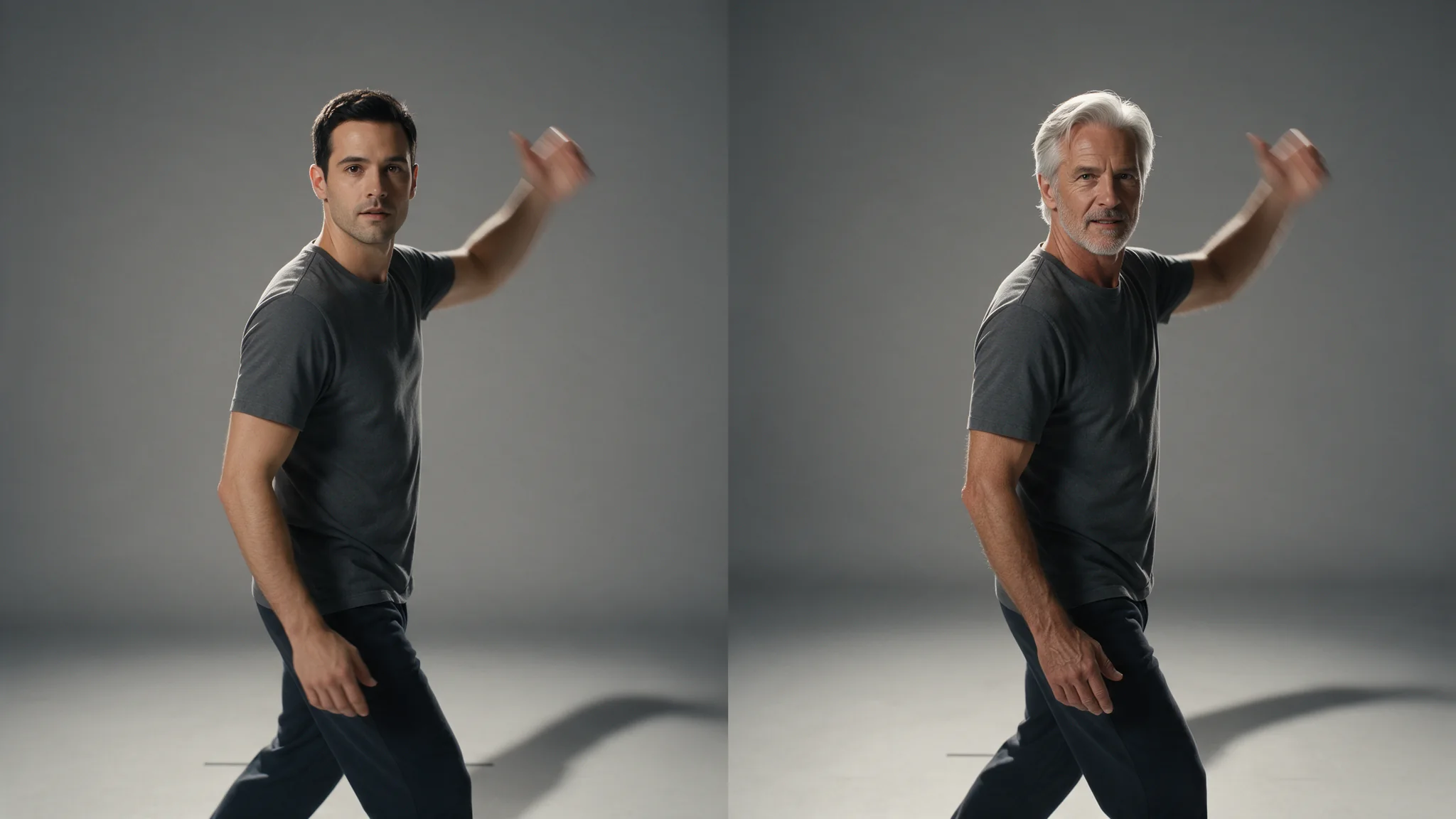
Use Character Swap when the replacement should change a person's whole appearance, including build and clothing, while the scene, camera move and original audio stay. Character Swap lets you pick which person in the clip changes: analyse the final clip, inspect the numbered previews, then submit the chosen preview index with one to three images of the replacement. If the original wardrobe must stay, use a head or face workflow instead.
On SpicyAPI, analysis and editing are separate paid tasks. A seven-second source costs $0.72 at 480p or $1.28 at 720p in total: one analysis plus the edit's rounding up to ten seconds. The Playground runs both steps in the browser, and the API takes the same inputs. You need authorisation for both the footage and the likeness in the reference images.
Prepare a seven-second scene and a full-body replacement
Our example is a seven-second shot of someone carrying a closed toolbox to a bench while another adult stands beside it. The carrier is replaced by a fictional adult in a navy work jacket and charcoal trousers, the look in the illustrations below. The bench, toolbox, other person and original performance stay.
Export the exact seven-second source you intend to edit. Keep the initial grip, the carrying action and the release after the toolbox reaches the bench. The input is 5–30 seconds of MP4 up to 90 MB. Uploading the file is the most reliable route; a direct link must point at the MP4 itself, because a page containing a player fails (the charge is refunded). Trimming or re-encoding after analysis requires a fresh analysis.
The tracker follows people who stay reasonably large and visible, so cut to the stretch that matters and avoid long periods where the person you want is fully hidden. A shorter cut also costs less, since the edit is billed in five-second blocks.
For the replacement, prepare a front and three-quarter full-body view of the same adult, wearing the same outfit. One clear reference is accepted; three is the maximum per target. A head-and-shoulders portrait leaves build and clothing to guesswork, so show sleeves, hands and footwear, and light the references like the footage rather than choosing the sharpest portrait. Do not combine a face from one person, trousers from another and a different jacket in the third image. The service receives those as references for one replacement, not as separately assigned clothing layers.
A usable image-generation brief is:
Full-body reference portrait of one fictional adult woman, about 30, in a plain navy work jacket, charcoal trousers and dark flat shoes. Front-facing relaxed stance, hands visible, readable sleeves and footwear, neutral background. No toolbox, no other people, no lettering.
Generate or photograph a second angle of the same established design if needed. The character-swap edit has no text prompt field, wardrobe selector or body mask, so the intended wardrobe has to be in the reference images.
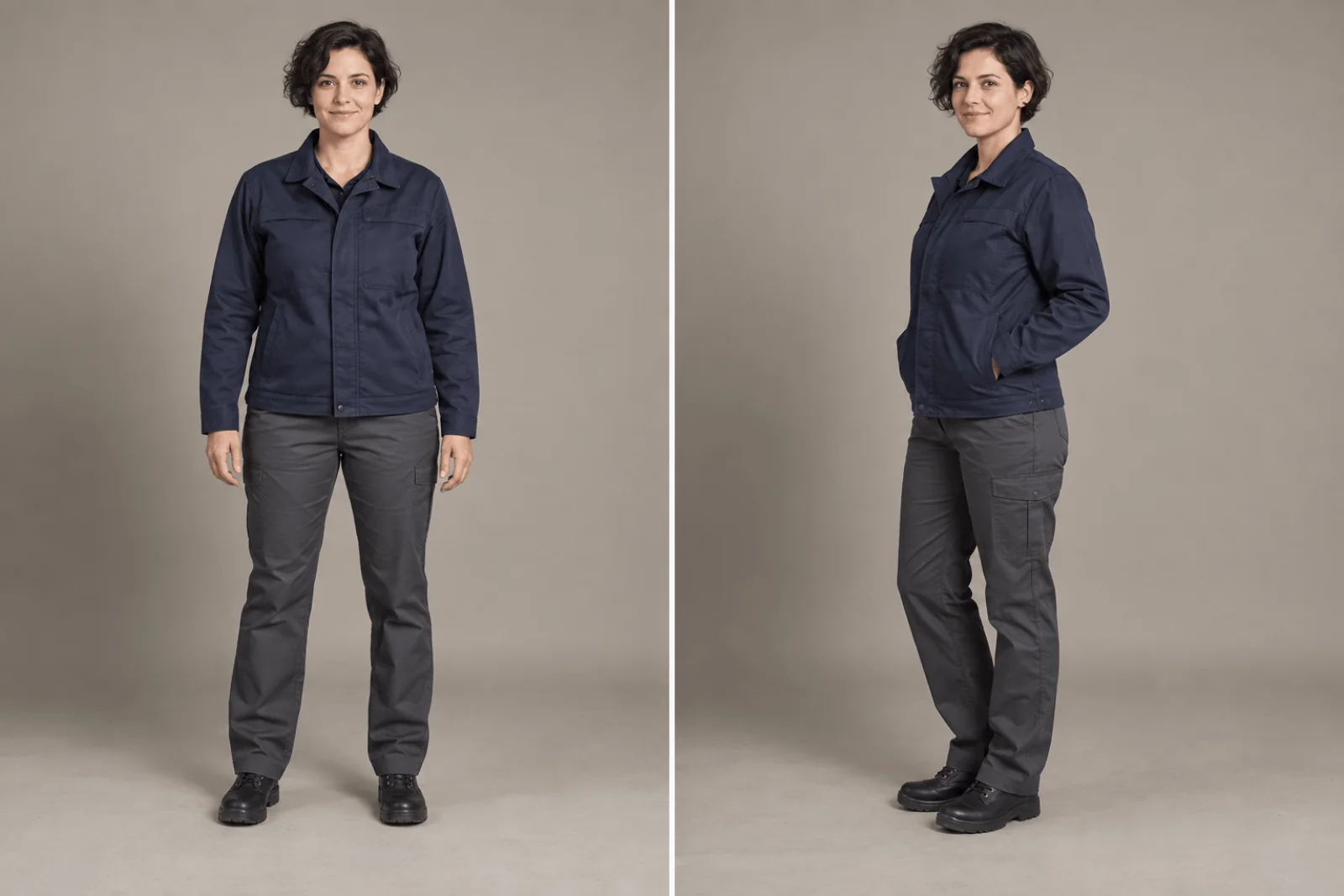
Illustration of a front and three-quarter full-body reference set.
Try it in the Playground first
- Open the Video Character Swap model page and stay on the Playground tab in Form view. Sign in with a funded account to run.
- In Step 1, Find the people in your clip, add the seven-second MP4 under Input video (uploading is more reliable than a link) and pick the Resolution you want for the finished clip,
480por720p. The edit must use the same value. - Press Find people in this clip ($0.08). Everyone it tracked appears in Step 2, Choose who to replace, as one cropped preview per person.
- Choose the preview of the person who carries the toolbox, add one to three reference images of the replacement, and run the edit. A Seed is optional.
Position 0 is the first returned preview, not necessarily the leftmost or largest person, because the order comes from tracking rather than screen position. If the carrier is the second preview, that is index 1. Keep the returned order when you save previews: alphabetical filenames or a sorted gallery can silently change the index.
If the intended carrier has no preview, do not pay for an edit by guessing a nearby number. No reference image can bring back a person who has no preview, so use a take where that performer is clearly visible. An analysis that finds nobody ends as failed and its hold is released; a successful analysis is charged even if you decide not to swap.
Then call it from code
Install the Python SDK (pip install spicyapi), set SPICY_API_KEY, and run the following. It uploads the clip and two references, runs the analysis, prints the preview links, asks which index to swap, then submits the edit. Both tasks are charged.
import uuid

from spicyapi import SpicyClient, output_assets

client = SpicyClient()  # reads SPICY_API_KEY from the environment
RESOLUTION = "720p"     # must be identical in both calls

clip = client.upload_file("./workshop-seven-seconds.mp4")
front = client.upload_file("./replacement-front.png")
angled = client.upload_file("./replacement-three-quarter.png")

analysis_task = client.create_task(
    model="spicyapi/character-swap-v1/video-analyze",
    input_data={"video_url": clip["uri"], "resolution": RESOLUTION},
    idempotency_key=str(uuid.uuid4()),  # new key per new request; reuse only to retry the same one
)
print("Resume analysis:", analysis_task["taskId"], flush=True)
analysis = client.wait_for_terminal(analysis_task["taskId"])
if analysis["state"] != "succeeded":
    raise RuntimeError(f"Analysis {analysis_task['taskId']} ended as {analysis['state']}")

previews = output_assets(analysis)
if not previews or any(p.get("pending") or p.get("unavailable") or not p.get("url") for p in previews):
    raise RuntimeError(f"Analysis {analysis_task['taskId']} has no ready previews; retrieve it before editing")
for index, preview in enumerate(previews):  # keep the returned order
    print(index, preview["url"])
chosen = int(input("Index of the person to replace: "))
if not 0 <= chosen < len(previews):
    raise ValueError("Choose one of the returned preview indices before creating an edit")

edit_task = client.create_task(
    model="spicyapi/character-swap-v1/video-edit",
    input_data={
        "analysis_task_id": analysis["taskId"],  # video_url is inherited from the analysis
        "resolution": RESOLUTION,
        "swap_targets": [{"object_index": chosen,
                          "image_urls": [front["uri"], angled["uri"]]}],
        "seed": 42,
    },
    idempotency_key=str(uuid.uuid4()),  # new key per new request; reuse only to retry the same one
)
print("Resume edit:", edit_task["taskId"], flush=True)
edit = client.wait_for_terminal(edit_task["taskId"])
if edit["state"] != "succeeded":
    raise RuntimeError(f"Edit {edit_task['taskId']} ended as {edit['state']}")
assets = output_assets(edit)
if not assets or any(a.get("pending") or a.get("unavailable") or not a.get("url") for a in assets):
    raise RuntimeError(f"Task {edit_task['taskId']} has no ready output; check this task before a new run")
print(assets[0]["url"])  # copy it to your own storage now
Uploads, waiting, errors and retries are in the Subject swap guide, the task documentation and the Python SDK reference. Use the same API key for both steps and run the edit within 24 hours of the analysis (an uploaded clip also expires after a day); one analysis can feed several separately billed edits. People you do not list stay untouched, and an index belongs to this analysis, so do not reuse it as a character ID in another shot.
A whole-character replacement is intended to retain the scene, camera motion, choreography and original audio. That scope does not promise unchanged background pixels or a new voice.
Or let an Agent run it
If an assistant should run the swap, give it the CLI or the MCP server. Both show the price and ask you to confirm before a paid call. The Skill adds instructions on top of either.
- CLI.
spicyapiruns one task from a terminal (npx @spicyapi/cliworks without installing):
``bash spicyapi files upload ./workshop-seven-seconds.mp4 # prints a spicy:// URI spicyapi tasks create --model spicyapi/character-swap-v1/video-analyze \ --input-file analysis.json --idempotency-key workshop-analysis-v1 --wait ``
analysis.json holds {"video_url": "spicy://...", "resolution": "720p"}. Look at the previews, then run the command with video-edit, its own key workshop-edit-v1, and an input.json holding analysis_task_id, resolution and swap_targets. Reuse a key only for an unchanged request; a new source, target or reference set needs a new key.
- MCP server. Add the MCP server (its config snippet is on that page) to your assistant, then ask: "Analyse ./workshop-seven-seconds.mp4 at 720p with Character Swap and show me the previews." After you choose the person, say: "Replace index 1 using ./replacement-front.png and ./replacement-three-quarter.png." It calls
spicyapi_upload_file, thenspicyapi_task_create(which stops for your price confirmation), thenspicyapi_task_wait. - Skill.
npx skills add spicyapi-ai/spicy-skillinstalls the Agent Skill, which teaches a coding assistant to read the live schema and reuse idempotency keys. It cannot run tasks by itself, so use it with the CLI or MCP. Choosing which preview to swap stays your decision.
Understand the charge before making variants
Prices are from the public catalogue (October 2026).
| Stage | Price | Seven-second example |
|---|---|---|
| Analysis | $0.08 per request | $0.08 |
| Edit, 480p | $0.064 per billed second | 10 billed seconds: $0.64 |
| Edit, 720p | $0.12 per billed second | 10 billed seconds: $1.20 |
Edit duration rounds up to whole five-second blocks, with a five-second minimum and thirty-second cap. A 5-second source uses one block; 5.1 seconds uses two. Before submission, the edit estimate reserves the thirty-second maximum, $1.92 at 480p or $3.60 at 720p, and the difference returns when the task settles. A budget check must therefore allow the reservation, not only the expected final amount. A request rejected at creation (mismatched resolution, wrong analysis ID, repeated index) creates and charges nothing.
Two 720p edits of the seven-second source, reusing one analysis, cost $2.48 in total: $0.08 plus two times $1.20. Changing references or seed is a new paid edit, not a free revision.
Repair the right problem
| Symptom | Action |
|---|---|
| Edit changes the bystander | Reopen the original ordered previews and correct object_index; new reference pictures cannot fix wrong selection |
| Request says the analysis was not found or belongs to another model | Use the task ID of your own video-analyze task, created with the same API key |
| Request rejects the source or resolution | Omit edit video_url, use the analysed resolution, or analyse the new source again |
| Analysis is too old | Run analysis again and select the target from the new previews |
| Face looks right but outfit changes | Use coherent full-body references showing the same jacket, trousers and footwear |
| Replacement looks pasted in | The references are lit differently from the footage; remake them with the same light direction and tone |
| Hands pass through the toolbox | Use a clearer grip or a replacement with more compatible proportions; a sharp portrait alone does not describe contact |
| Identity changes after a crossing | Try a source with less sustained occlusion; inspect the return from behind the other person |
| Task succeeded but media is pending | Continue collecting the existing task; do not create another paid edit to recover a download |

Illustration of reviewing a printed frame.
Watch the carrier, the toolbox and the unselected adult together at normal speed. Then inspect grip, bench contact and release. A new face can look excellent while the central action fails. If only the final half-second has a defect, trimming may be enough; if the grip is broken throughout, choose a clearer source or use a narrower head-replacement scope when the original body and clothing can stay.
Copy the accepted clip to your own storage before it expires: results are kept about 14 days (see media retention and delivery).