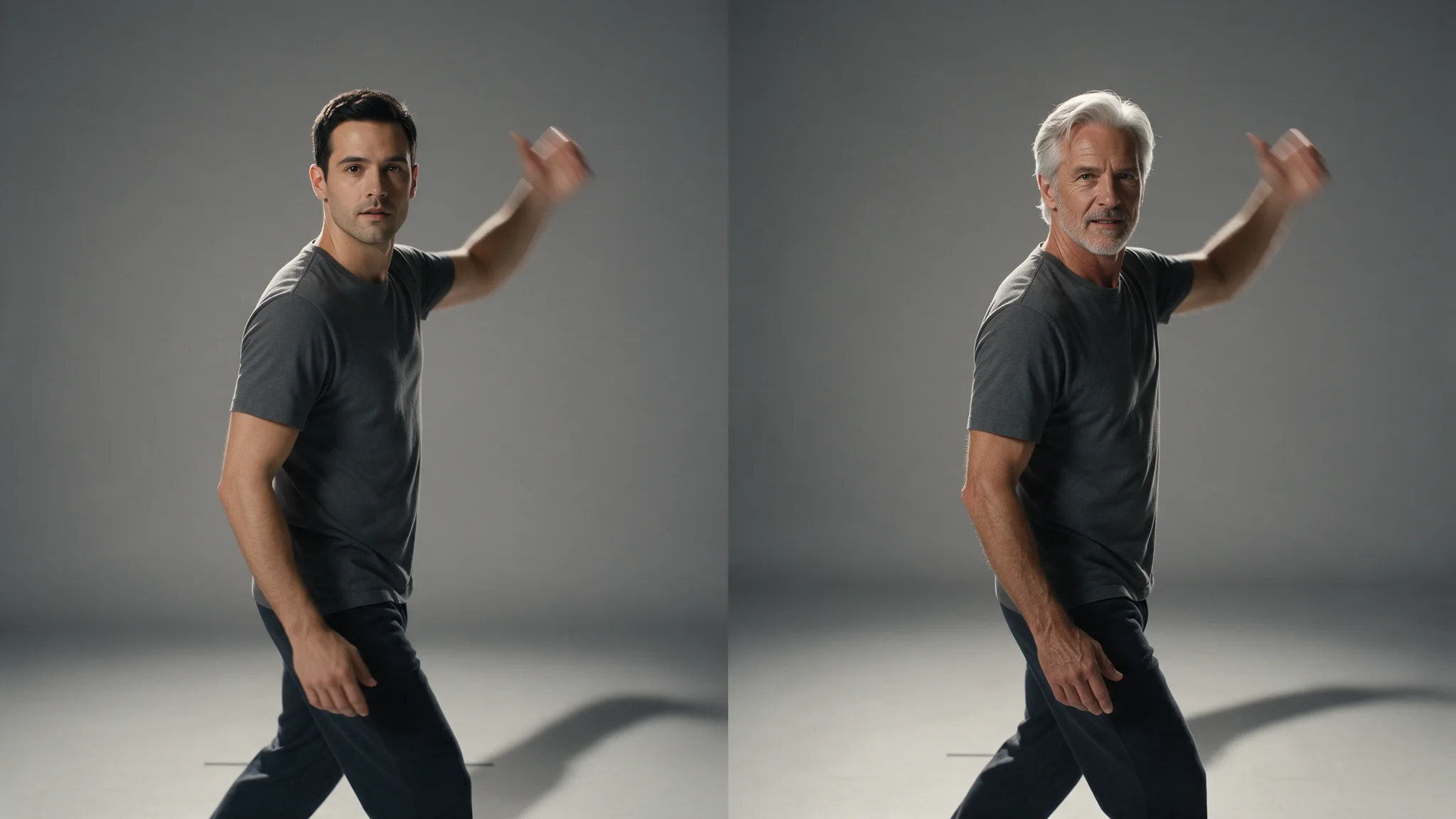
Introduction
For Character Swap analysis, supply a direct MP4 file link or upload the clip; a player page is not a video file. The accepted source length is 5–30 seconds. Inspect Character Swap’s previews before assigning photos: blur, small subjects and prolonged occlusion can prevent a person from being tracked. A replacement target must come from the returned analysis, not a number invented in the edit request.
| Field | Value |
|---|---|
| Input | Text |
| Output | Video |
| Calls | video-analyze → video-edit |
| Clip length | 5 to 30 seconds |
| Resolution | 480p / 720p; match the character analysis |
| References | 1–3 photos each; ≤10 replacement characters |
| Authorisation | Authorised adult likenesses only |
Key features & highlights
You choose who changes
Recast the performer’s entire appearance while using the source shot as the motion and scene reference. Character Swap changes clothing and build as well as identity; Head Swap instead retains the original performer’s clothing and build. Assign up to 10 detected people in swap_targets, with a separate set of 1–3 photos for each character. Omitted positions are outside the requested replacement set.
Request parameters
| Parameter | Required | Description |
|---|---|---|
video_url | Yes | For Character Swap analysis, supply a direct MP4 file link or upload the clip; a player page is not a video file. The accepted source length is 5–30 seconds. at least 1 characters |
resolution | No | Character replacement requires the same source clip and matching resolution as its analysis; choose 480p or 720p for both stages. |
Pricing
$0.08 / analysis
Character Swap analysis has its own flat charge per request; this payment prepares the selectable characters and does not include an edited video.
Use cases
Recast a shot without reshooting it
Try a different character design on an already planned walk or gesture, using the existing shot as the performance reference.
Any subject matter, with a consented performer
For authorised adult projects, review consent for the specific character replacement before attaching the reference photos.
One character through a generated series
To carry one character design through several clips, analyse each source separately and assign that character’s photos to the appropriate preview.
Crowds where only one person changes
In an ensemble shot, map only the performer being recast and inspect the finished video for continuity around neighbouring people.
Prompt guide & pro tips
Confirm you hold the rights to every person involved
Only recast adults whose likeness you are authorised to use, with consent covering the source footage, reference images and intended use. Keep that permission with the project; a publicly available photograph does not grant it, and impersonation or defamatory use is prohibited.
Analyse first, then read the preview order
For Character Swap, run video-analyze before video-edit: inspect the returned previews and assign their zero-based positions in
swap_targets. Position 0 means the first returned preview, not necessarily the person furthest left.Show the replacement character’s outfit
Use reference photos that show the replacement character’s clothing and overall appearance from useful angles. A tightly cropped portrait gives Character Swap little information about the rest of the figure.
Video Character Swap · video-analyze
For Character Swap, run video-analyze before video-edit: inspect the returned previews and assign their zero-based positions in swap_targets. Position 0 means the first returned preview, not necessarily the person furthest left.
For Character Swap analysis, supply a direct MP4 file link or upload the clip; a player page is not a video file. The accepted source length is 5–30 seconds.
Inspect Character Swap’s previews before assigning photos: blur, small subjects and prolonged occlusion can prevent a person from being tracked. A replacement target must come from the returned analysis, not a number invented in the edit request.
Character Swap analysis has its own flat charge per request; this payment prepares the selectable characters and does not include an edited video.
Character replacement requires the same source clip and matching resolution as its analysis; choose 480p or 720p for both stages. Trimming or re-exporting the footage requires a fresh analysis, and this package offers no 1080p tier.
The character analysis can be reused for replacement requests for 24 hours under the account that created it. After expiry, analyse the source again before trying another cast.
API quick start
# Generate the idempotency key once; reuse it when retrying after a lost response.
export SPICY_IDEMPOTENCY_KEY="${SPICY_IDEMPOTENCY_KEY:-$(uuidgen)}"
curl -X POST https://api.spicyapi.ai/api/v1/jobs/createTask \
  -H "Authorization: Bearer $SPICY_API_KEY" \
  -H "Content-Type: application/json" \
  -H "Idempotency-Key: $SPICY_IDEMPOTENCY_KEY" \
  -d '{
  "model": "spicyapi/character-swap-v1/video-analyze",
  "input": {
    "resolution": "720p",
    "video_url": "https://example.com/reference.mp4"
  }
}'

# Copy data.taskId from the response into TASK_ID, then poll the status.
TASK_ID="TASK_ID_FROM_RESPONSE"
curl "https://api.spicyapi.ai/api/v1/jobs/recordInfo?taskId=$TASK_ID" \
  -H "Authorization: Bearer $SPICY_API_KEY"
See the API reference for authentication, the complete schema, polling, and error handling.