Introduction
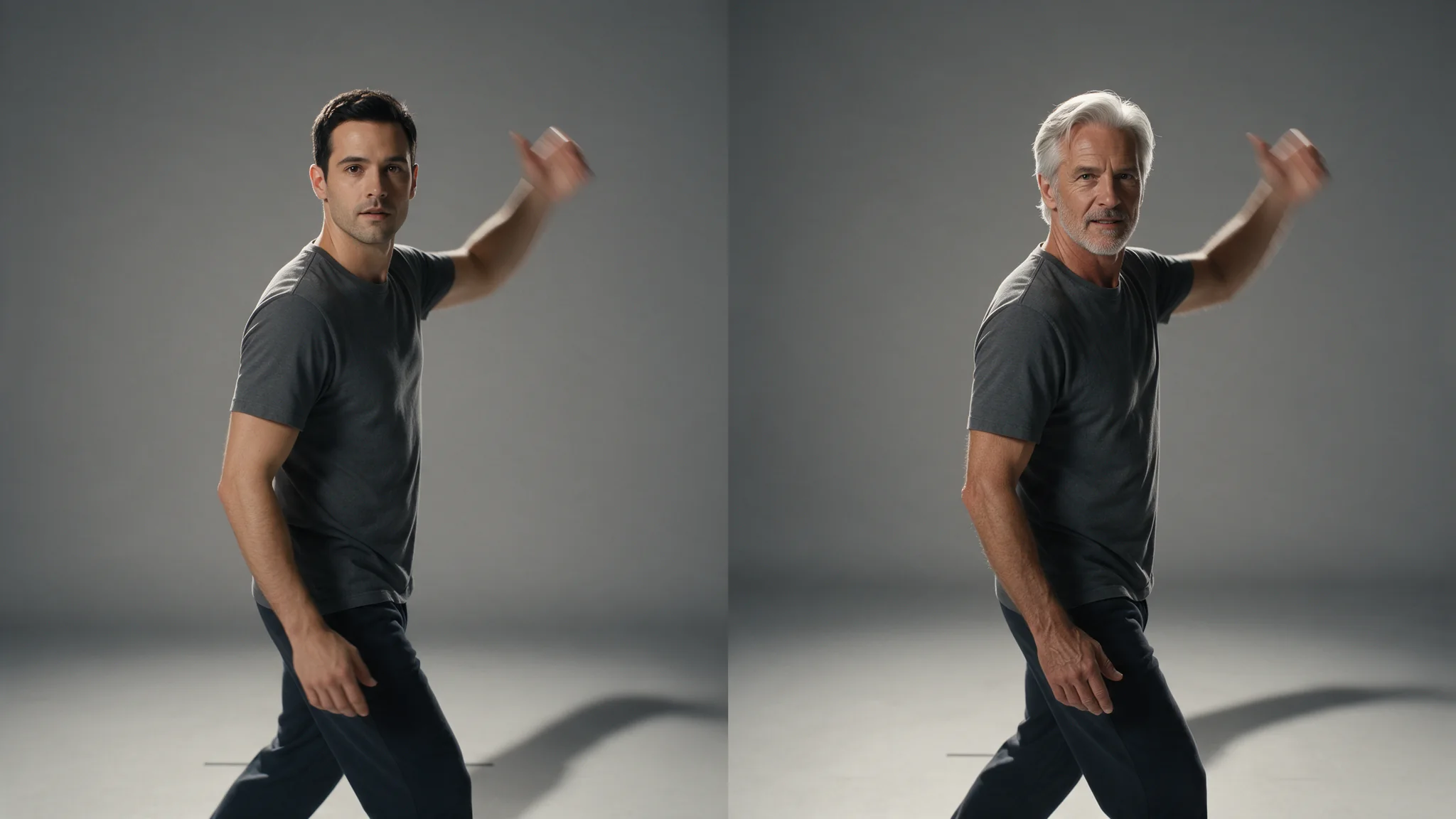
Video Character Swap takes the task id of an analysis, the positions you picked from its preview images and one to three reference photos for each, and returns the clip with those people replaced. The whole figure changes, clothing and build included; the set, the camera move, the choreography and the original audio track stay as shot. People you do not list are left untouched.
Video Character Swap works in two calls. The first tracks every person in a clip of 5 to 30 seconds and hands back one preview still per person, in a fixed order. The second takes the positions you picked plus one to three reference photos for each, and returns the clip with those people replaced and the original audio kept.
This two-step workflow starts with Video Character Swap Analysis and continues with Video Character Swap.
Key features & highlights
You choose who changes
Most swap endpoints have to guess which person you meant. Here the first call shows you every person it found, numbered, and the second call touches only the numbers you send back. In a four-person scene you can replace one of them and leave the other three exactly as shot.
Give the model something below the neck
Video Character Swap is a pair of endpoints, not one. The first call, video-analyze, tracks every person in a clip of 5 to 30 seconds and returns one preview still per person in a fixed order, charged once per request whatever the clip's length and however many people it finds. The second call, video-edit, takes the task id of that analysis, the positions you picked and one to three reference photos for each, and returns a single clip with the original audio track intact, billed per second of footage at 480p or 720p. Where the head-swap pair changes only the head, this one replaces the whole figure, clothing and build included, while the set, the camera move and the choreography stay as shot. You never see the tracking data itself: you work with your own task id and with zero-based positions that line up with the preview images you were shown.
Request parameters
| Parameter | Required | Description |
|---|---|---|
analysis_task_id | Yes | The task id of the analyse call for this clip. Its preview images are listed in the same order as |
swap_targets | Yes | One entry per person you want replaced; people you leave out are not touched. at least 1 items · at most 10 items |
video_url | No | Optional. Leave it out and the video from the analysis is used. at least 1 characters |
resolution | No | Must match the resolution the analysis ran at. This is also the field that sets the price tier. |
seed | No | Random seed; zero requests a random seed. The same seed makes a fair comparison when you change one other thing, it does not promise an identical frame-for-frame result. |
Pricing
Billed in whole 5-second blocks of the source clip, so a 6-second clip costs the same as 10 seconds. The estimate before submission uses the actual length of a clip you uploaded, or the 30-second maximum for a video URL; any difference is released when the task settles.
| Specification | Price |
|---|---|
| $0.064 / second |
| $0.12 / second |
Use cases
Recast a shot without reshooting it
The set, the camera move and the choreography are already right. Replace the figure performing them instead of regenerating the whole shot and starting the look development over.
Any subject matter, with a consented performer
Nothing about the request changes with what the footage shows. The authorisation requirement in the limits below does not change either: it is a hard condition, not a formality.
One character through a generated series
Generate a batch of clips with any video model, analyse each one, then carry the same character across all of them so the series reads as one continuous performer.
Crowds where only one person changes
Analyse a scene with several people on screen, look at the previews, and send back only the position you meant. Everyone else is left untouched.
Prompt guide & pro tips
Confirm you hold the rights to every person involved
The footage and the reference photos both depict people. You need authorisation for the likeness you are moving and for the footage you are moving it into. Keep the release with the job record.
Analyse first, then read the preview order
The analysis returns preview stills in a fixed order. The first image is object_index 0, the second is 1, and so on. That position is the only handle you need: send it back in swap_targets.
Give the model something below the neck
This endpoint replaces the whole figure, so a head-and-shoulders portrait leaves the build and the clothing to guesswork. Two or three photos showing the full body from different angles are worth more than one very sharp close-up.
API quick start
# Generate the idempotency key once; reuse it when retrying after a lost response.
export SPICY_IDEMPOTENCY_KEY="${SPICY_IDEMPOTENCY_KEY:-$(uuidgen)}"
curl -X POST https://api.spicyapi.ai/api/v1/jobs/createTask \
  -H "Authorization: Bearer $SPICY_API_KEY" \
  -H "Content-Type: application/json" \
  -H "Idempotency-Key: $SPICY_IDEMPOTENCY_KEY" \
  -d '{
  "model": "spicyapi/character-swap-v1/video-edit",
  "input": {
    "analysis_task_id": "example",
    "resolution": "720p",
    "swap_targets": [
      {
        "image_urls": [
          "example"
        ],
        "object_index": 0
      }
    ]
  }
}'

# Copy data.taskId from the response into TASK_ID, then poll the status.
TASK_ID="TASK_ID_FROM_RESPONSE"
curl "https://api.spicyapi.ai/api/v1/jobs/recordInfo?taskId=$TASK_ID" \
  -H "Authorization: Bearer $SPICY_API_KEY"
See the API reference for authentication, the complete schema, polling, and error handling.