Introduction
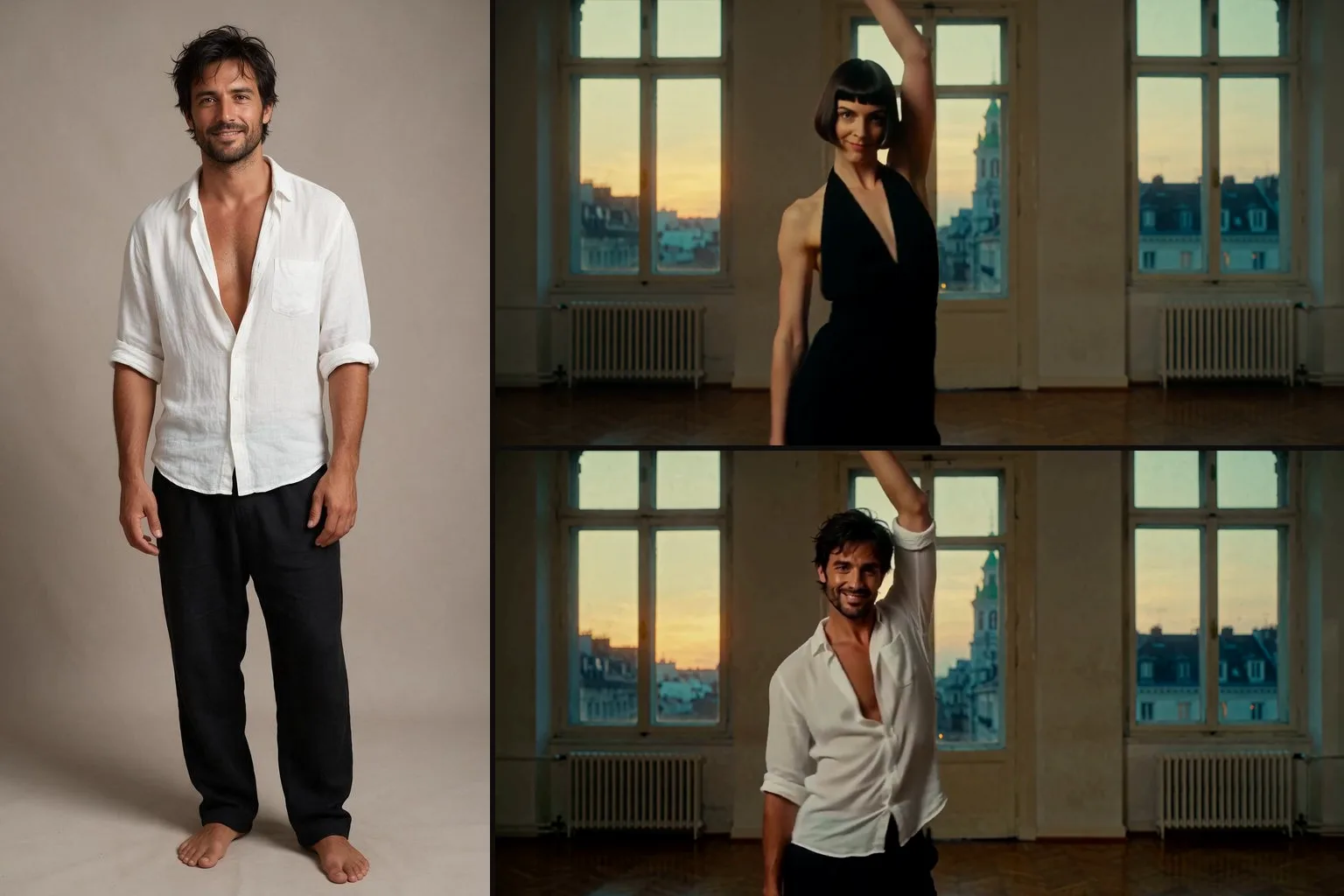
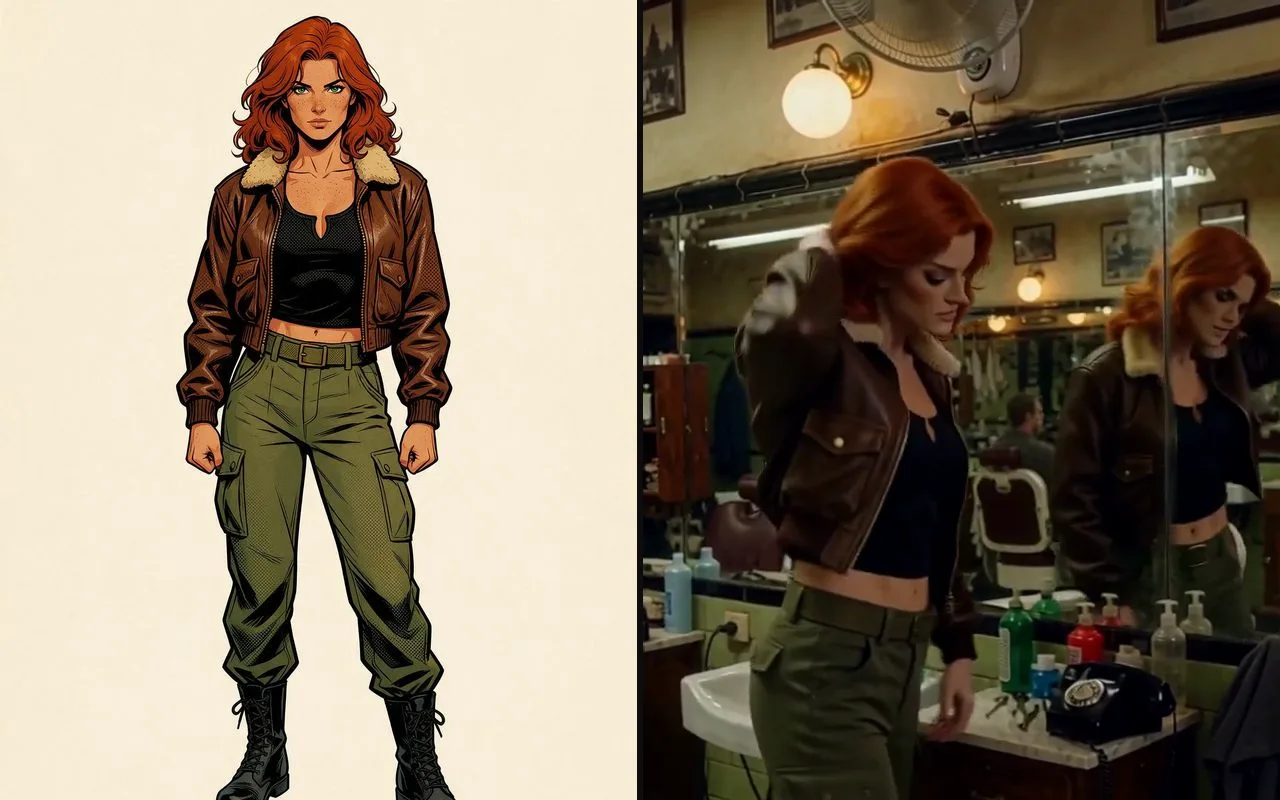
MiniMax H3 Character Swap Video edit recasts one person in a short clip with the character from a single image.
Key features & highlights
- Send your clip, the character image and who to replace; the platform builds the instruction the adapter was trained on (“Replace ... with the character in the picture; keep the reference character's face, hair and clothing; follow the source performance's pose, gaze, expression and movement; preserve the scene and the other people”).
- The Character Swap V1.5 adapter loads at strength 1.
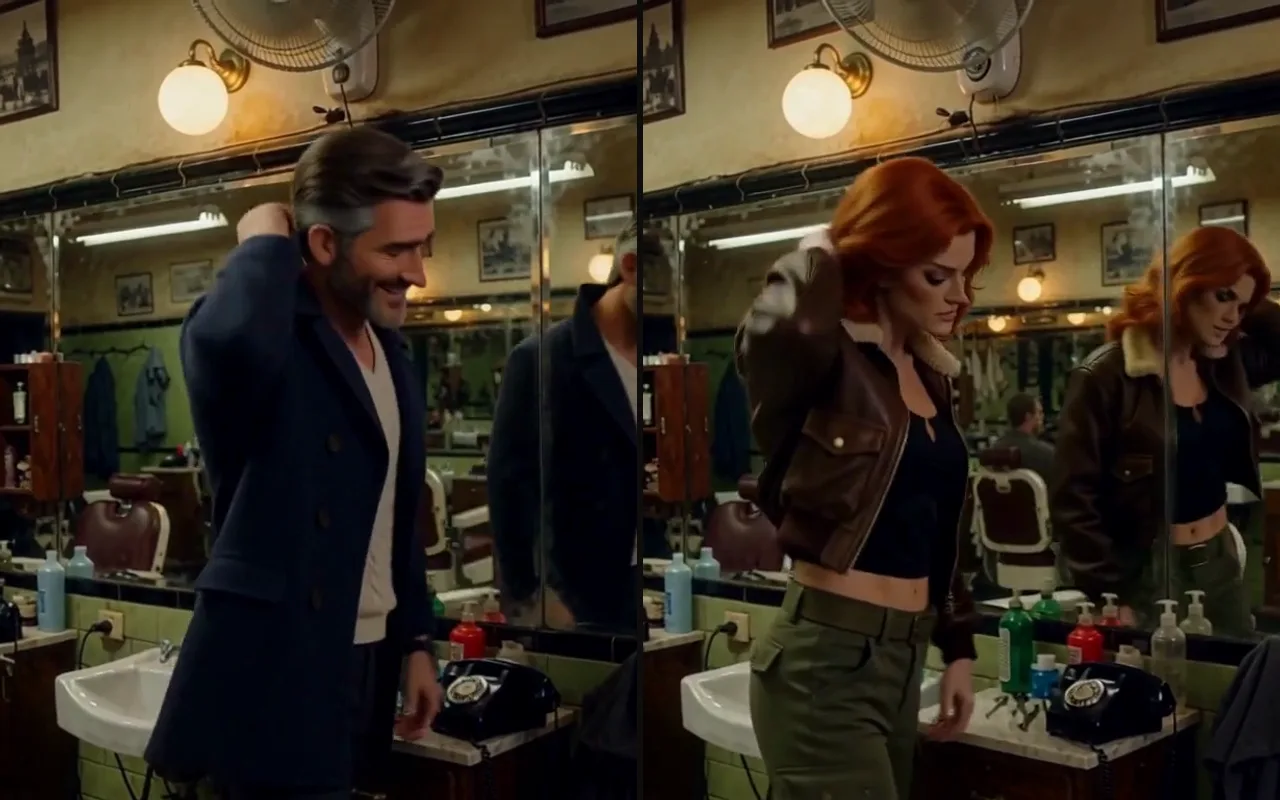
- With the adapter, the swap followed the source beat for beat; the same base model without it lost the performance halfway and once left the original man in the shot as a passer-by.
- In a shot with two people, only the named person changed.
Request parameters
| Parameter | Required | Description |
|---|---|---|
video_url | Yes | The source clip (MP4). Up to 15 seconds are used; one continuous shot without cuts works best. at least 1 characters |
image_url | Yes | One image of the new character: a photo, a 3D render or a drawing. Full body on a plain background gives the best face, hair and outfit match. at least 1 characters |
prompt | No | Who to replace, in a few words, such as "the woman on the left" or "the man in the white shirt". Leave it empty to replace the main person. at most 300 characters |
aspect_ratio | No | Shape of the output (default 16:9). Pick the same shape as your source clip. |
resolution | No | 480p (default), 540p, 768p or 1080p. Higher tiers cost more per second; 480p is the cheap way to check a swap first. |
duration_seconds | No | Output length from 3 to 15 seconds (default 5). Set it to your clip length so the whole performance is used. |
seed | No | Keeps runs comparable while you change one input at a time. It does not promise a frame-identical clip. |
Pricing
Billed per second of output plus per second of source video (each started second counts, up to 15), and a small fee for the character image; the rate depends on the resolution.
| Specification | Price |
|---|---|
| $0.06 / second |
| $0.09 / second |
| $0.12 / second |
| $0.24 / second |
Use cases
- Recasting a performer who signed a release with a different look for the same take.
- Putting a synthetic character you generated into live-action footage you shot.
- Quick previews of costume or casting ideas before a reshoot.
Prompt guide & pro tips
- Drawn and 3D-animated references come out as live-action people with the same hair, colours and outfit.
- Some runs keep the source outfit, drift from the reference face or add background extras; re-run with another seed or another clip.
- Use it only on footage and likenesses you are authorised to process: yourself, a performer with a signed release, or a synthetic person you generated. Do not use it to place a real person into intimate or defamatory footage without their explicit, informed consent, to impersonate anyone, or on any footage of a minor. A photograph being public is not consent, and consent is not transferable between projects.
API quick start
# Generate the idempotency key once; reuse it when retrying after a lost response.
export SPICY_IDEMPOTENCY_KEY="${SPICY_IDEMPOTENCY_KEY:-$(uuidgen)}"
curl -X POST https://api.spicyapi.ai/api/v1/jobs/createTask \
  -H "Authorization: Bearer $SPICY_API_KEY" \
  -H "Content-Type: application/json" \
  -H "Idempotency-Key: $SPICY_IDEMPOTENCY_KEY" \
  -d '{
  "model": "minimax/h3-character-swap/video-edit",
  "input": {
    "aspect_ratio": "16:9",
    "duration_seconds": 5,
    "image_url": "https://example.com/reference.png",
    "resolution": "480p",
    "video_url": "https://example.com/reference.mp4"
  }
}'

# Copy data.taskId from the response into TASK_ID, then poll the status.
TASK_ID="TASK_ID_FROM_RESPONSE"
curl "https://api.spicyapi.ai/api/v1/jobs/recordInfo?taskId=$TASK_ID" \
  -H "Authorization: Bearer $SPICY_API_KEY"
See the API reference for authentication, the complete schema, polling, and error handling.