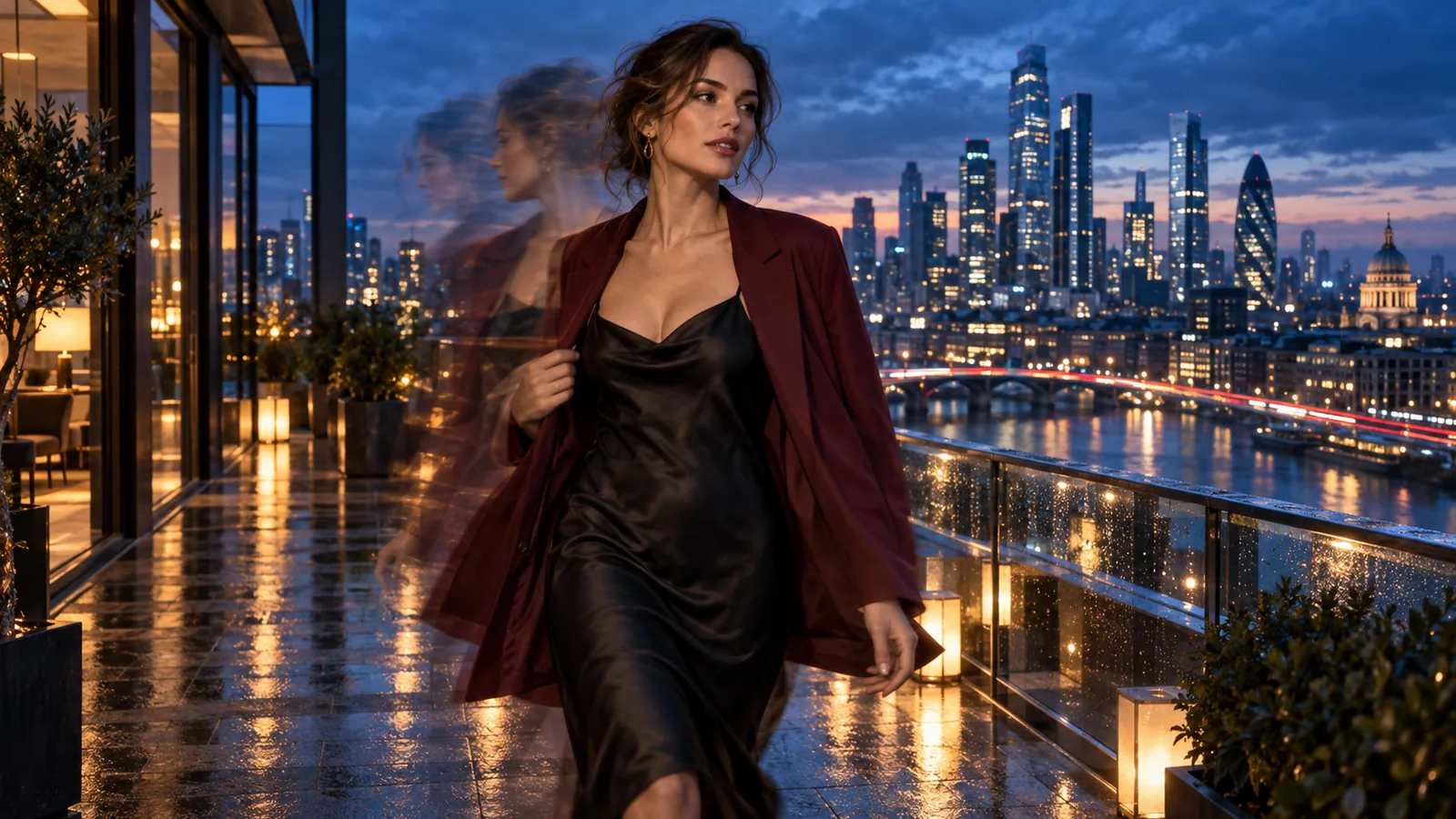
An AI character swap replaces one person in a video with a different character while the clip keeps its timing, camera and action. MiniMax H3 Character Swap does it in a single request: send a short clip, one image of the new character and a few words naming who to replace, and you get back a new clip in which that character performs the original take. There is no detection step and no mask to draw. You need permission for every real person in the footage and in the image (see the consent section below). Our examples are ordinary scenes; this guide does not cover adult content.
It is not a face swap. A face swap changes a face and leaves the body, hair and clothes of the original person. A character swap changes the whole person: face, hair, outfit and build come from your image, while the movement comes from the clip.
What goes in and what comes out
| Input | What to give it |
|---|---|
| Video | MP4, up to 90 MB, with only the first 15 seconds used. Use one continuous shot: the model page says a take without cuts works best. |
| Image | One picture of the new character: a photo, a 3D render or a drawing. JPEG, PNG, WebP or GIF up to 10 MB. Full body on a plain background works best. |
| Prompt | Only the noun phrase naming who to replace, such as "the woman on the left" or "the man in the white shirt". The platform wraps it in the instruction the model was trained on, so do not write "replace X with Y" yourself. Empty means the main person. |
| Duration, aspect ratio, resolution | Set duration and aspect ratio to match your clip. Resolution is 480p, 540p, 768p or 1080p; the output is 3 to 15 seconds. The model page lists sound on the output; we did not check the audio of the clips below. |
Try 480p first. It is the cheapest tier and shows whether the swap works before you pay for 1080p.
Examples you can rerun
Every clip here is AI-generated and shows fictional adults. Each one is an example on the model page, with its input files, prompt and seed. The showcase runs were made at 768p; the code further down uses 480p for a cheap first test, so a 480p rerun will look somewhat different.
Dance-studio solo ("Studio mirror dancer swap", seed 7). The source shows a woman in a black halter jumpsuit raising an arm, turning a full circle and smiling at the camera in an empty studio. The reference is a bearded man in a linen shirt; the prompt is "the woman in the black halter jumpsuit".
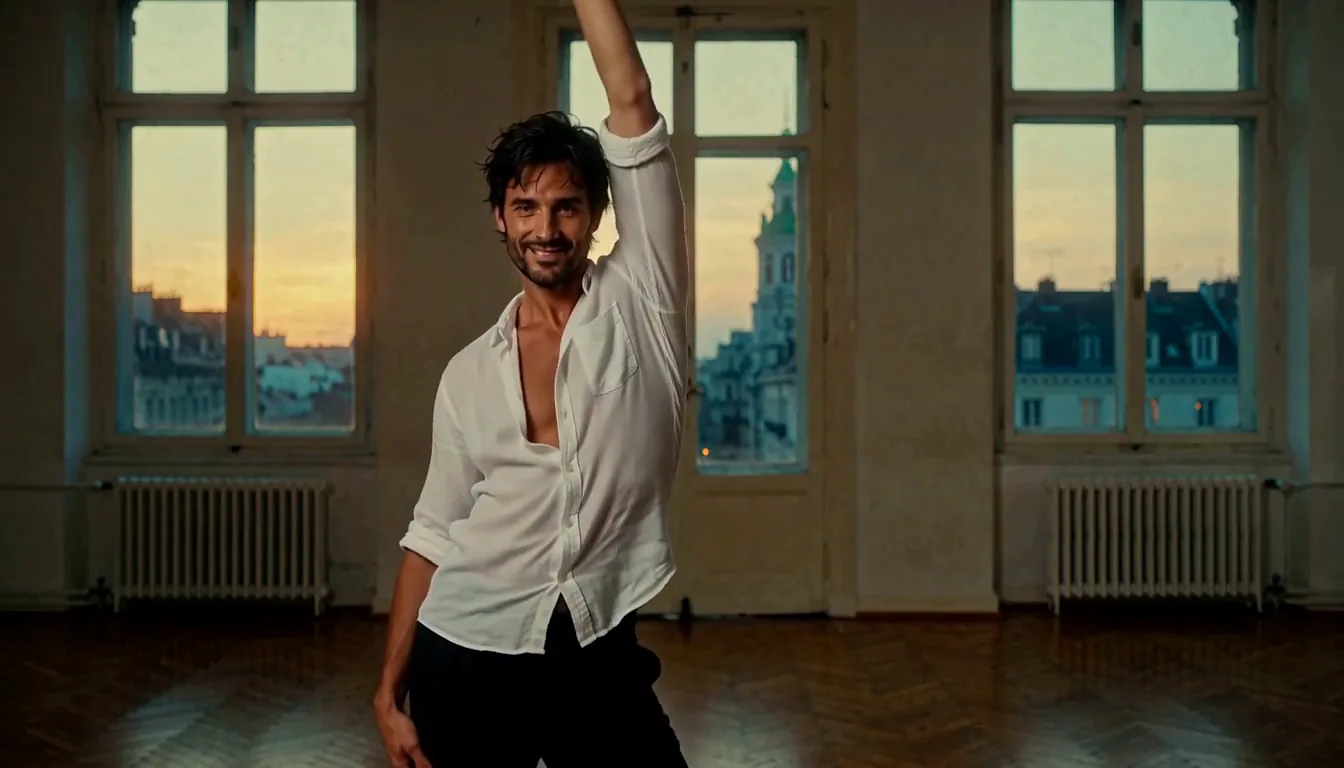
The raised arm and the smile are in the result. Our first seed (41) added a row of extra dancers in the background, and seed 7 kept the room empty as in the source, so if a run adds people, try another seed.
Funicular ("Funicular scarlet jumpsuit swap", seed 12). The source shows a dark-haired woman in a mustard trench coat turning from the window, tucking her hair behind her ear and laughing. The reference is a full-body studio photo of a woman with cropped platinum hair in a scarlet off-the-shoulder jumpsuit; the prompt is "the woman in the mustard trench coat".
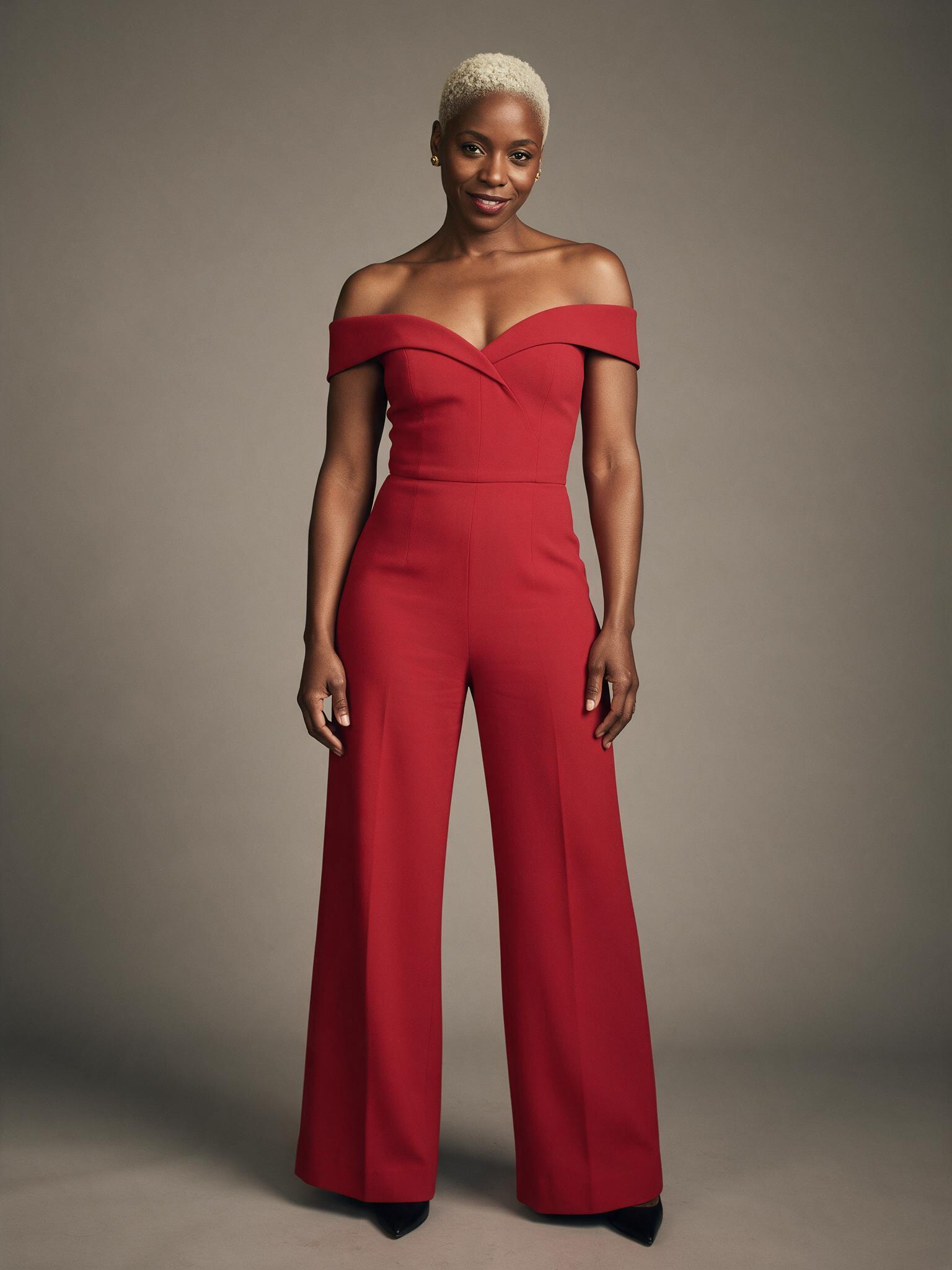
Face, hair and the red jumpsuit came from the photo, and the hair tuck and the laugh happen in the same part of the clip as in the source. The same reference did not work on the studio clip; see the limits below.
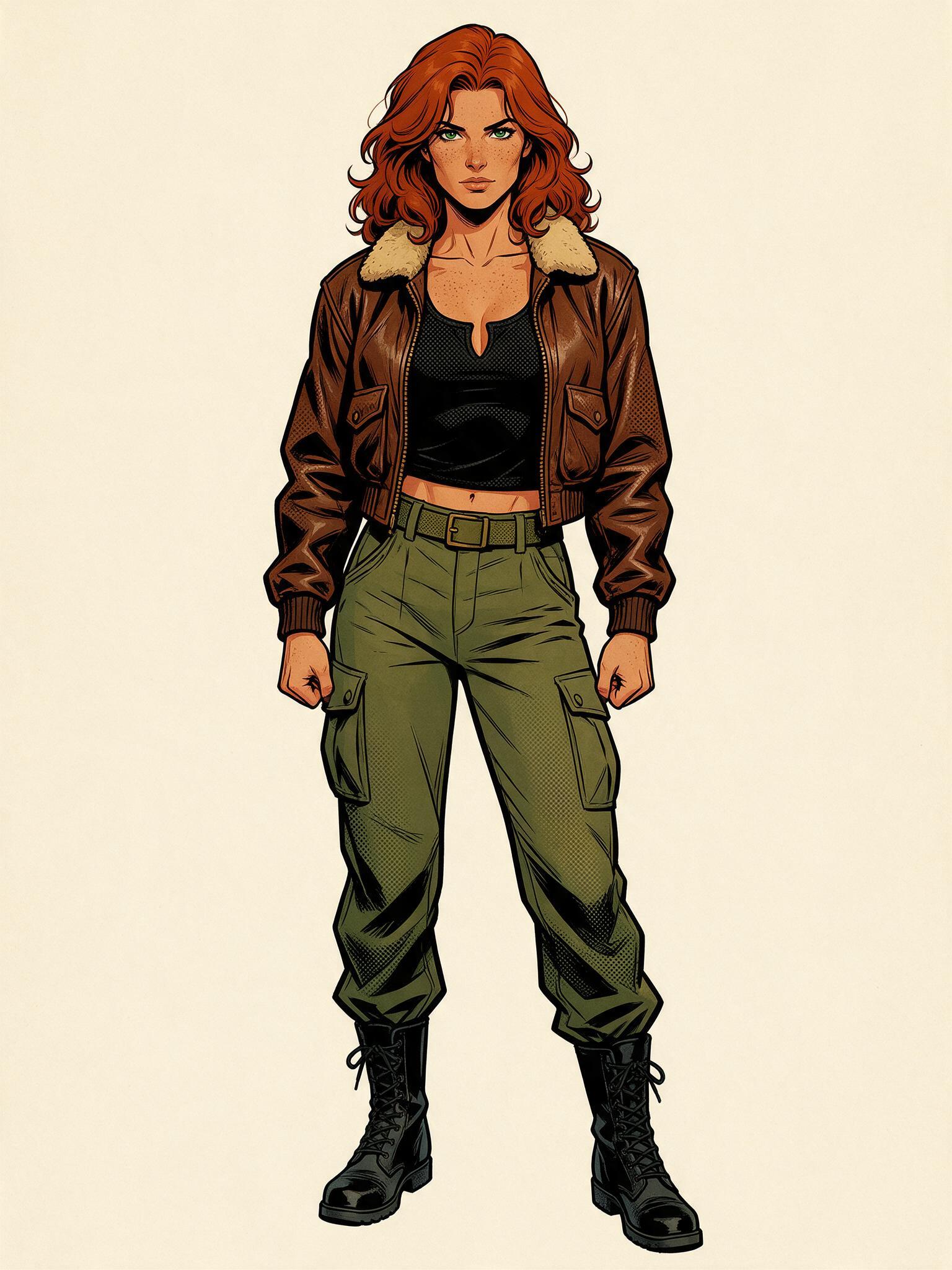
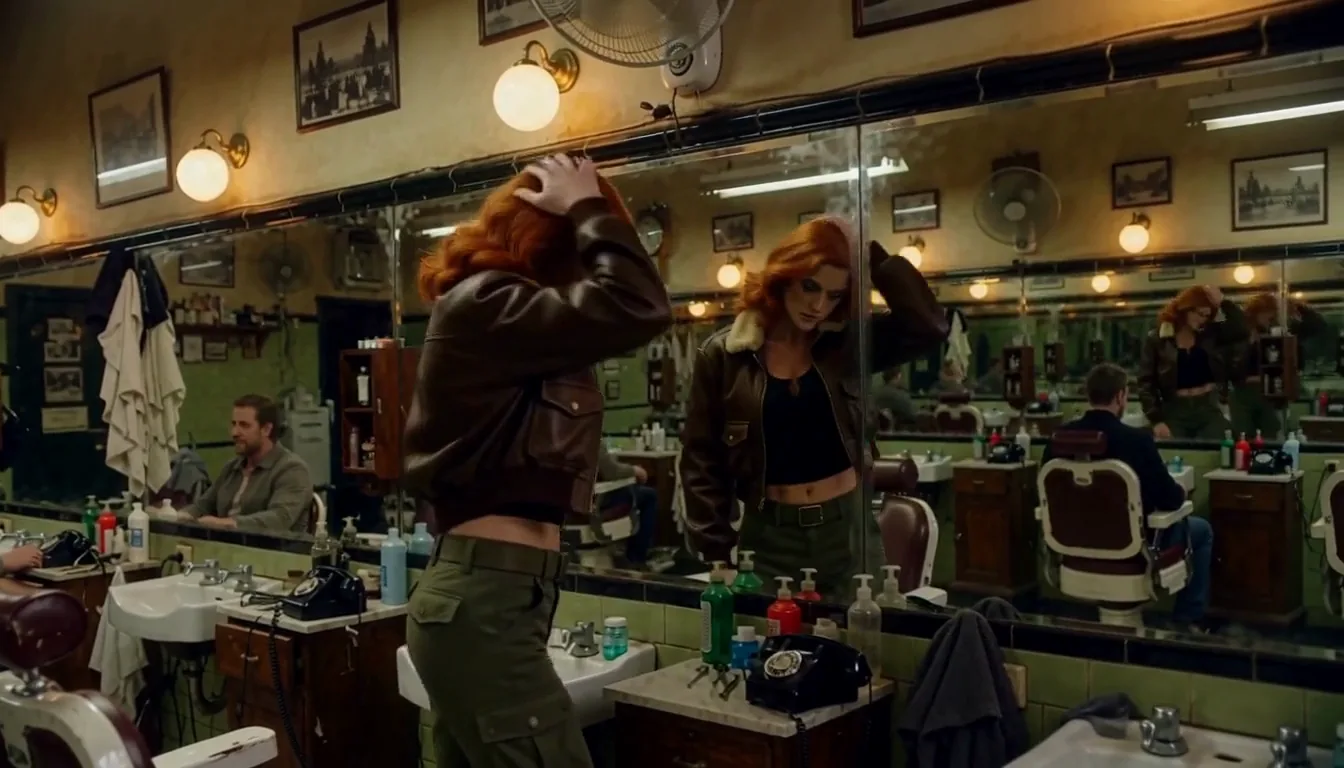
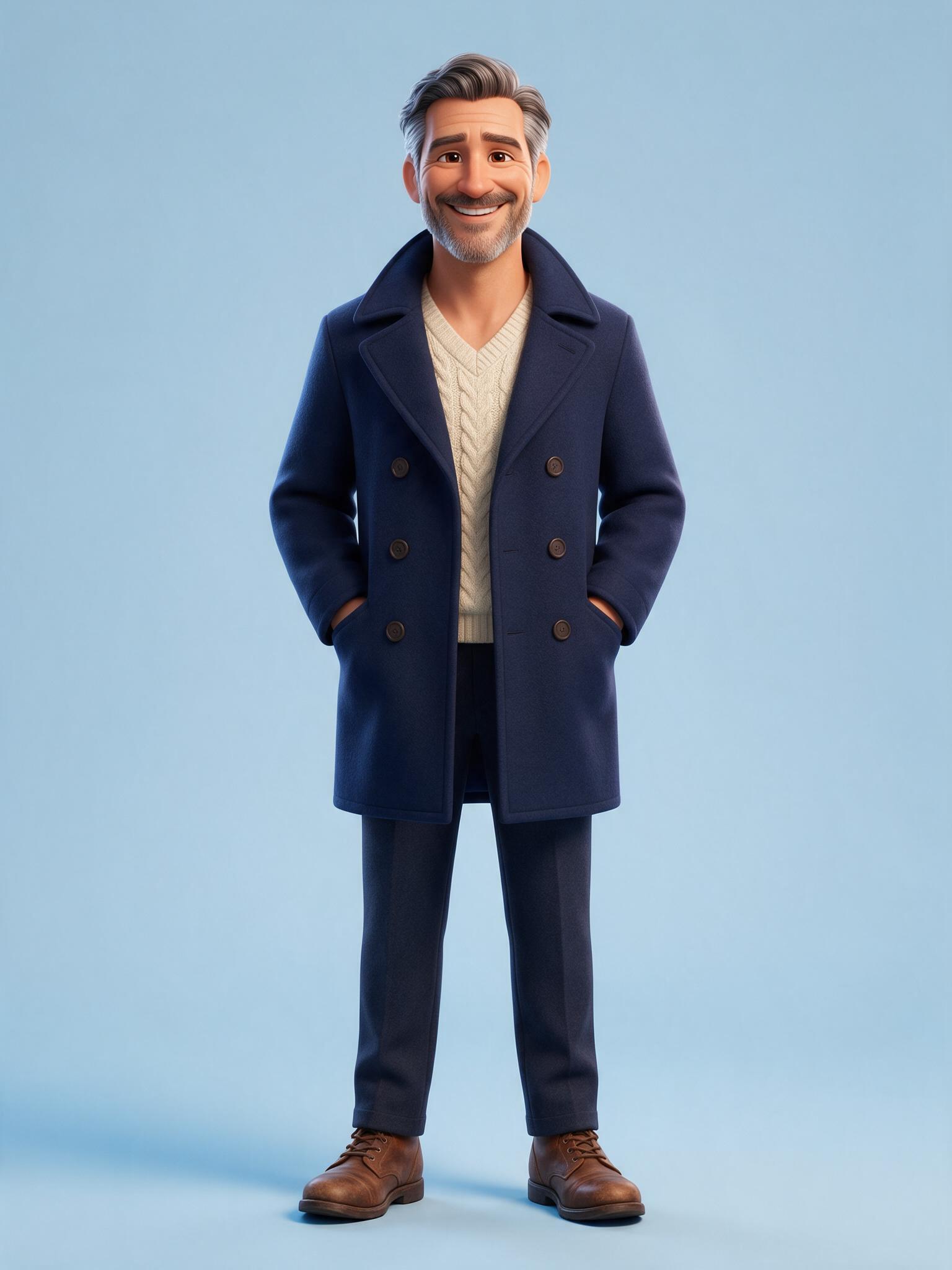
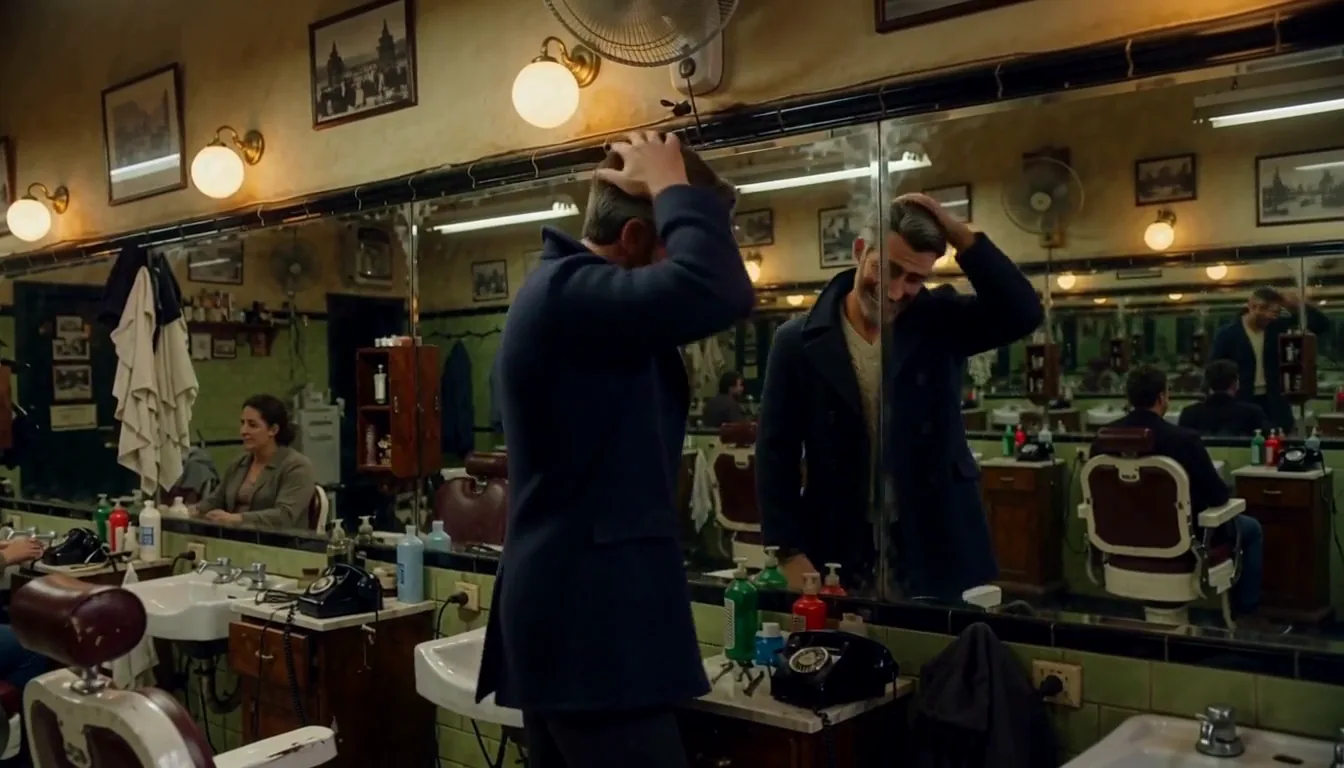
Barbershop, with two drawn or animated references (seed 42, prompt "the man in the white shirt"). Both examples use one source clip: a man in a white shirt gets up, checks his hair in the mirror and walks out.
The first reference is an inked comic-book drawing of a red-haired woman in a brown flight jacket and green cargo trousers. The result ("Barbershop comic heroine swap") casts a live-action woman with the same red hair, jacket and trousers; in the poster frame she has a hand raised to her hair at the mirror, as the source man does.
The second reference is a render of a 3D-animated man with grey hair and beard, a navy pea coat over a cream knit and brown shoes ("Barbershop 3D character swap"). The result is a live-action man with grey hair, a stubble beard and a navy coat, and his poster frame shows the same hand-to-hair gesture at the mirror. Line art and render shading do not carry over; hair, colours and outfit do.
Does the adapter matter?
In our tests it did. On the same inputs, a run without the character-swap adapter let the original man reappear in the background as a passer-by, and in a two-person sofa scene it lost the action in the second half; with it, only the named person changed and the action followed the source. The model page always runs with the adapter, so there is nothing for you to tune. To replace two people, run the clip twice and name a different person each time.
Call it from code
Upload two files, then run one task. Install the Python SDK (pip install spicyapi) and set SPICY_API_KEY:
import uuid

from spicyapi import SpicyClient, output_assets

client = SpicyClient()  # reads SPICY_API_KEY from the environment

clip = client.upload_file("./studio-solo.mp4")
character = client.upload_file("./character-full-body.jpg")

task = client.create_task(
    model="minimax/h3-character-swap/video-edit",
    input_data={
        "video_url": clip["uri"],
        "image_url": character["uri"],
        "prompt": "the woman in the black halter jumpsuit",
        "duration_seconds": 5,
        "aspect_ratio": "16:9",
        "resolution": "480p",
        "seed": 7,
    },
    idempotency_key=str(uuid.uuid4()),  # new key per new request
)

final = client.wait_for_terminal(task["taskId"])
if final["state"] != "succeeded":
    raise RuntimeError(f"{task['taskId']} ended as {final['state']}")
print(output_assets(final)[0]["url"])  # copy the video to your own storage now
Uploads, waiting, errors and retries are covered in the tasks guide and the Python SDK reference. Results are kept for a limited time, so see media retention and delivery before you build on the returned link. In the Playground the same inputs are a form: upload the clip and the image, type who to replace and press run.
What it costs
The price has three parts: the output seconds, plus the source-video seconds (each started second counts, up to 15), at the rate for your resolution, plus $0.02 per request for the character image.
| Resolution | Per second |
|---|---|
| 480p | $0.06 |
| 540p | $0.09 |
| 768p | $0.135 |
| 1080p | $0.27 |
A 5-second output from a 5-second source at 480p is 10 seconds × $0.06 + $0.02 = $0.62; at 768p it is 10 × $0.135 + $0.02 = $1.37. The shortest output is 3 seconds, so the cheapest test is a 3-second clip with a 3-second output at 480p: 6 × $0.06 + $0.02 = $0.38. The live estimate on the model page shows the total before you run anything.
The limits we hit
- A scarlet jumpsuit on a black jumpsuit. We ran the studio clip (the woman in the black halter jumpsuit) with the scarlet-jumpsuit photo above, at seeds 7 and 99. In both runs the source outfit stayed, the skin tone came out lighter than the reference and the face drifted from the photo. The same photo on the funicular clip (a trench coat, seed 12) came out right on the first run. We did not isolate the cause; the difference between the two clips is that the studio woman already wore a one-piece outfit like the reference, so if the outfit does not change, try a source where the person wears something different, or another seed.
- Extra people. One studio run (seed 41) added background dancers that were not in the source. Run another seed.
- One character per request, and only the first 15 seconds of the source are used. The output is a fresh clip of the length you ask for, not your original file with one person painted over, so small background details can differ. Always check the face against your reference before you publish.
Consent and likeness
Use it only on footage and likenesses you are authorised to process: yourself, a performer with a signed release, or a synthetic person you generated. Do not use it to place a real person into intimate or defamatory footage without their explicit, informed consent, to impersonate anyone, or on any footage of a minor. A photograph being public is not consent, and consent is not transferable between projects.
Which tool for which job
- One person, one image, quick recast, or a drawn character: MiniMax H3 Character Swap, as above.
- Several people, or up to three photos of the same character: Video Character Swap first analyses the clip, lets you pick targets by index and takes 5 to 30 second clips. The reference workflow guide walks through it.
- Only the face should change: use a face swap workflow, described in the face swap API guide.
FAQ
Is there a free way to try it? There is no free tier for this model. The cheapest test is a 3-second clip at 480p, $0.38 as worked out above.
How long can the video be? Up to 15 seconds of source are used and the output runs 3 to 15 seconds. Set the duration to match your clip.
Can I replace more than one person? One character per request. Run the clip again and name a different person, or use Video Character Swap for several targets in one analysis.
Does it keep the original audio? The model page lists sound on the output, but we did not check the audio in these tests, so do not assume it matches the original.
Can I use a cartoon or anime image? Yes, as a live-action version of that character: hair, colours and outfit carry over, line art and shading do not.