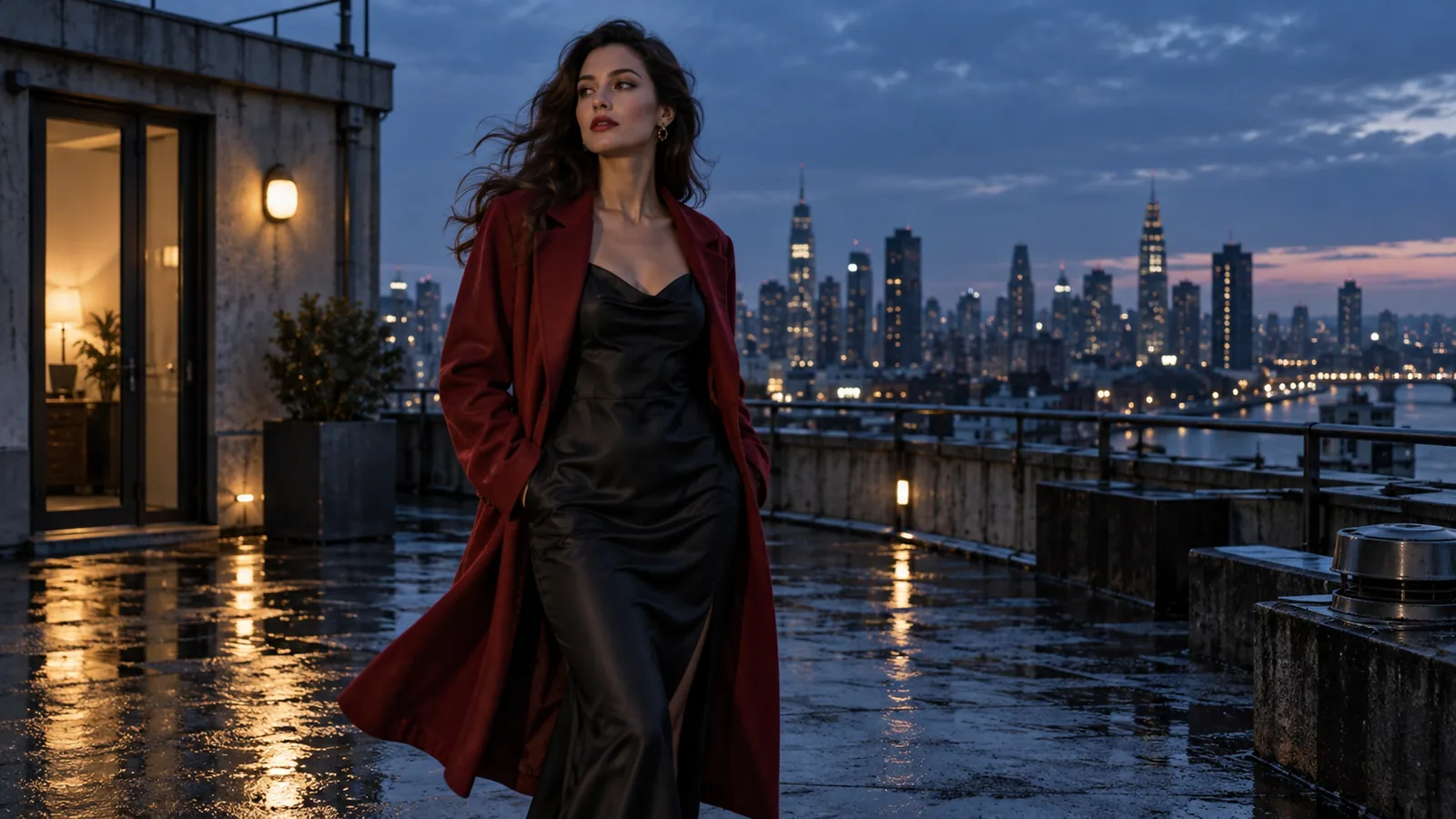
You have a finished still, such as a portrait, a product shot or a scene for an adult creative project, and you want it to move. The choice that matters most is what that picture does in the clip: the exact opening frame, a visual reference for a newly composed shot, or one end of a transition. Each job needs a different model task, and the wrong one wastes a good still and a paid render.
Short answer: use a first-frame model when the image must be frame one. Use reference-to-video when the image only supplies a person, outfit or location for a new shot. Add a last-frame image only when the ending is fixed. Uncensored routes accept adult material, but a job can still succeed with a milder result than the brief, so judge the finished MP4 rather than the job status or poster.
| You have | Use | Check in the finished video |
|---|---|---|
| One approved image that must open the clip | First-frame image-to-video | Frame one, face, outfit and the intended action survive |
| A character image plus a separate room or style image | Reference-to-video | The new shot borrows the right traits and does not copy a reference as frame one |
| Two compositions that should bookend a move | First-frame video with a last-frame image | The middle motion connects them instead of jumping |
For prompt libraries by scene, see the uncensored video prompt guide. For length, resolution and price across video families, see how to choose an image-to-video API. For content-boundary results across eight models, see best uncensored AI video models. The examples below come from our September 2026 tests: one original still, two first-frame clips and one two-reference clip.
First decide what the image means
An opening-frame image defines the first visible composition; if the clip starts somewhere else, the task has failed. A reference image can supply a face, a garment, a room or a look without becoming the first shot. A closing-frame image is a target for the last frame, not a second character reference.
Match the action to the framing. A close portrait supports an expression, a head turn or a camera move. A full-body walk needs visible floor and a direction of travel. If the still itself is wrong, remake or edit it first; a longer motion prompt will not fix a bad premise.
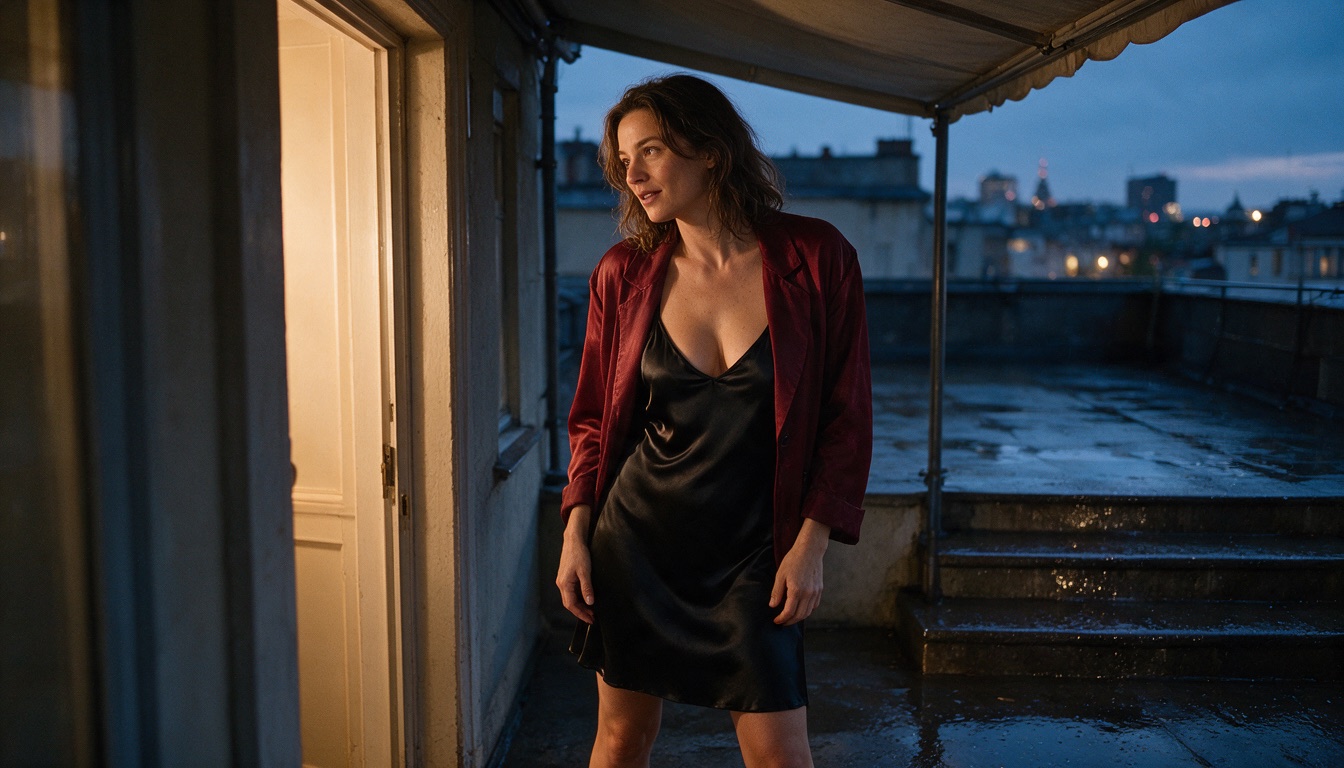
One original SpicyAPI-generated still, used unchanged as the opening image for both first-frame clips below. The crop supports a turn and a held pose, not two full steps.
Prepare the still before you pay for a render
Most failed clips trace back to the source:
- One adult subject, simple lighting, readable silhouette. Busy backgrounds and heavy occlusion (hands over the face, crossed limbs) make the model invent hidden detail during a turn, which is where warping and face changes come from.
- Room for the move. Leave visible floor for a walk, headroom for a lift, and space on the side the subject turns toward.
- Crop to the delivery aspect ratio and keep faces and hands fully inside the frame.
- Remove motion cues that fight your prompt. Motion blur, flying dust, a lifted foot or windblown hair suggest movement; remove the cue or write the prompt to match it, as Runway's guide advises.
- One motion per clip. Several camera moves in one short clip cause cuts. Generate separate short shots and cut them together.
To chain shots, save the last frame of an approved clip and use it as the opening image of the next one:
ffmpeg -sseof -0.1 -i approved-clip.mp4 -frames:v 1 -q:v 2 next-opening.pngPick a route by the shot you need
| Creative task | Route | Why it fits |
|---|---|---|
| A short move from one exact still, action decided after seeing the frame | MiniMax H3 Spicy image-to-video | Opening frame required, prompt optional, optional closing frame |
| The same still, but a longer take or synchronized sound | Seedance 2.5 Spicy image-to-video | First-frame route with 4 to 30 seconds, native audio and an optional closing frame |
| A person and a location from separate pictures, composed into a new opening | Wan 3.0 reference-to-video or Seedance 2.5 reference-to-video | Reference images get named jobs and neither has to be frame one |
Use only images of adults that you created or have the right and consent to process. The Wan 3.0 reference route often refuses photos of real people (its face check fails the task, and refused tasks are not charged), so use illustrated, 3D or generated characters there. Last-frame images are accepted on the H3 Spicy, Seedance 2.5 Spicy and Wan 3.0 image-to-video tasks. Field names and limits differ per task, so open the task page for the current input contract and quote.
Hosted or local
A hosted API charges per second, needs no GPU and gives you a fixed input contract per task, so it suits tests, apps and batches. A local workflow gives you full control and nothing leaves your machine, but costs hardware, setup and care about exactly which weights you run. Pick local when you need that control and can maintain it; pick hosted when you want a result today and pay only for the clips you render.
What a five-second test costs
Rates from the live catalogue times five output seconds, before the task-specific quote. Settings differ by route, so this compares cost, not quality.
| Route | Image role | Output length | Five-second example |
|---|---|---|---|
| MiniMax H3 Spicy image-to-video | Required opening frame; optional ending frame | 3 to 15 s | 768p at $0.084/s → $0.42 |
| Seedance 2.5 Spicy image-to-video | Required opening frame; optional ending frame and native audio | 4 to 30 s | 720p at $0.432/s → $2.16 |
| Wan 3.0 reference-to-video | One to ten reference images guide a new shot | 2 to 30 s or smart duration | 720p at $0.09/s → $0.45 (image references only) |
H3 is the cheapest diagnostic for a short move from an approved still. Seedance costs more per second and is the route that offers longer takes and native audio. Wan answers a different question, because the source never has to appear as frame one; reference video seconds add to billed seconds, so $0.45 is not a universal Wan price.
What the same first frame produced
Both first-frame routes received the unchanged still and the same five-second motion brief. H3's first render changed the outfit, so the published H3 clip uses a narrower prompt that required the opaque dress and jacket to stay unchanged (see the prompt section). The prompts differ, so the clips show behaviour rather than a ranking. H3 ran at 768p and Seedance at 720p.
MiniMax H3 Spicy, five seconds at 768p, after the wardrobe retry. She turns to the camera and steps in until the shot is chest-up; the opaque dress and jacket stay on.
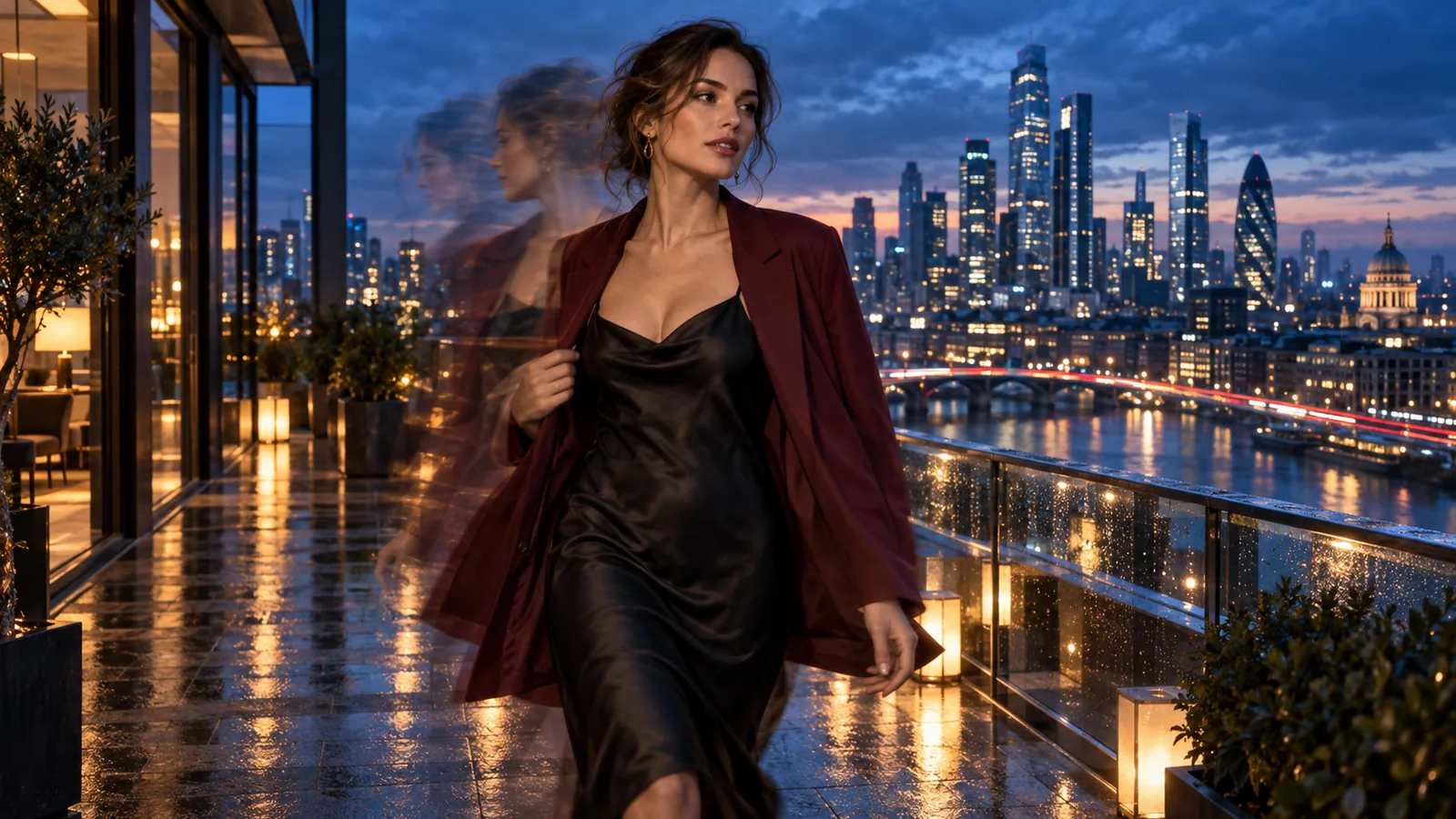
Seedance 2.5 Spicy, five seconds at 720p, original motion brief. She turns and steps toward the camera to a chest-up shot; the jacket slides down off both shoulders while the dress stays opaque.
The amount of motion is similar; the difference is the outfit. Give H3 a short, explicit continuity instruction ("opaque dress and jacket stay unchanged"). Seedance followed the original brief and let the jacket slide off. In the full clip, check that it opens on your image, that face, jacket and background stay coherent as movement begins, that the requested turn is visible, and that the last second gives an editor a usable cut or loop point.
When the image should be a reference, not frame one
If you like the performer's styling but want the clip to open in a different room, a strict first frame makes the model start on the terrace and then move. A reference workflow states the job directly: one image defines the performer, another defines the room, and the prompt asks for a new opening there.
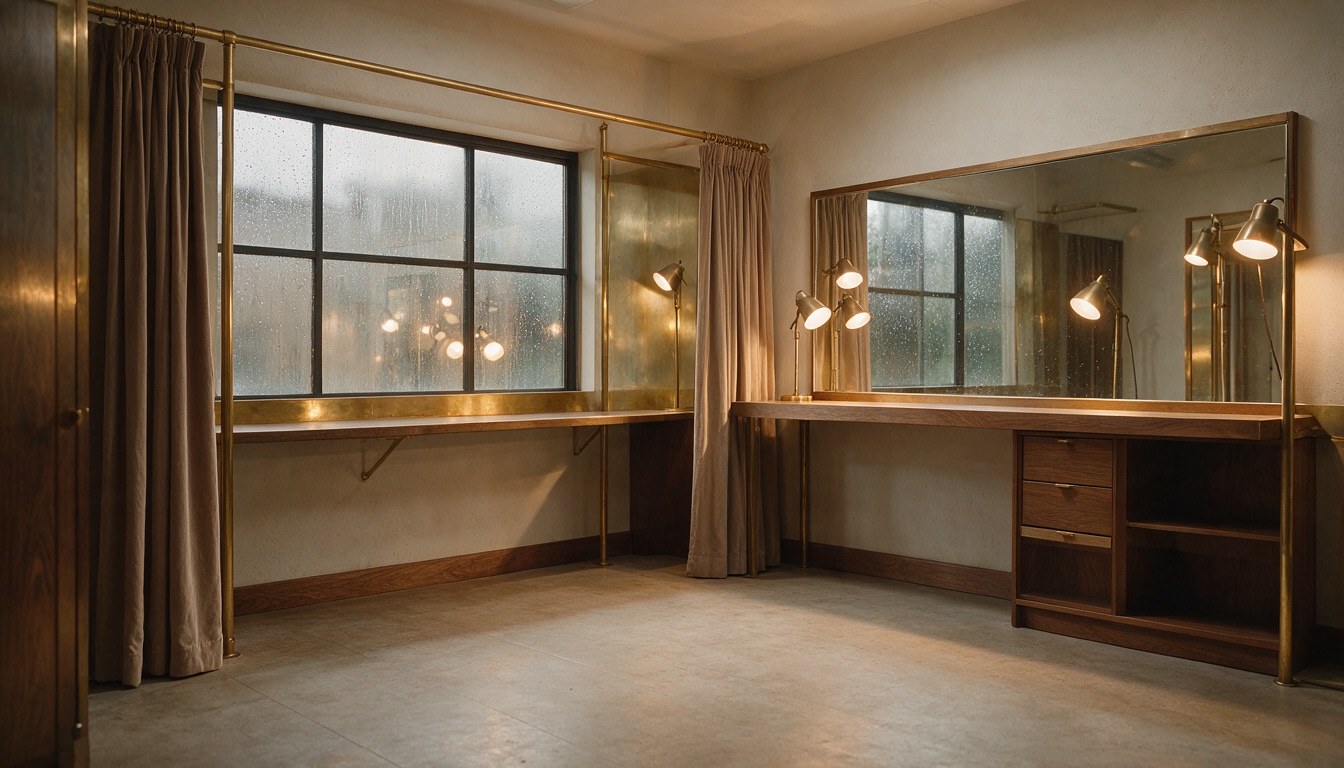
Reference B: the room and lighting. Reference A is the terrace portrait above, which supplies the performer and wardrobe.
Wan 3.0 reference-to-video, five seconds at 720p. The clip opens in a newly composed room with a mirror, and a similarly dressed performer turns toward the camera. Identity and room details are close but not exact.
References keep mood and general identity but can miss exact blocking and details. If the person changes, strengthen the character reference or simplify the move. If the room is wrong, improve the room image or the composition request. Change one thing per run.
Write a motion prompt, not a description of the picture
The image already shows the subject, outfit and light, so the prompt should say what changes over time: one subject action, one camera instruction, and only the environmental movement that matters, in the order the viewer sees it. This is the prompt both first-frame routes received:
The adult performer turns toward the camera as a light breeze lifts the edge of her jacket. She takes two measured steps across the terrace and settles into a held look. One slow camera push; keep her face, outfit and terrace recognisable. Rain moves softly in the background. One continuous shot.
The crop shows little floor, so a walk reads as a step or two toward the camera; wider stills handle longer walks better. If the first pass changes the wardrobe, retry with a continuity line, for example: "Keep the opaque dress and jacket exactly as in the image; one slight turn toward the camera, then a held look."
For a reference task, give each image a named role and ask for a new opening:
Use reference A for the adult performer's face and tailored wardrobe. Use reference B for the dressing room, warm lamps and mirror. Compose a new opening medium shot inside that room. She turns from the mirror toward the camera, takes one step and pauses. Slow lateral camera move, one continuous shot.
Map A and B to the real upload order, and check each task's own label syntax, since models differ.
| Weak request | Reviewable shot direction |
|---|---|
| "Make this image cinematic and sexy." | "She turns toward camera; the jacket hem moves in a light breeze; hold a medium shot." |
| "Animate everything in the image." | "Keep the face and wardrobe stable while she takes one step; the camera slowly pushes in." |
| "Use these references and create a masterpiece." | "A defines the performer; B defines the room. Start on a newly composed medium shot inside B." |
A last-frame image is the most direct stability lever on routes that offer it: even a slightly repositioned copy of the opening still gives the middle motion a tighter target than text alone, as Vidu's motion guide also notes.
Fix by symptom, and change inputs rather than re-rolling when the same artifact appears in the same place on two runs:
| Symptom | Likely cause | Fix |
|---|---|---|
| Face changes during a turn | Large move, face partly hidden | Shorten the turn, use a frontal still, or add a last-frame image |
| Flicker in fine detail or background | Busy scene or lighting change | Simplify the background, hold the camera |
| Abrupt cut mid-clip | Too many events for the duration | One action per clip, or a longer duration |
| Same glitch in the same spot on repeated runs | Source image problem | Edit or regenerate the still |
The single-model Seedance tutorial goes deeper on building its first frame and route-specific prompt behaviour.
Try it in the Playground, then call the API
In the Playground. Open the MiniMax H3 Spicy image-to-video page (or the Seedance 2.5 Spicy or Wan 3.0 page from the route table) and log in or sign up. Then:
- Add your still under Input image by uploading it (JPG, PNG, WEBP or GIF, up to 10 MB) or pasting an Asset URL.
- Paste your motion prompt into Prompt. It is optional on this route.
- Add a Closing frame only if the ending is fixed.
- Set Duration (3 to 15 s) and Resolution. It defaults to 480p, the cheapest tier, so draft there.
- Press Run model. The price shows before anything is charged.
On the Wan 3.0 reference page the first field is Reference images instead; name each image in the prompt as in the reference example above.
Then the API, once a motion works and you want it in your own app. Install the Python SDK (pip install spicyapi), set SPICY_API_KEY in your server environment, and run this H3 Spicy request (a 480p, five-second draft quotes at $0.19):
import uuid
from spicyapi import SpicyClient, output_assets

client = SpicyClient()  # reads SPICY_API_KEY from the environment

task = client.create_task(
    model="minimax/h3-spicy/image-to-video",
    input_data={
        "image_url": "https://cdn.spicyapi.ai/blog/uncensored-ai-image-to-video-guide/m1-shared-source-2026-09-27.jpg",
        "prompt": "The adult performer turns toward the camera as a light breeze lifts the edge of her jacket. "
                  "One slow camera push; keep her face, outfit and terrace recognisable. One continuous shot.",
        "resolution": "480p",
        "duration_seconds": 5,
    },
    idempotency_key=str(uuid.uuid4()),
)

final = client.wait_for_terminal(task["taskId"])
if final["state"] != "succeeded":
    raise RuntimeError(f"{task['taskId']} ended as {final['state']}: {final.get('errorCode')}")
print(output_assets(final)[0]["url"])  # copy the clip to your own storage now
Other routes use other field names, so read the task page before swapping the model. Fields, results and errors are in the API reference. Keep the key on your server.
Or let an Agent run it. An agent can make the same call through the CLI, the MCP server or the Agent Skill. All three read the live model schema, and the CLI and MCP show the price and ask you to confirm before creating a task. With SPICY_API_KEY set:
# CLI
npx @spicyapi/cli tasks create --model minimax/h3-spicy/image-to-video \
  --input-json '{"image_url": "https://cdn.spicyapi.ai/blog/uncensored-ai-image-to-video-guide/m1-shared-source-2026-09-27.jpg", "prompt": "She turns toward the camera; one slow camera push.", "resolution": "480p", "duration_seconds": 5}' --wait

# MCP server: the command your assistant's MCP config runs
npx --yes --package=@spicyapi/mcp spicyapi-mcp

# Agent Skill
npx skills add spicyapi-ai/spicy-skill
Which route to use
| Choose it when | Look elsewhere when |
|---|---|
| MiniMax H3 Spicy: the image must be frame one and you want the cheapest short diagnostic | You need a take longer than 15 seconds or a controllable audio track |
| Seedance 2.5 Spicy: the image must be frame one and you want a longer take (up to 30 s) or native audio | You are only testing a move; it costs about five times as much per second |
| Wan 3.0 or Seedance 2.5 reference-to-video: pictures supply the person and the room for a new opening | The picture must literally open the clip, or the person is a real photo (Wan's face check often refuses it) |
| H3 Spicy, Seedance 2.5 Spicy or Wan 3.0 image-to-video with a last-frame image: the ending is fixed | The two compositions cannot plausibly connect in the clip length |
In our clips H3 needed a tighter wardrobe prompt to keep the jacket on, Seedance made a similar move but let it slide off, and Wan built a new room without reproducing either source exactly. Decide by the picture's role first, then by the motion and continuity you see on screen. If a long shot drifts, shorten it or split the scene.
Frequently asked questions
Is image-to-video always the right task when I upload a picture?
Only when the picture must be the literal opening. If it is a person, outfit or room for a different opening, use a reference task and say what each image contributes.
Can I animate one photo without writing a prompt?
On some routes, including MiniMax H3 Spicy, the prompt is optional and the model infers movement. Add a short prompt when a specific action, camera move or ending matters.
Will the person stay identical through the clip?
The opening frame is a strong anchor, not a frame-by-frame identity guarantee. Watch the whole clip for face, hair and wardrobe drift. Keep the move inside the source framing, use a better still, or shorten and split the shot.
Can two pictures set the beginning and the end?
Only on a route whose task page accepts both an opening and a closing frame. The model then connects the two compositions, which is different from two loose references guiding a new shot.
Can I compare reference-to-video and image-to-video clips directly?
Only loosely. Compare first-frame routes with the same opening image and motion brief, and judge reference routes against their own job: the right person and room in a new shot. A clip that opens on a different image role is not a quality loser.
Does "uncensored" mean every adult scene I ask for will render?
No. Behaviour varies by task and version, and a finished job can still come back milder than the brief. Use lawful, consenting adult material and check the actual frames.
What is the cheapest way to test uncensored image-to-video?
The cheapest route here is MiniMax H3 Spicy: $0.038 per second at 480p, about $0.19 for five seconds, or $0.42 at 768p. Test short clips at the lowest resolution that shows the motion, then raise resolution once the direction works.
Can I add sound?
It depends on the route. Seedance 2.5 Spicy has a native audio switch, and Wan 3.0 reference-to-video accepts audio references. MiniMax H3 Spicy image-to-video has no audio setting, and its output may carry a generated track you cannot control, so plan to replace or add audio in editing.