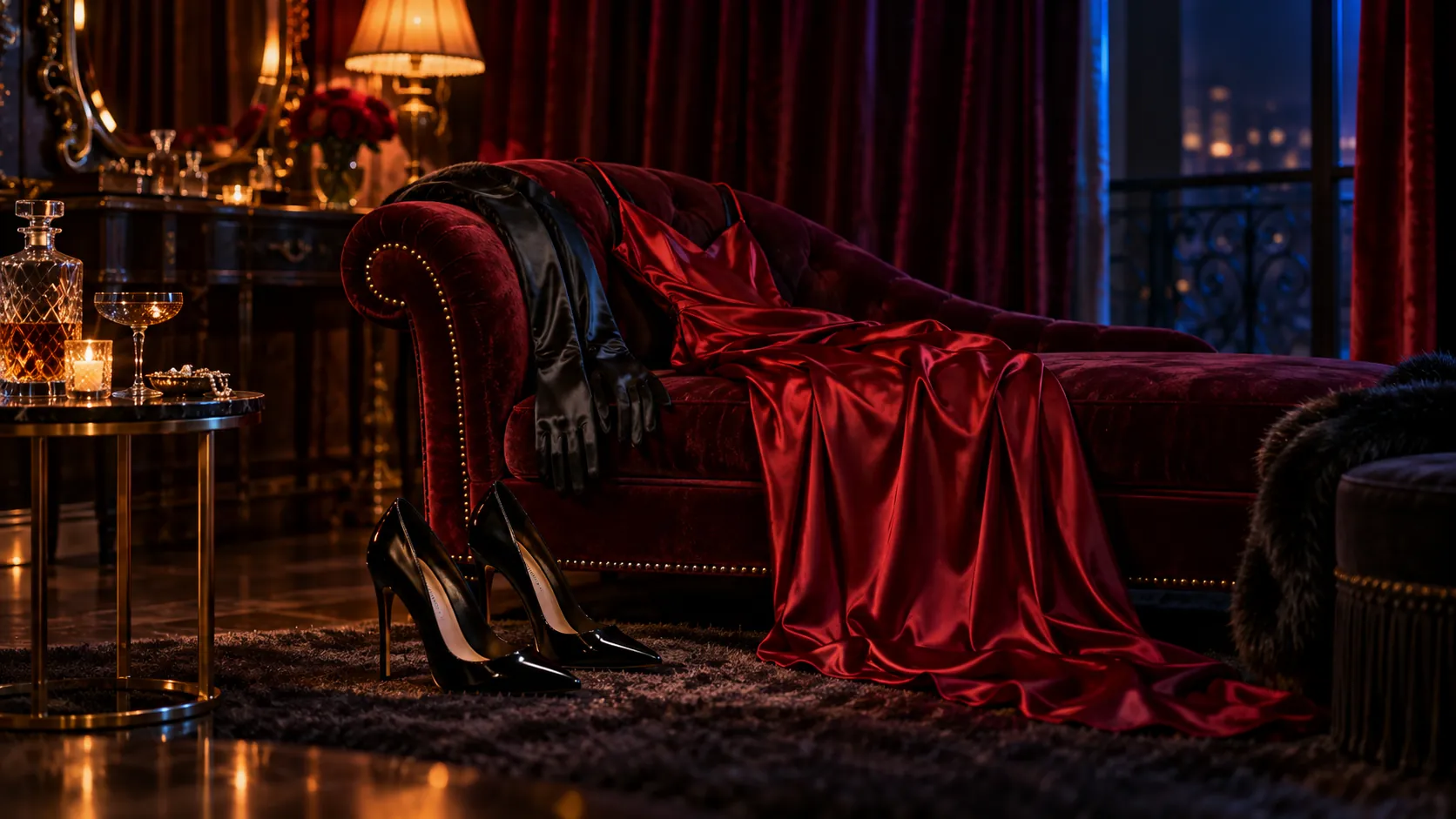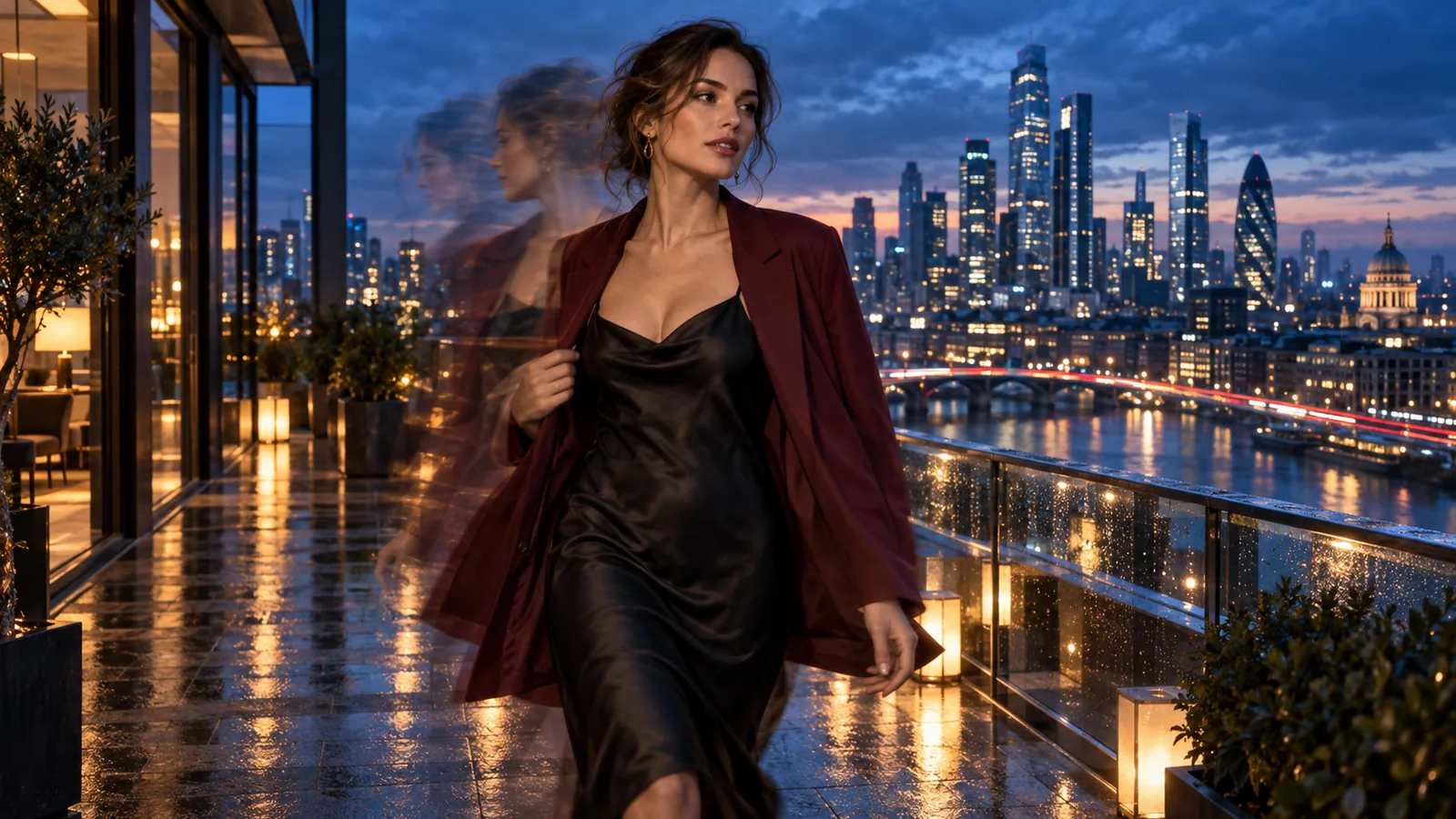
You have a picture and want Seedance 2.5 to move it. Before you render, decide what the picture is for: the exact first frame, or a reference for a shot the model composes itself. The two use different tasks, and choosing the wrong role can give you a different opening from the one you intended.
Short answer. Use image-to-video when the picture must be frame one, and reference-to-video when it supplies a person, outfit or set for a new composition. Base Seedance 2.5 offers both; Spicy only animates an opening still. Both support uncensored adult-oriented work in our September 2026 tests. Spicy adds an upscaled 4K tier and costs 56% to 75% more per second (comparison). Seedance’s own input checks can still refuse identifiable faces or kissing-related requests.
Pick the route
| What you mean by “turn this image into a video” | Use | You send | From (5 s, 480p) |
|---|---|---|---|
| “Start on this exact picture, then move.” | Seedance 2.5 image-to-video | image_url, optional prompt, optional last_image_url | $0.62 |
| “Same, but I need a 4K file.” | Seedance 2.5 Spicy image-to-video | Same fields; the clip takes the still's shape | $1.08 (4K: $10.80) |
| “Use these pictures for the person, outfit or set, and compose a new opening.” | Seedance 2.5 reference-to-video | Up to 30 images, 10 clips, 10 audio files, and a required prompt | $0.62 (no reference clip) |
| “Start on A and land on B.” | Image-to-video on either model | image_url plus last_image_url | as above |
Reference mode and frame mode are mutually exclusive: reference-to-video has no first or last frame field, and adding a last frame to image-to-video does not make the first image a loose reference. The role of the image decides the task, not how many files you have.
Watch a first frame become a shot
Example 1: a fully composed still (Seedance 2.5)
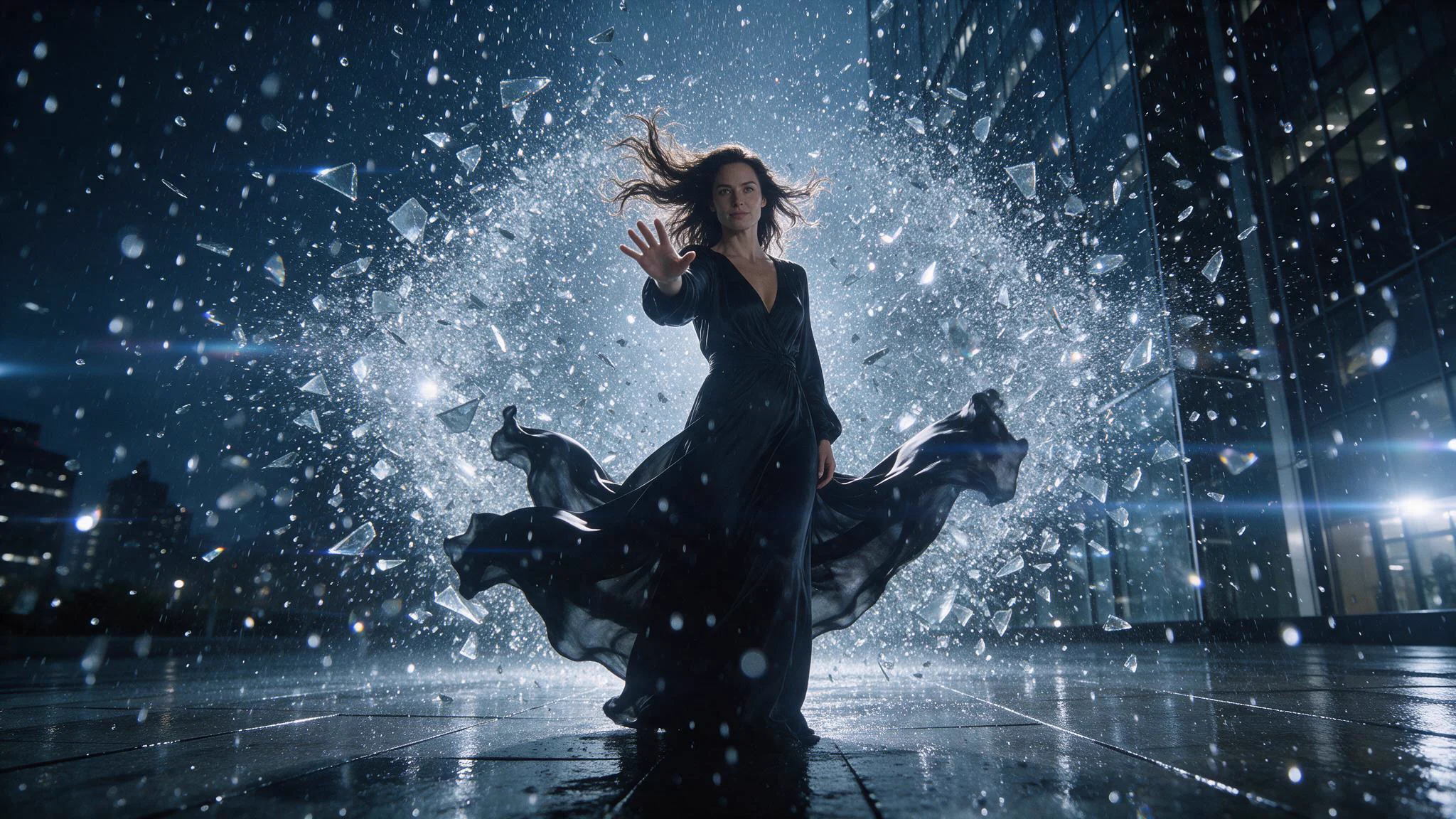
Glass, rain and the wide composition are already in the supplied opening still.
The still carries the dress, shards, rain, cold light and wide framing. The five-second 720p motion brief holds the scene frozen for a beat, then charges the camera forward as glass and rain burst into movement.
Example 2: a Spicy first frame with one quiet movement
For a suggestive fashion clip, let the still set styling, pose and mood, and use the prompt for one movement and one camera move.
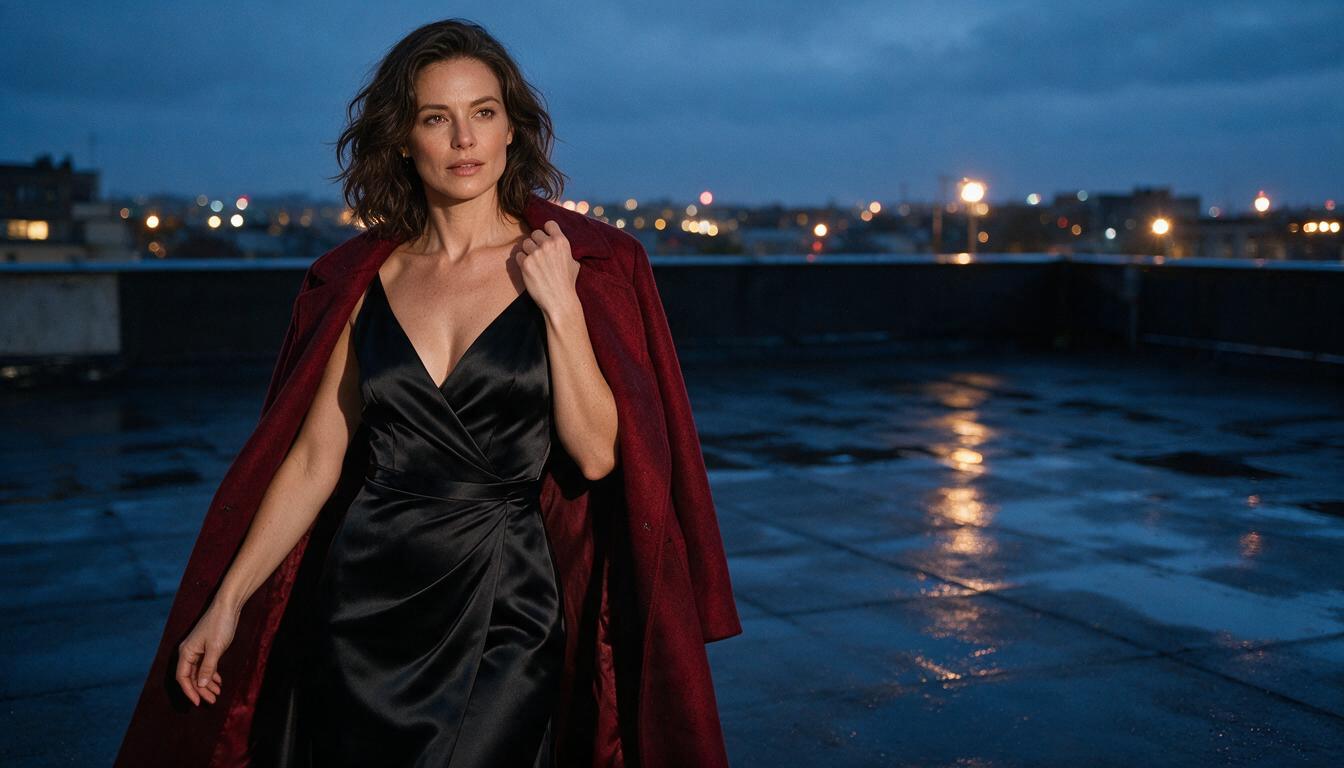
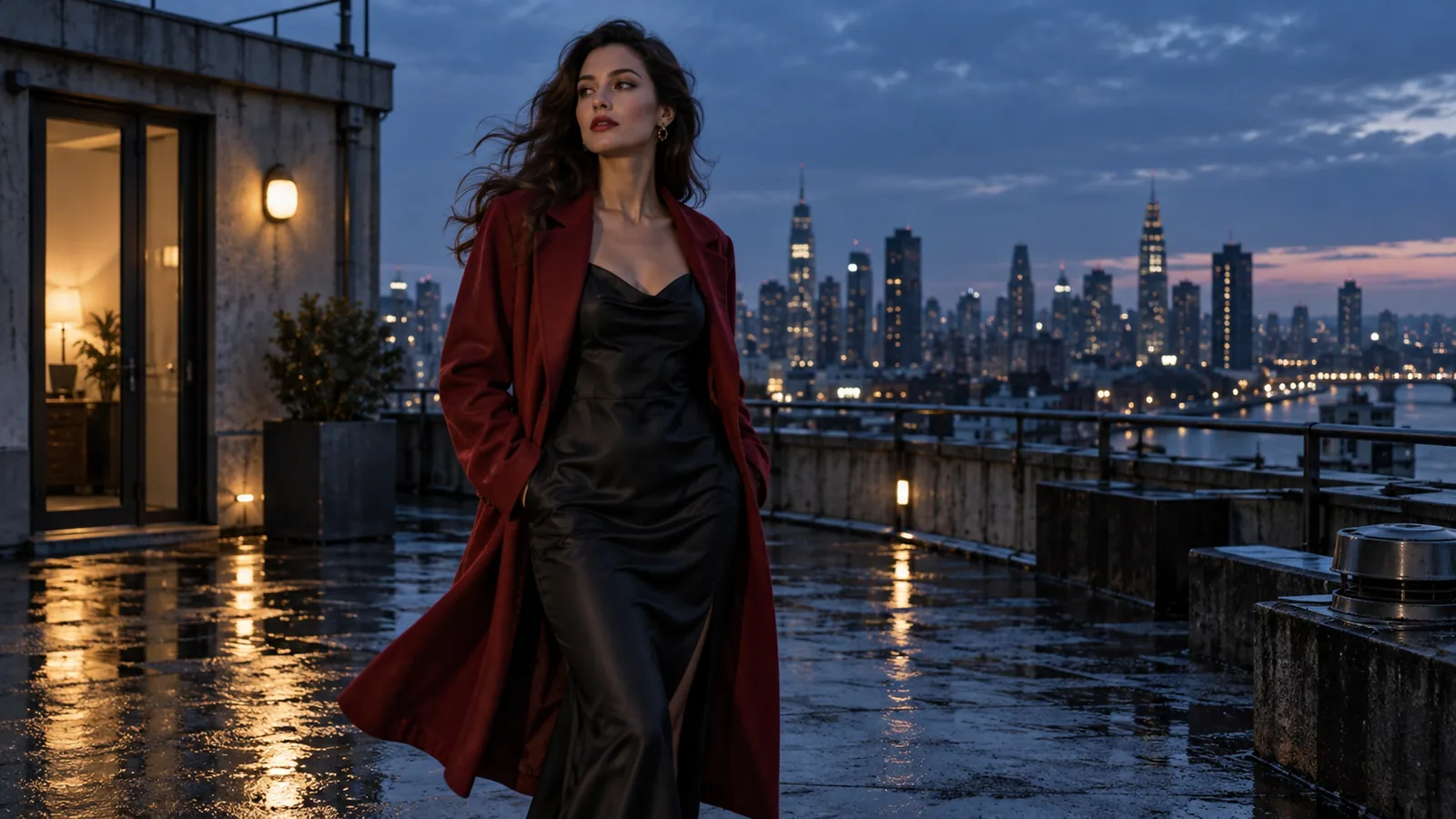
Seedream 5.0 Pro, 1k, 16:9. This is the exact opening still used in the Spicy clip below.
The performer, red coat and rooftop stay recognisable and the coat and pose move through the shot, but the two-step walk in the prompt barely reads. When an action matters, give it its own time slot (see timed prompts) instead of tucking it into one sentence with other moves.
Prepare the first frame
The still sets the quality ceiling, so fix problems here rather than in the prompt.
- The subject is readable. Face, pose and any object the action depends on are inside the frame, not cut at the crop edge.
- The camera position already makes sense. A view from behind needs a different action from a face-to-camera portrait. Crop first; do not ask the model to invent a new viewpoint.
- There is room for the action. A tight portrait carries a glance or a slow lean; a walk needs floor in the direction of travel.
- The mood is in the frame. Lighting, location and styling carry more of the tone than adjectives in the prompt. A new room or a big wardrobe change is clearer with a prepared new still or a compatible ending frame than with extra adjectives.
Input and output limits: duration 4–30 seconds (default 5); 480p, 720p (default) or 1080p, plus 4K on Spicy. Each image side must be 300–6,000 pixels, with a 10 MB maximum, in JPG, PNG, WEBP or GIF. Crop to the delivery shape before uploading: base image-to-video accepts only adaptive, and Spicy has no aspect-ratio field. Seedance can refuse identifiable-face inputs; an unexplained 422 does not identify the cause. For still creation, use the Seedance 2.5 prompt guide.
Write the motion prompt
On image-to-video the prompt is optional, but it is where you direct the shot. Do not redescribe what the still already shows; say what changes, in the order the viewer sees it: action, camera, sound. Keep one governing camera instruction, add “then” for stages, and tell the model what to hold (“keep her face, outfit and rooftop unchanged”).
A short first pass:
Start on the supplied rooftop portrait. The adult woman turns toward the camera as the wind lifts her coat, takes two measured steps to camera-right, then holds eye contact. One slow camera push; keep her face, outfit and rooftop recognisable. Soft city ambience.
Open this prompt in Seedance 2.5 Spicy
Timed prompts. Seedance accepts whole-second ranges, and the model page recommends them when the motion has stages. Use continuous ranges with no gaps, make the last range end at your duration_seconds, and keep one action per range:
Continue from the supplied rooftop portrait in one continuous shot.
0-2s: The adult woman turns toward the camera as the wind lifts her coat. Camera fixed.
2-4s: She takes two measured steps to camera-right. Slow push in.
4-5s: She holds eye contact and the coat settles. Hold the framing.
Keep her face, outfit and the rooftop unchanged. Sound: soft wind and distant city ambience, no music.
If the clip drifts, revise one element at a time: framing, action, then length. Keep seed fixed while comparing prompt edits. Establish the direction in five seconds before extending or cutting several short takes together.
First frame plus last frame: loops and reveals
Add last_image_url and the model moves from the first still to the second. Prepare both with the same aspect ratio, keep camera and light steady, and change one clear state (closed to open, outfit A to outfit B), or the middle of the clip turns into a cut. Describe the bridge, not just the destination, and give the final hold its own time slot. Send the same still twice to give a loop a return target; inspect and trim or crossfade the join if the first and last frames do not line up. The last frame is only accepted together with image_url.
For shots longer than one take, base 2.5 can return the clip's final frame (return_last_frame: true, no price change); feed that frame to the next image-to-video task as its opening still. On Spicy, export the last frame yourself. Longer uncensored videos covers the whole chain.
Reference-to-video: a new shot from your material
Use it when the person, outfit or set matters more than the opening framing. Reference images are numbered in the order you send them; the prompt does the casting, so say which image is which (ByteDance's Seedance 2.5 announcement shows named image references in action).
Use the adult performer from @Image1 and the rooftop from @Image2. Compose a new opening shot as she steps from the entrance, pauses, turns to camera, then holds. One continuous medium shot with a slow push and soft wind ambience.
Open this prompt in Seedance 2.5 reference-to-video
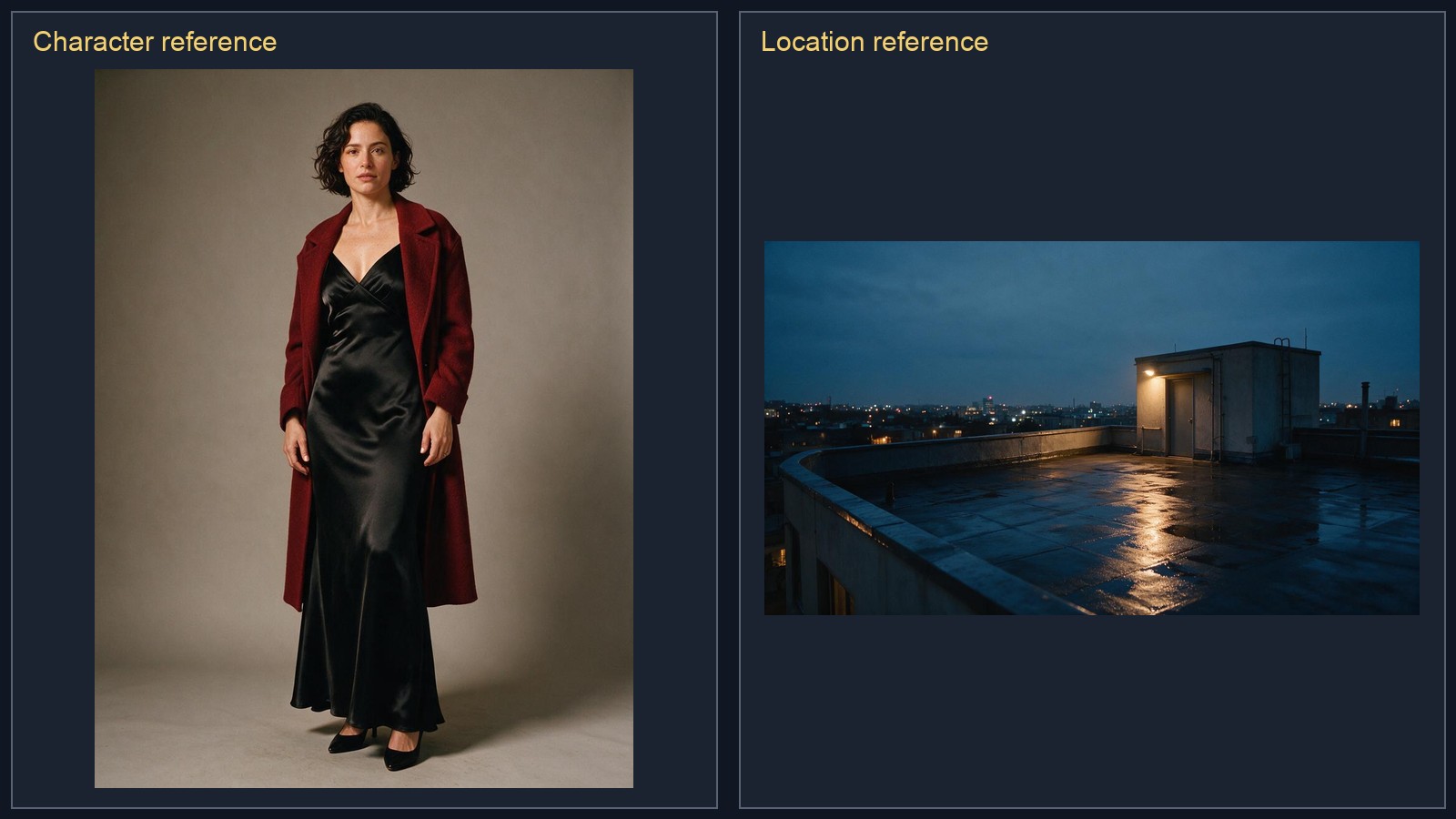
Left: character and wardrobe reference. Right: location and lighting reference. Both images guide a new opening rather than supplying its exact first frame.
The result opens on a newly composed doorway shot, carrying the red coat, black dress and rooftop into a walk toward the camera. References guide character, wardrobe and set; describe each role separately when the staging matters.
Reference input limits:
- Images: up to 30, same limits as above. Start with a few distinct views of one character rather than many near-identical frames; put the wardrobe on the person images.
- Clips: up to 10, 2 to 30 seconds each, 30 seconds combined, MP4, WEBM or QuickTime, up to 90 MB each. They supply motion, pacing or camera language, and their seconds are added to the billed quantity. With a clip attached the per-second rate is lower ($0.0738 at 480p, $0.1659 at 720p, $0.4082 at 1080p, against $0.1234, $0.2773 and $0.6823 without one) but it applies to the output duration plus the billed reference duration. A 5-second output has a 4-second reference floor: a 2-second reference bills as 4 seconds, so (5 + 4) × $0.0738 = $0.6642, about $0.66. A 10-second reference stays 10 seconds: (5 + 10) × $0.0738 = $1.11, against $0.62 with no clip. Do not ask to edit or restyle the footage itself; that makes Seedance treat the job as a video edit and the task fails.
- Audio: up to 10 MP3 or WAV files, 2 to 30 seconds each, 30 seconds combined. They guide pacing;
generate_audiostill decides whether the output has a soundtrack. - Aspect ratio:
adaptiveby default; name a ratio (21:9 to 9:16) only for a hard delivery requirement, then check that the required subject fits the output crop.
What a clip costs, and which model to start on
Per-second pricing, audio included at no extra cost. Each model page quotes the live price before you submit.
| Resolution | Base 2.5 · 5 s | Spicy · 5 s | Base 2.5 · 30 s | Spicy · 30 s | Spicy costs |
|---|---|---|---|---|---|
| 480p | $0.62 | $1.08 | $3.70 | $6.48 | +75% |
| 720p | $1.39 | $2.16 | $8.32 | $12.96 | +56% |
| 1080p | $3.41 | $5.40 | $20.47 | $32.40 | +58% |
| 4K | not offered | $10.80 | not offered | $64.80 | Spicy only |
Draft on base 2.5 at 480p for five seconds when finishing on base. For Spicy’s 4K delivery, first check a 480p Spicy take: changing models can change the staging. Its 4K tier enlarges a 1080p render rather than repairing a soft source. Allow several minutes for either model. Spicy offers neither text nor reference generation.
Try the shot in the Playground, then use the API
- Open the Seedance 2.5 image-to-video Playground and add the first frame under Input image. Closing frame is optional.
- Paste the motion prompt, set Duration to five seconds and Resolution to 480p, and switch on Generate audio only if the shot needs sound, then select Run model.
- Refine the movement on the same model. Use the reference-to-video Playground and add pictures under Reference images for a newly composed shot.
Set SPICY_API_KEY in your environment and SPICY_IMAGE_URI to your opening image’s accessible URL or uploaded spicy:// URI. This Python 3 example submits one new shot after you confirm its price.
import json
import os
import urllib.request
import uuid

base = "https://api.spicyapi.ai/api/v1"
headers = {"Authorization": "Bearer " + os.environ["SPICY_API_KEY"],
           "Content-Type": "application/json", "User-Agent": "SpicyAPI-Blog/1.0"}
settings = {
    "duration_seconds": 5,
    "resolution": "480p",
    "generate_audio": False
}
settings["prompt"] = 'A slow camera push toward the subject. Keep the setting and clothing unchanged. One continuous shot.'
settings["image_url"] = os.environ["SPICY_IMAGE_URI"]
payload = {"model": "bytedance/seedance-2.5/image-to-video", "input": settings}

def post(path, body):
    request = urllib.request.Request(base + path, json.dumps(body).encode(), headers)
    with urllib.request.urlopen(request, timeout=60) as response:
        result = json.load(response)
    if result.get("code") != 200:
        raise RuntimeError(result)
    return result["data"]

quote = post("/jobs/quote", payload)
if input(f"Maximum charge ${quote['maxCharge']}. Type yes to generate: ") != "yes":
    raise SystemExit("Stopped before generation")
headers["Idempotency-Key"] = str(uuid.uuid4())
print("Request key:", headers["Idempotency-Key"], flush=True)
task = post("/jobs/createTask", {**payload, "quoteId": quote["quoteId"],
                              "expectedCost": quote["estimatedCost"]})
print("Task ID:", task["taskId"])
Keep the printed request key for recovery of that same request; a new shot gets a new key. For reference-to-video, change model to bytedance/seedance-2.5/reference-to-video, replace image_url with a reference_image_urls list and keep the prompt, which is required there. Task API documentation covers result delivery and recovery.
For repeated shots, let an Agent use an approved input file: CLI spicyapi tasks create --model bytedance/seedance-2.5/image-to-video --input-file input.json --wait; MCP ask it to call spicyapi_task_create with that model and input; Skill ask “Use the spicyapi Skill to generate this approved shot and return the result.” CLI and MCP show the price before creation. See the Agent integration documentation.
Review the clip and fix what you see
Watch the whole clip, not the thumbnail, in this order: does frame one match the still; does the first movement go the way you asked; does the subject stay recognisable; is the intended content still in frame; does the ending suit your edit? A completed task can still frame an intimate action more mildly than requested, so judge frames, not status. Save the prompt, still, model and chosen output together so you know what changed between attempts.
| What you see | Next edit |
|---|---|
| The clip opens on the wrong crop or an awkward pose | Fix the still; crop it to the final format before uploading |
| Outfit, room or appearance changes early | Remove prompt lines that contradict the still; put the look into a new starting image |
| It shows the still for a split second, then cuts to a different scene | Your prompt describes a scene the still does not show; describe the still's own scene, add “one continuous shot, no cuts” |
| The camera drifts off the action | Name the framing and one action to keep; cut competing camera moves |
| Motion is nearly frozen | The prompt spends its words on what must not happen; describe what does happen, beat by beat |
| A long clip wanders or stalls | Test one beat at 4 to 5 seconds, then plan connected takes |
| The adult scene is toned down | Put the level in the still, compare frames with your brief, and change one variable |
| Refused before any clip | Check the image is an adult, generated or consented subject and that you chose the task that matches its role; a failed task normally releases its hold, and the error reference lists the exceptions |
Frequently asked questions
Does image-to-video need a prompt?
No. The still is the only required input. Without a prompt the model chooses the motion, so write one when you care about the action or camera.
Can I use more than one image as the first frame?
No. Image-to-video takes one opening still and one optional closing still. For several images, use reference-to-video, which takes up to 30 and names them by order (@Image1, @Image2).
Can I make a loop?
Yes: send the same still as image_url and last_image_url, then check the join (see the first-and-last-frame section).
Can Seedance 2.5 generate NSFW videos?
Yes. Both base 2.5 and Spicy support uncensored adult-oriented animation from a still. Choose by input role and output needs rather than expecting Spicy to unlock content: version comparison and uncensored Seedance tests.
Why did my request fail before a video was generated?
Separate a rejection at submission from a task that was created and later failed, then read the error code in the error reference. Check that the route matches the image's role, the image meets the size and format limits, and the URL is publicly fetchable; in the Playground, check the upload finished. If a request timed out and you are not sure it was accepted, resend only with the same idempotency key.
Which route should you choose?
Use Seedance 2.5 image-to-video when the picture must stay frame one, and draft there at 480p. Use Seedance 2.5 reference-to-video when pictures, clips or audio should guide a newly composed shot. Use a separate low-resolution draft on Seedance 2.5 Spicy image-to-video only if you need 4K.