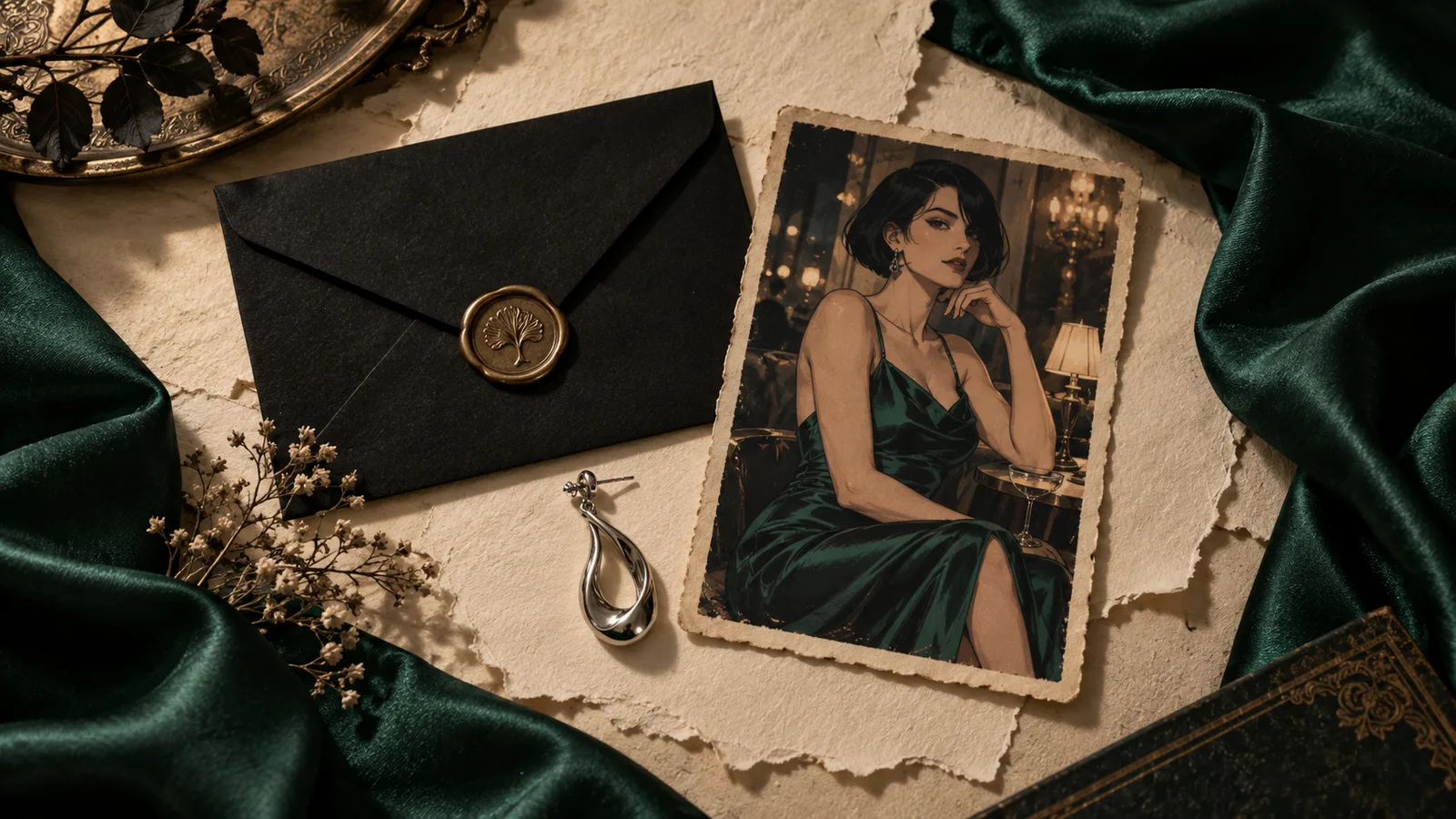
You have a fictional adult character series you actually like. The face, the satin outfit and the illustration style finally work together. Then the LoRA page disappears from your search results, a download link stops working, or a saved ComfyUI workflow opens with a missing model. Suddenly, continuing the series feels harder than making the first image.
If a Civitai NSFW LoRA disappears, first find out whether you lost the listing, access to the download, or the actual weights. If you already have the correct file, you can preserve it with its base model, trigger words, settings and workflow. If the weights are gone and you never downloaded them, a screenshot, prompt or workflow JSON cannot reconstruct them. Your next step is to identify the exact version and check your own downloads, model folders, backups and any creator-published alternative location.
You do not need to archive every model on the internet. You need a small, working copy of the setup your character depends on. That means the files themselves plus enough information to load and use them again.
This guide walks through that job for adult-oriented character creators. The recovery example is an illustrative project, not a claim that we recovered a particular removed model. It covers models and files you can legitimately access, without assuming that a private, paid or withdrawn release is available somewhere else.
Start here: what exactly disappeared?
Before you download replacements, answer one question: can you still open the exact model version, using the original link rather than the search box? If yes, you may have a discovery problem. If no, you may have an access problem or an unavailable release. Neither tells you whether a usable copy still exists on your computer.
A model page, its version page, its preview images, its download and its availability inside an online generator are separate things. Confusing them sends you down the wrong recovery path.
| What you see | What it tells you | First useful action |
|---|---|---|
| The model is absent from search, but the saved version opens | The listing is reachable; search did not surface it | Save the version information and download your accessible file |
| The page opens, but no download is offered | Viewing the resource does not establish downloadable weights | Check that release's availability and your account access |
| A download request returns an authorization error | That request lacks accepted access | Use the normal account access you hold; inspect the error before retrying |
| The exact version returns 404 | The resource is not available through that request | Check your local copies and the creator's public release channels |
| The LoRA is on disk but absent from ComfyUI's dropdown | The interface has not discovered a usable file in its configured paths | Check the actual model directory and refresh the application |
| The file loads, but the character no longer looks right | Loading succeeded; your original setup may have changed | Compare the base checkpoint, LoRA version and saved settings |
A concrete example shows why this matters: a ComfyUI-LoRA-Manager user reported that one adapter vanished from the manager after restarting even though its files remained in the LoRA directory. Repeated downloads created duplicate files with numbered suffixes. That is a report about a particular manager setup, not evidence that Civitai removed those weights. The original issue report
Do not interpret this table as a promise that every missing model can be restored. It tells you which question to investigate next. A listing can be unreachable and the model can still work locally; a beautiful public gallery can remain visible while its weights are unavailable.
Civitai's current developer documentation makes this distinction explicit. A version has its own identity and base model. Public file information can be absent for an archived resource, and a version lookup can return 404 when the version does not exist or is unpublished. A hash lookup can also fail for an unpublished version. A failed lookup alone does not prove that your local file is wrong or that the creator permanently deleted every copy. Civitai model-version reference
If you still have working weights, avoid cleaning your model folders during this investigation. Moving files into an archive is useful; running an indiscriminate cache cleanup before you know what is there can remove the very copy you need.
For a deadline, separate recovery from production. Give yourself a short recovery pass through your saved links and existing files. If that fails, continue the project using approved reference images or an available replacement, while keeping the original project intact. Spending the entire afternoon refreshing a missing page does not improve your chances of making tonight's release.
Why this issue matters to NSFW creators right now
Recent community conversations have moved beyond asking which image generator allows adult-oriented work. Creators are also asking whether a model will still be available when they return to finish a project.
In a September discussion about what to download before it becomes unavailable, commenters suggested keeping the models they actually use and saving file hashes. Other comments disagreed about how likely disappearance was. The useful takeaway is the practical need for a recoverable personal copy, rather than any prediction about the future of a hosting company. The model-backup discussion
Another September thread, whose original post has been removed, still has readable comments discussing search problems, alternative hosting and model preservation. Those comments show a concern; they do not establish why a particular release went missing. The visible community comments
For an adult character creator, the loss is often specific. You are not merely missing a model with a high rating. You are missing the adapter that gives your protagonist her distinctive fringe, your comic its rough ink texture, or your fashion series its recognizable palette. A newer checkpoint may be better at rendering fabric and still be a poor substitute for that identity.
That is why the solution is not automatically to switch to the newest model. First preserve the setup that defines your existing work. Then make a deliberate decision about whether to restore it, replace one dependency, or begin a new visual chapter.
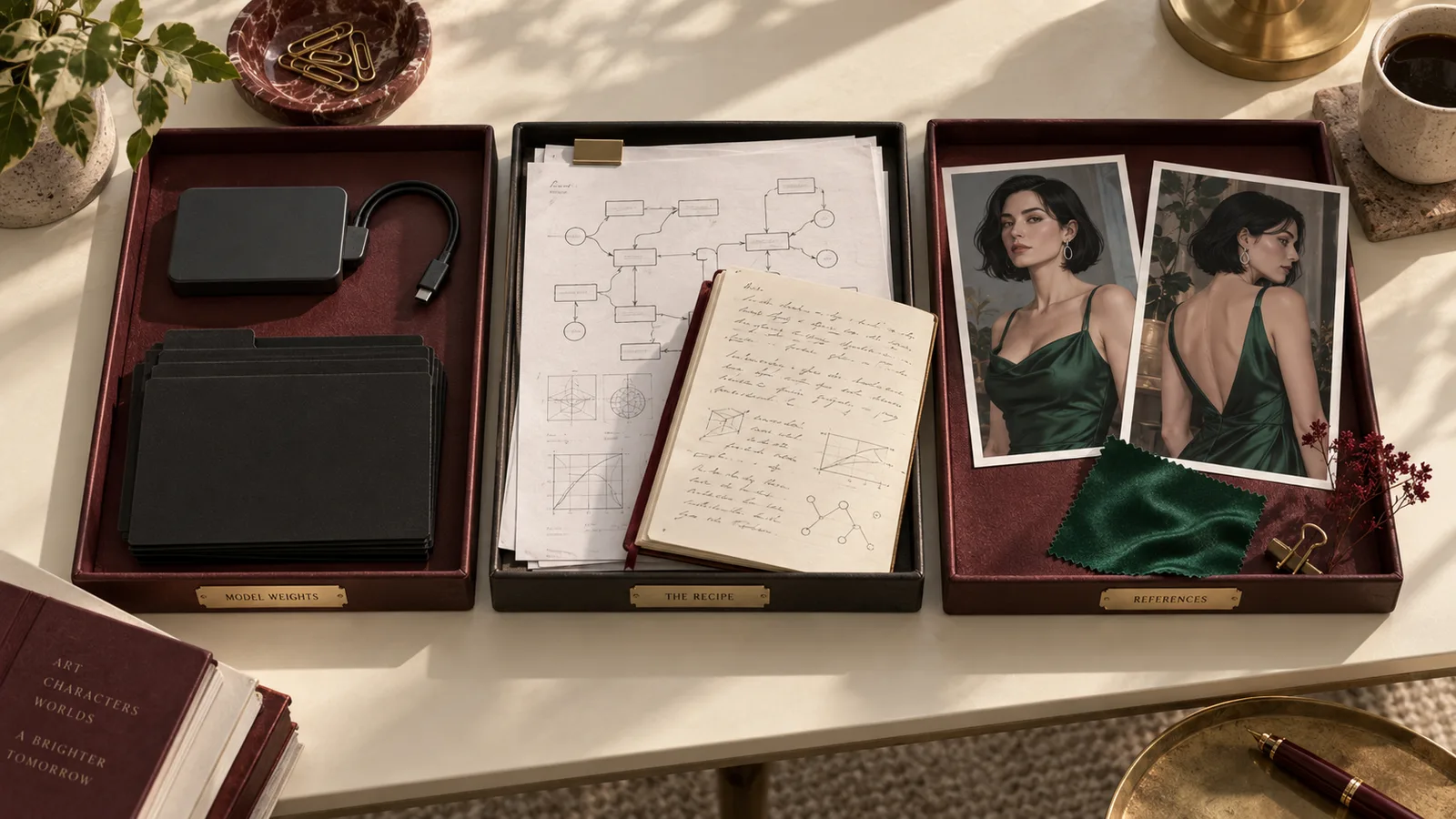
Illustration: the weights, the recipe and the approved character references do different jobs. Save all three.
A saved image is not a saved model
A finished image preserves what the character looked like. It does not contain the learned parameters that produced that look.
A prompt preserves an instruction. It might name the fictional adult character, describe the outfit and include the LoRA's trigger phrase. Without the correct adapter, that phrase may become ordinary text. The model might interpret a few words from it, ignore it, or produce a generic character with similar clothing.
A workflow preserves the arrangement of operations. A node can say which checkpoint to load and which LoRA filename to select. That does not mean the graph includes those model files. Think of it as a recipe referring to ingredients in your kitchen: copying the recipe does not stock the pantry.
ComfyUI supports loading workflows from JSON and from images that retain workflow metadata. That is useful for recovering instructions. It remains separate from installing the models those instructions reference. ComfyUI's first-generation guide
This distinction also explains why a PNG you saved from a gallery sometimes restores nothing. The downloaded copy may not contain the original metadata, or it may have been resized, converted or exported without those fields. You can still use it as a visual reference, but it should not be your only record of the setup.
Keep two copies of important results for different jobs. The original output belongs with the private project and any generation information it retains. A smaller shareable copy belongs in your publishing folder. You can crop and compress the publishing copy freely without making it responsible for restoring your workflow later.
For a fictional adult character series, save at least three approved references: a clear face, a view that shows the distinctive outfit and a full composition establishing the style. They will help you make a replacement recognizable if exact restoration becomes impossible. Avoid collecting twenty nearly identical portraits and assuming you have captured everything. The face, clothing construction and image treatment are different pieces of information.
There is also a useful difference between reproducing a file and continuing a character. An exact regeneration requires a much more complete environment. Continuing a series may only require a recognizable face, consistent styling and sensible continuity. Decide which you need before you turn a lost adapter into a week-long technical archaeology project.
Build a small recovery folder around one working setup
Consider an example project called Velvet Station: a mature illustrated series about a fictional thirty-year-old nightclub singer. She has a short black bob, one silver earring, an emerald satin evening dress and a restrained, textured illustration style. The project uses a character LoRA and a separate style LoRA.
These are invented project details, but the file-management problem is realistic. You want to keep making the same series next month, even if one model's page changes.
Create one recovery folder for the approved setup, rather than putting every download into a single unsorted directory. The folder should answer three practical questions: what files were used, how were they used, and what should the finished image look like?
| Keep | What to put there | Why it matters |
|---|---|---|
| Base model | The exact checkpoint or required model components | An adapter depends on the model it modifies |
| Character adapter | The original downloaded LoRA file | This is the learned character information |
| Style adapter | The exact style file, if the setup uses one | A similar filename does not establish a similar treatment |
| Model notes | Version IDs, filenames, source pages and full file hashes | You can identify a renamed file or compare a replacement |
| Workflow | An exported graph and a readable settings note | The graph is useful; the note remains useful if a node breaks |
| Inputs | Reference images, masks and other required source files | A graph may point to inputs outside the graph itself |
| Approved results | Original outputs plus a few visual comparison references | You can judge whether restoration actually preserved the project |
Save the model card or the relevant instructions while they are reachable. You do not need a huge copy of the entire gallery. You need the release name, stated base model, trained words, recommended setup and any warning about the adapter's use. If the author changes these later, your note explains which instructions you originally followed.
In the Velvet Station example, the character note should distinguish fixed identity from changeable scene details. Fixed identity includes the bob shape, earring, age and characteristic facial proportions. Changeable details include the venue, camera angle and jacket she wears over the dress. That lets you continue the series without mistaking every difference for a broken LoRA.
Do not write only “weight 0.8.” Write where that number was applied. A ComfyUI setup may have separate model and text-encoder strengths. Another application may expose one combined control. The same numeral on two different interfaces need not mean the same operation. Preserve the control names as shown in your working application.
Likewise, do not write only “SDXL.” Save the exact checkpoint filename and its hash. Two checkpoints can belong to the same architecture and still produce noticeably different faces, lighting and clothing. The base family helps you avoid an incompatible adapter; the exact file helps you restore the particular result you liked.
Your settings note should also include the image dimensions, sampling controls your workflow actually uses, prompt and negative prompt if present, seed behavior, and any second pass. If you generate at one size and then edit or upscale, the final size is not the original generation size. Write both so that a later restore does not accidentally feed the finishing dimensions into the first stage.
Keep this note short enough to fill out when the result is good. A plain text file with ten clear lines is better than a complicated database you never update. Add a sentence saying what made the approved image successful: “Face matches the first portrait; emerald fabric stays smooth; no extra earring; grain is visible without covering the eyes.” That sentence gives your future self a reason to prefer this setup over another download.
Use a file hash to identify the actual weights
The filename is a label. The hash identifies the file's contents.
That distinction matters when a creator releases a corrected adapter under the same filename, when your browser adds a number to a duplicate download, or when you rename a file to make the model dropdown easier to read. Renaming a file does not change its SHA256. Changing the contents does.
You can record a full SHA256 without uploading the file. On macOS, use:
shasum -a 256 "character-v2.safetensors"On Linux:
sha256sum "character-v2.safetensors"On Windows PowerShell:
Get-FileHash ".\character-v2.safetensors" -Algorithm SHA256Copy the complete hash into the model note next to the file's actual name. Short identifiers are convenient for reading, but keeping the full value avoids guessing which shortened identifier you meant later.
When you have a trusted original hash, a matching hash on a recovered copy tells you that the bytes match. It does not guarantee that the file is appropriate for your project, that the adapter will work with a different base, or that a random download site is trustworthy. It answers one narrower and very useful question: is this the same file?
Civitai also offers file-hash lookup for model-version identification. Its public reference lists the supported lookup and its limitations. Use that to identify an unknown local copy while its version remains available; do not rely on the lookup service as your only record of what a file is. The local note is still valuable if the remote record disappears.
For the Velvet Station folder, calculate hashes for the base checkpoint and both adapters. If a replacement download has the same character name but a different hash, keep it in a separate candidate folder. Do not overwrite the known file and assume that “v2” necessarily means the same version you used.
A hash also helps after moving a large folder to another drive. Compare the saved hash against the destination file. That catches an incomplete copy or a mistaken file selection before you discover the problem during a production session. Reading a multi-gigabyte file to hash it takes time; run this once when saving the approved setup and again when restoring or verifying the backup, rather than on every image generation.
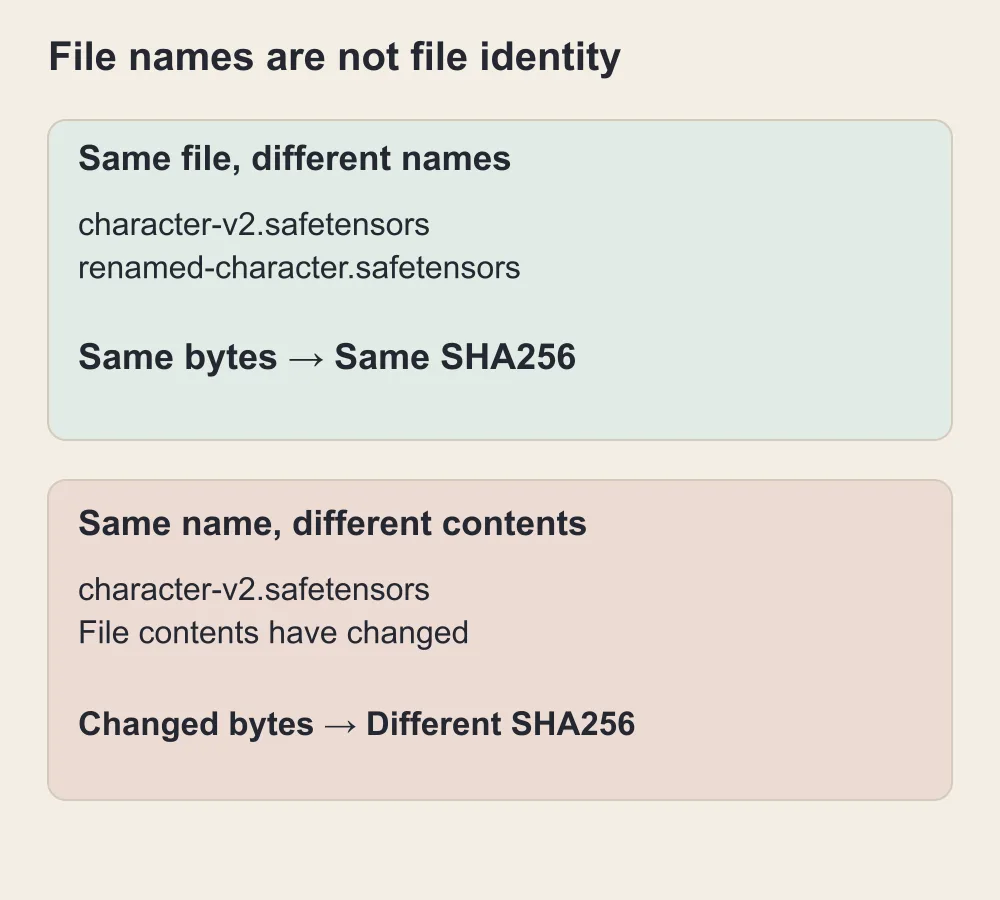
Renaming a file changes its label; changing its contents changes the SHA256. This diagram illustrates the principle.
If the page is already gone, recover in this order
1. Search your own files before searching the web
Start with the places a completed download could have landed: your browser's download folder, the active application's model directory, older portable installs, an external drive and any project backup. Search by a distinctive part of the filename, not only the model's display name.
The display name on a website may have little resemblance to the weight filename. A model called “Velvet Station Character” might download as an abbreviated project name, a training epoch or an author-selected technical name. Your saved workflow can provide the exact filename even when the listing title is unavailable.
If you find several copies, compare their hashes before deleting duplicates. The larger file is not automatically the better or newer version. One may include different precision, a different training epoch or entirely different contents. Put uncertainty into the note rather than deciding by file size alone.
A running workflow is another reason to inspect the filesystem before restarting or updating everything. If it still generates, locate the selected files and save them from their actual paths. Do not assume that an application will keep a remotely loaded adapter accessible forever just because yesterday's task completed.
2. Recover the version identity from your records
Look in your browser history, bookmarks, model notes and exported workflow. The useful details are the version ID, base model, original filename, trained words and hash. A gallery image's generation information can be a clue if it is present, but treat it as a clue rather than the model itself.
A Civitai model can have several releases beneath one parent page. Looking up the parent name may land you on a current version with different weights. For a character series, that could change the face even if the adapter technically loads. Follow the specific release identity wherever you have it.
If your note contains only a source page and a filename, retain both. If it contains a hash, retain that too. These pieces complement one another. A source page identifies the author and release context; a hash lets you recognize the exact downloaded bytes; the filename helps match the loader selection in an old workflow.
3. Check a creator-published alternative release
If the original author publishes the same release elsewhere, that may provide a normal recovery path. Check the author's linked repository or release page. Compare the documented version, base model and full hash where available before treating it as a replacement.
Do not equate a third-party index with a stored copy of the weights. An archive page may preserve the title, previews and metadata but link back to the same unavailable download. That record can help identify what you used; it cannot supply a file it never retained.
Also distinguish a new upload from an identical release. The creator may publish a retrained adapter with a similar name, or rebuild it for another base model. That can be a useful alternative, but it is a migration. Put the new file beside the original project rather than overwriting the original note with a claim that nothing changed.
If the release is private or requires access you do not hold, follow the creator's ordinary access process. Repeatedly changing a URL does not turn an unavailable download into an authorized one. For your project, the practical question is whether you have a usable release now; you can decide to wait, use an available alternative or continue from character references.
4. Inspect caches carefully
An application may have downloaded files into a cache instead of the model folder you usually browse. A cached file can be a recovery source if its complete contents remain available. A cache entry that only describes a download is not the download.
Hugging Face's cache commonly separates revision folders from the underlying file contents using links. Copying only a folder of links can leave your backup dependent on blobs elsewhere in the original cache. Some Windows configurations store ordinary files instead, so inspect the actual copy rather than assuming either layout. Hugging Face cache documentation
For a dependable project backup, create a standalone copy of the files you need and verify that the copied files open and have the expected size and hash. If your copying tool preserves symbolic links, use its documented option to copy the target contents, or retain the complete linked structure. Do not delete the original cache until you have confirmed what the destination contains.
If you never downloaded the weights, a remote cache you cannot access is not a recovery plan. Preserve the available project information and move on to a replacement strategy.
Pin Hugging Face downloads to a specific release
A repository is useful as a source, but a moving branch is an incomplete version record.
If you save only a repository name and main, the author can update the files later. Your next download may be different even when the path looks identical. Record the full repository revision along with the filename when you want to retrieve a particular release.
Hugging Face supports downloading a file from a specific revision, including a full commit hash. For a multi-file setup, preserve the same intended revision for the components in that repository. A base model stored in a different repository needs its own revision record. Hugging Face download documentation
If you use the CLI, the pattern is:
hf download AUTHOR/REPOSITORY adapter.safetensors --revision FULL_COMMIT_HASH --local-dir ./model-backupReplace the repository, filename and full commit hash with the details of an accessible release. This is a command pattern, not a working link to the fictional Velvet Station adapter.
After the download, hash the local file and save the result. The repository commit identifies the revision you requested; the file hash identifies the file you actually retained. Keep both because they answer different questions.
Pinning does not guarantee that a repository will stay accessible forever. It keeps a future download from silently following a newer revision while the old revision remains available. You still need your own copy if continued access matters to the project.
Do not download every repository component simply because the tool can. If your working setup uses one LoRA file and a short model card, save those. If the base requires multiple weight shards, text encoders, a VAE or configuration files, preserve that required set together. Copying one impressive-looking weight file from a multi-component model is not enough to promise that it will load.
This is where the working project helps. You know which files the current graph actually uses. Save that complete set first. Speculative downloads for experiments can go into a separate folder and should not make it harder to find the production setup.
Restore the workflow without replacing every dependency at once
Once you have the files, restoration is mostly about putting the right thing in the right place and proving that the simple version still works.
For a standard ComfyUI installation, LoRA files live under ComfyUI/models/loras, while checkpoints and other model types use their corresponding directories. Extra model paths can change where the application looks. Check the paths used by the actual running installation, especially if you have both a desktop application and an old portable copy. ComfyUI model-path definitions
It is surprisingly easy to copy a file into one installation and launch another. If the LoRA dropdown remains empty, locate the running application first. Adding the file to three random folders makes later cleanup harder and does not tell you which copy is active.
Refresh the model list or restart the application after placing the file in the correct directory. Then select the actual filename in the LoRA node. If you renamed the file for organization, an old workflow may still ask for its previous name. You can either restore that name or deliberately update the loader selection. The hash tells you whether the content remained the same.
The built-in LoRA Loader has distinct controls for the model and text encoder. Restore the values from your original setup instead of setting both to a remembered single number. Keep the connections intact: loading an adapter in an isolated node does not help if the downstream sampler is still receiving the unmodified model. ComfyUI LoRA Loader
For the Velvet Station example, start with one character portrait using only the base checkpoint and character adapter. Temporarily leave out the style adapter, upscaler and optional detail pass. Use the same approved face description and original generation dimensions. You are checking whether the identity ingredient still works before asking the whole production graph to work.
If the face is recognizable at this stage, add the style adapter with its saved strength. If the style now pulls the face away from the reference, you have narrowed the problem to that addition. If the simple portrait was already wrong, investigate the base and character adapter first. This sequence is more informative than generating ten complicated scenes and trying to infer which of six dependencies caused the change.
Next restore any reference image or conditioning stage. Use the original input file, not a cropped social copy unless that crop was the original input. A tighter crop, altered color balance or compressed face image can change what the reference stage sees. For a character series, that can look like a weak LoRA even when the weights are correct.
Finally restore the finishing stages. Compare the image before and after them. A face detailer, editing pass or creative upscaler can introduce its own interpretation of the character. If identity changes only after the finishing pass, increasing the character LoRA in the first stage is an indirect and potentially counterproductive fix.
What if the graph has missing nodes?
Missing models and missing nodes are different faults. A weight file cannot replace a custom node's implementation.
Use the graph's node names to identify the required extensions and their original repositories. Restore the extensions you actually used. Do not install an unrelated pack just because it contains a similarly named node; its inputs or behavior may differ.
Keep a short record of the application version and important extension versions with the project. If an update broke a previously working setup, try the saved environment in a separate installation before updating the production copy again. This is particularly helpful for elaborate graphs that were assembled from several tutorials over time.
If you cannot restore an old extension, rebuild the smallest useful equivalent. For example, you may be able to generate the base portrait without an optional preview or organizational node. A node that performs the main conditioning operation is a different matter. Treat removing it as a change to the method, and compare the result rather than assuming it was decorative.
What if it loads but produces a different result?
First check the files, then the controls, then the environment. Comparing the saved hashes avoids wasting time tuning a new file under an old name.
After confirming the files, check whether the seed is fixed or advances after each generation. Restore the original sampler, scheduler, step count, dimensions and any denoising control your graph uses. Keep adapter order consistent when your setup loads more than one.
A fixed seed helps you compare changes within a setup. It does not guarantee identical pixels across every application version, hardware configuration and model implementation. For continuing Velvet Station, judge the recognizable face, outfit construction and texture against your approved reference. For an exact reproduction requirement, preserve and investigate the environment as well as the model files.

Illustration: restore the base and character first, then add style, references and finishing stages separately.
When the original weights cannot be recovered
If you have no usable copy and no accessible original release, stop calling the next step a restoration. You are rebuilding the project around different ingredients.
That does not mean abandoning the character. It means deciding what you need to preserve visually and which available method can preserve it.
For Velvet Station, the identity brief is specific: an adult woman in her thirties, a short black bob with an asymmetric fringe, a single silver earring, an emerald satin dress with a recognizable neckline, and a warm stage-light palette. The original character adapter may have encoded those traits in a way the replacement model cannot reproduce from one token. Break the description into visible features instead of carrying over an unexplained trigger word.
Here is a restrained example of the sort of reusable brief you could write:
Fictional adult woman, age thirty, short black bob with an asymmetric fringe, one small silver earring, emerald satin evening dress, confident expression, warm amber stage light, textured editorial illustration. Preserve the hairstyle, facial proportions and earring placement established in the character reference.
This is a proposed input, not a report of a generation result. It describes identity and presentation without relying on an unavailable learned trigger. Add the scene separately so you can change the venue without rewriting the character's entire description.
Route one: use a compatible replacement adapter
Choose a replacement that matches the base family you intend to keep. Read its own instructions, because its trigger phrase and useful strength may differ from the lost release. A value that worked for your old adapter is not automatically the right value for a different one.
Start with the same uncomplicated portrait used during recovery. Compare the face, hair silhouette, distinctive accessory and broad style. Then try one harder view, such as a three-quarter angle. A substitute that looks convincing only in a front-facing portrait may not be suitable for the next twelve scenes.
If the replacement is a general style adapter, it will not necessarily carry the missing character identity. Separate those jobs. You may preserve the illustration treatment with a style adapter while using approved references to preserve the character. That can be a workable continuation, but it is a new setup worth saving under a new version name.
Do not chase every tiny difference by adding more adapters. If the base character is already drifting, stacking unrelated style and detail LoRAs can make diagnosis harder. Establish a recognizable plain portrait, then add the visual treatment you need.
Route two: continue from approved image references
When your important asset is the character's appearance rather than the original generation recipe, a reference-based editing workflow may be more practical.
Choose a clean approved image as the identity anchor. Use a second reference only when it adds a different requirement, such as the outfit or setting. Avoid mixing several nearly identical faces with different makeup and hair; you may give the model competing versions of the person you are trying to preserve.
Keep the first edit modest. Change the backdrop or lighting while preserving the face and hairstyle, then try a more demanding pose. If identity fails on the small change, a full scene rewrite is unlikely to be the cheapest next experiment. Improve the anchor selection or choose a different editing method first.
This route does not convert the old PNG into LoRA weights. It uses the visible character as an input for a different generation task. Some details may remain difficult, particularly views not shown in the references. Your approved series should tell you which differences are acceptable before you produce a full batch.
For a sequential story, the adult comic character-consistency guide explains how to organize identity, costume and scene references. Use it when the goal is readable continuity across panels, rather than exact recovery of an old adapter.
Route three: retrain your own fictional character adapter
Retraining can make sense when the character is central to a continuing project and you have a suitable set of images you can use. It is a larger job than downloading a substitute. Treat it as a new version, with its own base model and training choices.
Select images that explain the character clearly rather than simply choosing the prettiest ones. If every example has the same venue, pose and emerald dress, the adapter may entangle the identity with those repeated details. A useful collection distinguishes the face and hairstyle from a single scene's lighting and clothing.
Include clear views that you genuinely need in future work. For Velvet Station, that might include a neutral portrait, a three-quarter view, a seated view and a different jacket over the core outfit. Reject pictures where the face is already drifting. Training on several conflicting faces will not establish which one you meant.
Keep the original approved images separate from any crops or captions prepared for training. That way, you can revisit a poor training outcome without discovering that you overwrote your best reference. Save the resulting adapter with its exact base and release information, just as you would for a downloaded model.
We are not claiming that a small set of outputs will recreate the lost adapter exactly. It may produce a useful successor; it may require substantial iteration. If your deadline is tomorrow, a reference-based edit or a compatible available adapter is usually a more manageable first attempt than beginning a new training project.
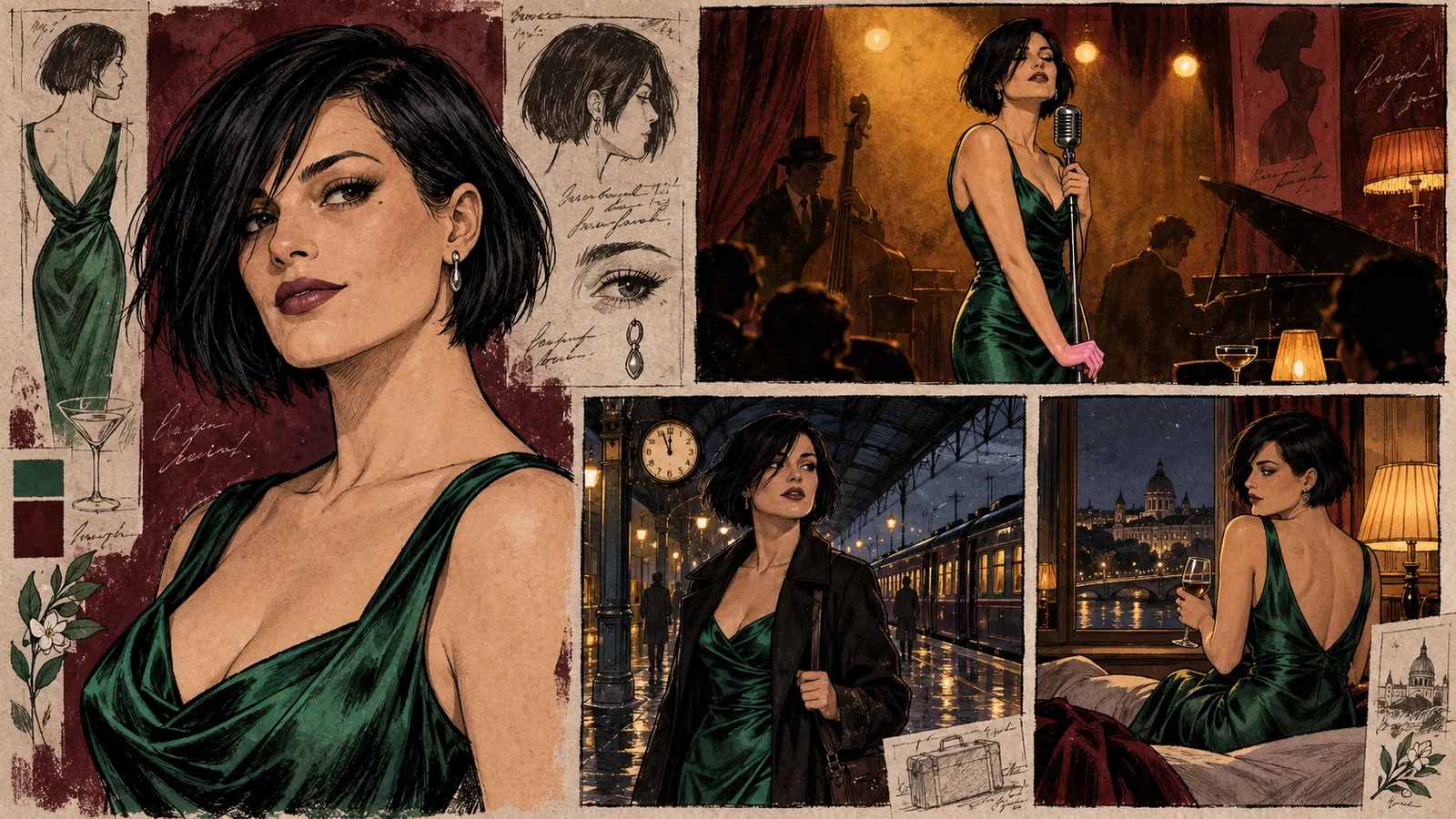
Illustration: preserve the visible character traits while changing the setting. A replacement setup continues the character; it does not recover missing weights.
Back up the parts that would be painful to replace
Model preservation can become an excuse to download more than you can manage. A useful archive is selective.
Give the highest priority to the exact base and adapters behind active projects, custom work you trained yourself, and unusual releases that you cannot replace easily. Save the inputs and recipe at the same time. A folder of anonymous weight files is less useful than a smaller collection with clear project notes.
Keep experimental downloads separate from approved setups. You may have ten versions of a style LoRA that you tried once and one version you use every week. The latter deserves a verified second copy; the former can remain an experiment until it earns a role in your work.
Storage planning is straightforward if you use actual file sizes. Suppose your approved setup contains a 6.5 GB base, a 250 MB character adapter and a 180 MB style adapter. That is approximately 6.93 GB before references, output images and software records. Two full copies of those files need about 13.86 GB. These are hypothetical sizes to explain the calculation, not quoted sizes for a specific model.
Avoid storing a full duplicate base checkpoint inside every character project if your backup system lets projects refer to a shared, clearly identified base library. Save the base once per backup destination and link each project note to its exact filename and hash. Just make sure the backup includes that shared library; a project that refers to a library left on the original machine is incomplete.
Use a second destination that does not disappear with the working folder. Another directory on the same drive protects against an accidental overwrite less effectively than a separate copy elsewhere. A disconnected external drive can be useful for an archive; a private backup service can be convenient for regular updates. Choose based on how much data you have and how quickly you need to restore it, rather than treating a sync badge as proof that every dependency is saved.
A synchronized folder can copy deletions as efficiently as it copies additions. Check whether your chosen service has version history and whether large weight files are included. You do not need an elaborate enterprise setup for a small character project, but you do need to know where the second copy actually is.
Once the archive is copied, do one small restore attempt from that destination. Open the model note, locate the files, compare the hashes and load a basic workflow using those copies. That is a better confirmation than noticing that the destination folder has the right name. Repeat when you materially change the approved setup, rather than turning routine generation into a paperwork exercise.
Hosted generation is useful, but it is a different recovery route
If you do not want to maintain a local generation environment, a hosted service can help you continue producing new work. It does not automatically recreate the particular adapter you lost.
There are two different cases. A service may let you supply a compatible LoRA file, or it may offer a fixed model with reference-image editing. In the first case, your saved weights remain important. In the second, your approved character references and written brief become the main continuity tools.
Before relying on a hosted LoRA endpoint, confirm the exact base it serves and whether it accepts your file's format and access method. A Civitai webpage is not necessarily a direct weight download. A gated repository may be accessible to you in a logged-in browser and inaccessible to a remote loader. Upload or host the file only through a supported method you can use normally; never put an account token into a public URL.
The guide to running a LoRA through an API covers the loading side. Its purpose is to help use an available file, while this article's purpose is to keep the file and its working recipe from being lost in the first place.
For adult-oriented work, check the content behavior of the exact hosted model and task independently of compatibility. Successfully loading a LoRA does not mean every mature request will produce the intended result. Likewise, a model that permits your subject matter can still be a poor match for the old character's appearance. Those are separate decisions.
Save the hosted task's approved outputs promptly and record the model identity and relevant inputs. If the service changes a model later, those references still help you understand what your series used to look like. They cannot freeze an implementation you do not control, so avoid calling a hosted recipe an exact local backup.
Quick answers for the recovery decisions people get stuck on
Can I recover a deleted LoRA from its PNG?
You can sometimes recover the workflow or prompt if the original image retains that information. You cannot extract the original trained weights from the finished image. Use the picture as a reference for continuing the character, while searching your own files for the actual adapter.
Why does Civitai show a preview but no downloadable model?
Previews, listing access, generation availability and public files are separate parts of the resource. Inspect that specific version's availability rather than assuming a visible image guarantees downloadable weights. A model may be viewable without offering the file you need.
Is a LoRA with the same name the same model?
The name alone is insufficient. Compare the version, stated base and complete file hash. If the hash differs, keep it as a candidate replacement until you have compared its behavior. Do not overwrite your approved setup simply because the new filename looks familiar.
Can I load an old LoRA into a newer base model?
Only if the adapter and implementation are compatible, and even then the appearance may change. Start from the documented base family. Preserve the exact old checkpoint when restoring an existing series; evaluate a new base as a migration rather than an automatic upgrade.
Is a Hugging Face commit hash enough for a backup?
It identifies a repository revision. It does not store the weights on your machine or guarantee the repository will remain accessible. Keep the actual required files and their hashes as well as the revision record.
Should I download every NSFW model now?
Begin with the models that support projects you care about. Save the exact working base, adapters, inputs, settings and approved results. A verified copy of one complete setup is more useful to your next release than hundreds of unidentified downloads.
Keep the setup that makes your character recognizable
If the model page is missing but the weights are still on your machine, your immediate job is to identify, copy and document those files. If the file is merely absent from the interface, repair the path and loader selection. If the original weights are genuinely unavailable, use your approved character references to make a deliberate replacement rather than promising an exact recovery.
For your next successful adult character image, save the recovery folder that same session. Include the precise base, adapters, trigger words, controls, inputs and a few approved originals. Hash the model files and copy the folder to your second destination.
That is enough to turn “I hope this page is still here next month” into “I know which setup produced this character, and I have the ingredients to use it again.”