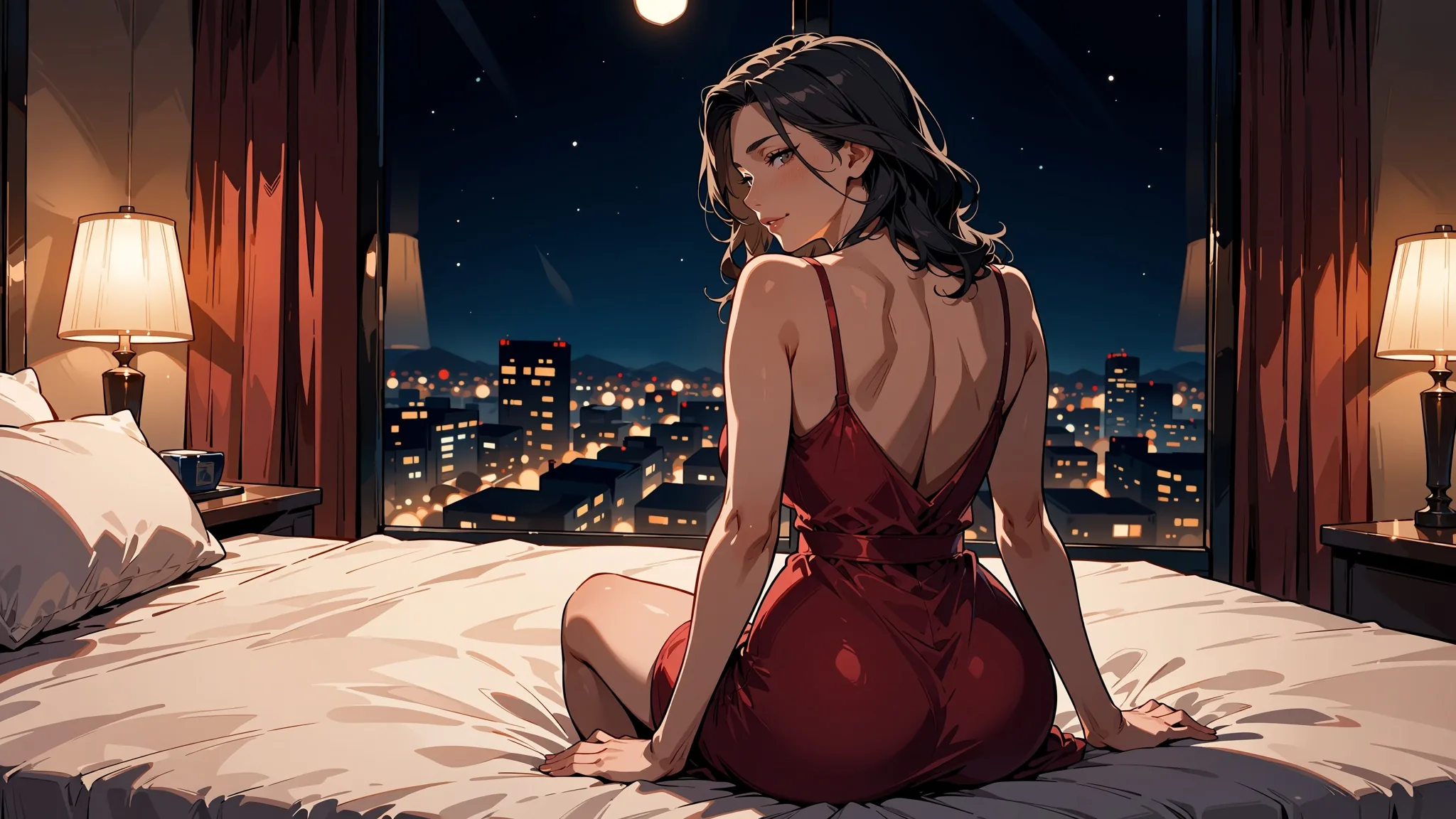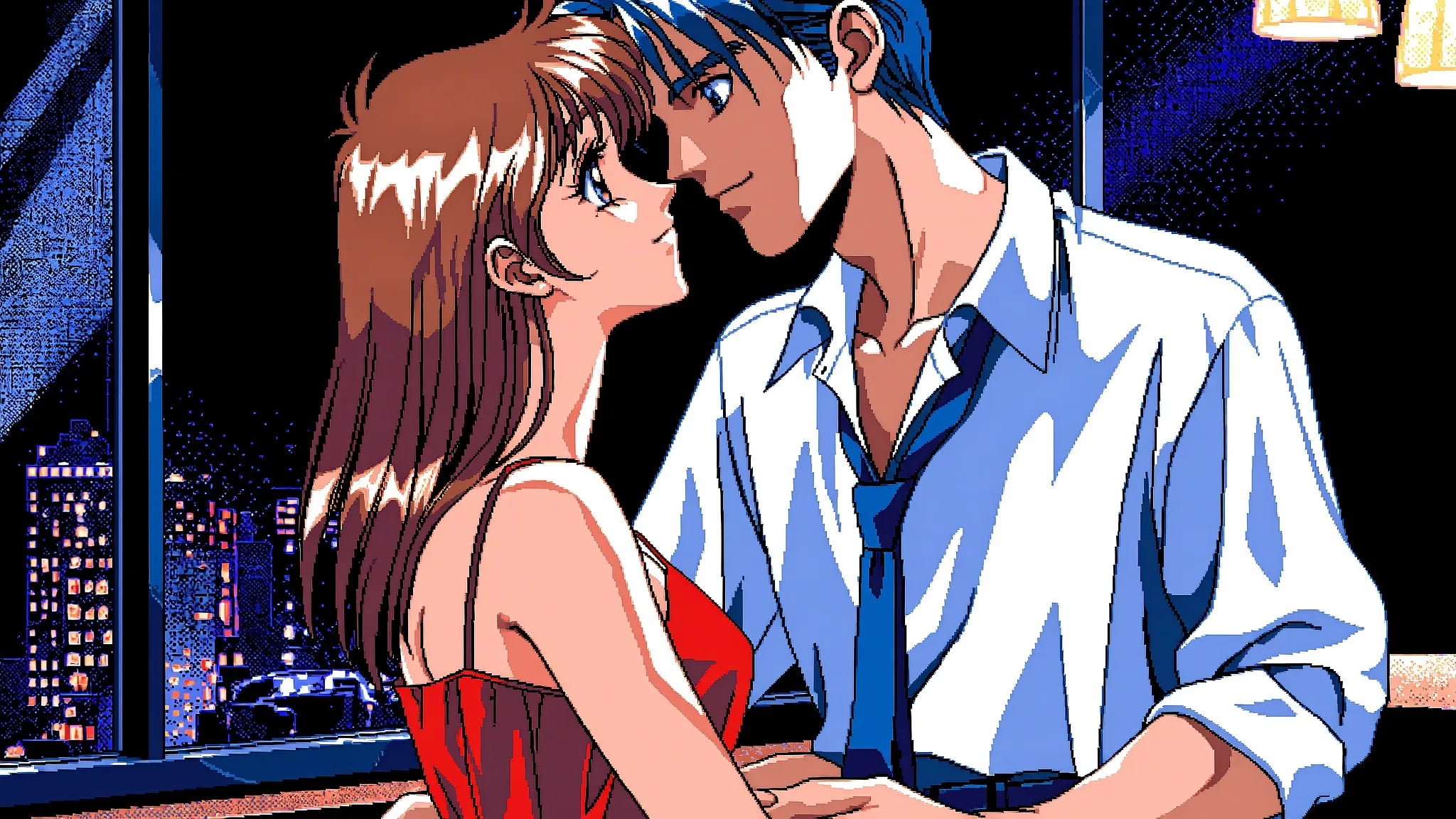
Load one style LoRA at a scale between 0.5 and 1.2, put its trigger words in the prompt, and keep the plain Anima Turbo family for everything else. That is the short version of what we found when we ran two community LoRAs through Anima Turbo LoRA on 5 October 2026. The longer version has a few traps worth knowing before you spend an afternoon on a style that silently did nothing.
Anima Turbo is an anime and illustration model from CircleStone Labs, published in collaboration with Comfy Org and built on NVIDIA Cosmos-Predict2 with a Qwen3 text encoder; Turbo is its distilled build, meant for fast sampling. The LoRA family adds a loras field: up to three adapters per request, each a direct link and a scale. These endpoints are uncensored: the platform adds no content filter, and in our tests our strongest content probe rendered as written on the first try, with and without LoRAs. Every prompt in this guide is an everyday scene with clothed adults, which is all you need to learn the controls.
At a glance
| Question | Answer (tested 5 October 2026) |
|---|---|
| Model | Anima Turbo by CircleStone Labs, 2 billion parameters |
| API model names | circlestone-labs/anima-turbo-lora/text-to-image and circlestone-labs/anima-turbo-lora/edit |
| LoRA field | loras: up to 3 entries, each {path, scale}; a fourth is rejected |
path | A direct HTTPS link to a .safetensors file |
scale | 0 to 4, default 1; we recommend 0.5 to 1.2 |
| Works with | LoRAs trained for Anima (the publisher recommends training on the Base build; such adapters apply to Turbo) |
| Does nothing, silently | LoRAs trained for another base model, such as FLUX |
| Sizes | 1k tier (about one megapixel) or 1.5k tier, 15 aspect ratios for text to image |
| Speed in our tests | 2 to 16 seconds of model time per image; the first request with a new LoRA can be slower |
| Not available | Negative prompt, steps, CFG, masks; no photorealism |
| Billing | Per image by resolution tier; loading LoRAs adds no separate charge; failed requests are not charged |
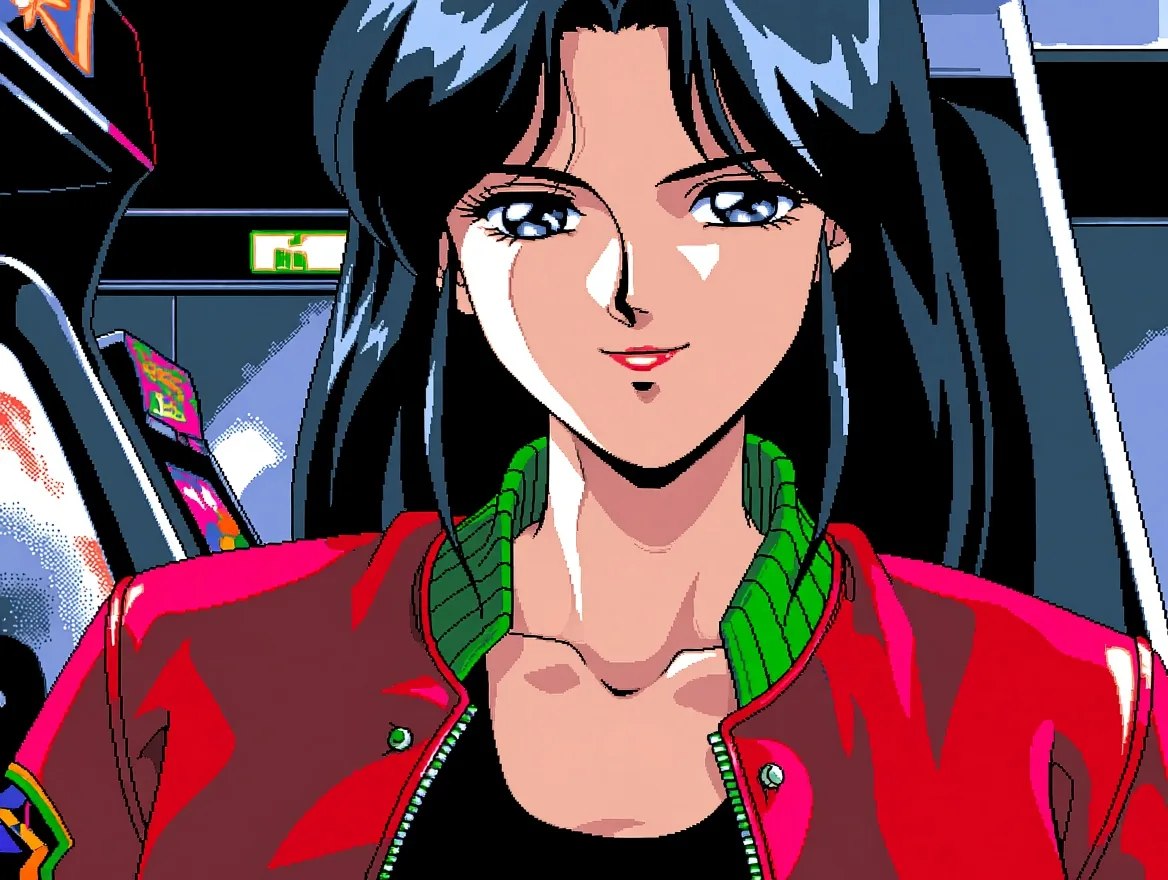
Anima Turbo LoRA, text to image, 4:3, 1k, seed 42, PC-98 LoRA at scale 1. The prompt is printed below.
The two LoRAs we used
Both are public repositories on Hugging Face, written for Anima:
- PC-98 look: Melon-Bread/anima-pc98-gal-style-v0.2. Trigger
pc98gal_style. It gives the dithered, limited-palette look of 1990s Japanese PC games. - Manga ink: notverriegod/monochrome-grayscale_style. Trigger tags
monochrome, greyscale. It gives black-and-white linework with screentone.
Hugging Face listed 129 Anima LoRA adapters on the day we tested, so there is plenty to browse. The publisher recommends training LoRAs on the Base build; such adapters apply to Turbo.
Checklist before you pick another Anima LoRA:
- Base model: the card or tags say it was trained for Anima, not FLUX, SDXL or Pony.
- A file you can link: the repository has a
.safetensorsfile, and you can build theresolve/main/link to it. - Public access: the repository opens without logging in; gated ones fail with HTTP 401.
- Trigger word: the card names one (or says none is needed). Copy it exactly.
- Licence: read the licence shown on the LoRA's own card before you use its output; it is set by the adapter's author.
Loading a LoRA: the link has to be a file
The path of each entry is a direct HTTPS link to a .safetensors file. On Hugging Face that means the resolve/main/ URL, not the page you read about the model on. We hit both failure modes on purpose:
- A repository page link fails with a message asking for the direct download link.
- A gated repository (one that needs a login) fails with an HTTP 401 message.
Neither is charged. The first request with a new LoRA can also run slower while the file is fetched; one of ours took almost three minutes, the others between 2 and 26 seconds. Model time for ordinary requests was 2 to 16 seconds, with 52 of 60 runs under 10 seconds.
Here is the whole request for the arcade image above:
{
  "model": "circlestone-labs/anima-turbo-lora/text-to-image",
  "prompt": "pc98gal_style, dithering, limited color palette, flat cel shading, thin linework, safe, 1girl, solo, adult woman, mature female, long dark blue hair, red bomber jacket worn open over a black tank top, leaning against an arcade cabinet, neon signs, night arcade, confident smirk, looking at viewer, retro anime aesthetic",
  "aspect_ratio": "4:3",
  "resolution": "1k",
  "seed": 42,
  "loras": [
    {
      "path": "https://huggingface.co/Melon-Bread/anima-pc98-gal-style-v0.2/resolve/main/pc98gal_style-v02_anima.safetensors",
      "scale": 1
    }
  ]
}
There is no negative prompt, steps or CFG field. The rating tag is the main way to set tone, so we open every prompt with safe after the trigger words. Parameters, limits and live pricing are on the text-to-image model page; loading LoRAs adds no separate charge.
Trigger words: one LoRA needed them, one did not
Read the LoRA's page for its trigger and then test without it, because LoRAs differ.
The monochrome LoRA stayed in colour until monochrome, greyscale was in the prompt. Adding them gave full black-and-white ink. The PC-98 LoRA changed the style even without pc98gal_style. Here is the same plain prompt and seed, once with no LoRA and once with the PC-98 LoRA at scale 1 and no trigger anywhere:
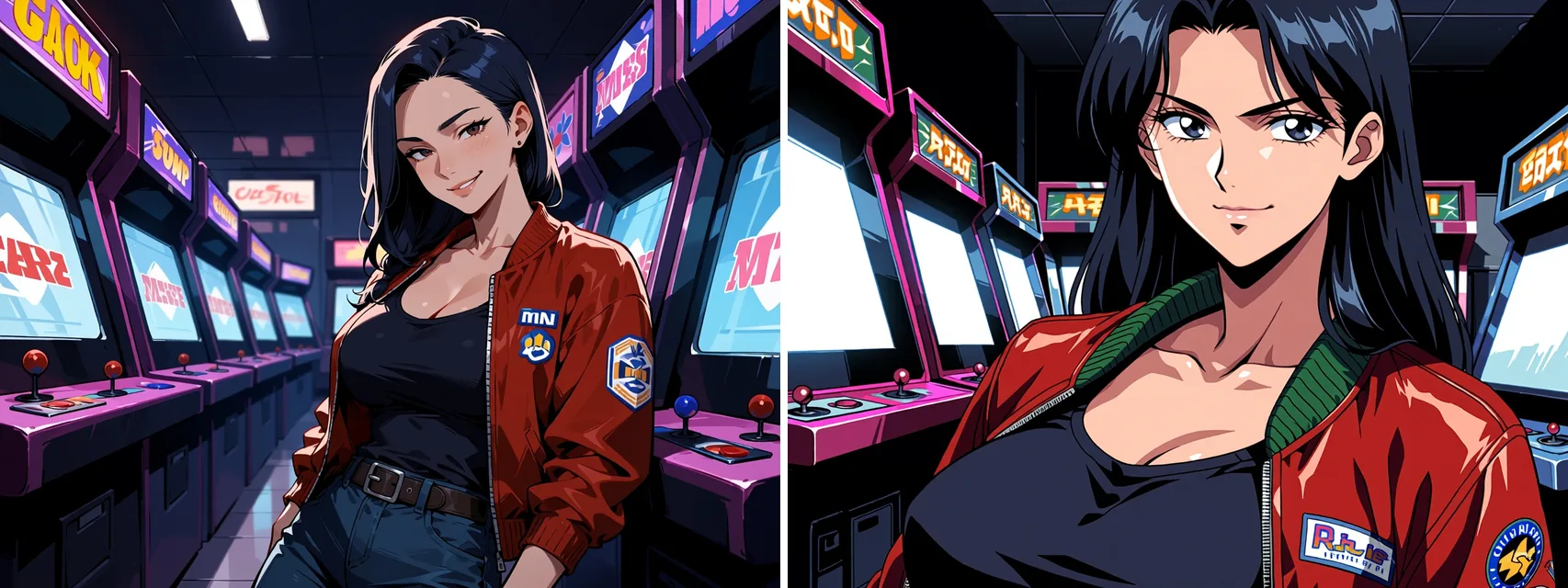
Anima Turbo LoRA, text to image, 4:3, 1k, seed 42, identical prompt with no trigger words. Left: no LoRA. Right: PC-98 LoRA at scale 1.
The right-hand image is not what you get from the trigger-word prompt, which pushes the look further. So even a LoRA that works untriggered is worth triggering. Seeds make runs comparable but do not guarantee identical pixels: the same request gave us three slightly different renderings at different times.
The scale ladder: 0, 0.5, 1, 1.5, 4
The scale runs from 0 to 4 with a default of 1. We ran the PC-98 prompt with its triggers at five values, same seed:

Anima Turbo LoRA, text to image, 4:3, 1k, seed 42, PC-98 LoRA at 0, 0.5, 1, 1.5 and 4 from left to right.
| Scale | What we saw | Use it for |
|---|---|---|
| 0 | Identical to using no LoRA | Checking that an adapter really does something |
| 0.5 | A light touch of the style | Seasoning, or a second adapter in a stack |
| 1 | The full style as the author intended | The default; start here |
| 1.5 | The style pushed harder | Only if 1.2 still looks too gentle |
| 4 | The image broke apart into abstract shapes | Nothing; avoid |
Our recommendation is 0.5 to 1.2. Start at 1. Drop to 0.5 to 0.8 when the LoRA fights your subject or you want it as a seasoning, and go to 1.2 only if the effect looks too gentle. The top of the range exists, but we have no reason to use it; at 4 nothing usable came back.
The silent failure: the wrong base model
A LoRA trained for a different base model loads without an error and changes nothing. We tried one trained for FLUX, and the output was pixel-identical to using no LoRA. The request succeeds, you are charged for an image, and you may blame your prompt for an hour.
The check is cheap. Run your prompt once with the LoRA at scale 0 and once at 1, with the same seed. If the two images are identical, the adapter is not for Anima. Scale 0 is identical to no LoRA, so that pair is a reliable test, and a ladder like the one above doubles as one.
Why a LoRA did nothing, or the request failed
| Symptom | Cause | Fix |
|---|---|---|
| Request succeeds, image identical to no LoRA | The adapter was trained for another base model (we tried a FLUX one) | Compare scale 0 and scale 1 with the same seed; find an Anima adapter |
| Style barely visible | Missing trigger word, or scale too low | Add the trigger from the LoRA's card; try 1 |
| Error asking for the direct download link | You pasted the repository page, not the file | Use the resolve/main/...safetensors URL |
| HTTP 401 message | Gated repository that needs a login | Choose a public file |
| Rejected request | More than three entries in loras | Remove one |
| Image falls apart into shapes | Scale far too high (4 did this in our tests) | Go back to 0.5 to 1.2 |
| A slow first request | The file is being fetched | Wait; the first request with a new LoRA can take longer |
The two link errors were not charged.
Two or three LoRAs together
You can stack up to three; a fourth is rejected. Put the style you care about at 1 and the others lower. A three-adapter request at 1, 0.6 and 0.25 worked in our tests and the main style still read clearly. For the pair below we used the PC-98 LoRA at 0.8 and an aesthetic-tuning LoRA from AX1Y2JP at 0.5:
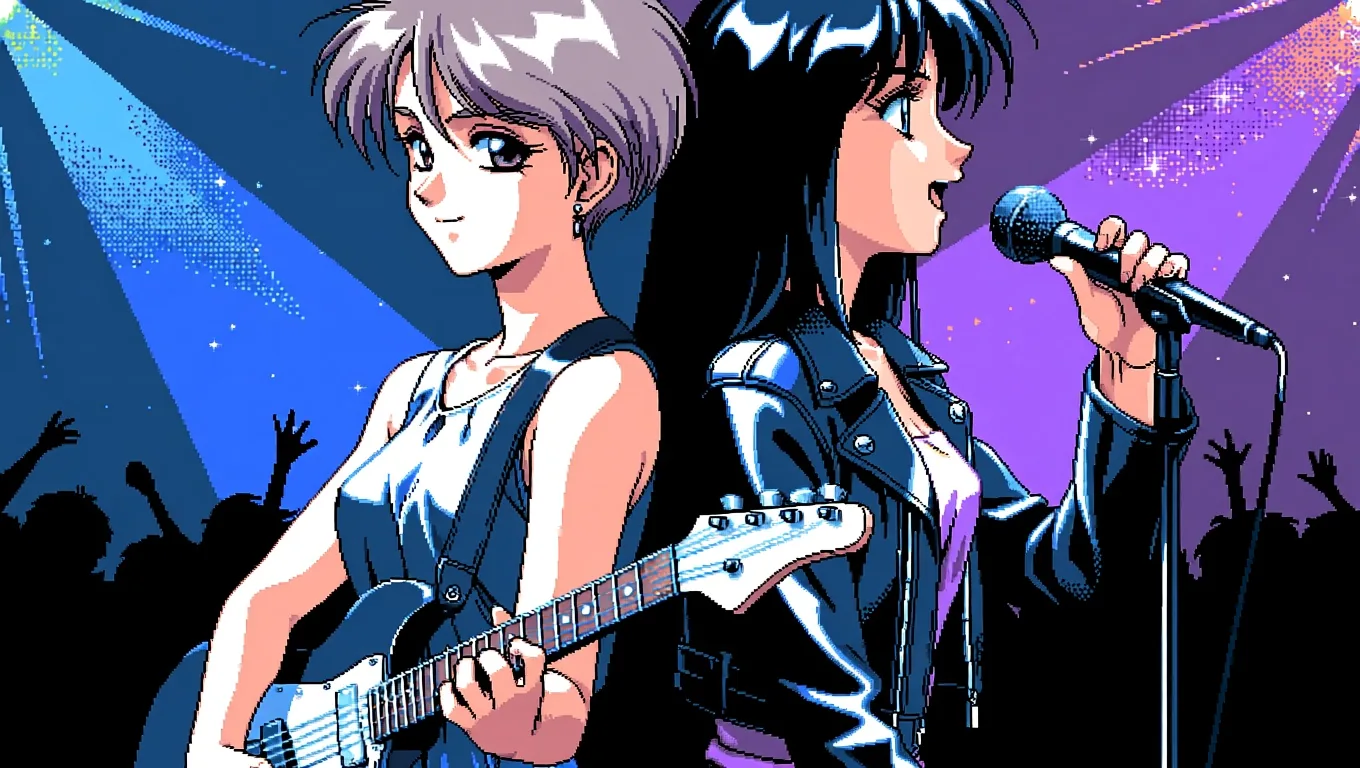
Anima Turbo LoRA, text to image, 16:9, 1k, seed 21, two LoRAs at 0.8 and 0.5.
Keep the extra adapters lighter than the main one. If the picture muddies, remove one before you touch the prompt.
Manga ink and PC-98 on other subjects
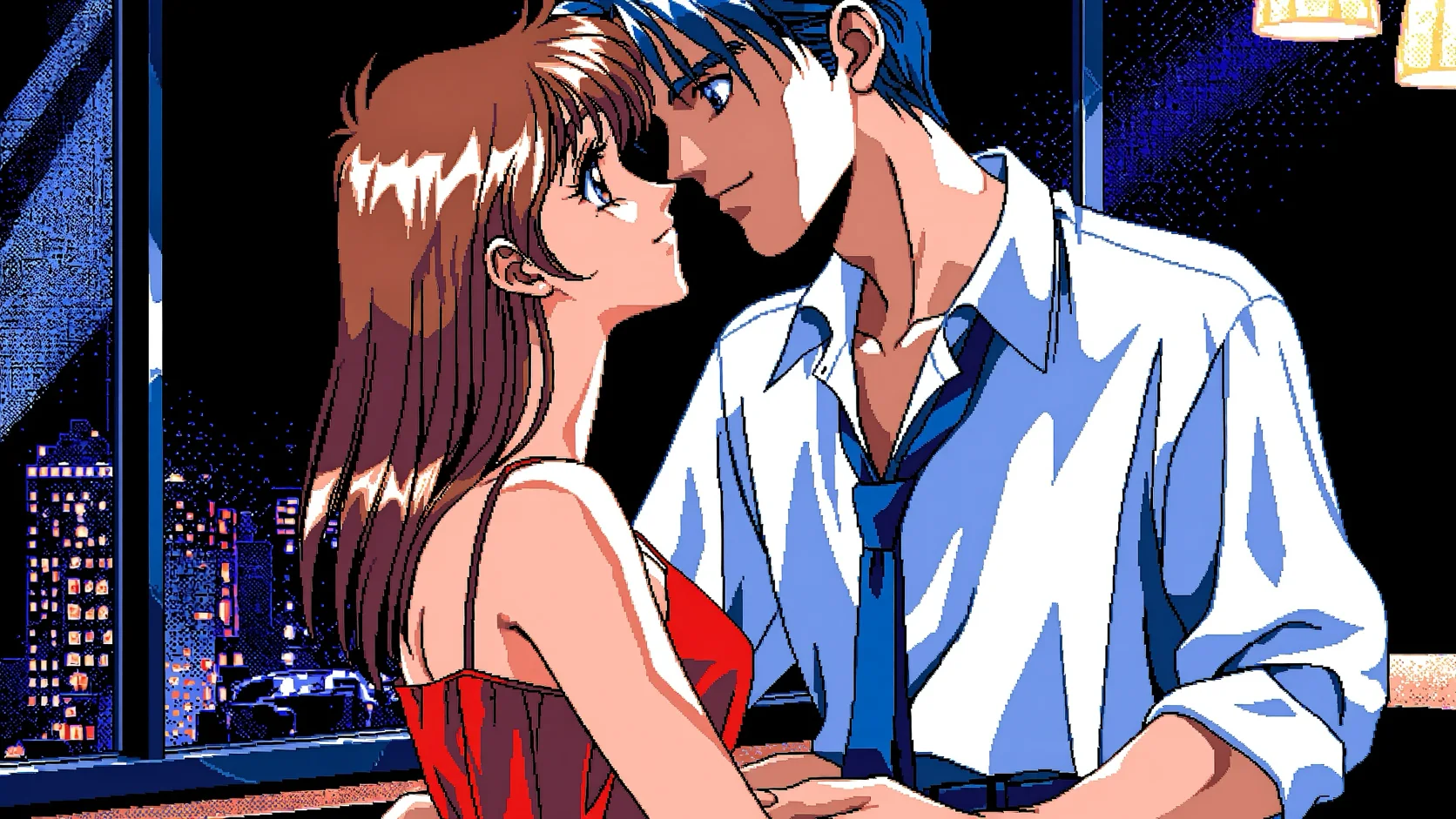
The same two LoRAs held up across subjects. Left to right: a PC-98 seaside town with no characters, a PC-98 noir detective, and a manga-ink portrait of a woman with a motorcycle.
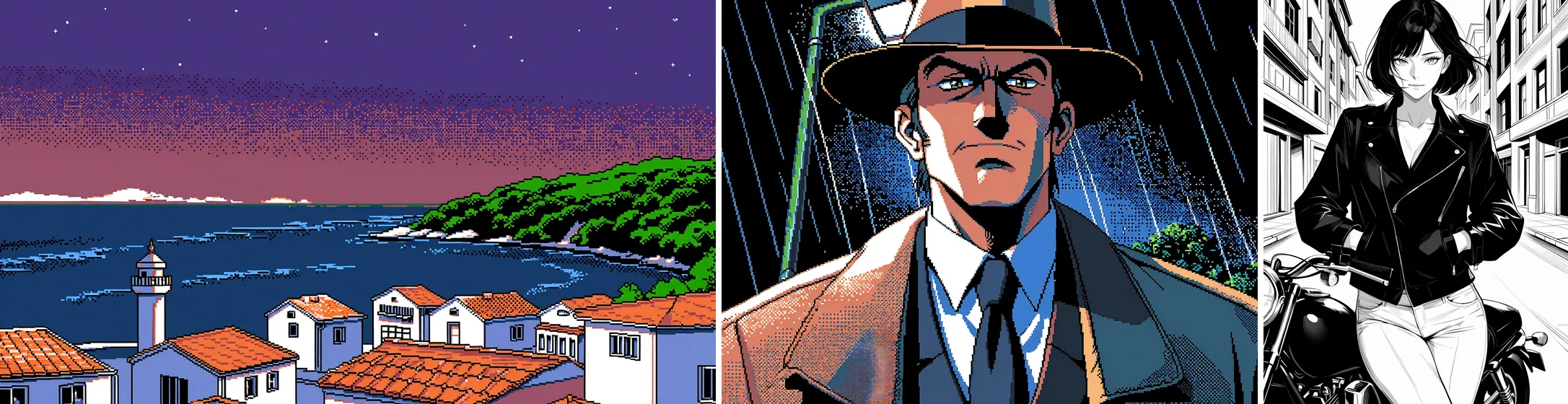
Anima Turbo LoRA, text to image, three requests at LoRA scale 1: 16:9 seed 17, 4:3 seed 18, 3:4 seed 16.
The detective prompt, unchanged:
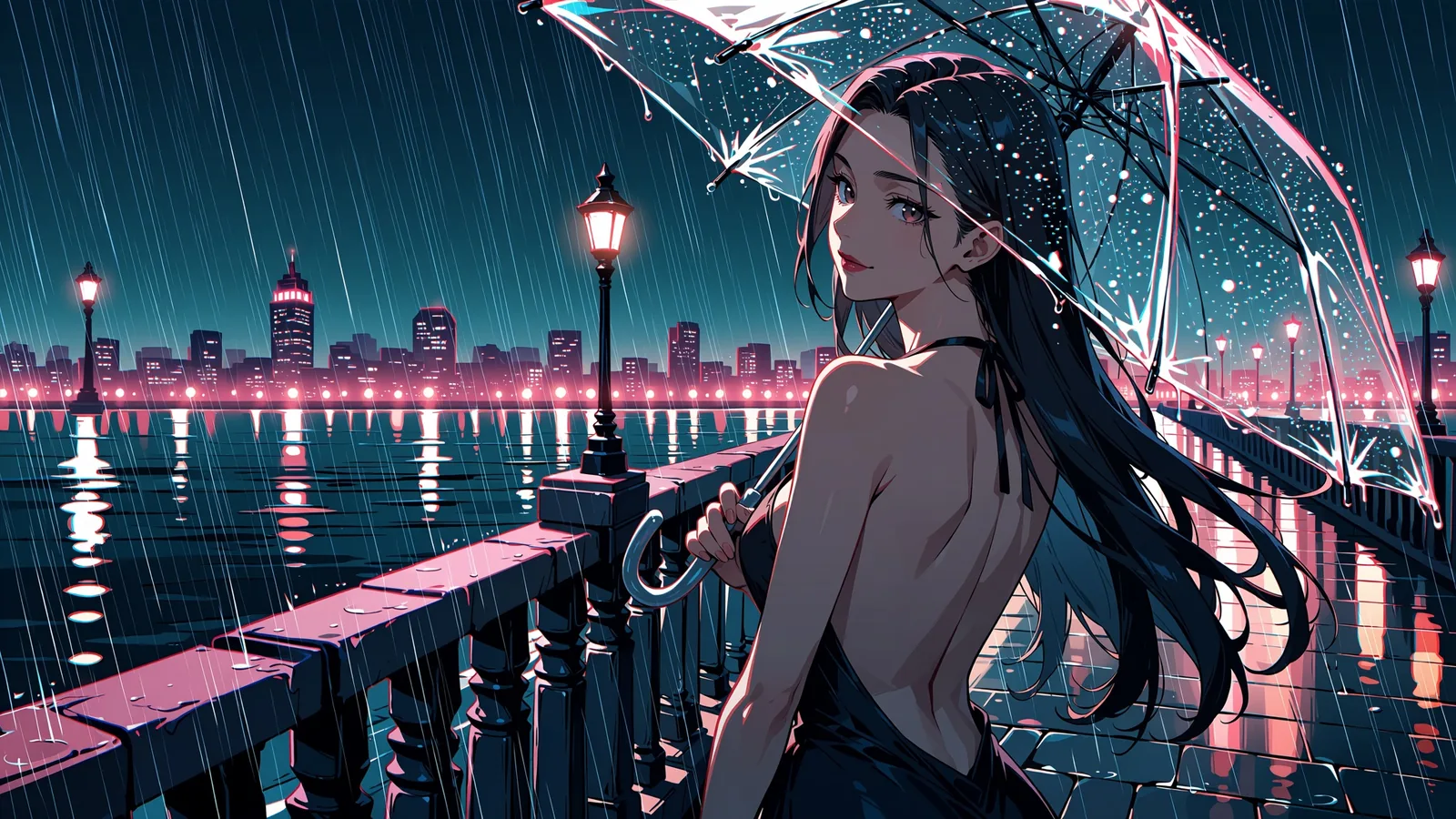
pc98gal_style, dithering, limited color palette, flat cel shading, thin linework, safe, 1boy, solo, adult man, mature male, detective, trench coat, fedora, loosened tie, standing under a streetlamp in the rain, noir, serious expression, retro anime aestheticFor manga ink, swap the front for masterpiece, best quality, safe, monochrome, greyscale and finish the prompt with ink shading, screentone. This is a swordsman on a bridge in the rain, same LoRA at scale 1:
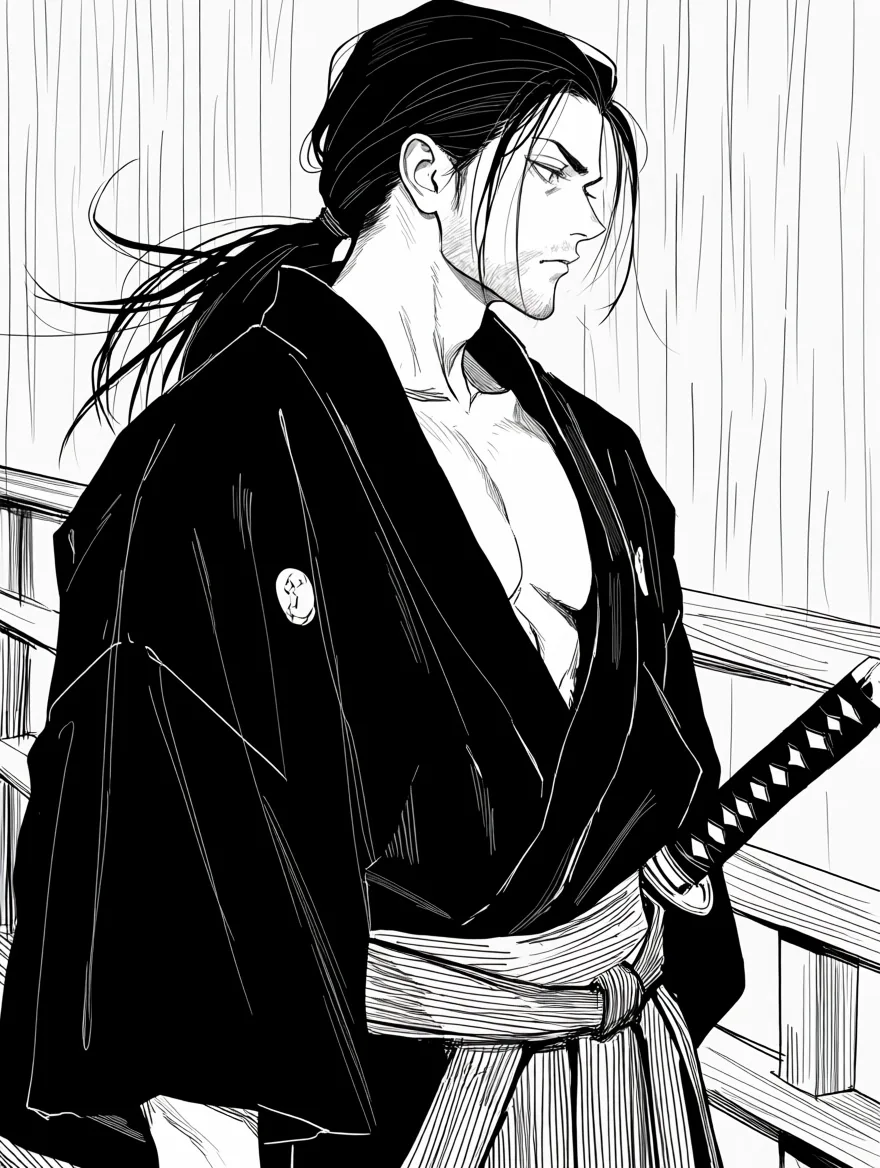
Anima Turbo LoRA, text to image, 3:4, 1k, seed 9, monochrome LoRA at scale 1.
One quirk to expect: the model sometimes draws a signature-like scribble or a line of pseudo-text in a corner, a habit learned from artwork. We saw it in roughly one image in five. No negative prompt can suppress it, so change the seed.
A LoRA on a photo, with image to image
The image-to-image endpoint takes one source image, a strength from 0 to 1 and the same loras field. There is no aspect-ratio field: the output keeps the source's shape. At 0.75 a photo takes on a style and keeps its composition. This rooftop photo went through the PC-98 LoRA at 0.75:
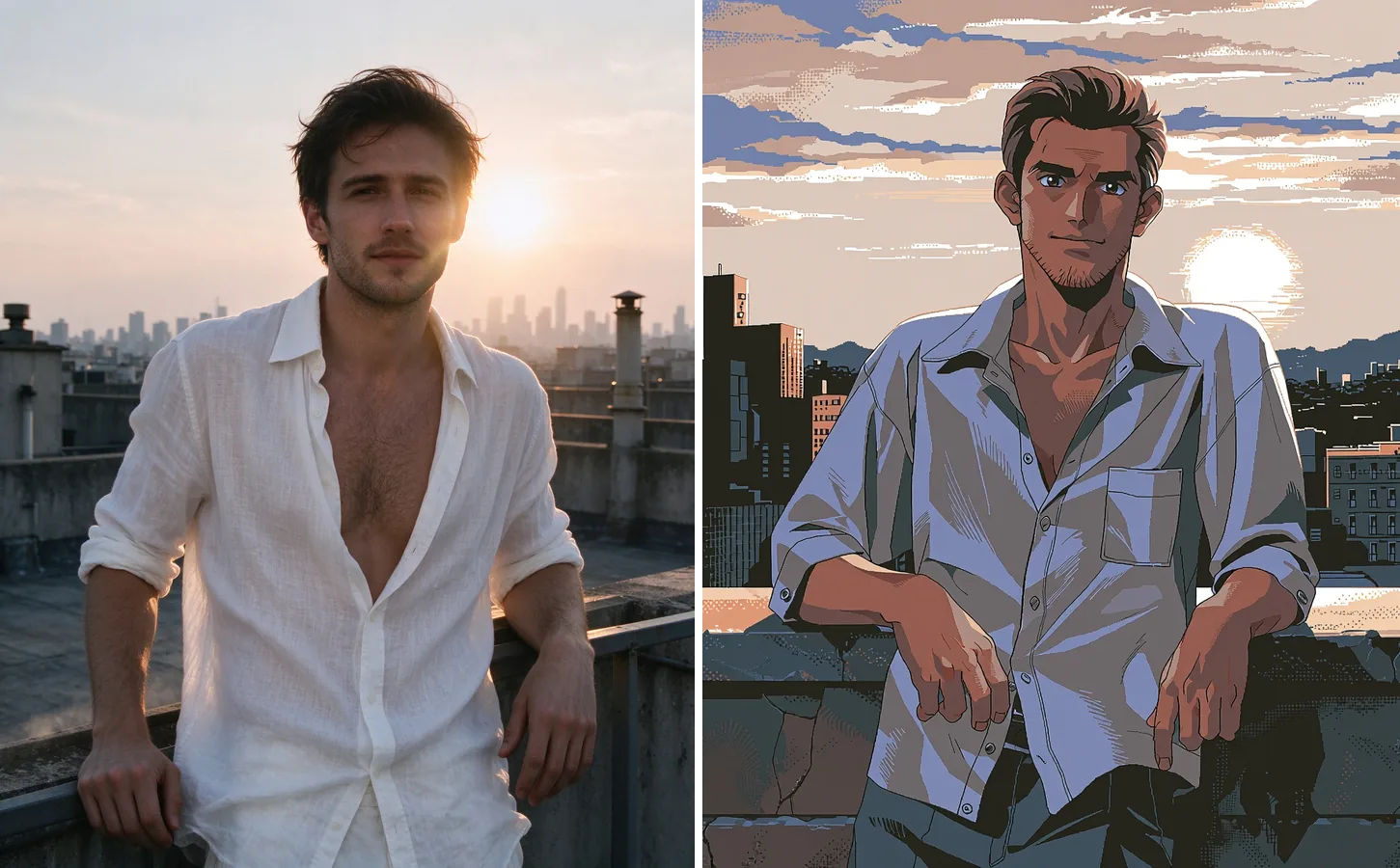
Left: source photo. Right: Anima Turbo LoRA, image to image, 1k, seed 42, PC-98 LoRA at scale 1, strength 0.75.
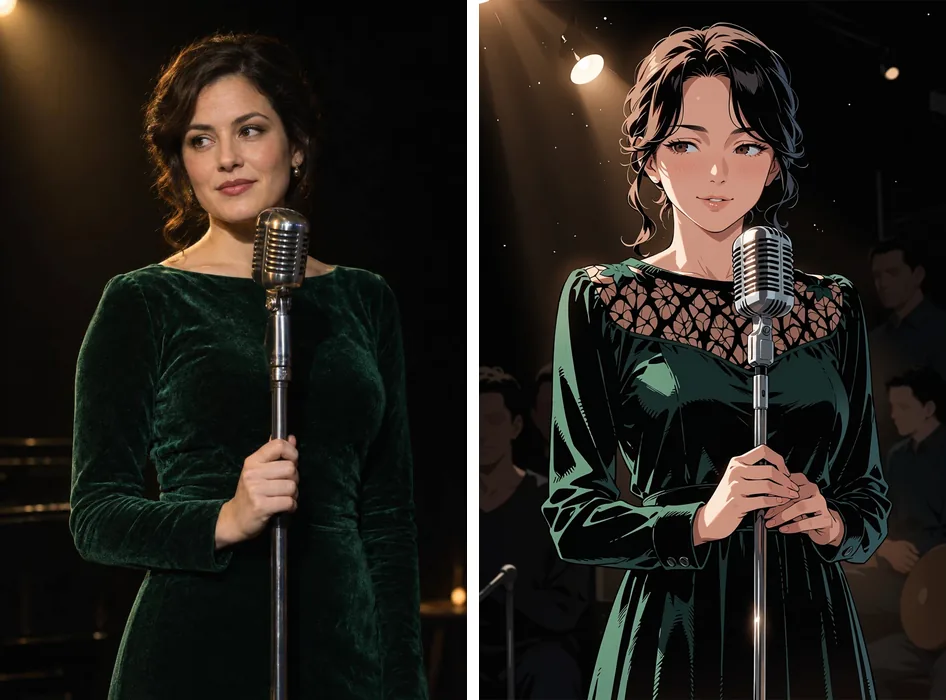
The same setting on a different source, a generated photo of a man playing an acoustic guitar on a porch (the left half is our own source photo, not Anima output):
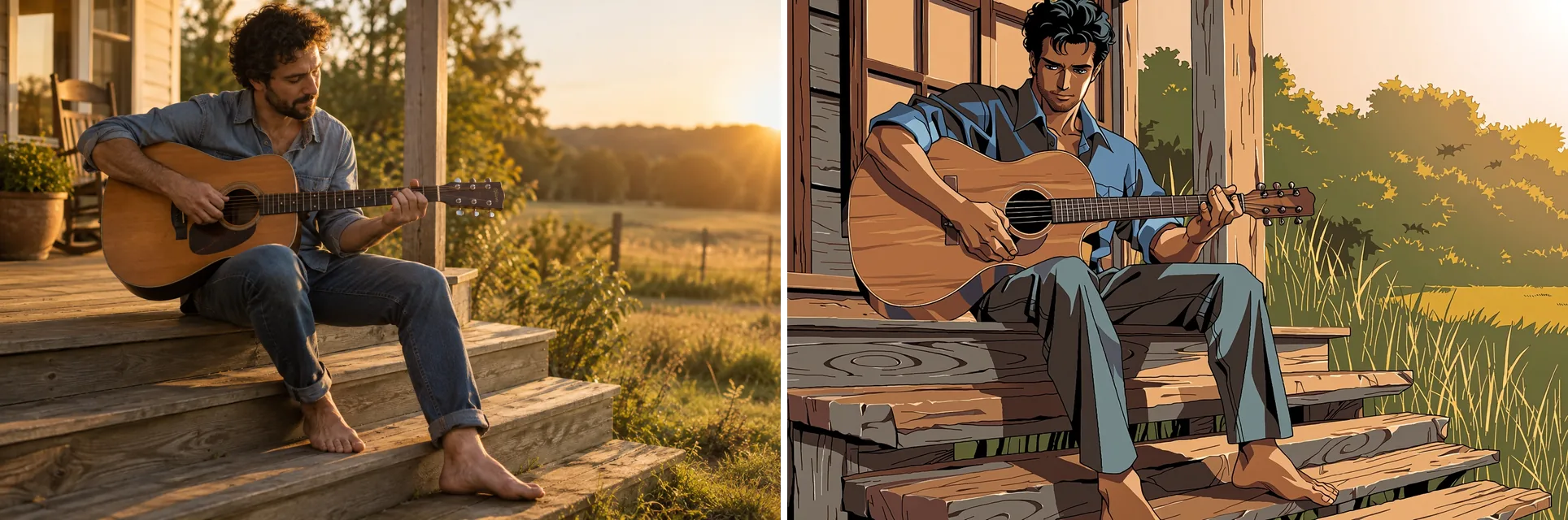
Left: source photo. Right: Anima Turbo LoRA, image to image, 1k, seed 3, PC-98 LoRA, strength 0.75.
The tool restyles; it does not follow edit instructions. If you ask for a new outfit or a day-to-night change, expect very little to move. Turning an existing colour illustration into manga ink is the hard case. At 0.8 the colour stayed. At 0.85 it went to ink, and the pose was redrawn at that strength:
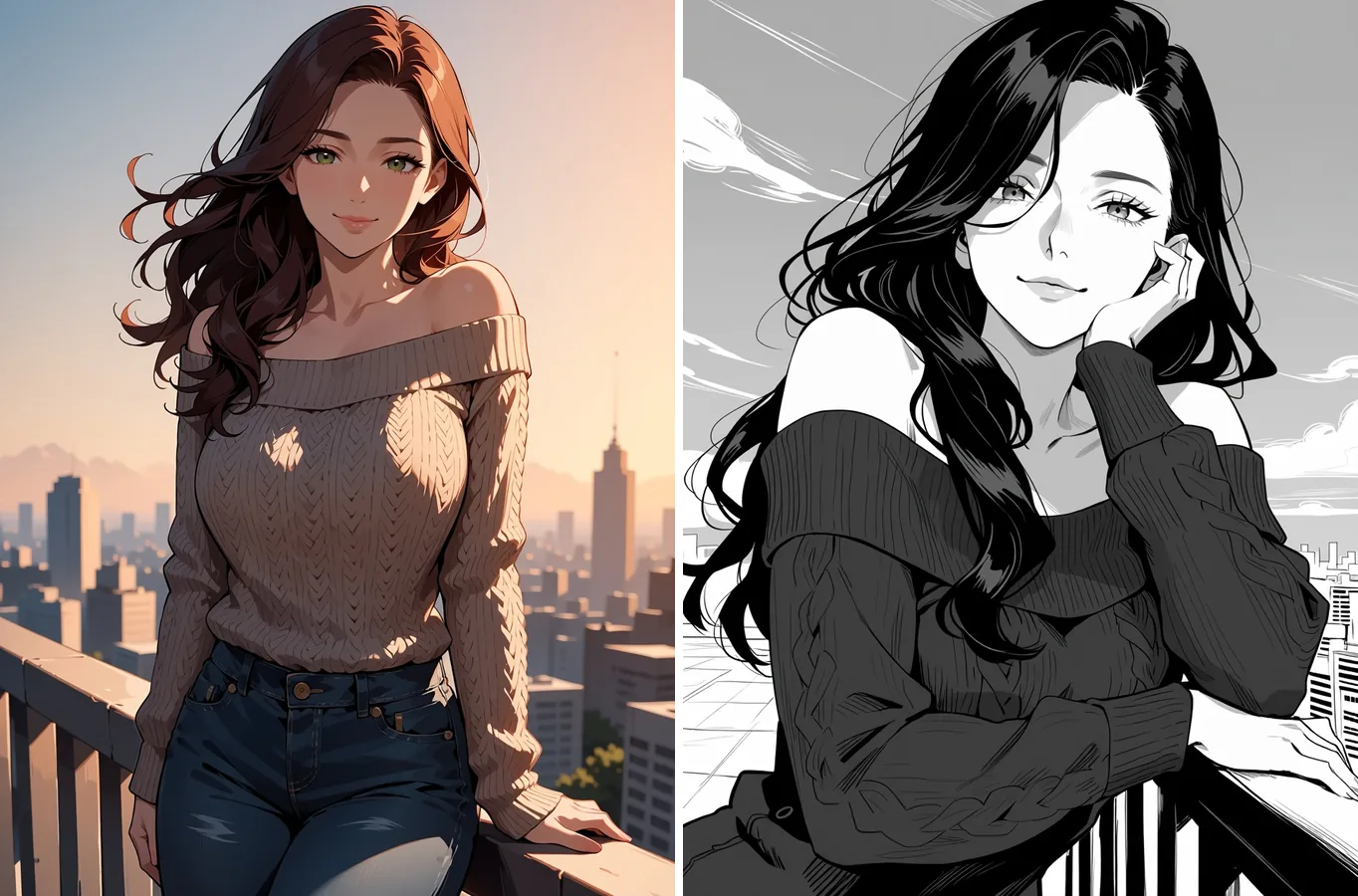
Left: Anima Turbo text-to-image output. Right: Anima Turbo LoRA, image to image, 1k, seed 42, monochrome LoRA at scale 1, strength 0.85.
A photo gives the ink LoRA more to work with than a flat illustration does. Here a generated photo of a couple on a scooter went through the monochrome LoRA at 0.85 (the left half is our own source photo, not Anima output). The ink look came through with the scooter and the dress keeping their colour, and the framing shifted a little:
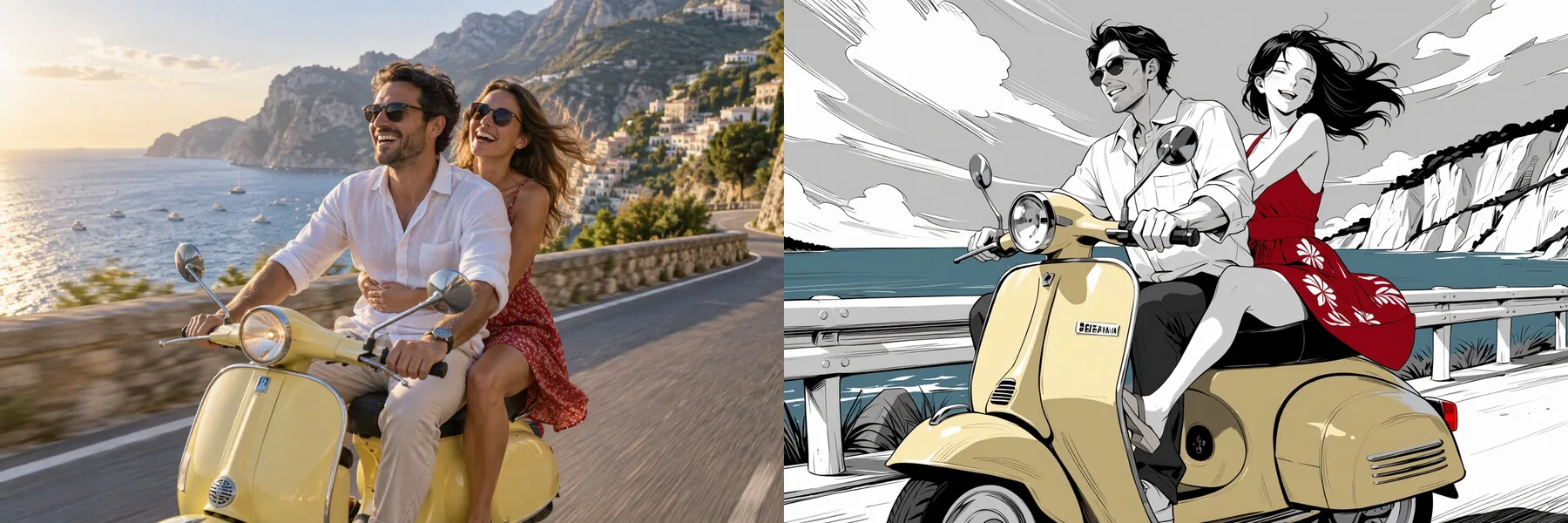
Left: source photo. Right: Anima Turbo LoRA, image to image, 1k, seed 3, monochrome LoRA at scale 1, strength 0.85.
The ink prompt for the rooftop illustration, with the same safe opening:
masterpiece, best quality, safe, monochrome, greyscale, 1girl, solo, mature female, adult woman, long wavy hair, off-shoulder knit sweater, leaning on a rooftop railing, city skyline, wind in hair, soft smile, looking at viewer, ink shading, screentoneThere is a full ladder of strength values for plain photo conversion in our strength guide. The image-to-image page lists the fields.
Which family to use
- No style file in mind, or you want to learn the model first: use plain Anima Turbo. Loading LoRAs adds no separate charge, but without a style file there is nothing for them to do. Our model test covers what it does by itself.
- You want a specific look, a recurring character or an author's style: use Anima Turbo LoRA, scale 1, trigger words in, and check once at scale 0.
- You hold a FLUX or SDXL file: it will not work here. Find an Anima one.
Anima is an anime and illustration model; it does not do photorealism, so pairing it with a realism LoRA is not a good idea. Stay at 0.5 to 1.2, keep to three adapters, and run the scale 0 check every time you try a new file.
| You want | Pick |
|---|---|
| Anime or illustration with no particular style file | Anima Turbo |
| A named look, a character or an author's style | Anima Turbo LoRA, scale 1, trigger words in |
| A style on top of a photo | Anima Turbo LoRA image to image, strength about 0.75 |
| Photorealism | Not this model |
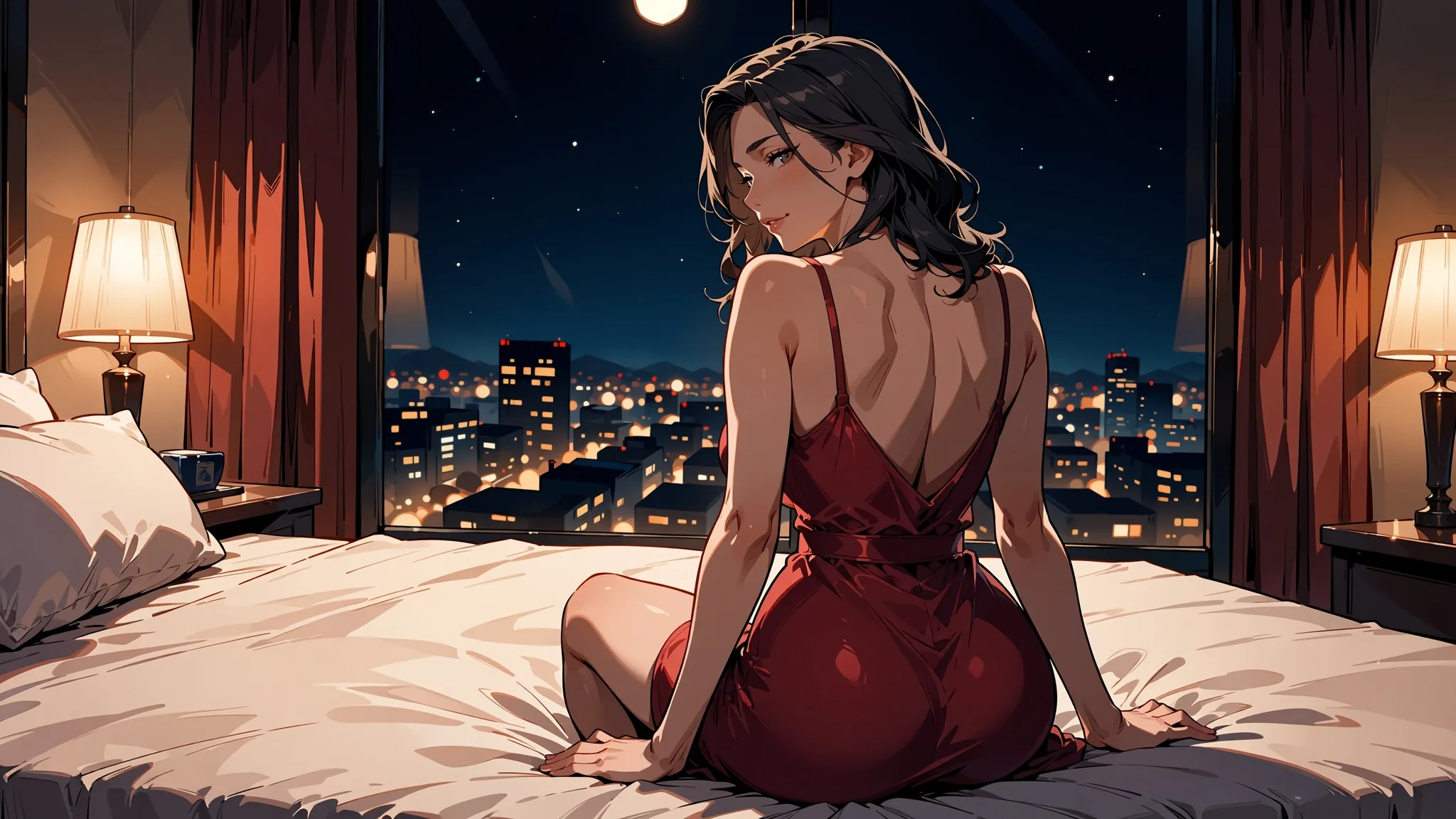
Plain Anima Turbo already covers a wide range without any adapter. These two came from tag-style prompts with no LoRA at all:
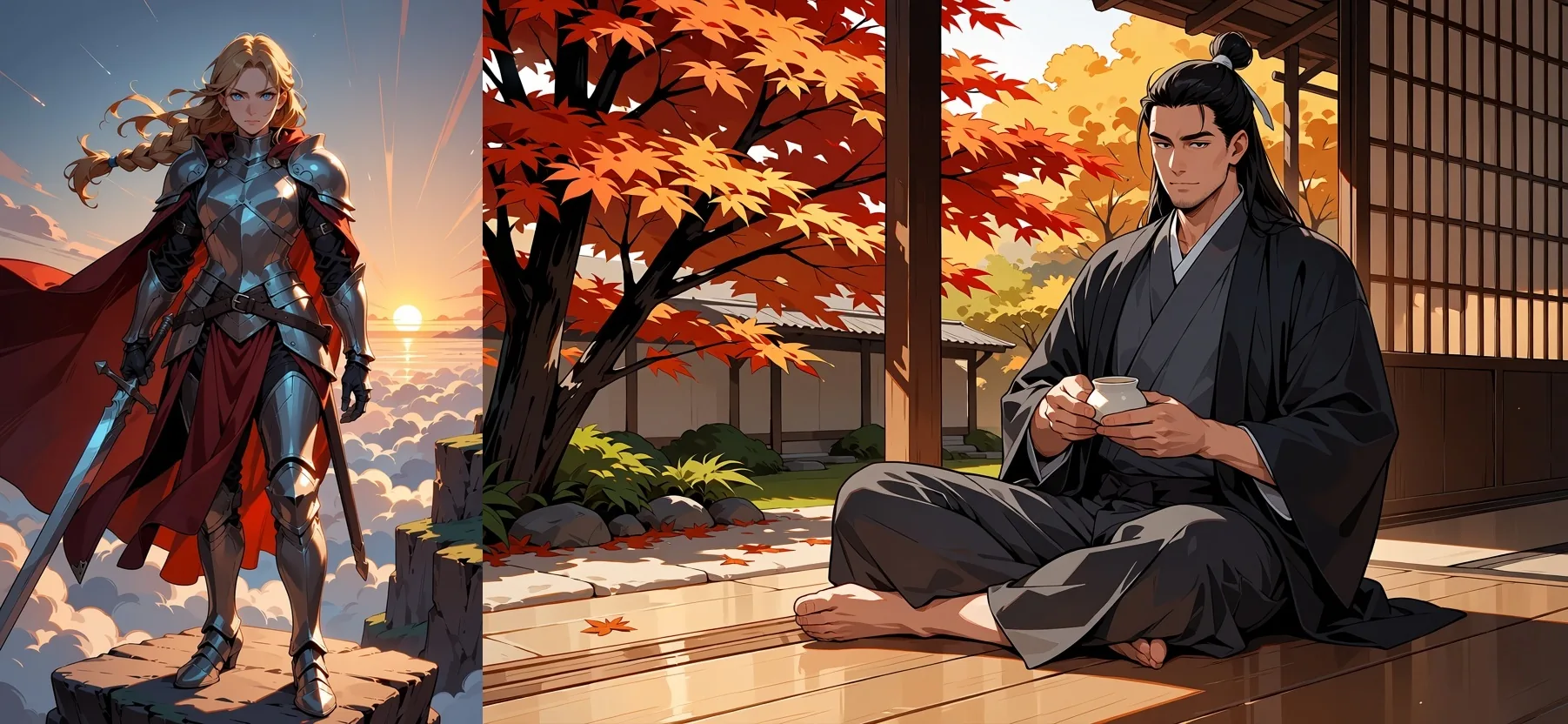
Anima Turbo (no LoRA), text to image, 1k. Left: 2:3, seed 6. Right: 3:2, seed 13.
FAQ
Do I need a trigger word?
Check the LoRA's card, then test without it. In our tests the monochrome LoRA stayed in colour until monochrome, greyscale was in the prompt, while the PC-98 LoRA changed the style even without pc98gal_style. Even then, the trigger pushed the look further.
Can I use SDXL, Pony or FLUX LoRAs with Anima?
No. An adapter trained for another base model loads without an error and changes nothing. Our FLUX test gave an output pixel-identical to using no LoRA. Look for adapters made for Anima.
How many LoRAs can I load at once?
Three. A fourth is rejected. Keep the main style at 1 and the others lower; 1, 0.6 and 0.25 worked in our tests.
What scale should I start with?
Start at 1, then move within 0.5 to 1.2. Scale 0 equals no LoRA, 1.5 pushes the style harder, and 4 broke the image apart in our tests.
Does Anima Turbo support negative prompts?
No, and there are no steps, CFG or sampler fields either. Set the tone with the rating tag, such as safe, at the start of the prompt.
Why is there a signature or odd text in the corner?
The model learned the habit from artwork. We saw it in roughly one image in five. Change the seed; a negative prompt cannot suppress it.
Does a fixed seed give the same image?
Not reliably. Seeds make runs comparable, but the same request and seed gave us three slightly different renderings at different times.
Can it edit an image instead of redrawing it?
No. Image to image restyles; it does not follow edit instructions, and there are no masks. A new outfit or a day-to-night change moved very little in our tests. Strength decides how far it redraws, and 0.75 kept the composition of a photo.