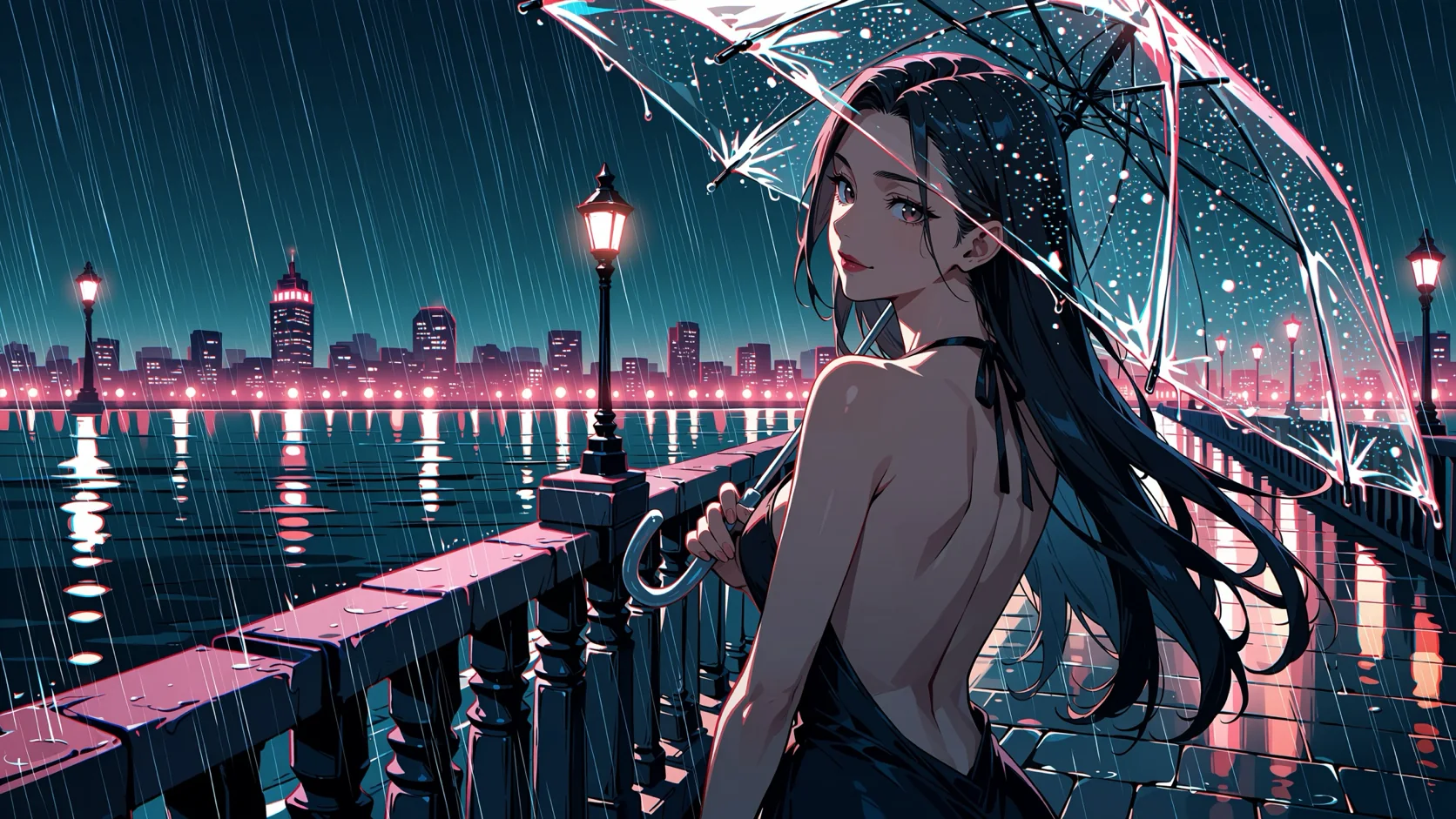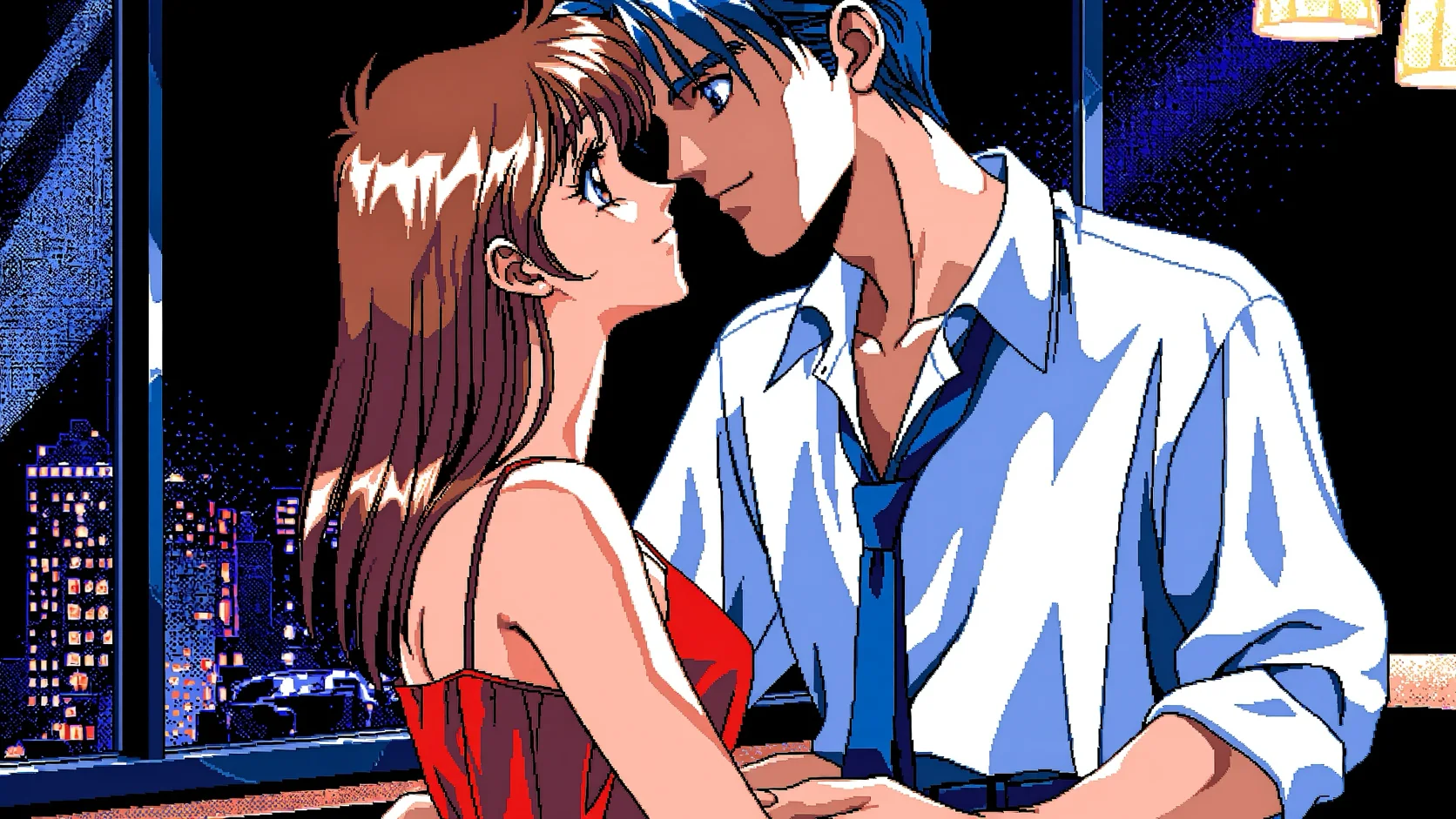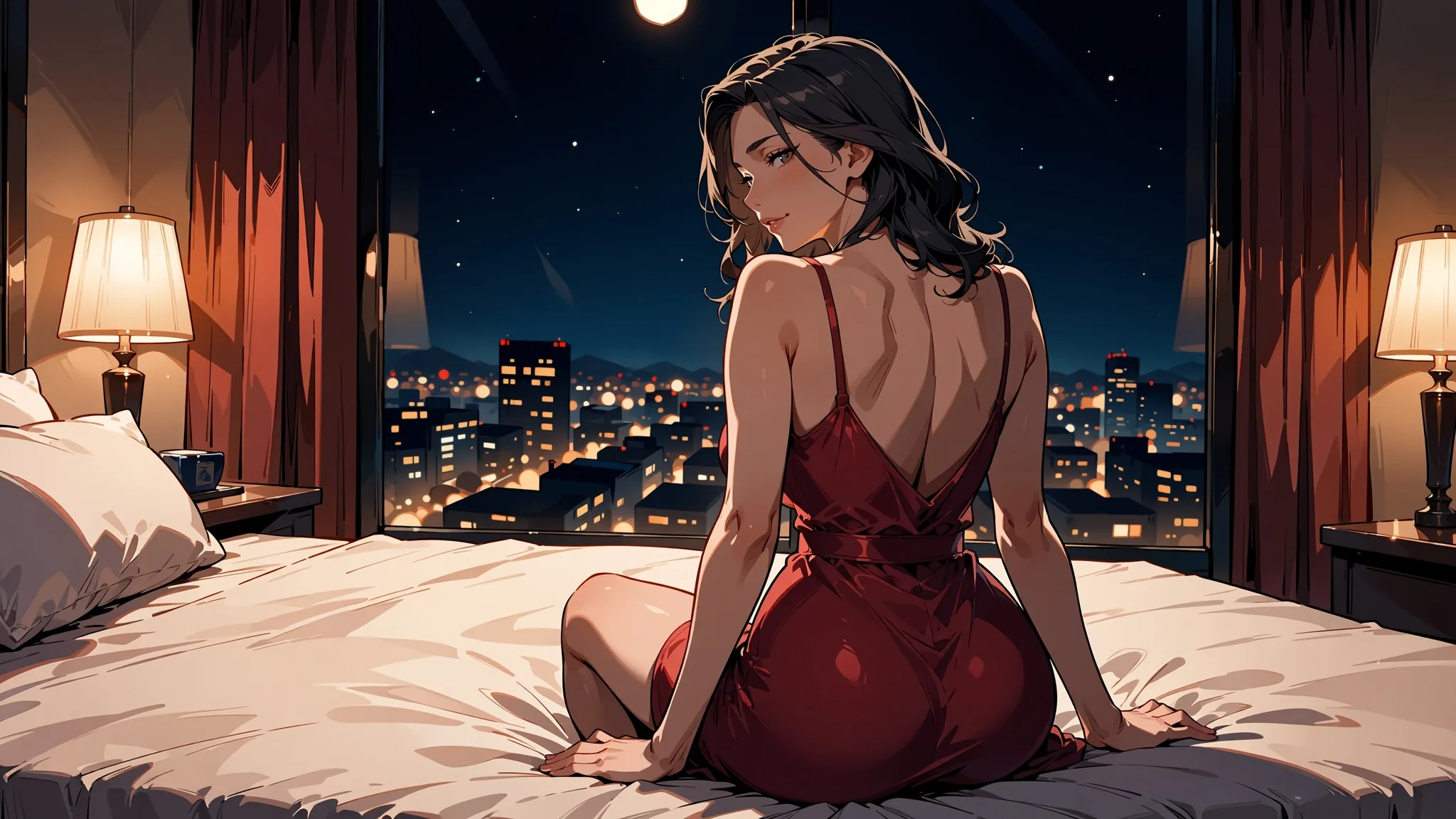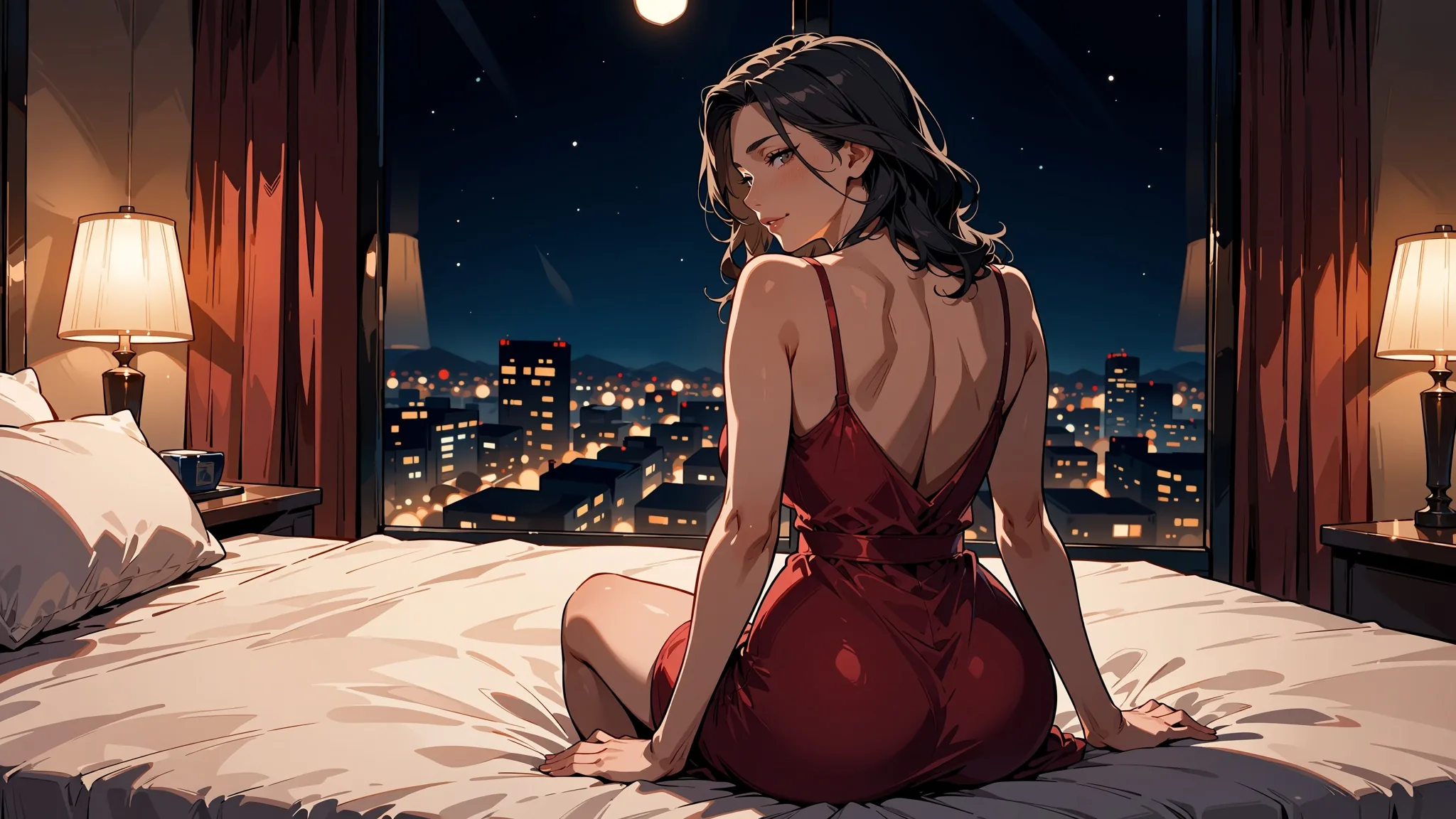
To turn a photo into anime with Anima Turbo, send the photo as image_url, write a prompt that describes the picture already in the photo, and set strength to 0.75. In our tests that value gave clean anime with the composition intact. Lower and the photo shows through; higher and the model starts redrawing the scene. Everything else in this guide is about moving that one number, and what to do when it is not enough.
Anima Turbo is the distilled build of Anima, a 2-billion-parameter anime and illustration model from CircleStone Labs, built on NVIDIA Cosmos-Predict2 with a Qwen3 text encoder. These endpoints are uncensored and add no content filter, and everything printed here is an everyday scene with clothed adults. We ran every test on 5 October 2026.
At a glance
| Model | Anima Turbo by CircleStone Labs (2B parameters; Turbo is the distilled build the publisher recommends starting with) |
| Image-to-image API name | circlestone-labs/anima-turbo/edit |
| With LoRAs | circlestone-labs/anima-turbo-lora/edit, up to 3 LoRAs, scale 0 to 4 |
| Inputs | image_url (one source image), prompt, strength (0 to 1, default 0.8), resolution, seed |
| Best strength in our tests | 0.75 for a photograph; 0.85 to turn a colour illustration into manga ink |
| Output size | Keeps the source's aspect ratio: a 16:9 photo gave 1360 x 752 at 1k; 1k is about 1 megapixel, 1.5k about 2.4 |
| Output format | Always JPEG |
| Speed | 2 to 16 seconds of model time per image in 60 runs; 52 of 60 under 10 seconds |
| Content policy | Uncensored, no content filter |
| Cannot do | Edit instructions, masks, negative prompts, photorealism, more than one source image |
What strength actually does
strength runs from 0 to 1 (default 0.8). At 0 you get your source back untouched. At 1 the source is ignored and you get a new image from the prompt. Everything useful sits in between. We ran one photograph of a singer with one prompt and one seed, changing only the number.
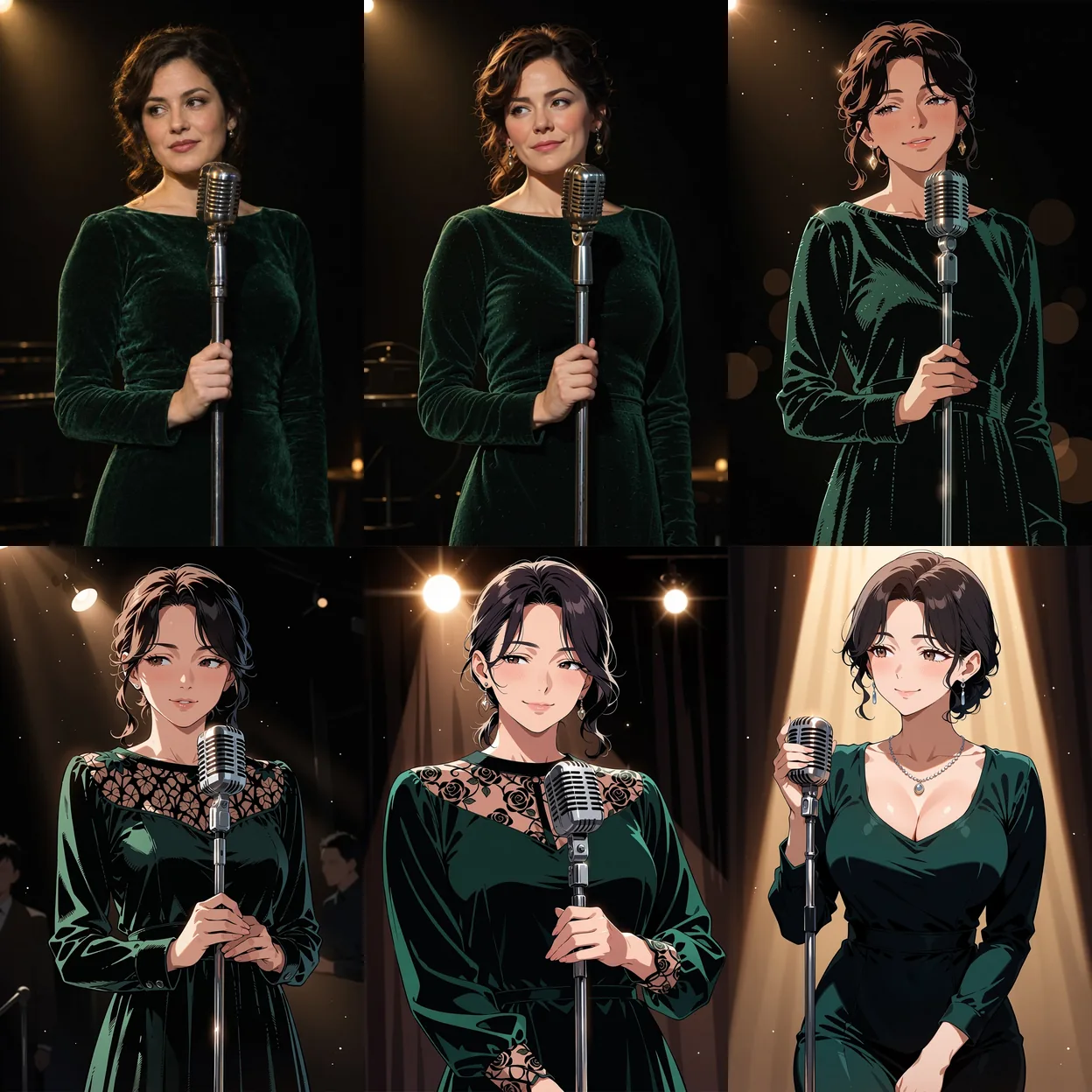
Top row, left to right: source photograph, then strength 0.3 and 0.6. Bottom row: 0.75, 0.9 and 1.0. Anima Turbo image-to-image, 1k tier, same prompt and seed throughout.
| Strength | What we saw |
|---|---|
| 0 | Your source, untouched |
| 0.3 | Still a photograph |
| 0.6 | Already an illustration, with the same details |
| 0.75 | Clean anime, same composition |
| 0.9 | Details start to change: dress, pose, backdrop |
| 1.0 | Source ignored; a new image from the prompt |
Start at 0.75 and adjust in steps of 0.05. The default of 0.8 is fine, but 0.75 held the pose and framing better in every example below.
Which value to pick depends on what you start with and what you want:
| Starting point and goal | Strength we used | Result in our tests |
|---|---|---|
| Photograph to plain anime | 0.75 | Composition held, small mechanics drifted |
| Photograph to anime, one detail must survive | 0.7 | Our suggestion for the barista example; not run separately |
| Photograph to a style LoRA look (PC-98) | 0.75 | Style applied, composition kept |
| Colour illustration to manga ink (monochrome LoRA) | 0.85 | 0.8 left the colour in; at 0.85 the pose is redrawn |
| Existing illustration plus an "edit" prompt (new outfit, day to night) | 0.6 to 0.8 | Changed very little; higher strength added pseudo-text |
Write the prompt for the picture, not for the edit
This is the mistake that costs the most time. Anima restyles; it does not follow instructions such as "change her outfit" or "make it night". Describe what is in the photo, in the style you want, and name the things the model must keep: hair, clothes, setting, light. The singer ladder used this prompt:
masterpiece, best quality, safe, anime illustration, 1girl, solo, adult woman, mature female, short dark wavy hair, dark green velvet dress with long sleeves, holding a vintage microphone on a stand, jazz club stage, warm spotlight from above, dark background, soft smile, looking to the sideThe publisher's tag conventions apply: lowercase, spaces instead of underscores, quality and rating tags first, then head count (1girl, 1boy), then the general tags. Our prompts start with safe; there is no negative prompt, so the rating tag is the main way to set the tone. Sentences work too (the publisher suggests at least two), and mixing them with tags is fine.
The request
{
  "model": "circlestone-labs/anima-turbo/edit",
  "input": {
    "image_url": "https://example.com/singer.jpg",
    "prompt": "masterpiece, best quality, safe, anime illustration, 1girl, solo, adult woman, short dark wavy hair, dark green velvet dress, holding a vintage microphone, jazz club stage, warm spotlight",
    "strength": 0.75,
    "resolution": "1k",
    "seed": 3
  }
}
There is no aspect-ratio field. The output keeps the source's shape: a 16:9 photo came back at 1360 x 752 on the 1k tier. resolution sets the pixel count: 1k is about one megapixel, 1.5k about 2.4 megapixels, generated natively rather than upscaled. Output is always JPEG. Image-to-image is billed per image by tier, the same as text-to-image; the live price is on the model page. Model time in our 60-run speed test was 2 to 16 seconds per image.
What makes a good source photo
- One clear subject. Every example here has one person or one couple in a readable setting, and the prompt can name everything in frame.
- No borders, captions or watermarks. Anima restyles the whole frame, so anything printed on it gets redrawn too.
- A shape you want to keep. There is no aspect-ratio field; the output follows the source (a 16:9 photo gave 1360 x 752), so crop before you send.
- A tier that matches the use.
1kis about one megapixel;1.5kis about 2.4 megapixels, generated natively rather than upscaled. The same prompt and seed at both tiers:
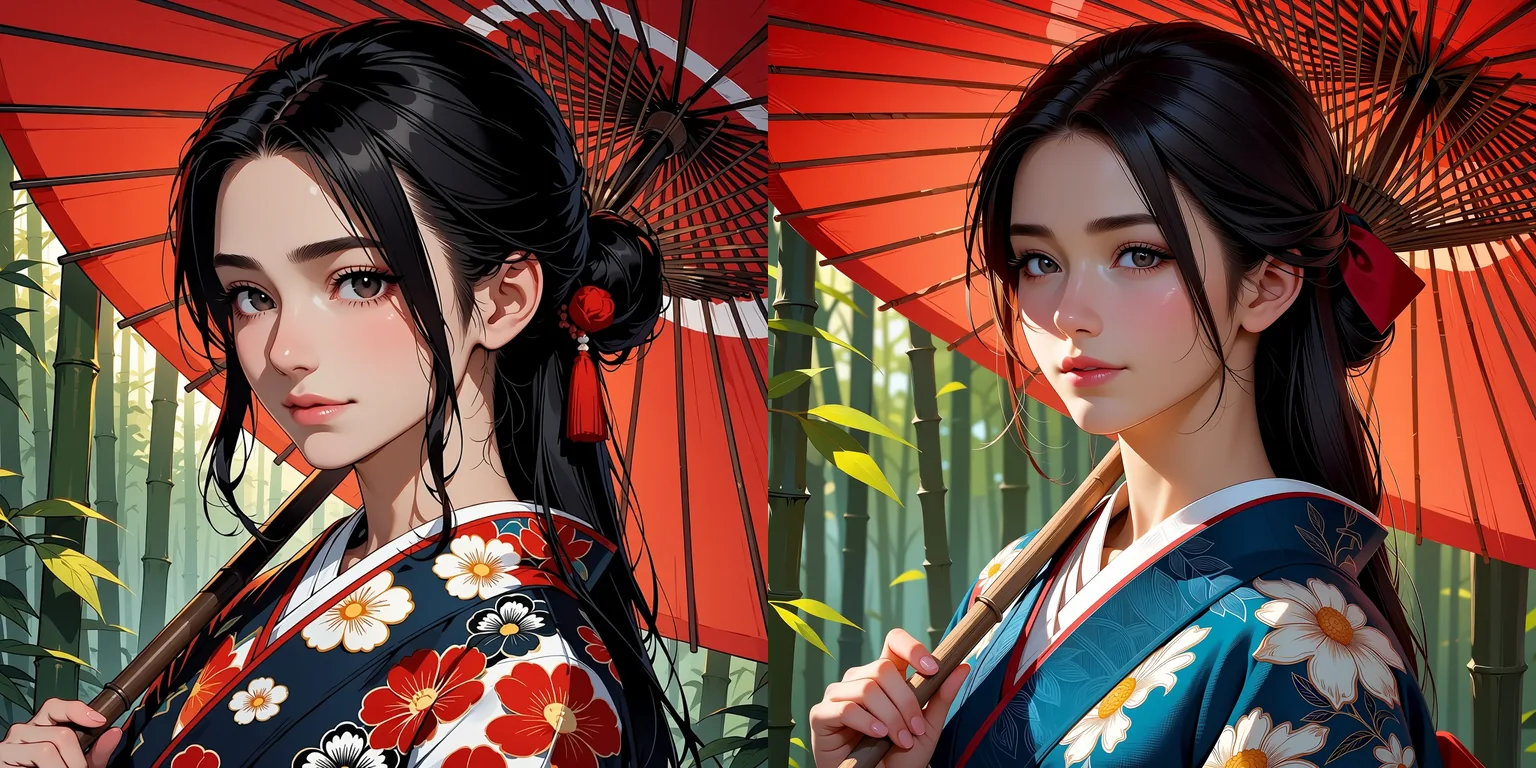
Left: 1k (1024 x 1024). Right: 1.5k (1536 x 1536). Anima Turbo text-to-image, same prompt and seed. We show the tiers on text-to-image; image-to-image uses the same resolution field.
The composition is shared, but the 1.5k render redraws the kimono pattern and the face rather than just adding pixels, so pick the tier before you compare seeds.
Three worked examples
A portrait
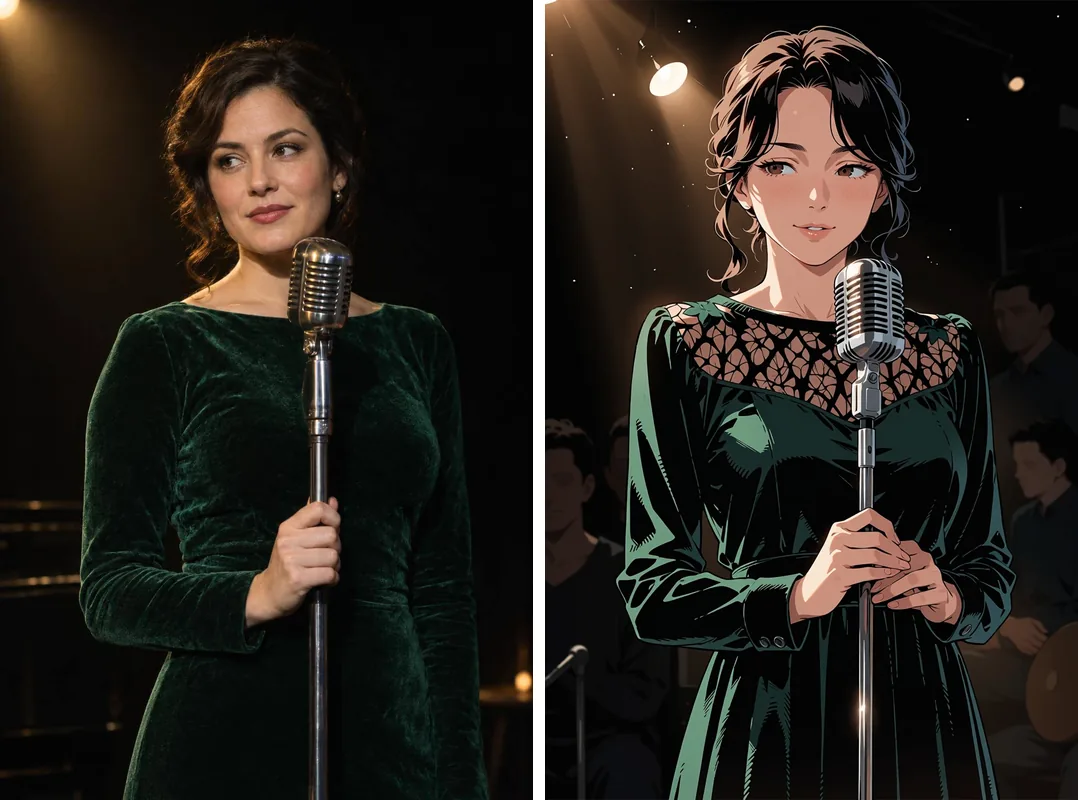
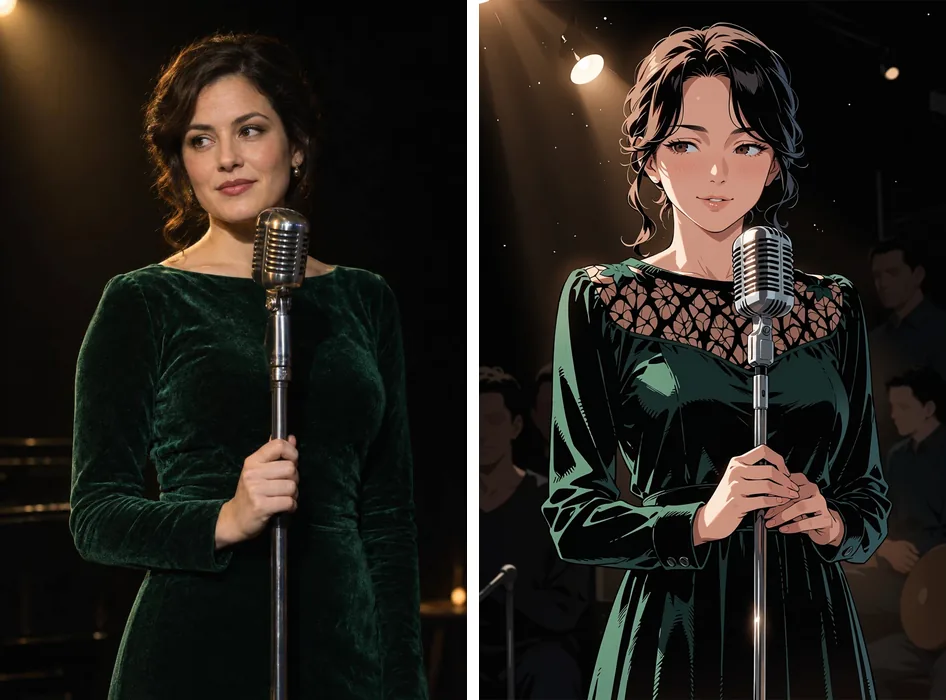
Left: source photograph. Right: Anima Turbo image-to-image, strength 0.75, 1k, seed 3. Prompt as above.
The velvet dress, the microphone stand and the sideways glance all survived, and the stage light became a clean cone of warm light. This is the 0.75 tile from the ladder, shown at full size.
A landscape-format scene
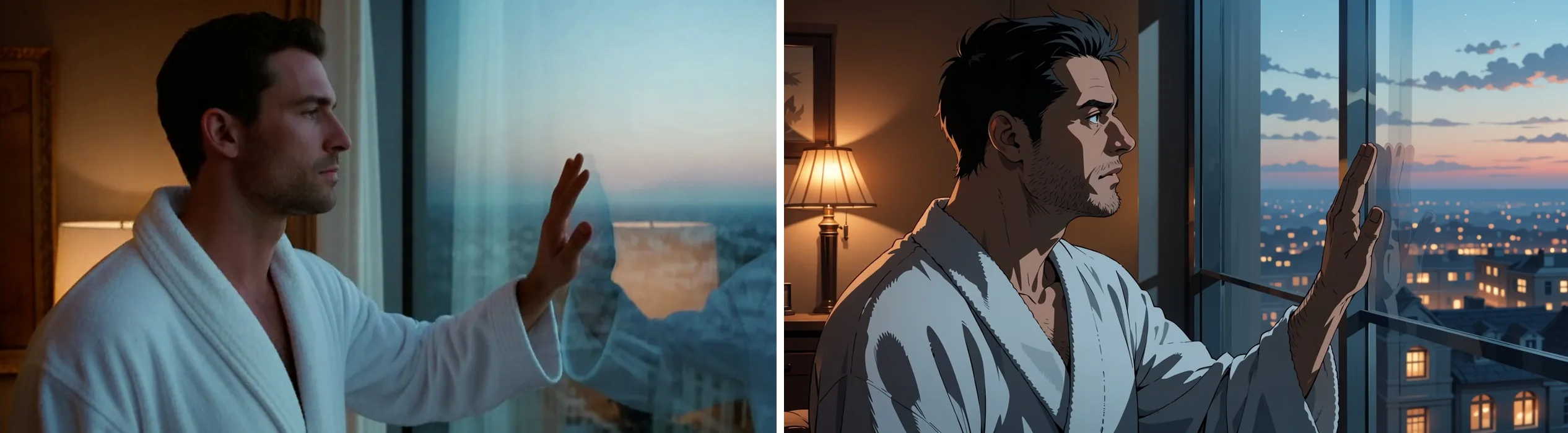
Left: source photograph. Right: Anima Turbo image-to-image, strength 0.75, 1k, seed 1.
The prompt named the pose (profile view, one hand touching a large window), the lamp behind him and the blue evening light on the glass. The model kept the profile and the hand, and drew the city outside in more detail than the photo had.
A couple on a scooter
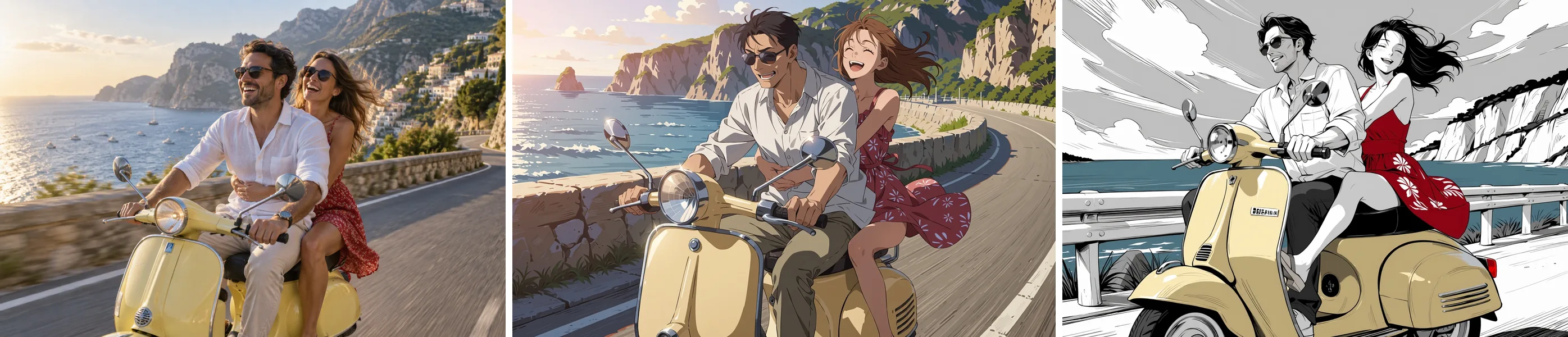
Left: source photograph, generated by us. Centre: Anima Turbo image-to-image, strength 0.75, 1k, seed 3, top 7% cropped. Right: the same request with the monochrome LoRA at strength 0.85.
masterpiece, best quality, safe, anime illustration, 1girl, 1boy, hetero, adult couple, mature female, mature male, riding a pale yellow vintage scooter on a coastal road, he drives in a white linen shirt and sunglasses, she sits behind him in a red summer dress with her arms around his waist, hair blowing in the wind, laughing, blue sea and cliffsTwo-person scenes need the colours and clothing spelled out per person, as above. We cropped the top 7% of the centre result because the model had drawn a small pseudo-text scribble in that corner, which brings us to troubleshooting below. We did not crop the barista example, which shifted its framing instead:
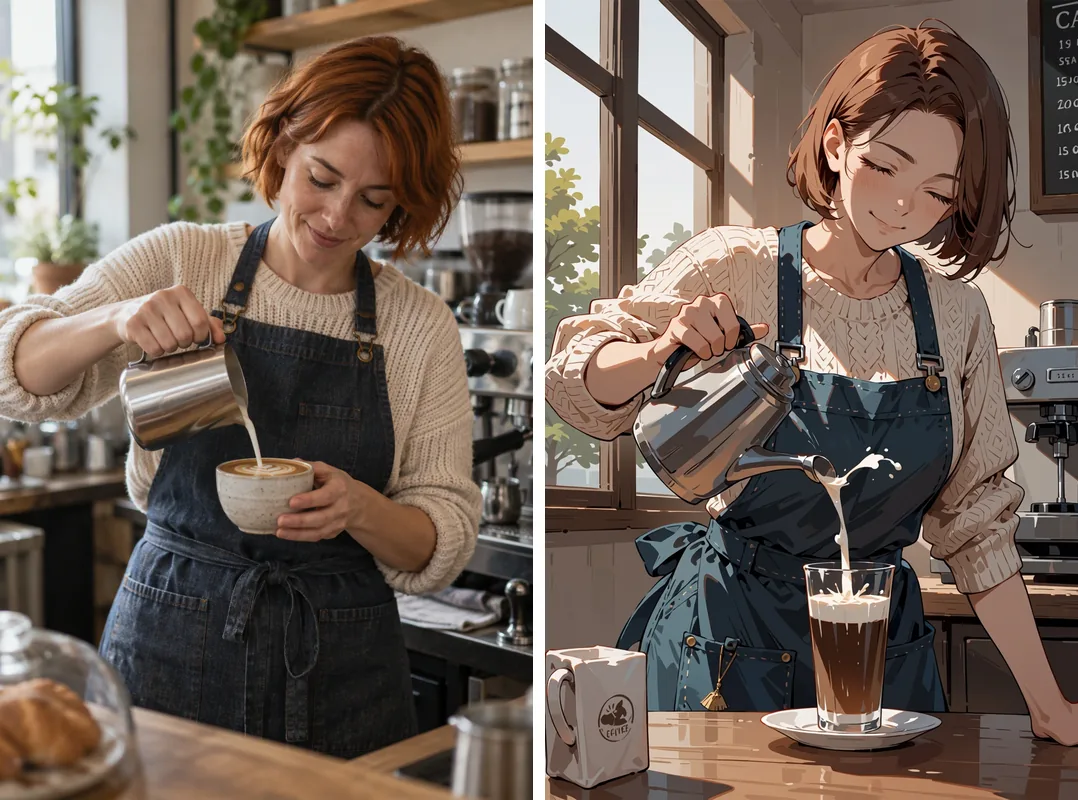
Left: source photograph, generated by us. Right: Anima Turbo image-to-image, strength 0.75, 1k, seed 3.
The apron, the sweater, the window light and the espresso machine stayed; the milk jug, the cup and the camera angle moved. At 0.75 expect the content to hold and the small mechanics to drift. If one detail matters, lower to 0.7.
What it cannot do
- It does not follow edit instructions. Asking an existing illustration for a new outfit, or to go from day to night, changed very little at 0.6 to 0.8, and at higher strength it added pseudo-text. The prompt describes the result; it is not a command.
- There is no mask. You cannot protect a region or repaint only one.
- One source image per request, and no negative prompt, steps or sampler fields.
- It is an anime model. It does not do photorealism, and renders only a word or two of text.
- A fixed seed does not guarantee identical pixels. The same request and seed gave us three slightly different renderings at different times, so keep the images you like.
Restyle vs edit: what this endpoint can and cannot do
| You want to | Works? | What to do |
|---|---|---|
| Turn a whole photo into anime | Yes | Describe the photo, strength 0.75 |
| Keep pose and framing | Mostly | Name the pose in the prompt; lower strength by 0.05 |
| Apply a LoRA style to a photo | Yes | Anima-trained LoRA, trigger words, strength 0.75 |
| Change one object or the outfit | No | Describe the finished picture and accept a full redraw |
| Change time of day | No | Same as above |
| Protect or repaint a region | No | No mask is available |
| Get photorealism | No | Anima is an anime model |
Pushing a photo into a specific style with LoRAs
Anima Turbo LoRA takes up to three loras entries, each a direct HTTPS link to a .safetensors file plus a scale. The API model name is circlestone-labs/anima-turbo-lora/edit; loading LoRAs adds no separate charge. Use LoRAs trained for Anima: one trained for a different base model loaded without an error and changed nothing in our test.
PC-98 look, strength 0.75. With Melon-Bread's PC-98 gal style LoRA at scale 1, a photograph of a man on a rooftop took on the dithered, limited-palette style of 1990s PC games with the composition kept. The prompt opened with the trigger words:
pc98gal_style, dithering, limited color palette, flat cel shading, thin linework, safe, 1boy, solo, adult man, ...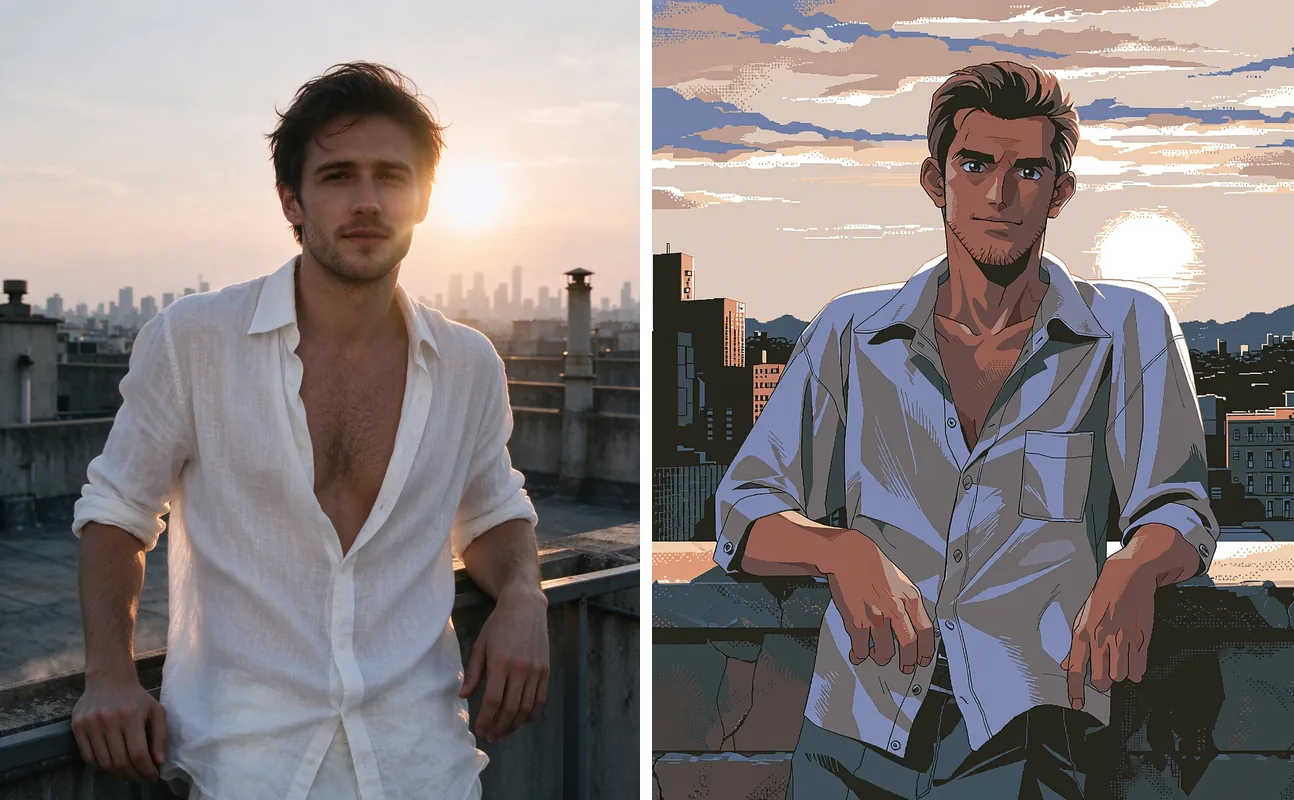
Left: source photograph (stock). Right: Anima Turbo LoRA image-to-image, PC-98 LoRA at scale 1, strength 0.75, 1k, seed 42.
The same LoRA on our guitar photograph, between the plain anime version and the source:
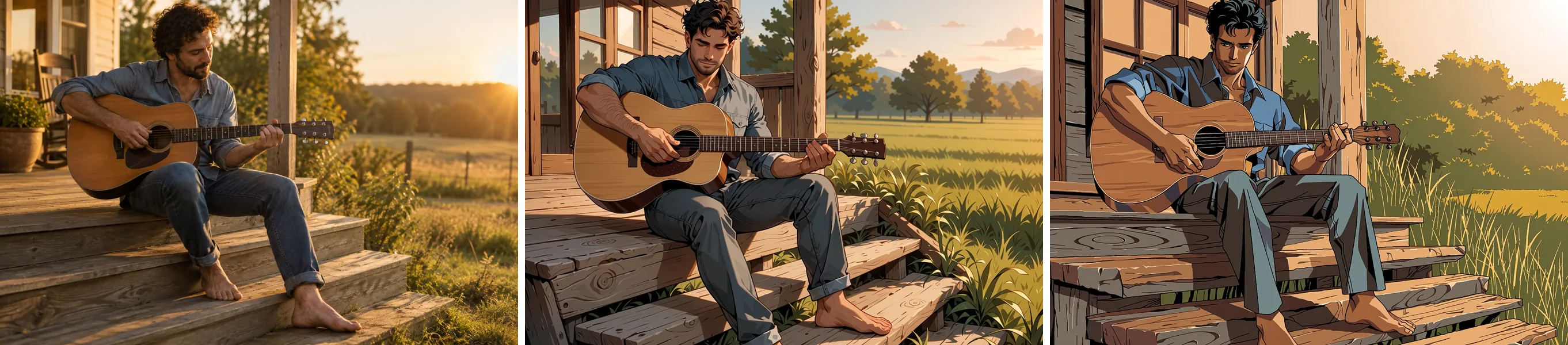
Left to right: source photograph (generated by us); Anima Turbo at strength 0.75; Anima Turbo LoRA with the PC-98 LoRA at scale 1, strength 0.75. 1k, seed 3.
Manga ink, strength 0.85. The monochrome LoRA by notverriegod needs monochrome, greyscale in the prompt; without them our test stayed in colour. Turning a colour illustration into ink needed 0.85, because at 0.8 the colour stayed, and at that strength the pose is redrawn.
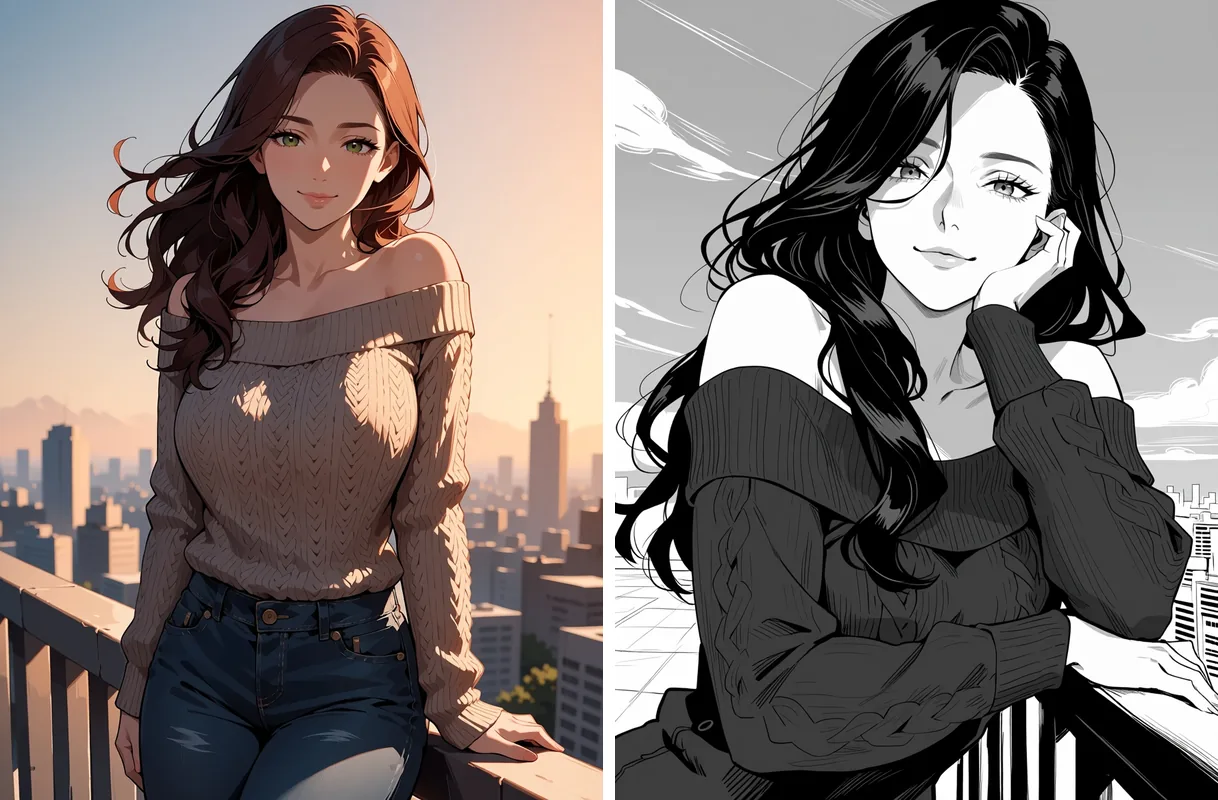
Left: a colour Anima Turbo illustration (not a photograph). Right: Anima Turbo LoRA image-to-image, monochrome LoRA, strength 0.85, 1k.
On the scooter photo the same LoRA kept spot colour on the scooter and the dress (see the right-hand panel above). Useful LoRA scales in our tests ran from about 0.5 to 1.2; scale 4 broke the image into abstract shapes.

Left to right: PC-98 LoRA at scale 0, 0.5, 1 and 1.5. Anima Turbo LoRA text-to-image, 1k, same prompt and seed. At 0 the LoRA is off; 1 is the full style; 1.5 pushes it harder.
Troubleshooting
- The photo still shows through: raise
strengthby 0.05 and re-run. - The face or pose drifts: lower it by 0.05, and name the pose in the prompt.
- A scribble or pseudo-text sits in a corner: change the
seed. We saw it in roughly one image in five, and no negative prompt can suppress it. Cropping a few percent also works. - A LoRA changes nothing: check that it was trained for Anima, and add its trigger words.
- You want to change one thing in the picture: this is the wrong tool. Anima restyles whole images and has no mask or edit instructions.
Verdict: for turning photos into anime, Anima Turbo is quick and predictable once you accept that strength is the only dial. Begin at 0.75, describe the photo, and spend your retries on seeds rather than on rewording.
FAQ
What strength should I use to turn a photo into anime?
Start at 0.75. In our tests it gave clean anime with the composition intact; lower values keep more of the photograph and higher values start to change details. Adjust in steps of 0.05.
Does Anima Turbo support negative prompts?
No. There is no negative prompt, steps, CFG or sampler field. The rating tag at the start of the prompt (we use safe) is the main way to set the tone.
Can I tell it to change one thing in my picture?
No. It restyles the whole image and does not follow edit instructions; asking an illustration for a new outfit or a night scene changed very little at 0.6 to 0.8. Describe the finished picture instead, and expect a full redraw.
Why is the output a different shape from what I asked for?
Because image-to-image has no aspect-ratio field. The output keeps the source's shape (a 16:9 photo gave 1360 x 752 at 1k), so crop the photo first.
Why is there a signature or pseudo-text in the corner?
The model learned the habit from artwork. We saw it in roughly one image in five. Change the seed, or crop a few percent off that edge; no negative prompt can suppress it.
Does a fixed seed give the same image?
Not reliably. The same request and seed gave us three slightly different renderings at different times, so seeds make runs comparable but keep the images you like.
Can I use LoRAs from other models?
Only LoRAs trained for Anima. One trained for a different base model loaded without an error and changed nothing in our test. Use Anima Turbo LoRA with up to three links to .safetensors files.
How fast is it?
In 60 runs, model time was 2 to 16 seconds per image, 52 of them under 10 seconds. The first request with a new LoRA can take longer while the file is fetched.