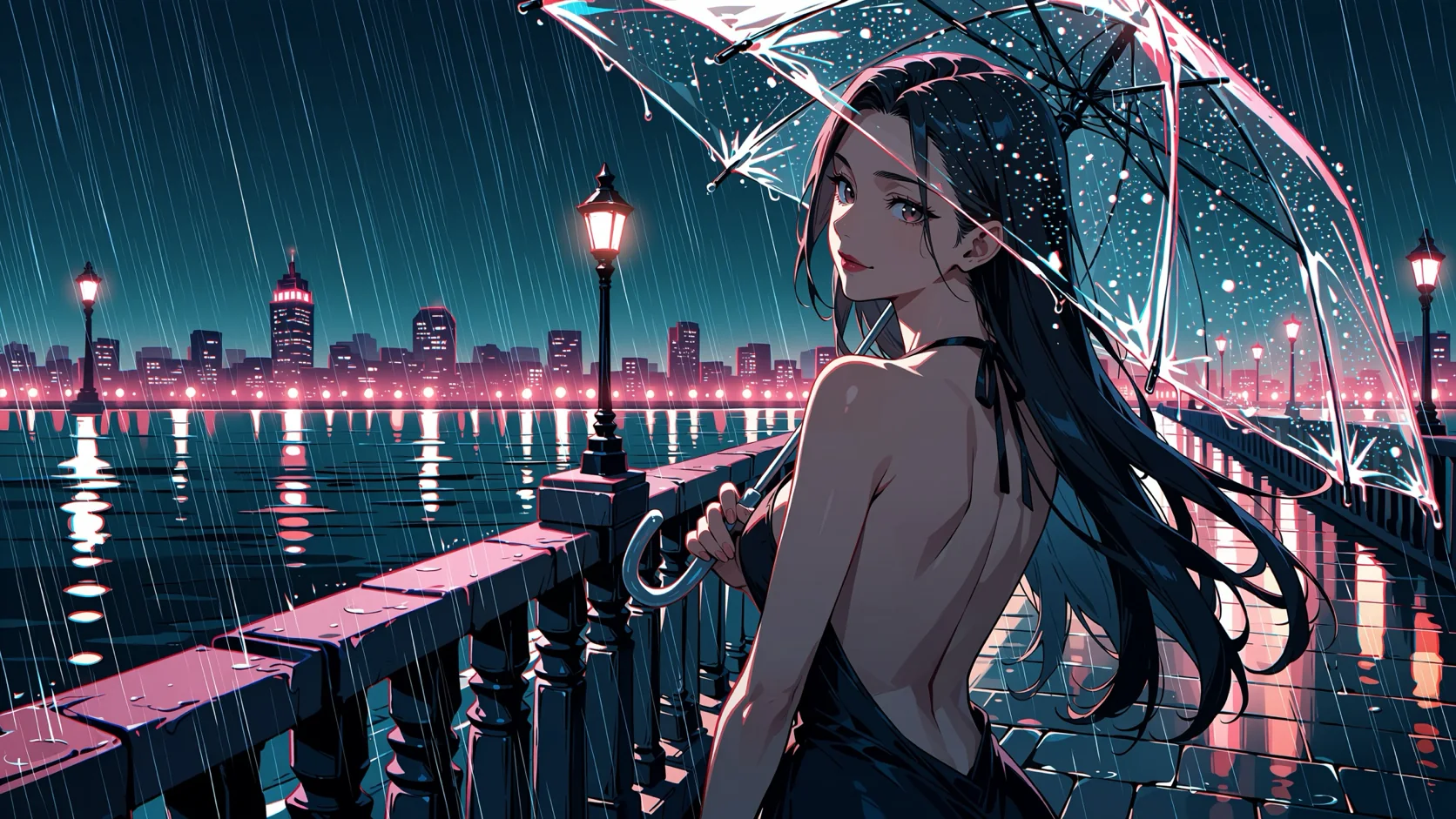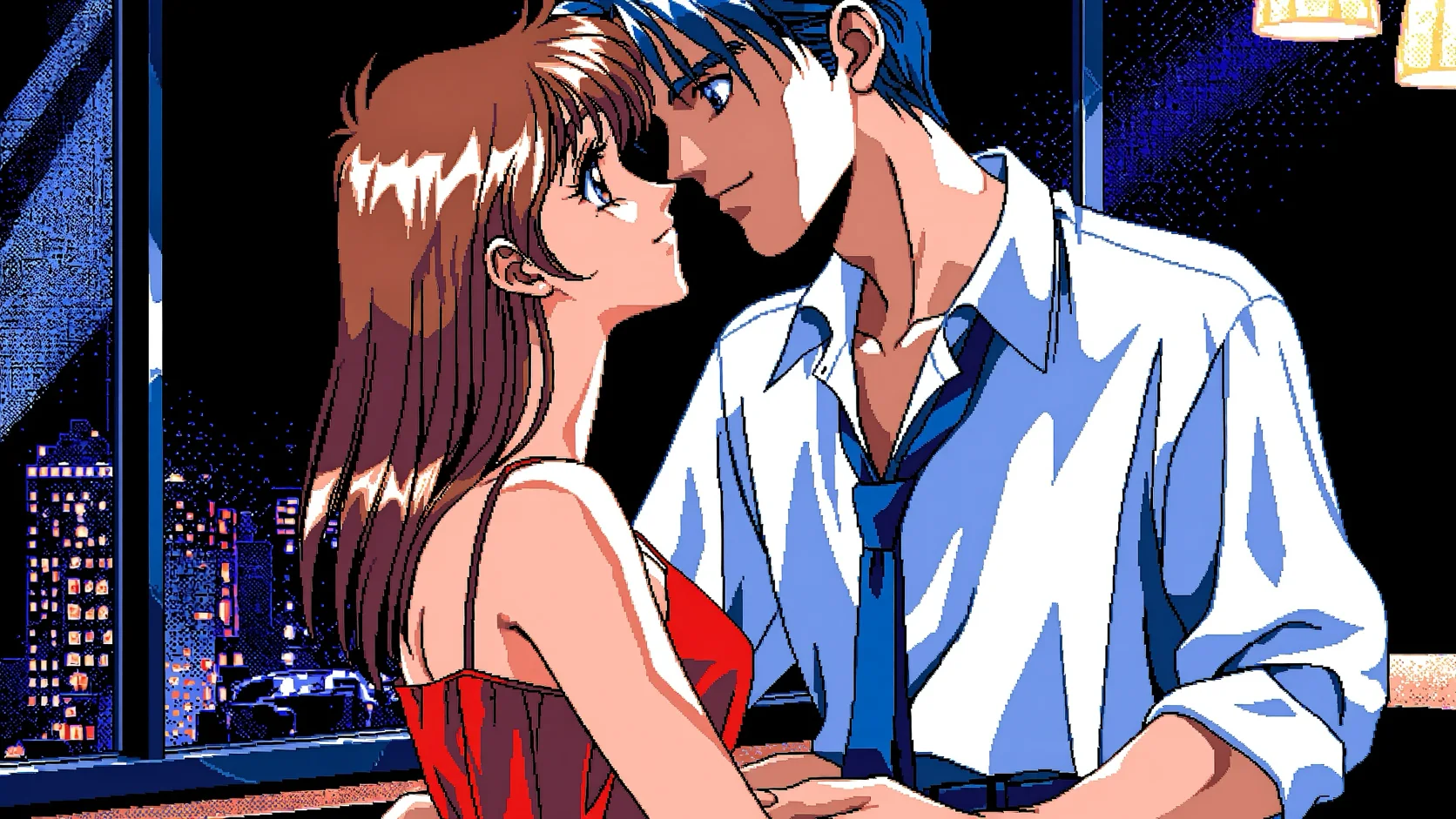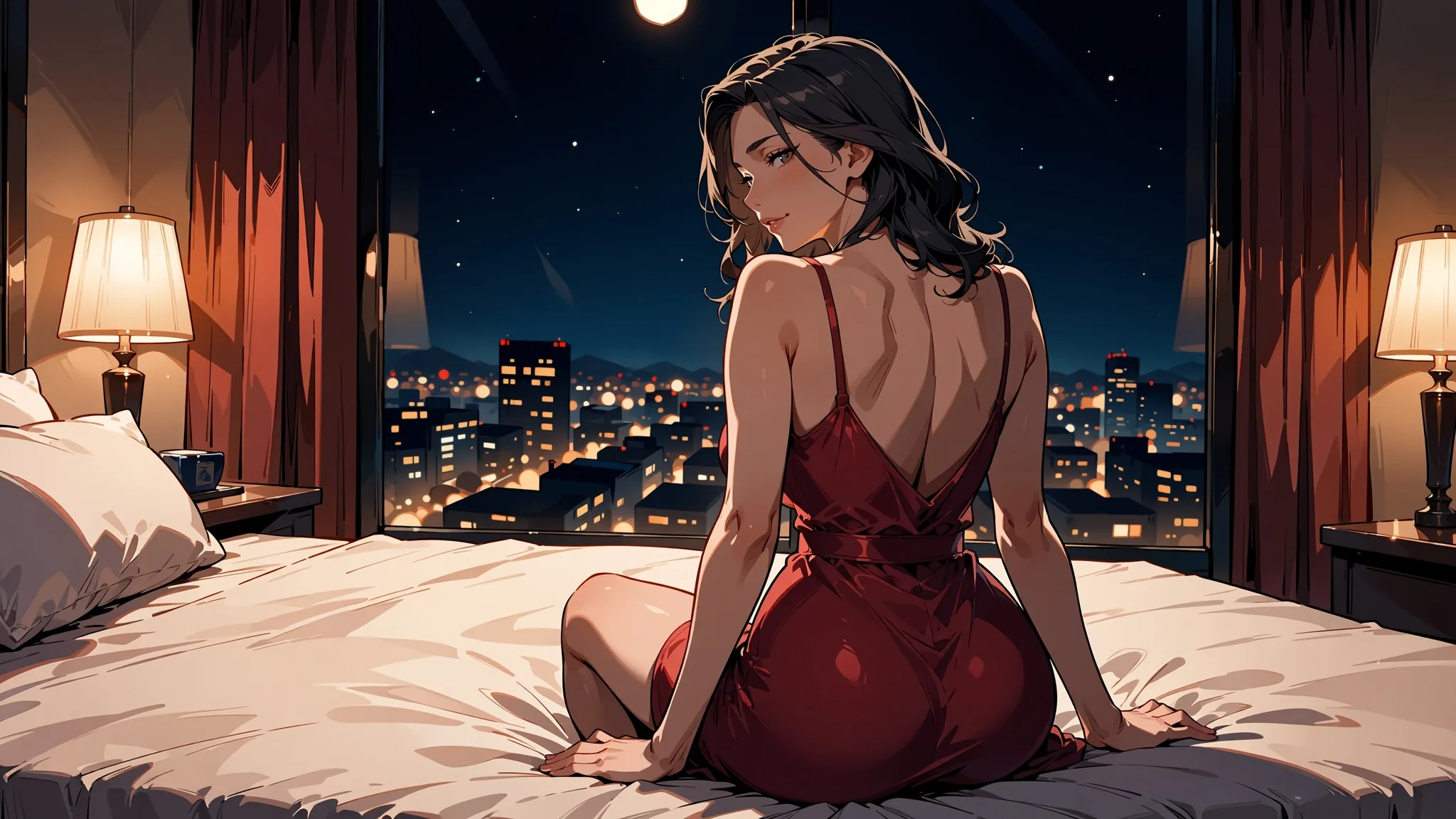
The workflow that worked best in our tests is: design one adult character in tags, set the tone with a rating tag, draft at 1k, finish at 1.5k, add a style LoRA, and fix problems by changing the seed or the scale rather than rewriting the prompt. We ran the whole chain on Anima Turbo, an anime and illustration model that is uncensored on SpicyAPI: there is no content filter, and our strongest content probe rendered as written on the first try.
This guide is the practical version: eight steps from an idea to a finished set, every prompt tested on 5 October 2026. Every prompt printed here is a clothed, suggestive-at-most scene with adult characters, because that is all we publish. Stronger tones exist and are one rating tag away; we explain how the tags work without printing them.
At a glance
| Step | What you do | Key setting | What we saw |
|---|---|---|---|
| 1. Character | Fix the look in a tag block you reuse | Same seed, same character block | One character stayed recognisable across three outfits |
| 2. Tone | Pick a rating tag | safe or sensitive | Nearly the same picture for a clothed scene |
| 3. Scene | Choose ratio and tier | 1k drafts, 1.5k finals | 2 to 16 seconds per image |
| 4. Style | Add a LoRA | Scale 0.5 to 1.2 | Scale 4 broke the image apart |
| 5. Reference | Turn a photo or sketch into anime | strength 0.75 | Clean anime, composition kept |
| 6. Motion | Animate a finished still (optional) | Image plus prompt | Short clip from an uncensored video family |
| 7. Repair | Reroll, lower, adjust | Seed, scale, strength | Signature scribbles and drift are fixable |
| 8. Privacy | Keep outputs private | Your own storage | Your responsibility |
Step 1: Design one adult character in tags
Write the character once, as a block of tags, and paste the same block into every prompt. Anima follows Danbooru-style tags, plain sentences and mixes of both. The publisher, CircleStone Labs, documents the tag conventions on the model card: lowercase, spaces instead of underscores, and a fixed order.
The order that worked for us:
- quality tags:
masterpiece, best quality, optionallyscore_7 - rating tag:
safeorsensitive(step 2) - head count:
1girl,1boy,1girl, 1boy,no humans - an age statement:
adult woman, mature femaleormature male - the character block: hair, eyes, one distinctive mark
- the outfit, the place, the pose, the light
Always say the character is an adult in the prompt itself, so the tags carry it.
Here is the proof that a character block works. The three images below share one seed and one block, short silver bob, golden eyes, beauty mark under the left eye. Only the outfit and place changed: a turtleneck in a gallery, a red silk slip dress on a balcony, an oversized white shirt on a windowsill.
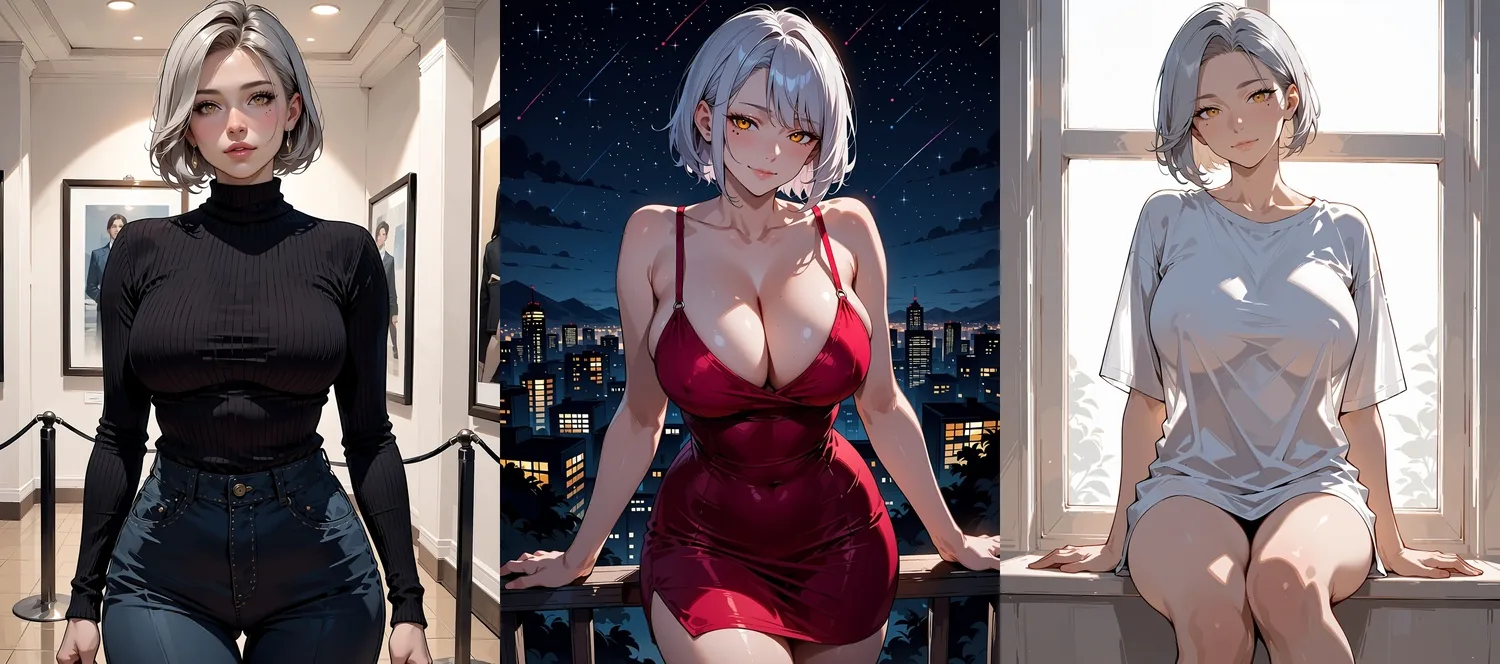
One character block, seed 31, three outfits (Anima Turbo, 1k, 3:4). The hair, eyes and beauty mark carry across; the pose and framing change with the prompt.
The first prompt of the set, so you can copy the shape:
masterpiece, best quality, score_7, safe, 1girl, solo, adult woman, mature female,
short silver bob, golden eyes, beauty mark under the left eye, black turtleneck,
standing in an art gallery, looking at viewer
The other two replace the outfit and place and use sensitive. If the face drifts when you change a lot at once, keep the seed and change only one clause at a time.
Step 2: Pick the tone with a rating tag
Because Anima has no negative prompt, the rating tag is your main control over tone. The model knows safe, sensitive and nsfw, plus one stronger tag. The publisher documents the last two as the tags that remove restraint. We do not print prompts that use them and we do not name the strongest tag, but you should know they exist so that you pick on purpose.
For a clothed scene, safe and sensitive are close cousins. The pair below uses the same prompt and the same seed, with only that one word changed. A woman in a black evening dress at a hotel bar came out nearly identical both times.
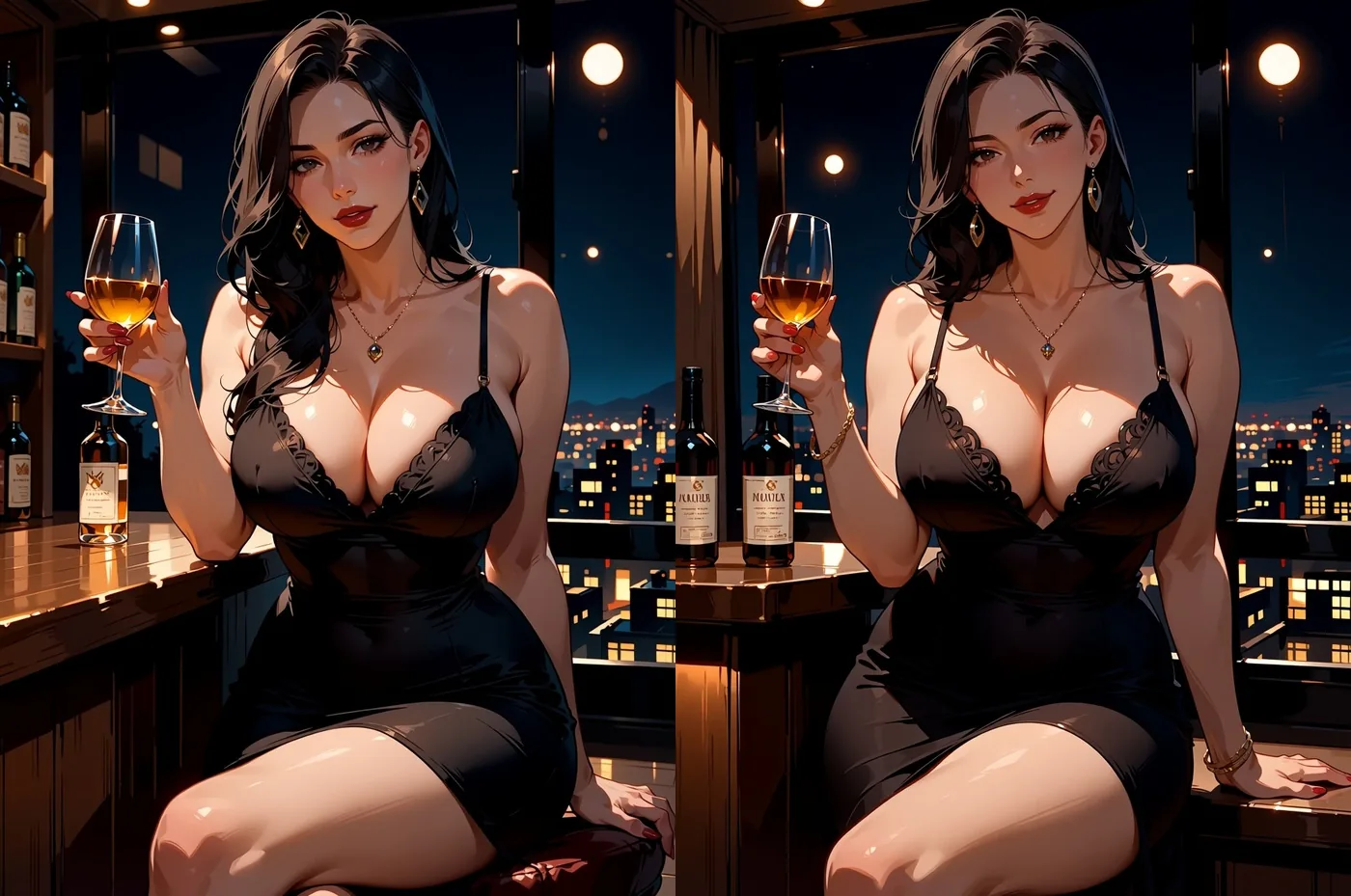
Same prompt, same seed 27, left safe, right sensitive (Anima Turbo, 1k, 3:4).
| Rating tag | What it signals | How we use it |
|---|---|---|
safe | Everyday, restrained | Default for first drafts and anything you plan to share |
sensitive | Suggestive at most | Evening wear, a slipping strap, close dancing |
nsfw | Removes restraint | Adult-only work, your own risk and responsibility |
| One stronger tag | Removes it further | Same; read the model card |
Across 25 requests at four content levels, text-to-image and image-to-image, with and without LoRAs, we saw zero refusals and zero substitutions. Anatomy and hands still need seed rerolls like any image model (step 7).
Step 3: Compose the scene
Pick the aspect ratio for the story, draft at 1k, and only then spend a 1.5k render on the keepers. Text-to-image takes aspect_ratio (15 options, default 1:1), resolution (1k or 1.5k) and seed. The aspect ratio does not change the price; the 1.5k tier costs more than 1k, which is the reason to draft small. The live price is on the text-to-image page.
| Use | Ratio | 1k size | 1.5k size |
|---|---|---|---|
| Portrait, character card | 3:4 | 880 x 1168 | 1328 x 1760 |
| Phone wallpaper | 9:16 | 768 x 1360 | 1152 x 2048 |
| Cinematic couple or cover | 16:9 | 1360 x 768 | 2048 x 1152 |
| Wide establishing shot | 21:9 | 1552 x 656 | 2048 x 992 |
| Tall banner | 1:3 | 576 x 1760 | 880 x 2048 |
The 1.5k tier is generated natively, not upscaled. In 60 timed runs the model took 2 to 16 seconds per image, 52 of 60 under 10.
For couples, a wide 16:9 frame, a clothing clause for each person and one anchoring gesture worked.
masterpiece, best quality, score_7, sensitive, 1girl, 1boy, hetero, adult couple,
mature female, mature male, slow dancing close together in a dim jazz bar,
she wears a green satin dress, he wears a dark suit with loosened tie,
foreheads touching, his hand on her waist, warm lamp light, intimate mood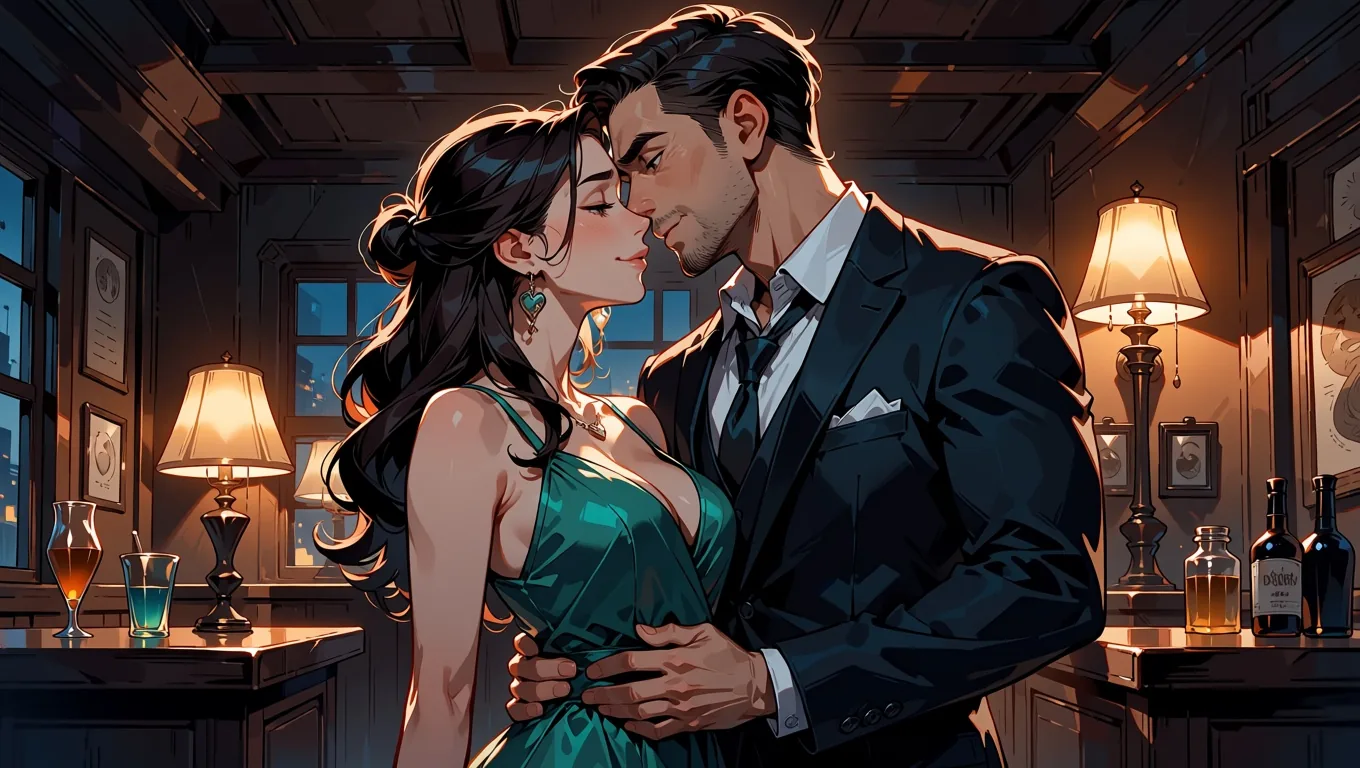
Seed 24, 16:9, 1k, Anima Turbo. Giving each person their own clothing clause is what keeps two figures from blending into one.
If you prefer sentences, write at least two; the publisher warns that very short prompts drift.
Step 4: Give it a style with a LoRA
A LoRA is the quickest way to give a whole set one visual identity; keep the scale between about 0.5 and 1.2 and use the trigger words. Anima Turbo LoRA is the same model with a loras list of up to three entries, each {path, scale}. The path must be a direct HTTPS link to a .safetensors file, and it must be a LoRA trained for Anima. Loading LoRAs adds no separate charge.
Two public LoRAs we used:
- Melon-Bread/anima-pc98-gal-style-v0.2 (MIT): a PC-98 era game look, trigger
pc98gal_style. - notverriegod/monochrome-grayscale_style (Apache-2.0): black-and-white manga ink. In our test it stayed in colour until
monochrome, greyscalewas in the prompt.
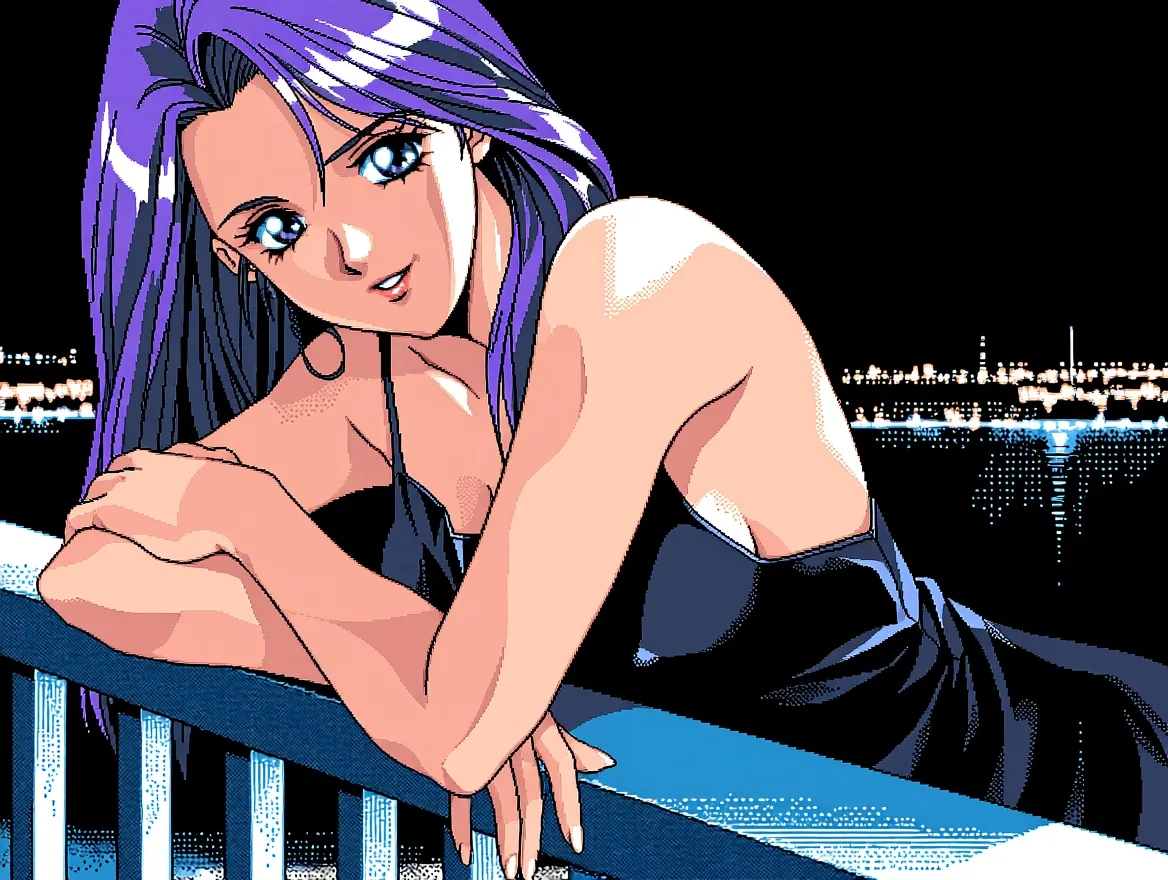
PC-98 LoRA at scale 1, sensitive, 4:3, 1k. The dithering and flat cel shading come from the LoRA.
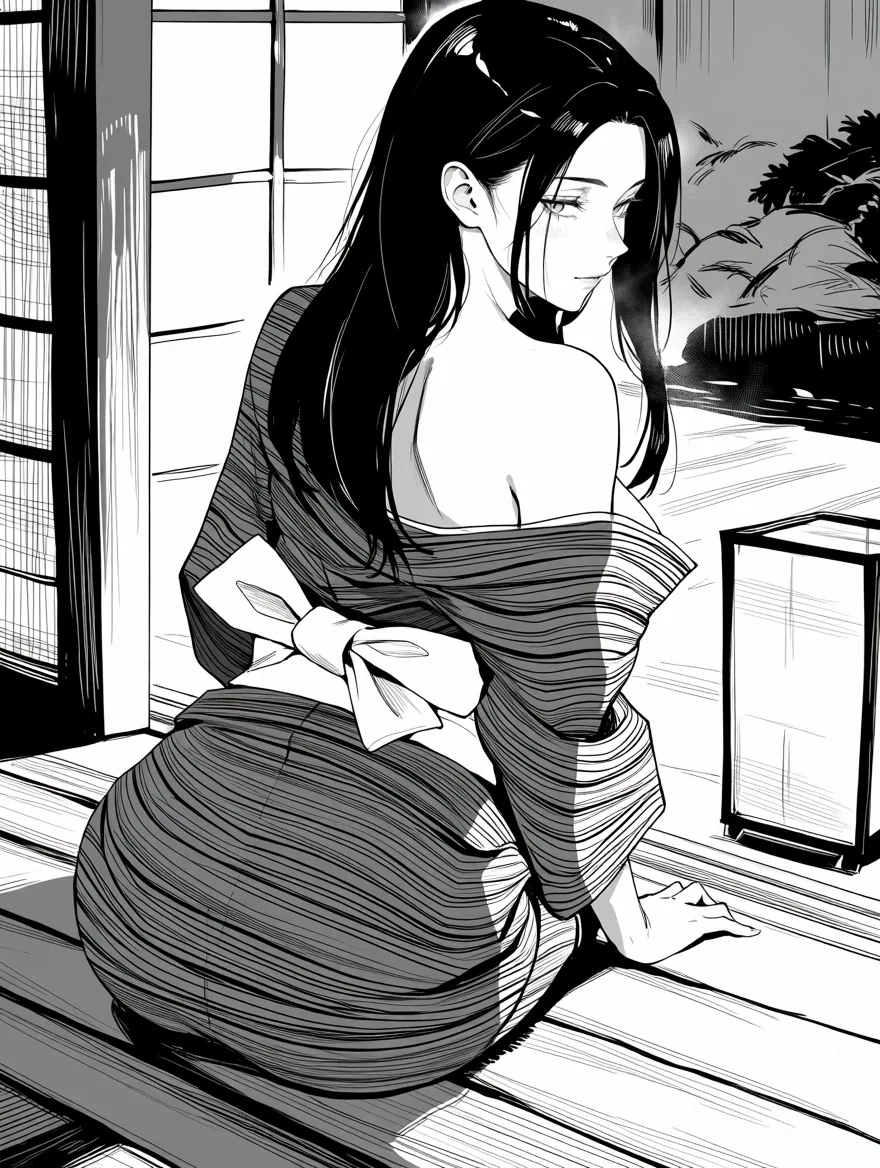
Monochrome LoRA at scale 1, sensitive, 3:4, 1k, with monochrome, greyscale, screentone in the prompt.
Scale is the dial that matters. On one prompt and one seed with the PC-98 LoRA, we compared 0.5, 1, 1.5 and 4 (left to right below). 0.5 is a light touch, 1 is the full style, 1.5 pushes harder, and 4 broke the image into abstract shapes. A scale of 0 is identical to no LoRA.

PC-98 LoRA at 0.5, 1, 1.5 and 4 (left to right), same prompt and seed.
| Situation | What we suggest |
|---|---|
| First try with any LoRA | Scale 1 with the trigger words |
| Style fights the character | Drop to 0.5 to 0.8 |
| You want it louder | 1.2, not 4 |
| Two or three LoRAs | Main style at 1, the others at 0.6 and 0.25 (this worked for us) |
| A LoRA for a different base model | It loads without an error and changes nothing, so check what it was trained for |
The first request with a new LoRA can be slow while the file is fetched (one of ours took almost three minutes). A link that needs a login, or that points to a repository page instead of the file, fails with a clear message and is not charged. Our longer LoRA style guide goes through more combinations.
Step 5: Turn a photo or sketch into anime
Send your reference as image_url, describe what is already in it, and set strength to 0.75. Image-to-image on the edit page takes prompt, image_url, strength (0 to 1, default 0.8), resolution and seed. There is no aspect-ratio field: the output keeps the source's shape. It costs the same as text-to-image.
In our strength ladder on a photo, 0.3 was still a photo, 0.6 already read as an illustration, 0.75 was clean anime with the same composition, from 0.9 details started to change, and at 1.0 the source was ignored. At 0 the source comes back untouched. Our dedicated strength guide shows the whole ladder.
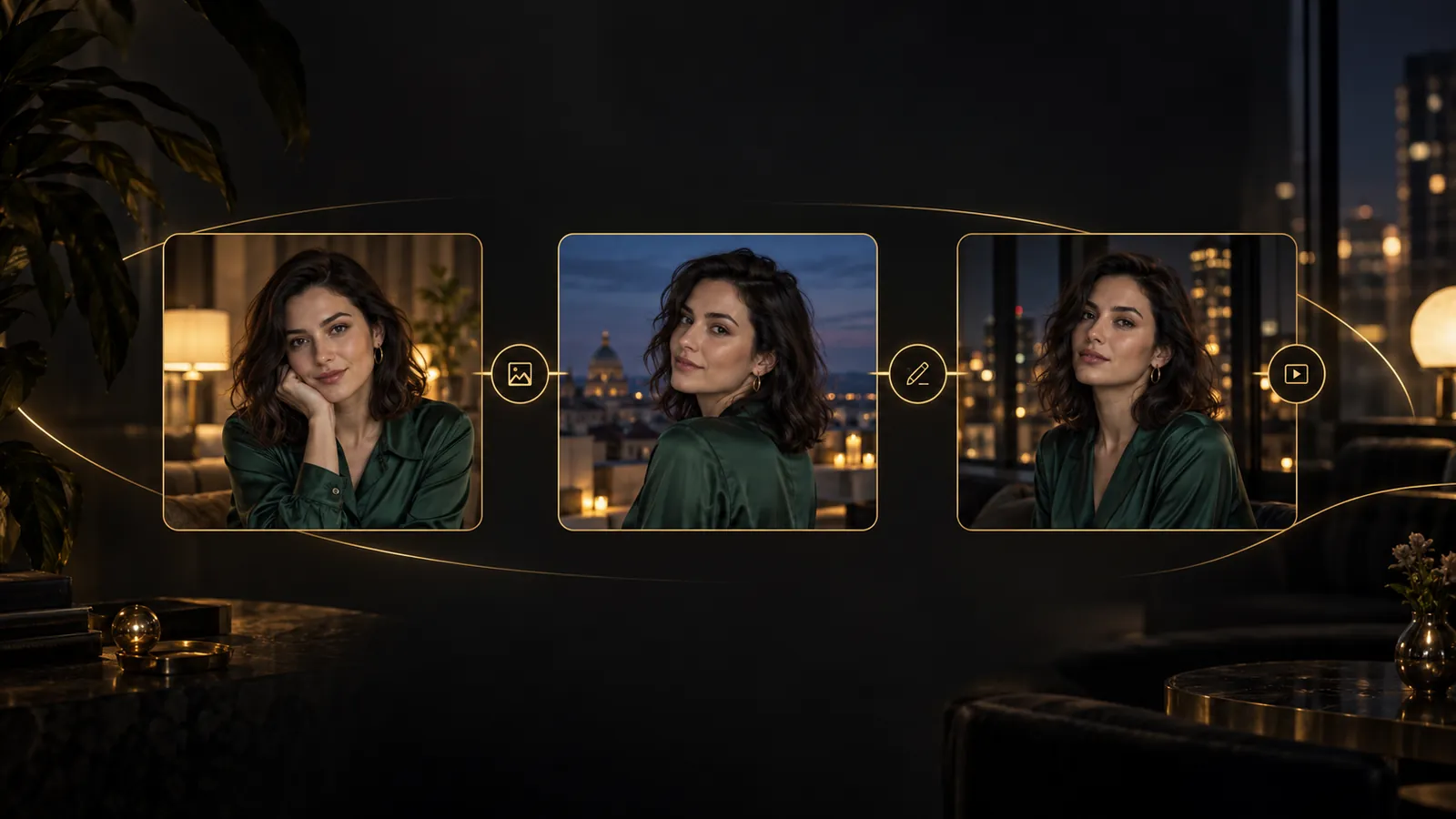
The "before" images below are source photographs we generated for the test with GPT Image 2.5: fictional adults, not real people. They are inputs, not Anima output.
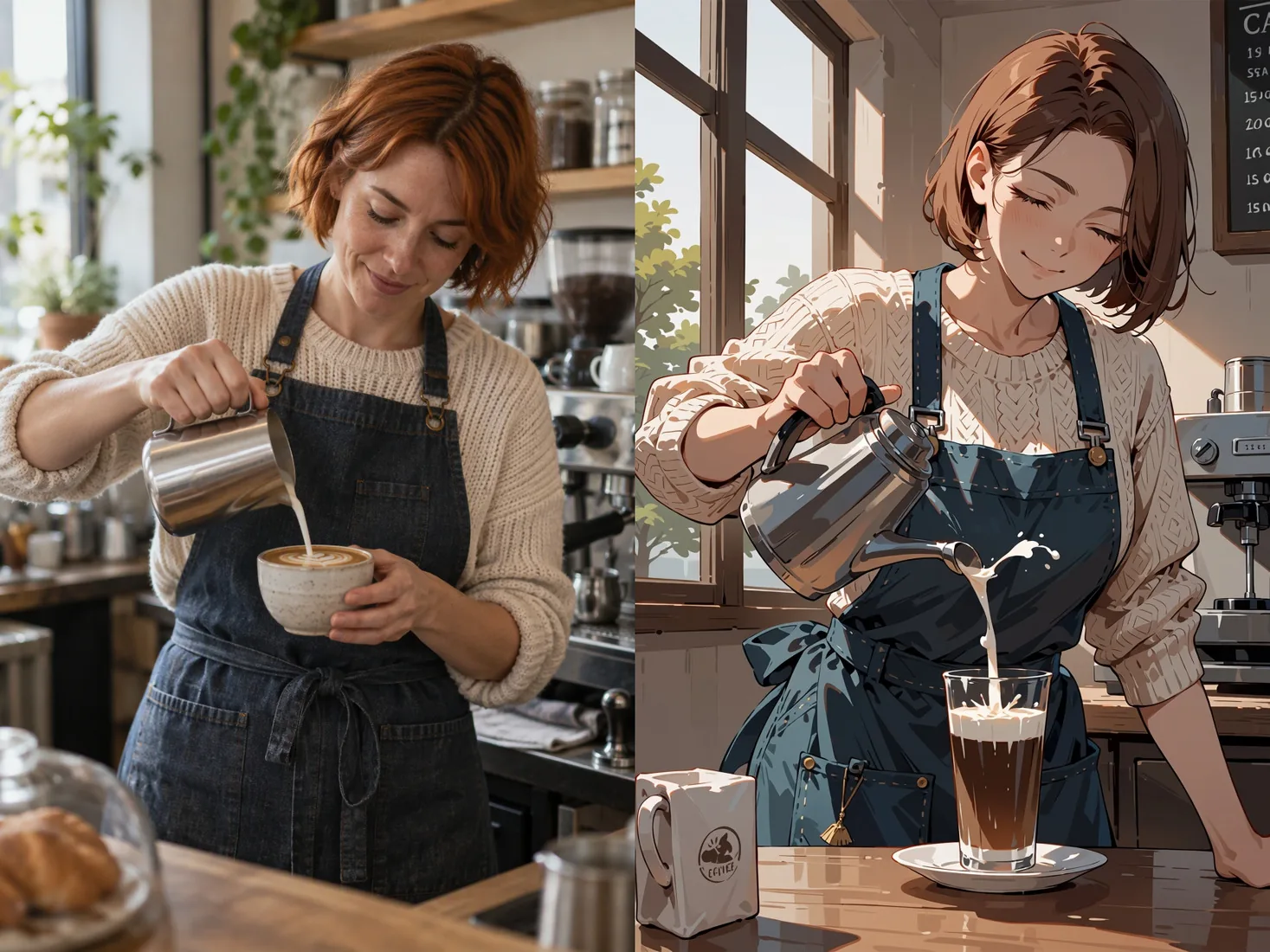
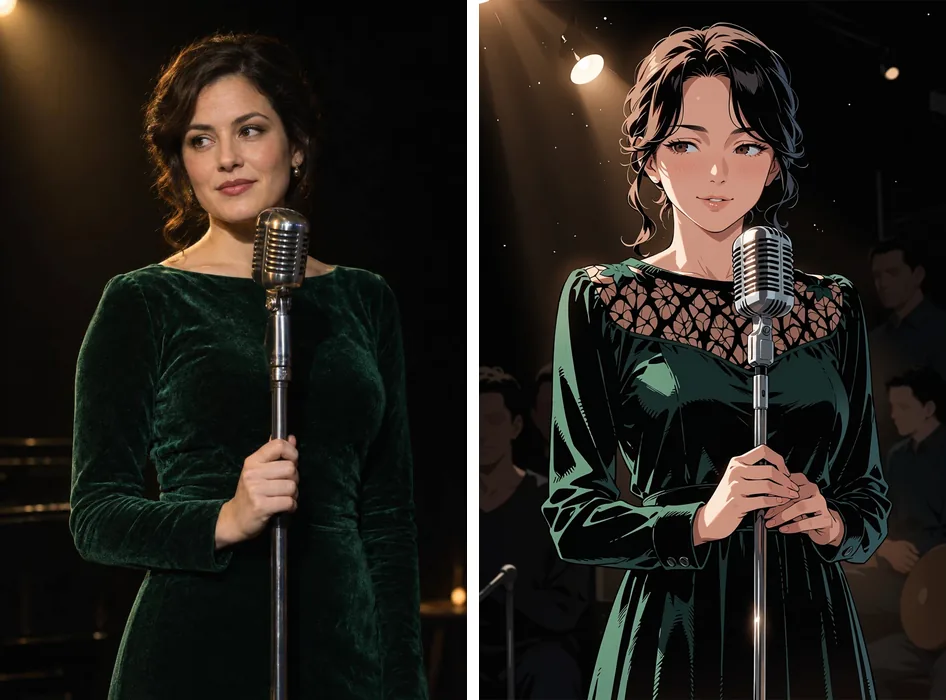
Before (left, source photo) and after (right, Anima Turbo at strength 0.75). The framing shifted a little: the model redraws details, it does not trace.
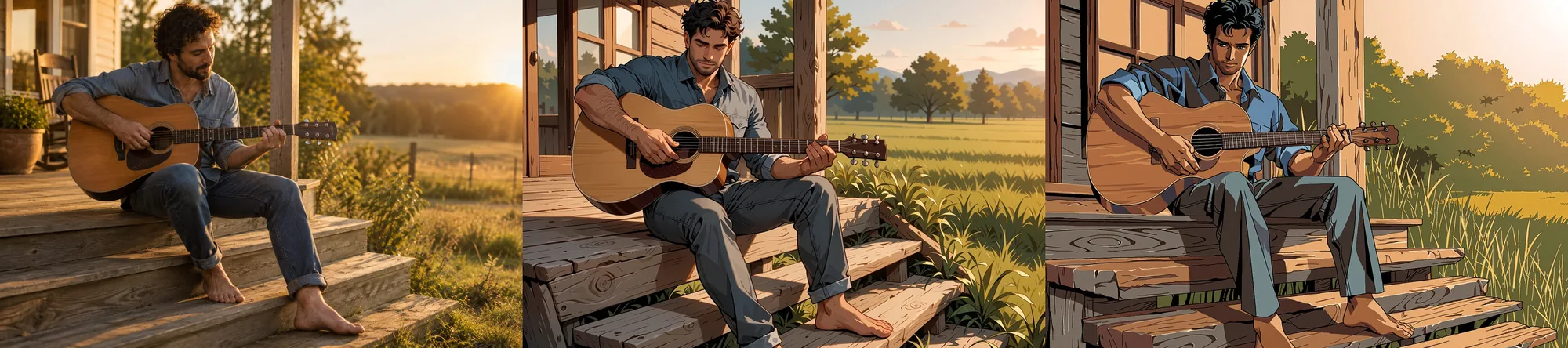
Before (left), anime at 0.75 (middle), and anime with the PC-98 LoRA at 0.75 (right). The composition stays close to the source in both.
Image-to-image restyles; it does not follow edit instructions (asking an illustration for a new outfit changed very little at 0.6 to 0.8). A colour illustration going to manga ink needed 0.85 in our test, and the pose is redrawn at that strength. For a sketch, describe its subject, start at 0.75 and raise it only if the linework survives too strongly.
Only use photos you have the right to use. Never convert a photo of a real person into adult-oriented art without their consent.
Step 6 (optional): Animate a finished still
Pick your best still, then hand it to an uncensored image-to-video family along with a short prompt. SpicyAPI has three of them: Seedance 2.5 Spicy, Wan 2.2 Spicy and MiniMax H3 Spicy. Each takes an image plus a prompt and returns a short video. We did not run this step on the images in this article, so we leave details such as lengths and settings to each model page.
Finish the still first, because a flawed hand in the still is a flawed hand in every frame, and keep the motion prompt to one action.
Step 7: Fix the common problems
Most failures have a one-line fix: reroll the seed, lower the LoRA scale, or adjust strength.
| Problem | Likely cause | Fix |
|---|---|---|
| A signature-like scribble or a line of fake text in a corner | A habit learned from artwork; we saw it in roughly one image in five | Change the seed; there is no negative prompt to suppress it; or crop it |
| Odd hands or anatomy | Normal for image models | Reroll the seed; keep drafts at 1k until a good one appears |
| The character drifts between images | Too many clauses changed at once | Reuse the character block, keep the seed, change one clause |
| Style too strong or the image falls apart | LoRA scale too high | Lower to 0.5 to 1.2; scale 4 breaks the image |
| LoRA does nothing | Trained for another base model, or missing trigger word | Check the base model and add the trigger words |
| Photo still looks like a photo | strength too low | Move toward 0.75 |
| Details change too much in image-to-image | strength too high | Move down from 0.9 |
Here is the first one: the corner of this cafe scene picked up a line of pseudo-text.
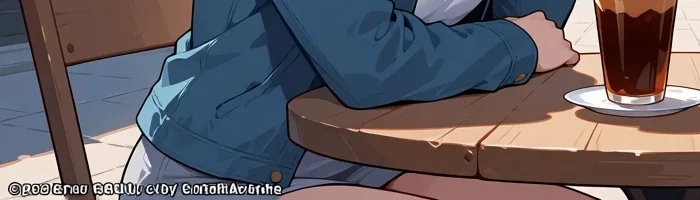
A signature-like scribble in a corner (crop of a 1360 x 768 image).
Seeds make runs comparable but do not guarantee identical pixels, so save the images you like.
Step 8: Keep it private and adult-only
You are responsible for what you generate, store and share. Every character is an adult and the prompt says so; no real person's likeness without consent; no minors or youthful-looking characters, ever; keep outputs in storage you control; and follow the laws where you live.
The whole workflow as a checklist
| Done? | Check |
|---|---|
| ☐ | Character block written once: quality tags, rating tag, head count, age statement, look, one mark |
| ☐ | Rating tag chosen on purpose (safe or sensitive for anything you share) |
| ☐ | Ratio chosen for the use; draft at 1k |
| ☐ | Keepers re-rendered at 1.5k |
| ☐ | LoRA is Anima-compatible, trigger words in, scale 0.5 to 1.2 |
| ☐ | Photo references at strength 0.75, prompt describes the photo |
| ☐ | Corners checked for scribbles, hands checked |
| ☐ | Optional: still animated with an image-to-video family |
| ☐ | Outputs stored privately; adults only |
A short prompt template
Fill in the brackets and keep the rest. This version is a clothed, sensitive scene.
masterpiece, best quality, score_7, sensitive, 1girl, solo, adult woman, mature female,
[hair], [eyes], [one distinctive mark], [outfit: e.g. black slip dress],
[place and pose: e.g. leaning on a balcony at night], looking at viewer,
[light: e.g. warm lamp light, city lights]
For two people use 1girl, 1boy and a clothing clause each; for a style, add the LoRA's trigger words. For more, see our Anima Turbo test report, and for the wider field compare other NSFW image generators.
FAQ
Can I really make NSFW anime art with AI on SpicyAPI?
Yes. Anima Turbo and Anima Turbo LoRA are uncensored, with no content filter, and we saw zero refusals across four content levels. You remain responsible for what you make.
What is the best way to get a consistent character?
Write one tag block for the face, hair and a distinctive mark, paste it into every prompt, and keep the seed while you change one clause at a time. In our silver-bob sheet that carried one character across three outfits.
Which rating tag should I use?
Use safe for anything you plan to share and sensitive for suggestive but clothed scenes. The model also knows nsfw and a stronger tag, which the publisher documents as removing restraint. For a clothed scene, safe and sensitive gave almost the same picture.
What LoRA scale should I start with?
Start at 1 with the trigger words, then move within 0.5 to 1.2. In our tests 0.5 was a light touch, 1.5 pushed the style harder, and 4 broke the image apart.
What strength turns a photo into anime?
0.75. In our ladder it gave clean anime with the composition intact. At 0.3 it was still a photo, from 0.9 details started to change, and at 1.0 the source was ignored.
Why is there a signature or fake text in the corner?
The model learned it from artwork. We saw it in roughly one image in five, and a negative prompt cannot suppress it because there is none. Change the seed or crop the corner.
Can I turn a finished image into a video?
Yes, with an uncensored image-to-video family such as Seedance 2.5 Spicy, Wan 2.2 Spicy or MiniMax H3 Spicy. Each takes an image and a prompt and returns a short clip. Check the model page for what each accepts.
Is it okay to use a photo of a real person?
Not without that person's consent, and not for adult-oriented art. Use fictional characters or your own original sketches and photos of consenting adults, and keep the outputs private.