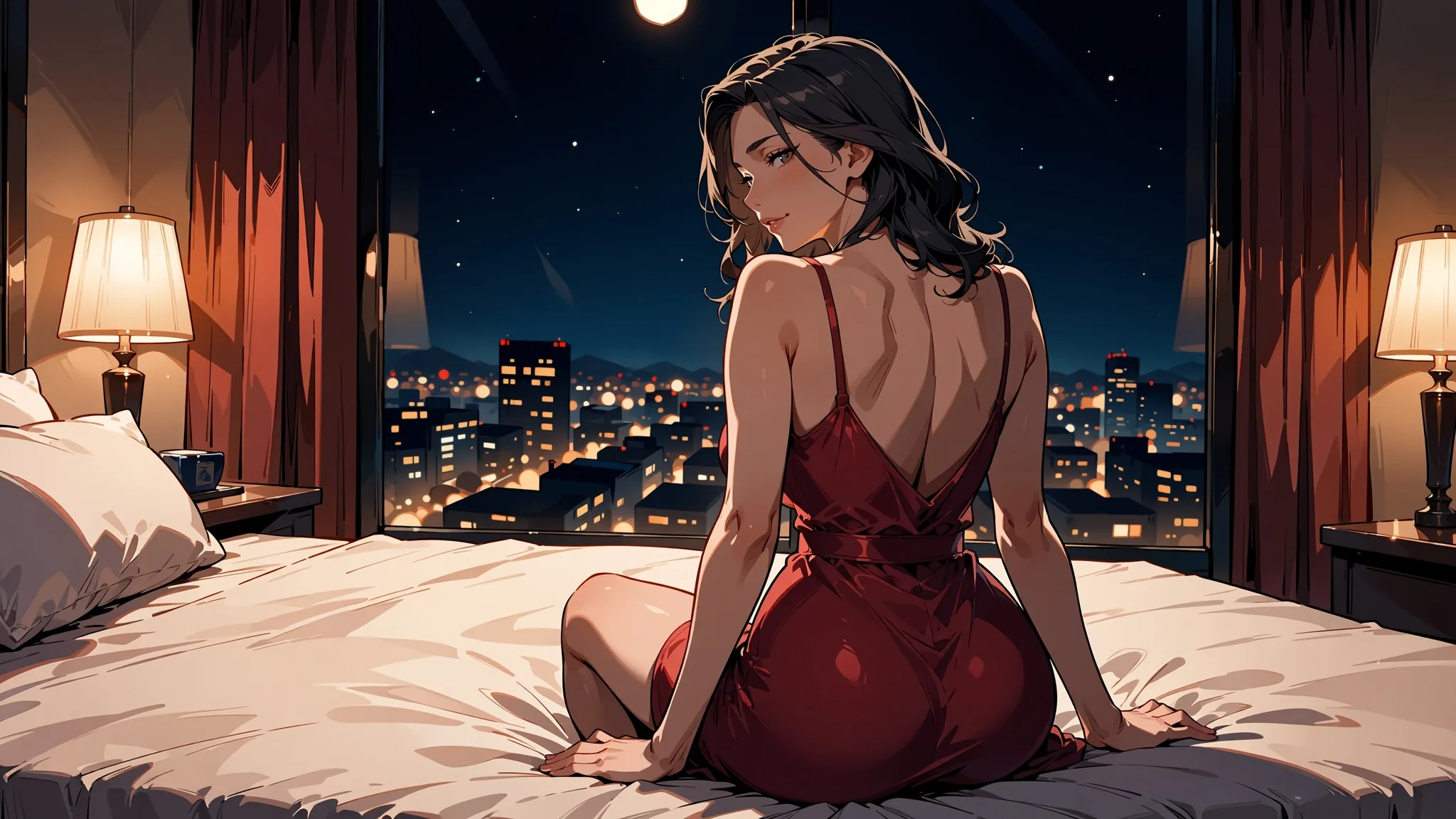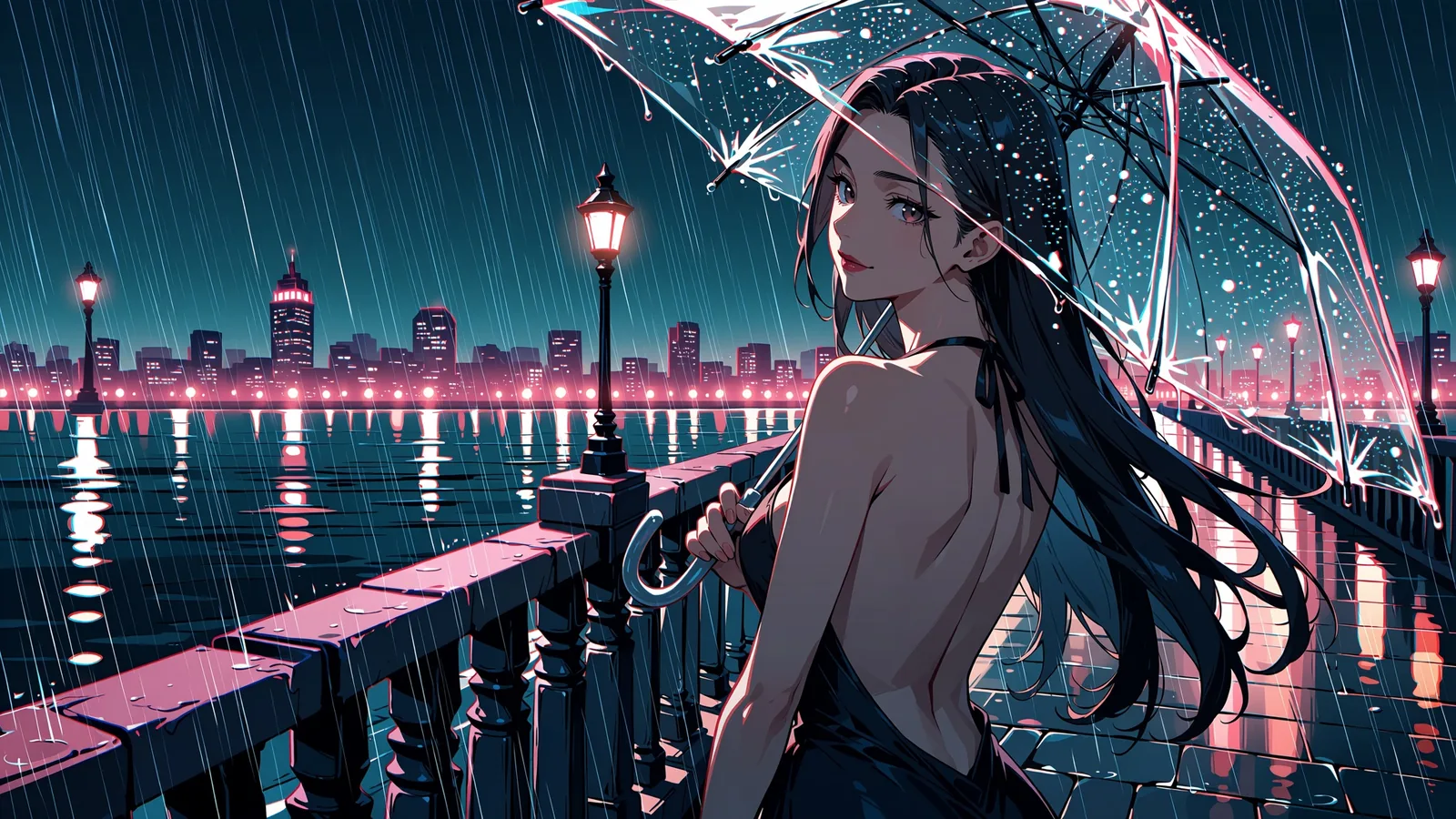
Anima Turbo is a small, fast anime and illustration model that rewards a clean tag prompt and also reads plain sentences. In our tests it finished most images in under ten seconds, followed style tags clearly, and stayed uncensored: our strongest content probe rendered as written on the first try. Its limits are just as clear. It does not do photorealism, it renders only a word or two of text, and it has no negative prompt.
Anima Turbo is the distilled build of Anima by CircleStone Labs, a 2 billion parameter model built on NVIDIA Cosmos-Predict2 with a Qwen3 text encoder. We ran these tests on 5 October 2026 through the Anima Turbo text-to-image endpoint. Every prompt below is an everyday scene with clothed adults.
At a glance
| Anima Turbo (tested 5 October 2026) | |
|---|---|
| Publisher and base | CircleStone Labs with Comfy Org; 2B parameters on NVIDIA Cosmos-Predict2 (2B), Qwen3 text encoder |
| API model names | circlestone-labs/anima-turbo/text-to-image and circlestone-labs/anima-turbo/edit |
| Public fields (text to image) | prompt (up to 5,000 characters), aspect_ratio, resolution, seed |
| Aspect ratios | 15, from 1:1 and 16:9 to 21:9 and 1:3 |
| Resolution tiers | 1k (about 1 megapixel, e.g. 1360 x 768 at 16:9) and 1.5k (about 2.4 megapixels, e.g. 2048 x 1152, generated natively) |
| Speed in our tests | 2 to 16 seconds per image over 60 runs; 52 of 60 under 10 seconds |
| Output | One JPEG per request |
| Content policy | Uncensored, no content filter; our strongest content probe rendered as written on the first try |
| Cannot do | Photorealism, more than a word or two of text, negative prompts, steps, CFG, sampler, masks |
What Anima Turbo is
Anima comes from CircleStone Labs, built with Comfy Org. It is a 2 billion parameter model on NVIDIA's Cosmos-Predict2 (2B) with a Qwen3 text encoder. The publisher ships three builds: Base, Aesthetic and Turbo. Turbo is the distilled one, made for 8 to 12 sampling steps. The publisher says it is only slightly worse than Anima-Aesthetic on average while being much faster, and recommends starting with it. According to the publisher, the training data is several million anime images plus about 800,000 non-anime artistic images, with no synthetic data. The model card is at huggingface.co/circlestone-labs/Anima.
On SpicyAPI the model is public as circlestone-labs/anima-turbo/text-to-image. The platform adds no content filter, so what you get is decided by the model and your prompt. The family page shows the current per-image price for each resolution.
Tags or sentences: both work, they look different
Anima follows the Danbooru tag conventions. The publisher's advice, which we followed: lowercase, spaces instead of underscores, and a fixed order of quality and rating tags first, then head count (1girl, 1boy, no humans), then character, series and artist, then everything else. A safe opening is masterpiece, best quality, optionally with score_7.
Natural language works too. The publisher recommends at least two sentences, and we saw why: very short prompts drift. We ran the same rainy cafe scene twice with the same seed, once as tags and once as four sentences.
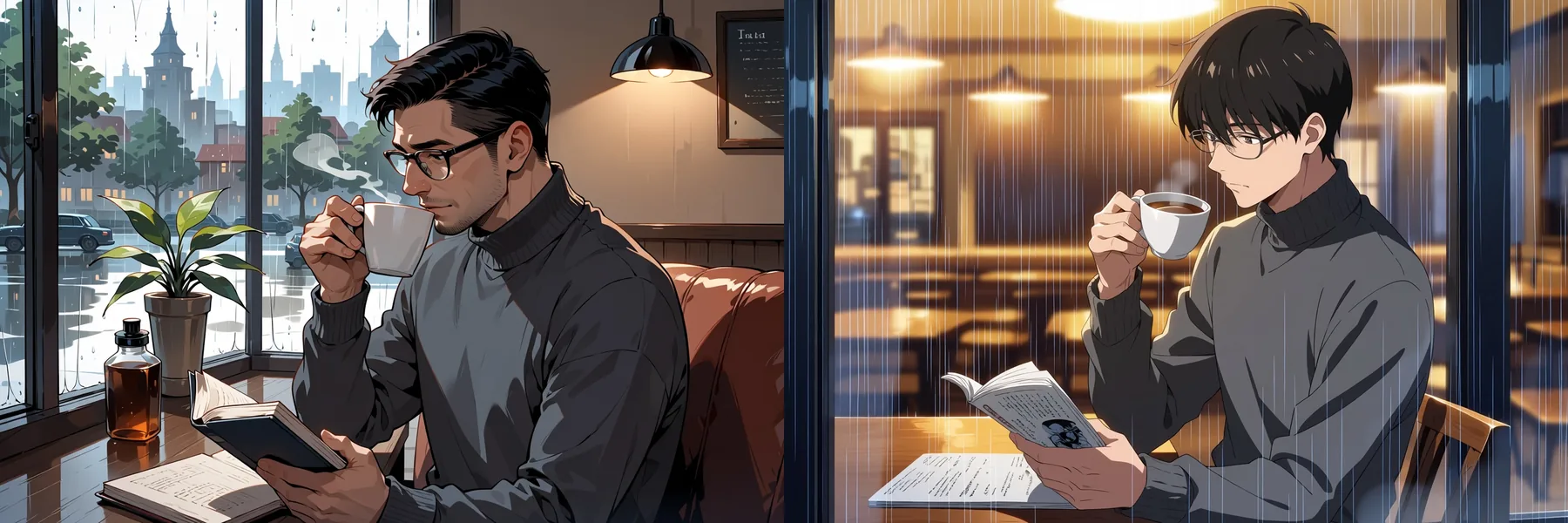
Left: tags. Right: four sentences. Same seed (4), 3:2, 1k tier, text-to-image.
The tag version:
masterpiece, best quality, score_7, safe, 1boy, solo, adult man, mature male, short black hair, glasses, grey turtleneck, sitting by a cafe window, rain outside, holding a coffee cup, reading a book, warm indoor light, cozyThe sentence version:
masterpiece, best quality, safe. An anime illustration of a man in his thirties sitting by a cafe window on a rainy afternoon. He has short black hair and glasses and wears a grey turtleneck, holding a cup of coffee in one hand while reading a paperback. Warm light from inside the cafe falls across the table, and raindrops streak the glass behind him.Both got the glasses, the turtleneck, the cup and the book. The differences are in what you did not specify. The tag prompt gave a more mature face and a bright window scene; the sentence prompt gave a younger face and a moodier room. In our tests, tags give tighter control over the character, and sentences give more atmosphere for free. Mixing the two, with a tag header and one or two descriptive sentences, also worked.
Which to use, based on our runs and the publisher's guidance:
| Situation | Better fit | Why |
|---|---|---|
| You need one specific character look (hair, glasses, clothing) | Tags | Each tag is a separate instruction, so the details stay put |
| You want mood, lighting or a scene that "feels" a certain way | Sentences | The sentence version gave us the moodier room without asking |
| You are calling a known artist or recognised style | Tags, with @ before the artist | The publisher says an artist style without the @ is weak |
| You are comparing seeds or prompt tweaks | Tags | Short, fixed prompts make a change easy to attribute |
| You are writing a short description | Two or more sentences | The publisher recommends at least two; very short prompts drift |
| You want control and atmosphere | A tag header plus one or two sentences | The mix worked in our tests |
Writing prompts that hold up
The order below follows the publisher's advice and is what we used for every prompt in this article:
- Quality and rating tags first.
masterpiece, best quality, optionallyscore_7, thensafe,sensitiveornsfw. With no negative prompt, the rating tag sets the tone. - Head count next.
1girl,1boy,1girl, 1boy, orno humansfor scenery. - Character, series and artist. Artists take an
@prefix. - Everything else. Hair, clothing, place, light, framing. Lowercase, spaces instead of underscores.
- Weights when a tag is too quiet.
(chibi:2)worked in our style test, but the model needed higher weights than SDXL-era models do, so do not stop at 1.2.
The prompt limit is 5,000 characters, which tag prompts rarely approach. Three habits made a visible difference in our runs:
- Start with a rating tag. The model knows
safe,sensitiveandnsfw, plus one stronger tag. With no negative prompt, the rating tag is your main way to set the tone, so every prompt in this article opens withsafe. - Say the characters are adults.
adult woman, mature femaleor "a man in his thirties" keeps the cast where you want it. - Put
@in front of artist names. Per the publisher, an artist style without the@is weak.
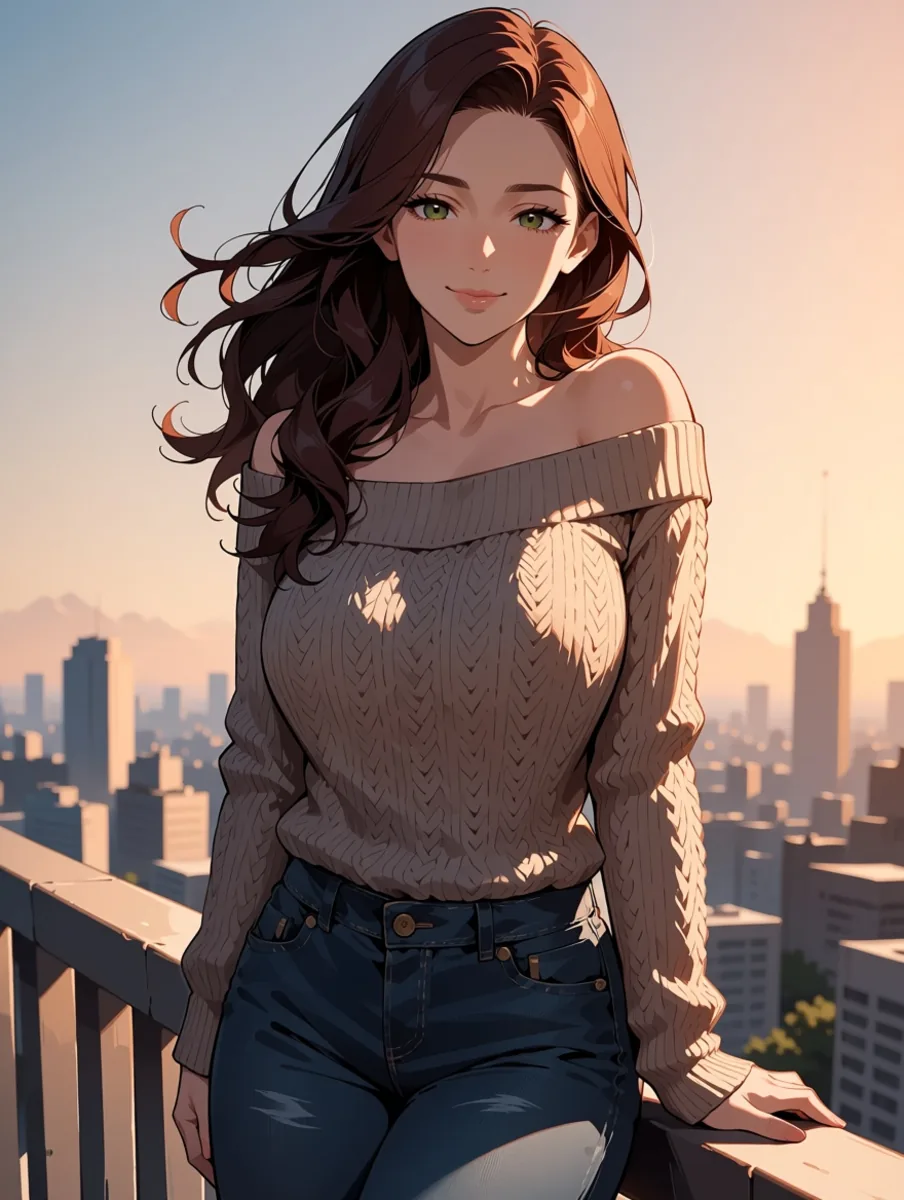
A tag-only prompt: rating tag, head count, hair, clothing, place, light. 3:4, 1k tier, seed 3.
What style tags do
This was the test we cared about most. We fixed one character (an adult woman with short silver hair in a trench coat on an autumn street) and one seed (12), changed only the style tags, and ran each at 1:1 on the 1k tier. The base prompt:
masterpiece, best quality, score_7, safe, 1girl, solo, adult woman, mature female, short silver hair, blue eyes, beige trench coat, scarf, standing on a city street in autumn, falling leaves, looking at viewer, soft smile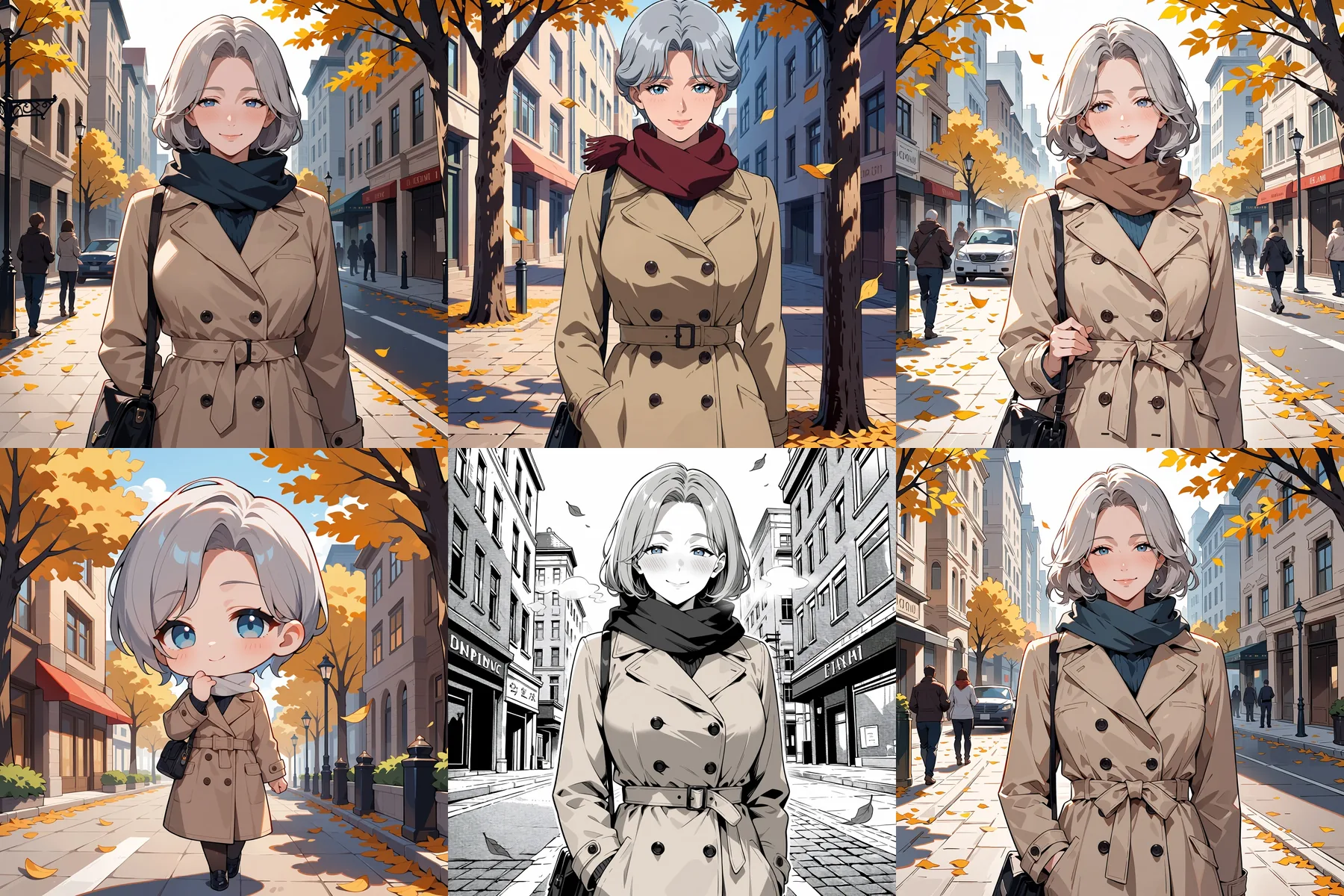
Top row: no style tag, retro artstyle, 1990s (style), anime screenshot, watercolor (medium), traditional media. Bottom row: (chibi:2), monochrome, greyscale, manga, screentone, sketch, pencil drawing, traditional media. Seed 12 throughout.
What we saw:
| Style tags added | Result in our tests |
|---|---|
retro artstyle, 1990s (style), anime screenshot | A clear 90s cel look: flatter colours, harder shadows |
(chibi:2) | A full chibi, big head and small body |
monochrome, greyscale, manga, screentone | A convincing black-and-white manga panel with screentone |
watercolor (medium), traditional media | Only a slight change in rendering |
sketch, pencil drawing, traditional media | Only a slight change in rendering |
The strong styles are the ones with a recognisable visual vocabulary: screen-captured cel anime, chibi proportions, manga ink. The two traditional-media tags nudged the surface and little else. If you want a real watercolour or pencil look, expect to reach for a style LoRA rather than a tag.
One more detail: prompt weighting such as (chibi:2) works, but it needed a higher weight than we are used to from SDXL-era models.
Size, resolution and speed
There is no size field. You pick an aspect_ratio from 15 options (1:1, 16:9, 9:16, 4:3, 3:4, 3:2, 2:3, 21:9, 9:21, 2:1, 1:2, 3:1, 1:3, 5:4, 4:5) and a resolution tier, 1k or 1.5k, plus an optional seed. The 1k tier is about one megapixel; 1.5k is about 2.4 megapixels and is generated natively, not upscaled. A 16:9 image is 1360 x 768 at 1k and 2048 x 1152 at 1.5k; 1:3 is 576 x 1760 and 880 x 2048. Output is always JPEG, one image per request. The aspect ratio does not change the price, the 1.5k tier costs more than 1k, and failed requests are not charged.
We timed 60 runs covering every aspect ratio on both tiers. Model time was 2 to 16 seconds per image, and 52 of the 60 finished in under 10 seconds.
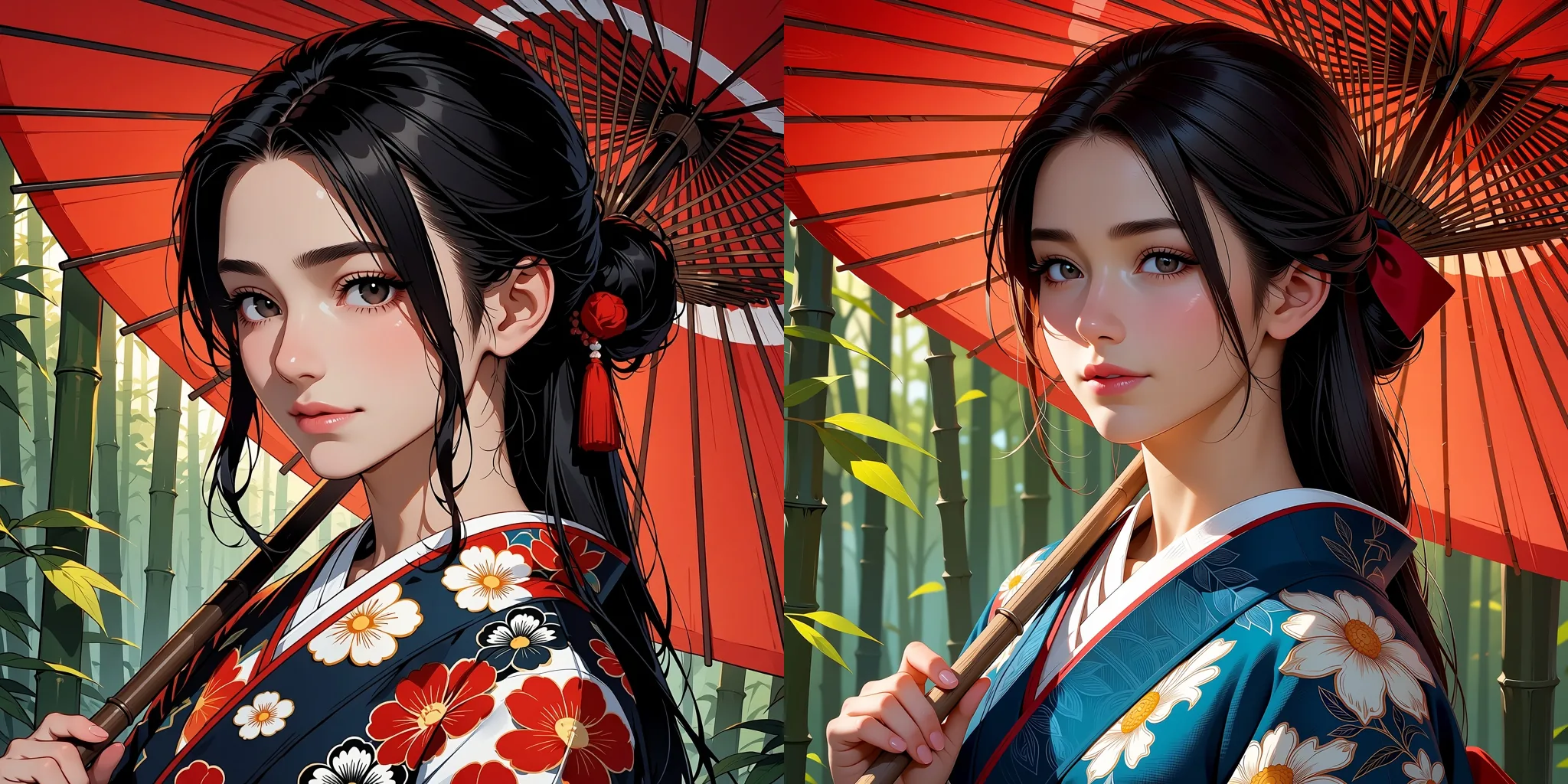
Left: 1k (1024 x 1024). Right: 1.5k (1536 x 1536). Same prompt, seed 8, 1:1.
The two tiers are not a pixel-for-pixel enlargement. The same prompt and seed gave a different face and a different kimono pattern. What you pay for at 1.5k is finer fabric detail and cleaner line work. Draft at 1k, then rerun the keepers at 1.5k and treat the result as a fresh take, not a sharper copy.
How far it goes
The endpoint is uncensored and the platform adds no content filter. In our tests the model did not hold back either: our strongest content probe rendered as written on the first try, in text-to-image and in image-to-image, with and without LoRAs, across repeated seeds. We do not print that prompt; the examples below are everyday scenes.
What the model does well in ordinary scenes is range. A single prompt style produced portraits, couples, a night-shift bartender and empty scenery:
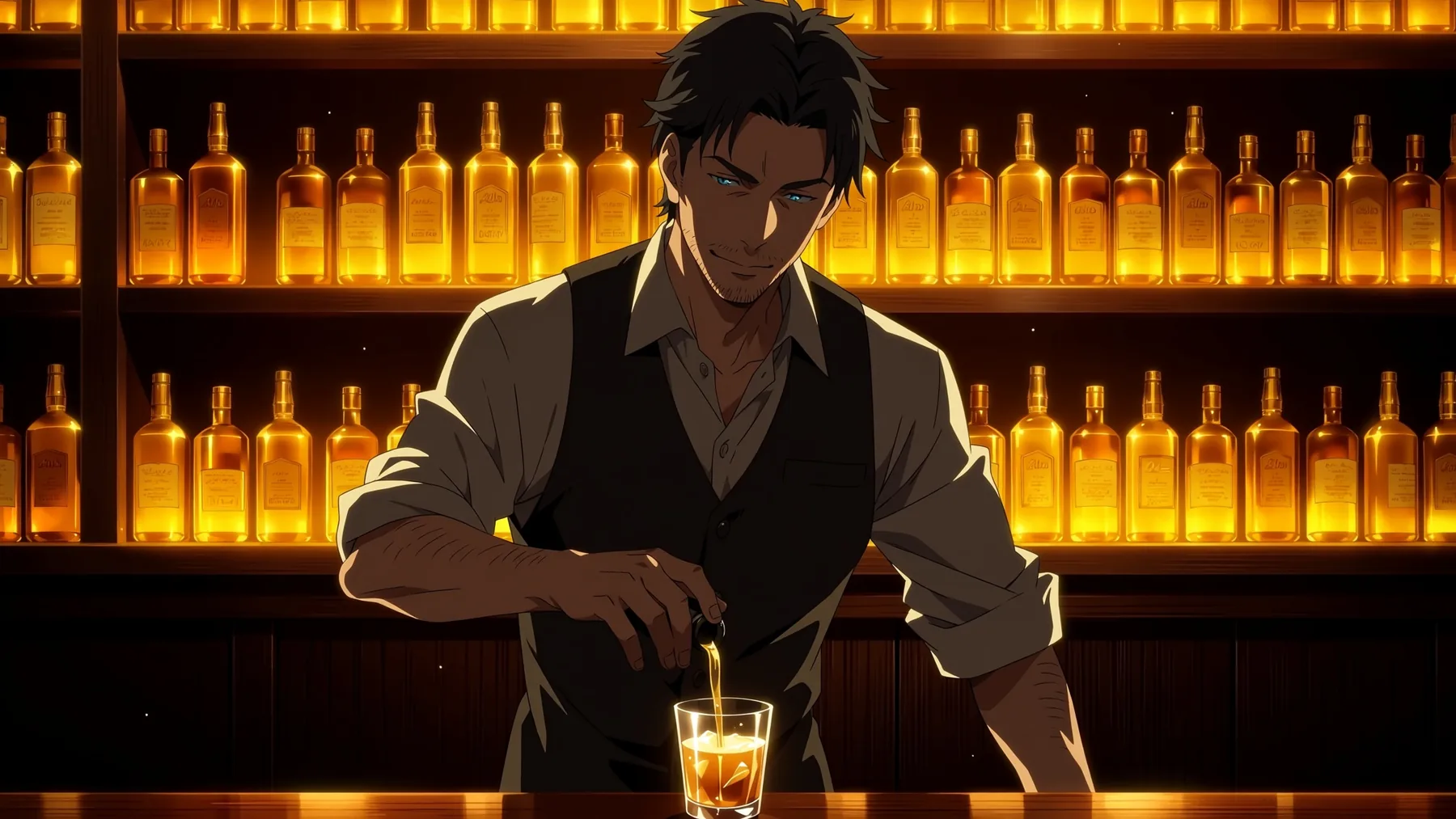
Three sentences, safe rating tag, 16:9, 1.5k tier, seed 7.
masterpiece, best quality, safe. An anime illustration of a handsome man in his thirties working as a bartender late at night. He has short dark hair and light stubble, the sleeves of his white shirt are rolled up and the collar is open, and he is pouring a drink into a glass behind a dim wooden bar. Rows of amber bottles glow on the shelves behind him, and a warm rim light falls across his face and forearms.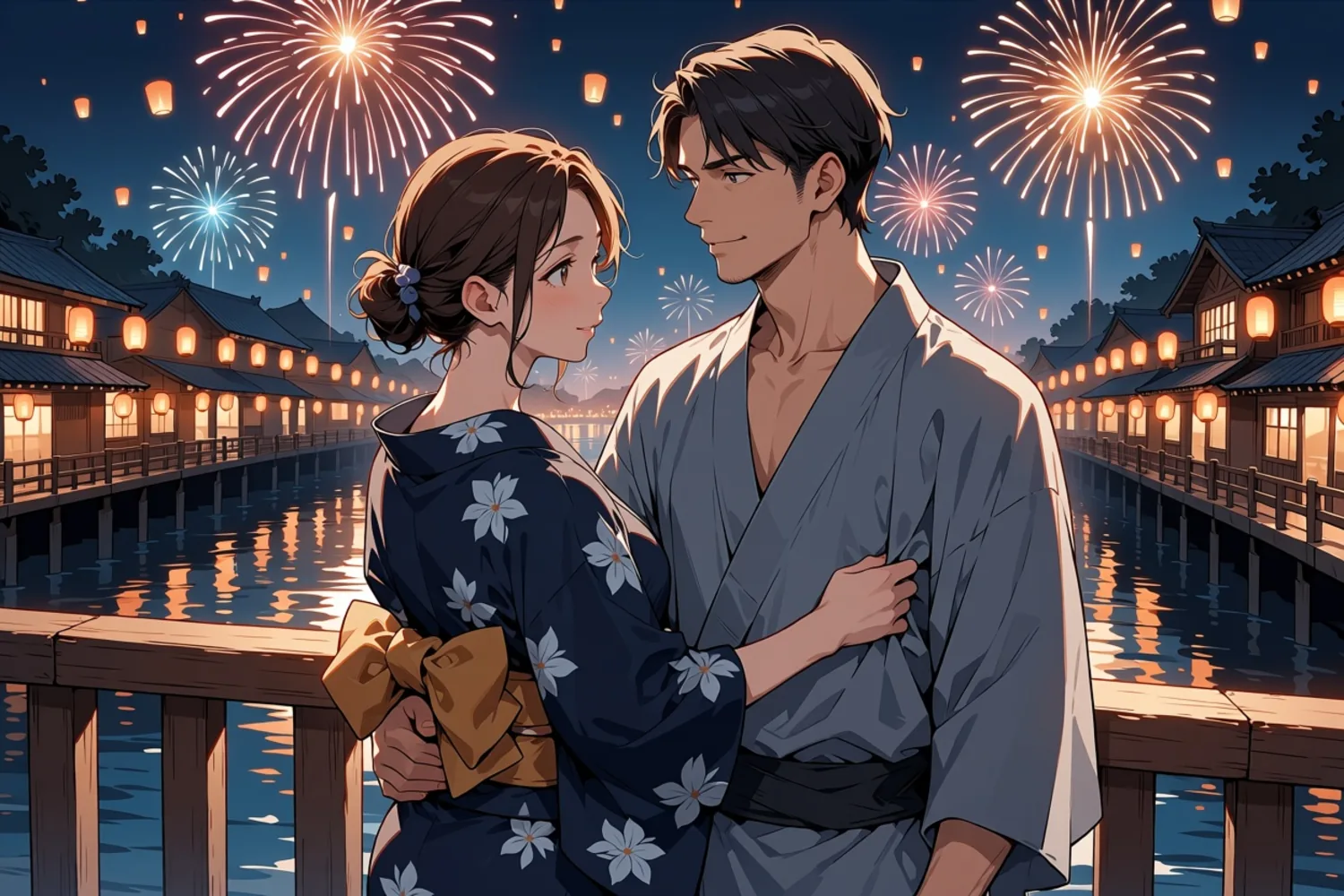
Tags with head count 1girl, 1boy, 3:2, 1k tier, seed 11.
masterpiece, best quality, score_7, safe, 1girl, 1boy, hetero, adult couple, mature female, mature male, summer festival at night, fireworks in the sky, paper lanterns, she wears a navy yukata with her hair up, he wears a grey yukata with the collar loose, standing close together on a wooden bridge, she looks back at him over her shoulder, warm lantern light, river reflections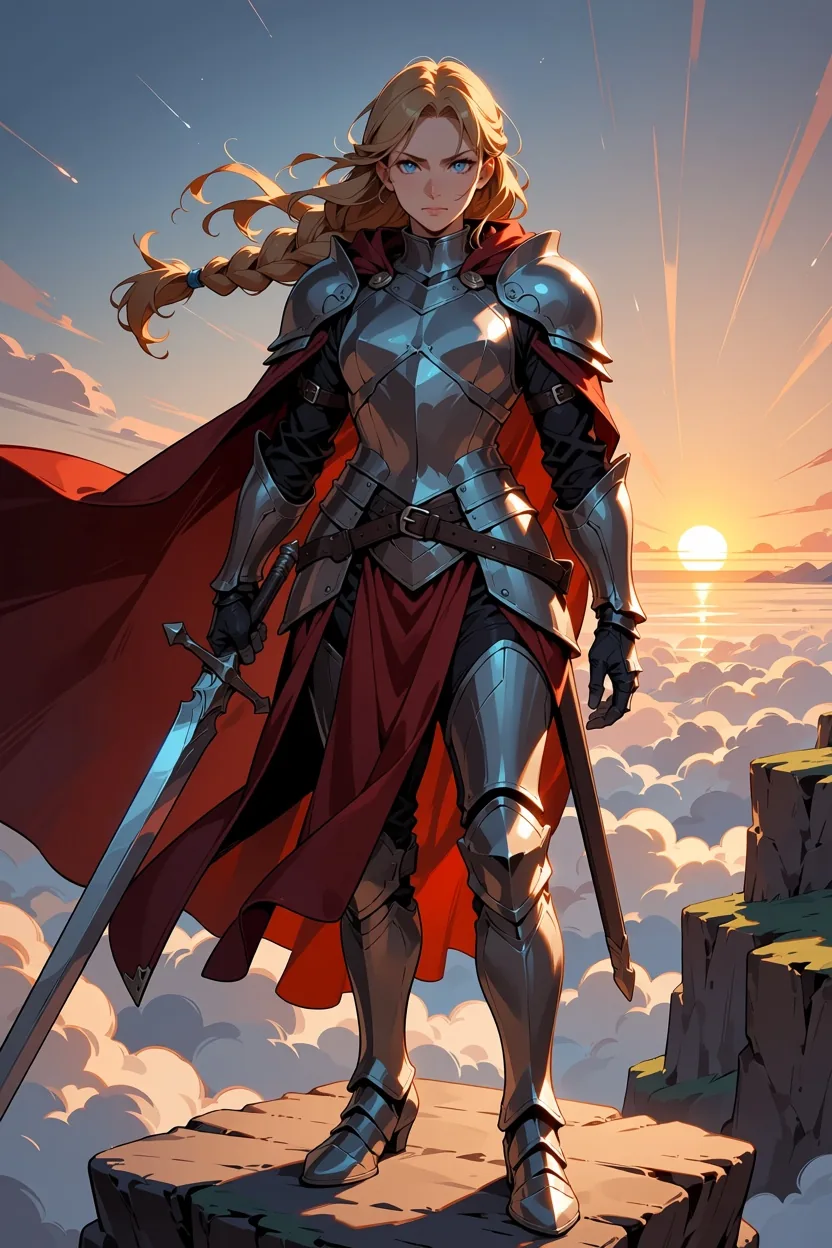
Tags, 2:3 portrait, 1k tier, seed 6: long braided blonde hair, silver plate armor, red cape, holding a longsword, standing on a cliff at dawn, clouds below, full body, fantasy, after the usual quality, rating and head-count tags.
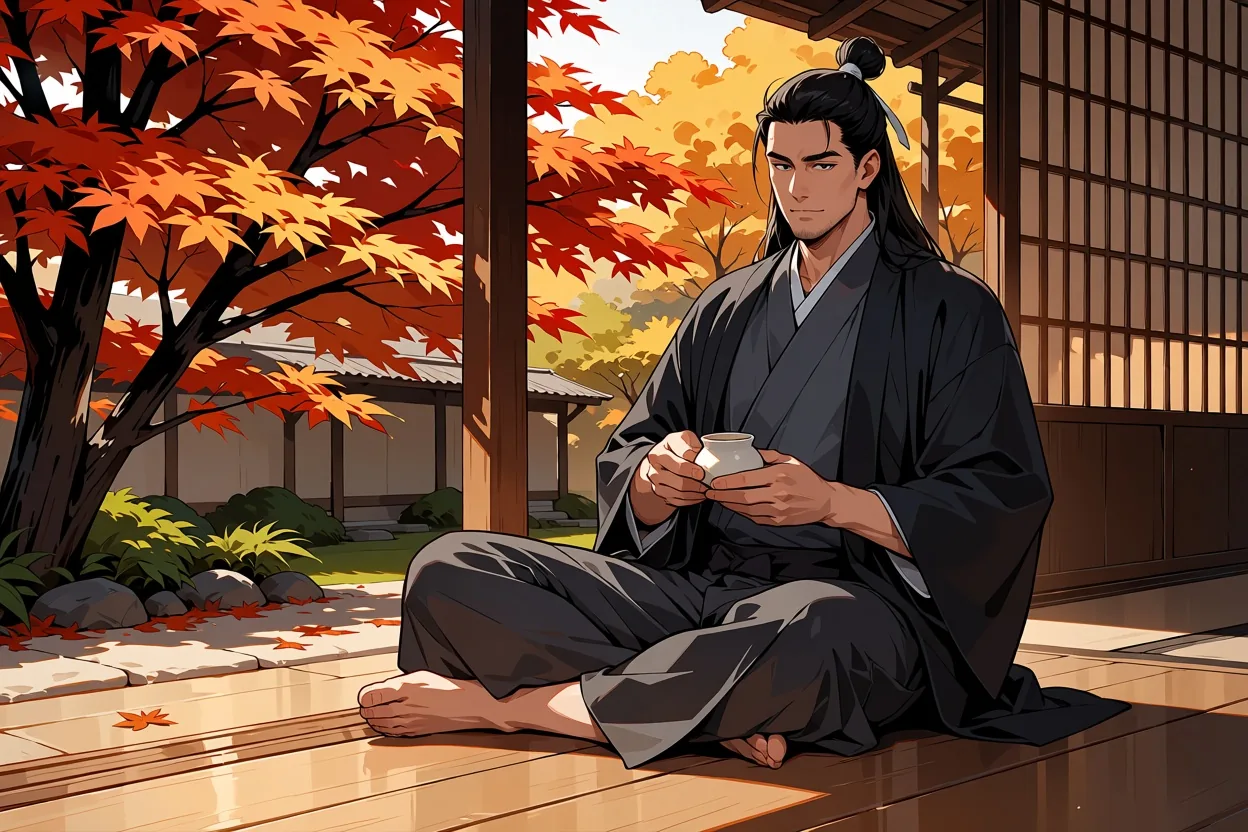
Tags, 3:2, 1k tier, seed 13: long black hair in a topknot, haori worn loose, sitting on an engawa porch, pouring tea, autumn garden, maple leaves, calm expression, afternoon light.
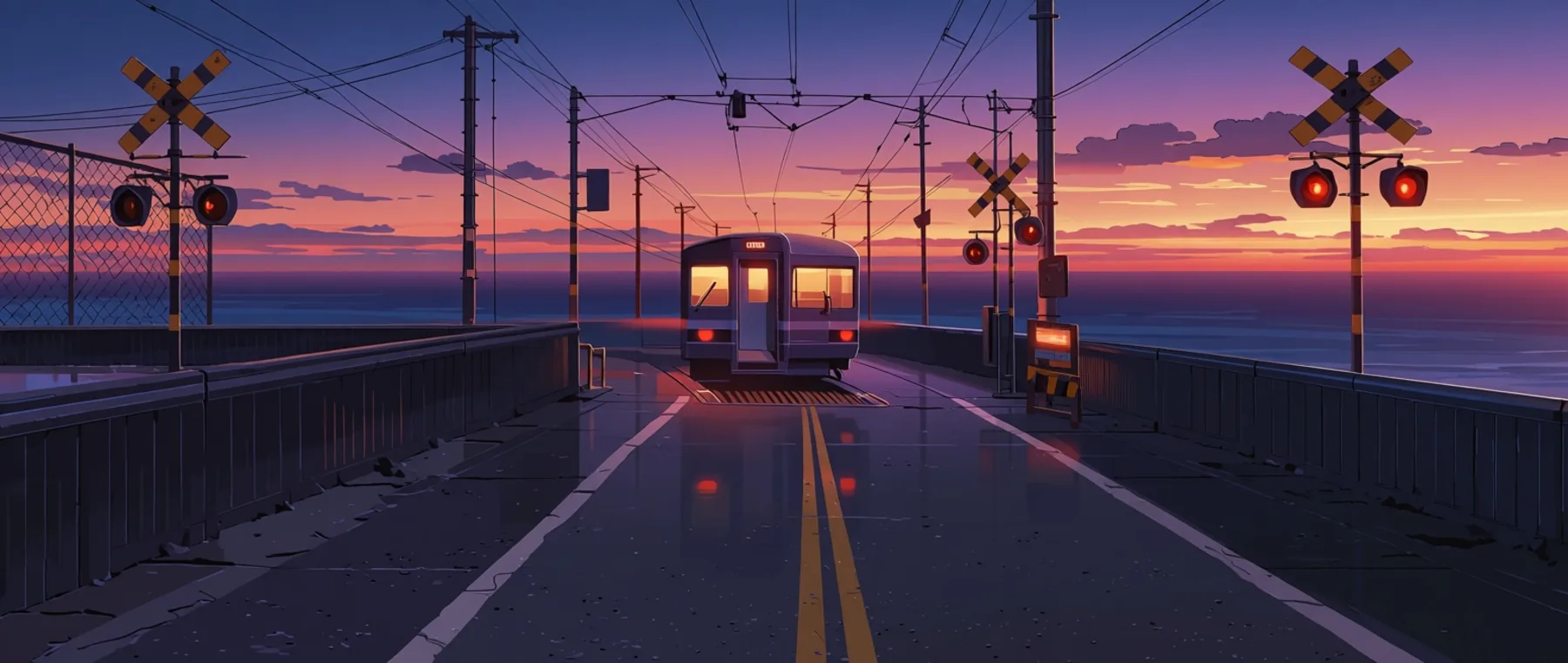
Scenery with no humans, 21:9, 1k tier (1552 x 656), seed 5.
masterpiece, best quality, score_7, safe, scenery, no humans, seaside railway crossing at dusk, warning lights glowing red, a single-car train passing, calm ocean behind the tracks, power lines, purple and orange sky, wet road reflections, anime screenshot, wide shotThe unusual ratios hold up too. 9:16, a tall 1:3 banner and a 16:9 wide shot all came out composed for their frame rather than cropped from a square:
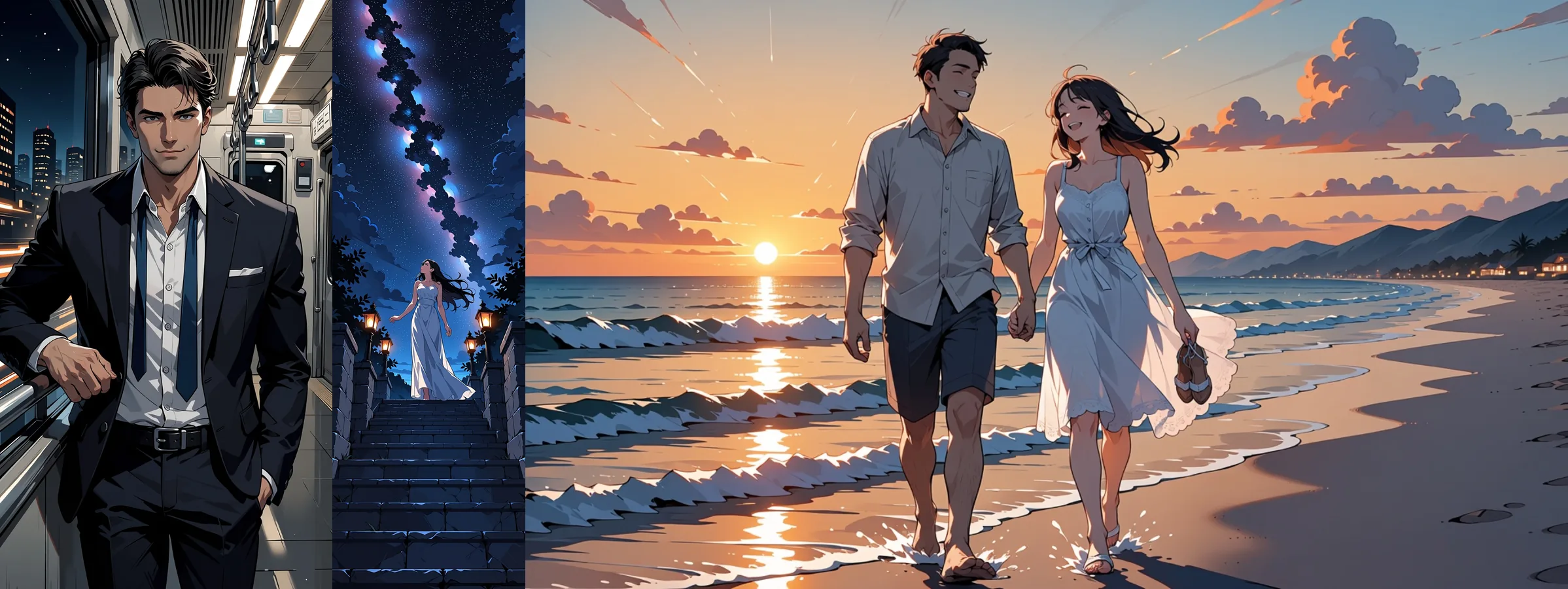
Left to right: 9:16, 1:3, 16:9, all on the 1k tier, all text-to-image.
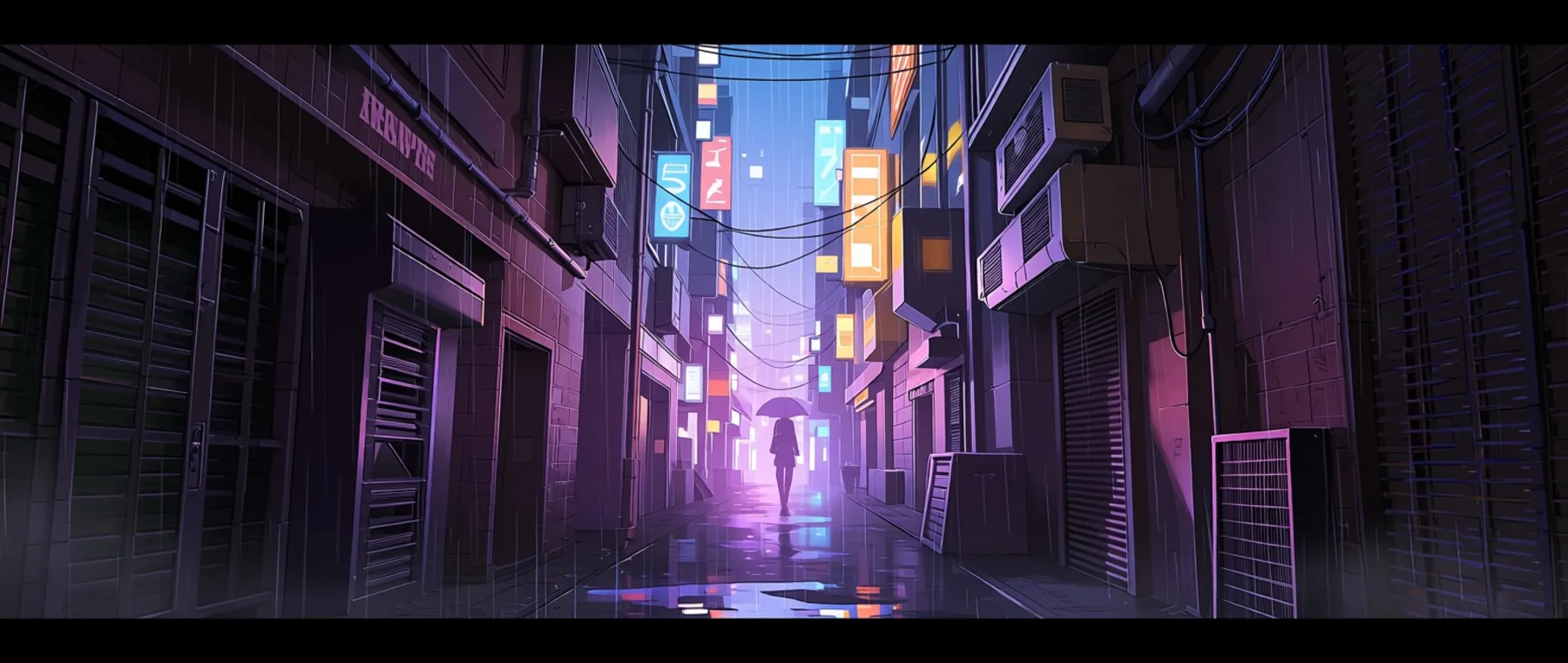
Cyberpunk alley scenery, 21:9, 1k tier.
Where it falls short
- No photorealism. It is an anime and illustration model. Do not expect a photographic look from any prompt.
- Text is weak. It renders a word or two, not a sentence, a sign or a caption.
- No negative prompt, steps, CFG or sampler. The public fields are
prompt,aspect_ratio,resolutionandseed. The rating tag and your wording are the only brakes you have. - A signature-like scribble. The model sometimes draws a signature or a line of pseudo-text in a corner, a habit learned from artwork. We saw it in roughly one image in five. No negative prompt can suppress it. Change the seed, or crop the edge.
- Seeds make runs comparable, not identical. The same request and seed gave us three slightly different renderings at different times. Use a seed to compare two prompt changes, not to promise a client a pixel-exact redo.
- One image per request, JPEG only, no masks. There is no inpainting field.
Who should use it
Use Anima Turbo if you want fast anime and illustration drafts at a per-image price, if you like writing tag prompts or want to mix tags with a couple of sentences, or if you need unfiltered output from a small model. It is a good model for exploring characters and scenes at 1k and then promoting the keepers to 1.5k.
Look elsewhere if you need photographic realism or readable text inside the picture.
Which Anima family should you use
SpicyAPI has two Anima families. They share the same base model, so the choice is about whether you need a custom look:
| Anima Turbo | Anima Turbo LoRA | |
|---|---|---|
| API model names | circlestone-labs/anima-turbo/text-to-image, .../edit | circlestone-labs/anima-turbo-lora/text-to-image, .../edit |
| Extra field | None | loras: up to 3 entries, each with a path and a scale from 0 to 4 |
| Best for | Fast drafts, tag and sentence prompting, the base look | A specific art style, character or era look from an Anima LoRA |
| Style control | Style tags in the prompt | Style tags plus LoRAs |
| Pricing | Per image by resolution tier | Same structure; loading LoRAs adds no separate charge |
Start with Anima Turbo. Move to the LoRA family when a style tag is not enough, for example when a watercolor or pencil tag only nudged the surface in our test.
Two natural next steps:
- Custom styles. The Anima Turbo LoRA family loads up to three LoRAs per request, so you can add a specific look, including adult LoRAs from the community. Our companion guide covers it: Anima Turbo LoRA style guide.
- Restyling photos. The image-to-image endpoint takes one source image and a
strengthfrom 0 to 1. See photo to anime with Anima Turbo for what each strength does.
FAQ
Does Anima Turbo support negative prompts?
No. The public fields are prompt, aspect_ratio, resolution and seed, with no negative prompt, steps, CFG or sampler. Put what you want in the prompt, and use the rating tag (safe, sensitive or nsfw) to set the tone.
What resolution should I use?
Draft at 1k, then rerun the images you like at 1.5k. The 1k tier is about one megapixel and 1.5k about 2.4 megapixels, generated natively. In our tests the same prompt and seed gave a different face at 1.5k, so treat it as a fresh take with finer detail rather than an enlargement.
Why is there a signature or odd text in the corner?
The model learned the habit from artwork. We saw a signature-like scribble or a line of pseudo-text in roughly one image in five. A negative prompt cannot remove it here, so change the seed or crop the edge.
Does a fixed seed give the same image every time?
Not reliably. The same request and seed gave us three slightly different renderings at different times. Use a seed to compare two prompt changes, not to promise a pixel-exact redo.
Can I use SDXL or Pony LoRAs with Anima?
No, use LoRAs trained for Anima, which means the Anima Turbo LoRA family. In our tests a LoRA trained for a different base model (a FLUX one) loaded without an error and changed nothing. The base Anima Turbo endpoint takes no LoRAs at all.
Can Anima edit an image instead of redrawing it?
It restyles rather than edits. The image-to-image endpoint takes one source image and a strength from 0 to 1, and in our tests asking an existing illustration for a new outfit or a day-to-night change altered very little. There is no mask or inpainting field.
Can it write text inside the picture?
Only a word or two. Sentences, signs and captions are not something this model does well, so add text afterwards in an editor.
Does it do photorealism?
No. It is an anime and illustration model, and no prompt gave us a photographic look.