You have an adult character your audience recognizes. Now you need a welcoming smile for the profile, a reserved look for a story beat and a playful glance for a mature gallery. Rewriting the text-to-image prompt three times often gives you three attractive strangers. The hair color survives; the mouth, eye spacing and apparent age do not.
Use the approved portrait as an image-edit source, describe the mouth, eyes and brows separately, and keep head angle, light and clothing unchanged for the first expression set. Make each expression from the original portrait. A smile should move the face naturally, but it should not replace the character's facial structure.
For an NSFW creator, this is useful before increasing the scene's intensity: prove that your character can look warm, distant or teasing without becoming a different person. For an adult companion app, the same small set can support distinct conversational moods without generating a new face every time the user sends a message.
The examples below are proposed, fully clothed edits of a fictional adult character. They are not a newly run expression benchmark. The guide separates what the current editing task exposes from what a dedicated expression-control tool would need.
Choose a source that shows the features you want to move
Start with a head-and-shoulders or waist-up portrait where both eyes and the mouth are readable. A slightly turned face can work, but a near-frontal source is a simpler first choice. The expression should be neutral enough that you can tell what changed. A broad laugh already moves the cheeks, eyelids and mouth; turning it into a subtle smirk is a larger correction than starting from a relaxed mouth.
For the worked example, Nora is a fictional 37-year-old woman with an oval face, brown eyes, a straight dark bob and a small beauty mark on her left cheek. Her approved portrait shows her looking at the camera, wearing an opaque plum blouse in a softly lit lounge. The source defines those traits. You do not need to make the prompt invent them again.
Choose the actual file you approved, not a screenshot of a gallery card. Avoid a collage containing several versions of Nora or a source where a hand covers the mouth. If you cannot see her teeth, an open smile will create a new interpretation of them. If only one eye is visible, the far eye is also partly an invention. A second approved view can provide useful information, but an unrelated attractive face cannot establish the missing details.
The same rule applies to an established adult male character: choose a source that clearly shows the beard edge, mouth and eye region. A new smile may naturally change the cheek shape and beard folds. If the edit replaces the beard pattern or jaw, that is more than an expression change.
For recurring characters with several camera angles, the character reference guide explains the broader reference set. This article keeps the camera still so you can solve expression editing before combining it with a new pose or location.
Mood words are weaker than a visible facial instruction
“Make her flirty” leaves the model to choose the expression, posture, clothes and possibly the scene. A creator may mean a tiny smile and direct eye contact; the model may produce a dramatically tilted head and a different outfit. “Make her cold” can mean distant, angry, physically chilled or a blue color grade.
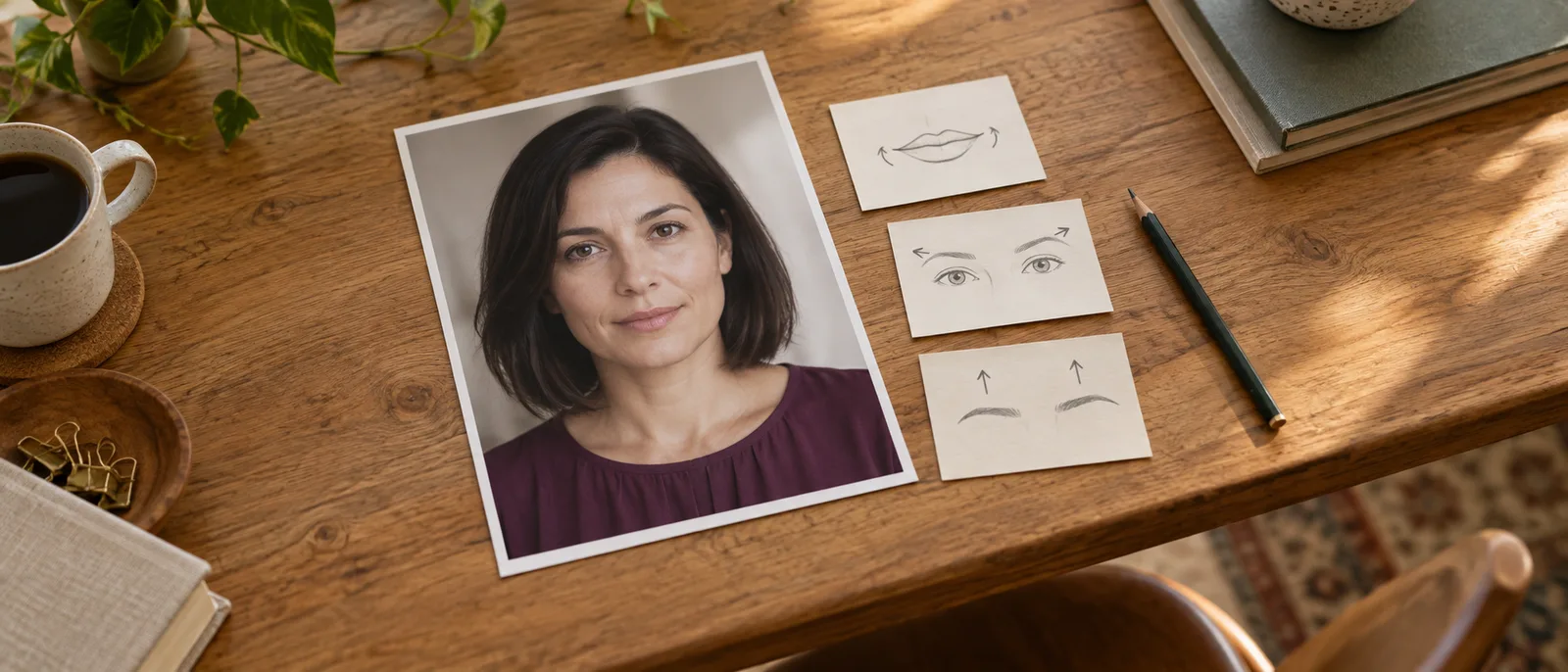
Name the visible change instead. For Nora, a reserved look is a relaxed closed mouth with no upward corners, calm brows and eyes directed toward the lens. A playful look can be a small asymmetric smile with brows relaxed. A welcoming look combines a gentle smile with slightly lifted cheeks. These are editorial directions to try, not measurements or universal definitions of emotions.
Use three parts in the instruction:
- Identity and scene: the adult in the source, with the same face, hair, age, outfit, light and framing.
- Expression: the exact mouth position, eye behavior and brow position you want.
- Scope: keep the head angle and body pose unchanged; add no scene or wardrobe changes.
Do not overconstrain a smile with “keep every facial feature exactly unchanged.” The mouth corners and cheeks have to move. Preserve the underlying identity, then allow the requested expression to alter the soft tissue naturally. You are asking for Nora smiling, not for an unchanged face with a smile painted over it.
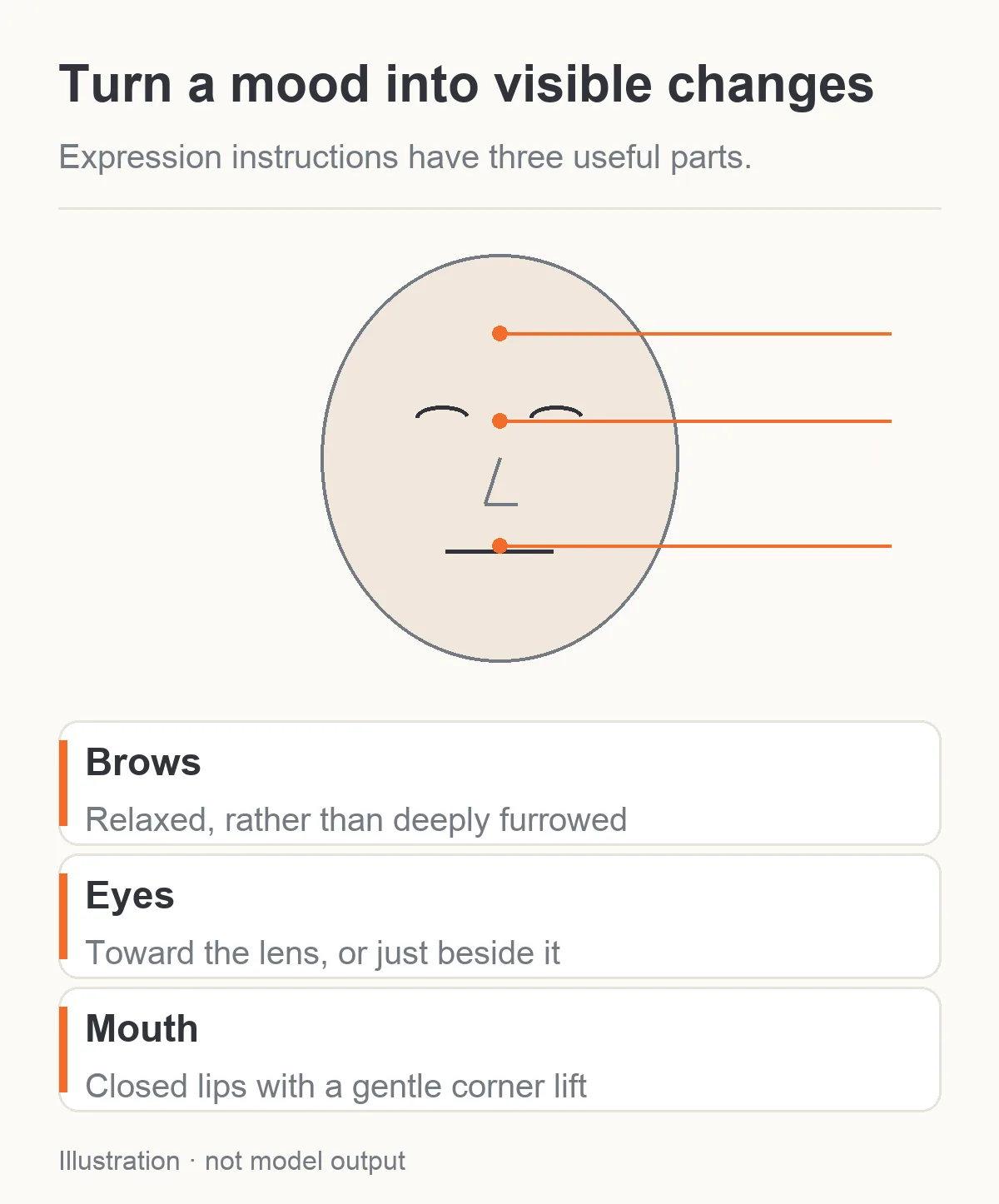
Specify visible facial changes instead of relying on one mood word. The face is a schematic, not a model result.
Set up the first edit with one reference
Open Seedream 5.0 Pro editing, upload Nora's approved portrait and keep it as the only reference initially. The task returns one image per request. Make separate requests for separate expressions; “four expressions in a grid” asks for one composite image, reducing the space each face gets.
Choose 1k for the first round of expression choices. Set 4:5 for this portrait set, opaque background and PNG output if you will assemble or retouch the results. The default resolution is 2k, so select 1k explicitly when using this lower-cost draft route. Use 2k if the final expression images need the larger output tier, then inspect the generated faces again.
The task accepts 1–10 references and a prompt up to 5,000 characters. Its editing ratio defaults to auto, which selects the supported ratio closest to the first source; it does not promise exact source dimensions. Thinking is enabled by default and refines the prompt. It does not save Nora as a persistent character or expose an expression-intensity control.
There is no seed, mask, face lock, expression slider, negative-prompt field or denoise-strength control on this task. The preservation language below is an instruction, not a technical restriction on the pixels that may change. If your product requires the background and blouse to remain exactly identical across files, plan for conventional compositing or a suitable localized editor rather than assuming this whole-image task guarantees it.
Use this fixed opening for Nora:
Edit image 1 to show the same fictional adult woman, Nora, aged 37. Preserve her oval facial structure, eye spacing, brown eyes, straight dark bob, skin tone and the small beauty mark on her left cheek. Keep her opaque plum blouse, body pose, head angle, lounge background, lighting, camera distance and framing. Change the facial expression as described below, allowing the mouth, cheeks and eyelids to move naturally without redesigning her identity. Make one portrait, with no text or collage.
Then append one expression instruction from the next section. Adapt the preserve list to details visibly present in your source. Do not ask for Nora's cheek mark if your actual character has none.
Four useful expressions for an adult character collection
Begin with a small set whose differences you can see. A restrained editorial gallery does not need twenty barely distinguishable labels, and a companion app can start with a few meaningful reactions before expanding its library.
A warm, welcoming smile
Give Nora a small natural closed-mouth smile. Lift both mouth corners gently, with a slight cheek lift and a gentle narrowing of the eyes, without closing them. Her gaze stays toward the camera. Keep her brows relaxed, head upright and lips closed. The smile feels welcoming rather than a broad promotional grin.
This is a useful profile or greeting expression. The closed mouth avoids asking the model to invent a full tooth pattern, but it still requires the cheeks and eyes to participate. If the result only changes the mouth into a crescent while the upper face stays severe, make the cheek and eyelid instruction more explicit. If the smile is too broad, replace “smile” with “a very slight upward movement at both mouth corners, lips relaxed and closed.”
A person can smile asymmetrically without becoming a different identity. Judge whether the underlying nose, eye spacing and face width remain Nora's, rather than rejecting every small difference in the cheek outline.
A calm, reserved look
Relax the mouth into a neutral closed position with no smile and no tight lip press. Keep the brows calm, without a deep frown. Her eyes look steadily toward the camera. Preserve a composed, reserved mood; do not lower the chin, turn away or add anger.
This works for a quieter story moment or an understated character card. “Reserved” becomes visible through the mouth and brows, not a new dramatic pose. If the output looks angry, remove words such as “stern,” “intense” or “dominant” from your own version and ask for relaxed facial muscles. If it appears blank, try slightly firmer eye contact while keeping the brows and mouth calm.
If the source already has exactly this expression, keep it as the neutral member of the set. Regenerating it just to make every file newly generated introduces cost and another chance of drift.
A playful, asymmetric smile
Give Nora a subtle asymmetric closed-mouth smile, with the corner on the viewer's right lifting slightly more than the other. Her eyes remain directed toward the camera and both brows stay relaxed. Preserve her head angle and posture. The effect is lightly playful, without a large grin, a wink or a new pose.
This is a useful mature editorial expression when you want a teasing mood without making the public example graphic. Naming the viewer's right avoids uncertainty about whose right you mean. If the result becomes a sneer, reduce the one-sided lift and ask for a softer mouth. If an eyebrow shoots up, state that both eyebrows keep their relaxed position.
Do not add a wink, lip change, chin tilt and shoulder movement to this first attempt. Those may be valid creative choices later, but they make the identity comparison harder and turn a small expression edit into a new portrait direction.
A quiet, off-camera glance
Keep Nora's mouth neutral and relaxed. Shift only her gaze slightly toward the viewer's left, as if looking at someone just beside the camera. Keep her head angle, brows and posture unchanged. Both eyes remain naturally aligned toward the same nearby point; do not turn the head or exaggerate a sideways glance.
Gaze direction and head rotation are different changes. A modest eye movement adds variety without showing an unseen side of the face. If the eyes become misaligned, reduce the requested movement and use “looking just past the lens” rather than “looking far left.” If the head also turns, repeat the unchanged-head instruction and remove any wording suggesting a side profile.
For a profile card whose purpose is connection with the viewer, direct gaze may remain the better choice. The off-camera version is useful when the picture belongs to a scene and the character should be attending to something outside the frame.
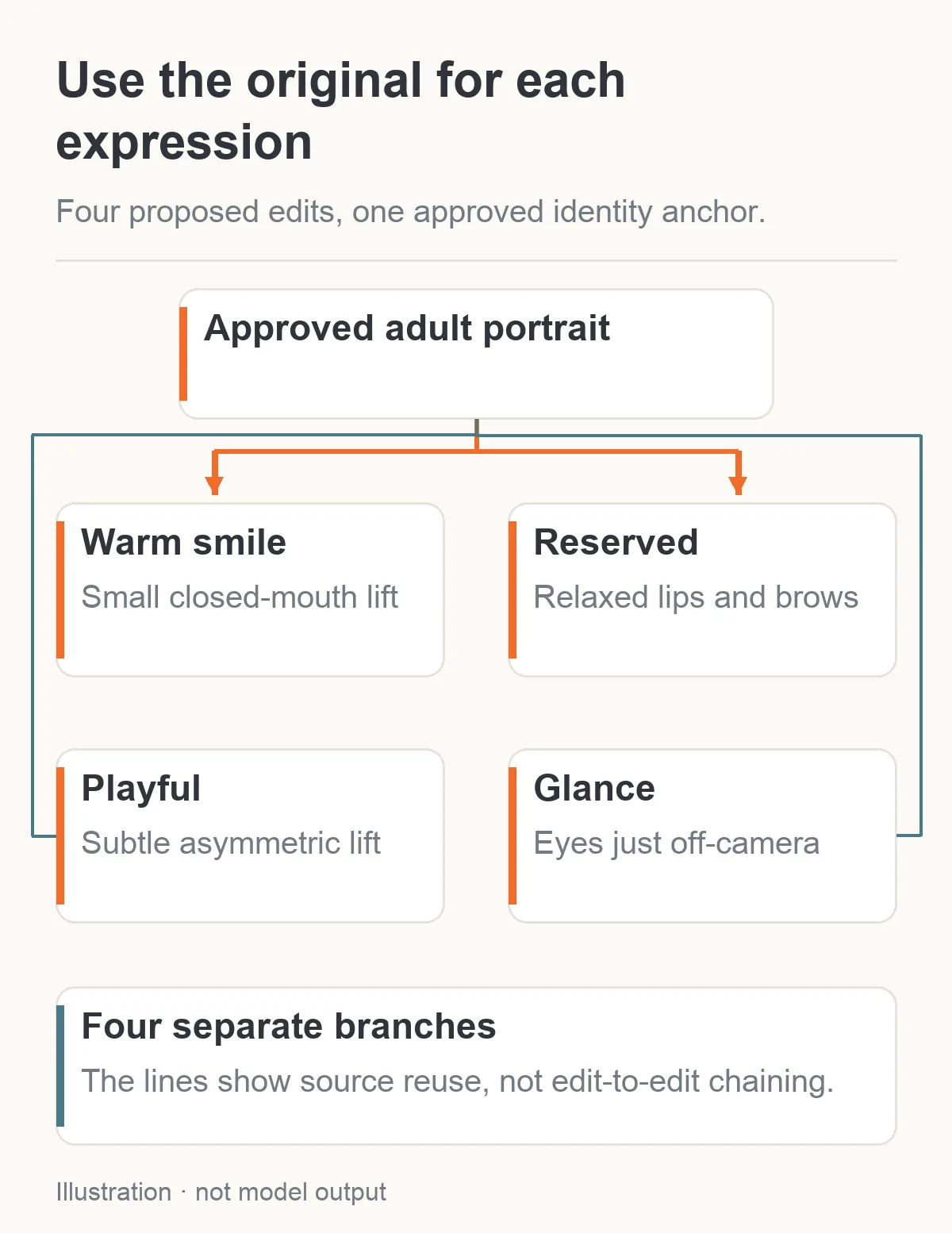
Make each proposed expression from the approved source. This diagram does not show tested expression outputs.
Know which differences are natural and which are face drift
A smile makes the cheeks rise and can narrow the eye opening. A tense mouth changes the lower face. Those are legitimate expression changes. A wider nose, moved hairline, replaced beauty mark or changed distance between the eyes is a stronger reason to suspect identity drift.
Put the source and result next to each other at the same displayed face size. A larger crop can make the jaw seem wider; a shifted light can make the cheek look slimmer. Check the head angle and lighting before deciding the underlying geometry changed. If they moved, the edit has already expanded beyond the intended scope.
The most useful identity checks for Nora are eye spacing, nose shape, hairline, cheek mark and the proportions between the mouth and chin. Inspect teeth separately if you add an open smile later. A convincing smile with a new tooth shape might be acceptable for a new concept, but it is a poor recurring-character reference if your approved images already establish those details.
Also compare the blouse, shoulder position and room. For a companion interface, a tiny background shift can be obvious when the expression files switch instantly. If exact stability matters, use the original scene as the fixed base and blend only the successful face edit in a conventional editor. That requires a result with compatible pose, light and face geometry; pasting a rotated face onto the original does not solve the mismatch.
An original SillyTavern community workflow shows how creators build expression libraries. Replies report both expression differences that are too subtle and edge changes around the cutout when sprites switch. Those are external users' experiences with their own local workflows, not results from this proposed Seedream session. They explain why “generated 28 files” is not the same as “made 28 useful expressions.”
Fix a failed expression by changing one instruction
| Result | What to try next |
|---|---|
| Every expression looks almost neutral | Ask for a slightly larger specific mouth or brow movement; do not just repeat the emotion label |
| Warm smile looks like a grin | Specify closed lips and only a gentle corner lift; remove “big,” “radiant” or “beaming” |
| Reserved look becomes anger | Remove frown and sternness cues; state relaxed brows and no tight lip press |
| Playful smile becomes a sneer | Reduce the asymmetry and retain relaxed brows |
| Off-camera glance moves the head | Name eye movement only and keep the existing head angle |
| Eyes look in different directions | Reduce the gaze change to a point just beside the lens |
| Face gets younger or more polished | Preserve the adult age and skin treatment; remove beautification language |
| Hair, clothes or room change | Return to the original and remove extra scene or style instructions |
If the edited face is tiny because the source is full-length, a closer source can make the expression easier to communicate and judge. That changes your input, not a hidden strength parameter. If you need the exact wide composition, try the expression on a clean portrait first, then decide whether you can composite it into the approved scene without changing perspective.
Avoid a serial chain from smile to smirk to reserved look to glance. It can carry an unwanted jaw or hair change into later images. Use the original portrait for each new expression. A narrowly corrected version can be retained after you accept it, but it should not silently become the identity anchor for the whole collection.
If two focused attempts still fail, change the source or tool. A generative whole-image editor may be the wrong choice when you need a precise eyelid movement and otherwise identical pixels. Continuing to add preservation sentences does not create a face lock.
When you need an expression slider rather than another prompt
There are tools designed specifically for fine expression control. PixelSmile's research project describes continuous control over twelve expressions and a benchmark examining expression transfer against identity preservation. That is a different mechanism from asking a general editor to interpret “more playful.”
Its official implementation uses Qwen-Image-Edit-2511 with specialized inference and expression-scale inputs. It is not a documented feature of the SpicyAPI Seedream task. Do not upload a LoRA file to an unrelated model or assume that typing a scale in your prompt activates this research system. The base model, conditioning path and supported controls must match.
The project is relevant if you need a large interactive library, reproducible intensity settings or blends between expressions and are prepared to maintain that separate workflow. For a handful of character portraits, the one-source edit prompts above are a simpler place to start. A specialist tool still needs inspection, and its public examples do not establish behavior for every adult-oriented source.
Keep expression control separate from content handling. An editor may understand a smile well yet decline a mature source; another may accept the source but change its identity. Neither result answers both questions. Start your expression experiment with an approved SFW portrait and evaluate any mature application on the exact model and task you intend to use. This guide reports no new NSFW acceptance test; the Seedream content review describes the historical tested categories.
Budget a small expression set before expanding it
With one source image, Seedream 5.0 Pro editing currently costs $0.036 per 1k output or $0.072 per 2k output. Four separately generated expressions start at $0.144 at 1k or $0.288 at 2k. If the approved source already supplies the neutral expression, three new edits start at $0.108 or $0.216. Additional references change the quote.
Two extra 1k attempts add $0.072. A four-expression first round plus those two attempts therefore budgets $0.216. That is the price of six completed edit requests at those settings, not a promise of four accepted expressions. A completed but artistically unsuccessful edit still belongs in your creative budget.
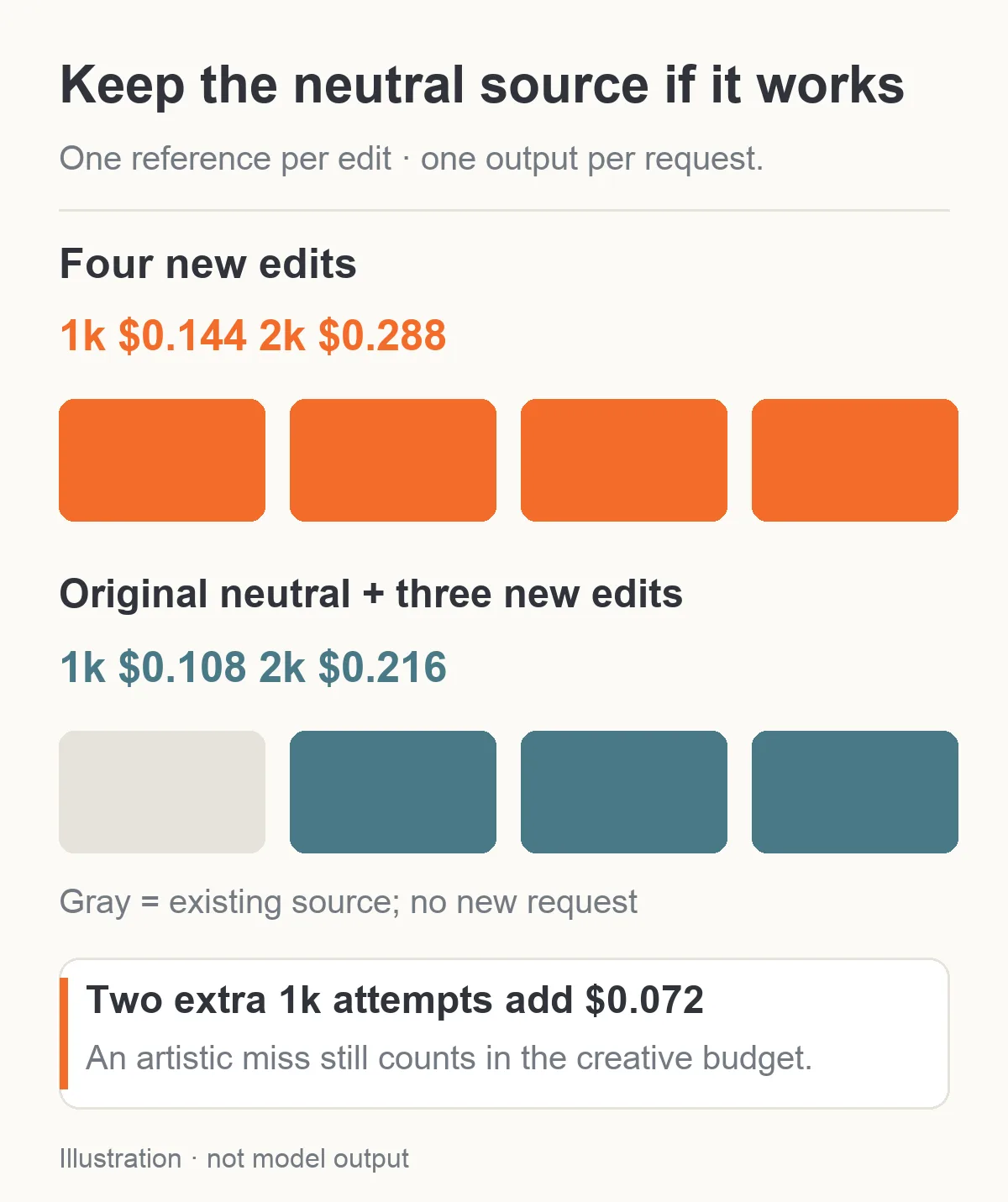
With one reference, keeping the neutral original reduces a four-image set to three new requests: $0.108 at 1k or $0.216 at 2k.
For an adult companion app, save the accepted expression files and choose among them when the conversation changes mood. The media file itself does not store the character's memory, personality or chat state. You can maintain those independently and select a known portrait rather than making image generation part of every conversational turn.
Keep the file labels practical: neutral, warm smile, playful smile and off-camera glance. The labels describe what is visible. They do not prove an emotion detector will classify them correctly, and an API task does not automatically export a character-expression extension's directory structure. Adapt the accepted images to the app's own requirements after creation.
A useful set is one where you recognize the person immediately and can tell why each image exists. Start with the original neutral and one gentle smile. If those switch cleanly without changing the face, expand to the reserved look and glance. If they do not, fix that first pair before paying for twenty more variations of the same problem.