You have one good photo and need the same scene from another side: a car turned to show its flank, a top-down view, a wide shot cut to a close-up. "Qwen Edit 2509 Multiple Angles" is a LoRA that does this with a plain sentence such as "Rotate the camera 45 degrees to the left." It was trained by dx8152 for Alibaba's Qwen-Image-Edit-2509, it is Apache-2.0 licensed, and it needs no trigger word. This guide covers the commands it understands, what our own runs produced, where it fell short, and the two ways to run it.
What the LoRA is
dx8152's Multiple-angles LoRA moves a virtual camera around an existing photo: move forward, left, right or down, rotate 45 degrees left or right, switch to a top-down view, a wide-angle lens or a close-up (the commands on its model card). On 2 November 2025 the author re-uploaded a version trained for more iterations after people reported unstable consistency, so use the current file.
The model card lists nine example commands, and the table below is exactly that list. The card says there are many more possible phrasings. We tested only three of these ourselves: rotate 45 degrees, top-down and close-up. For the other six we rely on the card, so treat them as untested by us. Phrased exactly like this, they are the safest starting point:
| Move | Command |
|---|---|
| Forward | Move the camera forward. |
| Left | Move the camera left. |
| Right | Move the camera right. |
| Down | Move the camera down. |
| Rotate left | Rotate the camera 45 degrees to the left. |
| Rotate right | Rotate the camera 45 degrees to the right. |
| Top-down | Turn the camera to a top-down view. |
| Wide-angle | Turn the camera to a wide-angle lens. |
| Close-up | Turn the camera to a close-up. |
A rule that held in our runs: start with one command per request. Our top-down example below is a compound prompt (rotate 90 degrees, then top-down) and it worked, but that was one run. If a combined prompt drifts, split it into two requests and feed the first result into the second.
What it did on our photos
We tested with fictional adult subjects through the hosted Camera Angle Changer, which runs this LoRA on Qwen-Image-Edit-2509. It has no LoRA-strength setting: the LoRA is applied at full strength.
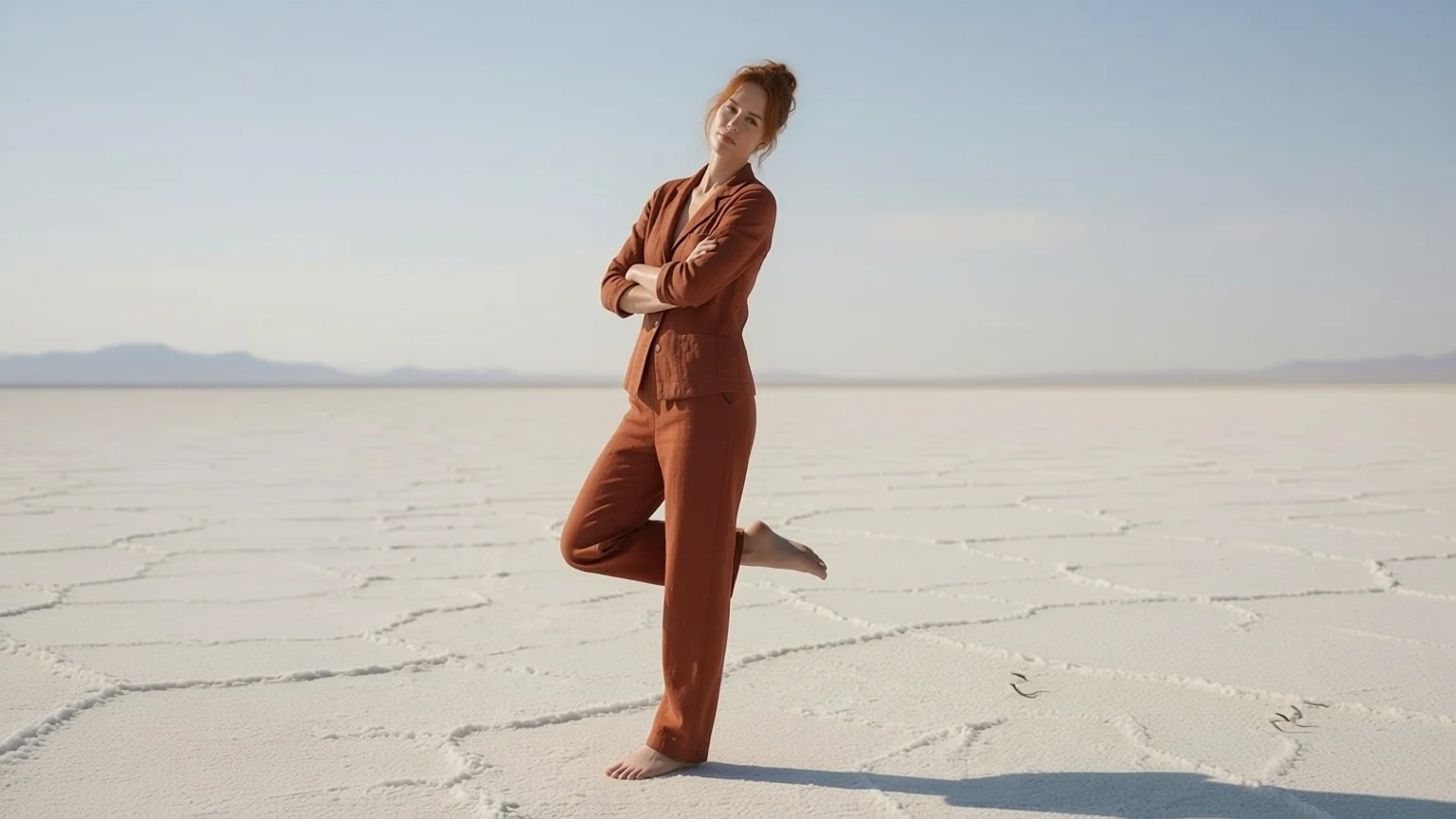
Rotate 45 degrees to the left. The source is a woman beside a pale green pickup on a salt flat, shot straight on.
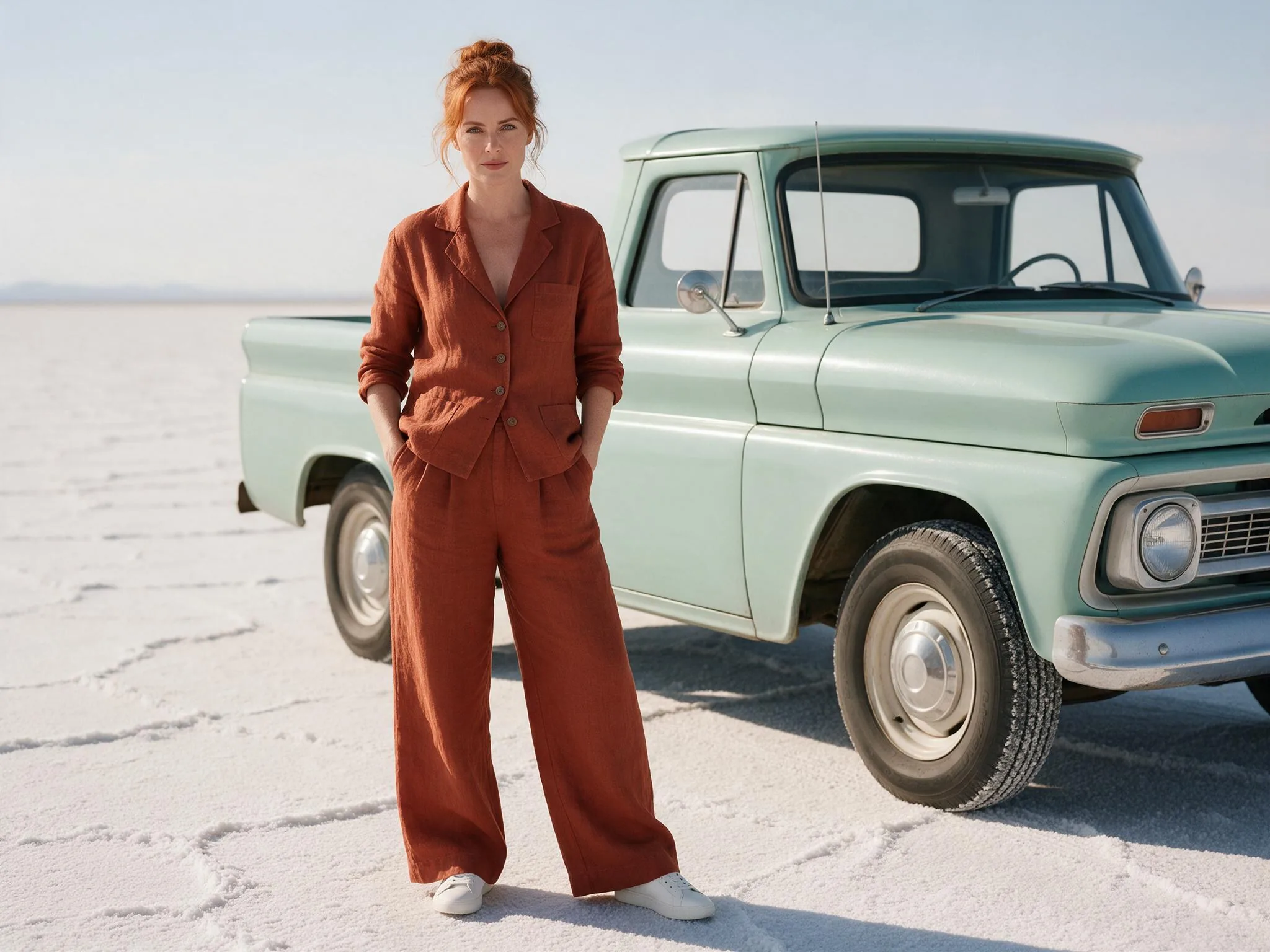
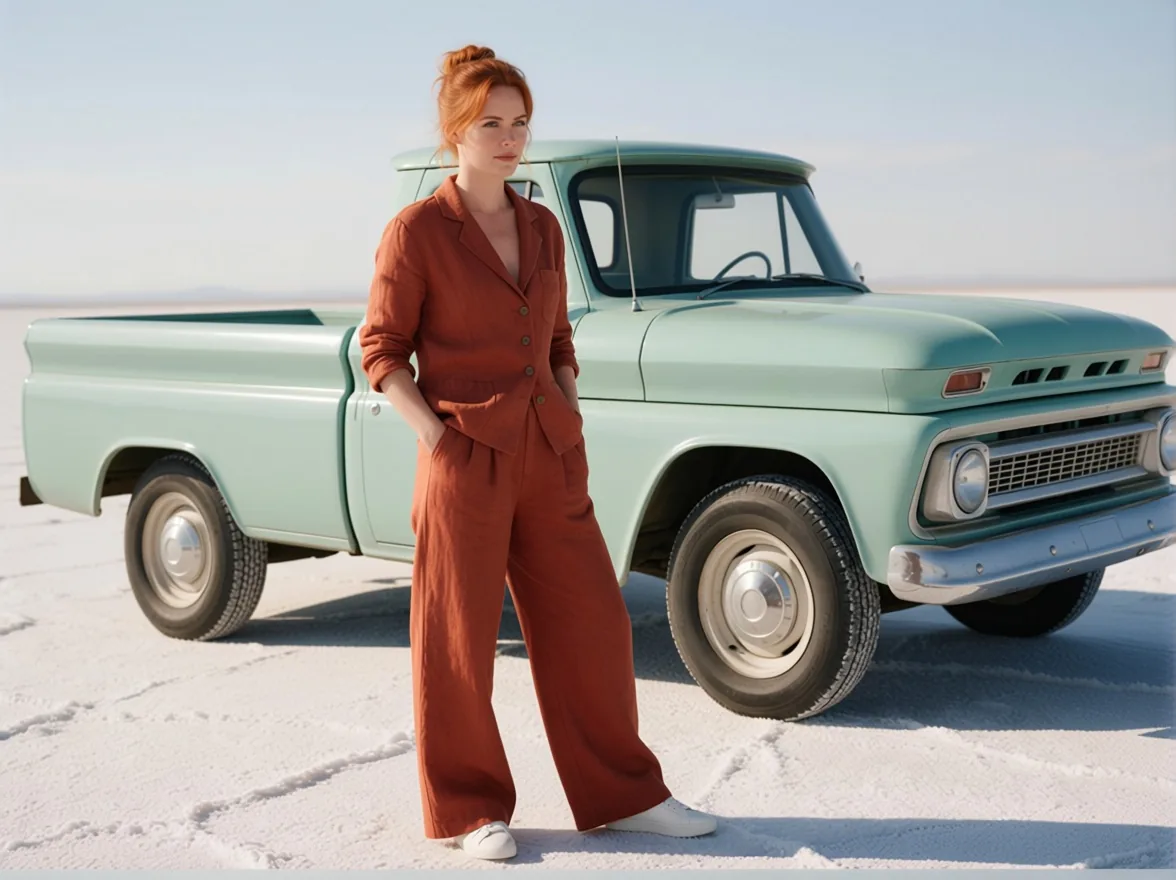
Prompt: "Rotate the camera 45 degrees to the left." Seed 424242. The truck turned to show its side, the woman moved to a new position in front of it, and her suit, hair and the salt flat stayed the same. In our one same-seed test with the LoRA switched off, the base edit model barely changed the view. That is a single comparison and we have no side-by-side image to show, so read it as a hint that rotation is where the LoRA helps, not as a benchmark.
Top-down. Same photo, a compound prompt: "Rotate the camera 90 degrees to the right and turn the camera to a top-down view."
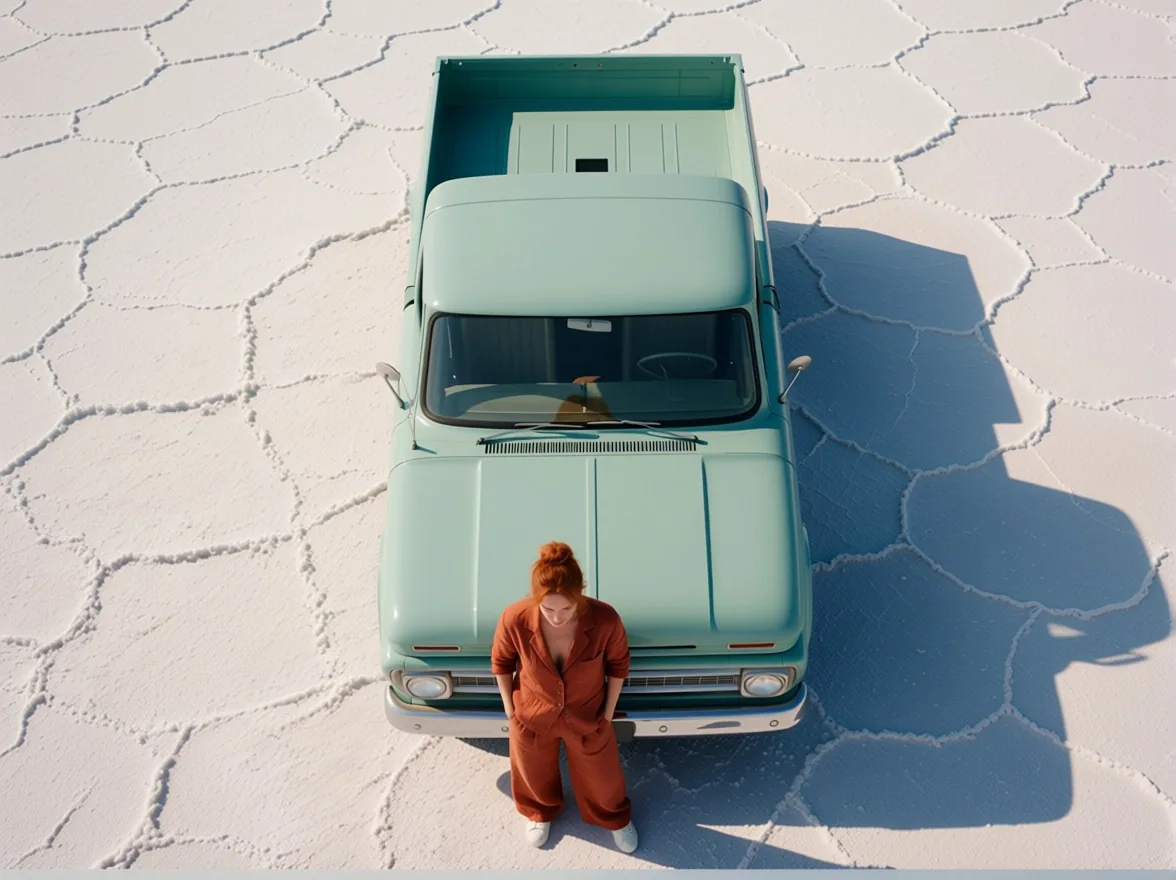
The cracked salt pattern, the truck colour and her outfit carried over, and the overhead view invented the roof and bed, which the original never showed. In our comparison the base model also produced a top-down view, so this is not a LoRA-only trick.
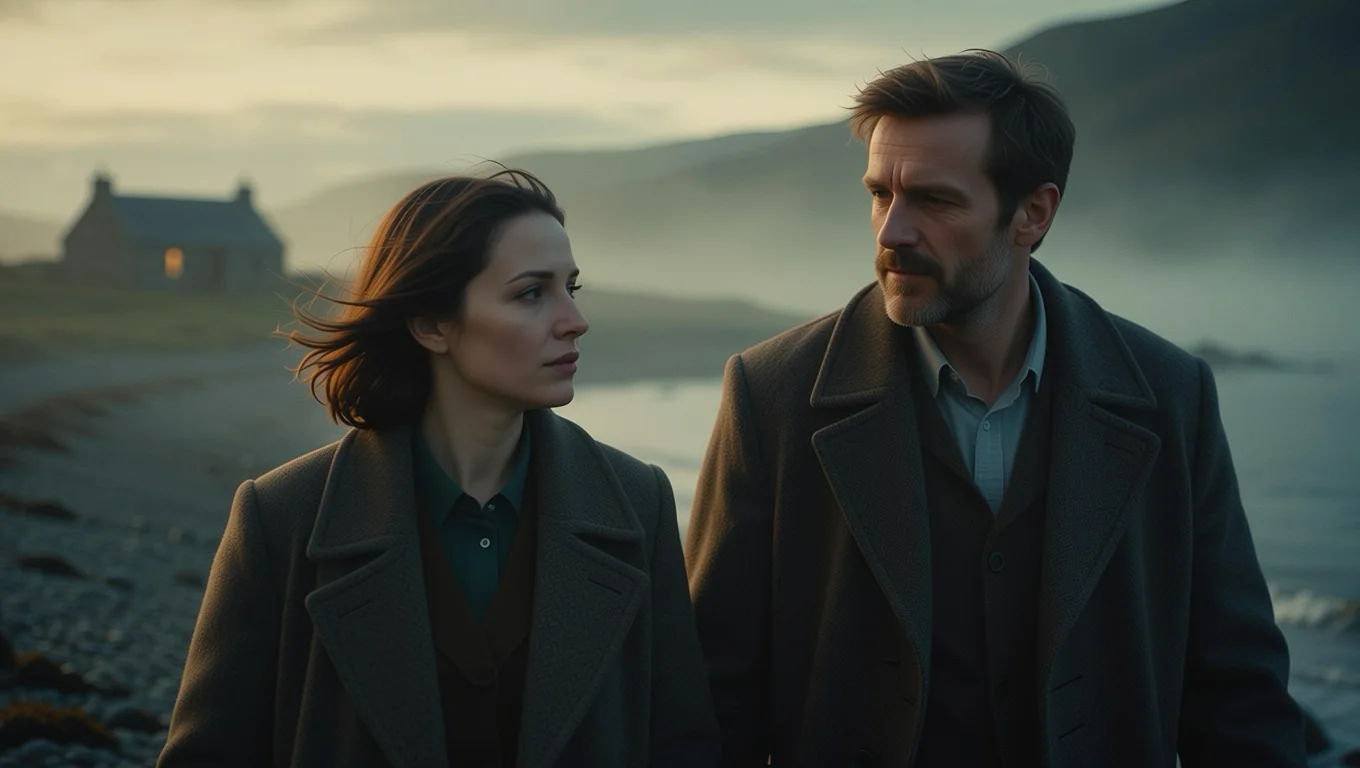
Wide shot to close-up. Source: a wide 16:9 photo of a couple on a misty shore. Prompt: "Turn the camera to a close-up." Seed 41.
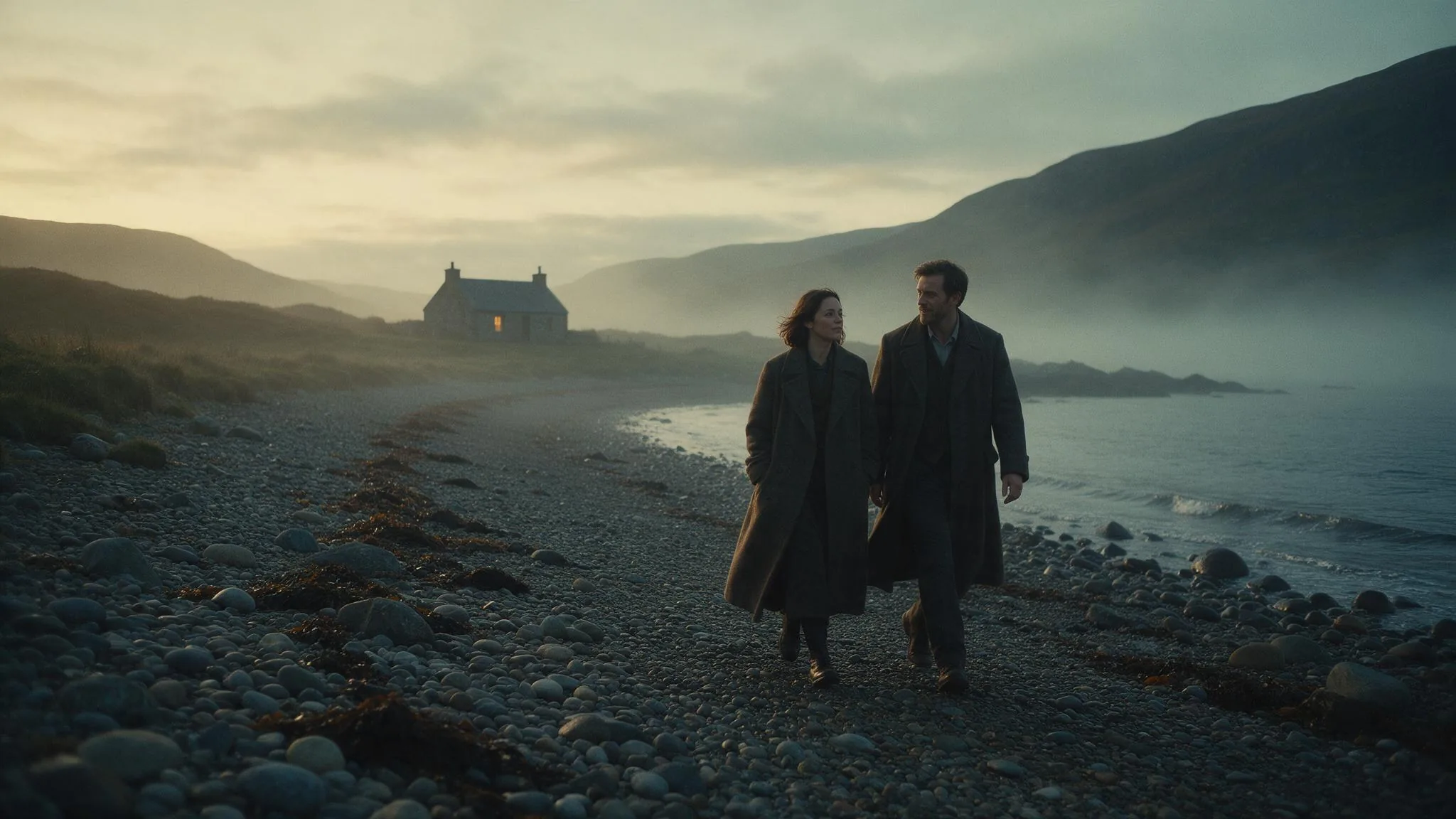
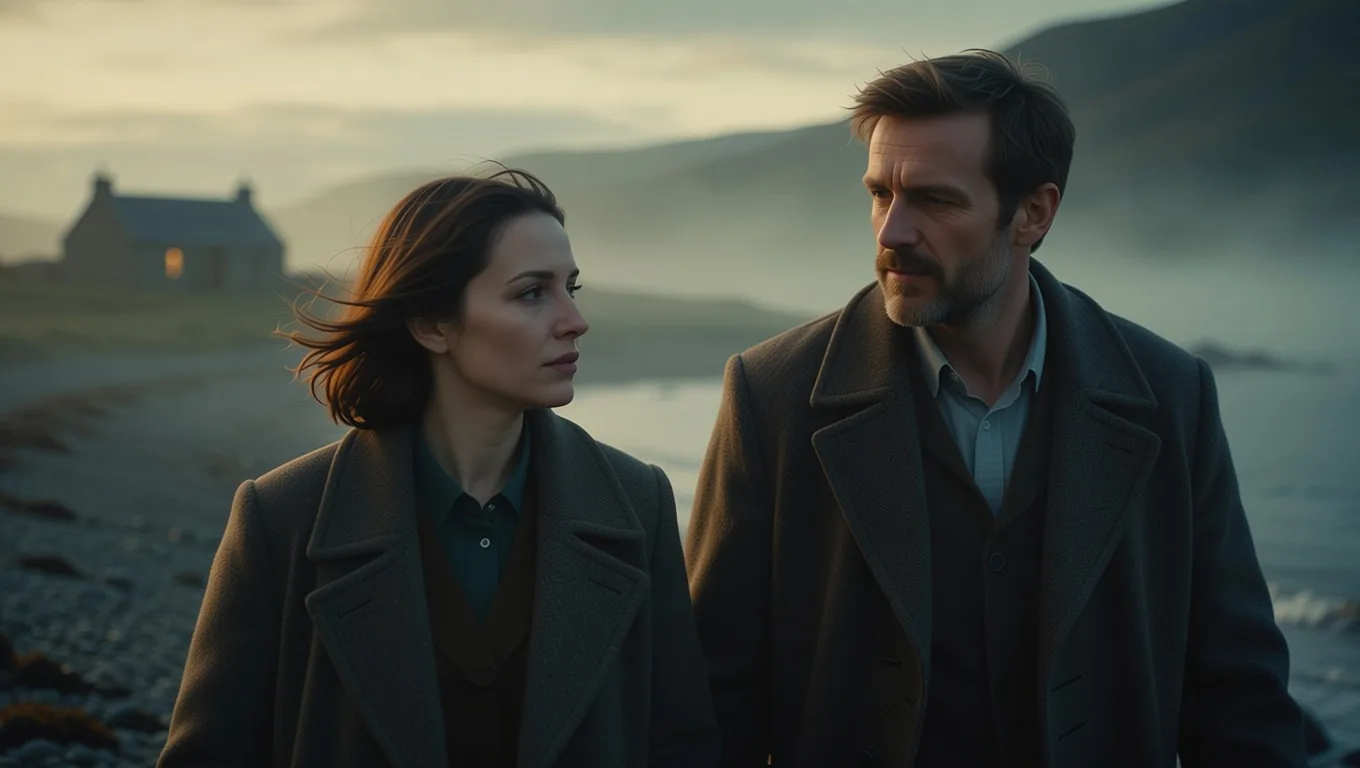
The same two people became a tight two-shot with the cottage still in the background; their coats and the mist carried over. This is also the cover image.
Where it did not work
- Tight studio portraits. A woman in a green dress on a grey backdrop, "Rotate the camera 45 degrees to the right.": mostly her head turned. Takeaway: do not expect a body-orbit from a close studio shot.
- Full-body shot, low camera. We asked for a low-angle shot looking up at a standing man in an empty white room, and the picture hardly changed, so we dropped it. Takeaway: "look up at him" is not one of the model card's commands and this LoRA did not follow it; try a listed one such as the close-up or wide-angle command, or accept that low angles are weak.
- Invented sides. Big rotations and top-down views draw parts the photo never showed. They look plausible but are new; check anything that must be accurate, such as a product's back.
- Direction and in-between angles. Hugging Face users of this LoRA report left and right swapped, no low angles and no tilted shots. Check the direction in the first result, and do not expect a 20-degree turn on request.
What "photos with depth" means: a subject in the foreground with objects or a background clearly farther away, like the woman in front of the truck and the salt flat. The camera then has something to move around. A flat backdrop right behind the subject gives it nothing to reveal.
Run it locally or call it hosted
Local (pointer only). The LoRA is on its Hugging Face page; put the file in ComfyUI's models/loras folder. The card also says to use it with the Qwen-Image-Lightning LoRA but gives no strength or step settings, and we did not test a local setup, so follow the card and its linked guides.
Hosted. Open the Camera Angle Changer page, add your photo, type one command and run. The price is $0.03 per image, whatever the aspect ratio or output format. In our five test runs the model took 7.5 to 25 seconds to generate, not counting any queue time.
| Field | Values |
|---|---|
image_url | Required. Your photo |
prompt | Required. Up to 1,000 characters |
aspect_ratio | Optional: 1:1, 16:9, 9:16, 4:3, 3:4, 3:2, 2:3, 21:9, 9:21. Empty keeps your photo's shape |
output_format | Optional: jpeg (default), png, webp |
seed | Optional: 0 to 2147483647. Reuse it to compare two commands on one photo |
The price is held when the task is accepted and released if it fails, as the tasks guide describes, so you pay for images you receive. From code:
# 1. Create the task
curl -s "https://api.spicyapi.ai/api/v1/jobs/createTask" \
  -H "Authorization: Bearer $SPICY_API_KEY" \
  -H "Content-Type: application/json" \
  -d '{
    "model": "spicyapi/camera-angle-changer-v1/edit",
    "input": {
      "image_url": "https://example.com/your-photo.jpg",
      "prompt": "Rotate the camera 45 degrees to the left.",
      "seed": 424242
    }
  }'

# 2. Check it with the taskId from step 1 until the state is final
curl -s "https://api.spicyapi.ai/api/v1/jobs/recordInfo?taskId=$TASK_ID" \
  -H "Authorization: Bearer $SPICY_API_KEY"
If you want the base model with your own LoRA instead, the Qwen Image Edit 2509 LoRA page accepts one.
FAQ
Does it need a trigger word? No. Write the move as a sentence.
Can I change the angle of any photo? It works best on photos with a foreground subject and a clearly farther background, such as a person in front of a vehicle or a wide landscape shot. It does little on tight studio portraits and flat full-body shots with a plain backdrop. Only use photos you have the right to edit.
Does it keep the same person? In our runs the outfit, hair and setting carried over, but a large rotation redraws the subject, so compare faces and details before using the result.