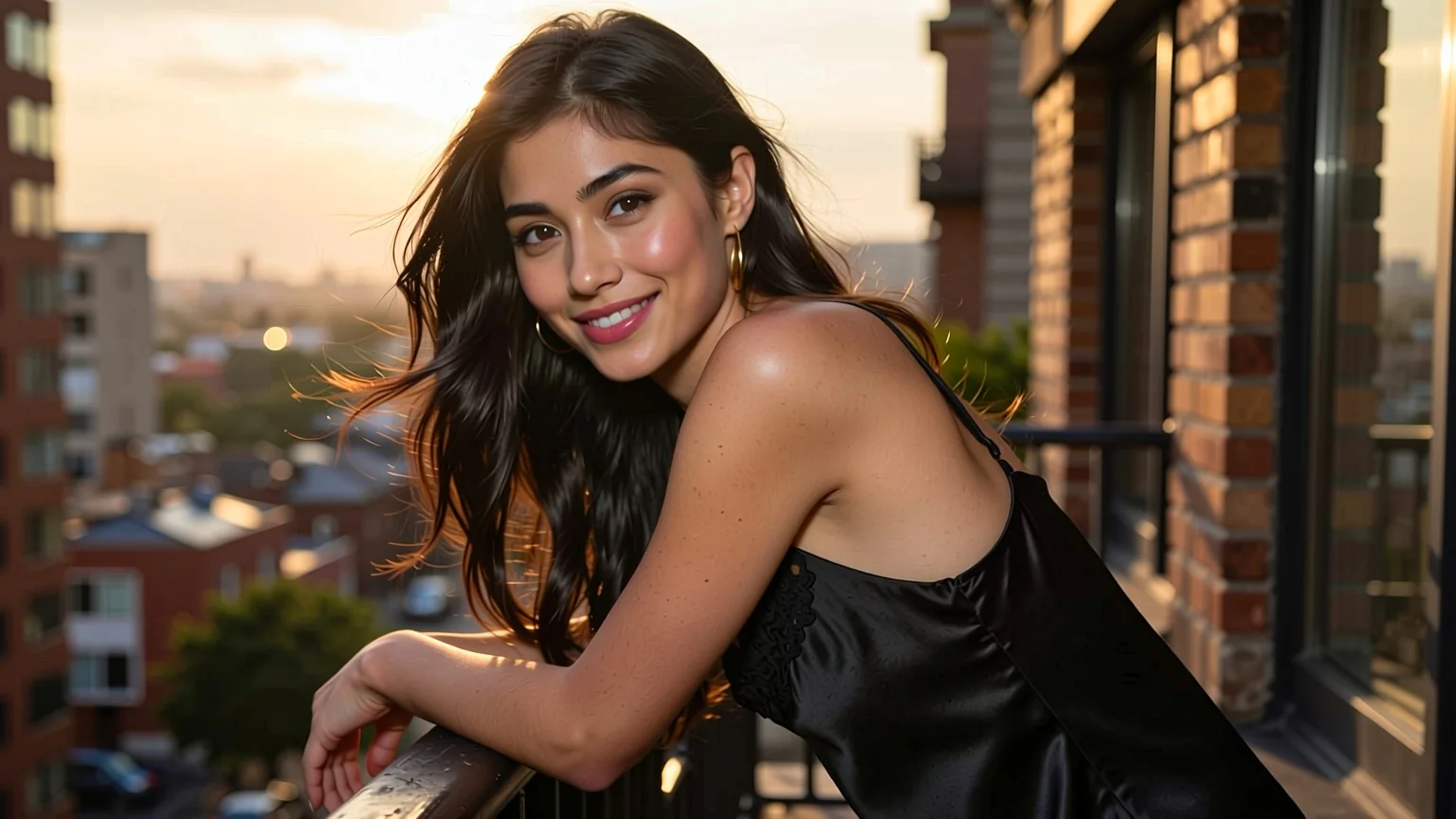
Jib Mix Qwen LoRA text-to-image runs J1B's photoreal merge of Alibaba's 20B Qwen-Image with up to three of your own LoRAs for Qwen-Image or Qwen-Image-2512 at strengths from 0 to 4. Nine aspect ratios at up to 1536 pixels on the long side, one flat price per image and no content filter.

From $0.03/image

Workbench

Input

Text to image
369/5000
Put the LoRA's trigger phrase first, then the person, clothing, place, light and camera feel in full sentences. Up to 5,000 characters; there is no negative prompt. at least 1 characters · at most 5000 characters
Frame your LoRA-adapted portrait with nine ratios from 21:9 through 9:21; 1:1 is the default. For Jib Mix Qwen LoRA, a square is 1328 x 1328, 3:4 is 1104 x 1472 and widescreen 16:9 is 1536 x 864. The ratio does not change the price.
Style LoRAs1/3

AWPortrait QW

Up to three {path, scale} entries. path is a direct HTTPS link to a .safetensors file trained for Qwen-Image or Qwen-Image-2512; scale runs from 0 to 4 and 1 is neutral. Loading LoRAs adds no charge. at most 3 items
Output format
JPEGPNGWebP
Save your Jib Mix Qwen LoRA image as JPEG by default, or select PNG or WebP. Does not change the price.
Seed
Keeps a set of images comparable while you change one LoRA scale at a time. A fixed Jib Mix Qwen LoRA seed makes comparisons useful, but it does not guarantee pixel-for-pixel copies. no lower than 0 · no higher than 2147483647
Safety checkerOff

SpicyAPI does not run a safety checker on this model. Your prompt and media go to the model as written, and the model itself decides what comes back.

Checking your account before enabling submission and pricing.

Output

Ready for a new run
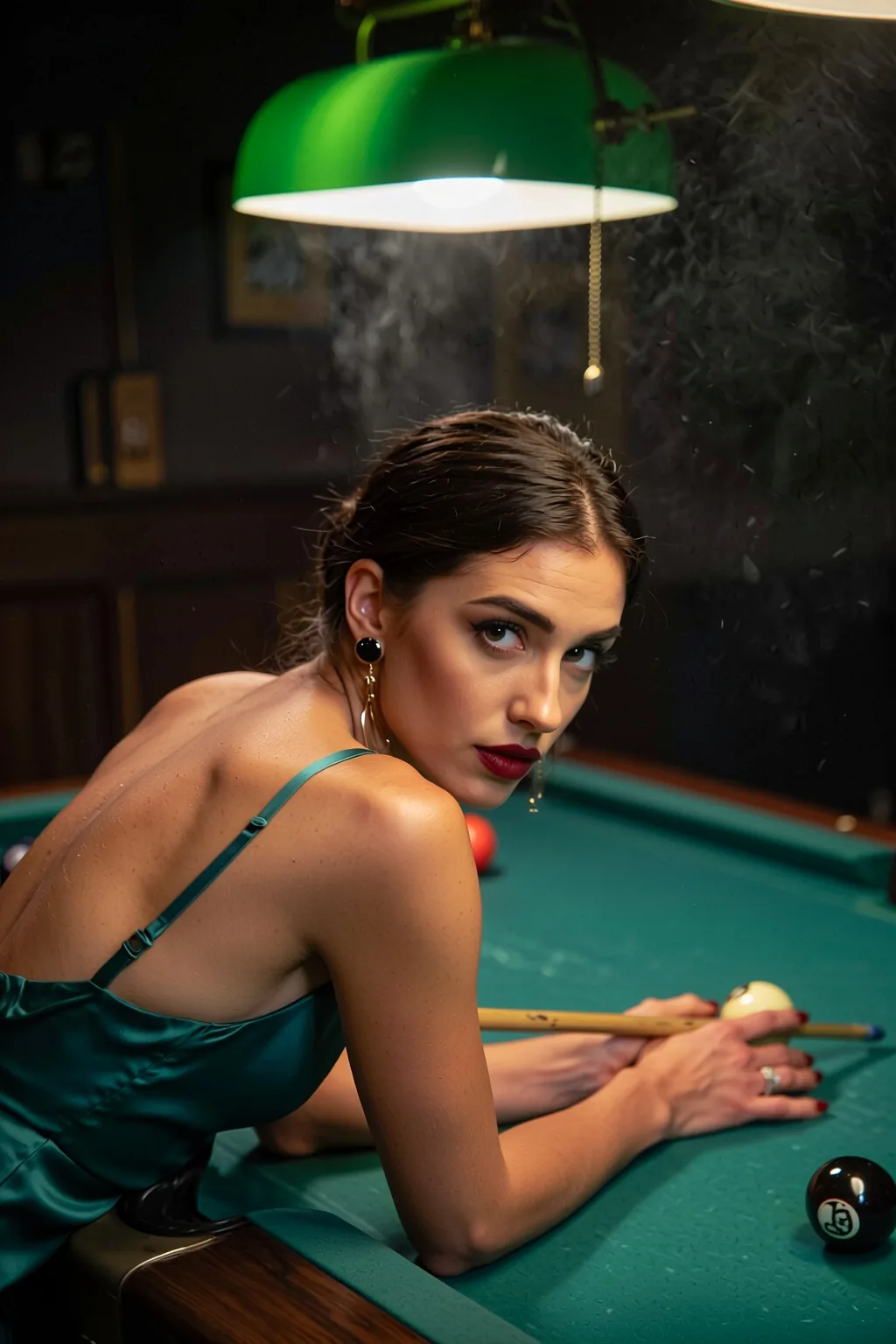
billiards-portrait-loraExample result

Related models and next tasks

Missing the model you need?

Put a camera look on every photograph with your own Qwen LoRAs

Jib Mix Qwen LoRA runs J1B's photoreal merge of Alibaba's 20-billion-parameter Qwen-Image with up to three of your own LoRA files per request. LoRAs trained for Qwen-Image and for Qwen-Image-2512 both load, and photographic and realism LoRAs are the ones that visibly change the picture. In 38 runs the median was 5.6 seconds of model time, from 3.2 to 36. Nothing filters the prompt, the weights or the result, and with no LoRA loaded the output matched the base endpoint pixel for pixel at the same seed.

Open the playground
Put a camera look on every photograph with your own Qwen LoRAs
LoRAs per request
Up to 3, each {path, scale}; path is a direct HTTPS link to a .safetensors file
Scale
0 to 4; about 0.5 to 1.5 is the useful range, and 4 broke our image apart
Base models
LoRAs for Qwen-Image and Qwen-Image-2512 load; a LoRA for a different base loads without an error and changes nothing
Speed
3.2 to 36 seconds of model time per image, median 5.6; runs with a new LoRA file took 10 to 25 seconds
Sizes
9 aspect ratios up to 1536 px on the long side: 1328 x 1328 at 1:1, 1104 x 1472 at 3:4, 1536 x 864 at 16:9
Price
Billed per image at one flat price; loading LoRAs adds no separate charge, and failed requests are not charged
Content filter
None on the prompt, the weights or the image; nothing was refused or blurred in our tests
What shows
Photographic LoRAs show; art styles barely move itOn one prompt and seed, a phone-camera LoRA, a portrait-retouch LoRA, a dark flash-camera LoRA and a realism LoRA each changed the face and the light visibly but subtly. An anime LoRA and a pixel-art LoRA loaded and changed pixels, yet the image stayed a photograph, even at scale 2.
Wrong base model
A LoRA for another model silently does nothingA LoRA trained for FLUX.1-dev loaded without an error and the image was pixel-identical to running without it. If the same prompt and seed look the same with and without the file, check which base model it was trained for.
Limits
What it will not doA fourth LoRA is rejected, and so is a scale above 4. The link must be public and point straight at the file: a gated Hugging Face repository answers with HTTP 401 and a repository page link asks for the direct download link. Neither failure is charged.

Working with LoRAs on Jib Mix Qwen LoRA

Run the with-and-without pair first

Run the with-and-without pair first

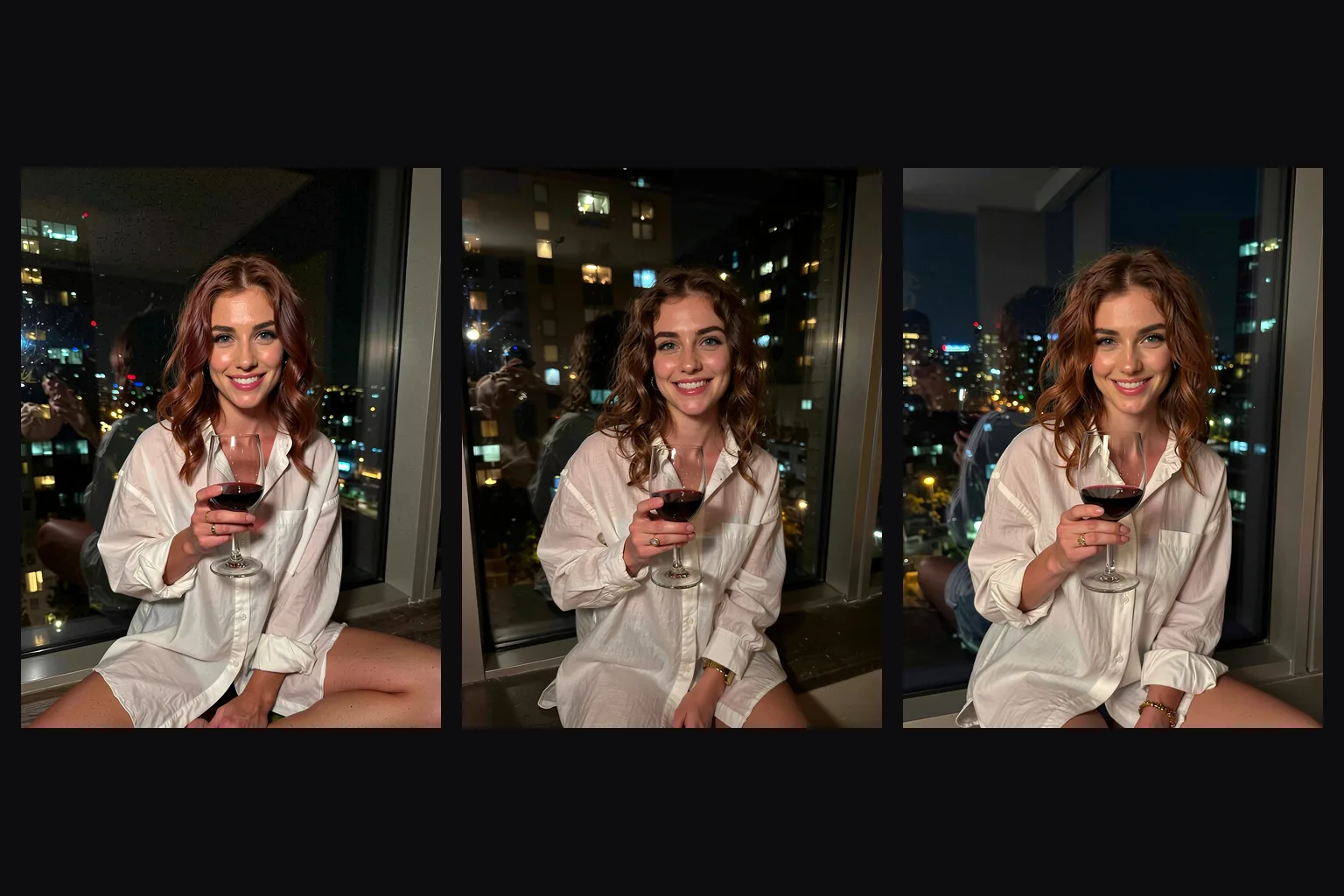
Same prompt, same seed, once with no LoRA and once per file: that is how you see what a LoRA does. The first picture shows one hotel-window prompt with no LoRA, with Danrisi/Qwen-image_SamsungCam_UltraReal and with Shakker-Labs/AWPortrait-QW, all at scale 1. The hair, the skin and the light shift while the scene stays put.

Choose the look by the file

Choose the look by the file

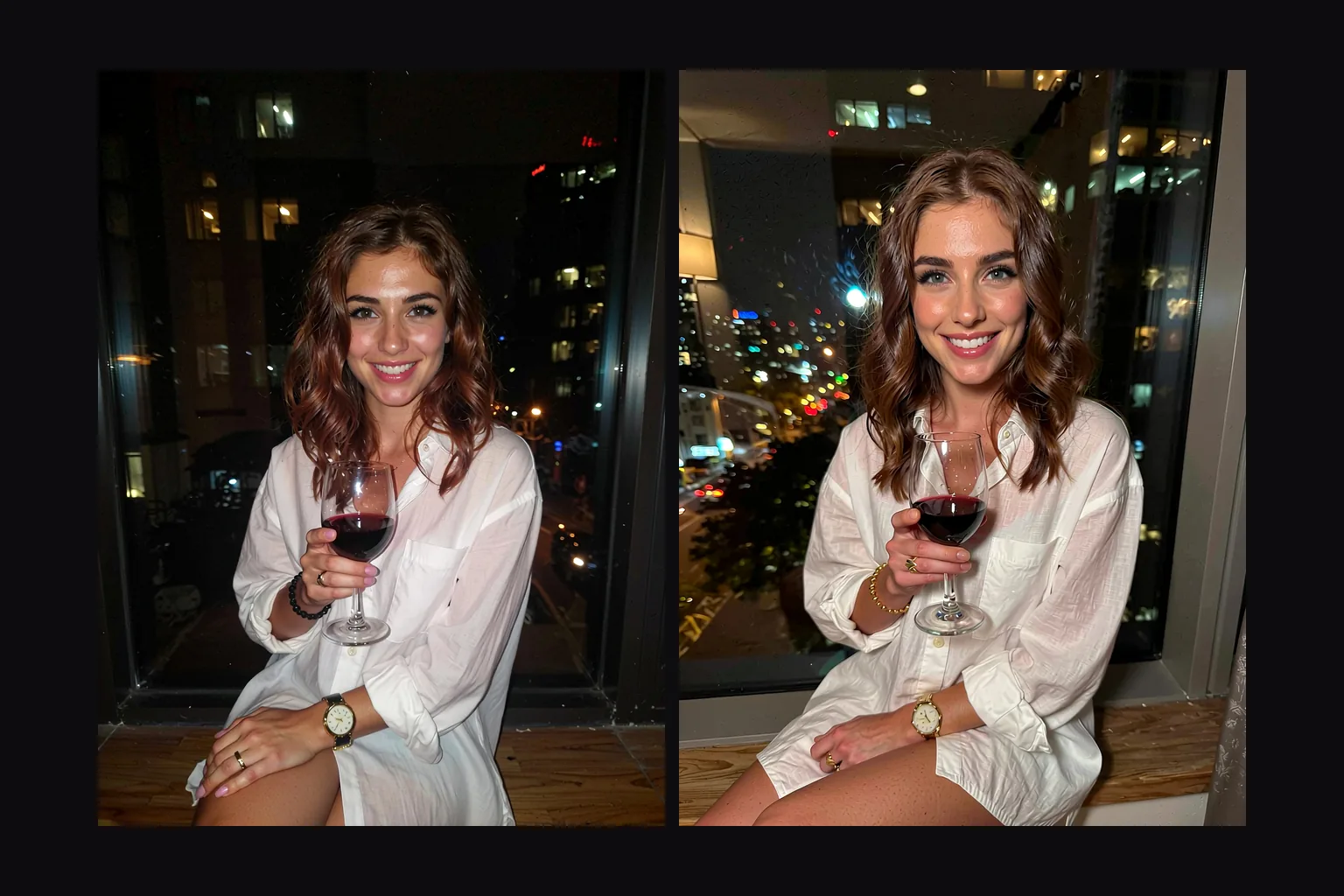
Different photographic LoRAs push the same prompt in different directions. On the same seed, Danrisi/Lenovo_Qwen gave a darker, flash-lit frame (left) and flymy-ai/qwen-image-realism-lora a gentler realism shift (right). The changes are visible but subtle, so compare them side by side before you commit to a file.

  • Stack two or three

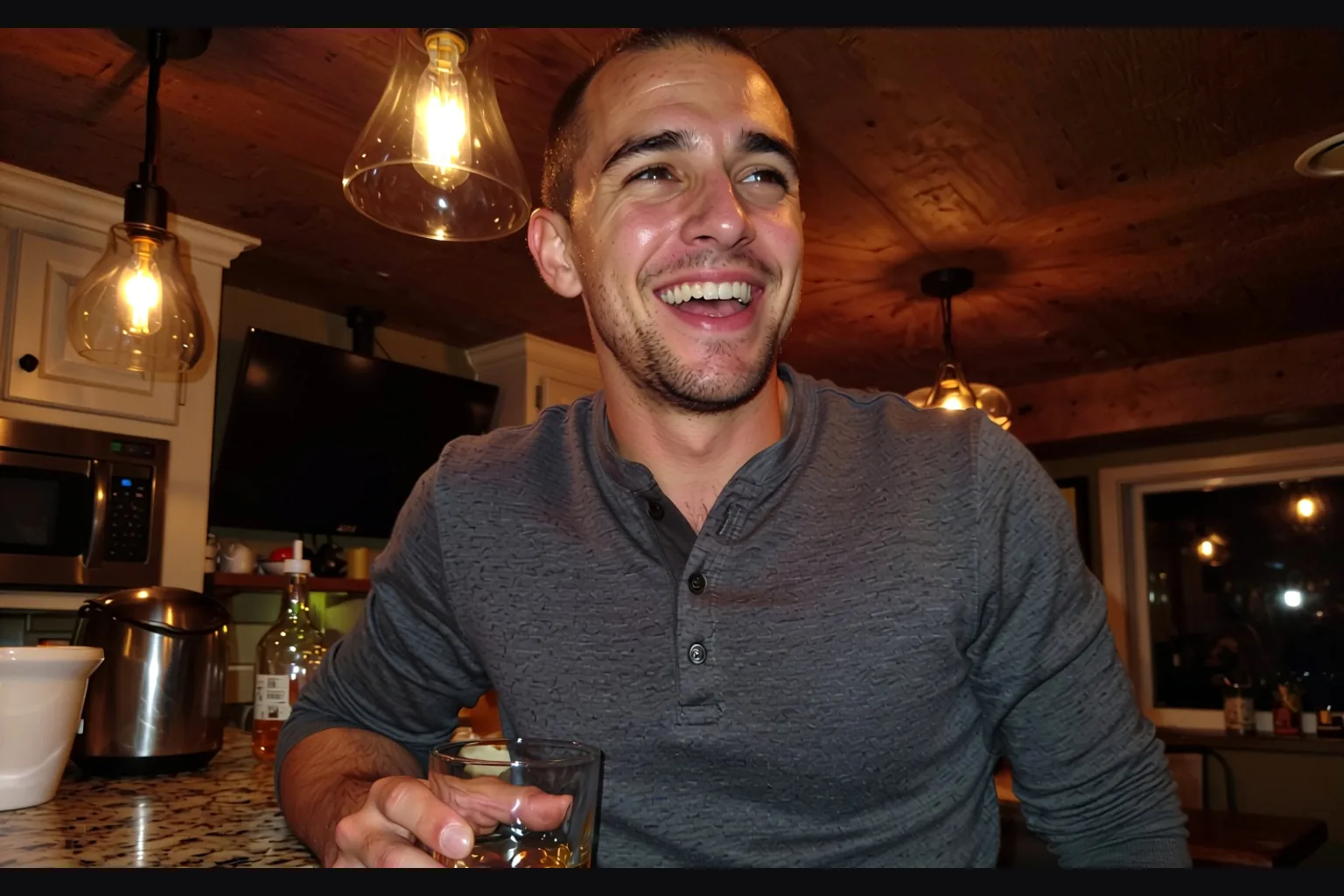
    Up to three LoRAs can be stacked in one request. Samsung at 0.8 with AWPortrait at 0.6 worked together on a candid kitchen shot. Keep the main look highest and lower the second one if skin starts to look retouched; a fourth LoRA is rejected.

  • Keep the scale between 0.5 and 1.5

    0.5 is a light touch and 1 is the intended strength. At 4 our test image broke into a distorted close-up, so do not push past about 1.5.

  • Match the prompt to the file

    Put a LoRA's trigger phrase first when its card lists one, and if a LoRA imitates a phone camera, say “phone photo with flash” in the prompt too. Prompt and weights pulling the same way give the clearest result.

  • Give it a link it can fetch

    The LoRA must be a public, direct link to the .safetensors file; a direct download link from Civitai also loaded in our tests. It is fetched when the request runs, so a request with a new file took 10 to 25 seconds in our runs. Link to the file itself, not the page that describes it.

Who uses Jib Mix Qwen LoRA

  • A phone-camera feel across a series

    Creators who need one camera look

    A phone-camera feel across a series

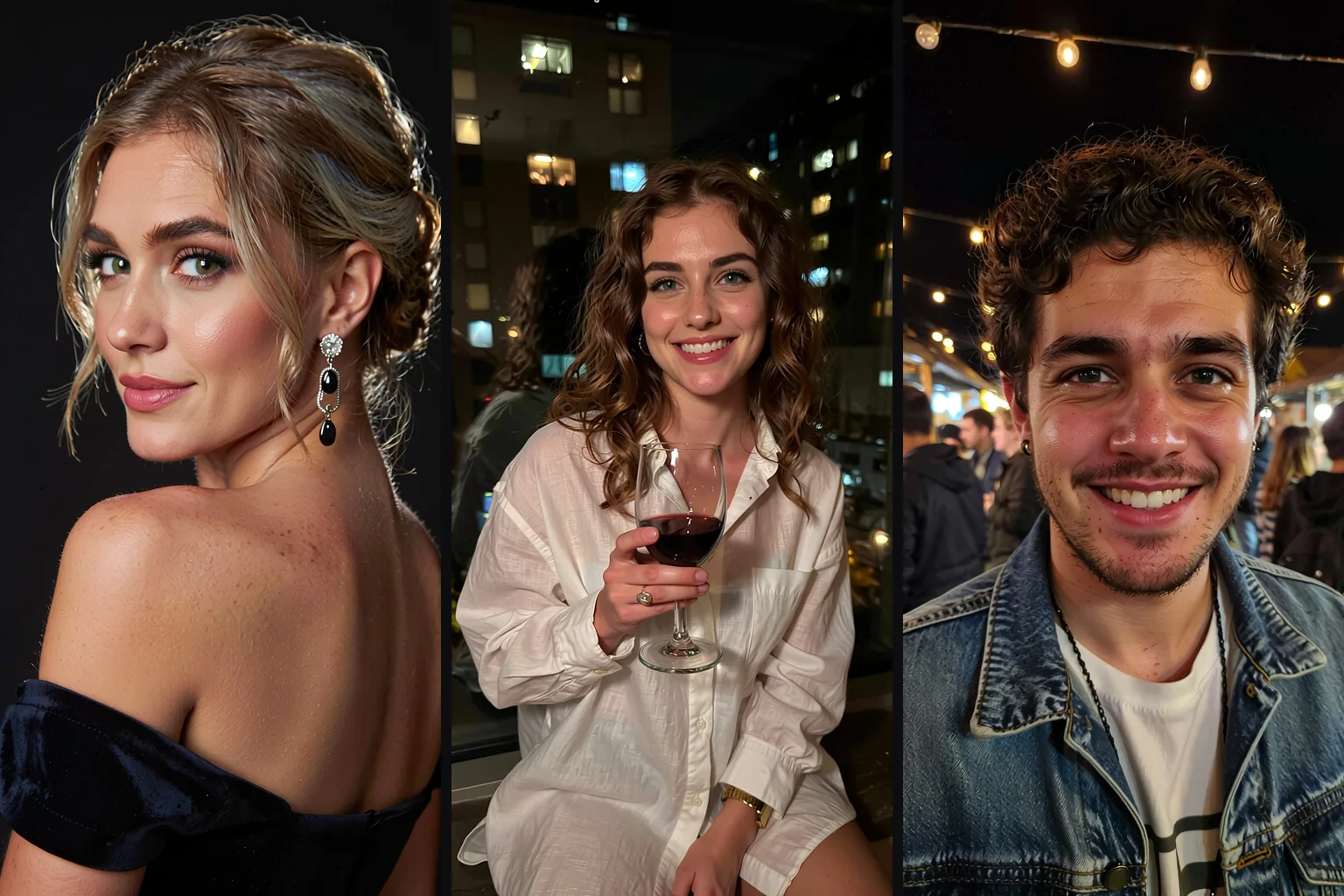
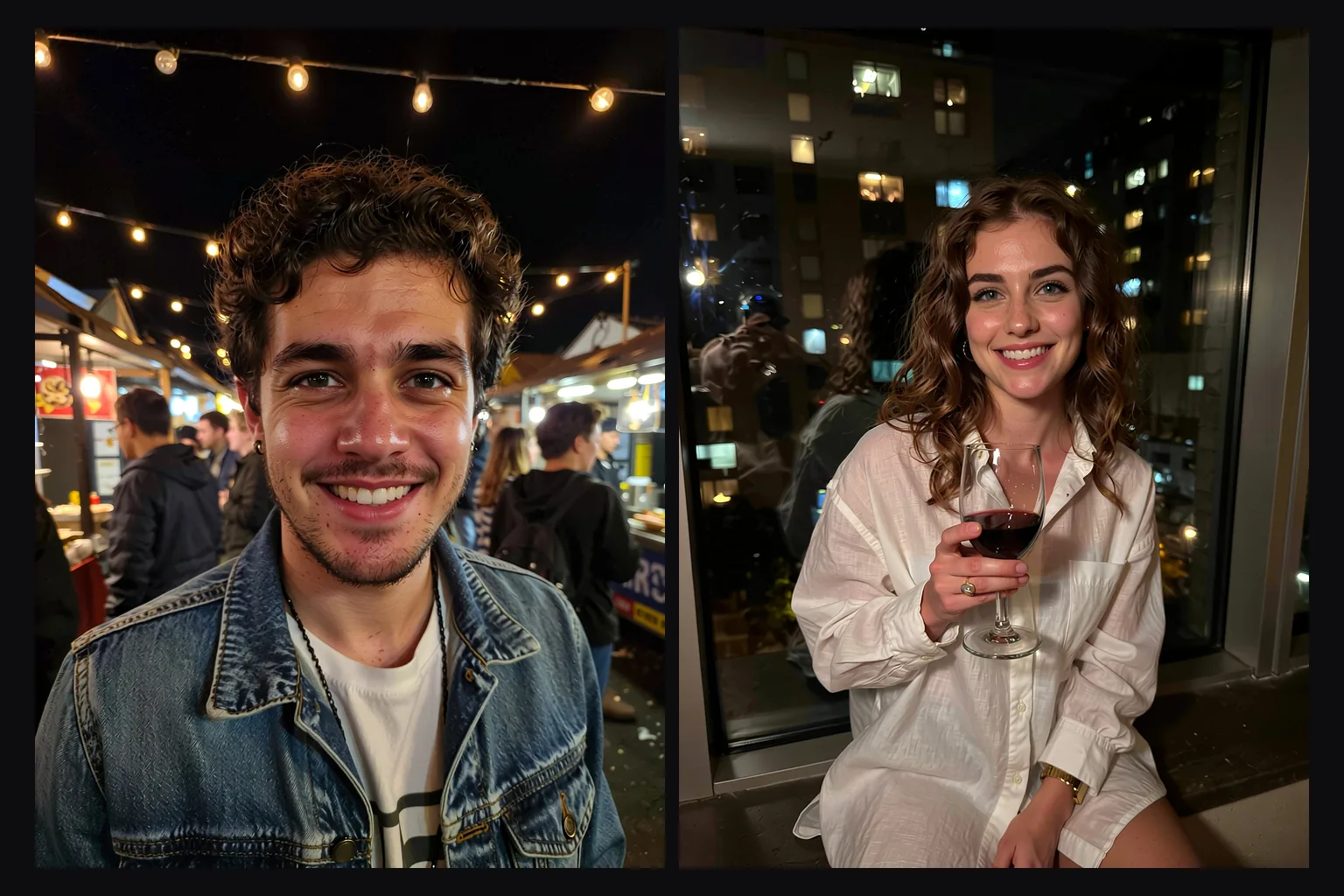
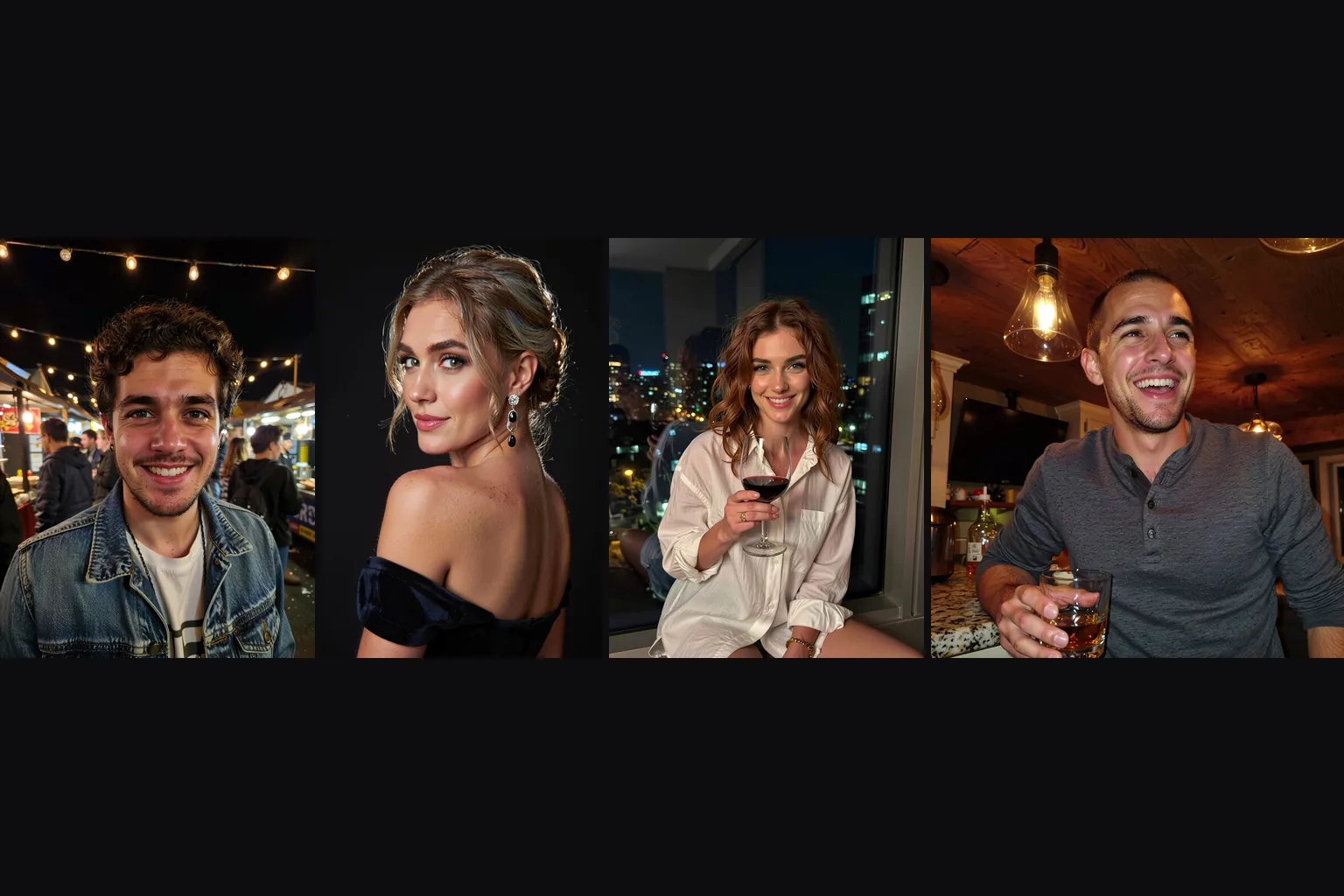
    Danrisi/Qwen-image_SamsungCam_UltraReal at scale 1, with “Amateur phone photo with on-camera flash” in the prompt, gave a curly-haired man in a denim jacket at a night market and a woman with a glass of wine on a hotel windowsill the same snapshot feel. Pin the LoRA and its scale to keep a whole set consistent.

  • A studio finish on top of real skin

    Portrait and studio photographers

    A studio finish on top of real skin

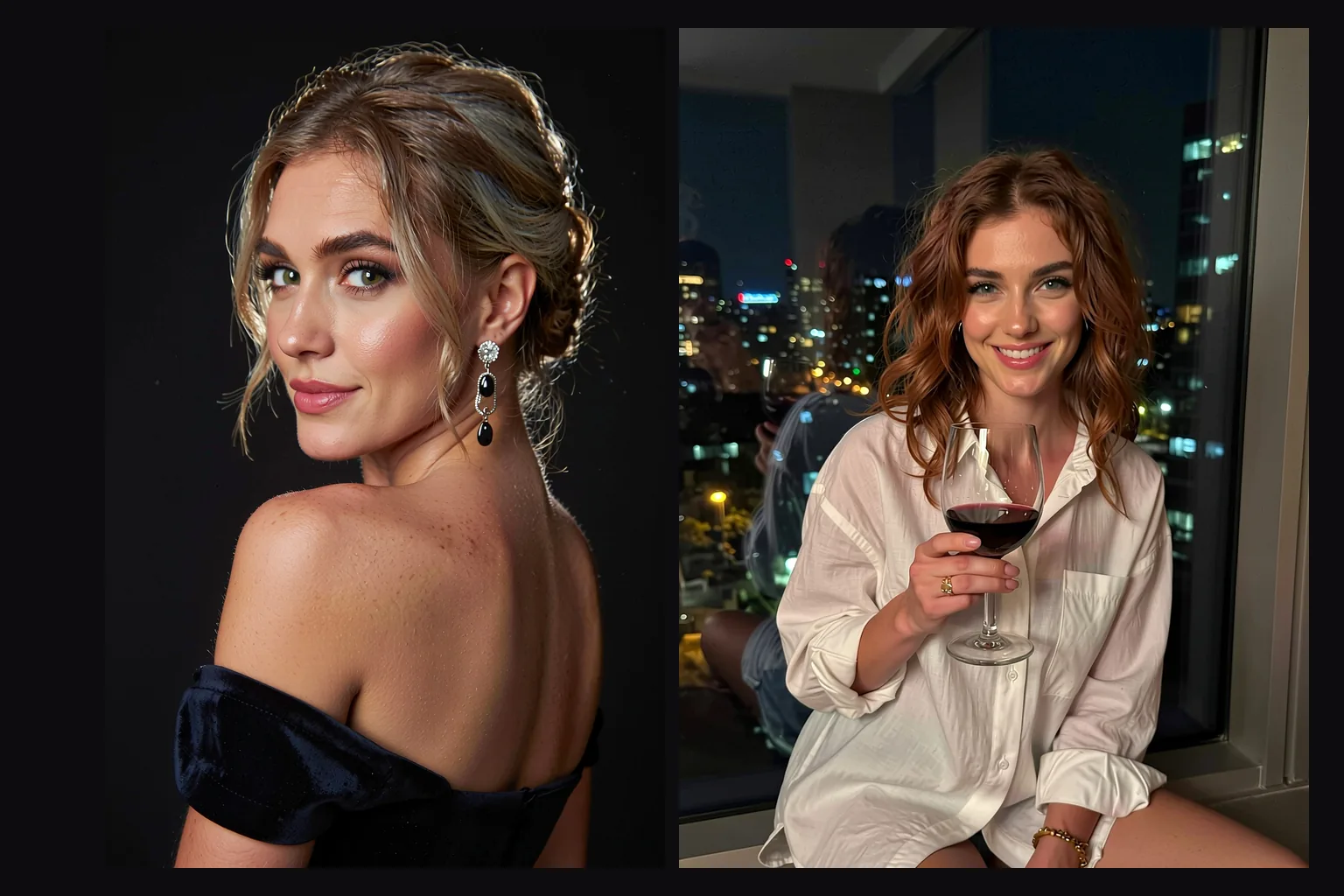
    Shakker-Labs/AWPortrait-QW at scale 1 with a studio brief gave the silver-blonde portrait in a black velvet gown: key light, dark backdrop, rim light on the hair. The window portrait beside it uses the same LoRA. The base model keeps the skin texture while the LoRA evens out the finish.

  • A cinematic couple at blue hour

    Film and story teams

    A cinematic couple at blue hour

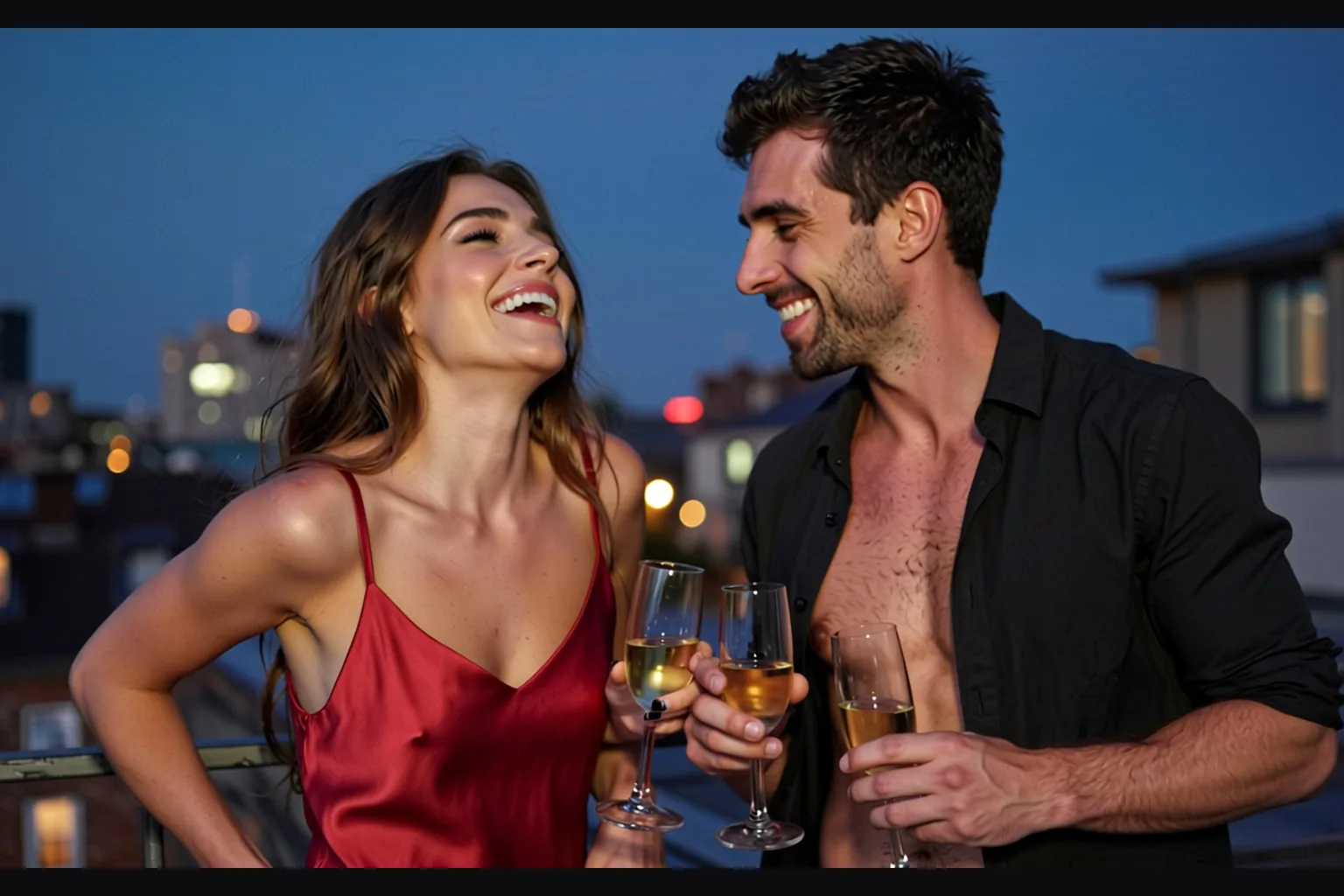
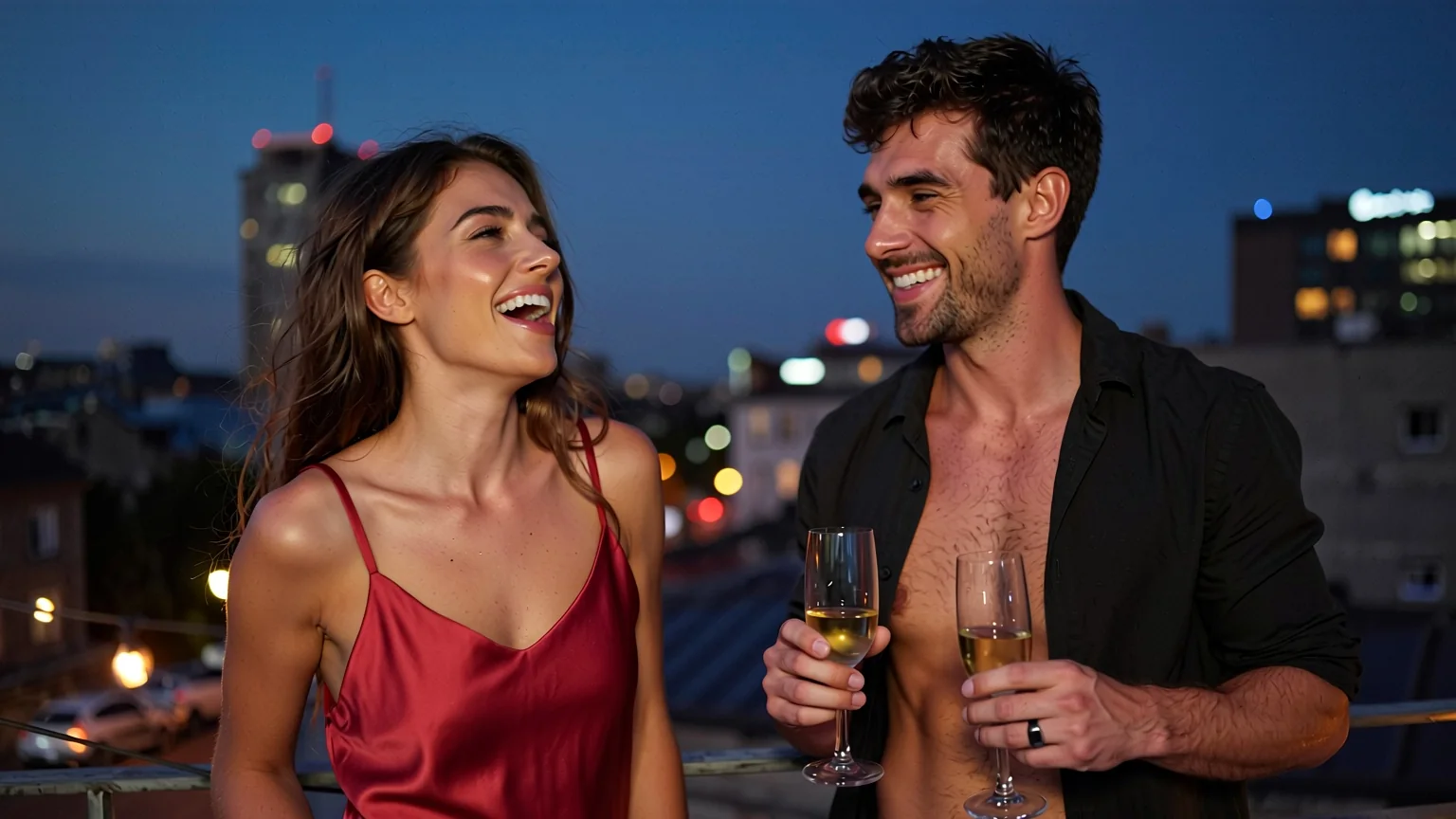
    A woman in a red satin slip dress and a man in an open black shirt with two glasses of champagne on a rooftop at blue hour, written with “Cinematic photo, 35mm film look” and AWPortrait at scale 1. Wide 16:9 frames like this make good storyboard stills.

  • Two LoRAs on one candid

    Candid and lifestyle creators

    Two LoRAs on one candid

    A man with a shaved head in a grey henley leaning on a kitchen counter at night, laughing, with warm pendant lights. Samsung at 0.8 and AWPortrait at 0.6 together gave the phone-camera snapshot feel with a lighter portrait finish.

From first LoRA to finished set with Jib Mix Qwen LoRA

  1. Find a LoRA trained for Qwen-Image

    Qwen-Image and Qwen-Image-2512 LoRAs both load. Read the model card for a trigger phrase and copy the direct download link to the .safetensors file.

  2. Run it with and without the file

    Same prompt, same seed, one run each. If nothing changes, the file was probably trained for another base model.

  3. Ladder the scale

    Hold everything else still and try 0.5, 1 and 1.5. Keep the value where the look lands without taking over the face.

  4. Add a second or third file

    Bring each extra LoRA in at a lower scale than the main one and raise it in small steps. A fourth is rejected.

  5. Pick the ratio and run the batch

    Choose the aspect ratio for the picture's home, keep the LoRAs and scales fixed, and vary the seed.

Jib Mix Qwen LoRA prompts worth copying

  • Phone-camera night market

    With the Samsung LoRA at 1. The prompt names the camera look the LoRA imitates.

    Amateur phone photo with on-camera flash. A 31-year-old adult man with curly dark hair and a short beard in a denim jacket over a white T-shirt grins at the camera at a crowded night market, string lights and food stalls behind him.
  • Studio portrait

    With AWPortrait at 1. Key light, backdrop and rim light are spelled out.

    Studio portrait photo. A 36-year-old adult woman with silver-blonde hair pinned up wears an off-shoulder black velvet gown and long earrings, looking over her shoulder at the camera. Soft key light, dark backdrop, rim light on her hair.
  • Two LoRAs on one candid

    With Samsung at 0.8 and AWPortrait at 0.6. Lower the second one if the skin starts to look retouched.

    Candid photo. A 34-year-old adult man with a shaved head in a fitted grey henley leans on a kitchen counter at night, laughing, a glass of whiskey in his hand, warm pendant lights.

More Jib Mix Qwen LoRA questions

Use it as your camera lab

Find a LoRA trained for Qwen-Image, prove it loads with a with-and-without pair, then ladder its scale between 0.5 and 1.5.

Match the prompt to the look, stack a second file only at a lower scale, and check that the file is for the right base model: a LoRA for another model silently does nothing.

All Jib Mix Qwen models2