The word “Spicy” suggests that your adult-character still will become the scene you asked for. With Seedance 2.0 Fast Spicy, that expectation is only partly right: an accepted request can still come back milder than the brief.
Seedance 2.0 Fast Spicy is an NSFW-capable image-to-video option, but it is not a promise of unrestricted results. In our September 2026 tests, all 18 requests completed without a content refusal. Of the 15 adult-content requests, 12 matched the brief; all three L4 adult-scene requests were softened. Three separate violence probes also rendered. Those results make it a reasonable candidate for short, image-led adult-character clips, and a poor first choice when the tested higher-intensity adult performance is essential.
It takes an opening image and makes 4–15 seconds at 480p or 720p, with optional generated sound and an optional closing frame. Five seconds costs $0.405 at 480p or $0.871 at 720p. Audio on and off have the same current rate.
What the NSFW test actually returned
The test round used the Fast Spicy image-to-video task, 480p, four seconds and generated audio off. Each category had three runs.
| Test category | Rendered as requested | Softened | Content refused |
|---|---|---|---|
| L1: suggestive adult styling | 3 | 0 | 0 |
| L2: moderate NSFW imagery | 3 | 0 | 0 |
| L3: advanced NSFW imagery | 3 | 0 | 0 |
| L4: higher-intensity adult scenes | 0 | 3 | 0 |
| L5 A: the adult-oriented extreme probe | 3 | 0 | 0 |
| L5 B: the cinematic-violence probe (not adult content) | 3 | 0 | 0 |
“Rendered” means the observed output met the tested request. “Softened” means a video was produced, but the requested action was implied or replaced. “Refused” means the content request did not render.
For the higher-intensity category, the L4 notes describe one implied version and two replaced actions. The model did not report a content refusal, yet it did not deliver the requested scene. A normal completion status therefore tells you that you have a video to download, not that your creative brief has been satisfied.
L5 and L4 are different scene categories; choose the category closest to your intended shot.
The Fast Spicy test report provides the task-specific record.
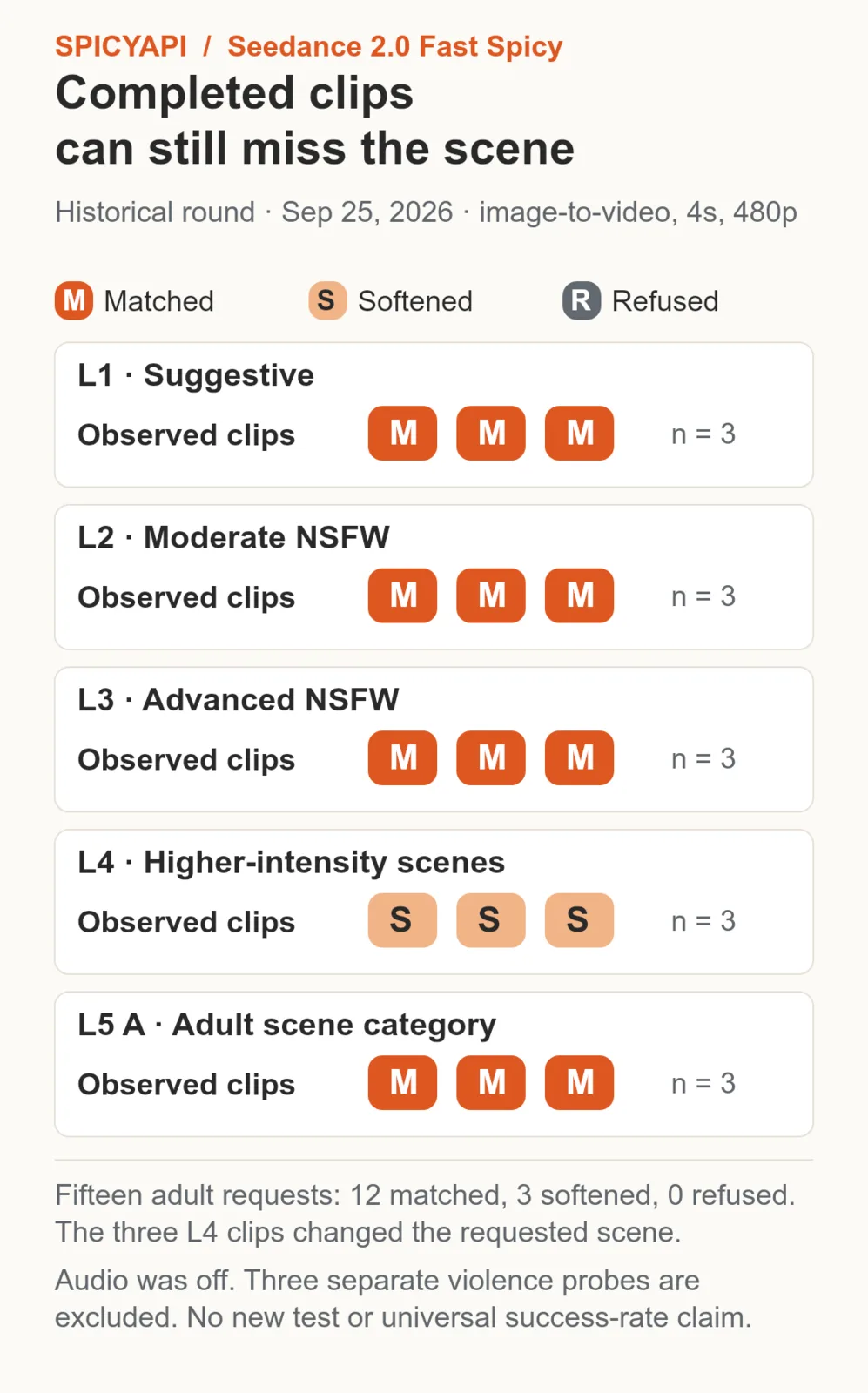
Among the 15 adult-oriented requests, 12 matched and three L4 clips were softened; none were refused. The chart excludes the three cinematic-violence probes from the wider 18-run round.
Does “uncensored” mean there is no review?
SpicyAPI adds no content review to this model. The model can still impose its own limits or change what it generates. “Uncensored” on the model page describes the access offered here; it cannot guarantee every lawful adult-oriented request, every input image or every performance.
For your decision, there are two separate questions: will this request run, and will the finished clip do what I paid for? The L4 result shows why the second question is necessary even when the first answer is yes. There is no “disable all model limits” control in this task.
Use fictional adult characters or consenting adults with the necessary rights. Adult-oriented access does not authorize non-consensual real-person material or content involving minors.
Start with a finished still, not a paragraph about the character
Fast Spicy publishes image-to-video only. It does not create a character from text, accept several reference images or edit an existing video. The input image is required; the prompt is optional. A useful prompt usually tells it what happens next.
Use JPG, PNG, WebP or GIF up to 10 MB, with each image side between 300 and 6000 pixels. Prepare the face, outfit, pose and room in the still before uploading. If your character has a distinctive garment or hairstyle, make it visible. A close face crop leaves little room for a hand gesture; a wide full-body shot may make small facial changes hard to judge. Choose the composition for the movement you actually want.
For a creator-profile preview, a medium shot is often a practical starting point: the fictional adult is seated, the face is readable, and both hands are visible. Keep the important outfit details clear of hair and fingers.
Here is a five-second motion brief for a fictional 34-year-old man wearing an opaque dark shirt and trousers in a softly lit bedroom:
One continuous medium shot of the fictional adult man in the opening image. He shifts his gaze toward the camera, gives a restrained smile, then rests his right hand on the chair arm. Keep the same shirt, trousers, room and lighting. His hand stays below his face and clear of the shirt collar. Eye-level stationary camera, unchanged framing. Finish with a quiet hold. Natural blinking, no cut, no new person entering.
The brief has one gaze change, one small gesture and an ending. It does not ask the model to invent an unseen costume, a new room or a second character. The default resolution is 720p; switch to 480p for the lower-cost draft. Start at five seconds and 480p if the immediate question is whether the performance feels right. The same setup at 720p is a separate generation and can produce a different take.
The controls that make a difference
Closing frame. Add a closing frame alongside the input image. Use it when the destination pose matters: a turn that finishes facing the viewer, or a shot intended to return to its opening pose. Keep the character, camera distance and lighting compatible across the two pictures. A closing frame does not guarantee an invisible transition or a seamless loop.
Aspect ratio. The default, Auto, follows the starting image. Explicit choices include 9:16, 16:9, 4:3, 3:4, 1:1 and 21:9. A vertical source is a more direct way to plan a vertical character clip than generating a wide shot and hoping a later crop retains both hands and the face.
Seed. Save the seed for a controlled revision. Keep it fixed when changing one part of a brief, or use another value when you want a new take. It does not lock the face or reproduce the same motion after you change the resolution.
Generate audio. Generated sound is on by default. Switch it off for a silent loop or footage you will score in an editor. Keep it on for generated ambience and describe the wanted sound plainly, such as “quiet room tone, no music.” This task has no recorded-audio input for your recorded voice or soundtrack. ByteDance's Seedance 2.0 launch announcement describes broader multimodal capabilities; those should not be assumed to exist on this narrower Fast Spicy task.
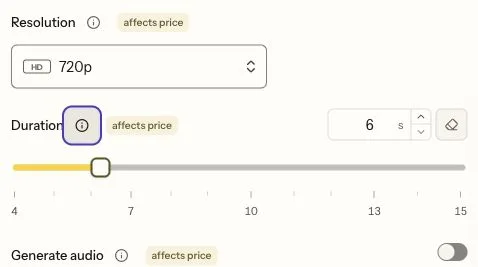
The selected six-second 720p settings differ from the short 480p drafts budgeted below. Switching sound off changes the intended output, but not the listed rate.
What to change when the clip is unusable
A replaced adult scene and an ordinary motion error are different problems. If the specific L4 performance is essential, the results give you a reason to evaluate another model instead of buying a long sequence of near-identical retries. Seedance 2.5 Spicy rendered all three L4 requests. A five-second Seedance 2.5 Spicy clip costs $1.08 at 480p or $2.16 at 720p. The Seedance version overview gives the broader task choices.
For an otherwise suitable short teaser, revise the visible fault:
| What happened | Next change to try |
|---|---|
| The hand covers the face and the face changes | Move the gesture to the chair arm or waist; keep the face visible. |
| The camera pushes in and cuts off the gesture | Ask for a stationary medium shot with unchanged framing. |
| The outfit changes during a turn | Reduce the turn first; prepare another still if the unseen side matters. |
| A five-second clip finishes the action too early | Add a clear ending hold rather than another unrelated action. |
| A longer clip repeats movements or invents new action | Return to the shortest duration that completes the intended beat. |
These are creative revisions, not methods for bypassing model restrictions. For a romantic composition already visible in the opening frame, describe its movement rather than reconstructing the scene in words. The model can also add action that is not in your brief, so name what must stay unchanged. Fast Spicy also has no negative-prompt field, so do not copy that control from a Wan tutorial.
What a small batch costs
The current public rates are $0.081 per output second at 480p and $0.1742 at 720p, with the same rate whether audio is on or off.
| Length | 480p | 720p |
|---|---|---|
| 4 seconds | $0.324 | $0.6968 |
| 5 seconds | $0.405 | $0.871 |
| 10 seconds | $0.81 | $1.742 |
| 15 seconds | $1.215 | $2.613 |
Three five-second 480p attempts cost $1.215. Adding one five-second 720p attempt brings the total to $2.086, excluding the cost of making the starting image. This is a useful budget for three motion ideas and one higher-resolution rerun.
If each of 20 starting images gets that same four-attempt treatment, the video budget is $41.72. Decide which images deserve a rerun before multiplying the workflow across a set. Turning sound off does not lower these prices. The live estimate before submission remains the price to approve.
“Fast” identifies the edition; allow for generation and queue time when scheduling a delivery.
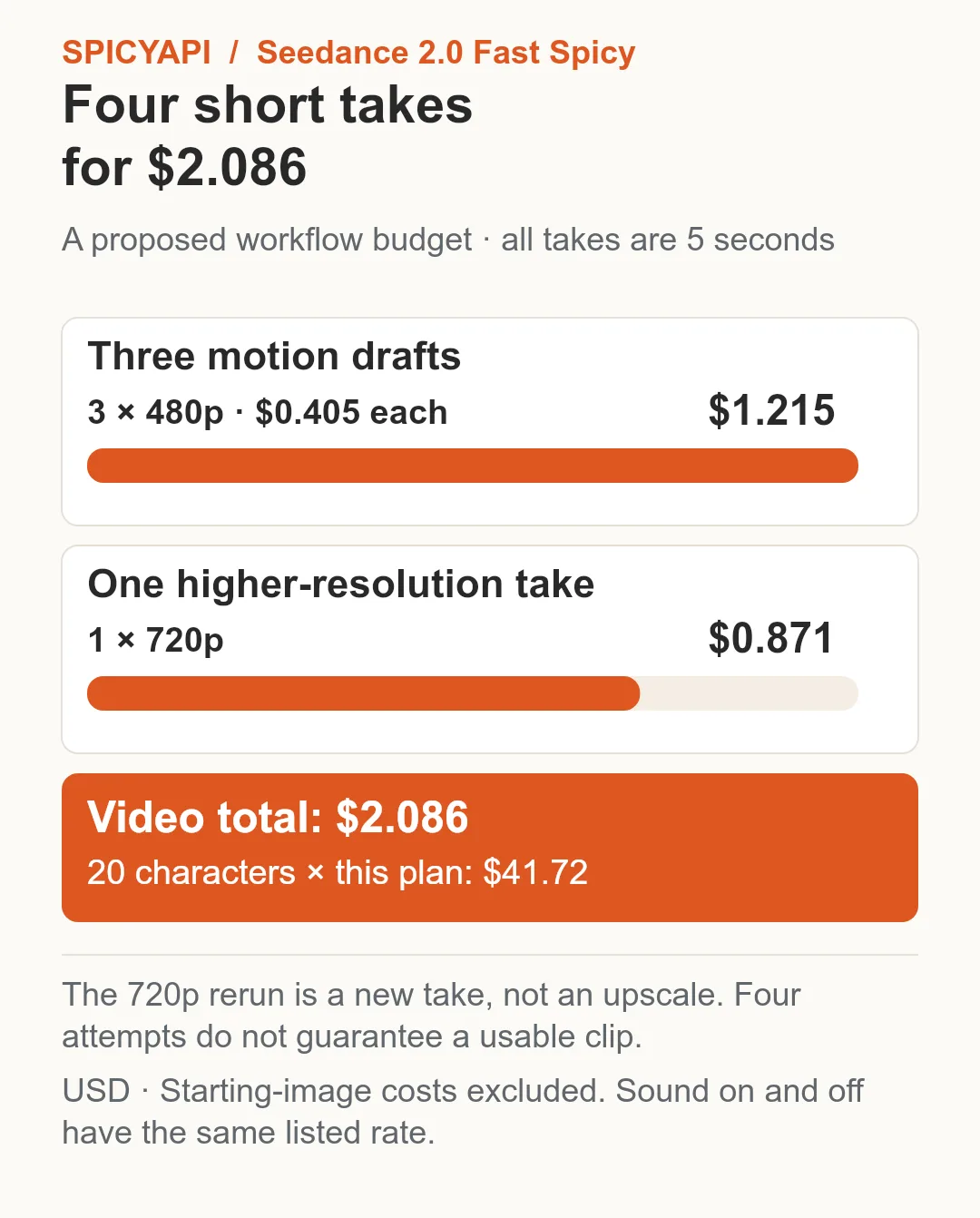
Three five-second 480p takes plus one five-second 720p take cost $2.086 in video generation.
Should you use it?
Choose Seedance 2.0 Fast Spicy when you already have an approved adult-character image, need a short shot at no more than 720p, and want generated sound or an ending-image target. Its history supports several NSFW categories, but the three softened L4 outputs are a real reason to look elsewhere for that category.
Try it in the Playground:
- Open Fast Spicy image-to-video and add the finished still under Input image.
- Set Duration to 5 and Resolution to 480p, then paste one motion brief into Prompt.
- Click Run model and inspect the action before buying a longer take.
Pay for a longer or higher-resolution take once the short one gives you the action worth keeping.
Use the approved brief through the API
Set SPICY_API_KEY in your environment and SPICY_IMAGE_URI to your opening image’s accessible URL or uploaded spicy:// URI. This Python 3 example submits one new shot after you confirm its price.
import json
import os
import urllib.request
import uuid

base = "https://api.spicyapi.ai/api/v1"
headers = {"Authorization": "Bearer " + os.environ["SPICY_API_KEY"],
           "Content-Type": "application/json", "User-Agent": "SpicyAPI-Blog/1.0"}
settings = {
    "duration_seconds": 5,
    "resolution": "480p",
    "generate_audio": False
}
settings["prompt"] = 'A slow camera push toward the subject. Keep the setting and clothing unchanged. One continuous shot.'
settings["image_url"] = os.environ["SPICY_IMAGE_URI"]
payload = {"model": "bytedance/seedance-2.0-fast-spicy/image-to-video", "input": settings}

def post(path, body):
    request = urllib.request.Request(base + path, json.dumps(body).encode(), headers)
    with urllib.request.urlopen(request, timeout=60) as response:
        result = json.load(response)
    if result.get("code") != 200:
        raise RuntimeError(result)
    return result["data"]

quote = post("/jobs/quote", payload)
if input(f"Maximum charge ${quote['maxCharge']}. Type yes to generate: ") != "yes":
    raise SystemExit("Stopped before generation")
headers["Idempotency-Key"] = str(uuid.uuid4())
print("Request key:", headers["Idempotency-Key"], flush=True)
task = post("/jobs/createTask", {**payload, "quoteId": quote["quoteId"],
                              "expectedCost": quote["estimatedCost"]})
print("Task ID:", task["taskId"])
Keep the printed request key for recovery of that same request; a new shot gets a new key. Task API documentation covers result delivery and recovery.
For repeated shots, let an Agent use an approved input file: CLI spicyapi tasks create --model bytedance/seedance-2.0-fast-spicy/image-to-video --input-file input.json --wait; MCP ask it to call spicyapi_task_create with that model and input; Skill ask “Use the spicyapi Skill to generate this approved shot and return the result.” CLI and MCP show the price before creation. See the Agent integration documentation.