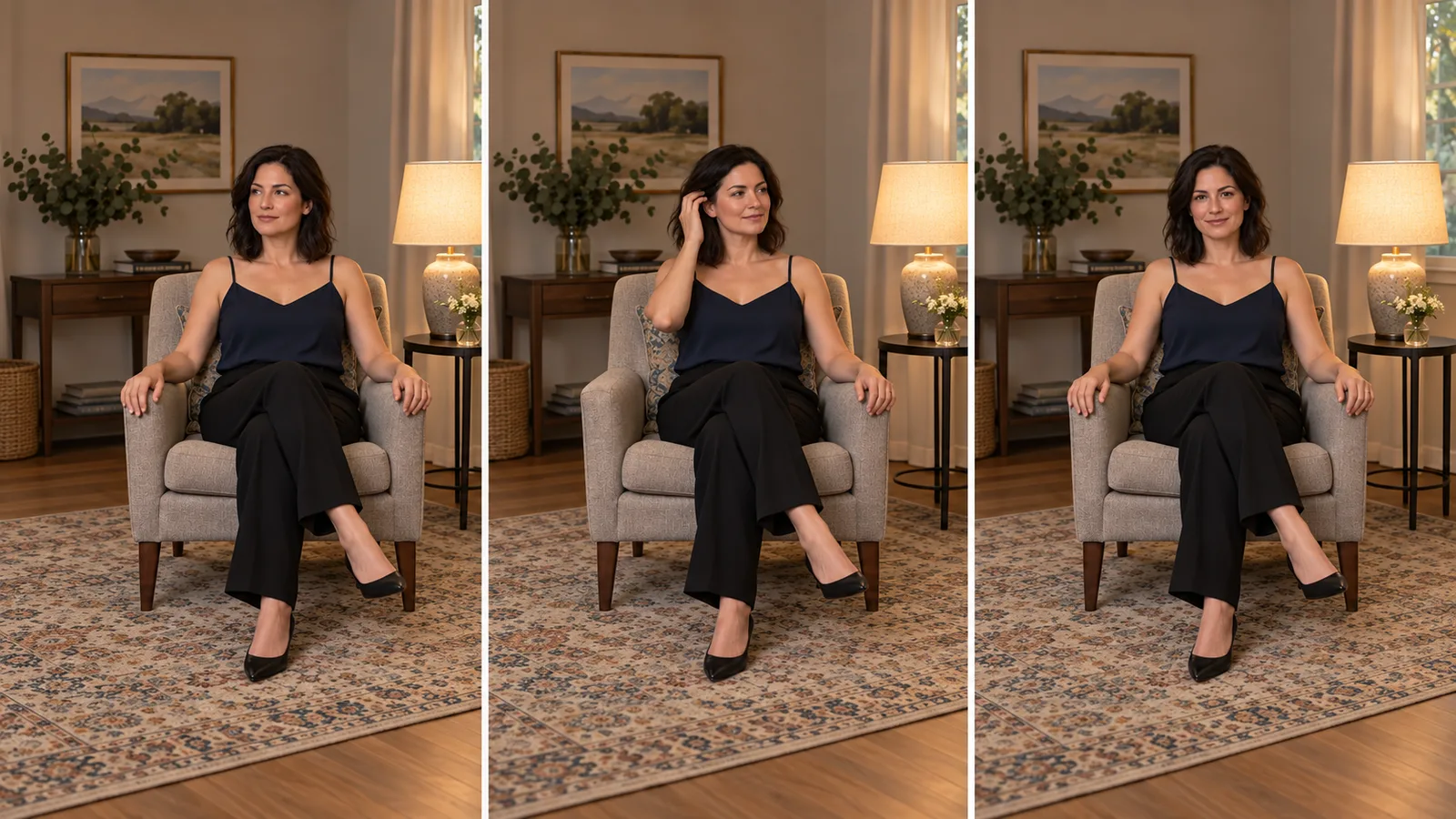
Your character’s starting image looks right: the face, outfit and room are ready. You want a short teaser with a glance, a small gesture and a usable ending. Should you buy five seconds, ten, or fifteen?
Choose five seconds for a glance or small head turn; ten for a hand gesture that finishes and returns to rest; fifteen when the preparation and recovery are part of what the viewer should see. If the idea still fits comfortably in five seconds, fifteen mostly buys more waiting. If five seconds forces three movements into a rush, simplify the action or give it ten. Both standard Wan 3.0 and Spicy support 2–30-second clips.
This guide plans one fictional adult character's teaser at all three lengths. It covers Wan 3.0 image-to-video and the separate Wan 3.0 Spicy image-to-video endpoint. The model choices draw on our September and October 2026 tests.
Pick the movement before picking the duration
Plan the visible change between the opening and the ending.
| Length | Useful teaser idea | What to leave out | Ending to ask for |
|---|---|---|---|
| 5 seconds | Look from just off camera toward the viewer, then a small smile | Hand movement, standing up, camera travel | About two seconds facing the viewer |
| 10 seconds | Look toward the viewer, tuck hair behind one ear, return the hand to the chair | A second pose, walking, a separate close-up | Hand back at rest before the final two seconds |
| 15 seconds | A seated gesture with a brief preparation, a completed hand movement and a natural recovery | A location change or several unrelated actions | A settled pose in roughly the final three seconds |
A fast gesture can fit in five seconds; a slow, careful one may need ten. The useful question is whether the viewer gets to see the action complete, rather than whether the requested duration is the largest available.
Prepare one still that leaves room for the gesture
Use a 9:16 portrait of a fictional woman aged 36, seated in an upholstered chair beside a warm lamp. She wears an opaque navy camisole and black trousers. Her face is angled slightly away from the camera, her long hair rests beside her right ear, and both hands are visible on the chair arms. Frame her from head to feet, with space above her head and beside her right elbow.
The same starting image can support all three examples. It already establishes the character, wardrobe, room and light, so the motion prompt can concentrate on what changes.
Before submitting, inspect the hand you intend to move. If its fingers merge into the armrest, fix the still first. If the right ear is hidden behind a large hair mass, a full tuck may be harder to judge; use a smaller smoothing gesture along the outside of the hair instead. A tight face crop is suitable for the five-second glance, but it gives a moving hand nowhere to enter without changing the framing.
Try the shot in the Wan 3.0 image-to-video Playground:
- Upload the prepared portrait and paste one of the motion prompts below.
- Choose five, ten or fifteen seconds at 480p; turn generated audio and prompt expansion off for the motion draft.
- Generate and compare the gesture with the intended ending before increasing the resolution.
Both standard and Spicy accept whole-second durations from 2 to 30. Standard also offers automatic duration; choosing a fixed length is simpler when the ending must land within a specific slot.
Five seconds: make the gaze change the entire action
A glance is enough when the still already carries the appeal of the scene. Do not add a hand gesture just because the prompt looks short.
Set the duration to 5 and paste:
One continuous five-second shot of the fictional adult woman in the opening image. Keep the same face, opaque navy camisole, black trousers, chair and warm lamp throughout. From 0 to 1 second, she remains seated with both hands resting visibly on the chair arms, looking slightly off camera. From 1 to 3 seconds, she turns her eyes and head a little toward the camera and forms a small, relaxed smile. From 3 to 5 seconds, she keeps her gaze toward the viewer and lets the movement settle. Natural blinking and breathing continue. Eye-level fixed camera; the full-length framing remains unchanged. She stays seated and her hands remain on the chair arms. Her mouth stays closed.
The prompt gives one visible change and a destination. The hands are intentionally inactive, making it easier to assess the face turn without also judging a moving hand.
Review the first second and the final two seconds. Does the face remain recognizably the same during the turn? Is the smile small enough for this character? Does the camera stay at the original distance? If the smile becomes exaggerated, replace “forms a small, relaxed smile” with “her expression softens slightly while her lips remain together.” If the turn is too large, ask for an eye movement and only a slight chin adjustment.
If this produces the whole beat you need, keep the short version.
Ten seconds: finish the hand gesture before the hold
Choose ten when the movement has a path out and a path back. Returning the hand to rest makes the ending read as deliberate, rather than cutting off a gesture halfway through.
Set the duration to 10 and paste:
One continuous ten-second shot of the fictional adult woman in the opening image. Keep her face, opaque navy camisole, black trousers, chair and warm lamp unchanged. From 0 to 2 seconds, she turns her gaze gently toward the camera while both hands rest on the chair arms. From 2 to 5 seconds, she lifts her right hand from the right chair arm, keeping it beside her cheek rather than across her face, and tucks the loose hair behind her right ear. From 5 to 8 seconds, her right hand travels back down and rests on the same chair arm; she maintains a small, relaxed smile. From 8 to 10 seconds, she remains in that settled seated pose, with both hands visible at rest. Natural blinking and breathing continue. Fixed eye-level camera, unchanged full-length framing, one take. Her outfit stays in place and her mouth stays closed.
The extra five seconds serve the hand's travel, contact with the hair, return and recovery. They are not just a slower version of the glance.
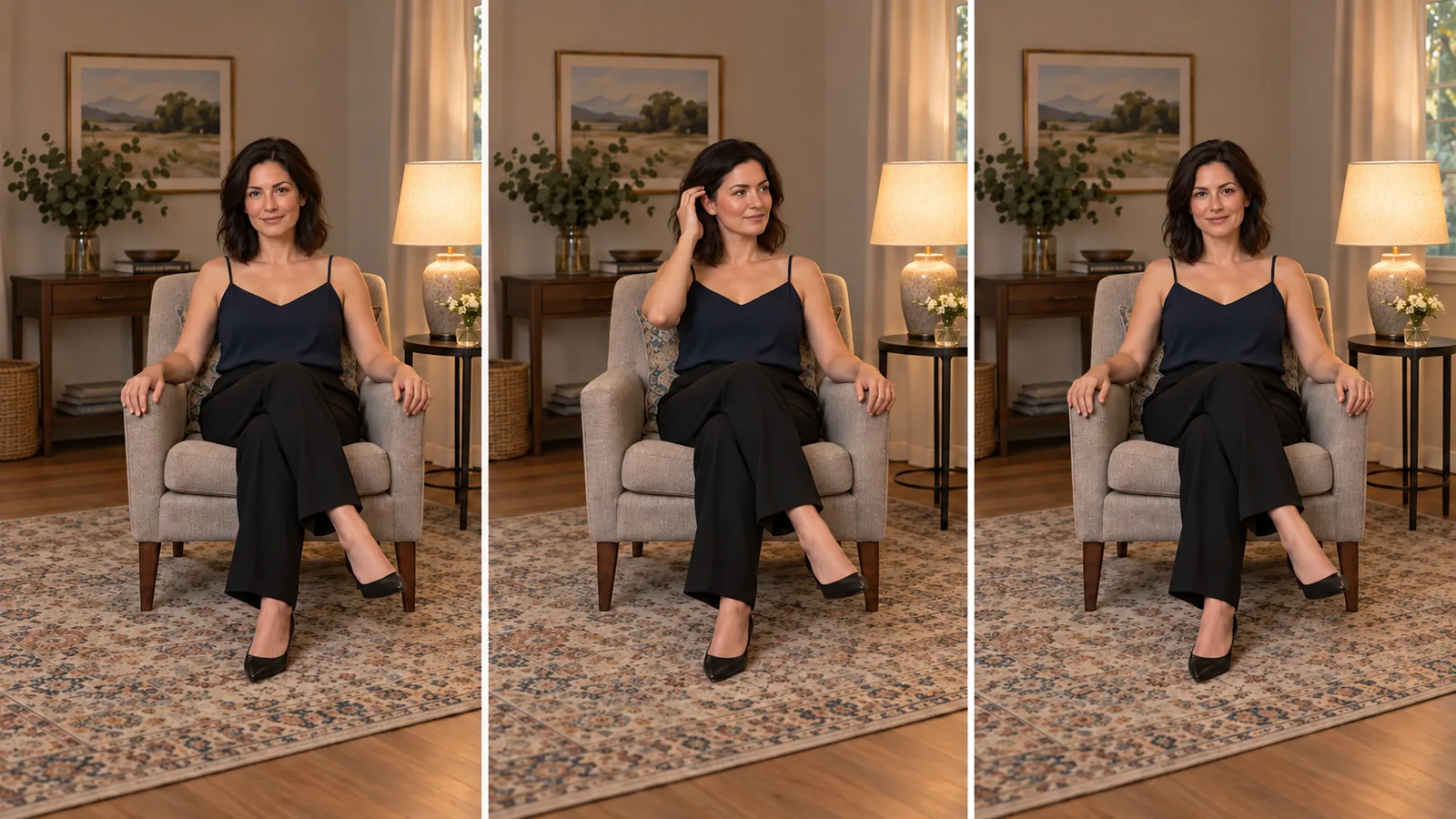
Illustrated movement plan: opening pose, hand at the ear, then return to rest for the ten-second prompt.
Inspect the moment when the hand reaches the ear. Fingers disappearing into the cheek, the face changing behind the hand or the arm returning to a different location are reasons to revise the gesture. First make it smaller: replace the tuck with “she gently smooths the outside of her hair beside her neck, then returns her hand to the chair arm.” This removes the tight hand–ear contact while retaining a visible movement.
Fifteen seconds: include anticipation and recovery
Fifteen seconds suits a teaser where the quiet lead-in and the character's response are part of the scene. It is excessive if the only requirement is “look at the camera.”
Set the duration to 15 and paste:
One continuous fifteen-second seated shot of the fictional adult woman from the opening image. Preserve her face, opaque navy camisole, black trousers, chair and warm lamp throughout. From 0 to 3 seconds, she rests with both hands on the chair arms, looking slightly off camera; her shoulders relax and her eyes shift toward the viewer. From 3 to 7 seconds, she lifts her right hand beside her face and gently smooths the loose hair back beside her right ear, keeping her face visible. From 7 to 10 seconds, she lowers that hand to the same chair arm and finishes the movement. From 10 to 12 seconds, she makes a small seated shoulder adjustment toward the camera and lets a restrained smile form. From 12 to 15 seconds, she settles facing the viewer, both hands visible at rest, with natural blinking and breathing. Eye-level fixed camera, unchanged full-length framing, no cuts. She stays seated, her outfit remains in place and her mouth stays closed.
Here, the hand movement is similar to the ten-second example, but the anticipation and final response have room to be seen. The shoulder adjustment is small; it is not a full body turn or a new pose.
If the first three seconds contain nothing useful, shorten the lead-in rather than adding another action to fill it. If the hand completes its movement early and the remaining clip repeats gestures, remove the shoulder adjustment and request a quiet recovery, or return to ten seconds. If the expression or outfit changes later in the clip, shorten the planned beat and specify the desired end state. Longer takes leave more room for unplanned action; buying more seconds is not a fix for unwanted escalation.
The official prompting guide uses timed descriptions to organize scenes. The schedules here apply that idea to one continuous shot. Keep “one continuous shot” in the prompt: timestamps organize the gesture, but do not require a cut at every boundary. They are requests for pacing, not a frame-accurate editing timeline. Watch the actual output before positioning a caption or trimming a cut.
When the movement or ending goes wrong
A failed duration choice often shows up as a specific problem. Change that part of the brief before buying another longer clip.
| What you see | First revision to try | Why it matches the problem |
|---|---|---|
| Five seconds rushes the turn and hand gesture together | Keep only the glance, or use the ten-second gesture prompt | Removes competing movement instead of demanding faster hands |
| Fifteen seconds repeats a gesture or drifts into a new pose | Use ten seconds with an explicit hand return and final rest | Gives the scene a clear stopping point |
| Hand covers the face and identity changes during contact | Smooth hair beside the neck; keep the face visible | Removes the occlusion you are trying to repair |
| Movement stops only at the last instant | Make the action finish earlier and reserve two or three seconds to settle | Provides a usable tail for editing |
| The ending looks like a frozen photograph | Keep the pose settled but request natural blinking and breathing | Distinguishes holding a pose from freezing every detail |
| Camera creeps closer and crops the hand | Keep a fixed camera and unchanged framing; use a wider opening still if needed | Addresses framing rather than changing duration |
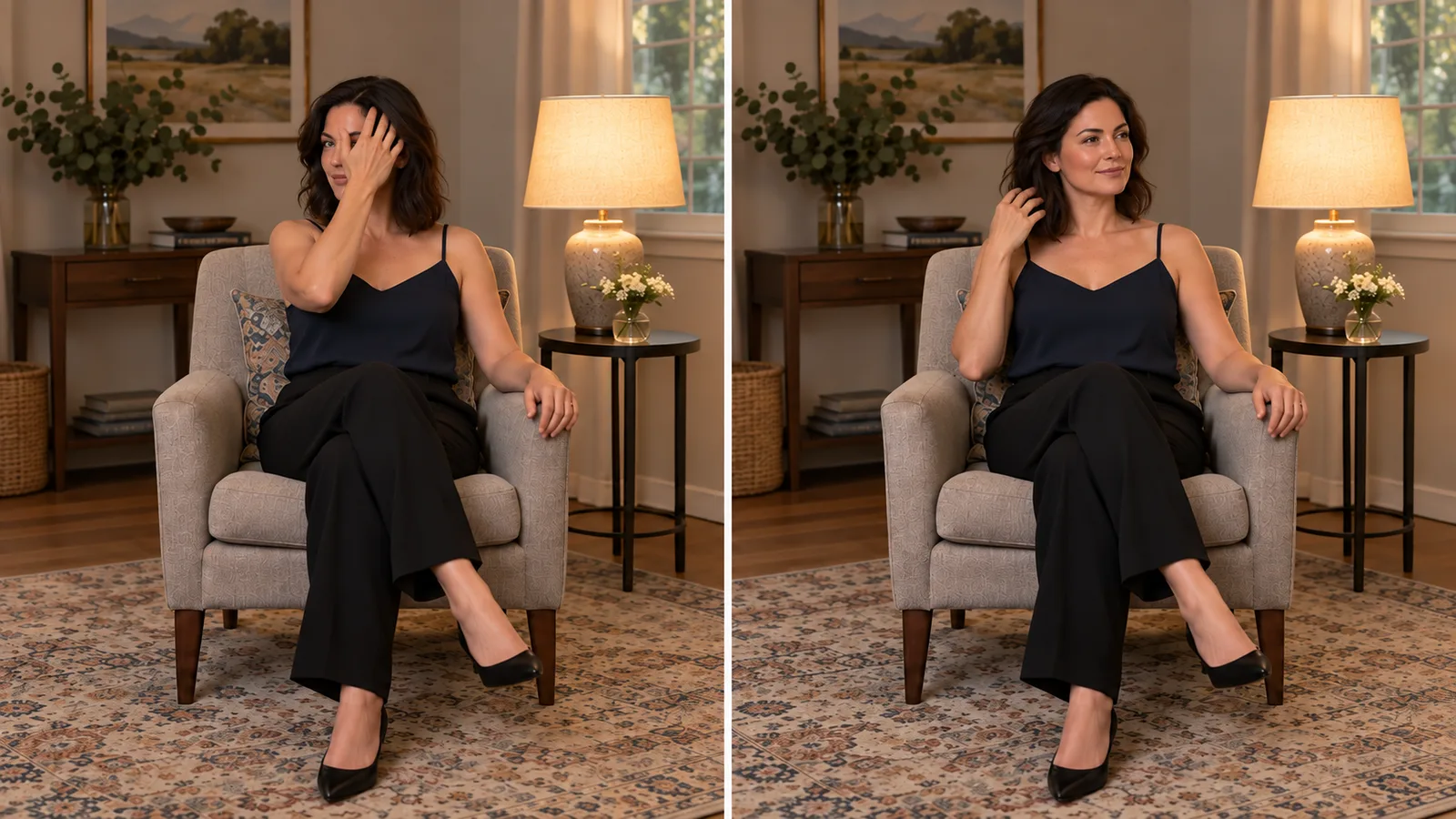
Illustrated gesture options. Left: the hand covers an eye. Right: the hand stays in the hair beside the neck, leaving the face visible.
An optional last_image_url can supply the intended ending composition on both endpoints. Use an approved still with the same character, outfit, chair and lighting. The closing image fixes the last frame; use a still with the hand at rest to land on that pose. For this teaser, the ending can differ from the opening. A seamless loop has an additional requirement at the join that this one-way clip does not.
If your idea includes standing, walking across the room and sitting in a second chair, separate it into shots. Make an approved still for each composition and use a deliberate cut between them. You can retry a failed shot independently. Two five-second requests cost the same as one ten-second request at the same per-second rate, before retries; the separate shots do not become a seamless continuous take automatically. For a genuinely longer continuous sequence, see the longer NSFW video guide.
Standard Wan 3.0 or Spicy for this teaser?
Start with standard Wan 3.0 image-to-video for this clothed teaser. It renders adult content and is cheaper at 480p. In the matched clothed example, standard kept the outfit while Spicy changed it.
Wan 3.0 Spicy can push a scene further into adult content, including unwanted wardrobe changes. Choose it when that direction fits the intended scene, rather than expecting it to solve motion or timing problems. For restrained teasers, specify the end state and use the shortest duration that completes the action.
What five, ten and fifteen seconds cost
Single-request USD costs, excluding source-image generation:
| Endpoint and resolution | Per second | 5 seconds | 10 seconds | 15 seconds |
|---|---|---|---|---|
| Wan 3.0, 480p | $0.045 | $0.225 | $0.450 | $0.675 |
| Wan 3.0, 720p | $0.090 | $0.450 | $0.900 | $1.350 |
| Wan 3.0, 1080p | $0.180 | $0.900 | $1.800 | $2.700 |
| Wan 3.0 Pro, starts at 1080p | $0.144 | $0.720 | $1.440 | $2.160 |
| Wan 3.0 Spicy, 480p | $0.057 | $0.285 | $0.570 | $0.855 |
| Wan 3.0 Spicy, 720p | $0.114 | $0.570 | $1.140 | $1.710 |
| Wan 3.0 Spicy, 1080p | $0.228 | $1.140 | $2.280 | $3.420 |
For the ten-second gesture, a standard 480p draft and one revised draft cost $0.90 total. A ten-second 1080p generation on Wan 3.0 Pro adds $1.44, for $2.34 total; standard 1080p brings it to $2.70. Switching to Pro creates a new take, not an upscale of the approved draft.
If you request fifteen seconds but keep only its first eight seconds in an editor, you still pay for the fifteen-second generation. Trimming does not refund the discarded tail. A shorter request saves money only when it completes the action you need.
For the first draft, use the five-second glance if your goal is simply a character greeting the viewer. Move to ten when the hand gesture matters. Choose fifteen only when its preparation and recovery earn their place in the finished teaser. Then revise the part you can actually see going wrong.
Run the approved motion through the API
Set SPICY_API_KEY in your environment and SPICY_IMAGE_URI to your opening image’s accessible URL or uploaded spicy:// URI. This Python 3 example submits one new shot after you confirm its price.
import json
import os
import urllib.request
import uuid

base = "https://api.spicyapi.ai/api/v1"
headers = {"Authorization": "Bearer " + os.environ["SPICY_API_KEY"],
           "Content-Type": "application/json", "User-Agent": "SpicyAPI-Blog/1.0"}
settings = {
    "duration_seconds": 5,
    "resolution": "480p",
    "generate_audio": False,
    "enable_prompt_expansion": False
}
settings["prompt"] = 'One continuous fixed-camera shot. The seated adult turns her gaze toward the camera and gives a small smile, then rests. Keep the outfit, chair and framing unchanged.'
settings["image_url"] = os.environ["SPICY_IMAGE_URI"]
payload = {"model": "alibaba/wan-3.0/image-to-video", "input": settings}

def post(path, body):
    request = urllib.request.Request(base + path, json.dumps(body).encode(), headers)
    with urllib.request.urlopen(request, timeout=60) as response:
        result = json.load(response)
    if result.get("code") != 200:
        raise RuntimeError(result)
    return result["data"]

quote = post("/jobs/quote", payload)
if input(f"Maximum charge ${quote['maxCharge']}. Type yes to generate: ") != "yes":
    raise SystemExit("Stopped before generation")
headers["Idempotency-Key"] = str(uuid.uuid4())
print("Request key:", headers["Idempotency-Key"], flush=True)
task = post("/jobs/createTask", {**payload, "quoteId": quote["quoteId"],
                              "expectedCost": quote["estimatedCost"]})
print("Task ID:", task["taskId"])
Keep the printed request key for recovery of that same request; a new shot gets a new key. Task API documentation covers result delivery and recovery.
For repeated shots, let an Agent use an approved input file: CLI spicyapi tasks create --model alibaba/wan-3.0/image-to-video --input-file input.json --wait; MCP ask it to call spicyapi_task_create with that model and input; Skill ask “Use the spicyapi Skill to generate this approved shot and return the result.” CLI and MCP show the price before creation. See the Agent integration documentation.