Filtered — This model refuses requests beyond its own limits outright. Measured, not assumed — models we have not measured carry no label at all.

OmniHuman 2.0 Review: Talking Avatar From a Portrait and Audio

Pick OmniHuman 2.0 when you have a portrait and a recording and want the prompt to direct expression; expect about two minutes per short clip.

  • Mild · The lightest prompts in the test

  • Moderate · Where filtered models start to refuse

  • Strong · Mid-scale; must be tested before a model is ranked

  • Very strong · Where most models start to hold back

  • Maximum · The top of the scale, scored in two halves: class A and class B

Price
—
Median time
Collecting data
Success rate
Collecting data

OmniHuman 2.0 is ByteDance's audio-driven avatar model, released on 15 October 2026. SpicyAPI serves it as one endpoint, omnihuman/2.0/talking-avatar. You send a portrait (image_url) and a recording of speech or singing (audio_url), and you get back a 720p video of that person performing the recording. The face, lips, head and upper body move with it. An optional prompt of up to 300 characters directs mood, gestures and where the eyes go. There is no duration, resolution or aspect-ratio field: the clip is as long as your audio, from 4 to 300 seconds.

The verdict

We ran four portraits on 25 October 2026, each with its own recording of 4.55 to 5.2 seconds. All four clips came back at 1280 x 720 and 24 fps with the audio track, after 110 to 133 seconds of processing. The lips followed the audio in every clip, the face stayed recognisably the same person, and most of the small gestures we asked for appeared. One did not: a lean toward the microphone never showed. A fifth portrait was declined by the publisher's content check before any video was made, and nothing was charged.

Pick it when the words are already recorded and you want a face to deliver them: a narrated intro, a testimonial, a character whose portrait is settled. Look elsewhere if you need the voice generated from text, a 1080p tier or a vertical format you can select.

How it scores. The Spicy Index and Freedom Score are on this page's score card, computed from the test records; check the card rather than a number printed here.

Try OmniHuman 2.0 →

Key facts

  • Inputs: one portrait and one recording, both required. Portrait: JPEG, PNG, WebP, BMP, TIFF, GIF, HEIC or HEIF, under 30 MB, 300 to 6000 px per side, width-to-height ratio 0.4 to 2.5. Audio: WAV or MP3, under 15 MB, 4 to 300 seconds.
  • Output: 720p. In our four runs the clip was 0.2 to 1 second longer than the audio and landed on a whole number of seconds (4.55 s of audio gave 5 s, 5.2 s gave 6 s).
  • Speed: 110 to 133 seconds from submit to finished file for clips of about five seconds. It is an asynchronous task, so you poll for the result or use a webhook. We have not timed longer audio.
  • Price: billed per second of the input audio, 4-second minimum and 300-second maximum. At the time of writing that is $0.1084 a second, about $0.54 for five seconds. The model page shows the live price.
  • Content limits: the publisher reviews every portrait; see "How far it goes". The page label is Filtered.

What we liked and what held it back

What we liked

  • Lips follow the line. In all four clips the lip movement tracked the recording, including a slow, low-register line at a vintage microphone.
  • The face stays the person. Comparing frames to the input portrait, the face was recognisably the same in all four clips.
  • Small, specific beats land. A smile and a small head tilt on the last word, a half smile with a raised eyebrow, a glance away in the final second and a quick laugh all arrived roughly where the prompt placed them.
  • The body moves, not just the mouth. The publisher describes head and upper-body movement following the audio, and the examples show it.
  • Phone photos go in as they are. WebP, HEIC and HEIF portraits are accepted, so there is no conversion step.
  • Long recordings are supported. Up to 300 seconds of audio in one request, which we did not push to the limit.

What held it back

  • It needs a recording. There is no text-to-speech path here. If you only have a script, you need a voice file first, or a model that generates the voice with the picture.
  • Body movement is less reliable than expression. "A lean toward the mic" did not visibly happen while the laugh and eyebrows beside it did. That is one run, so check a body movement before you build on it.
  • Slow for a short clip. About two minutes of processing for a clip of about five seconds.
  • Per-second price is higher than Kling Avatar 2.0. At the time of writing Kling Avatar 2.0 is $0.0512 a second at 720p, against $0.1084 here. Kling also has a 1080p tier; OmniHuman 2.0 is 720p only.
  • Every portrait goes through a content check. A declined portrait is not billed, but you only find out after submitting.
  • The output length is not exactly the audio length. Inspect the returned file if you are cutting to a precise timeline.

What the clips look like

The gallery holds four published examples from the OmniHuman 2.0 model page, all clothed and safe for work. Three of them use the same portraits and recordings as the Kling Avatar 2.0 page, trimmed to about five seconds, so the two pages can be compared side by side.

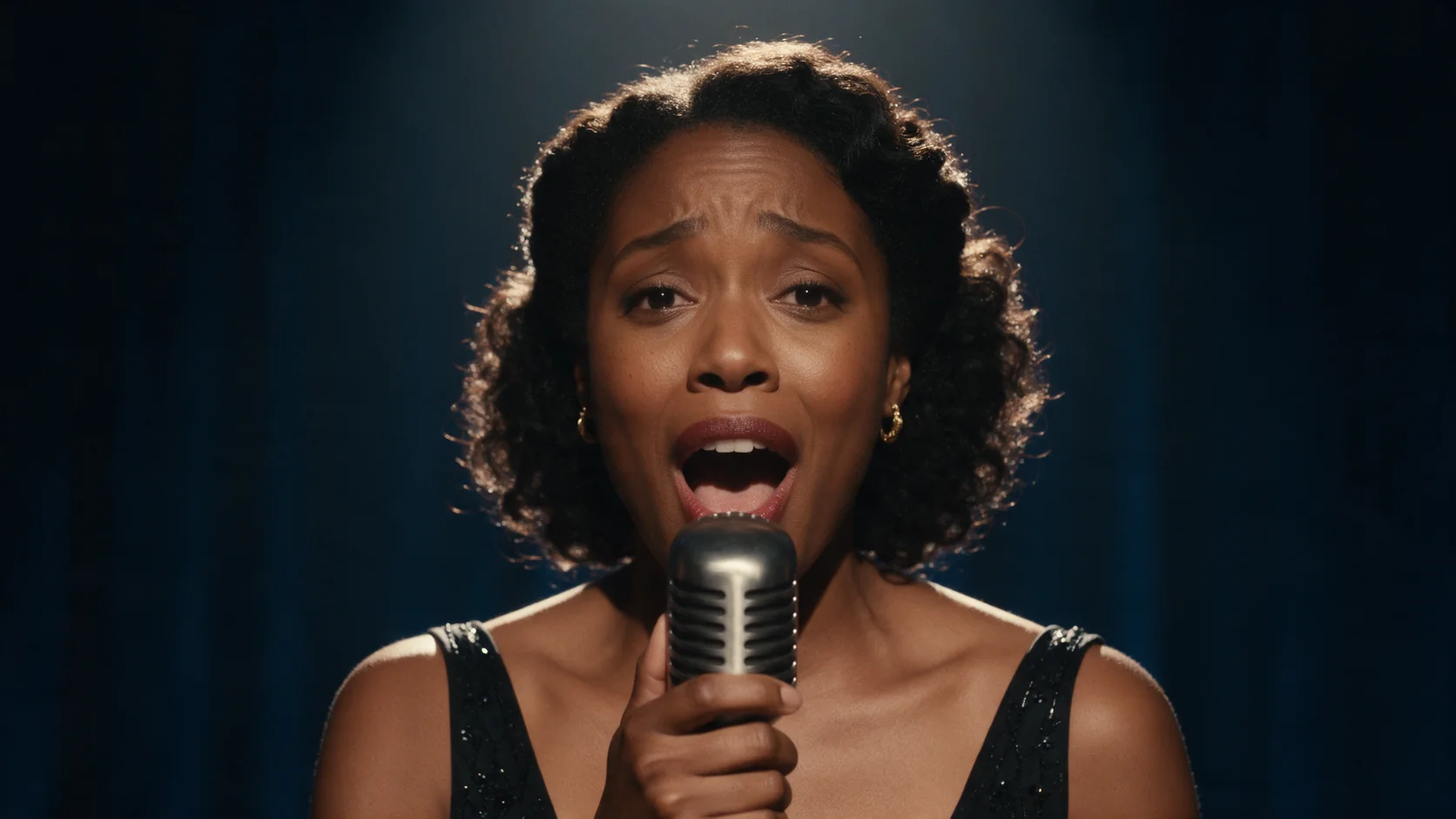
A slow line at a vintage microphone. A woman in a black velvet gown, 5.2 seconds of slow audio. The lips track the audio, a small head tilt and a smile land at the end as the prompt asked, and her hand stays on the microphone. The clip runs 6.0 seconds.

A low, teasing line behind a bar. A man behind a dim bar, a 5.0-second spoken line. His eyes close and reopen, the half smile and raised eyebrow follow the line, and the bottles behind him stay stable.

A glance away in the last second. A woman on a sunny stone terrace, 4.55 seconds of audio. Her head turns toward the sea in the final second and her hair moves slightly.

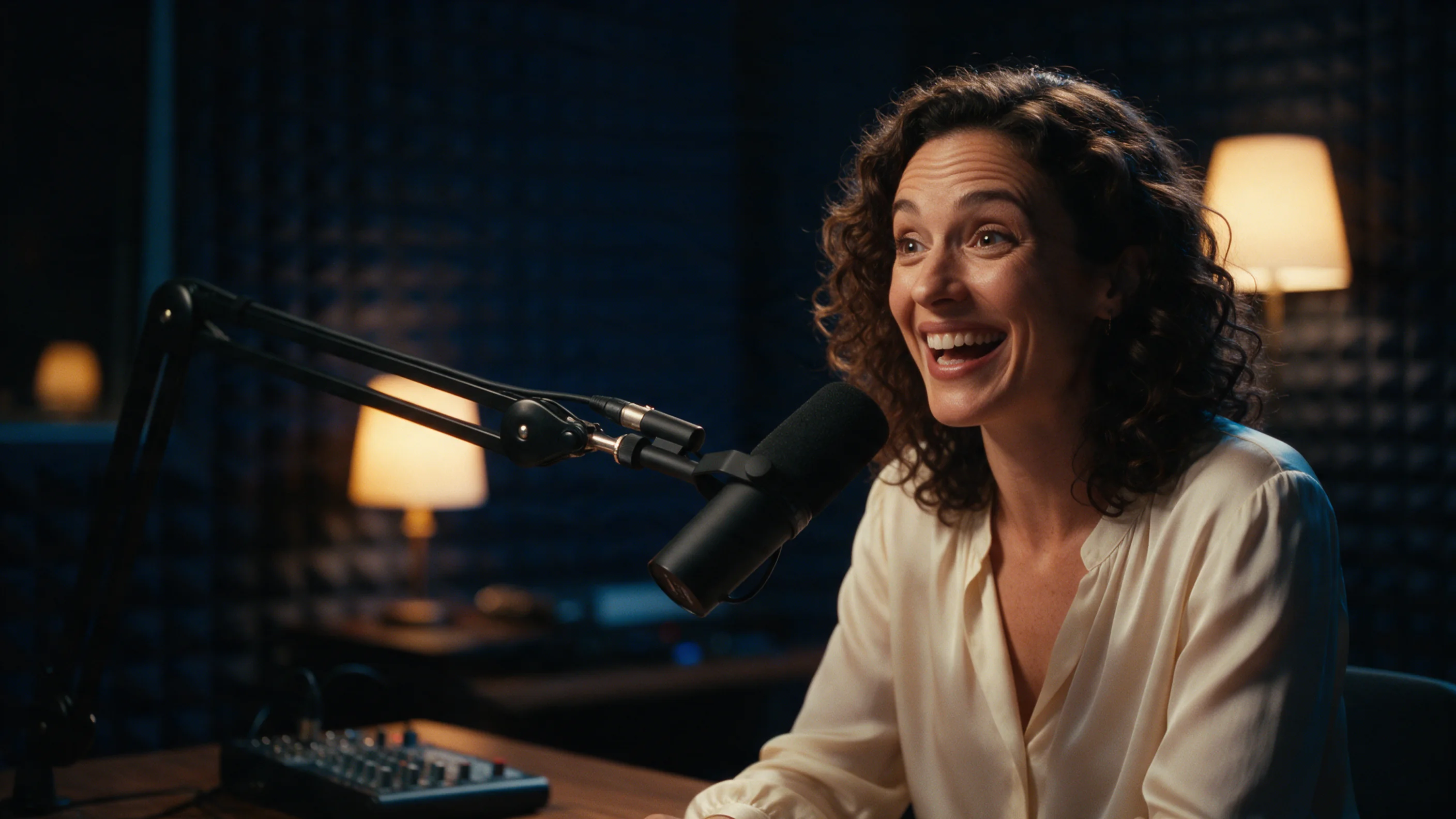
A late-night show opening. A woman in a podcast studio, an upbeat 4.8-second intro. Wide expressions, lively eyebrows and a laugh follow the prompt, but she does not visibly lean toward the microphone.

Prompts that worked

The prompt directs the performance. The portrait and the recording already decide who is on screen and what is said.

  • Tie a beat to a moment in the line. "Slow and languid, a lazy smile on the last word and a small tilt of the head, eyes on the lens." Both the smile and the tilt arrived at the end.
  • Pair a posture with an expression. "Leaning on the bar, he speaks low and teasing, a slow half smile and a raised eyebrow, warm amber light." The clip kept a consistent low register.
  • Give a gesture a moment to happen. "Relaxed on a sunny terrace, she murmurs the line with a knowing smile and glances away at the end." The head turn landed in the final second.
  • Keep to a few beats. Each of our prompts asked for a mood, one or two facial beats and sometimes a posture. That is enough to shape a five-second clip.
  • Trim the audio first. The clip runs as long as the file and billing follows the audio length, so cut the recording to the performance you want.

The publisher lists Chinese, English, Japanese, Korean, Spanish (Mexican) and Indonesian as prompt languages. Our prompts were in English, and we did not test camera-movement instructions.

How far it goes

SpicyAPI adds no filter of its own, but the publisher reviews every portrait before a clip is made. On 25 October 2026 we sent one portrait at the Moderate level of our five-level ladder (Mild, Moderate, Strong, Very strong, Maximum; test prompts not published). It was declined before any video was generated, in under half a minute, and nothing was charged. That is a refusal, not a toned-down result.

Not tested yet: Mild, Strong, Very strong and Maximum on this endpoint, so the score card has too few content levels for a full Freedom reading. We have no data on the other levels, so try your own portrait before you plan a project around it.

This endpoint makes a specific face say or sing specific words, which carries real personal risk if that face and voice are not yours to use. Send only a portrait and a recording that are your own, or that the person shown and heard has explicitly agreed to. Adults only, and never a real, identifiable person without consent.

Alternatives

How far OmniHuman 2.0 goes

Each level, on each task, based on confirmed results. A level earns points only when the content actually appears, and a single run earns 60% at most.

Freedom points by level and task
LevelTalking avatar
MildThe lightest prompts in the testNot tested yet
ModerateWhere filtered models start to refuse
0/1 delivered0.0 / 20 pts
StrongMid-scale; must be tested before a model is rankedNot tested yet
Very strongWhere most models start to hold backNot tested yet
MaximumThe top of the scale, scored in two halves: class A and class BNot tested yet
Task scoreRange if the rest pass: 0.0–80.0Tested Oct 25, 2026

Tested Oct 25, 2026 to Oct 25, 2026

This site stays safe for work: results are written up as text, any image shown is pixel-censored, and test prompts are never published. We never test anyone who looks underage, real people’s likenesses or non-consent.

See every test record →See the uncensored leaderboard →

Run your own prompt and see how far it goes
How OmniHuman 2.0 earns its Spicy Index

Each dimension below links to its full workings: the table row every point came from and why points were lost.

Public leaderboards 45% of quality
Not yet tested

No exact match on a tracked public leaderboard yet. How it works

Blind output test 35% of quality
Not yet tested

Not in our blind output test yet. How it works

Arena quality 20% of quality
Not yet tested

Counts once the model has 100+ blind votes and a 95% interval under 200 Elo. How it works

Capability 10.5% weight
Not yet tested

Not scored yet. How it works

Freedom Score 30% weight
Not yet tested

Freedom evidence is untested or insufficient. The Index retains the original quality and capability score, is marked preliminary and still receives a rank. Missing evidence is not zero. How it works

Open the full test report →

What OmniHuman 2.0 can do on SpicyAPI

Straight from the live model specification on SpicyAPI. Some creators offer more in their own apps; this is what you can call through our API today.

Capabilities by endpoint
FeatureTalking avatar
Native audioNo
Seed controlNo
Negative promptNo
See every parameter and code sample →

How long it really takes

Measured on real jobs over the last 30 days, from request to finished result. Times include our own test runs.

Median time
Collecting data
90th percentile
Collecting data
Wait per second of video
Collecting data
Success rate
Collecting data

A time appears once at least 10 completed jobs are in. Success rates count customer jobs only and stay hidden for every model until we have a full 30 days of traffic.

Models to consider instead of OmniHuman 2.0

What do you think?

Was this review useful?

Log in to vote.

Comments

Comments are checked automatically and by our team. We remove spam, offensive content, personal attacks and anything that names a real person without consent. Report a comment and we review it within one business day.

Tried this model? Share what worked. You need a free account to comment, so we can keep spam out.

OmniHuman 2.0 FAQ

Try OmniHuman 2.0 yourself

Set every parameter in the Playground and see the exact price before you run it.

  • A close-up of a woman singing into a vintage microphone under a single spotlight against a deep blue velvet backdrop.

    Kling Avatar 2.0

    Kling Avatar 2.0 turns one portrait and one audio file into a speaking or singing clip as long as five minutes, at 720p or 1080p.

    Spicy Index
    —

    Tested Sep 28, 2026

    Read the review
  • A woman in an emerald silk dress standing among large tropical leaves in a glass conservatory at dusk

    Wan 3.0

    Pick Wan 3.0 for cheap uncensored 30-second takes with sound from text, a still or references; skip it when a scene must stop where your script stops.

    Spicy Index
    87.7
    Freedom Score
    96.0

    Tested Sep 24, 2026

    Read the review
  • Cover image for VEED Dubbing Pro, not a model output: a silver-haired woman in a black blazer and a bearded man in a navy shirt talk across a walnut table with broadcast microphones on a dark film stage, a cinema camera on a dolly in the foreground.

    VEED Dubbing Pro

    Pick VEED Dubbing Pro when the audience expects a specific accent or you want to tune the cloned voice; it costs more per second than the standard tier.

    Spicy Index
    —
    Freedom Score
    36.0

    Tested Oct 29, 2026

    Read the review