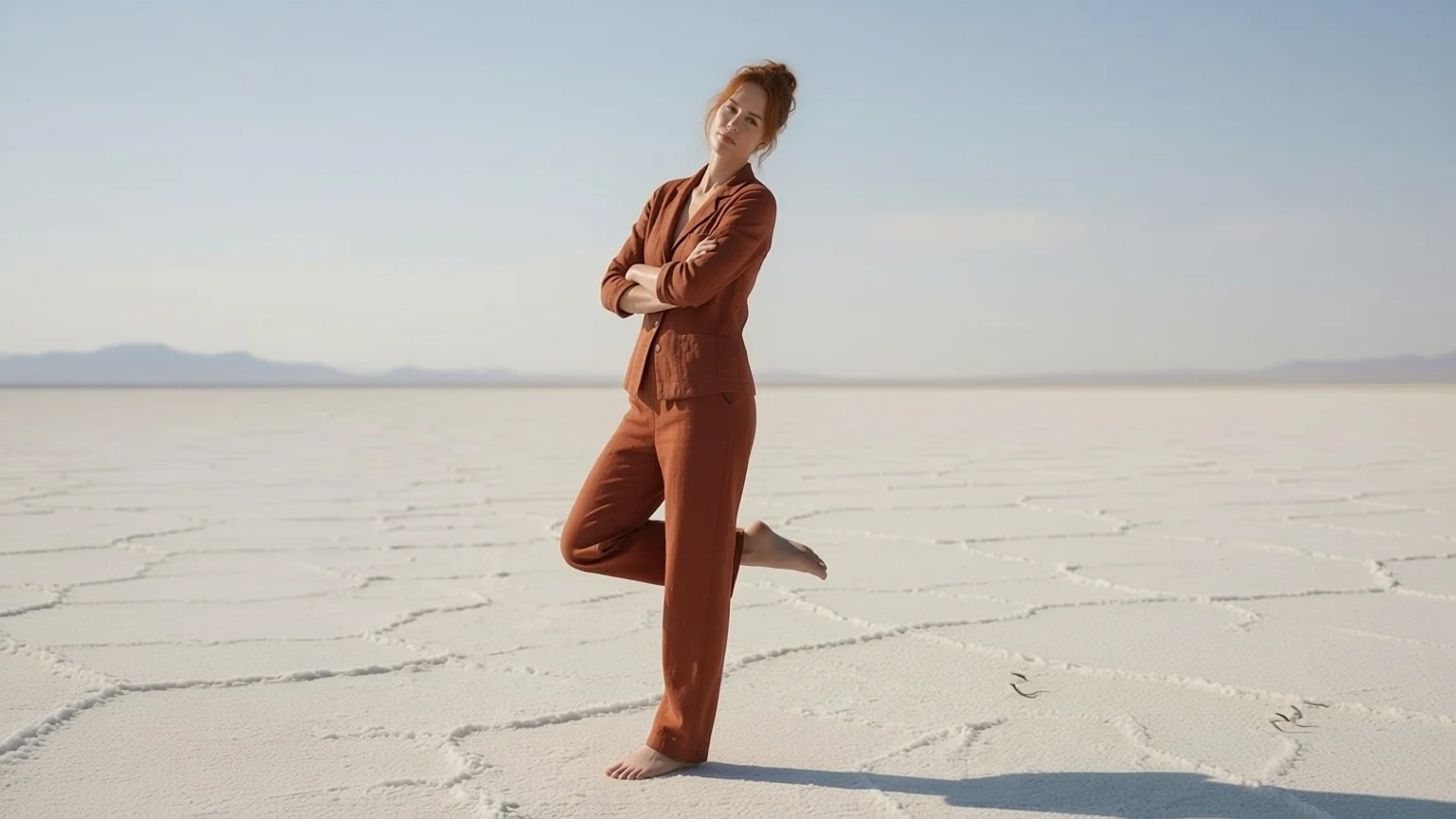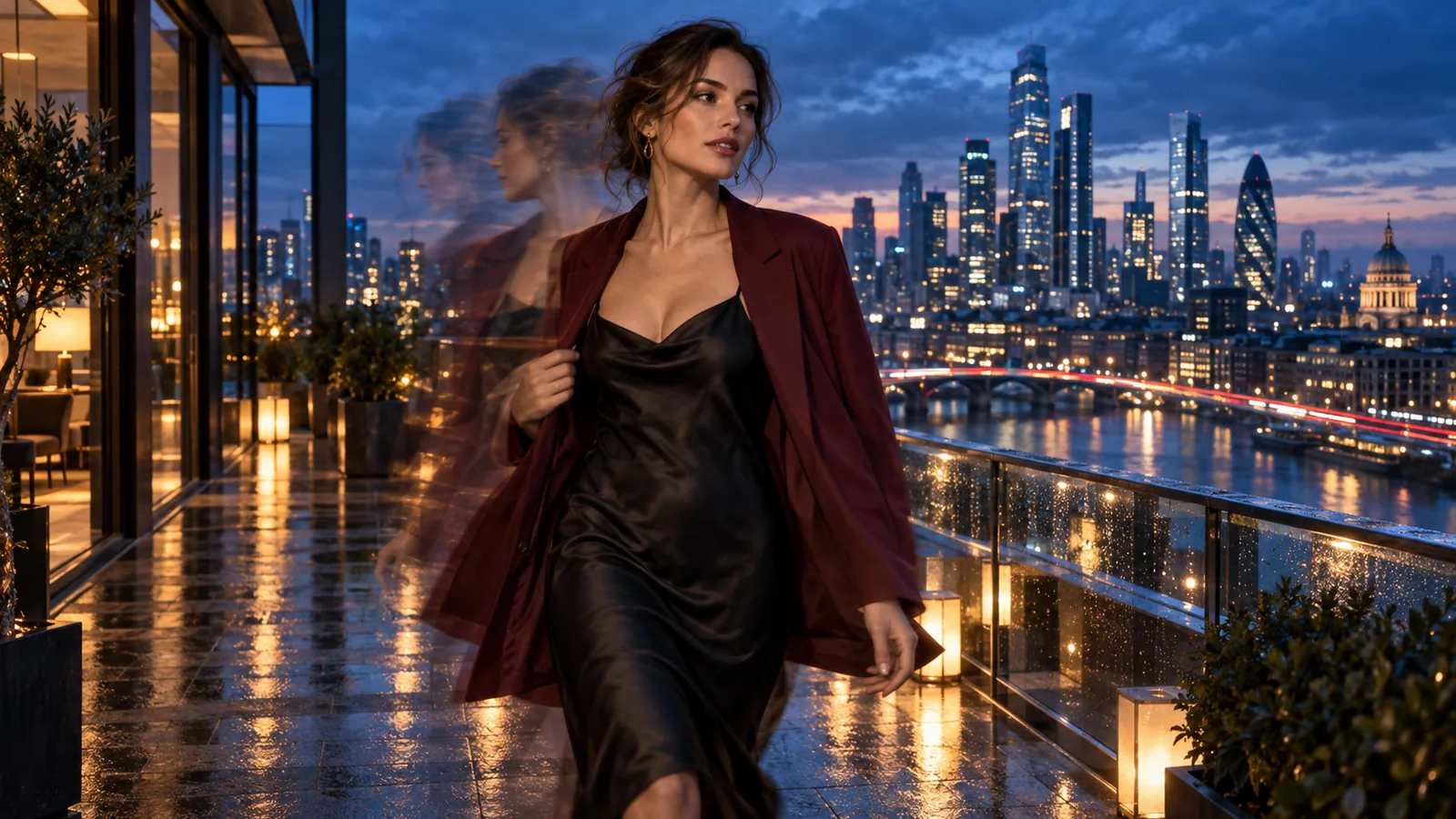
There are two things people mean by "anime to real life". One is a still: take a drawing and see it as a photograph. The other is motion: see that character walking through a real scene. Most converters online only do the first. This guide covers both with two tools you can try today: Anime to Real turns a drawing into a realistic photo for a flat $0.03 per image, and MiniMax H3 Character Swap replaces a person in a video clip you supply with a drawn or 3D character, rendered as a live-action person.
All people in the images and clips below are fictional adults. The pictures are the models' own examples, so you can open the model pages and rerun the same inputs.
We did not chain the two steps. In our video examples the drawn original was the reference, not a photo made by the image tool, and the video route needs your own live-action clip. Our tests used ordinary, public-safe portraits and scenes; we did not test unfiltered output here.
Step 1: a drawing becomes a photograph
Anime to Real takes one anime frame, cartoon, illustration or painting and returns a realistic photo of the same scene: same pose, same outfit, same background. It runs Qwen-Image-Edit-2511 with the Anything2Real LoRA, so you do not host weights or build a ComfyUI workflow. A result usually arrives in 16 to 21 seconds.
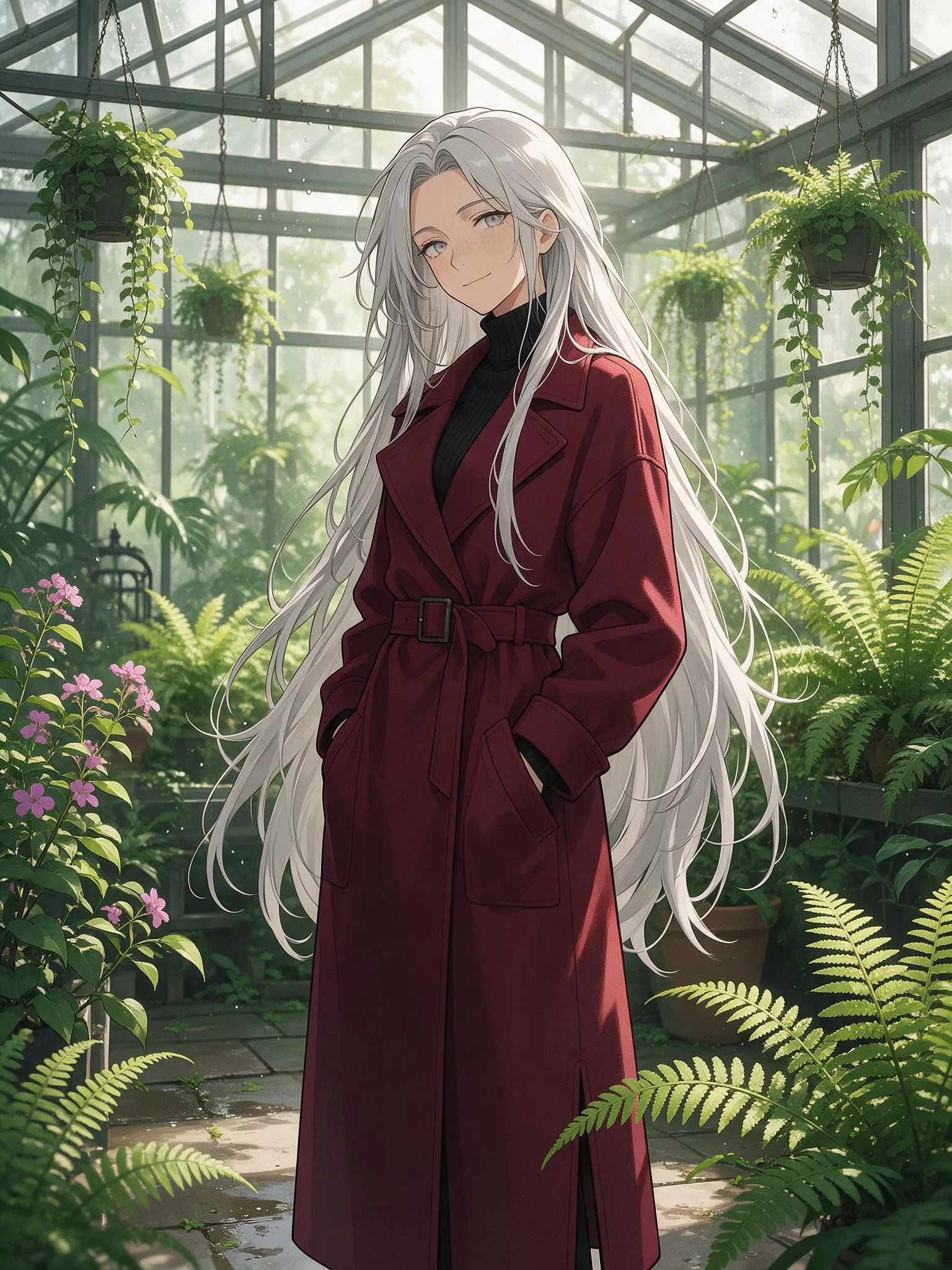
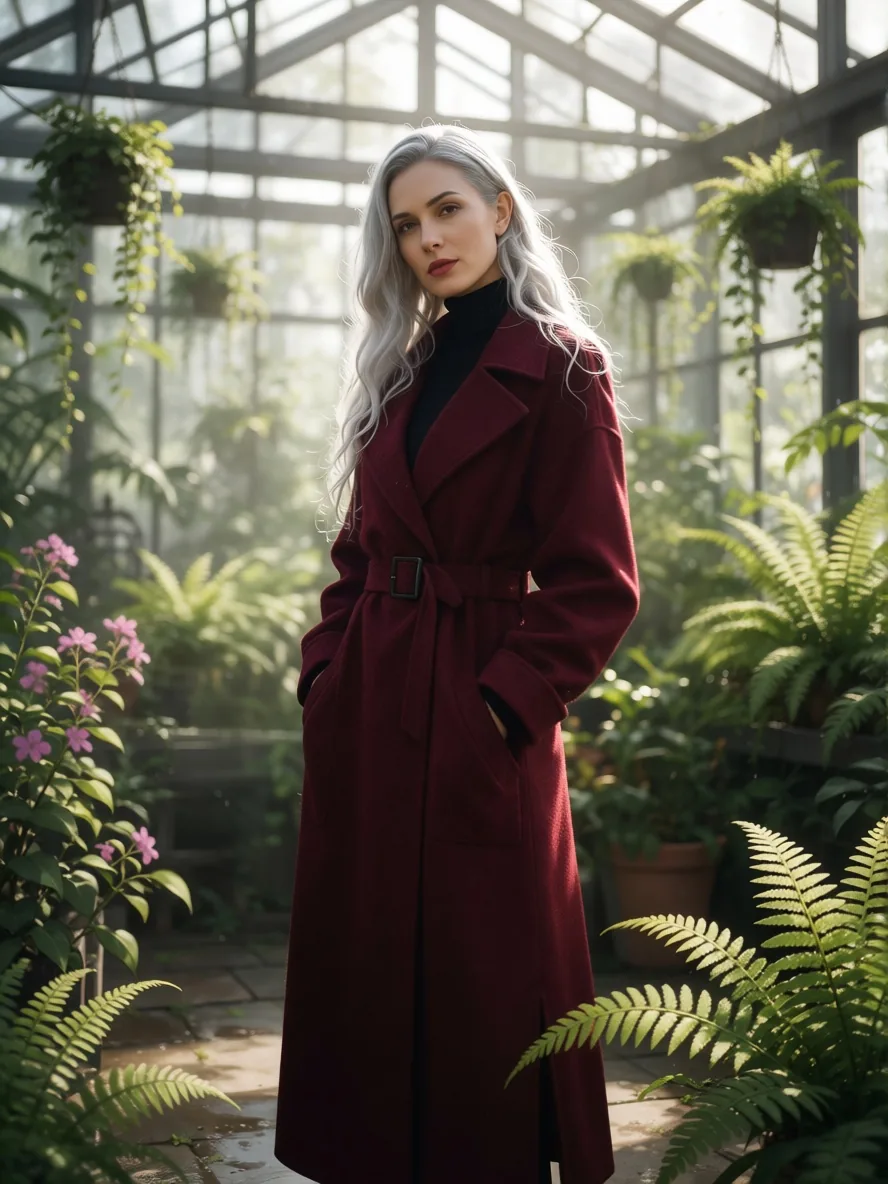
An anime key visual of a woman in a fern greenhouse. The prompt was one line: "a woman in her thirties with long silver hair in a burgundy wool coat in a glass greenhouse".
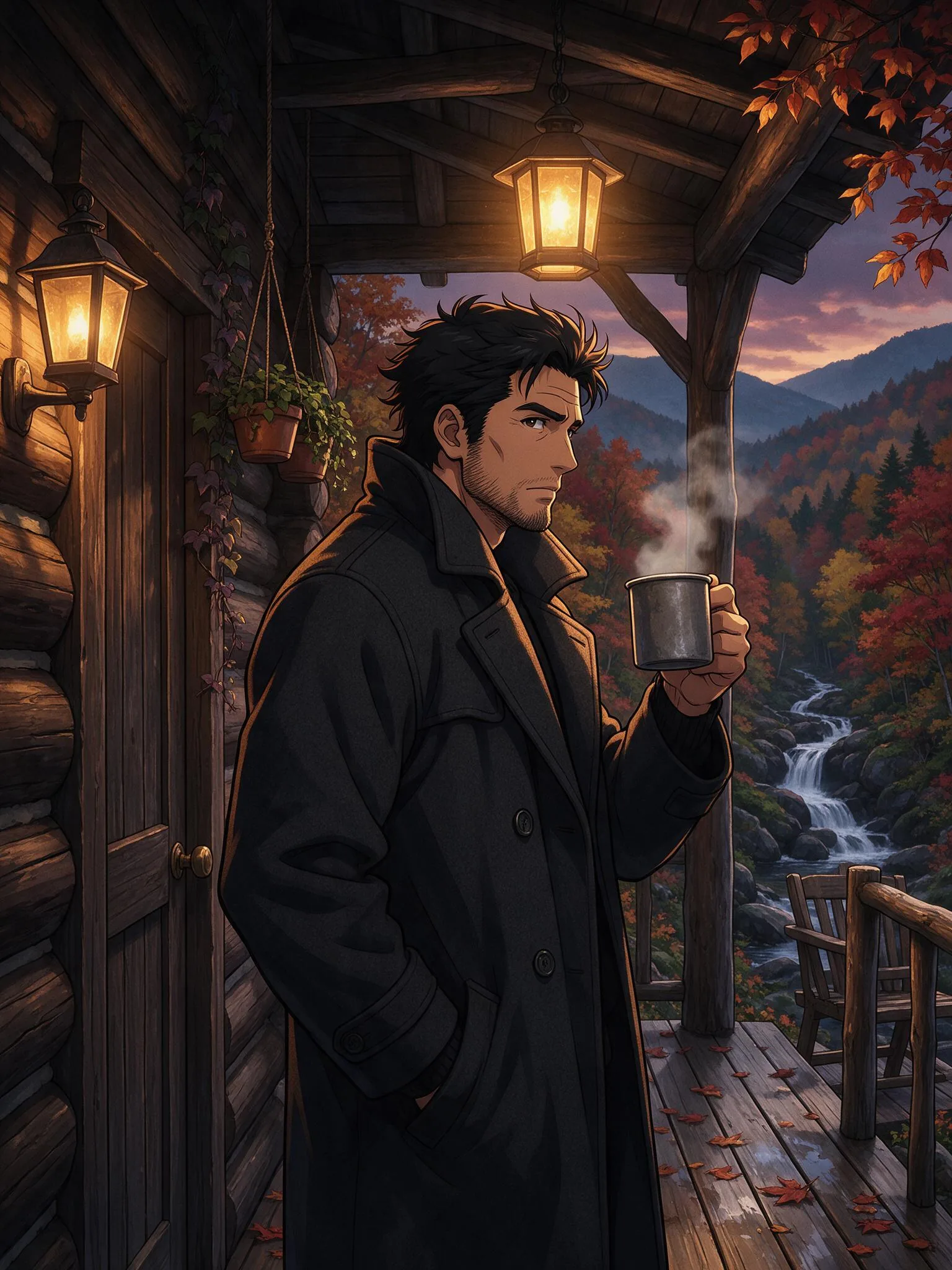
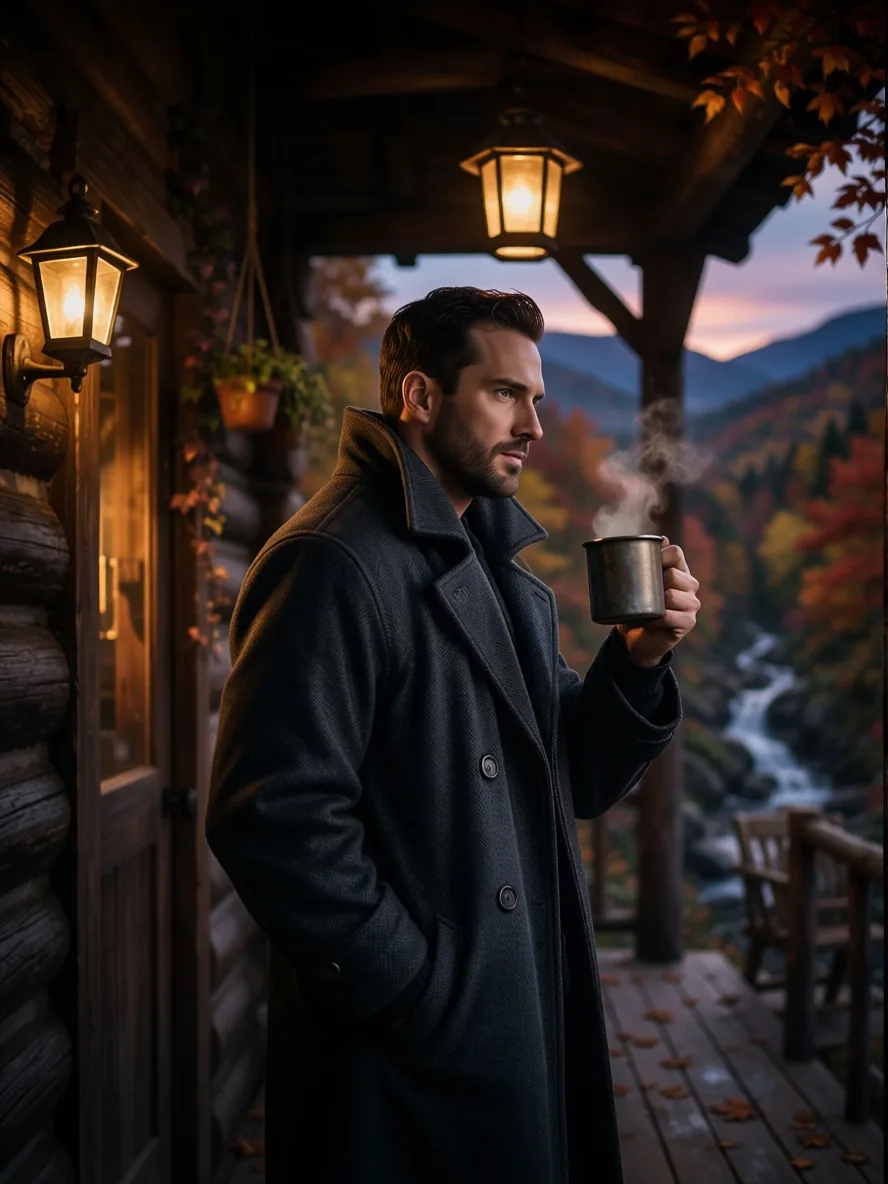
A bearded man on a cabin porch at dusk. The steam from the mug, the lanterns and the autumn valley came back as a photograph.
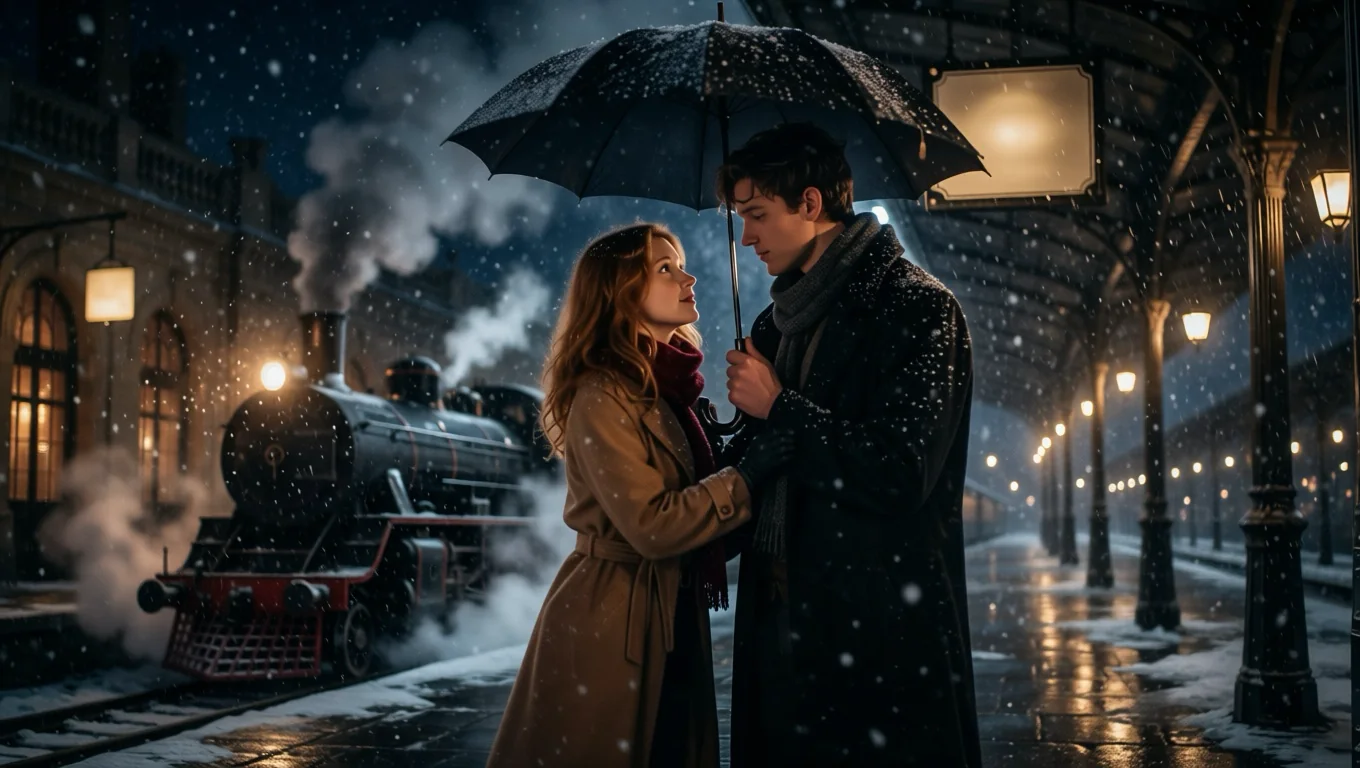
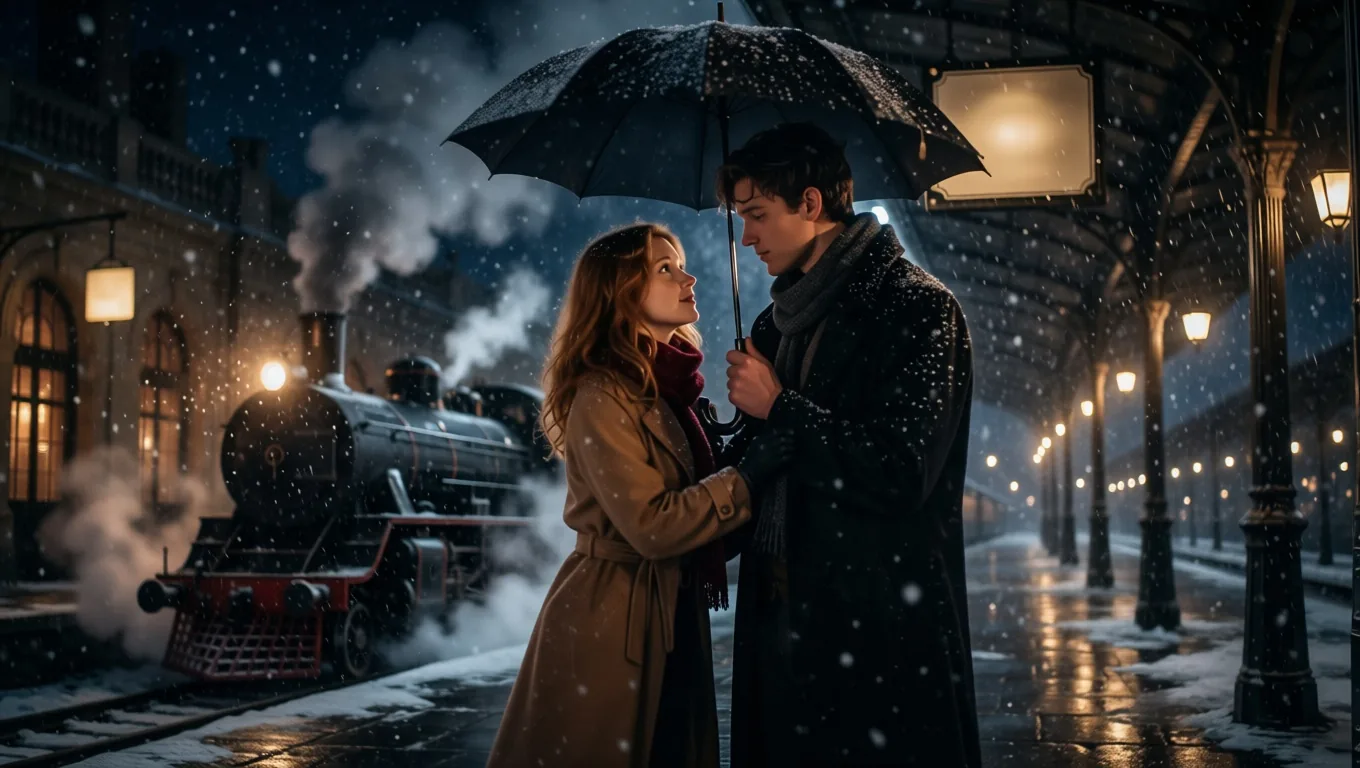
A third example, a snowy railway platform, kept its steam train, lamps and umbrella:
What helps, what does not
- Describe the people, as adults. The prompt is optional; the model page says a short description helps skin, fabric and light look real. Write ages ("a woman in her early thirties") so that everyone is clearly an adult.
- Flat art is untested. All our examples were detailed key-visual style illustrations. We did not try very flat or simplified styles, so we cannot say how they convert.
- Lettering. In two of our test runs the drawing had a border with title text, or a station sign. Adding "no text and no border" to the prompt removed them.
- Leave the aspect ratio empty to keep the shape of your image, or pick one of nine ratios. Every ratio costs the same.
Step 2: the character moves in real footage
A photo answers "what would they look like". Video answers "what would it look like if they were really there". MiniMax H3 Character Swap replaces one person in your clip with the character from one image and keeps the original performance, camera and scene. Give it a drawn or 3D-animated reference and it casts a live-action version of that character; it does not paste a cartoon onto the footage.
We used one barbershop clip, a man in a white shirt who gets up, checks his hair in the mirror and walks out, and two references.
A comic-book heroine. The reference is an inked drawing with red hair, a brown flight jacket and olive cargo trousers.
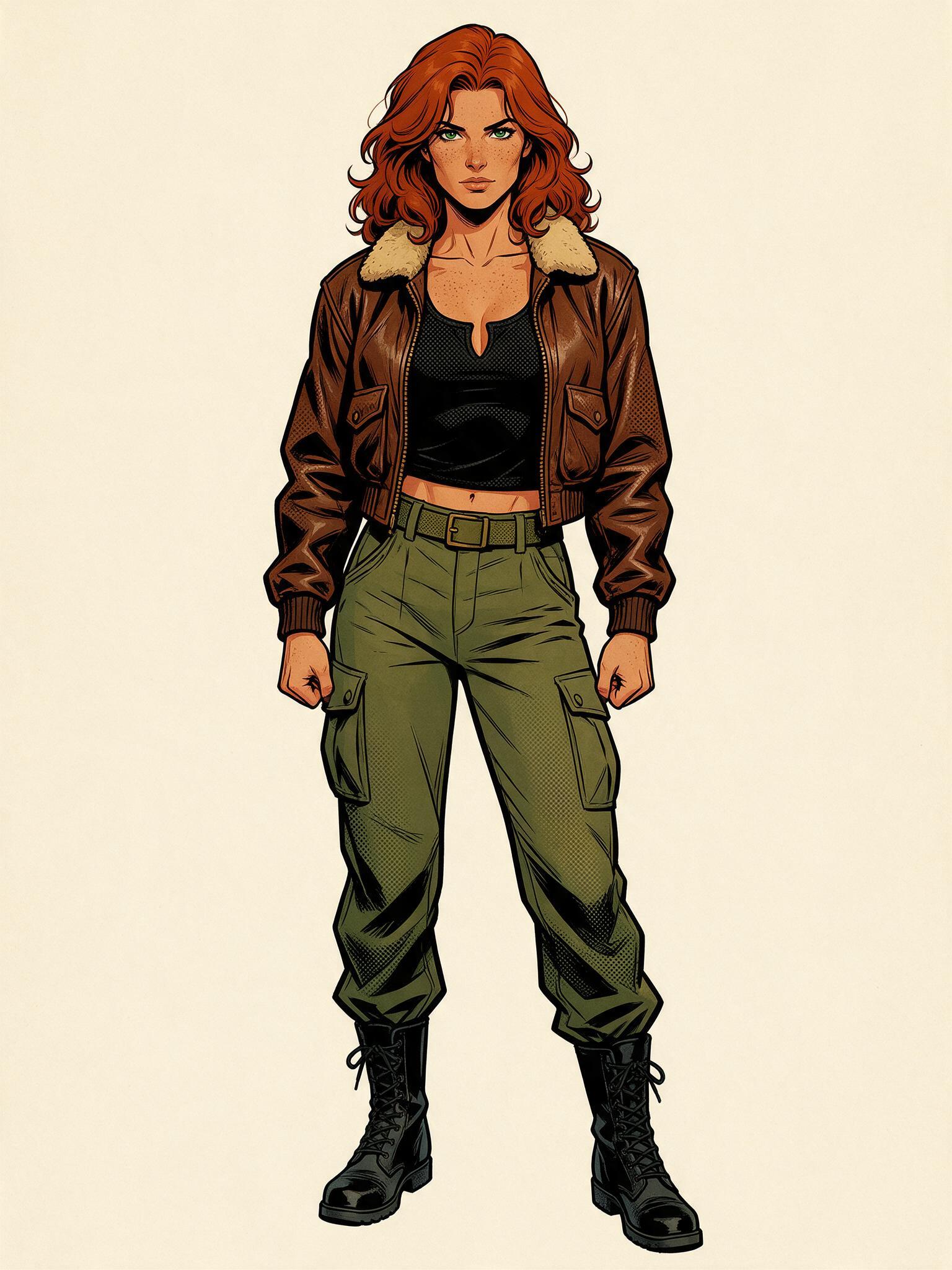
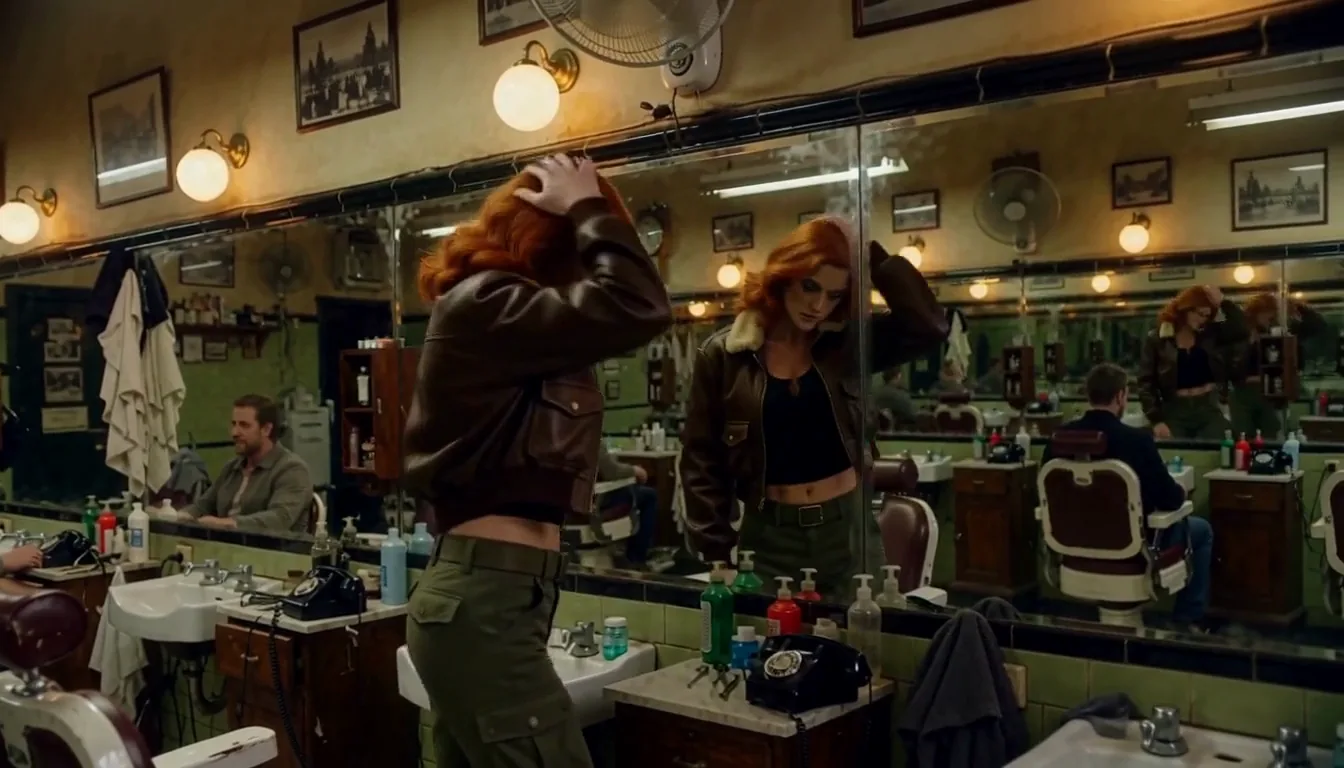
A 3D-animated character. The reference is a render of a grey-bearded man in a navy peacoat.
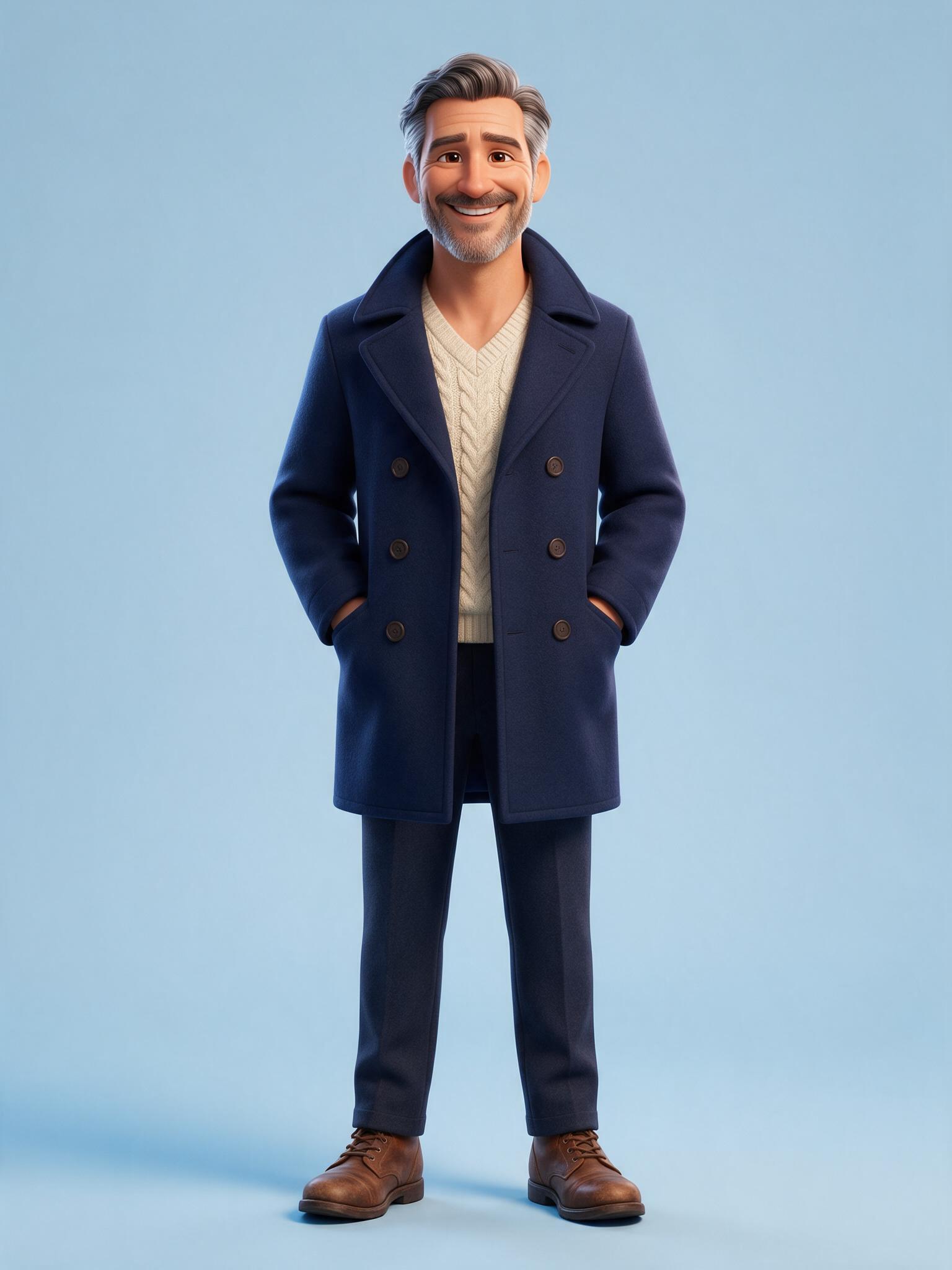
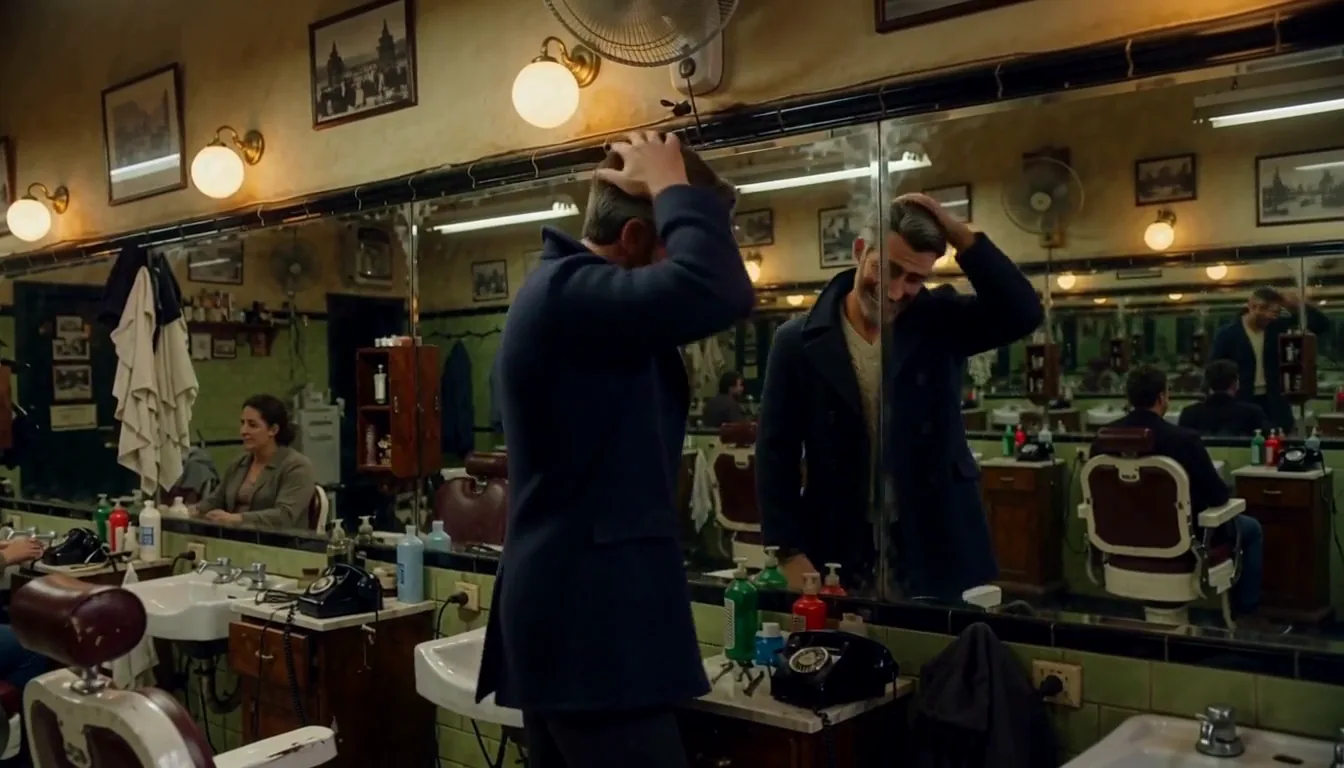
In both clips the hair colour, beard, jacket or coat and trousers carried over, and the new person got up, checked the mirror and left on the same beats as the source. What does not carry over is the drawing style: line art and cel shading are gone, because the result is a live-action person. If you want the cartoon look to stay, you want a stylised video model, not this route.
Prepare the reference like this
- Full body, head to toe, on a plain background worked best. Both references here were full body (the 3D one on a plain blue background). We did not test half-body references, busy backgrounds or images with several people.
- Use the prompt to say who to replace in a few words ("the man in the white shirt"). Empty means the main person.
- Use one continuous shot. Only the first 15 seconds of the clip are used. Match duration and aspect ratio to your clip.
- Start at 480p to check the swap before paying for higher tiers.
The limits we hit
- We did not measure a success rate. Of the seven 768p swap runs we made for examples, we kept four. Of the other three, one added background dancers (another seed fixed it) and two kept the source outfit, a case where both people wore jumpsuits. Both barbershop swaps, with the drawn and the 3D reference, worked on the first try. Check at 480p first.
- One character per request. To replace two people, run the clip twice and name a different person each time.
- The output is a freshly generated clip of the length you ask for, not your file with one person painted over, so small background details can differ.
Call both from code
The photo, in one request:
curl https://api.spicyapi.ai/api/v1/jobs/createTask \
  -H "Authorization: Bearer $SPICY_API_KEY" \
  -H "Idempotency-Key: $(uuidgen)" \
  -H "Content-Type: application/json" \
  -d '{
    "model": "spicyapi/anime-to-real-v1/edit",
    "input": {
      "image_url": "https://example.com/drawing.webp",
      "prompt": "a woman in her thirties with long silver hair in a burgundy wool coat in a glass greenhouse",
      "aspect_ratio": "3:4",
      "output_format": "jpeg",
      "seed": 424242
    }
  }'
The video, with the same request shape:
curl https://api.spicyapi.ai/api/v1/jobs/createTask \
  -H "Authorization: Bearer $SPICY_API_KEY" \
  -H "Idempotency-Key: $(uuidgen)" \
  -H "Content-Type: application/json" \
  -d '{
    "model": "minimax/h3-character-swap/video-edit",
    "input": {
      "video_url": "https://example.com/barbershop.mp4",
      "image_url": "https://example.com/character-full-body.jpg",
      "prompt": "the man in the white shirt",
      "duration_seconds": 5,
      "aspect_ratio": "16:9",
      "resolution": "480p",
      "seed": 42
    }
  }'
Both return a task ID; the tasks guide covers the flow. In the web Playground the same inputs are a form.
What it costs
- Anime to Real: $0.03 per output image, flat. The aspect ratio and the format do not change it.
- MiniMax H3 Character Swap: billed per second by resolution: $0.06 at 480p, $0.09 at 540p, $0.135 at 768p and $0.27 at 1080p. You pay for output seconds and for source-video seconds (each started second, source capped at 15), plus a $0.02 fee per request for the character image. A 5-second output from a 5-second clip is 10 billable seconds: $0.62 at 480p (10 × $0.06 + $0.02), $1.37 at 768p (10 × $0.135 + $0.02) and $2.72 at 1080p (10 × $0.27 + $0.02). The live estimate on the model page shows your exact total.
Consent and likeness
Use the video route only on footage and likenesses you are authorised to process: yourself, a performer with a signed release, or a synthetic person you generated. Do not use it to place a real person into intimate or defamatory footage without their explicit, informed consent, to impersonate anyone, or on any footage of a minor. A photograph being public is not consent, and consent is not transferable between projects. Drawn characters you do not own may also carry copyright, so check what you are allowed to publish.
Which one to use
- Only a photo: Anime to Real.
- Want the character moving in a real scene: Character Swap on your own clip. For the full walkthrough of how swaps behave, see How to replace a character in a video with AI.
- Want to change the pose of the photo afterwards: Pose Changer.
FAQ
Is there a free way to try it? There is no free tier for either model. A single photo costs $0.03, and a 5-second 480p swap shows its exact estimate before you run it.
Does it work on 3D characters and paintings, and does it keep the outfit and pose? The image tool accepts any anime frame, cartoon, illustration or painting. In our runs framing, pose, clothing and background followed the drawing, while faces and skin are rendered fresh. The video route accepted a 3D render as its reference.
Can I turn a drawn anime scene into live-action video? We have not tested chaining the two steps. The video route replaces one person in a live-action clip you supply, and the image tool turns one drawing into a photo.