You have an established fictional adult character, and the next image needs a different pose. A text instruction produces another standing portrait. A pose reference gets the arms right but brings across the reference person's face or jacket. A tutorial says to turn up ControlNet strength, yet the editor you are using has no such control.
Use text for a modest pose change you can describe clearly. Use an identity image plus a separate pose reference when limb placement or a chair interaction is hard to describe. If the joint positions must follow a supplied skeleton through a dedicated control model, use an actual ControlNet workflow. Uploading a skeleton as an ordinary reference image is a different operation.
For an NSFW character creator, that distinction saves more time than adding another paragraph of appearance tags. Content acceptance, character likeness and pose accuracy are separate problems. A model can accept a mature-content request and still produce the wrong posture.
This guide uses a fully clothed promotional image for a fictional adult series. The prompts are proposed recipes, not a new matched pose-transfer test. The feature and price comparisons describe the current SpicyAPI tasks; they do not rank their image quality.
Choose the control that matches the change
First separate the pose from the photograph around it. “Turn her slightly toward the chair” describes a small movement. “Copy the arrangement of the crossed arms, bent knee and tilted torso from this image” gives several relationships that a reference can communicate more directly.
| Your next image needs | Start with | What the choice does not provide |
|---|---|---|
| A slight head turn, relaxed arm or different gaze | One approved character image and a precise text edit | A fixed identity or joint-position lock |
| A particular seated posture or recognizable arrangement of limbs | Character image plus a separate pose image | Guaranteed separation of identity, clothing and pose |
| A specified skeletal layout you need to adjust joint by joint | A compatible pose-conditioned ControlNet workflow | Automatic preservation of the character's face or outfit |
| The existing posture in a closer frame | An ordinary crop of the approved file | New pixels outside that file |
Do not buy a pose change when the desired picture is already inside your source. A closer crop can keep an approved expression exactly. Conversely, cropping cannot turn a standing character into a seated one, show the back of a garment, or reveal a hand hidden behind the body.
The existing character reference guide explains building an identity set. Here the narrower problem is how to communicate a particular posture without letting the pose source become a second character design.
What the hosted image tasks actually expose
Qwen Image 2.1 Edit and Seedream 5.0 Pro Edit both accept one to ten reference images. They can receive a character image and a pose photograph as ordinary references, with text explaining their roles. Neither current task exposes a dedicated pose_image, OpenPose preprocessor, ControlNet weight, or control start/end setting.
That is a contract distinction, not a claim that those models cannot understand posture. Qwen's official model card describes multi-reference editing. An editor may infer a pose from an image without applying a separately loaded pose-conditioning network.
The current Z-Image Turbo LoRA editing task takes one source image. Its strength controls how far an edit can move from that source; it is not a ControlNet strength. Its LoRA inputs accept compatible weight files, not a pose photograph. You cannot attach a character portrait and an independent pose image through that task's singular source field.
| Task | Independent character and pose uploads | Public pose-conditioning controls | Useful limitation for this job |
|---|---|---|---|
| Qwen Image 2.1 Edit | Yes, as ordinary references | None | A separate mask requires exactly one source, so it cannot accompany the two-image pose request |
| Seedream 5.0 Pro Edit | Yes, as ordinary references | None | No public mask, seed or edit-strength control |
| Z-Image Turbo LoRA Edit | No; one source image | None | Source aspect ratio is retained; increasing strength does not add a second reference |
For two independent inputs, choose one of the multi-reference editors. Choose between them using the needed settings and actual quote, rather than assuming that whichever has the most controls must preserve the face better. We have not measured that comparison for the pose below.
Prepare an identity source and a pose source that do different jobs
Our character is Mara, a fictional 37-year-old adult, with a short copper bob, a broad cheek line and a small silver ear cuff. Her approved image shows an opaque black satin top, charcoal trousers and ankle boots. She stands beside a plain lounge chair in soft side light. The next image is a seated, composed portrait for the same adult-oriented character series.
The identity source should show the features the new view needs. For a nearly frontal seated image, choose a clear frontal or three-quarter character photograph with a readable face and the complete clothing design. A headshot can establish the face, but it does not establish trousers, shoes or the character's seated proportions. If those details are already part of the series, use a reference that actually contains them.
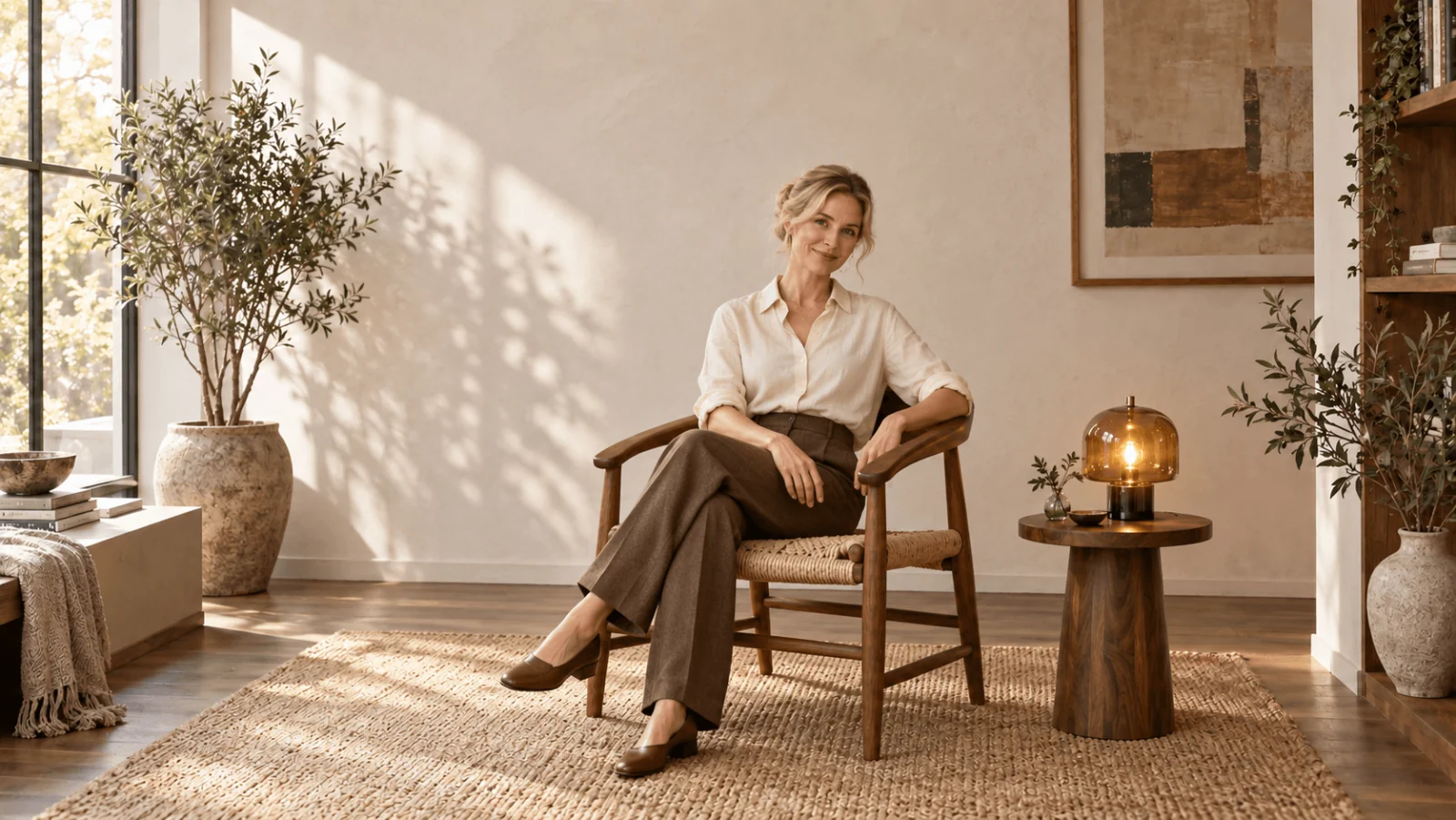
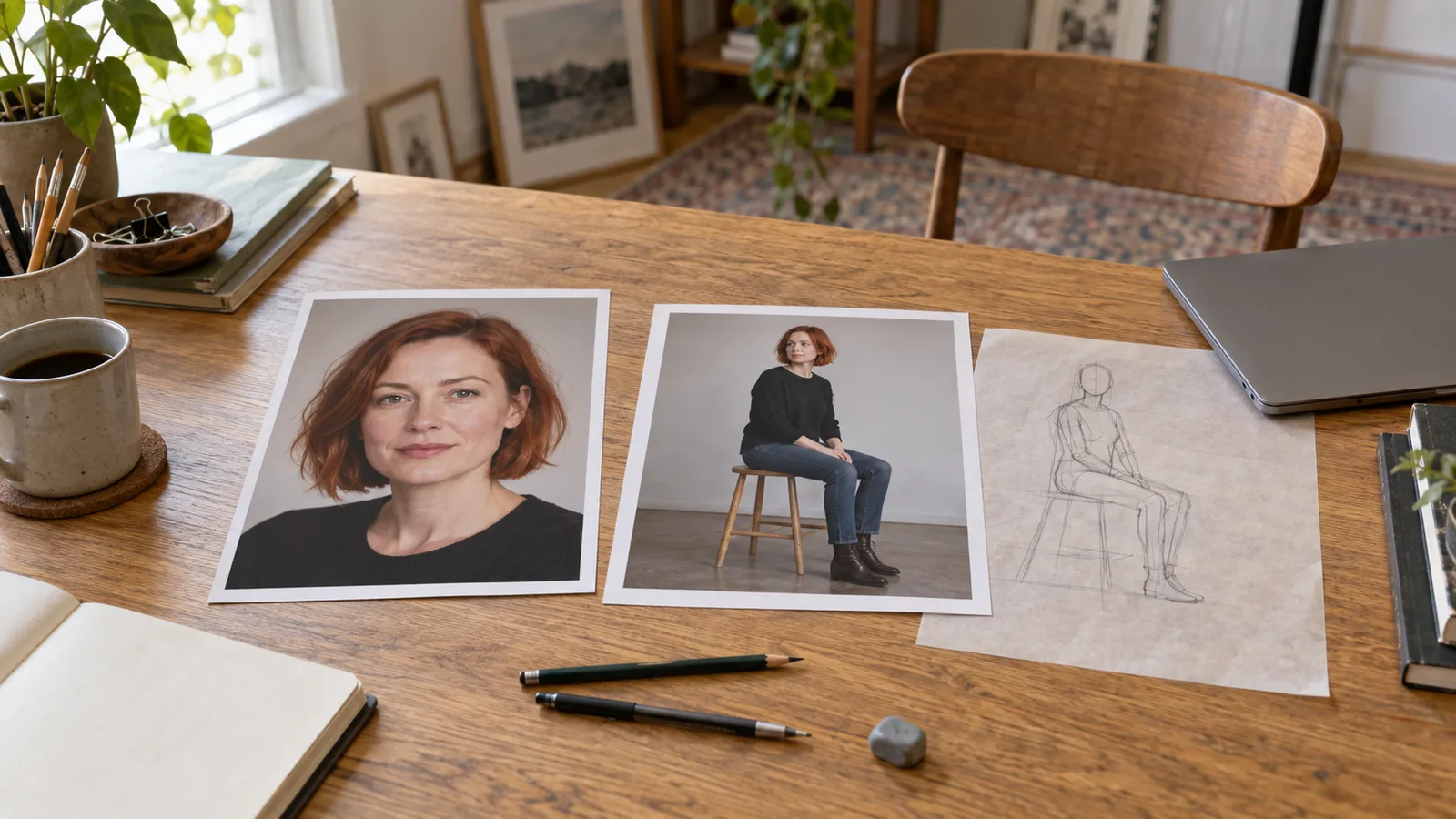
For the pose source, choose a single adult in the desired posture, an image you are authorized to process, or your own 3D mannequin render. Here the source shows a person sitting upright, knees directed slightly toward viewer-right, both feet on the floor, one hand resting on the chair arm and the other resting on a thigh. The head is only slightly turned.
Keep enough of the pose source to show the chair contact and foot placement. A crop ending at the waist cannot communicate the knee bend or the planted feet. A photograph with a second person behind the chair introduces another body to interpret. Choose a simpler source rather than explaining away unnecessary people in a long prompt.
Try to match the target camera height. A pose photographed from above includes foreshortening: near shoulders may look larger and legs shorter. Asking the editor to copy that posture while also demanding an eye-level photograph adds a perspective change. For this recipe, use an eye-level pose source so the body relationships and requested camera agree.
The pose reference should not contain a competing design you care about. If its person wears a bright patterned jacket, the editor may carry some of that garment across. Plain opaque clothes make the posture easier to discuss. Cropping out that person's face can reduce identity information, but do not remove the head angle when it is part of the posture you need. A neutral mannequin can remove competing facial features while still supplying the body arrangement.
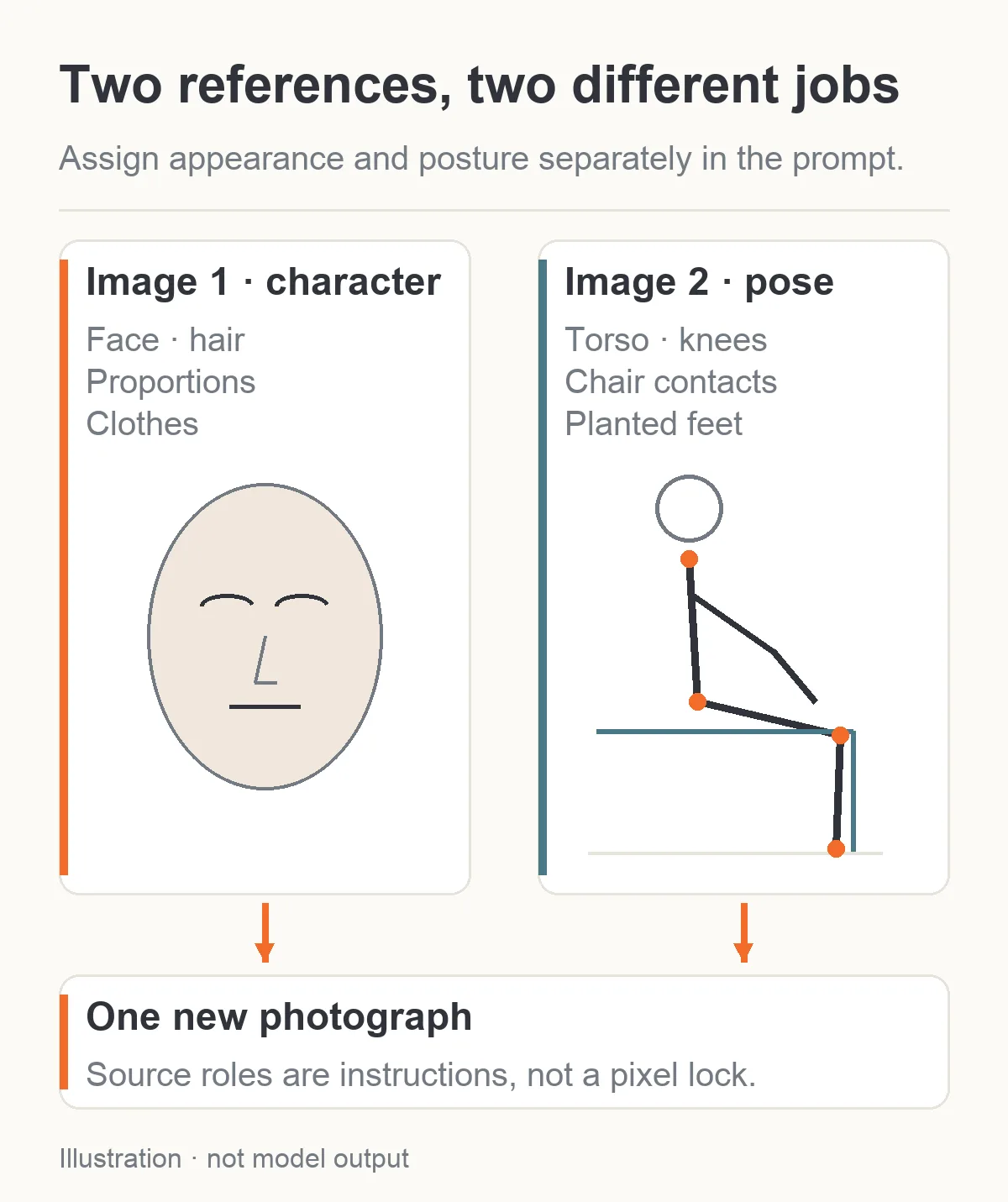
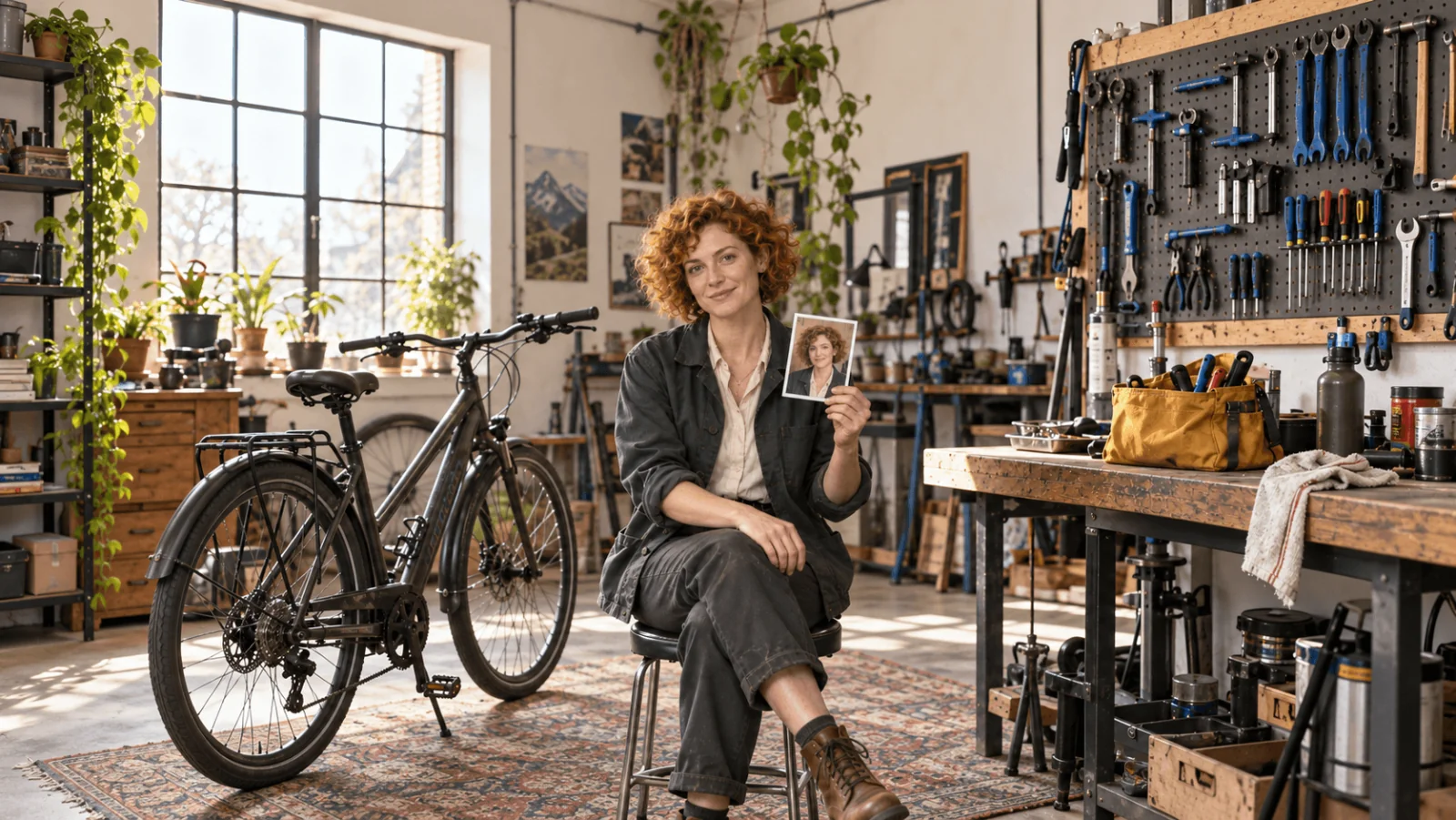
Illustration: image 1 supplies the character; image 2 supplies posture and support contacts.
Make the first attempt with text when the movement is small
Before adding a second image, ask whether your desired change really needs it. If Mara is already seated and you only want one hand moved from her thigh to the chair arm, a one-source instruction is simpler:
Use image 1 as the photograph of Mara, the same fictional 37-year-old adult. Keep her identity, copper bob, ear cuff, opaque black satin top, trousers, chair, camera angle and lighting. Move the hand on viewer-right onto the armrest on viewer-right, with the fingers resting naturally along its edge. Keep the other hand on the thigh on viewer-left. Preserve her existing seated posture and expression. Make one photographic image.
This describes a visible support surface and a specific hand placement. It is more informative than “a confident NSFW pose,” which does not identify a posture at all. Mood words can accompany a pose description, but they cannot replace the geometry.
For a standing source, a full seated change is larger. A text recipe can still be useful when you accept a new interpretation of the posture. Say whether the torso is upright, where the knees point, where the feet touch and what supports each hand. You do not need every joint angle in degrees. The goal is a physically coherent instruction, not a technical drawing expressed as prose.
Avoid telling the model both to preserve the standing pose and to sit. Preserve the identity and clothing; explicitly allow the posture to change. “Keep everything identical” followed by a substantial movement leaves the central instruction contradictory.
Use two references when the posture itself is the important detail
For Mara's particular seated arrangement, upload the approved character image first and the eye-level seated reference second. On Qwen Image 2.1, begin with 2k, 3:4, PNG, opaque background, no mask. Keep prompt expansion off for this detailed recipe so you can assess the instruction you supplied. Those settings are available together on this two-source path. There is no negative-prompt field or denoise slider to add.
Here is the complete proposed prompt:
Image 1 defines Mara, a fictional 37-year-old adult: her facial identity, short copper bob, silver ear cuff, body proportions and complete opaque black satin top, charcoal trousers and ankle boots. Image 2 defines only the seated body pose and the positions of the chair contacts. Photograph Mara seated upright with the torso, knee direction, planted feet and separate hand placements shown in image 2. Keep the head at a slight three-quarter angle compatible with image 1. Use the face, hair and clothes from image 1, not the person or clothes in image 2. Keep the plain lounge chair and soft side light from image 1, arranging the chair naturally around the new seated pose. Use an eye-level camera and frame the whole head, both hands, knees and shoes inside a 3:4 portrait with a little room at the edges. One adult, one photograph, no collage.
The prompt deliberately gives the target face angle its own instruction. Copying every aspect of a pose photograph could require a profile the identity source never shows. If an exact profile is essential, use an approved identity view of that angle; an ear cuff and copper hair do not establish the nose and jaw from every direction.
On Seedream Pro, the same two input roles and text recipe are a reasonable starting point. Select 2k, PNG, opaque and an explicit 3:4 ratio instead of leaving the ratio at auto. Keep thinking at its default for the first attempt. Thinking refines the prompt; it is not a stored character identity or a pose-lock switch.
These are proposed operating choices, not proof that both models will copy the seated arrangement. Keep the original inputs so that an unsuccessful output does not become your next definition of Mara.
Diagnose what came from the wrong image
An original Qwen reference-editing discussion describes a character image combined with a posed low-poly model. The author reports getting the low-poly figure with some character features added, rather than the desired character in the new pose. Replies propose changing how the source roles are worded or using a pose representation; they do not establish a universally successful fix.
That failure is useful because it tells you what to look for. If Mara acquires the mannequin's proportions or rendering style, the pose image has influenced more than posture. Do not respond by increasing the number of images. First make image 1's identity role and image 2's pose-only role clearer, simplify the pose source, and remove unrelated style instructions.
| What you see | Next adjustment |
|---|---|
| The reference person's face appears | Use a neutral pose source with less facial identity, keep the character first, and state which image supplies the face |
| The mannequin's plastic surface or proportions remain | Use a simpler posture reference; specify photographic material and the approved character's proportions, or try an extracted skeleton as an ordinary reference with no guarantee |
| The outfit comes from image 2 | Use plain clothes in the pose source and name image 1's complete retained outfit |
| Mara stays standing | Remove any “preserve pose” clause; name the seated contact points rather than adding more mood adjectives |
| The torso sits correctly but the head becomes a different person | Reduce the head-angle change or supply an approved identity view compatible with the target angle |
| A hand merges into the other arm | Choose separate resting surfaces and a pose reference where those contacts are visible |
In a Qwen Image 2.1 tips thread, creators discuss two-image pose instructions, while other users report unchanged results and different responses to wording. These are local-workflow observations. They support trying clearer source roles; they do not support a success percentage for this hosted recipe.
When only the hand is wrong and the rest is accepted, stop asking for a new complete posture. A local repair from the accepted file is a different task. Qwen's separate mask takes one source image, so the pose reference must be removed for that repair. The accepted file now supplies the seated body. If you need precise original pixels elsewhere, conventional compositing can retain them; a black mask region is not evidence that every surrounding pixel will be identical.
When an OpenPose skeleton is a reference, and when it is ControlNet
A stick-figure pose map removes a great deal of competing identity and clothing information. It can show the elbows, wrists, hips and knees directly. But how that map enters the workflow matters.
If you upload it as image 2 to Qwen or Seedream, it is an ordinary reference image. The model receives a picture of a skeleton plus your written instruction. The request has not loaded an OpenPose ControlNet merely because the picture came from OpenPose. There is no public control weight to adjust on these hosted tasks.
In a dedicated pose-conditioned workflow, the pose map is connected to a compatible control model that conditions image generation. The ComfyUI official pose tutorial shows a distinct ControlNet model and an Apply ControlNet stage, rather than just an additional reference upload. Its example uses a specific Stable Diffusion setup. Do not assume that its model files or settings apply unchanged to Qwen, Seedream or Z-Image.
Choose this route when a precise limb arrangement is central to the brief and ordinary reference editing repeatedly misses it. You also need a compatible way to preserve the character's identity and approved wardrobe. A skeleton contains neither. Stronger pose conditioning alone cannot reconstruct Mara's particular face, earrings or garment design.
Inspect the skeleton before generation. A detected wrist on the chair instead of on the hand asks the model to follow an incorrect target. Two touching limbs can confuse detection; hidden joints may be guessed. Correct the pose map or choose a more readable reference rather than trusting every extracted point.
For an adult series, a clean posture reference can remain fully covered. You do not need an explicit input to communicate a seated stance, body orientation or chair contact. Keep the reference focused on the positional information the next image needs.
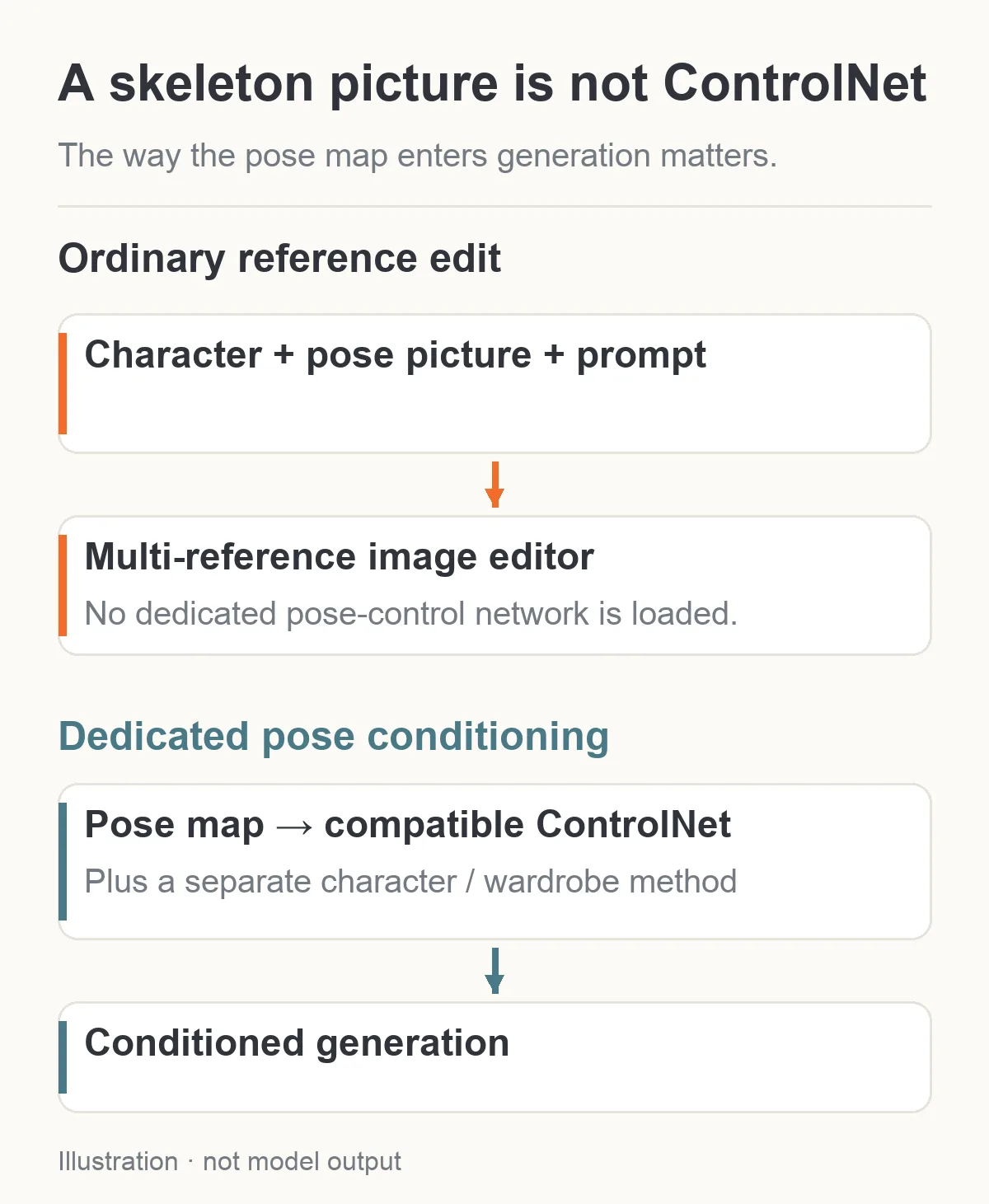
Illustration: uploading a skeleton as a reference picture and applying a compatible ControlNet are different workflows.
Price the pose attempt and the likely repair separately
At the current public rates, a one-source Qwen edit costs $0.036 at 1k or $0.048 at 2k. With two sources, both tiers cost $0.048 per output. For this two-reference posture request, 2k therefore costs the same as 1k. That does not prove better pose adherence; it gives you the larger output tier at the same quoted cost.
Seedream Pro editing costs $0.036 at 1k or $0.072 at 2k with one source. A second reference adds $0.003, making the two-source attempt $0.039 at 1k or $0.075 at 2k.
| Proposed work | Qwen Image 2.1 | Seedream 5.0 Pro |
|---|---|---|
| One two-source attempt at 1k | $0.048 | $0.039 |
| One two-source attempt at 2k | $0.048 | $0.075 |
| Three two-source attempts at 2k | $0.144 | $0.225 |
| Three two-source 2k attempts, then one one-source 2k edit | $0.192 | $0.297 |
The last row budgets four outputs, not three guaranteed keepers plus a guaranteed repair. The Qwen repair can be masked under the one-source conditions; the Seedream edit has no mask. The prices do not buy equivalent preservation guarantees.
Z-Image Turbo LoRA Edit is $0.012 per image at its current flat rate, but its lower price does not turn its single-source field into this two-reference workflow. Consider it when one approved source and an appropriate LoRA solve your actual task. Do not treat it as a cheaper drop-in implementation of the request above.
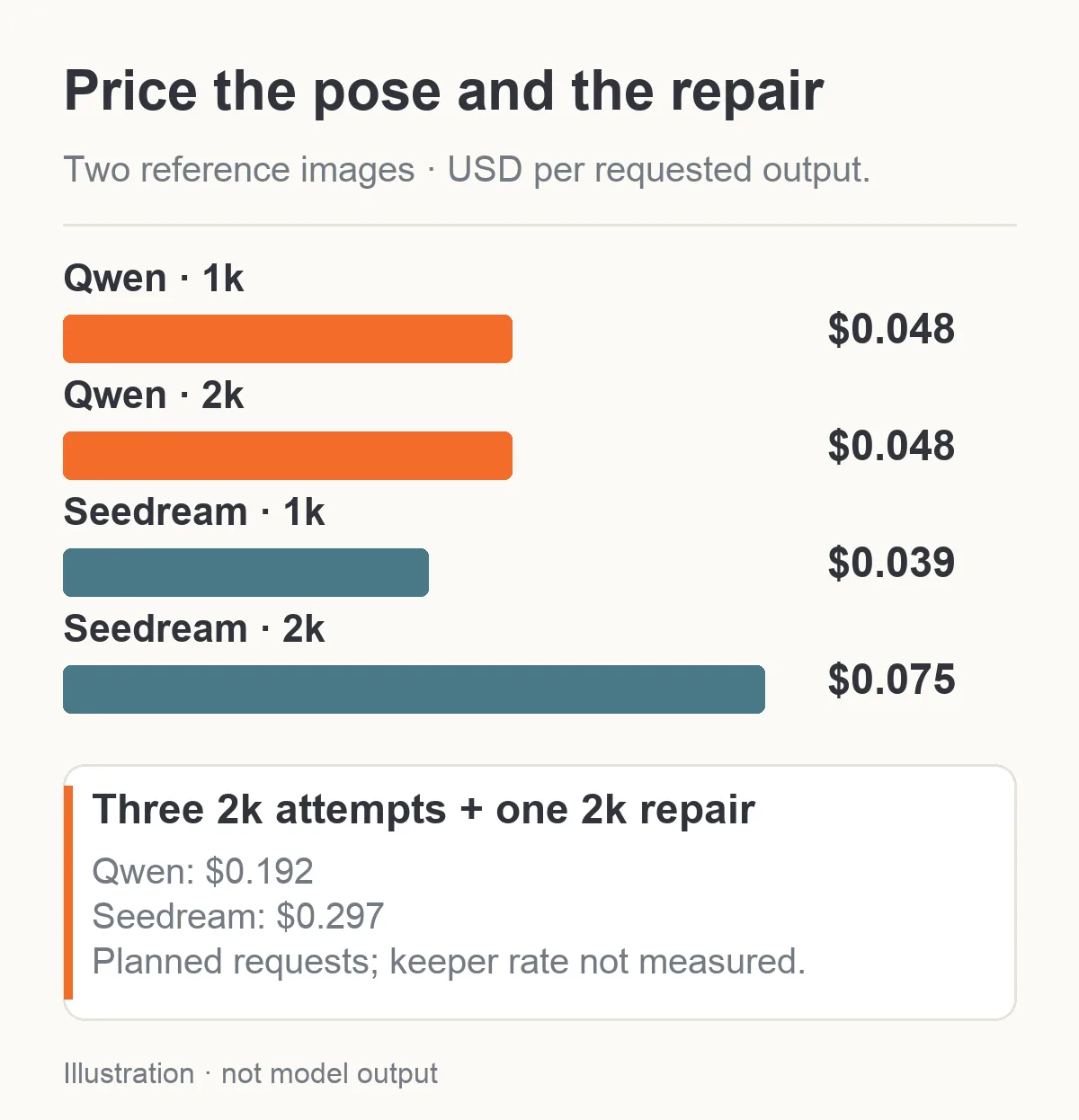
Quoted request costs for the proposed pose workflow, without a guaranteed number of usable images.
Count completed images you reject artistically in your working budget. An output that kept the chair but changed Mara's face still used an attempt. A quoted rate is not a cost per usable pose, and this guide has not measured the acceptance rate of the proposed inputs. The live quote before submission determines the current request cost.
Keep the posture problem smaller than the entire scene
For the first seated image, keep the character, outfit, lighting and camera direction established. Change the posture. Once you have an accepted seated image, a different background or outfit can be a separate edit. Asking for a new face angle, seated arrangement, wardrobe, location and dramatic lighting at once makes it harder to tell which reference the model misunderstood.
Start with text if you can name the movement plainly. Add a dedicated pose source when the relationships between limbs and support surfaces are the real brief. Move to an actual pose-conditioned workflow when those relationships need more explicit control. In every route, compare the character's face and garment design after the pose changes: the correct knees are only useful if the image still belongs to the same adult character series.