Edit or combine one to eight images with Krea 3 from a plain-language instruction. Name sources as image 1, image 2; pick the output ratio.

From $0.072/image

Workbench

Input

Image editing
430/5000

Reordering updates prompt references. Removing media also removes its references; review your prompt.

Say what to change, then what stays. Refer to sources as image 1, image 2 in upload order. Up to 5,000 characters. at least 1 characters · at most 5000 characters
affects price2/8

Drop files or media links, paste, or browse · Up to 8 files · Max 10 MB · JPG · PNG · WEBP · GIF

  • image 1
  • image 2
2 / 8 files
One to eight images, in the order the prompt names them. Each one adds the output price again. at least 1 items · at most 8 items
Output shape: 1:1, 4:5, 3:4, 2:3, 9:16, 5:4, 4:3, 3:2, 16:9 or 21:9. Default 1:1; the source shape is not kept automatically. Does not change the price.
0/1024
What to keep out, up to 1,024 characters. Used only by the high-quality variant. No effect on price. at most 1024 characters
Safety checkerOff

SpicyAPI does not run a safety checker on this model. Your prompt and media go to the model as written, and the model itself decides what comes back.

Checking your account before enabling submission and pricing.

Output

Ready for a new run
paisley-dress-canyon-deckExample result

Missing the model you need?

Tell us what to add and where you would use it. Requests go to the people who decide what gets onboarded next.

IMAGE EDITING API

Krea 3 API at a glance

Krea's own image model for instruction-following edits and photographic text-to-image in ten aspect ratios.

Source images
8
Combine up to eight images in one edit and name them as image 1, image 2 and so on.
Output size
1 MP
About one megapixel in every aspect ratio, generated natively.
Aspect ratios
10
From 21:9 to 9:16; the ratio never changes the price.
Speed variants
2
High quality or fast, at the same price. Most of our test images took 7 to 30 seconds.

Results

What you can make with Krea 3

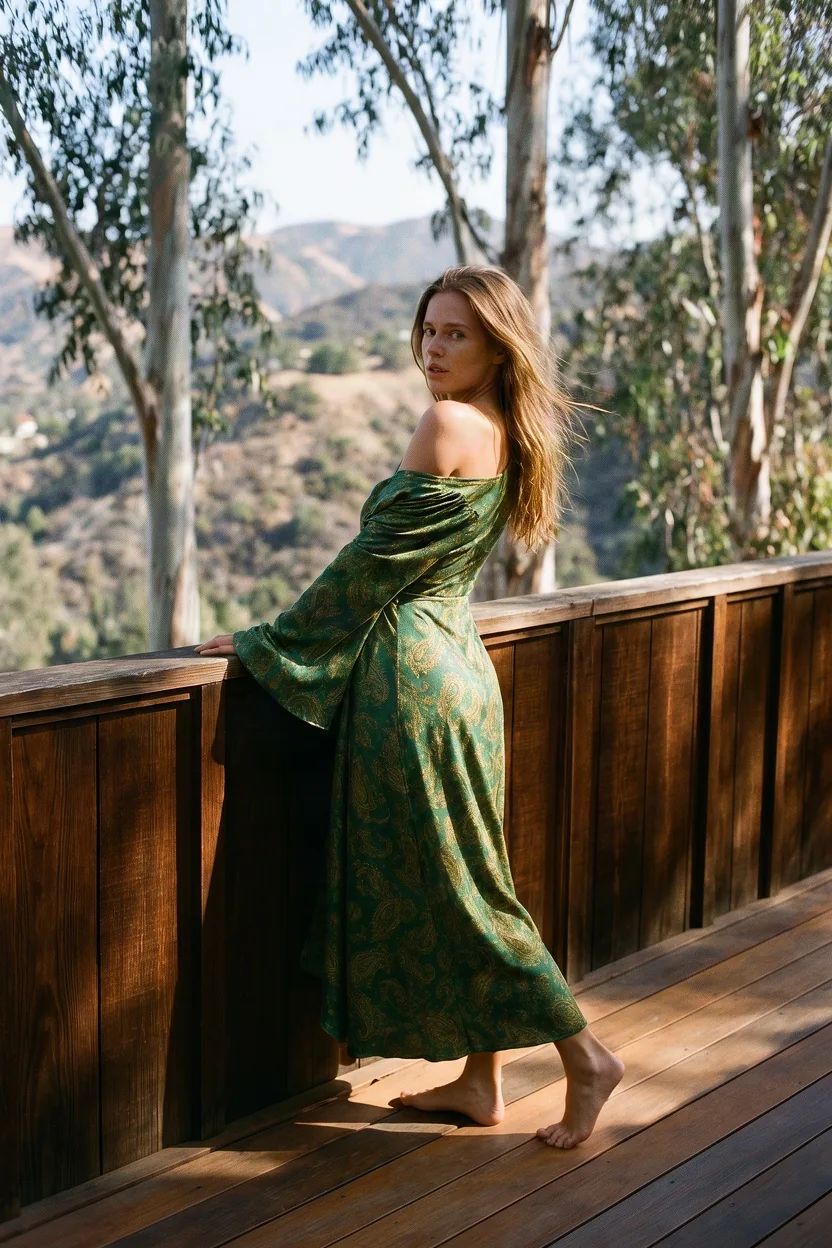
  • A woman in an emerald paisley wrap dress standing barefoot on a redwood deck above canyon hills, looking over her shoulder

    Combine

    A person and a garment, one picture

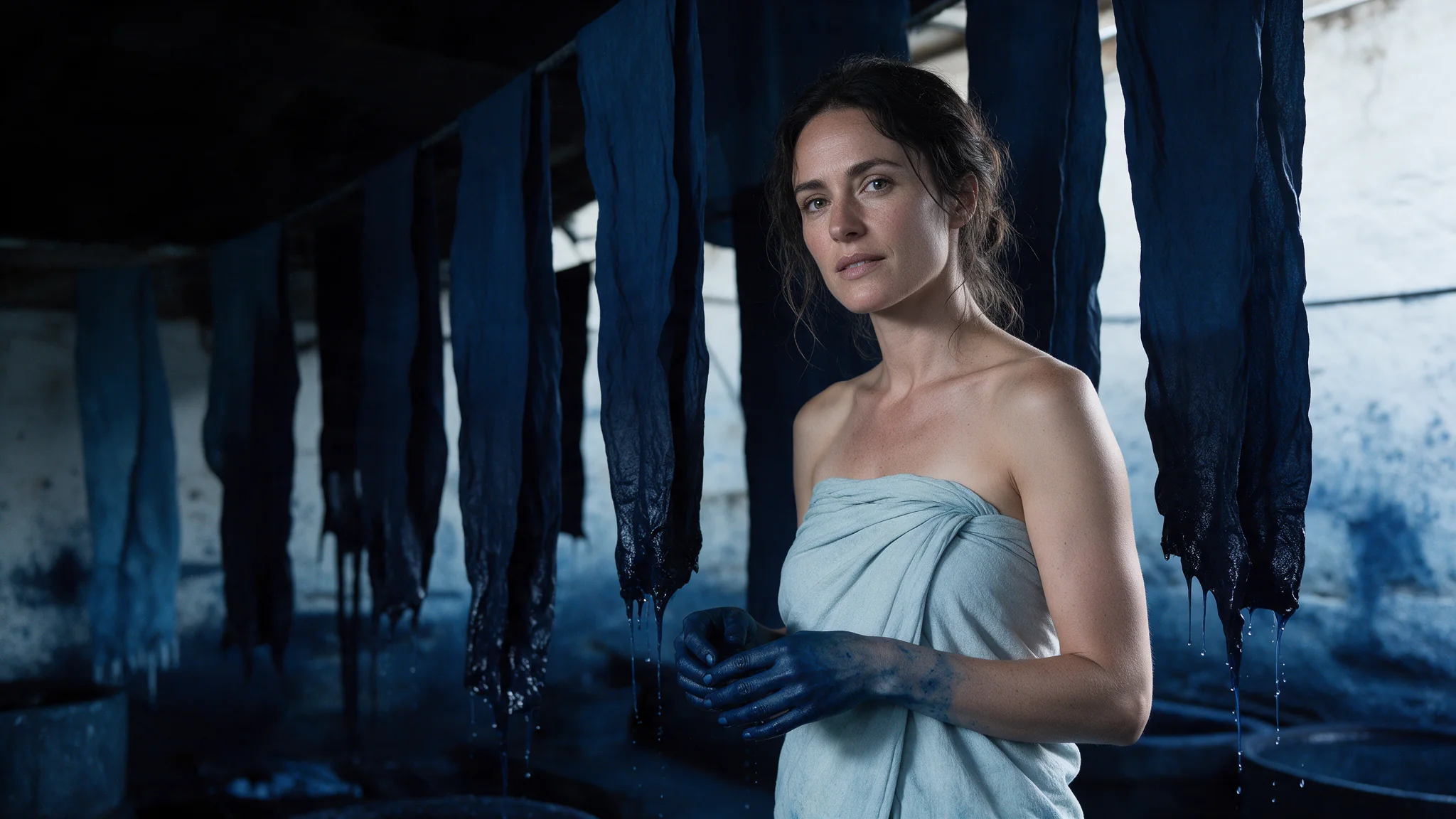
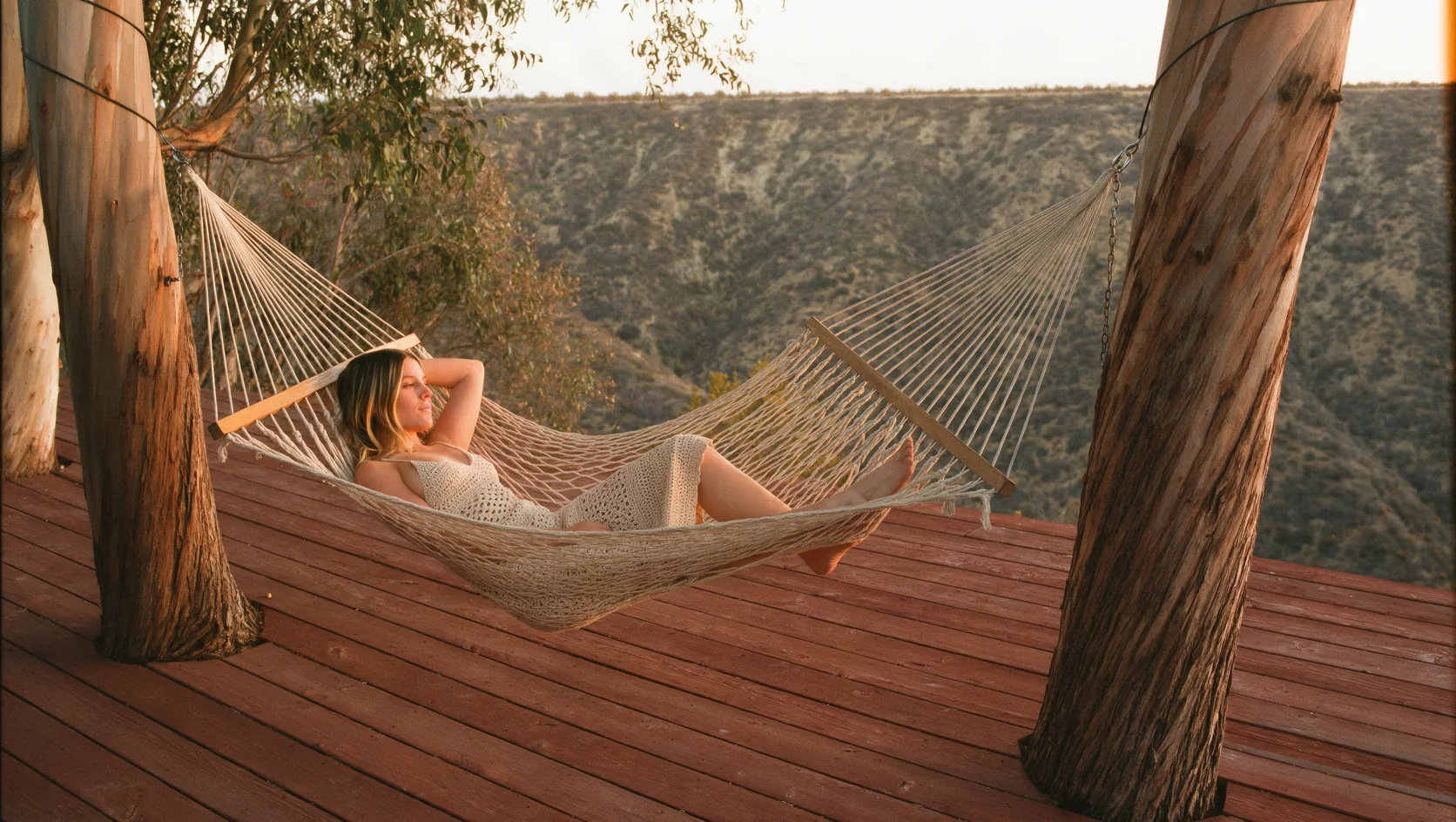
    The woman from image 1 in the paisley wrap dress from image 2, moved to a sunlit canyon deck. Her face, hair and build carry over; the dress keeps its print and bell sleeves.

    Edit, two sources, 2:3.

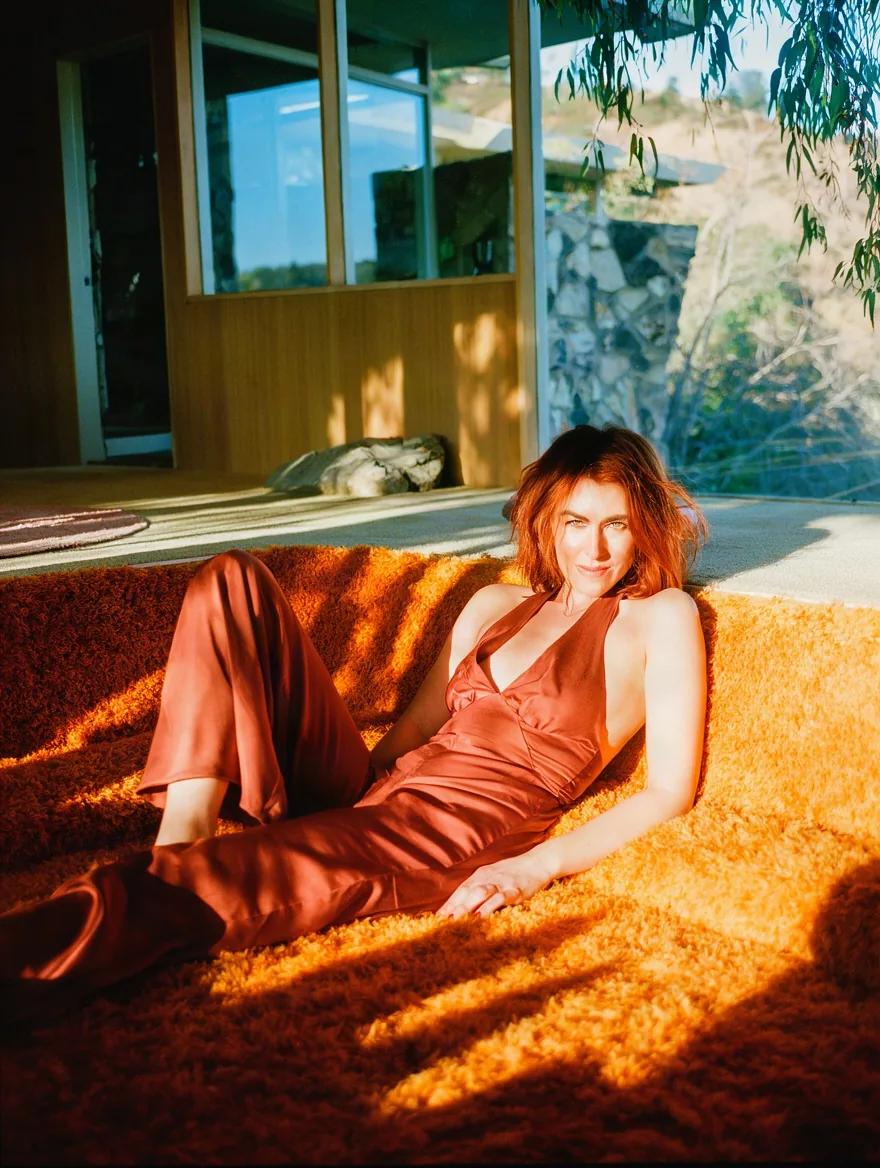
  • A woman with auburn hair in a rust silk halter jumpsuit reclining in a sunken conversation pit on an orange shag rug, late sun through eucalyptus

    Text to image

    Film-photograph finish

    A conversation pit in a 1970s canyon house, rendered with grain, halation and striped late sun from one style line at the end of the prompt.

    Text to image, 3:4, with a negative prompt.

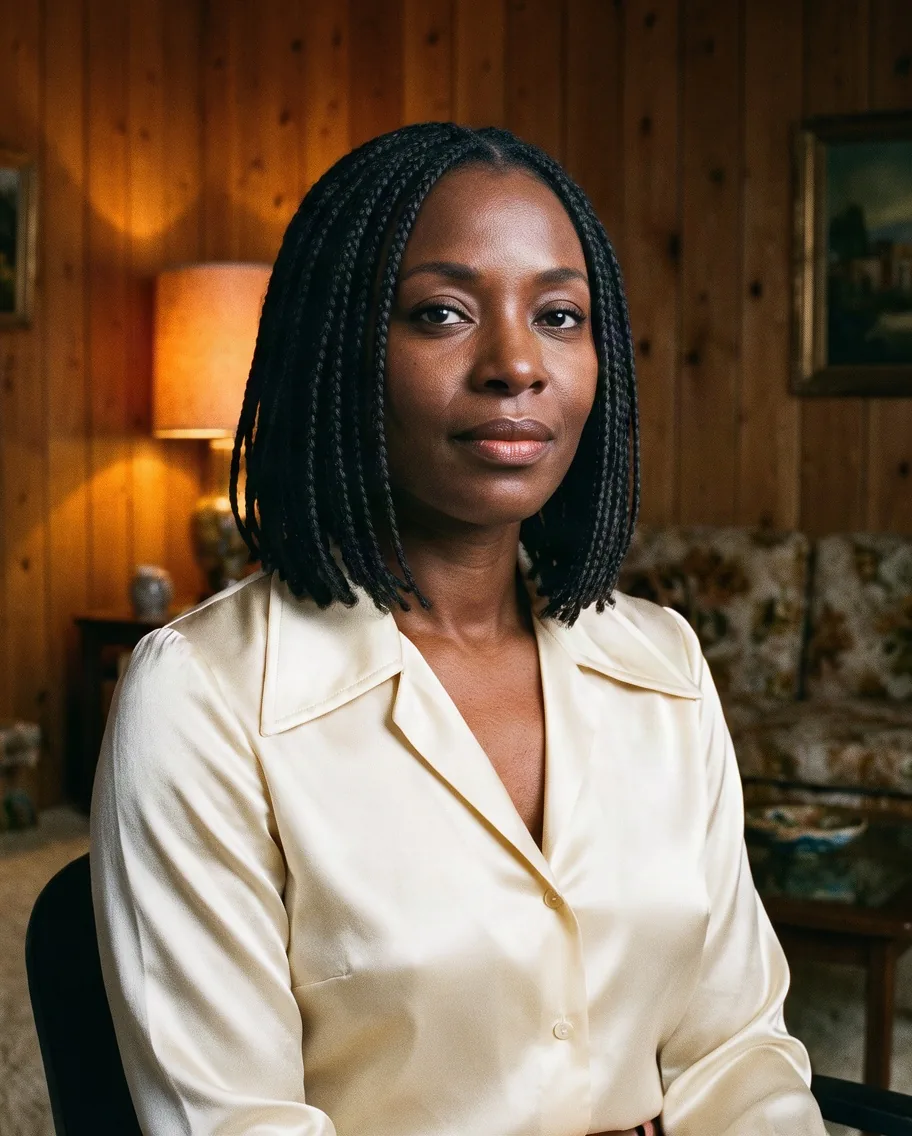
  • A woman with shoulder-length braids in a cream satin blouse seated in a wood-panelled den with an amber lamp

    Restage

    Same person, another decade

    An office portrait moved into a wood-panelled den with a satin blouse, on the fast variant. The face, braids and framing stay.

    Edit, one source, fast variant, 4:5.

More clips made with Krea 3

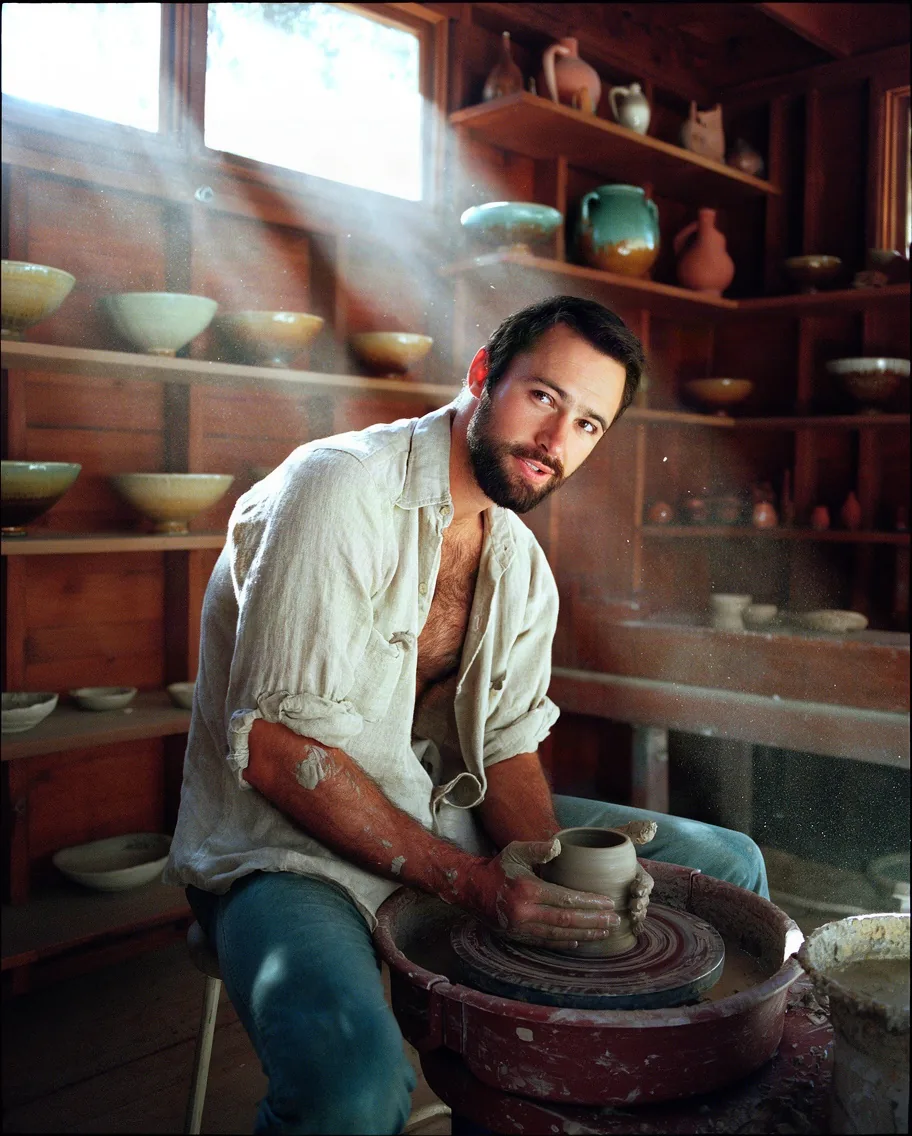
  • A bearded man in an open linen shirt at a pottery wheel in a redwood studio, shelves of glazed bowls and dusty sunbeams
    Text to image, fast variant, 4:5.
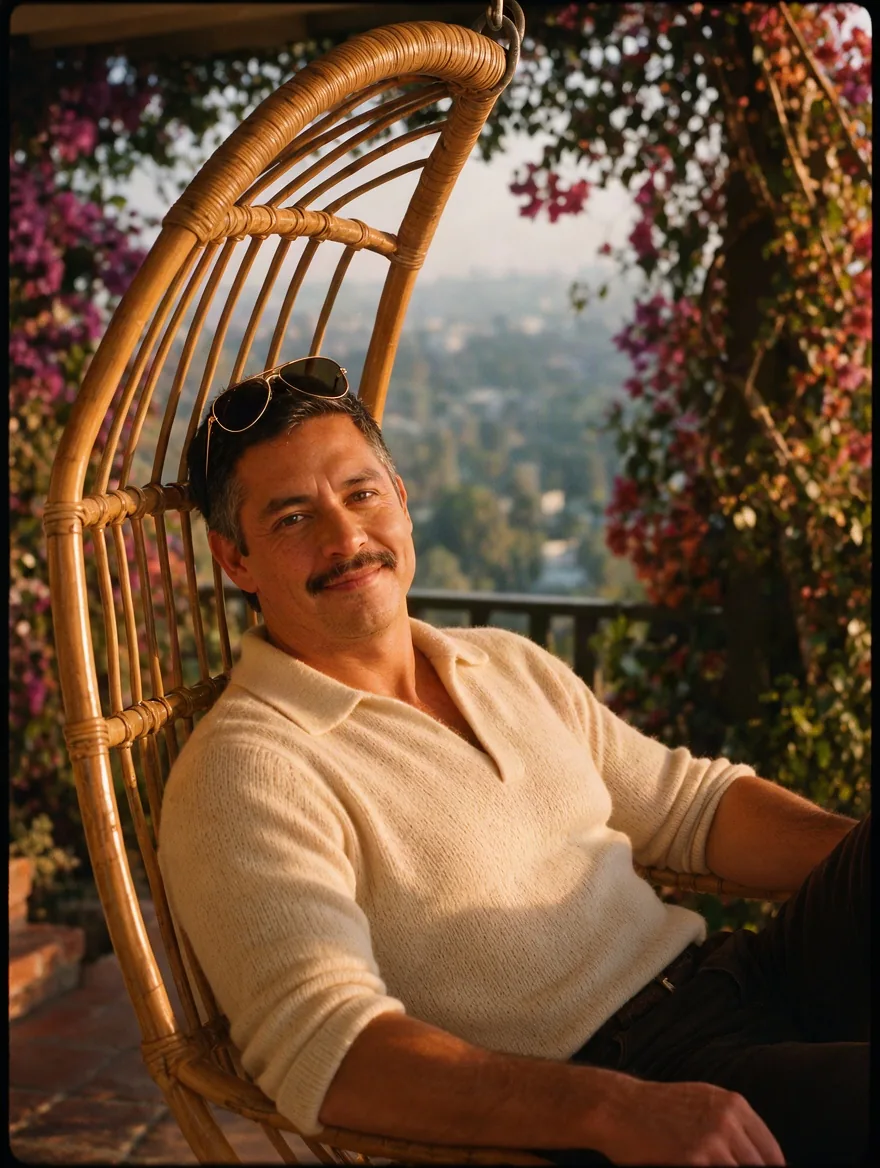
  • A man with a moustache in a cream knit polo sitting in a hanging rattan swing chair on a porch with bougainvillea and hills behind
    Edit, one source, 3:4.
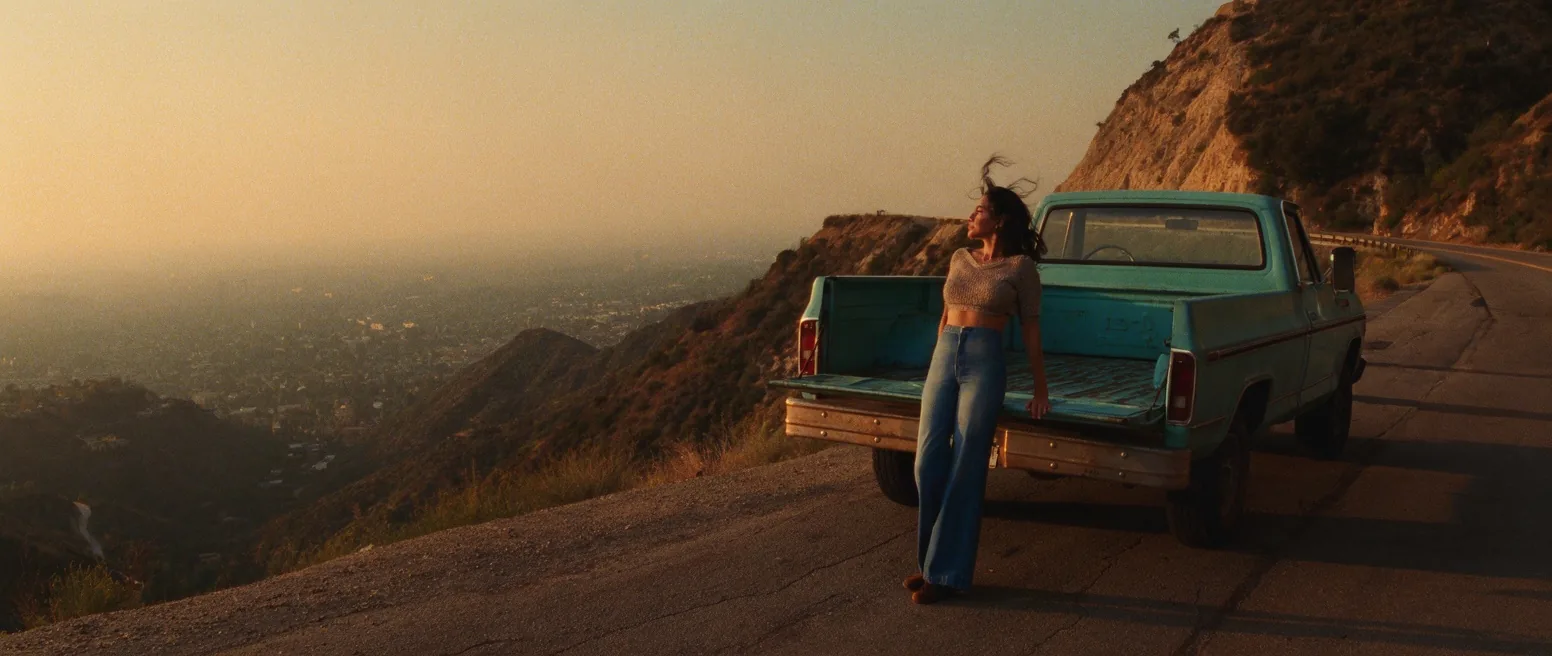
  • A woman in denim flares and a cropped knit top leaning on a turquoise 1970s pickup on a canyon road above a hazy city
    Text to image, 21:9.

Content test

Is Krea 3 uncensored? What we tested

We ran each level on our live setup and checked every clip frame by frame. A pass means the content was actually on screen, not just that the request went through.

Content levels tested on Krea 3, by mode
LevelImage editingText to image
MildThe lightest prompts in the test
Not tested yet
Not tested yet
ModerateWhere filtered models start to refuse
RefusedTested Oct 16, 2026
StrongThe middle of the scale
RefusedTested Oct 16, 2026
Not tested yet
Very strongWhere most models start to hold back
Not tested yet
RefusedTested Oct 16, 2026
MaximumThe top of the scale
Not tested yet
Not tested yet

Renders: on screen as written. Softened: generated, but milder than what was written. Refused: rejected. Not tested yet: we have not run that level on that mode.

How each mode behaves

All modes
Prompts and source images are screened before drawing. Mild-level fashion renders; requests from the Moderate level up are refused within about two seconds and not charged, and the boundary is not fully consistent (the same edit can pass once and be refused with another seed). Reusing a seed does not guarantee an identical image. One image per request.
Image editing
The output does not keep the source shape automatically: pick the aspect ratio yourself. Each source image adds to the price, and a link that cannot be downloaded fails the request.

Use cases

What to build with the Krea 3 API

  • Try-on and styling

    A portrait plus a product photo of a garment becomes that person wearing it, in the setting you describe.

  • Restaging a subject

    Move a person into another place, era or light with their face and hair kept.

  • Photographic stills from text

    Fashion, interiors and portraits with a film-photograph finish for moodboards and campaign drafts.

Prompts

Krea 3 prompt examples you can copy

Paste one into the playground as it is, then change one thing at a time.

  • Image editing

    Try-on on a canyon deck

    Dress the woman from image 1 in the emerald paisley wrap dress from image 2 and place her barefoot on a sunlit redwood deck of a 1970s canyon house, one bell sleeve slipping off her shoulder, hair loose in the warm breeze, leaning on the railing with a slow alluring glance over her shoulder, eucalyptus and dry hills behind her. Shot on 35mm Kodak film, visible grain, warm amber and teal grade, soft halation, 1970s Los Angeles.

    Why it works. Shows how to name two sources by number: the person from image 1 wears the garment from image 2, and the rest of the prompt sets the new place and light.

    This mode starts from your own image: add it in the playground before you run.

    Try this prompt
  • Text to image

    Conversation pit, late sun

    A woman in her early thirties with tousled auburn hair reclines in a sunken conversation pit of a 1970s canyon house, wearing a rust-coloured silk halter jumpsuit, one knee raised, a smouldering half-smile at the camera, low afternoon sun through eucalyptus leaves striping the orange shag rug. Shot on 35mm Kodak film, visible grain, warm amber and teal grade, soft halation, 1970s Los Angeles.

    Why it works. Subject, wardrobe, setting and light in plain sentences, then one line of film stock and colour grade; that last line sets the whole period look.

    Try this prompt
  • Text to image

    Pottery studio

    A man in his late thirties with a short dark beard works at a pottery wheel in a redwood studio, linen shirt unbuttoned to the chest, sleeves rolled, wet clay on his forearms, he glances up with a confident, alluring look, dusty sunbeams, shelves of glazed bowls. Shot on 35mm Kodak film, visible grain, warm amber and teal grade, soft halation, 1970s Los Angeles.

    Why it works. Texture words (wet clay, linen, dusty sunbeams) give the model something to render; the glance at the camera keeps the portrait alive.

    Try this prompt

Pricing

Krea 3 API pricing

One image starts at $0.036.

The playground shows the exact price for your settings before you run. Failed or timed-out tasks are usually not charged. Some models charge for content refusals as stated on their model page; check those billing terms before submitting.

See every price tier

Get started

How to use the Krea 3 API in three steps

  1. Step 1

    Start with the change

    For edits, say what should change first and close with one sentence on what stays the same.

  2. Step 2

    Name each source

    With several uploads, refer to them as image 1, image 2 in the order you added them.

  3. Step 3

    Draft fast, finish on high

    Find the framing with the fast variant, then rerun the keeper on the high-quality variant with the same seed.

Parameter reference and code samples are in the API and Readme tabs at the top of this page.

Why SpicyAPI

Why run Krea 3 on SpicyAPI

  • No filter from us

    We add no content filter of our own. What the model renders is what you get back.

  • Tested, not guessed

    Content labels come from real generations we ran and checked, with the test date on the page.

  • Pay per result, in dollars

    No subscription and no credits. Failed or timed-out tasks are usually not charged. Some models charge for content refusals as stated on their model page; check those billing terms before submitting.

  • One key for every model

    One API key and balance cover image, video, audio and chat models, so you can explore more models from the same account.

FAQ

Krea 3 API FAQ

About Krea 3

Krea 3 brings Krea's edit-first image model to one API: combine up to eight images from a plain instruction or draw from text, in ten aspect ratios at about one megapixel, with a high-quality and a fast variant at the same price.

Related models and next tasks