Introduction
MiniMax H3 Image to video starts from an opening frame supplied in image_url and generates what happens next: 4 to 15 whole seconds at 768p or 2k, with sound generated in the same pass. An optional last_image_url gives the clip a closing frame to resolve to. There is no aspect-ratio field, because the opening frame sets the shape of the output.
Choose a MiniMax H3 mode by starting material
| What you have at the start | Mode |
|---|---|
| a written scene or script | MiniMax H3 Text to video |
| an approved opening image | MiniMax H3 Image to video |
| one to nine reference images | MiniMax H3 Reference to video |
Key features & highlights
The opening frame decides the subject
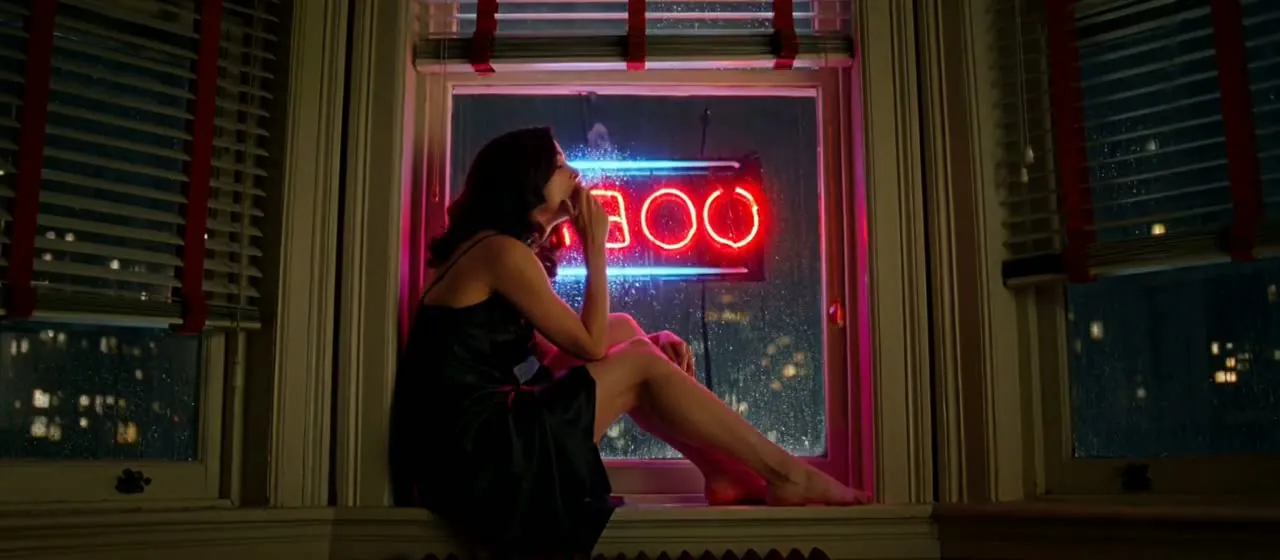
The model follows the supplied frame closely, which makes this the most literal way to get the subject, wardrobe and room you designed. In the windowsill-turn example everything identifying, from the face to the outfit to the rain-streaked window, comes from the image; the prompt only asks for an exhale, a neon pulse and a head turn. An opening frame that already shows the scene gets far closer to the brief than the same words typed into text-to-video.
An optional closing frame
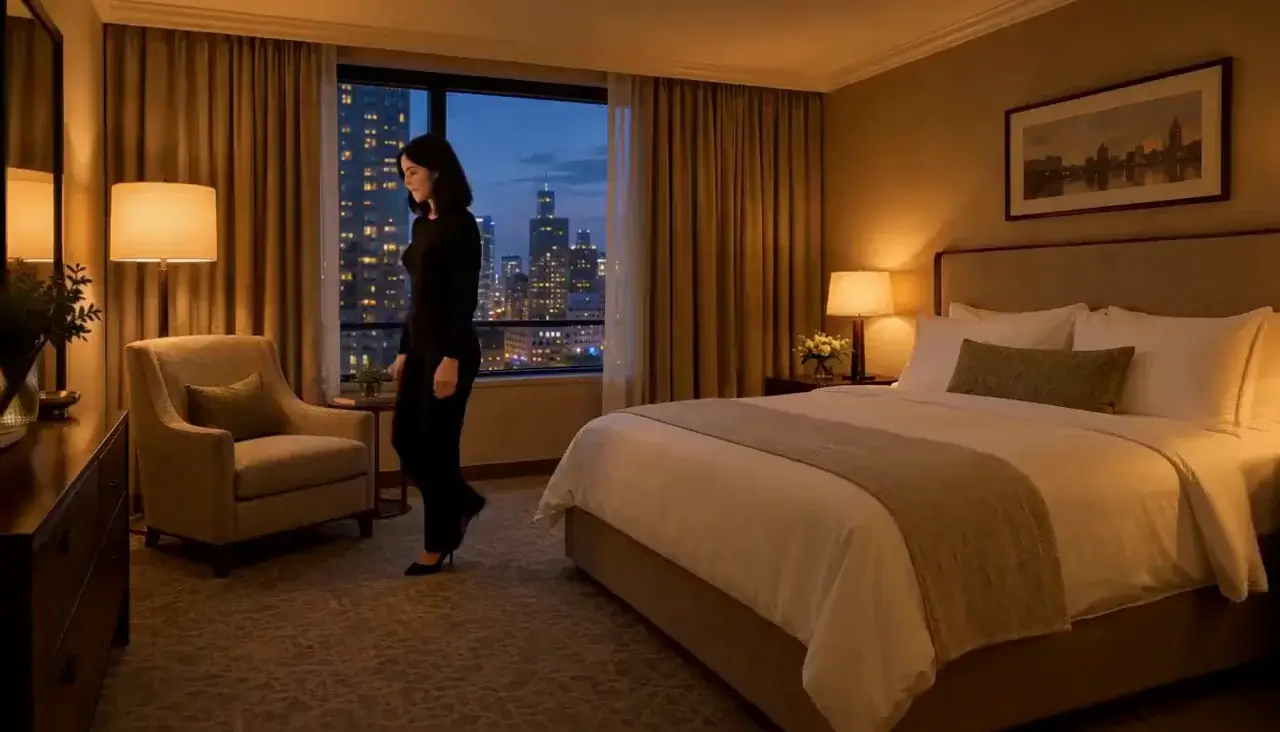
last_image_url pins where the shot lands. The doorway example uses both ends: eight seconds that begin inside the room and finish on a supplied doorway composition. The closing frame tightens the ending only. The middle of the clip is still generated freely, and the longer the clip, the further the motion can drift from the closing frame.
Duration, resolution and input limits
Duration runs from 4 to 15 whole seconds, but a 4-second clip is only available at 768p; 2k needs at least 5 seconds. Both resolutions are native. The opening frame must measure between 256 and 5,760 px on each side, keep an aspect ratio between 2:5 and 5:2, and stay under 30 MB.
Request parameters
| Parameter | Required | Description |
|---|---|---|
prompt | Yes | Describe the change after the opening frame: action, camera, sound. Do not re-describe the frame. at least 1 characters · at most 7000 characters |
image_url | Yes | The opening frame. It sets subject, wardrobe and composition - the model follows it closely. |
last_image_url | No | Optional closing frame. Tightens the ending only; the middle of the clip is still free. |
resolution | No | 768p or 2k, both native. Draft at 768p, deliver at 2k. |
duration_seconds | No | Whole seconds, 4 to 15. Four seconds is only available at 768p. |
Pricing
| Specification | Price |
|---|---|
| $0.037 / second |
| $0.058 / second |
Use cases
Animate a still you have already approved
When a frame exists, whether a generated still or an authorised photograph, this endpoint turns it into motion without re-describing it. The prompt carries only the change (action, camera, sound), which keeps every word for what the image cannot say on its own.
Reveal what the frame does not show
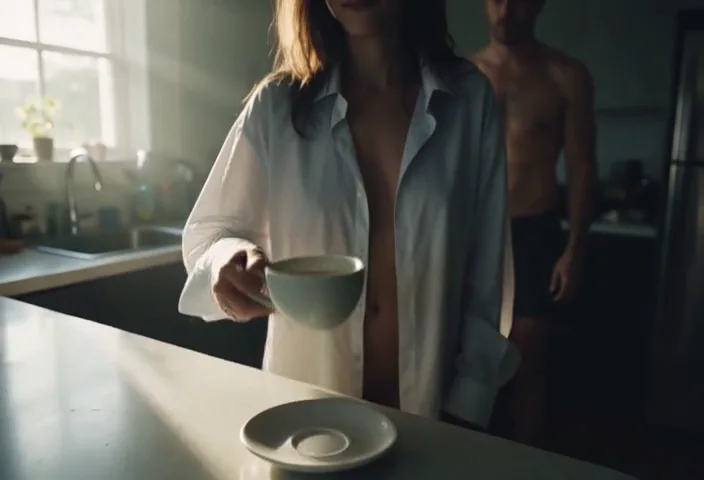
The cup-then-two-in-one-shirt example opens on a still life. A hand lifts the cup out of frame, the camera tilts and racks focus, and a second figure appears deeper in the room: three changes, all temporal, none of them present in the input image. It ran for six seconds, a sensible draft length before a 2k run.
Continue a scene past 15 seconds
To carry a scene on, use MiniMax H3 Video extend: it opens the next segment on the final frame of the approved clip and returns the two joined in one file, so each prompt only has to describe what happens next. To steer the next shot frame by frame yourself, take that final frame and submit it here as the next image_url.
Prompt guide & pro tips
Do not re-describe the frame
Describe the change after the opening frame and leave appearance to the image. A quick check is that every clause should name something that moves or makes a sound. The windowsill-turn prompt, "she turns her head toward camera without changing expression. Rain runs down the window, distant traffic", is enough because the frame already shows who she is and where.
Keep the two frames continuous
When you send last_image_url, prepare it as a pair with the opening frame: same subject, same wardrobe, same light and a plausible change of framing. Two frames that disagree force the middle of the clip to negotiate between them. Then write the physical action that connects them, as the doorway example does ("rises from the edge of the bed… stops framed in the doorway looking back"), and give that action enough seconds to happen.
Prepare the frame for the output
Because the frame sets the output shape, crop the still to the delivery aspect ratio before uploading and check it against the size limits. Draft at 768p, then re-run the take you want at 2k with at least five seconds of duration. Expect a new take rather than a frame-for-frame upscale, since the endpoint takes no seed.
API quick start
# Generate the idempotency key once; reuse it when retrying after a lost response.
export SPICY_IDEMPOTENCY_KEY="${SPICY_IDEMPOTENCY_KEY:-$(uuidgen)}"
curl -X POST https://api.spicyapi.ai/api/v1/jobs/createTask \
  -H "Authorization: Bearer $SPICY_API_KEY" \
  -H "Content-Type: application/json" \
  -H "Idempotency-Key: $SPICY_IDEMPOTENCY_KEY" \
  -d '{
  "model": "minimax/h3/image-to-video",
  "input": {
    "duration_seconds": 5,
    "enable_prompt_expansion": false,
    "image_url": "https://example.com/reference.png",
    "prompt": "A slow aerial shot drifting over a misty pine forest at sunrise",
    "resolution": "768p"
  }
}'

# Copy data.taskId from the response into TASK_ID, then poll the status.
TASK_ID="TASK_ID_FROM_RESPONSE"
curl "https://api.spicyapi.ai/api/v1/jobs/recordInfo?taskId=$TASK_ID" \
  -H "Authorization: Bearer $SPICY_API_KEY"
See the API reference for authentication, the complete schema, polling, and error handling.