Introduction
MiniMax H3 Reference to video generates one shot from one to nine reference images and a prompt that refers to them by number, as Picture 1, Picture 2 and so on. It returns 4 to 15 whole seconds at 768p or 2k in one of six aspect ratios, with sound generated alongside. Up to three reference videos and up to three reference audio clips can join the images, each set 15 seconds in total.
Choose a MiniMax H3 mode by starting material
| What you have at the start | Mode |
|---|---|
| a written scene or script | MiniMax H3 Text to video |
| an approved opening image | MiniMax H3 Image to video |
| one to nine reference images | MiniMax H3 Reference to video |
Key features & highlights
Up to nine numbered image slots
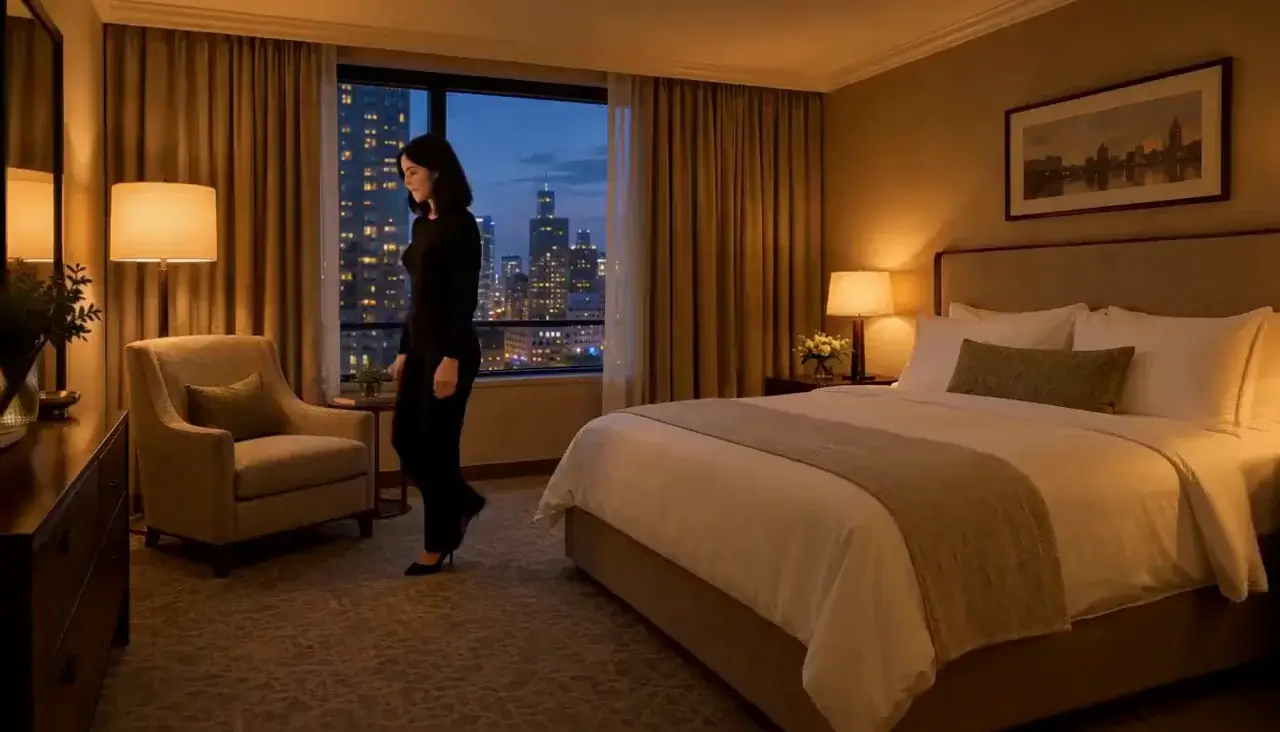
reference_image_urls takes one to nine images, and the prompt addresses them by position. One image can carry the face, another the wardrobe and a third the room. The character-continuity example does exactly that: it keeps the woman from Picture 1 in the outfit from Picture 2 inside the hotel room from Picture 3.
A new angle on an existing set-up
References keep a production consistent when the camera moves somewhere new. The red-dress-theatre-three-angles example uses three stills to fix the performer, the garment and the stage, then asks for a third camera angle, so the new position does not quietly become a new production. It ran in 3:4 for five seconds.
Movement and sound come from the prompt
Motion and audio can be written or referenced. The voice-and-room example sends two images, the performer and the stage lighting, and describes the club acoustics in words: warm reverb and a murmur from the crowd. A reference video carries movement and is referred to as <Video 1>; reference audio sets a voice or a sound. The first five reference images are included and each image after the fifth adds a charge; reference video seconds have their own per-second rate, lower than output seconds, and reference audio is free. The live estimate reflects all of it before you submit.
Request parameters
| Parameter | Required | Description |
|---|---|---|
prompt | Yes | Name each reference by number - <Picture 1>, <Picture 2> - say what job it does, then write the movement and the sound. at least 1 characters · at most 7000 characters |
reference_image_urls | Yes | One to nine images. The first five are included in the price and each one after that adds a charge. at least 1 items · at most 9 items |
reference_video_urls | No | Up to three reference videos, 2 to 15 seconds each and 15 seconds in total, for movement, camera or a character in motion. at least 1 items · at most 3 items |
reference_audio_urls | No | Up to three reference audio clips, WAV or MP3, 2 to 15 seconds each and 15 seconds in total, for a voice or a sound the clip should follow. Reference audio is free. at least 1 items · at most 3 items |
aspect_ratio | No | 16:9, 9:16, 1:1, 4:3, 3:4 or 21:9. 21:9 gives the anamorphic letterbox. |
resolution | No | 768p or 2k, both native. Draft at 768p, deliver at 2k. |
duration_seconds | No | Whole seconds, 4 to 15. Four seconds is only available at 768p. |
Pricing
Reference images: the first five are included, each one after that adds a charge. Reference video seconds have their own per-second rate, lower than output seconds; each clip rounds up to whole seconds, 15 seconds in total at most. Reference audio is free.
| Specification | Price |
|---|---|
| $0.037 / second |
| $0.058 / second |
Use cases
Keep a recurring character across shots
Reuse the same set of reference images for every shot in a sequence and change only the action and setting lines in the prompt. The endpoint takes no seed, so the references are what hold identity steady from one take to the next; text alone would drift.
Place a performer in a specific space
Pair a portrait with a separate image of the space and describe what happens there. In voice-and-room the performer leans into the microphone, delivers one line and smiles, while the second image supplies the stage lighting and the prompt supplies the room sound.
Hold a garment or prop steady in motion
Give a garment or object its own slot rather than hoping it survives inside a portrait. The red-dress example then writes what the dress does as she moves, the slit opening with every step as she crosses to the proscenium, because its cut and colour are already fixed by a reference.
Prompt guide & pro tips
Map every picture to one job
Open the prompt with the mapping, as character-continuity does: "Keep the woman from Picture 1 and the black lace slip from Picture 2, in the hotel room from Picture 3." Then write the action. Three or four images with distinct jobs work better than nine overlapping ones; when several images show the same subject, the model averages them rather than choosing one.
Write only what the references cannot supply
Once identity, wardrobe and setting are covered by images, spend the prompt on movement, camera and sound: "She sits on the arm of the chair, crosses her legs and looks up at camera. Slow handheld drift, warm lamp, quiet room tone." Describing the face again in words hands the model a second description that may not match the picture.
Draft small, then deliver
Duration runs 4 to 15 seconds, and 4 seconds is only available at 768p. Draft at a lower resolution with the reference set you intend to keep, then re-run at 2k. If a take drifts, swap one reference or one instruction at a time so you can tell which change made the difference.
API quick start
# Generate the idempotency key once; reuse it when retrying after a lost response.
export SPICY_IDEMPOTENCY_KEY="${SPICY_IDEMPOTENCY_KEY:-$(uuidgen)}"
curl -X POST https://api.spicyapi.ai/api/v1/jobs/createTask \
  -H "Authorization: Bearer $SPICY_API_KEY" \
  -H "Content-Type: application/json" \
  -H "Idempotency-Key: $SPICY_IDEMPOTENCY_KEY" \
  -d '{
  "model": "minimax/h3/reference-to-video",
  "input": {
    "aspect_ratio": "16:9",
    "duration_seconds": 5,
    "enable_prompt_expansion": false,
    "prompt": "A slow aerial shot drifting over a misty pine forest at sunrise",
    "reference_image_urls": [
      "https://example.com/reference.png"
    ],
    "resolution": "768p"
  }
}'

# Copy data.taskId from the response into TASK_ID, then poll the status.
TASK_ID="TASK_ID_FROM_RESPONSE"
curl "https://api.spicyapi.ai/api/v1/jobs/recordInfo?taskId=$TASK_ID" \
  -H "Authorization: Bearer $SPICY_API_KEY"
See the API reference for authentication, the complete schema, polling, and error handling.