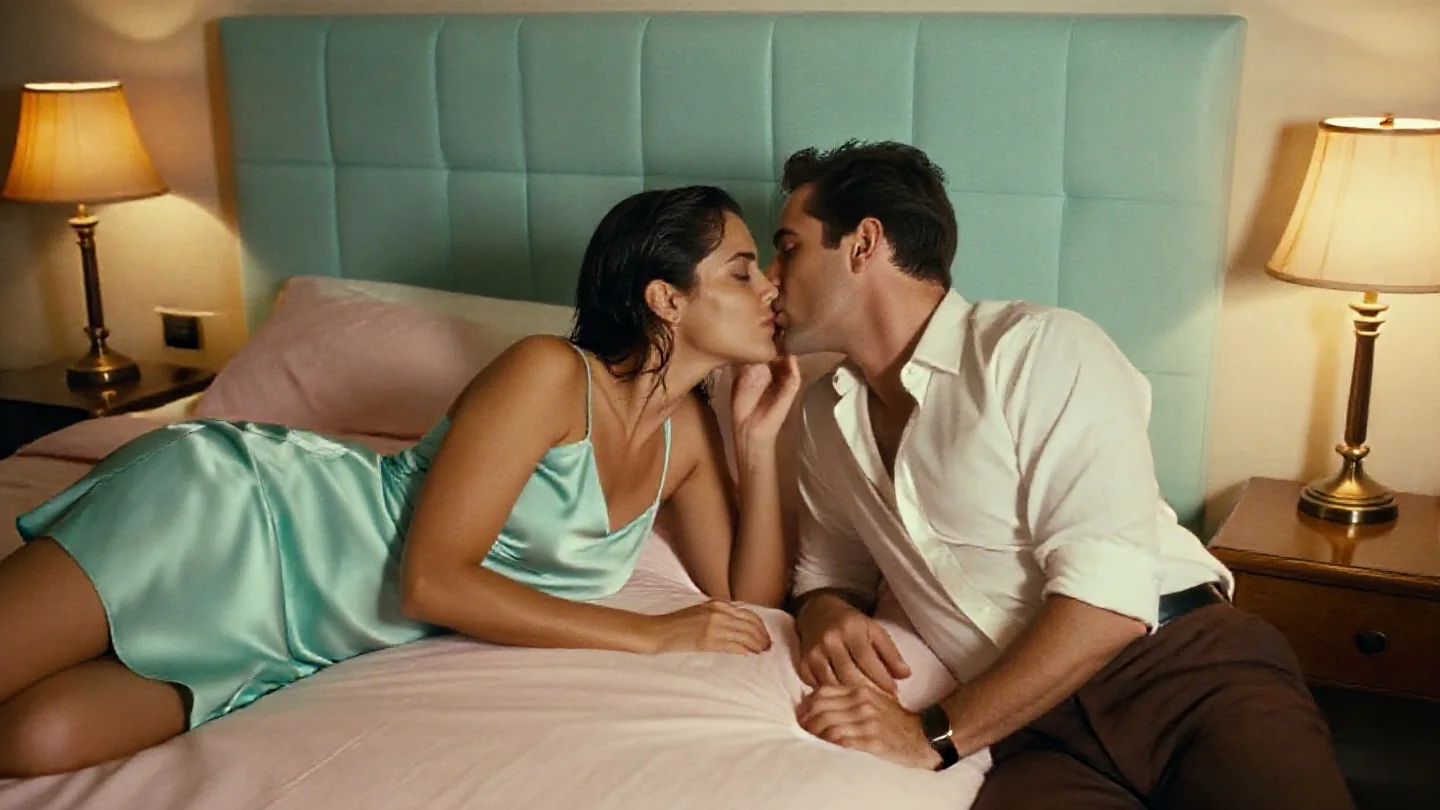
Text-to-image on Pruna AI's P-Image with one LoRA of your own per request. Seven aspect ratios or any custom size up to 1440 pixels a side, a few seconds per image, and no filter on prompts, weights or results.

From $0.006/image

Workbench

Input

Text to image
421/5000
Full sentences work best: subject, clothing, place, light and lens. Put the LoRA trigger word first. Up to 5,000 characters; there is no negative prompt. at least 1 characters · at most 5000 characters
Seven ratios of about one megapixel: 1:1 is 1024 x 1024, 16:9 is 1344 x 768, 3:2 is 1216 x 832, 4:3 is 1152 x 896. Pick custom to set width and height yourself. 1:1 by default; the shape does not change the price.
Style LoRAs1/1

Technically Color Z Image Turbo

One {path, scale} entry. Use a public direct link to a .safetensors file made with the P-Image trainer or trained for Z-Image Turbo. Scale runs from -1 to 3; style LoRAs work around 0.6 to 1 and break the picture from about 2. A LoRA does not change the price. at most 1 items
Output format
JPEGPNGWebP
JPEG by default, or PNG or WebP. The format does not change the price.
Seed
Keeps a set of images comparable while you change one word or the LoRA strength. It does not guarantee the exact same pixels on every run. no lower than 0 · no higher than 2147483647
Safety checkerOff

SpicyAPI does not run a safety checker on this model. Your prompt and media go to the model as written, and the model itself decides what comes back.

Checking your account before enabling submission and pricing.

Output

Ready for a new run
pastel-lobby-banquetteExample result

Missing the model you need?

Tell us what to add and where you would use it. Requests go to the people who decide what gets onboarded next.

LORA IMAGE API

P-Image LoRA API at a glance

Pruna's fast P-Image models with one LoRA of your own: text-to-image and multi-image editing in a few seconds, nothing filtered.

Model time
~3–8 s
Per image in our tests; loading a LoRA adds a few seconds while the file is fetched.
LoRA per call
1
One weights file per request, with a strength from -1 to 3.
Custom size
1440 px
Text-to-image takes any width and height from 256 to 1440 in steps of 16.
Source images
5
Editing combines up to five pictures in one instruction.
Shapes
7 ratios
Plus any custom size on text-to-image; editing can also follow the first image.
Content filter
None
No filter on prompts, LoRA files or results.

Results

What you can make with P-Image LoRA

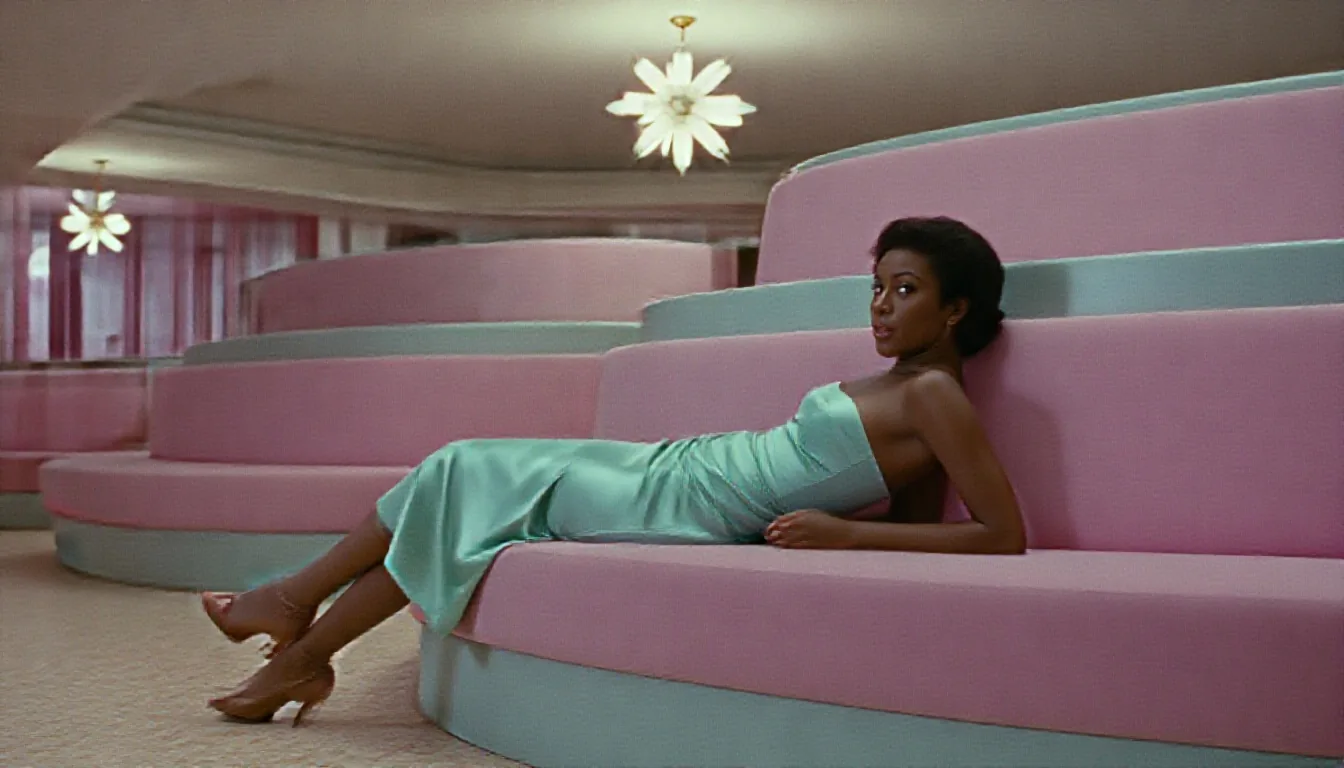
  • Film-look photograph of a Black woman in a mint satin sheath dress reclining on a curved pink velvet banquette in a pastel 1960s hotel lobby under a starburst chandelier

    Style LoRA

    A film look from one file

    A community Technicolor film LoRA at 0.8 with its trigger word first: a pastel 1960s hotel lobby, a mint satin dress and a curved pink banquette, graded like an old studio print.

    Text-to-image with a Technicolor film LoRA at 0.8, 16:9.

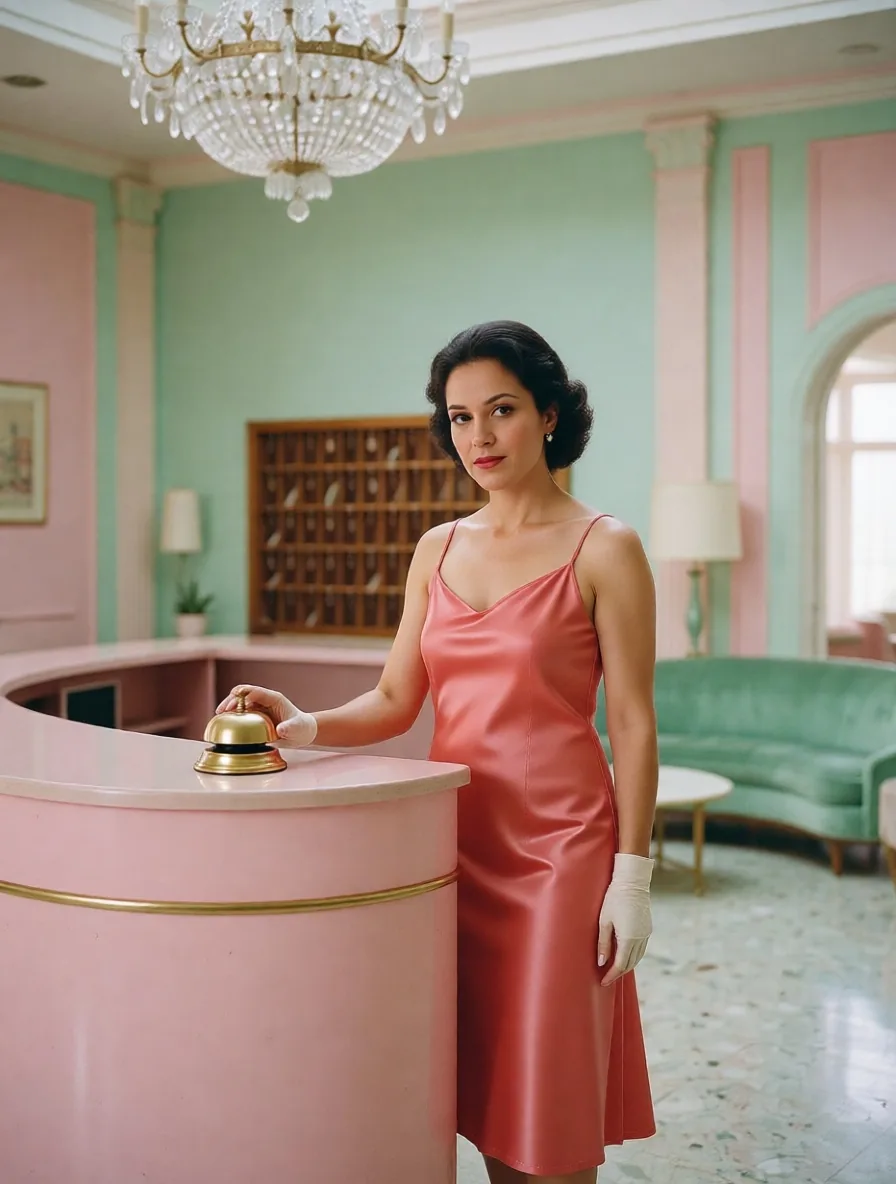
  • Photograph of a woman with short dark hair in a coral satin dress standing by a pink reception desk with a brass bell in a pastel hotel lobby

    Editing

    The next shot of the same scene

    A wide lobby still with a receptionist far behind the desk became a closer shot of her stepping out in a coral satin dress, with a next-scene LoRA loaded. The lobby, the chandelier and the brass bell stayed in place.

    Editing with a next-scene LoRA at 1, 3:4.

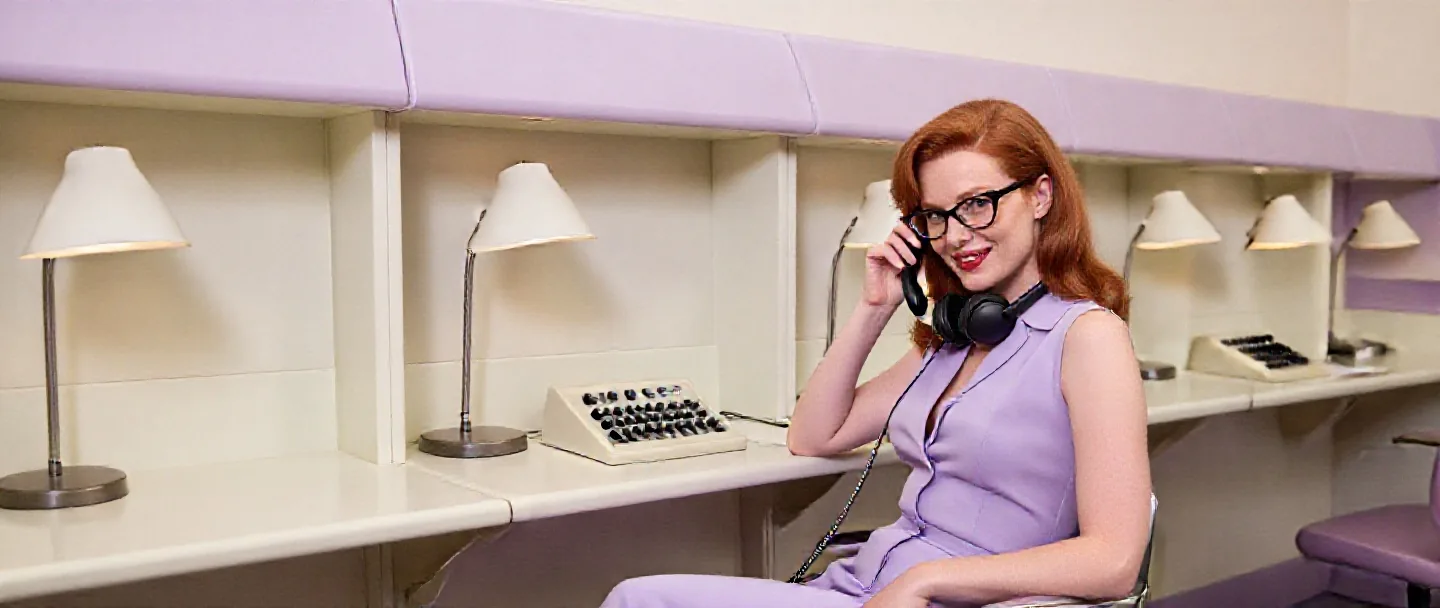
  • Wide photograph of a red-haired woman in a sleeveless lilac blouse and cat-eye glasses holding a telephone receiver in a pale lilac 1960s hotel switchboard room

    Custom size

    Any frame up to 1440 pixels

    A custom 1440 x 608 panorama of a hotel switchboard room, no LoRA. Width and height take any value from 256 to 1440 in steps of 16.

    Text-to-image without a LoRA at a custom 1440 x 608.

More clips made with P-Image LoRA

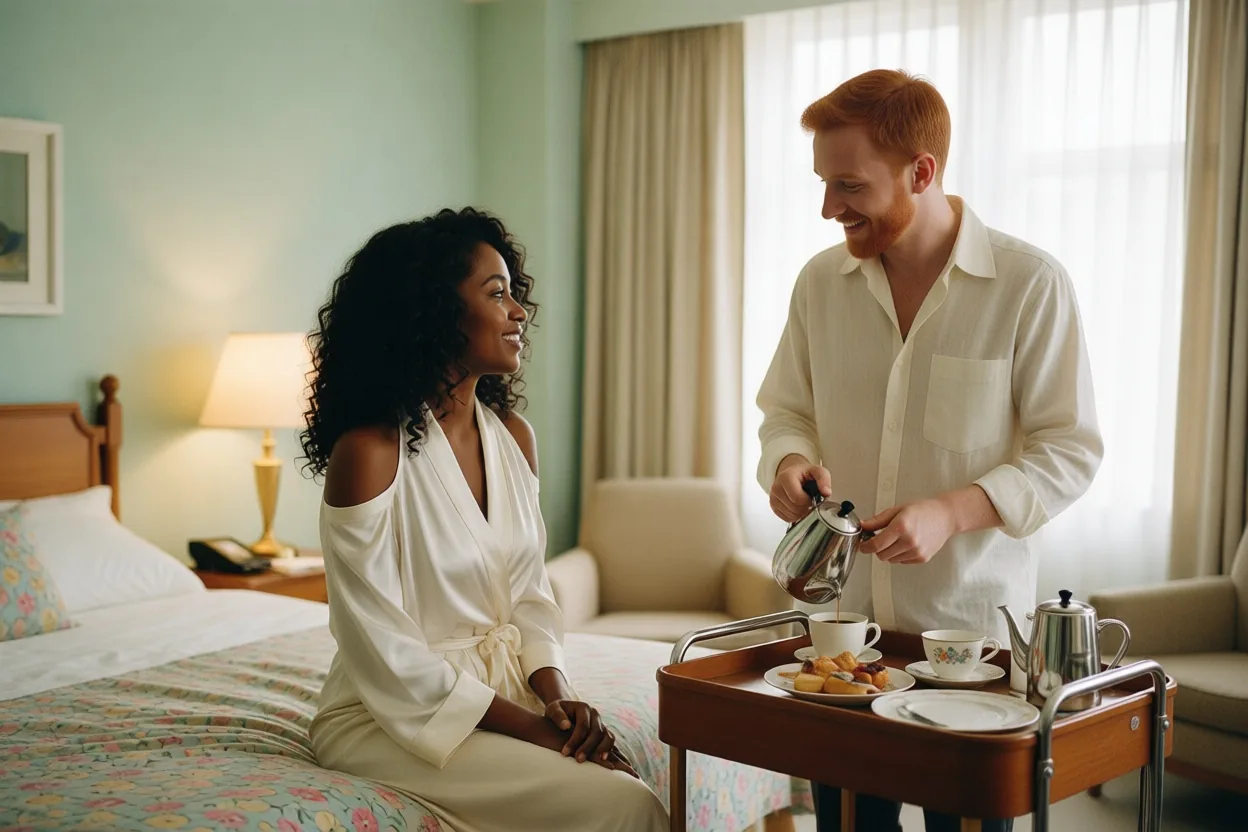
  • Photograph of a woman with curly hair and a red-haired bearded man in a linen shirt pouring coffee from a room-service trolley in a hotel room
    Editing two source portraits into one scene, no LoRA, 3:2.
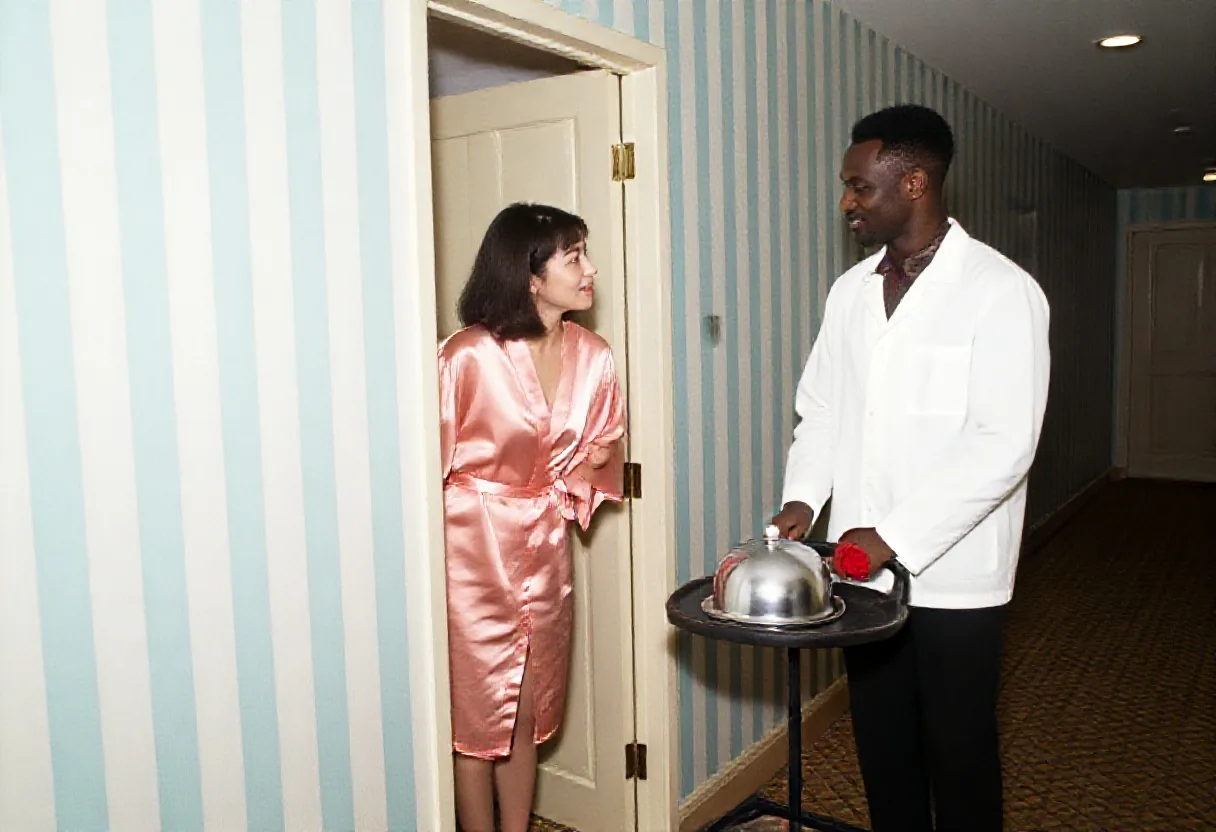
  • Flash snapshot of a woman in her hotel room doorway and a room-service waiter in a white jacket with a cart, a silver cloche and a red rose, in a striped pastel corridor
    Text-to-image with a candid flash-photo LoRA at 0.8, 3:2.
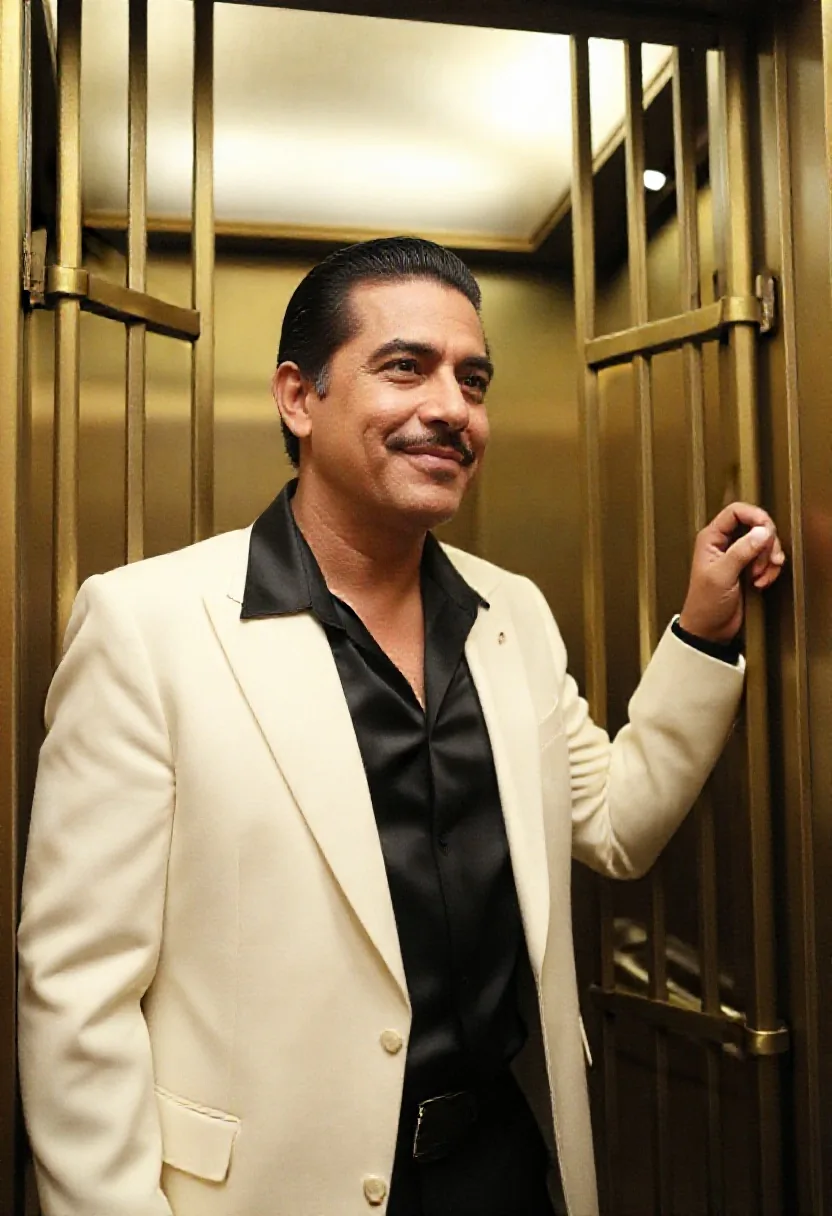
  • Photograph of a man with slicked-back hair and a thin moustache in a cream dinner jacket and an open black silk shirt, one hand on the brass gate of a cage elevator
    Text-to-image without a LoRA, 2:3.
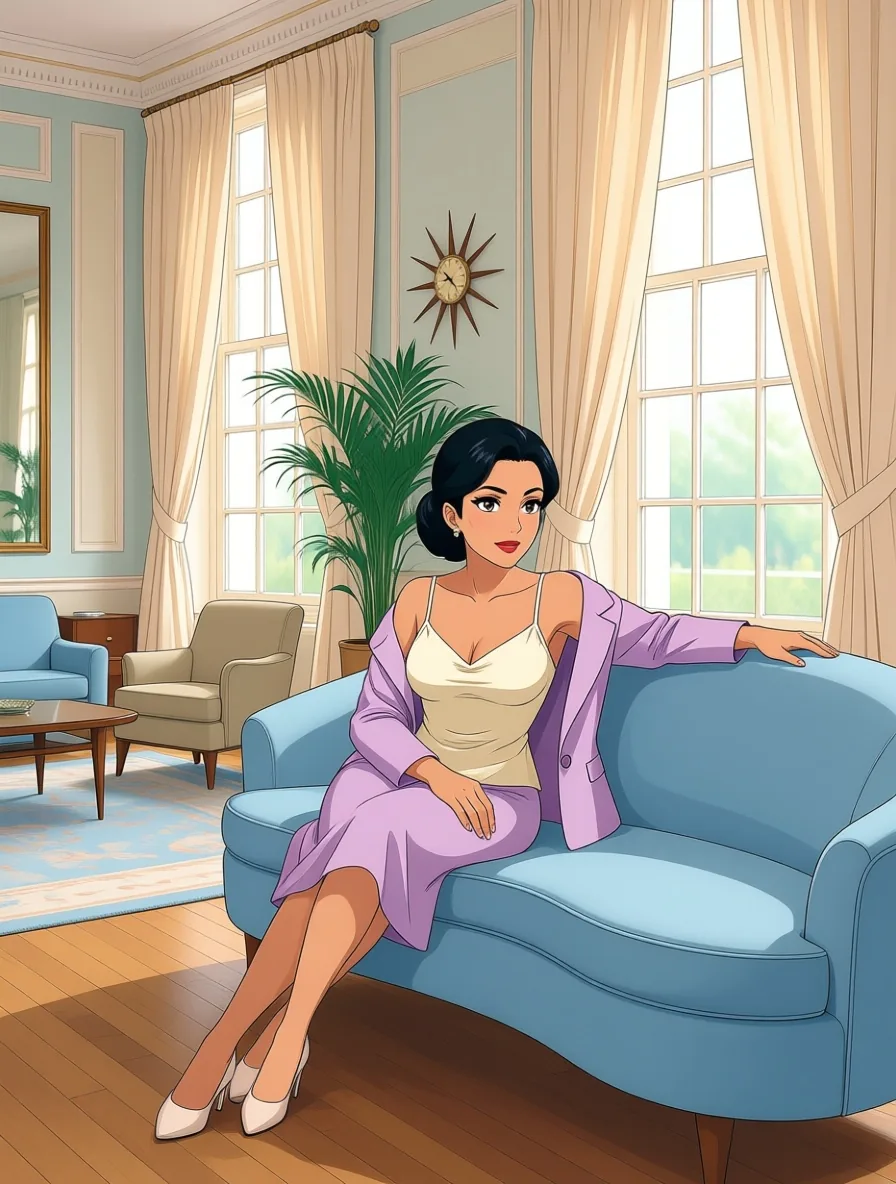
  • Anime illustration of a woman with a black chignon in an ivory camisole and a lilac jacket slipping off one shoulder, reclining on a curved powder-blue sofa in a 1960s lounge
    Editing a photograph into anime with a photo-to-anime LoRA at 1.
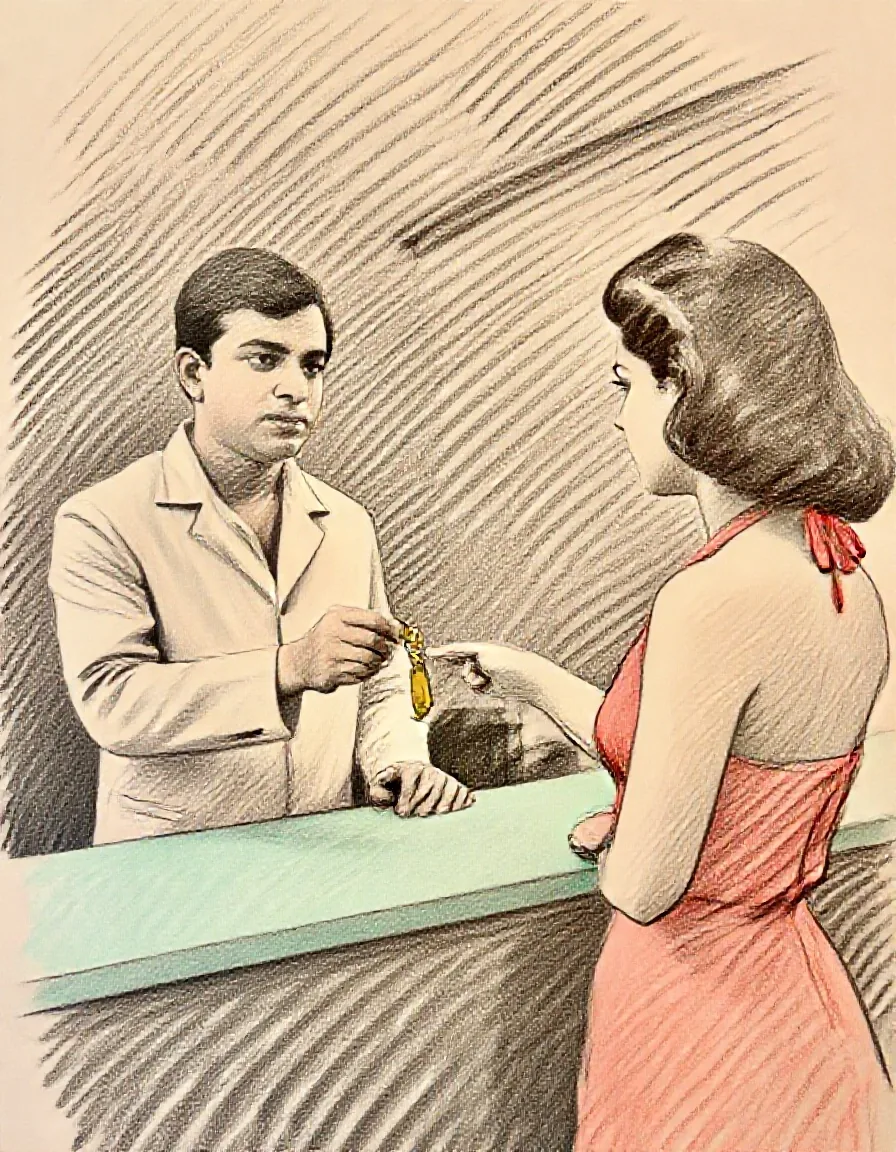
  • Colour pencil sketch of a hotel concierge in a cream jacket handing a brass room key across a mint counter to a woman in a coral halter dress
    Text-to-image with a colour pencil LoRA at 1, 3:4.
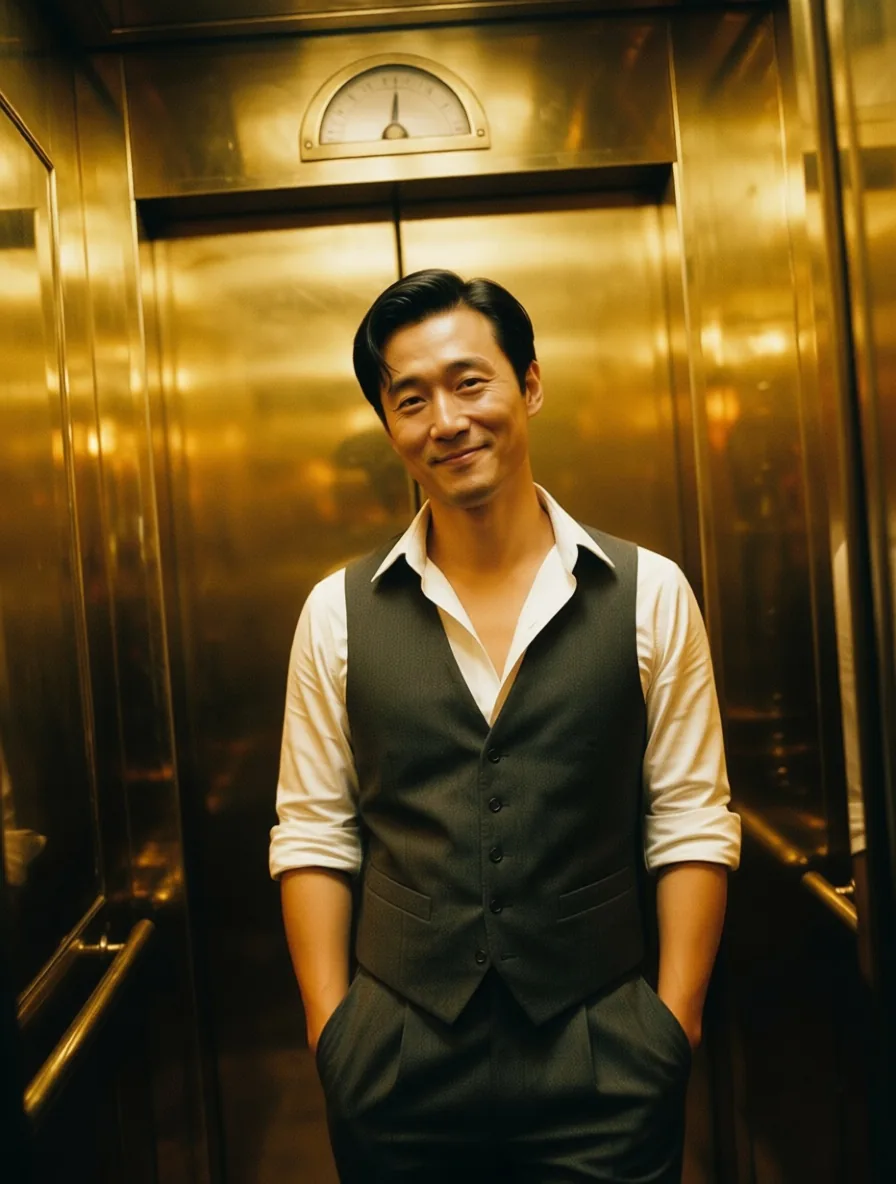
  • Photograph of a man in an open-collar white shirt and a grey waistcoat leaning against the brass wall of a hotel elevator in amber light
    Editing without a LoRA: jacket and tie removed, late-night light.

Content test

Is P-Image LoRA uncensored? What we tested

We ran each level on our live setup and checked every clip frame by frame. A pass means the content was actually on screen, not just that the request went through.

Content levels tested on P-Image LoRA, by mode
LevelImage editingText to image
MildThe lightest prompts in the test
RendersTested Oct 9, 2026
ModerateWhere filtered models start to refuse
RendersTested Oct 9, 2026
StrongThe middle of the scale
RendersTested Oct 9, 2026
Very strongWhere most models start to hold back
Not tested yet
Not tested yet
MaximumThe top of the scale
RendersTested Oct 9, 2026

Renders: on screen as written. Softened: generated, but milder than what was written. Refused: rejected. Not tested yet: we have not run that level on that mode.

How each mode behaves

All modes
One LoRA per request, fetched from a public direct link when the request runs; links that need a login are not supported, so re-host gated files. A LoRA trained for a different model family, or saved in a key layout the loader does not read, fails the request rather than being ignored. There is no negative prompt and no guidance or step control, and each request returns one image.
Text to image
Sides are capped at 1,440 pixels. Custom sizes must be multiples of 16, and width and height only apply when the aspect ratio is custom. Scenes of two people together often come out with anatomy errors unless a LoRA trained for them is loaded.
Image editing
Up to five source images. Without an aspect ratio the result follows the first image at about one megapixel. In our tests the editor toned down the Very strong level even with an unfiltered LoRA loaded.

Use cases

What to build with the P-Image LoRA API

  • Fast drafts in a house style

    A style LoRA plus a few seconds per image makes it practical to run a long list of prompts and keep every frame in one look.

  • Testing community LoRAs

    Try a public LoRA on a real prompt without setting up a GPU: one image costs the same with or without the file.

  • Restyling and combining photos

    Change outfits, light and framing on an existing picture, or put people from two separate photos into one scene.

  • Uncensored stills

    Nothing is reviewed or filtered. Load an unfiltered LoRA when the base model's own rendering at the Very strong level is not good enough.

Prompts

P-Image LoRA prompt examples you can copy

Paste one into the playground as it is, then change one thing at a time.

  • Text to image

    Pastel lobby banquette

    t3chnic4lly, a 1960s hotel lobby in pastel pink and mint with a terrazzo floor and a starburst chandelier. A Black woman in her early thirties, an adult, in a mint satin sheath dress that leaves one shoulder bare, reclines along a curved pink velvet banquette, one arm draped over its back, and gives the camera a smouldering glance over her shoulder. Anamorphic 40mm lens, soft top light, warm halation, fine film grain.

    Why it works. A Technicolor film LoRA at 0.8 with its trigger word 't3chnic4lly' first; the pastel palette and grain come from the LoRA.

    Try this prompt
  • Image editing

    The receptionist, next scene

    Next Scene: the camera dollies in to a medium shot of the receptionist from image 1 as she steps out from behind the pink desk, now in a coral satin slip dress with one strap sliding off her shoulder, her fingertips resting on the brass service bell, a smouldering glance at the lens. Same pastel lobby, terrazzo floor and chandelier, Ektachrome colour.

    Why it works. A next-scene LoRA at 1 with 'Next Scene:' opening the instruction: the camera moves in and the outfit changes, the lobby stays.

    This mode starts from your own image: add it in the playground before you run.

    Try this prompt
  • Text to image

    Room service at the door

    A 1960s hotel corridor with pastel striped wallpaper and a patterned carpet. A Japanese woman in her thirties, an adult, in a peach satin robe tied at the waist and slipping off one shoulder, leans in her open doorway while a room-service waiter, a Senegalese man in his thirties, an adult, in a white mess jacket, stops his cart with a silver cloche and a single red rose; they share a knowing smile. On-camera flash, candid snapshot.

    Why it works. A candid flash-photo LoRA at 0.8 turns a staged corridor scene into a snapshot with on-camera flash.

    Try this prompt

Pricing

P-Image LoRA API pricing

One image starts at $0.006.

The playground shows the exact price for your settings before you run. Failed or timed-out tasks are usually not charged. Some models charge for content refusals as stated on their model page; check those billing terms before submitting.

See every price tier

Get started

How to use the P-Image LoRA API in three steps

  1. Step 1

    Pick LoRAs made for these models

    Text-to-image loads LoRAs made with Pruna's P-Image trainer, and in our tests also community LoRAs trained for Z-Image Turbo. Editing loads LoRAs trained for Qwen-Image-Edit (the 2509 and 2511 builds loaded in our tests). A LoRA for FLUX or an SDXL model made the request fail instead of loading.

  2. Step 2

    Use a public direct link

    Paste the URL that downloads the .safetensors file itself, for example a Hugging Face 'resolve/main/…' link. A page link, a file that needs a login or a missing file fails the request after a few seconds, and failed requests are not charged.

  3. Step 3

    Start the prompt with the trigger

    Most style LoRAs expect a trigger word at the start, such as 't3chnic4lly' for a Technicolor film look or 'A color pencil sketch of a' for colour pencil. Then describe subject, clothing, place and light in sentences.

Parameter reference and code samples are in the API and Readme tabs at the top of this page.

Why SpicyAPI

Why run P-Image LoRA on SpicyAPI

  • No filter from us

    We add no content filter of our own. What the model renders is what you get back.

  • Tested, not guessed

    Content labels come from real generations we ran and checked, with the test date on the page.

  • Pay per result, in dollars

    No subscription and no credits. Failed or timed-out tasks are usually not charged. Some models charge for content refusals as stated on their model page; check those billing terms before submitting.

  • One key for every model

    One API key and balance cover image, video, audio and chat models, so you can explore more models from the same account.

FAQ

P-Image LoRA API FAQ

About P-Image LoRA

P-Image LoRA gives you Pruna AI's fast image models with one LoRA of your own: text-to-image in seven ratios or custom sizes up to 1440 pixels, and editing that combines up to five pictures. LoRAs load from a public link without review, and nothing is filtered.

Related models and next tasks