Your character has the right face, clothes and pose, but the skin looks like polished plastic. The forehead is a perfectly smooth sheet, both cheeks have identical glossy highlights, and the portrait feels more like a mannequin than someone photographed in a room. That can weaken an NSFW character collection even when nothing else is obviously wrong: the viewer sees the artificial finish before noticing the expression.
Start by removing conflicting beauty instructions, make the face large enough to show detail, and describe one believable light source. For an approved character, edit the existing portrait rather than generating a new person. Add restrained surface variation; do not try to fix waxy skin by covering the whole picture in pores, grain or sharpening.
The fastest choice depends on the actual file:
| What you already have | First move |
|---|---|
| A good face with visible texture, but an over-softened export | Return to the original and reduce smoothing or export compression |
| A good face whose skin is already uniformly waxy | Try one source-image edit focused on surface treatment |
| A distant person whose face occupies very few pixels | Make a closer portrait or accept that a larger scene will show less skin detail |
| A sharp face with enormous pores and crunchy edges | Reduce texture and sharpening; adding more detail makes this problem worse |
| An unapproved new character concept | Simplify the generation prompt before spending on repeated repairs |
This guide gives a proposed photographic workflow for fictional adult characters. The prompts have not been run as a new skin-quality benchmark, and the illustrations are explanations rather than before-and-after model results.
Separate missing texture from the wrong light
A smooth cheek is not automatically an error. Real photographs can have soft skin, broad highlights and makeup. The uncomfortable look often comes from several things appearing together: a flat color patch, an unnaturally uniform reflection, a missing transition around the nose, and a perfectly smooth forehead while every strand of hair is razor sharp.
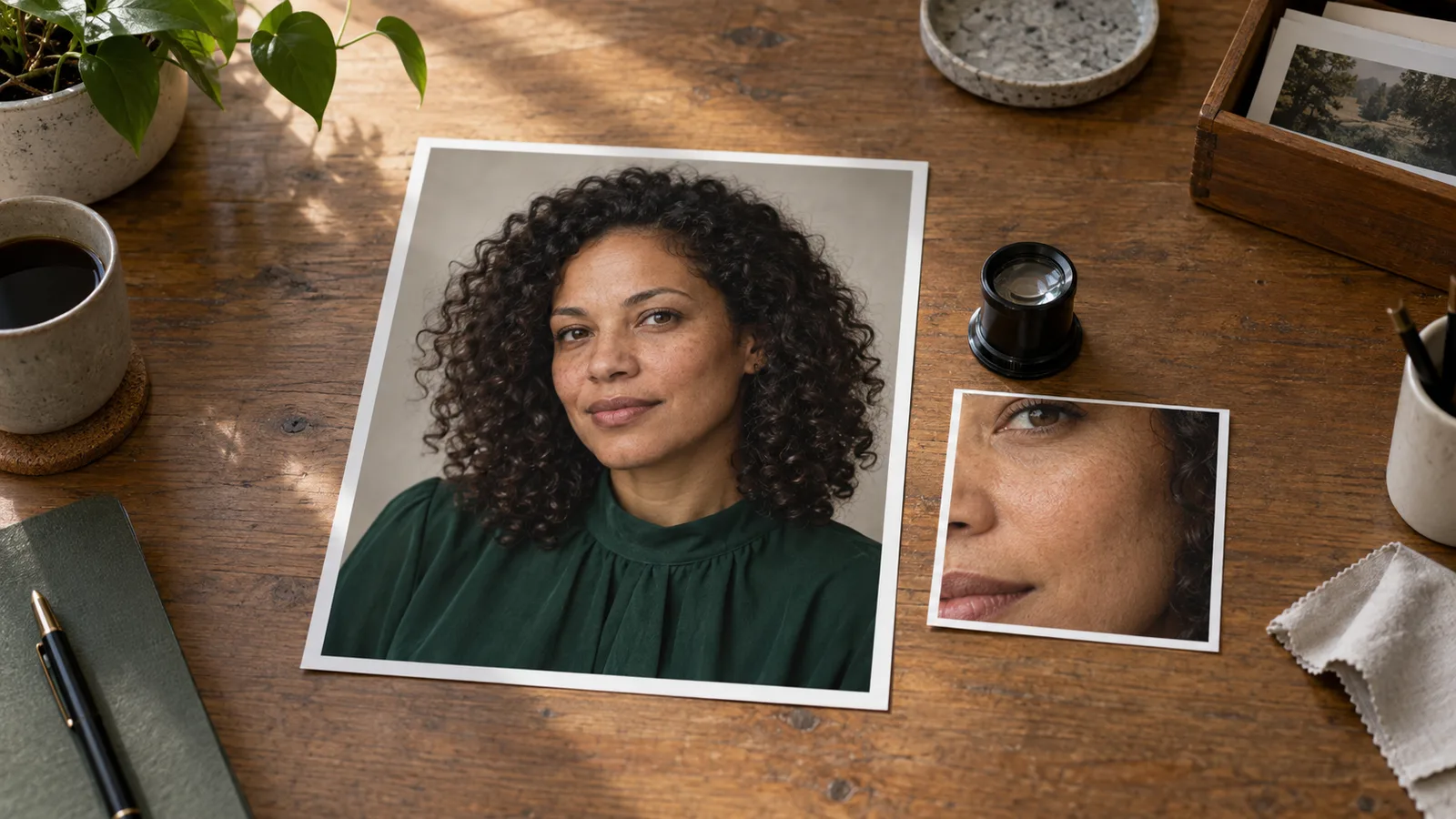
Open the original file at 100% rather than inspecting a small chat preview. Look at the cheek, forehead, jaw and hairline, then look at the blouse and background. If everything is blurred, the problem is not specifically skin. If the eyes and fabric are clear but the cheek looks painted over, a texture-focused correction is more plausible. If every surface has the same gritty dots, the image may be overprocessed rather than under-detailed.
Next, look at how the highlights follow the face. A wide window can produce a soft, broad cheek highlight. A small direct source can produce a sharper bright patch. A forehead that glows evenly from edge to edge despite a side-lit room may be a lighting mismatch. Asking for “more pores” leaves that reflection untouched.
For a mature character portrait with a quiet, intimate mood, keep the mood in the gaze, room and color. You do not need to make the skin intensely glossy to communicate it. If you actually want a glossy editorial treatment, keep the shine intentional and localized. Do not simultaneously ask for a wet-looking finish, completely matte skin and unchanged lighting.
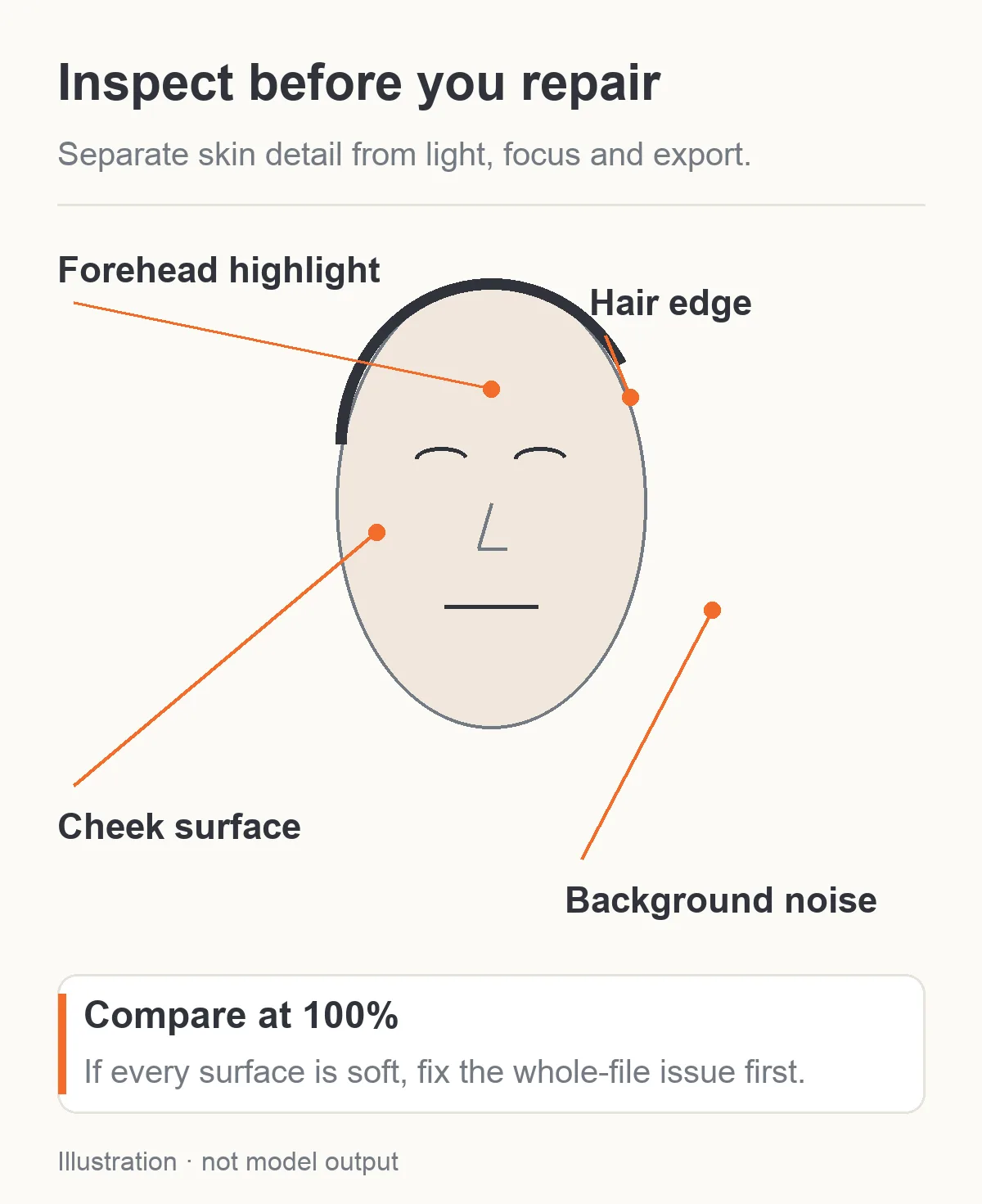
Inspect the original file at 100%. The schematic locates checks; it is not a generated skin comparison.
Remove the instructions that ask for a beauty filter
A common prompt begins with “flawless perfect skin, glamorous beauty, ultra-polished, hyper-detailed, cinematic masterpiece” and ends with “natural unretouched photograph.” Those directions pull in different ways. The model is being asked for an immaculate promotional finish and an ordinary camera portrait at once.
For a first correction, replace that cluster with a shorter sentence:
Natural photographic skin with subtle variation in tone and fine texture, gentle expression lines appropriate to the character's adult age, restrained highlights, and no airbrushed finish.
This is a starting instruction, not a magic phrase. Keep the age, complexion and existing facial features separate from the surface treatment. “Make the skin more realistic” should not mean “make the person older,” “lighten the complexion” or “add a new collection of freckles.” If a small mark is part of the character's identity, preserve it explicitly. If the original character has no freckles, do not add them just because a realism prompt template contains the word.
Avoid copying local Stable Diffusion recipes into a hosted editor without checking the controls. A Reddit discussion about realistic skin contains suggestions involving samplers, LoRAs, image resolution and prompt fragments, with disagreement about faster models. That discussion is useful because it shows that there is no single agreed prompt fix. Its sampler and CFG settings are not available on every API, and its older checkpoint results do not establish what a current hosted model will do.
Likewise, (skin texture:1.4) is not a documented weighting control on the tasks used below. Plain language is a better starting point here. Adding a string that resembles a setting does not create that setting.
Generate a new adult character portrait with a clean brief
For a new character concept, Z-Image Spicy text to image offers explicit width and height, a seed and optional prompt expansion. It does not accept a face reference, so use this route before the character's exact face is approved. Once you have selected that face, use editing for a skin correction.
Start with 960 × 1200, a 4:5 portrait. Both dimensions fall within the task's 256–1536 pixel range. Keep prompt expansion off so the comparison starts from the wording you supplied. A nonzero seed can label a particular attempt; zero requests a random seed. Repeating a seed with a different prompt is not an identity lock or a controlled guarantee that only the skin will change.
Here is a complete SFW starting prompt for an adult character collection:
Photographic editorial portrait of one fictional adult woman aged 38, with warm medium-brown skin, shoulder-length dark curls, brown eyes and a relaxed closed-mouth expression. She wears an opaque deep-green blouse with a closed neckline. Head-and-shoulders composition at eye level, face large enough to see clearly, both eyes and the mouth in focus. A broad diffused window outside the frame on the viewer's left lights the near cheek and fades gradually across the far cheek. Gentle fill keeps the far eye readable. Natural skin tone with subtle variation, fine texture visible where the light reaches the cheek, small expression lines consistent with her age, restrained forehead and nose highlights. Keep the background softly out of focus. Quiet private-room atmosphere, without glossy beauty retouching, exaggerated pores, added freckles, text or additional people.
The prompt ties texture to the illuminated face instead of demanding the same pore contrast everywhere. It keeps the setting simple and the expression calm. The opaque blouse and adult age make this a public-safe example for the same character workflow an NSFW creator might use in a private collection.
If the first output is waxy, change the treatment sentence before changing the character. Remove any extra beauty terms in your own version. If the face is soft because it is tiny in a full-length frame, keep the wider image for composition and make a separate close portrait; repeating “ultra detailed” does not allocate more pixels to its face.
For a grounded portrait, start with window light rather than stacking “cinematic rim light, beauty dish, candle glow, neon reflection and golden hour” into one room. Nikon's portrait-lighting advice explains how window light and shadow can supply texture, dimension and mood. That is photographic guidance to inform the prompt, not proof that an AI generator simulates a real lighting rig exactly.
Repair the selected face without redesigning the character
Suppose the portrait above gives you a face you want to keep, but the cheeks are too polished. Open Seedream 5.0 Pro editing, attach that portrait as the only source and request a focused correction.
Use 1k for an initial trial when judging the overall treatment. Use 2k when the final placement needs a larger image and fine detail is the main reason for the edit. The task defaults to 2k; selecting 1k is deliberate. Choose 4:5, opaque background and PNG output if further retouching is likely. Leave Thinking at its default initially. It refines the prompt; it is not a skin-strength or face-preservation slider.
The editing task accepts one to ten references, but one clear source is enough for this first repair. There is no seed, mask, denoise-strength, sampler, CFG or negative-prompt field. An instruction to alter only skin does not prevent other pixels from being regenerated.
Try this proposed instruction:
Keep the same fictional adult woman from image 1, including her age, facial proportions, brown eyes, dark curls, expression, pose, deep-green blouse, room and framing. Change only the photographic skin treatment: reduce the overly airbrushed appearance, retain subtle natural variation in tone, and add restrained fine texture where the original window light reaches the cheek and forehead. Keep her warm medium-brown complexion unchanged. Preserve the existing direction of light and shadow. Reduce broad waxy glare on the forehead while keeping gentle natural highlights. Do not add freckles, scars, new makeup, facial hair, grain over the whole image or a different facial structure.
If it produces an older-looking face, remove any age-related texture phrase and make the instruction narrower: “retain the character's existing age and expression lines; add only restrained fine surface texture.” If it changes the hair or blouse, the repair has failed even if the cheeks look better. Return to the original image, shorten the change request and keep the preserve list tied to visible details.
If the highlight is the real problem, ask for the highlight correction alone. If the cheek is the only weak area, do not also ask for a new background, pose and expression. That produces a different photograph and makes it difficult to know whether the texture edit helped.
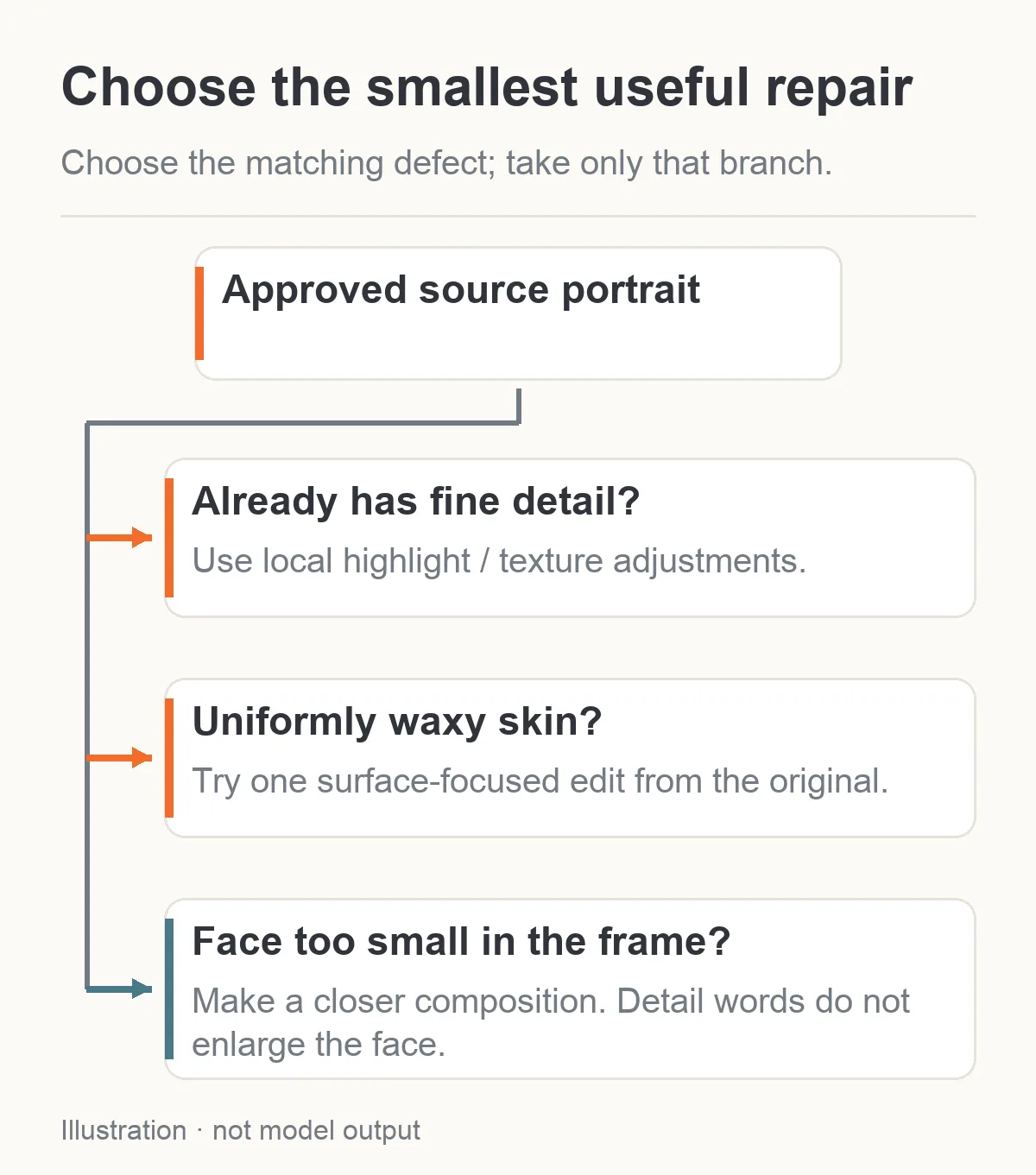
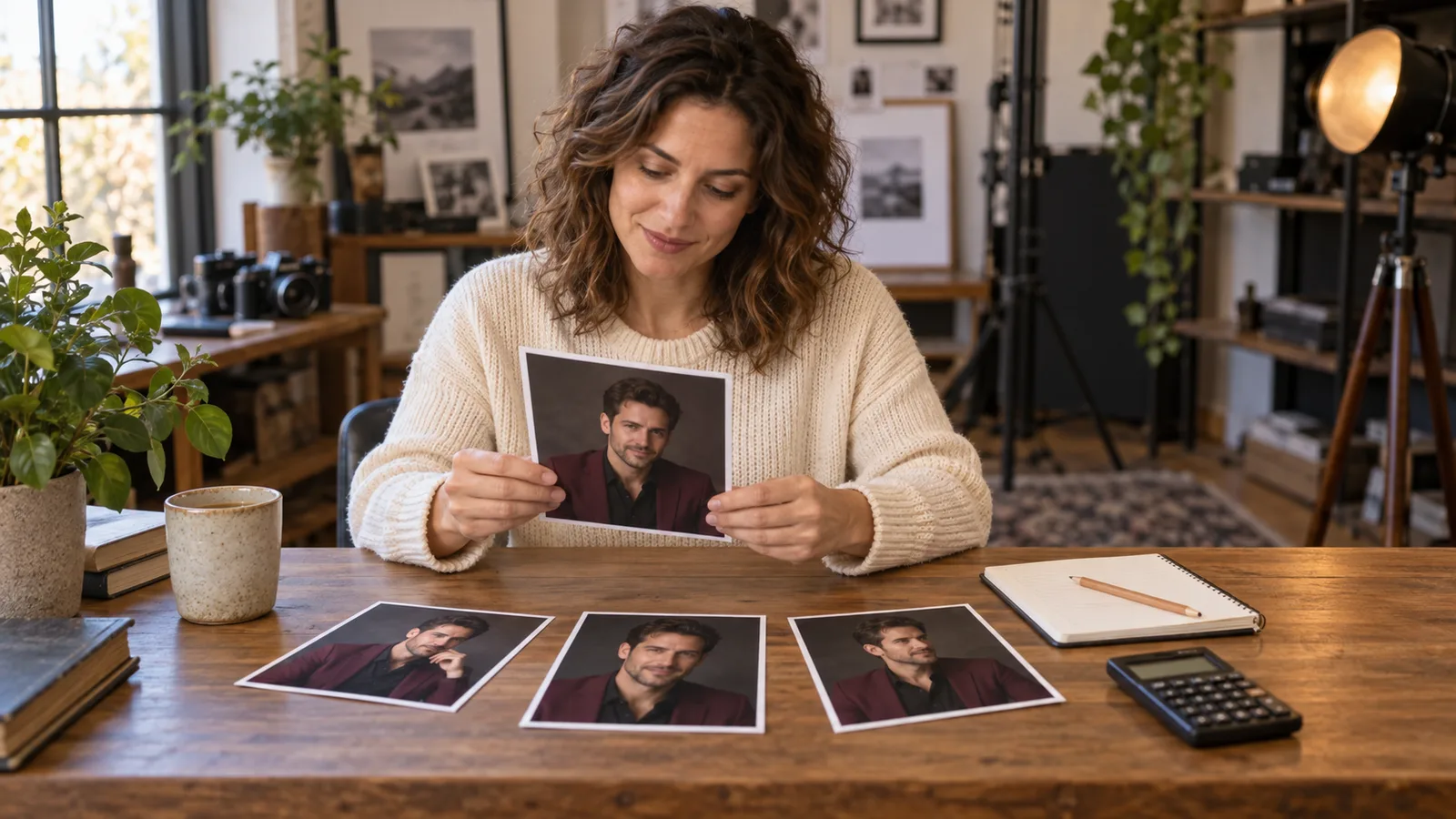
Illustration: choose the branch that matches the visible defect. These are alternative repairs, not a sequence of edits.
More pixels help inspection; they do not prove better skin
Output resolution and the proportion of the frame occupied by the face are different decisions. A 2k full-length image can still give the face fewer pixels than a 1k close portrait. For an NSFW creator building a profile card and a wider gallery shot, the sensible choice may be two purposeful compositions rather than trying to crop every placement from one distant character.
If the face is 150 pixels wide, enlarging the entire image doubles that face width to 300 pixels but does not recover a real, lost pore pattern. A generative upscaler may invent detail. That can make a fictional character image look better, but the new texture should still be reviewed for identity marks, age and consistency.
Cropping also has a cost in information. Cropping to half the source width and half its height keeps one quarter of its pixels. The same crop at one quarter of both dimensions keeps one sixteenth. Before requesting an expensive repair, check whether your desired portrait could be an ordinary crop with enough remaining pixels. That preserves the selected face exactly as it appears in the source.
Choose the final viewing size early. A faint texture that looks convincing at 100% may disappear on a small card, which is normal. Exaggerating pores until they remain visible on a 120-pixel face may make the full-size gallery image look harsh. Judge both sizes instead of optimizing for a magnified crop alone.
The image-upscaling guide covers resizing choices. Here the practical rule is simpler: increase resolution for a placement that needs it, and make the face occupy more of the frame when the photograph is about the face. Neither change is a measured skin-quality guarantee.
Finish an existing good portrait with ordinary adjustments
If the source already contains fine detail, a conventional photo editor can often improve the finish without asking a generator to reinterpret the person. Work on a duplicate layer or a reversible adjustment. Reduce excessive smoothing first; sharpening cannot bring back detail that a previous filter removed from the saved file.
If the forehead looks too bright but still contains tonal variation, try reducing that highlight locally. If the whole face looks flat, a modest contrast adjustment may give the cheek and jaw more shape. If the cheeks look crunchy, reduce the texture treatment rather than adding a blur over everything. Keep eyelashes, eyes and hair separate from the skin adjustment so the portrait does not become uniformly soft.
Adobe's explanation of Texture and Clarity distinguishes their effects and demonstrates local portrait adjustments. Use that distinction to diagnose the picture, not to copy one photographer's numeric setting into every AI portrait. A small local correction can preserve character detail that a blanket skin filter would remove.
Grain is a finishing style, not replacement anatomy. Fine, restrained grain can reduce an overly clinical digital feel, but dots across the background, eyes and cheek do not become skin pores. If the texture repeats identically over clothes and skin, it reads as a filter. If the face needs a different nose or repaired eye, grain does not address the defect.
Avoid exporting a long chain of JPEG edits. Keep the original and an editing master, then create the delivery file once the treatment is settled. PNG is useful for that editing handoff; choosing PNG does not make the generated face more realistic by itself.
A short repair budget and a sensible stopping point
The current listed Z-Image Spicy rate is $0.01235 per image with expansion off, or $0.0133 with expansion on. Four new concepts with expansion off start at $0.0494. Seedream 5.0 Pro editing with one reference is $0.036 per 1k output or $0.072 per 2k output. Extra references change the editing quote.
| Proposed session | Request budget |
|---|---|
| Four new Z-Image Spicy concepts, expansion off | $0.0494 |
| Two one-source Pro skin-edit attempts at 1k | $0.072 |
| One one-source Pro skin edit at 2k | $0.072 |
| Four concepts plus two 1k edits | $0.1214 |
These totals count requested images at the stated rates, not accepted portraits. A completed image can still have the wrong face or skin treatment. If the character is already approved, skip the new concepts. If the source only needs a local highlight adjustment, conventional editing adds no new generation request.
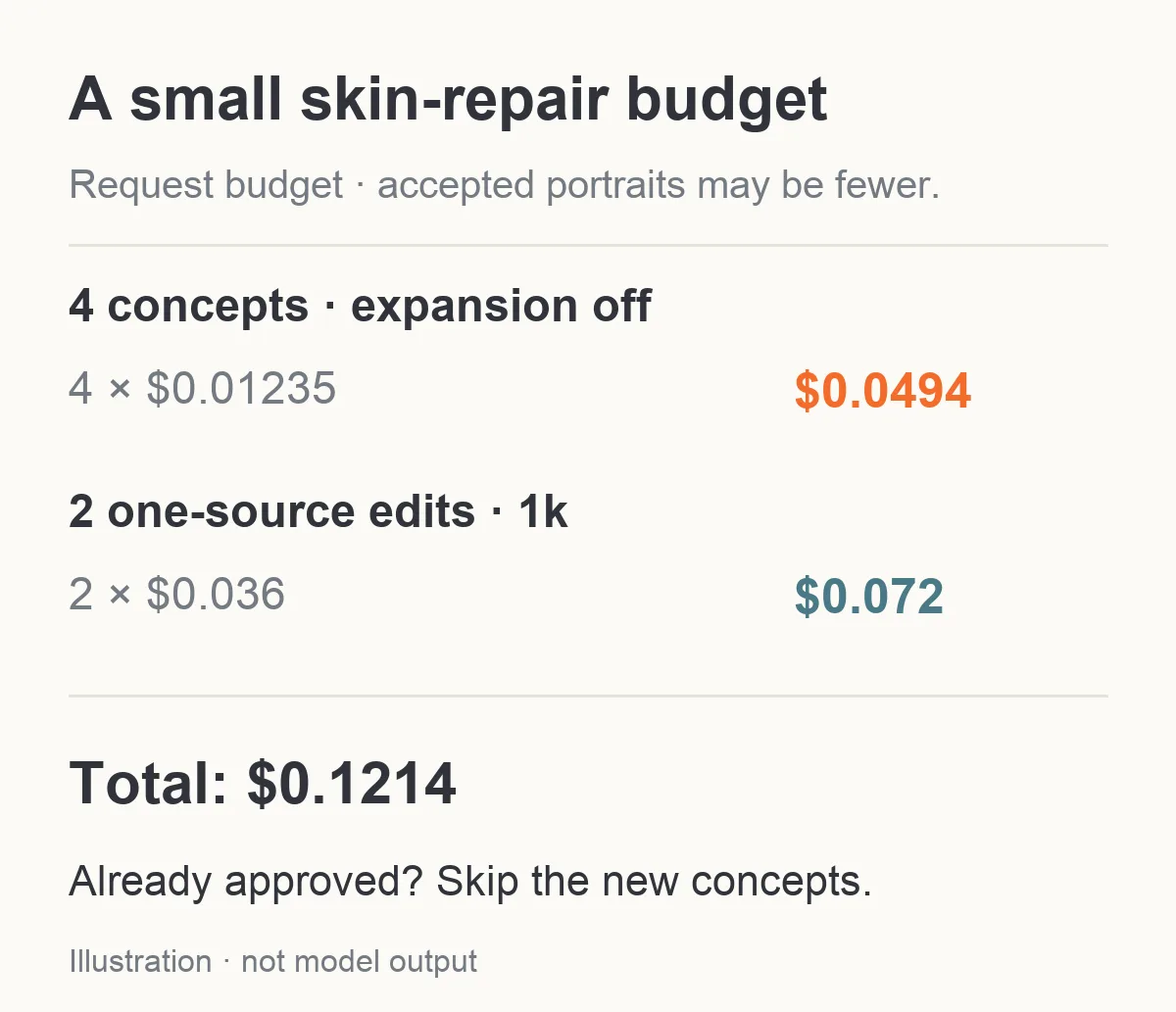
Four concepts with prompt expansion off plus two one-source 1k edits cost $0.1214. Accepted portraits may be fewer.
After two substantially different correction attempts, reconsider the diagnosis. If every repair gives the same waxy look, another dozen repetitions of “realistic skin” may not help. Try a clearer source, a closer frame, a simpler light arrangement or a different editing tool. If a repair improves the skin but changes the face, keep the original while you try a more localized finish. Do not silently redefine the character to rescue a cosmetic correction.
The models' adult-content handling is a separate question from texture quality. A model listed for less restrictive content is not a guarantee that every mature request will be accepted, or that an expression, face and surface treatment will be preserved together. This tutorial does not provide a new NSFW acceptance test; the Seedream content review covers the recorded scope of those tests.
For the next portrait, begin with the clean generation brief. For the face you already like, begin with the one-source edit. Stop when the person looks believable at the size the viewer will actually see: recognizable facial structure, restrained highlights and enough texture to feel photographic, without making the surface the subject of the picture.