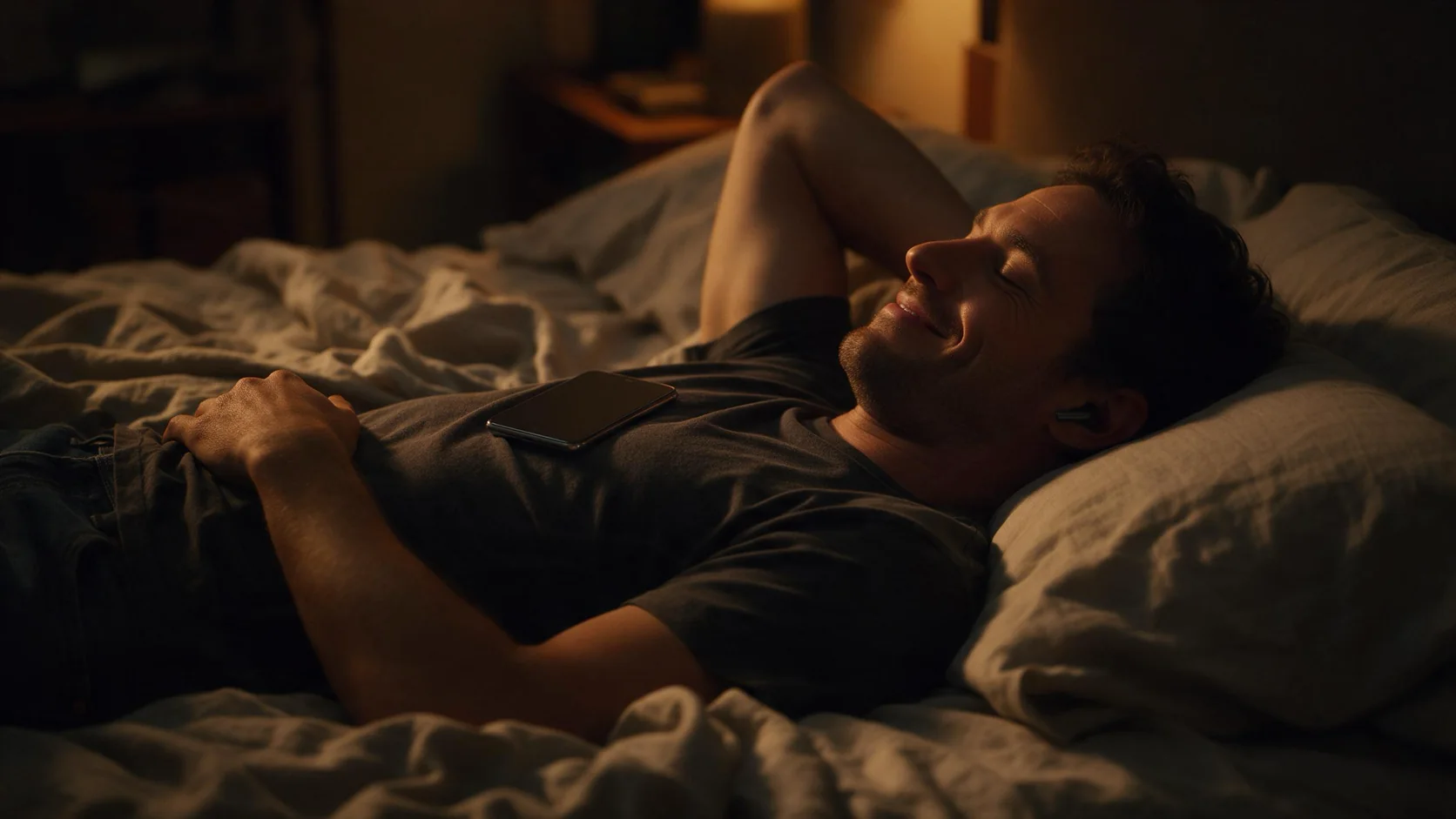
Introduction
Send the required first frame and describe its movement; intermediate keyframes can position a setting change in time.
| Field | Value |
|---|---|
| Input | Image |
| Output | Video |
| Publisher | xAI |
| Starting material | Written scene; required opening image; or 1-7 reference images |
| Prompt limit | Up to 4,096 characters |
| Clip length | 1-15 seconds; default 6 seconds |
| Text and image animation size | 480p (default), 720p, 1080p |
| Reference video size | 480p or 720p |
| Text canvas ratios | 16:9 (default), 9:16, 1:1, 4:3, 3:4, 3:2, 2:3; image animation also offers auto |
| Image animation guidance | Required opening image; optional ending image; up to 4 timed keyframes; 1 optional reference image |
| Loop constraint | Matching opening and closing frame; cannot combine loop with |
| Generated audio | Enabled by default; disabling it leaves the rate unchanged |
| Billing | By video second and resolution tier; reference-to-video adds a charge per reference image; failed requests are not charged |
| File retention | Generated video files are deleted after 14 days |
Key features & highlights
A whisper followed by a visible reply
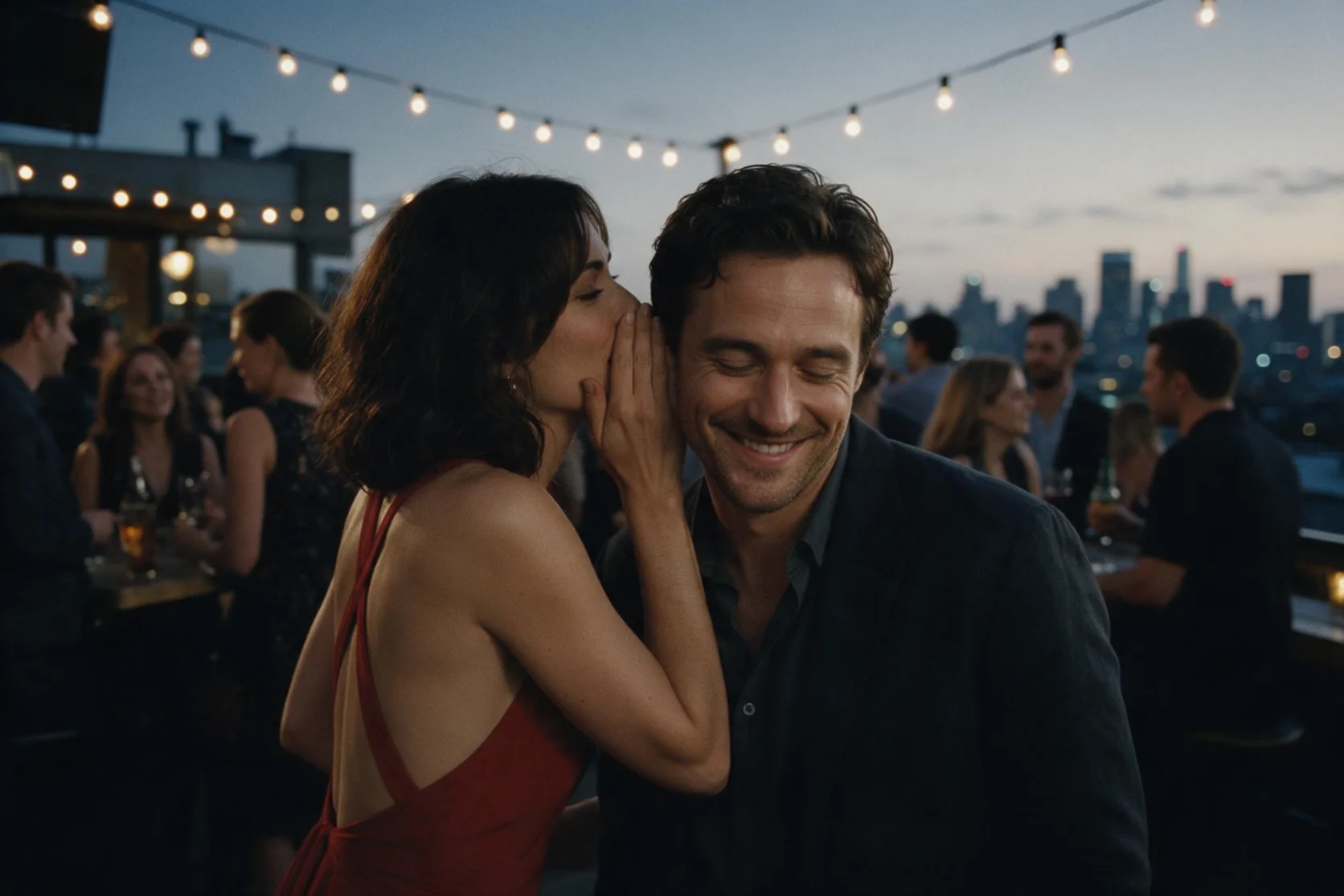
At a rooftop bar at dusk, a woman in a red backless dress leans toward a man and whispers, "Let's get out of here." Our six-second 480p sample includes that line on the soundtrack, followed by his smile and the hand-taking action. Use the example to plan a brief exchange: identify the speaker, quote the line, and describe the other person's response. Review the returned speech and movement together.
A crossing with a spoken line
In our tests, a small fishing boat crossed the sunrise fjord beneath circling gulls. The six-second result included sound and the captain delivering the quoted dialogue.
Reach the greenhouse at second three
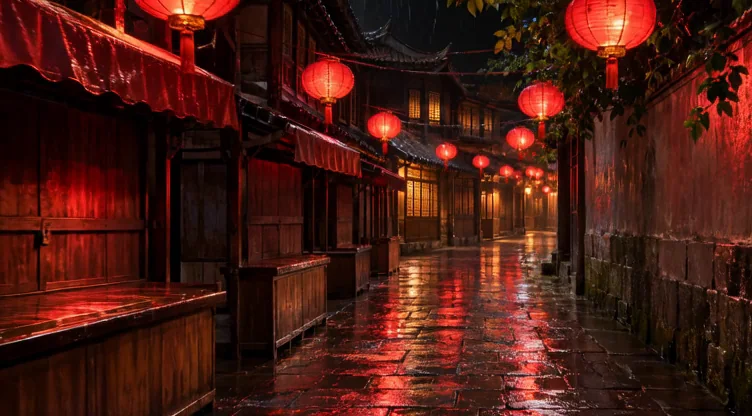
In our tests, a rainy lantern alley gave way to a bright Victorian greenhouse at the requested three-second keyframe. The complete shot ran six seconds with sound.
A crane that rocks back to its start
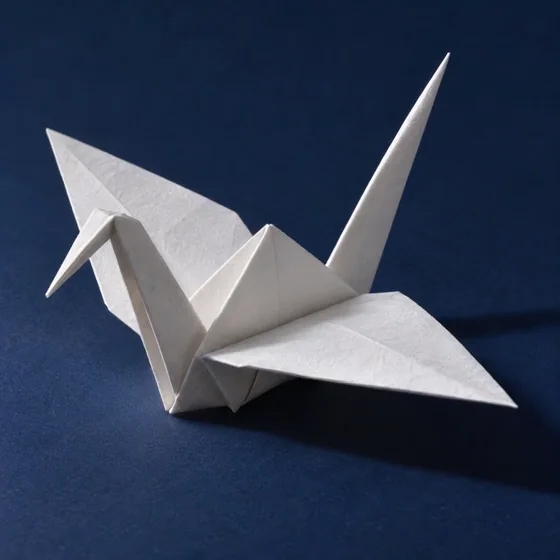
In our tests, the white origami crane moved gently on a blue table through a four-second loop. Its opening and closing frames matched.
Put a dancer and an origami bird in one studio
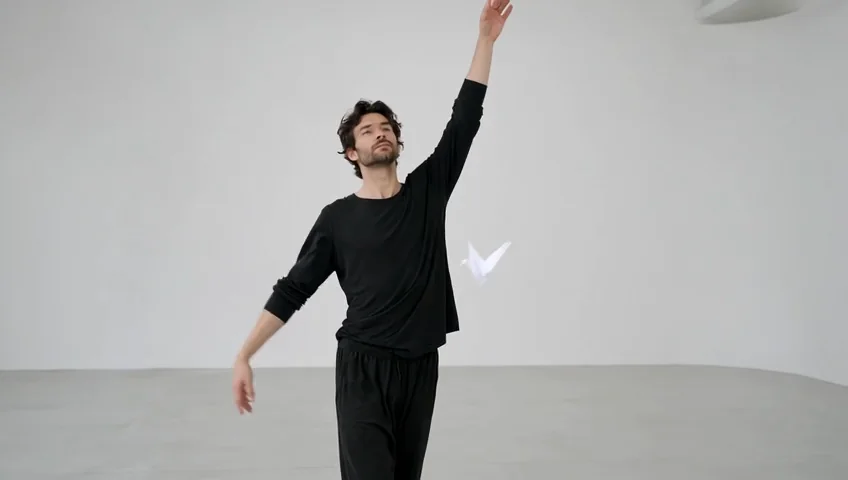
In our tests, the dancer in black rehearsal clothes moved slowly through a white studio while a paper crane floated nearby. Two uploaded references guided the six-second 848x480 result.
Request parameters
| Parameter | Required | Description |
|---|---|---|
prompt | Yes | Describe the action, setting and optional quoted dialogue in up to 4,096 characters; prompt length is not a billing tier. at least 1 characters · at most 4096 characters |
image_url | Yes | Required opening-frame image for the animation; it establishes the start rather than a separate price tier. at least 1 characters |
last_image_url | No | Optionally supply the ending frame; leave it out when loop is enabled, as these controls cannot be used together. This field adds no separate billing tier. at least 1 characters |
reference_image_urls | No | Optionally add one reference image and name it @image1 in the prompt; image-to-video billing follows seconds and resolution. at most 1 items |
aspect_ratio | No | Use auto to follow the opening image, or 16:9, 9:16, 1:1, 4:3, 3:4, 3:2 or 2:3; the shared default is 16:9. This choice does not alter the resolution rate. |
keyframes | No | Provide up to four intermediate images, each with |
loop | No | Enable matching first and last frames for a loop; do not also send |
resolution | No | Choose 480p, 720p or 1080p; 480p is the default and higher tiers cost more per second. |
duration_seconds | No | Request 1–15 seconds, with 6 seconds used by default; longer output increases the seconds billed. |
generate_audio | No | Generate a soundtrack by default, or disable it for a result without an audio track; the rate is unchanged. Default: |
Pricing
Still animation charges for output seconds at the chosen resolution tier; soundtrack selection leaves that rate unchanged, and failures are not billed.
| Specification | Price |
|---|---|
| $0.028 / second |
| $0.0505 / second |
| $0.09 / second |
Use cases
Dialogue-led story moments
Build a short interaction around one quoted line and a visible response. The rooftop sample pairs a whispered invitation with a smile and a hand-taking action in a six-second clip with sound.
Transitions with a planned arrival
Guide a change of setting with an intermediate image at a chosen second. Our alley-to-greenhouse test reached the sunny greenhouse at second three of a six-second shot.
Repeating motion from a still
Animate an opening image with loop enabled for motion that returns to its start. Our loop test followed the matching-frame setting; inspect the playback join before using the clip in a repeating placement.
Scenes assembled from references
Supply separate images for people, props, or locations and assign each an @image role in the prompt. The reference workflow accepts one to seven images, with a charge for each supplied reference.
Silent inserts for an existing edit
Disable generated audio when the sequence will use an existing soundtrack. Our audio-off test returned no audio track, while the selected duration and resolution still determine the video rate.
Prompt guide & pro tips
Pick the source for the scene
Choose text for a written shot, image-to-video for a required opening still, or reference-to-video for a composition guided by several images.
Describe action and sound
Name the subject, clothing, setting, light, and a manageable action. Put a spoken line in quotation marks and identify who delivers it.
Choose timing and output
Set 1-15 seconds, a supported aspect ratio, and the resolution tier. For still animation, add timed keyframes and choose an ending image or loop when needed.
Review and save the clip
Watch the movement, listen to any dialogue, and inspect a loop join or timed transition. Download accepted videos within 14 days, before the generated files are deleted.
Direct motion from an opening still
Image-to-video begins with a required image_url and a written instruction for how the scene should move. Grok Imagine Video 1.5 can animate that opening frame for 1-15 seconds with generated sound. Use this workflow when the starting composition matters, then add image guidance for the ending or an intermediate moment where needed.
Several controls serve different purposes: last_image_url supplies an ending frame, keyframes position intermediate images in time, and loop matches the opening and closing frame. One optional reference image can contribute further visual guidance. Choose the controls for the shot you are directing rather than treating every uploaded image as the same kind of input.
Parameter map
| Parameter | Role | Choices or limit |
|---|---|---|
image_url | Establishes the opening frame | Required |
| prompt | Describes movement, setting, and optional dialogue | Up to 4,096 characters |
aspect_ratio | Selects the output shape | auto, 16:9, 9:16, 1:1, 4:3, 3:4, 3:2, 2:3; default 16:9 |
| resolution | Selects the output tier | 480p, 720p, 1080p; default 480p |
duration_seconds | Sets the running time | 1-15 seconds; default 6 |
generate_audio | Controls the generated soundtrack | Enabled by default |
last_image_url | Guides the ending frame | Optional; incompatible with loop |
reference_image_urls | Adds visual reference guidance | One optional image; name it @image1 |
| keyframes | Places intermediate images at chosen moments | Up to 4; each has time_seconds |
| loop | Uses matching opening and closing frames | Do not combine with last_image_url |
Select auto when the output ratio should follow the opening image. Otherwise choose the supported ratio that suits the intended placement. Text about a wide view explains composition, while aspect_ratio selects the shape.
Plan the opening, middle, and ending
Reach a setting at a chosen second
Use keyframes when the shot needs to pass through a particular image at a particular moment. Give each intermediate image its time_seconds position within the requested clip. The supplied transition test starts in a rainy lantern alley and reaches a sunny greenhouse at second three of a six-second video.
Describe the visual connection in the prompt: camera travel, the change in light, and how the environment should open into the destination. The timed image provides the scheduled visual target. It does not replace the movement instruction between the images.
Choose a destination or a return
An ending image suits a shot that should finish on a supplied composition. Loop suits motion designed to return to the starting frame. These controls cannot be used together, so decide which ending the shot requires before submitting.
For a loop, describe a contained movement such as a paper object rocking and settling back into its opening pose. Watch the join in repeated playback. Our loop test followed the matching-frame setting, but your chosen action still needs review as a moving sequence.
Prompting from an existing composition
Start with what should move, then describe its direction and pace. Add the intended camera movement separately so the subject's action is clear. When people appear in a proposed scene, identify adults in their thirties or older and state clothing, mood, and light in concrete terms.
A portrait brief might ask the person to turn toward a window, smile, and look back, while maintaining the evening dress and warm lighting visible in the opening image. Name the optional reference as @image1 when you use it, and explain what it contributes. Use photos and voices you have the right to use, depict adults, and avoid impersonation.
Quoted dialogue can be part of the generated soundtrack. If the edit needs silence, disable generate_audio; our audio-off test returned no audio track. Inspect sound alongside motion when accepting the result.
Observed behavior
Our supplied tests confirmed the ending-frame, loop, and keyframe controls in their respective requests. The timed transition reached the greenhouse at second three, within a six-second shot with sound. Those observations support these specific controls and the shown transition rather than a guarantee for every movement between arbitrary images.
After generation, compare the opening, the requested intermediate moment, and the ending with the images supplied. Review the movement between them as well as the individual frames.
Billing and retention
Charges follow video duration and the selected resolution tier, with higher tiers priced higher per second. Turning sound off leaves the rate unchanged, and failed requests carry no charge. Refer to the model page's current prices when choosing settings. Save accepted files within 14 days; generated videos are deleted after that window.
Limits and sibling choices
The publisher applies its own content filter, and requests it flags are refused without charge. Keep intermediate guidance to four images and do not send an ending image together with loop. This endpoint accepts one optional reference in addition to its required opening image.
For a shot without a required starting picture, use text-to-video. For a composition built around several visual sources, use reference-to-video, which accepts one to seven reference images and offers 480p or 720p. Continue with image-to-video when an opening frame, a timed visual arrival, or the loop control is the reason for the request.
API quick start
# Generate the idempotency key once; reuse it when retrying after a lost response.
export SPICY_IDEMPOTENCY_KEY="${SPICY_IDEMPOTENCY_KEY:-$(uuidgen)}"
curl -X POST https://api.spicyapi.ai/api/v1/jobs/createTask \
  -H "Authorization: Bearer $SPICY_API_KEY" \
  -H "Content-Type: application/json" \
  -H "Idempotency-Key: $SPICY_IDEMPOTENCY_KEY" \
  -d '{
  "model": "xai/grok-imagine-video-1.5/image-to-video",
  "input": {
    "aspect_ratio": "auto",
    "duration_seconds": 6,
    "image_url": "https://example.com/reference.png",
    "prompt": "A slow aerial shot drifting over a misty pine forest at sunrise",
    "resolution": "480p"
  }
}'

# Copy data.taskId from the response into TASK_ID, then poll the status.
TASK_ID="TASK_ID_FROM_RESPONSE"
curl "https://api.spicyapi.ai/api/v1/jobs/recordInfo?taskId=$TASK_ID" \
  -H "Authorization: Bearer $SPICY_API_KEY"
See the API reference for authentication, the complete schema, polling, and error handling.